




New Trade Zone
Trade Zone is now live
Use the new Trade Zone for auctions and instant-price trades so Pokemon and item offers are easy to find.
Leaderboard
-

Lacomus
Registered User5Points9601Posts -

Eaty
Developer4Points2720Posts -
370kibiryani
Suspended4Points2840Posts -
Konservatif
Registered User3Points342Posts




Popular Content
Showing content with the highest reputation on 09/23/25 in all areas
-
2 points
-
2 points* { font-family: "Inter", sans-serif; } .keita-margin { margin-block-end: -0.8rem; } .keita-codeb { background-color: rgba(27, 28, 30, 1); padding: 0px 2px 0px 2px; color: #ebe7e3c4; border-radius: 4px; border: 1px solid rgba(128, 128, 128, 0.48); font-family: "Roboto Mono", monospace; font-size: 90% !important; } .keita-colored-code { color: #15f5ba; font-size: 100% !important; } Combining Search Terms Easily find the exact Pokemon you need by combining search terms. Search Example for a Specific Pokemon: lvl=30 shiny Rattata Finds all shiny Rattata's at level 30. Search for High-Level Pokemon: lvl>70 Charizard Finds all Charizards above level 70. Search for Pokemon by Type and Region: type=Water region=Hoenn Finds all Water-type Pokemon caught in the Hoenn region. Search for Specific Stats: ATK>=28 SPD>=28 Garchomp Finds all Garchomp's with both Attack and Speed IV stats at or above 28. Replace the Pokemon name and edit the level to suit your search needs. Supported Comparers Equality and Inequality: = or ==: Finds exact matches (e.g., lvl=30 finds Pokemon exactly at level 30). != or <>:Finds all that do not match (e.g., lvl<>30 finds Pokemon not at level 30). Greater and Lesser: >: Greater than (e.g., lvl>30 finds Pokemon above level 30). <:Lesser than (e.g., lvl<30 finds Pokemon below level 30). >=: Greater than or equal to (e.g., lvl>=30 finds Pokemon at level 30 and above). <=:Lesser than or equal to (e.g., lvl<=30 finds Pokemon at level 30 and below). Combining & Excluding Combining: space or , or &: Used as AND to combine different conditions (e.g., shiny,g=f lvl>=50 Gardevoir finds shiny female Gardevoir's at level 50 or higher). |: Used as OR to match multiple filter sets (e.g., type=fire | type=electric finds all Fire or Electric type Pokemon). Excluding: !: Put ! in front of a term to exclude it (e.g., !shiny finds all non-shiny Pokemon). Works with booleans (shiny, form, legendary, item and with bare names (!Golduck). Multi-words You cannot type raw spaces inside a value (e.g., m=String Shot). Spaces are parsed as AND. In this example, it would search for m=String and then treat Shot as a separate string to look for Pokémon names. You have to use quotes ("") or underscores (_) to search for the exact names (e.g., m="String Shot", m=String_Shot). In most cases, you can just search for part of the name to get the results you are looking for. Detailed Filter Options Below are the filter options you can use to narrow your search results, along with their aliases and how to use them: Filters Usable Without a Comparer shiny (shiny, s) - Filter for shiny Pokemon. form (form, f) - Filter for themed Pokemon. Legendary (legendary, l) - Filter for Legendary Pokemon. Pokemon Name (name, pokemon, poke) - Filter by the name of the Pokemon. Pokedex ID (dex, d)- Filter by the Pokedex identification number. Borrower Name (borrower, b) - Filter by the name of the Borrower. Selected (sel, select, selected) - Filter for selected Pokemon. item (item, i) - Filter for Pokemon with held items. Tag (tag) - Filter for Pokemon that have at least one custom tag created and assigned by the user. Basic Filters UID (uid, u) - Unique identifier of a Pokemon. Example: uid=53256 OT - Name of the person who caught the Pokemon. Example: OT=Username Level (level, lvl, lv) - The level of the Pokemon. Example: lvl=100 Ability (ability, a) - The ability of the Pokemon. Example: a=Protean Nature (nature, n) - The nature of the Pokemon. Example: n=Timid Item (item, i) - The held item of the Pokemon. Examples: i=focus_sash, i=smoke_ball Gender (gender, g, sex) - The gender of the Pokemon. Examples: g=m, g=f, g=none Type (type, t) - Type of the Pokemon, such as Fire or Water. Example: t=Fire Region (region, r) - The region where the Pokemon was caught. Example: r=Kanto Hidden Power (hiddenpower, hi) - The hidden power type the Pokemon has. Example: hi=Ground Move (move, m, skill) - The move of the Pokemon. Example: m=Tackle Form (form, f) - The form of a Pokemon. Examples: f=halloween, f=smr, f=valentine, f=shadow, f=pnk, f=chroma Generation (generation, gen) - The generation in which the Pokemon was first released. Examples: gen=1, gen=kanto, gen=paldea, gen=6, gen=alola CaughtBall (caught_ball, caughtball, ball) - The ball the Pokemon was caught with. Examples: ball=Pokeball, ball=Master_Ball Tag (tag) - Custom tags created and assigned by the user. Examples: tag=favorite, tag=to_level, tag=to_ev Stats Filters ATK (atk, attack) - ATK IV of the Pokemon. Example: ATK>=28 DEF (def, defense, defence) - DEF IV of the Pokemon. Example: DEF>19 SPD (spd, speed) - SPD IV of the Pokemon. Example SPD=31 SPATK (spatk, specialattack) - SPATK IV of the Pokemon. Example: SPATK>=28 SPDEF (spdef, specialdefense, specialdefence) - SPDEF IV of the Pokemon. Example: SPDEF>=20 HP (hp, hitpoints) - HP IV of the Pokemon. Example: HP=31 IVs (all, alliv, allivs, ivs) - Every IV of the Pokemon. Example: ivs>20, all>=10 ATKEV (atkev, attackev) - ATK EV of the Pokemon. Example: ATKEV=252 DEFEV (defev, defenseev, defenceev) - DEF EV of the Pokemon. Example: DEFEV=0 SPDEV (spdev, speedev) - SPD EV of the Pokemon. Example SPDEV=252 SPATKEV (spatkev, specialattackev) - SPATK EV of the Pokemon. Example: SPATKEV>=140 SPDEFEV (spdefev, specialdefenseev, specialdefenceev) - SPDEF EV of the Pokemon. Example: SPDEFEV>=100 HPEV (hpev, hitpointsev) - HP EV of the Pokemon. Example: HPEV=6 Expiration Time for Borrowed Pokemon Expiration (expiration, expires, expire, e) - Remaining time before a borrowed Pokemon will automatically return. Units: days (d), hours (h), minutes (m), and seconds (s). Examples: e<1d1h1m1s, e<1d3h, e>40s2 points
-
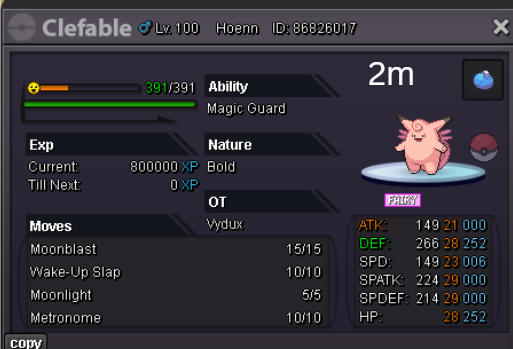
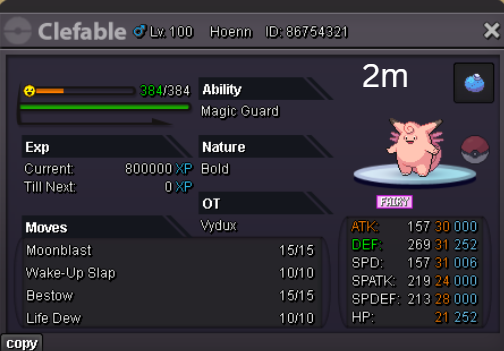
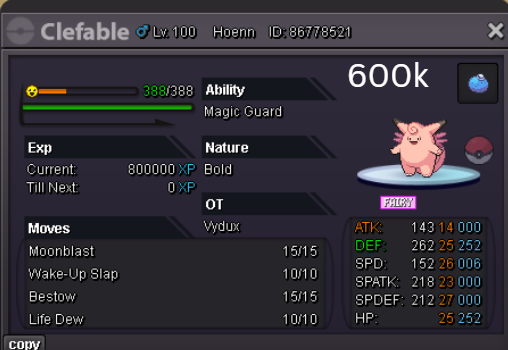
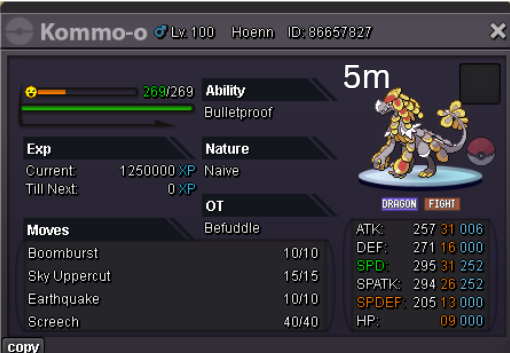
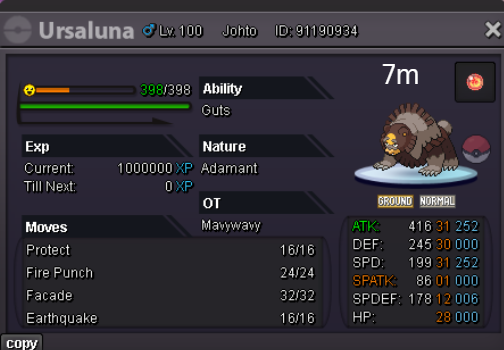
✨Welcome to my personal shop ✨ "I will update with new items & pokemons every 2 Weeks" 📞 Contact Info 🎮 In-game: Mavywavy 💬 Discord: mavy411 💳 Payments Pokedollar Coin Capsule = 500k Reroll Ticket = 700k Nature Reroll Ticket = 350k Rare Candy = 5k FREE Pokemons for NEW players Spoiler 📦Categories ✨ [CLOSED for now] ✨ PRESTIGE mount Spoiler 🎒 Items & TMs Spoiler 👑 Cosmetics Spoiler LIMITED 🎃 & ⛄ Spoiler 🐾 Fully Trained Pokémon < 1m Spoiler 1m - 5m Spoiler From 5m+ Spoiler 🌱 Untrained Pokémon Spoiler 🌟 Shiny & Special Pokémon < 1m Spoiler From 1m+ Spoiler 🌸 Clefable Epic Spoiler DM today to place your order and start your Transylvania journey!
.png.455a7d211f128442d0035182d7610039.png)
.png.9ca42baa62c830271dba0c64ed728503.png)





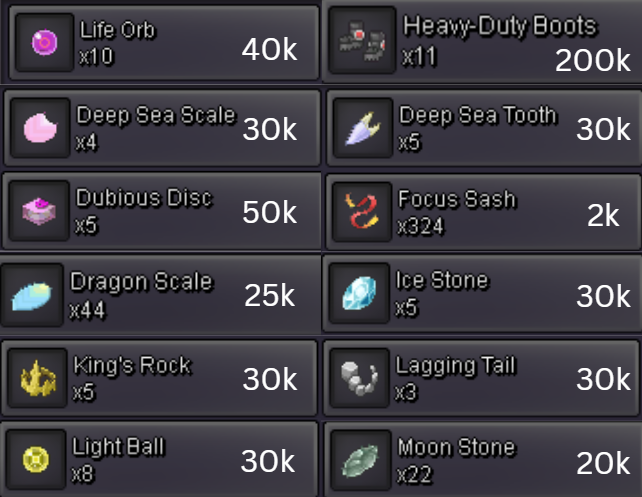
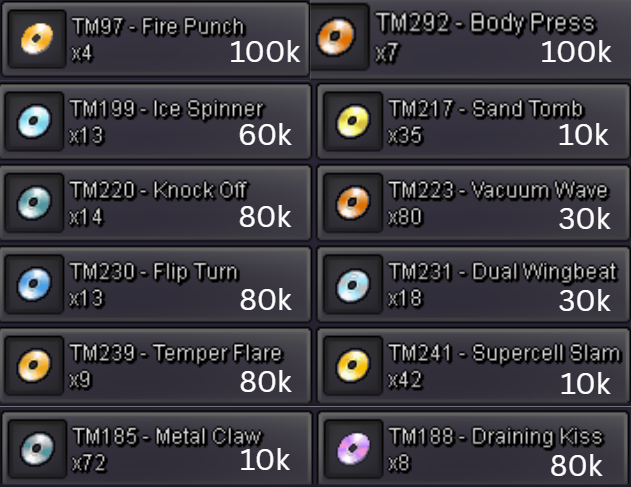
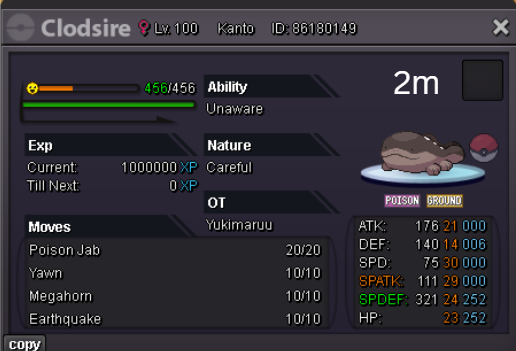
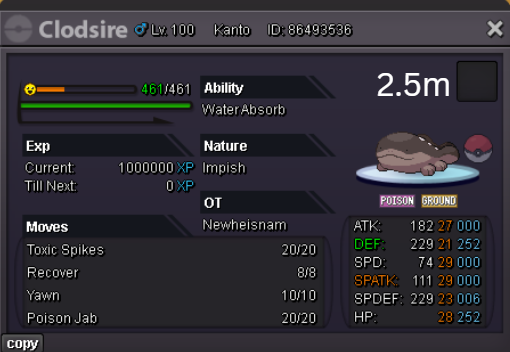
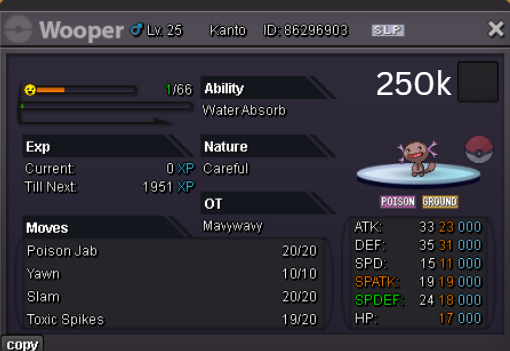
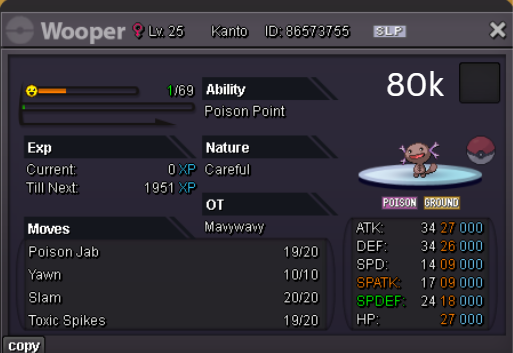
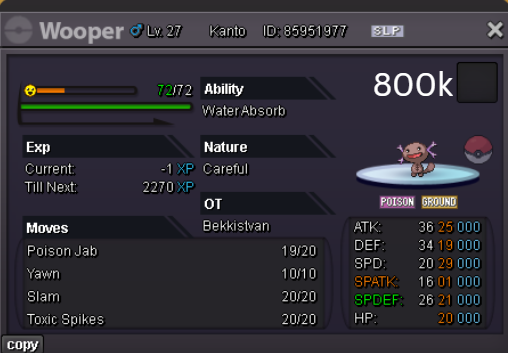
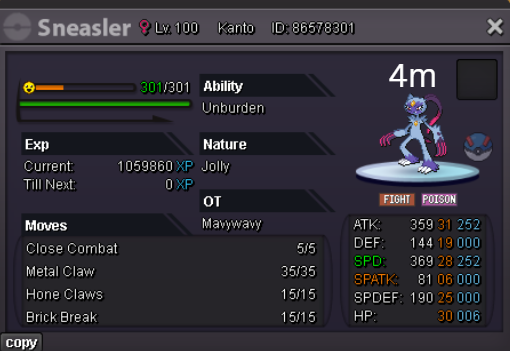
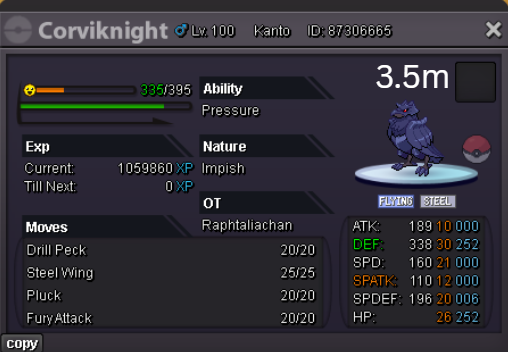
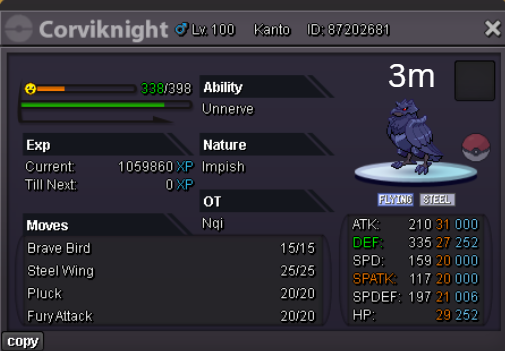
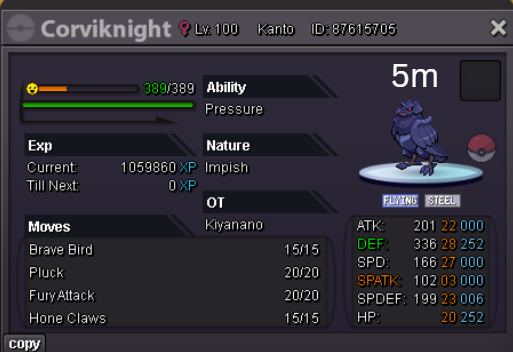
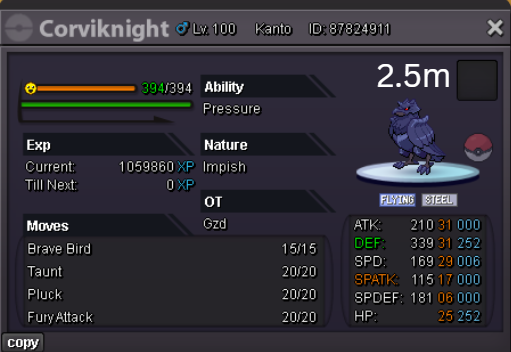
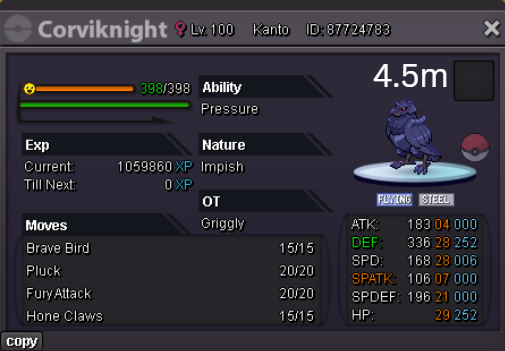
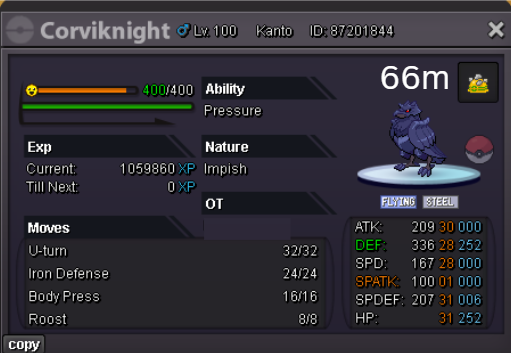
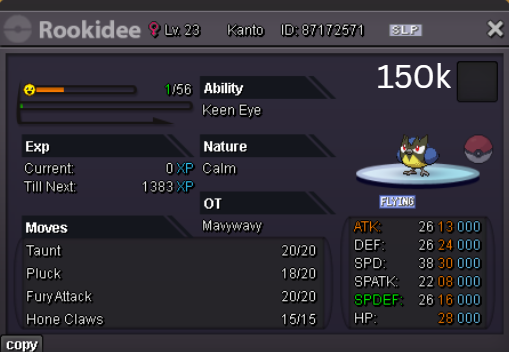
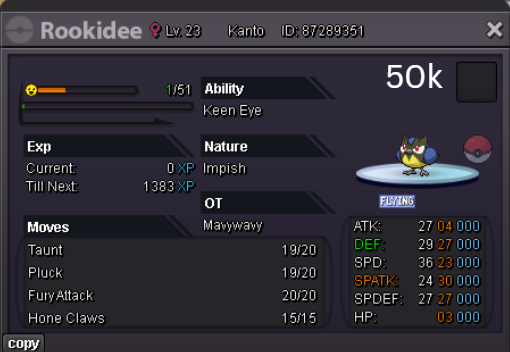
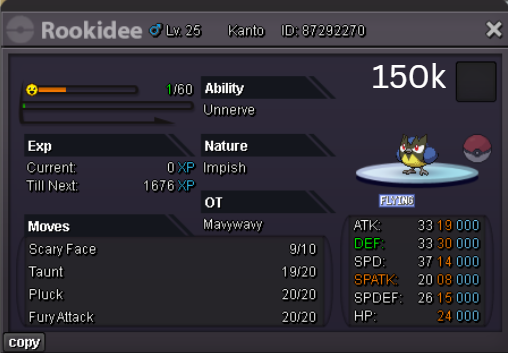
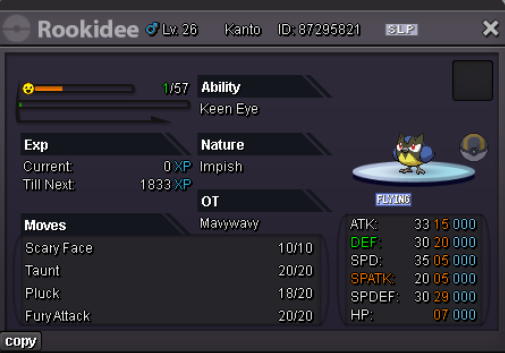
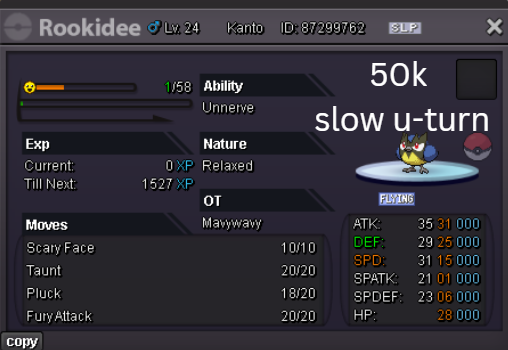
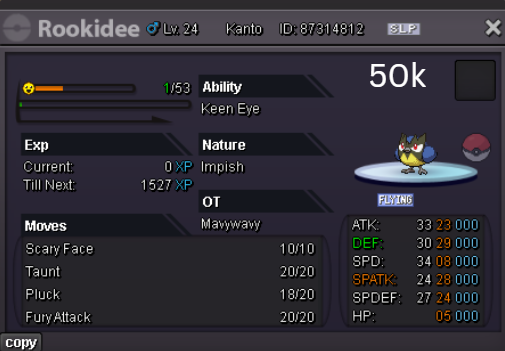
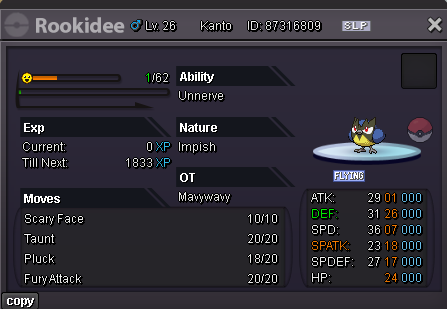
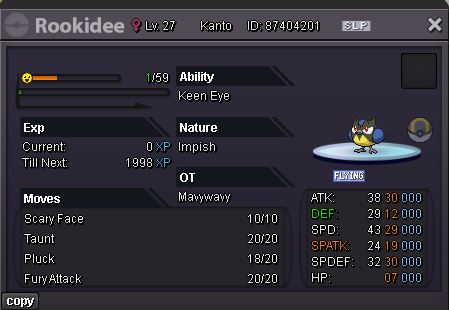
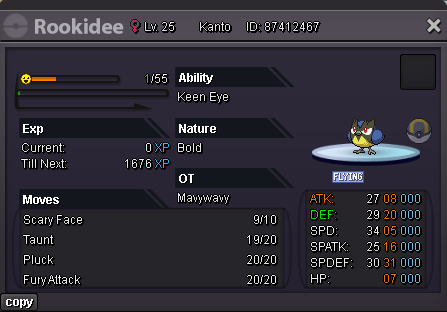
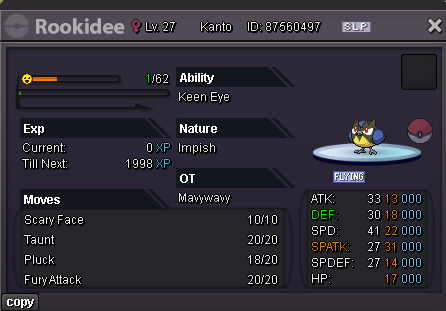
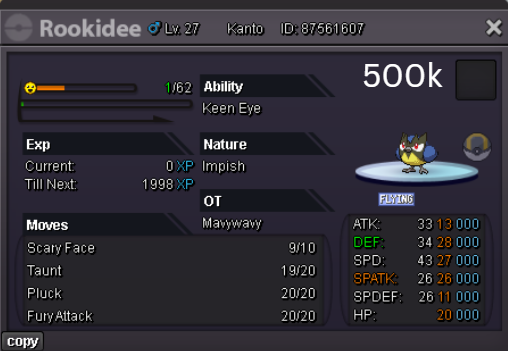
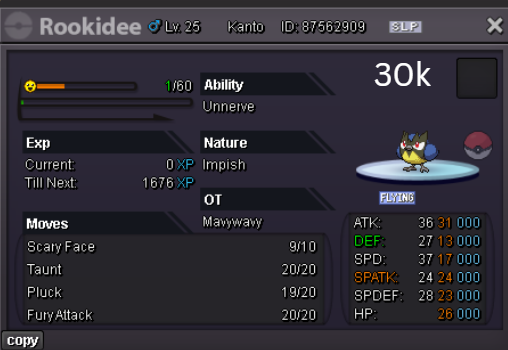
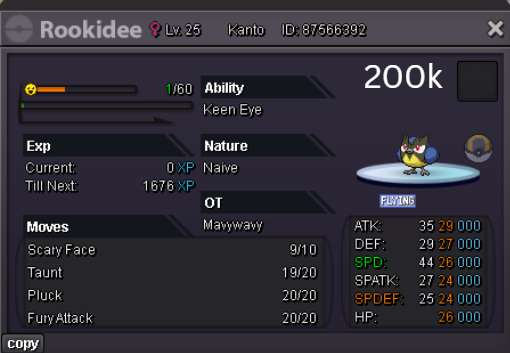
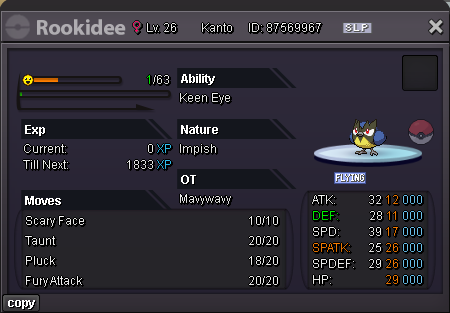
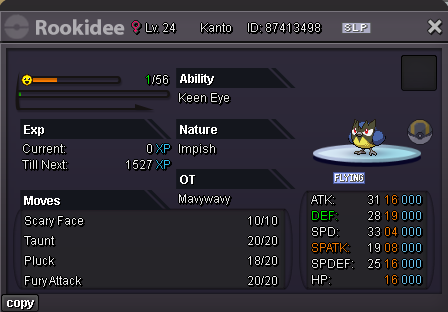
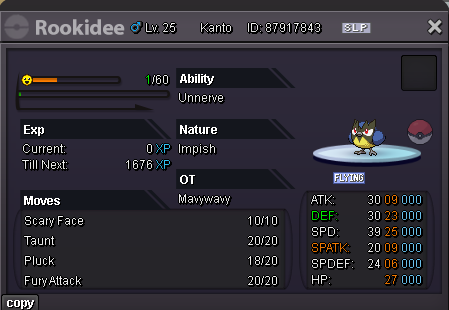
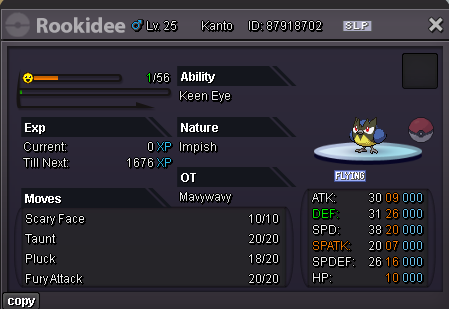
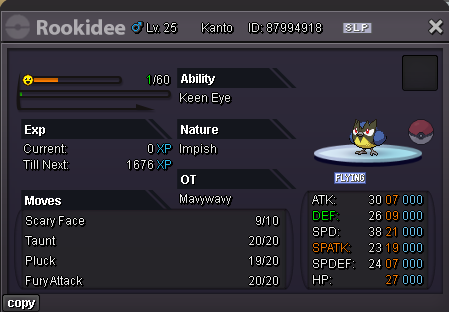
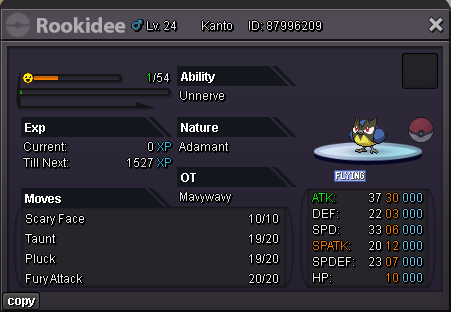
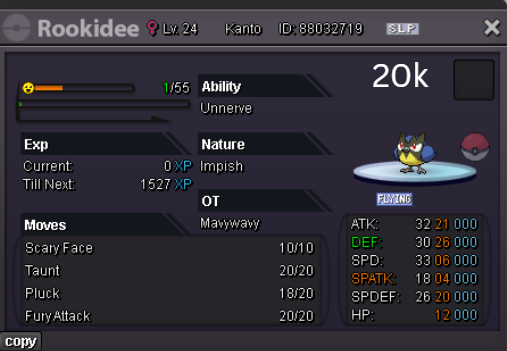
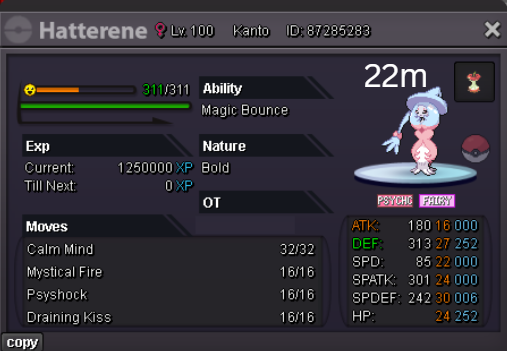
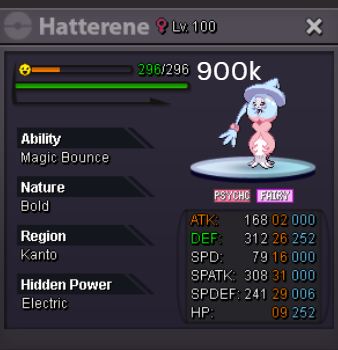
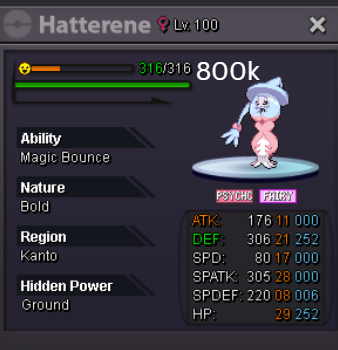
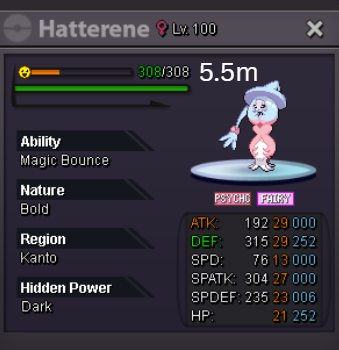
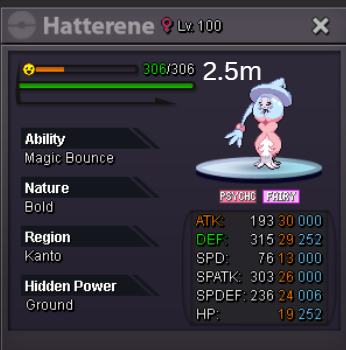
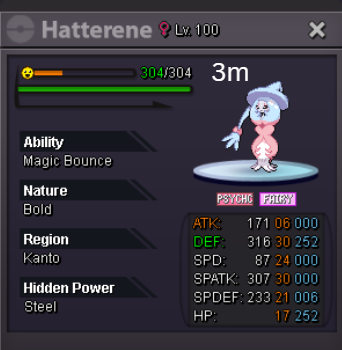
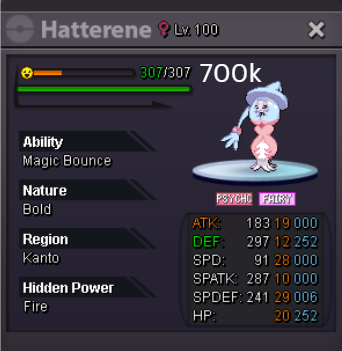
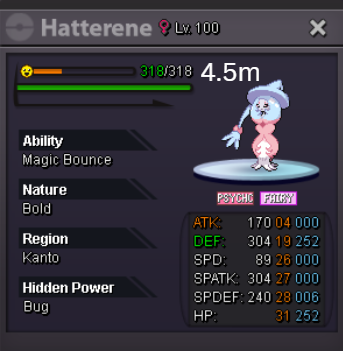
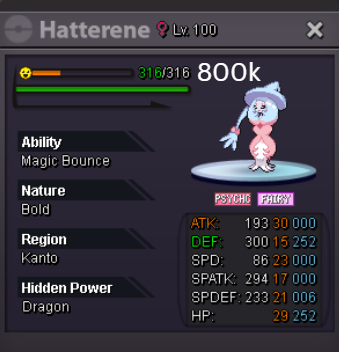
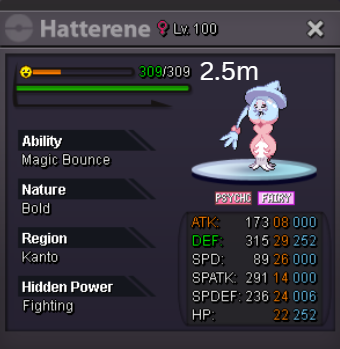
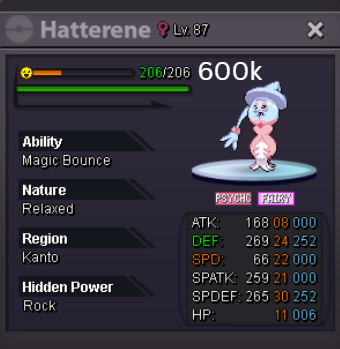
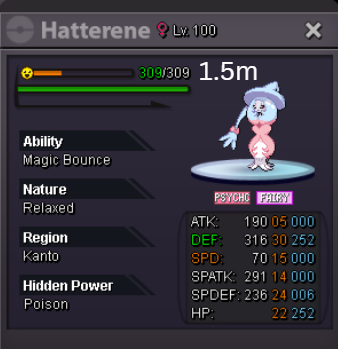
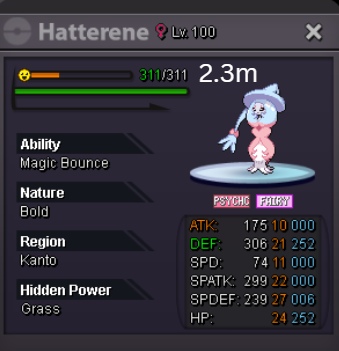
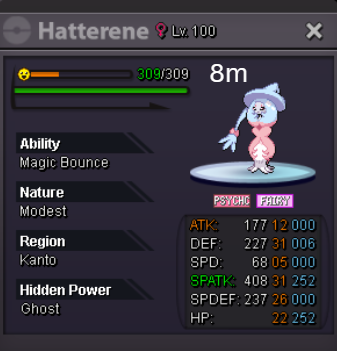
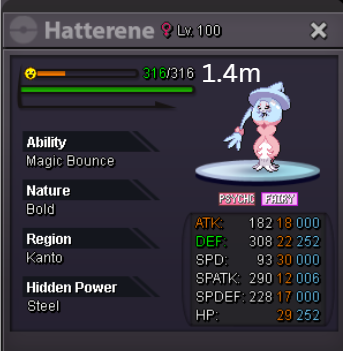
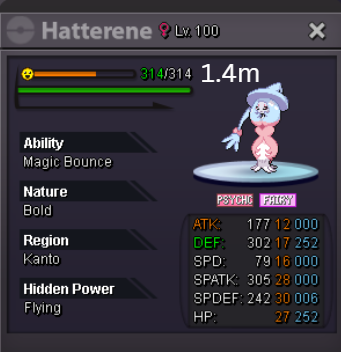
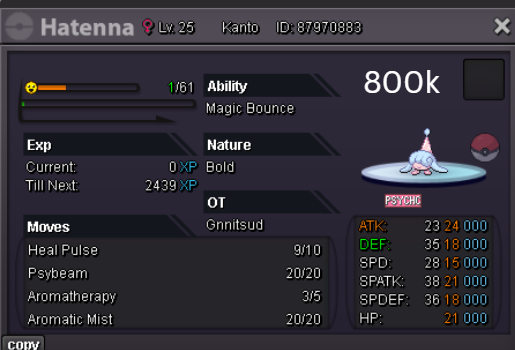
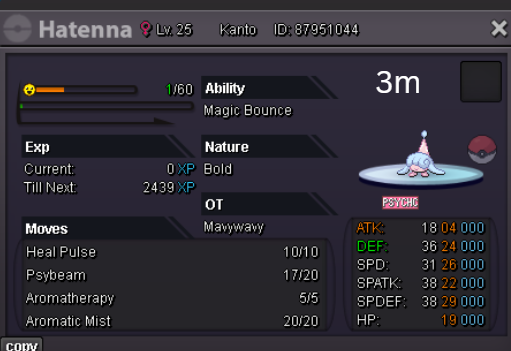
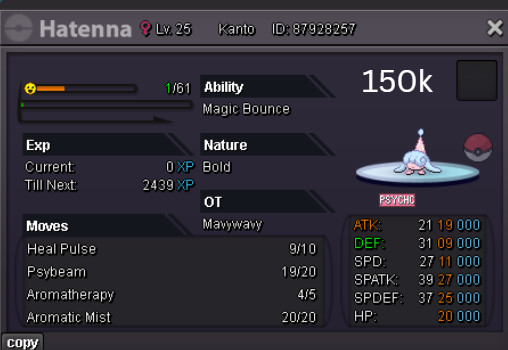
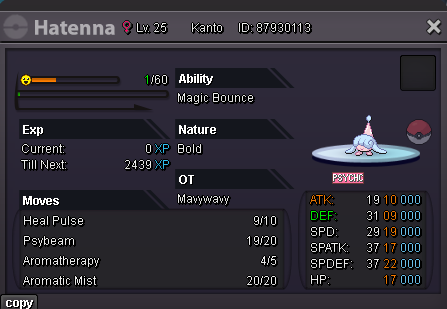
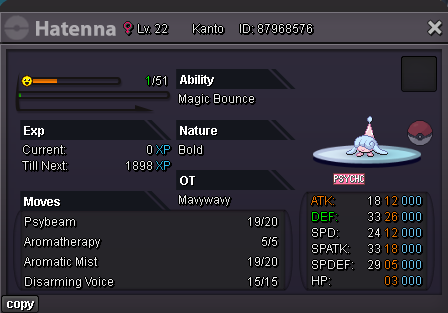
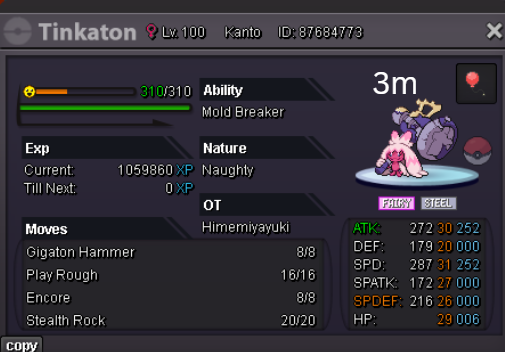
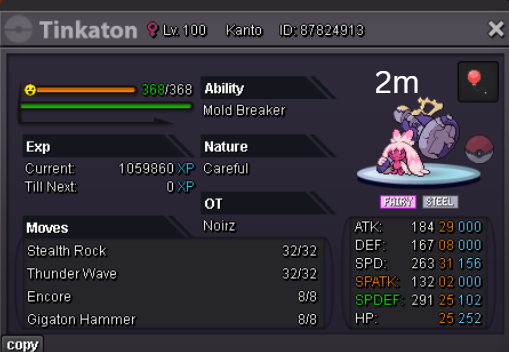
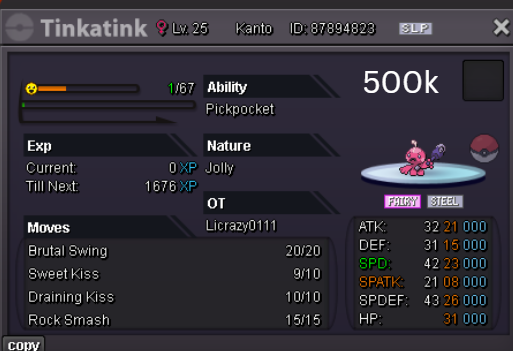
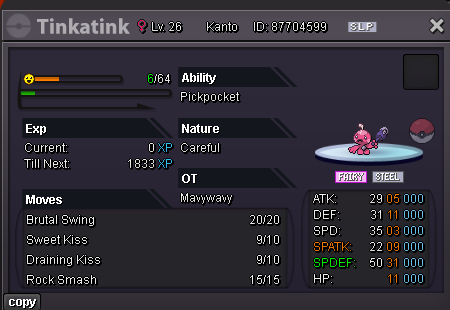
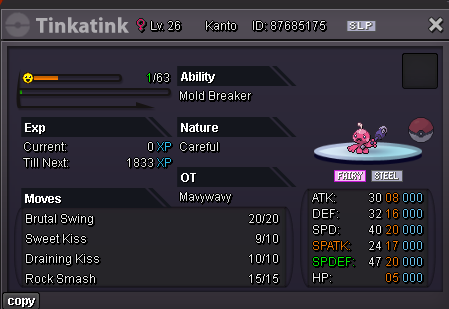
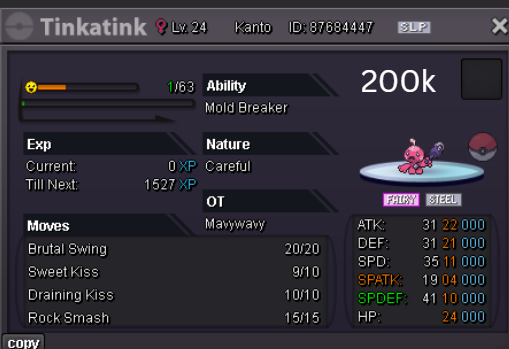
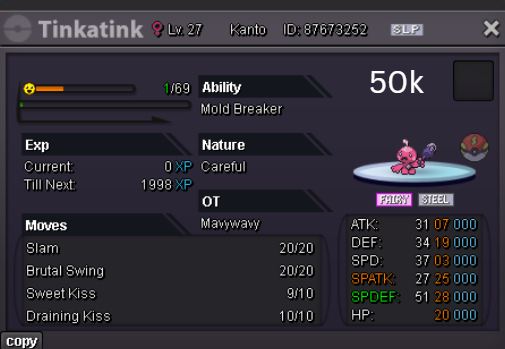
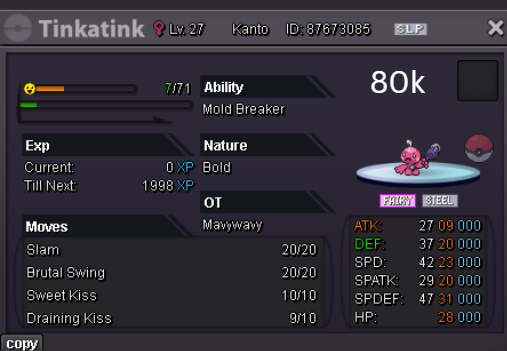
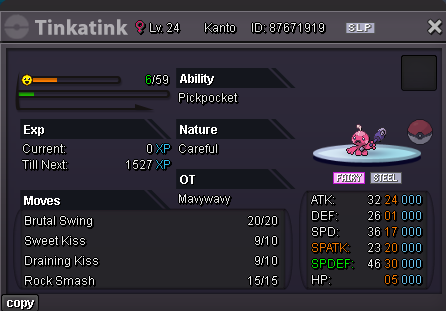
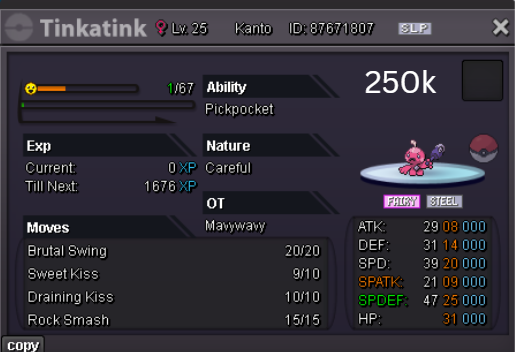
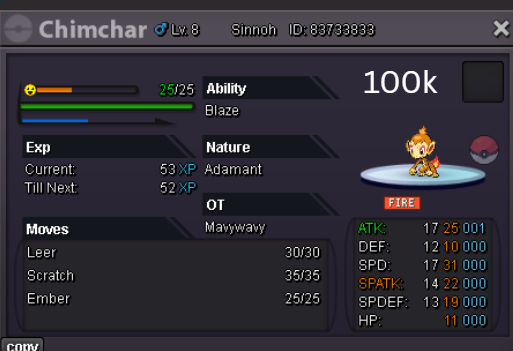
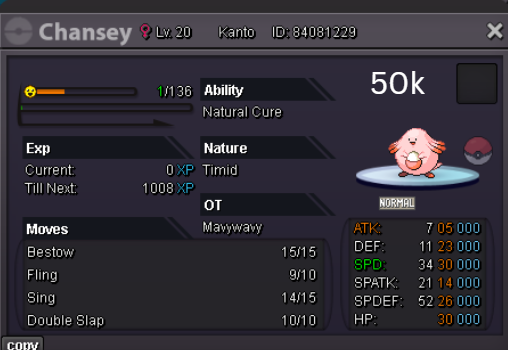
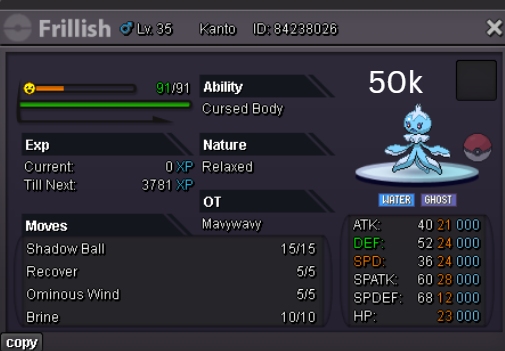
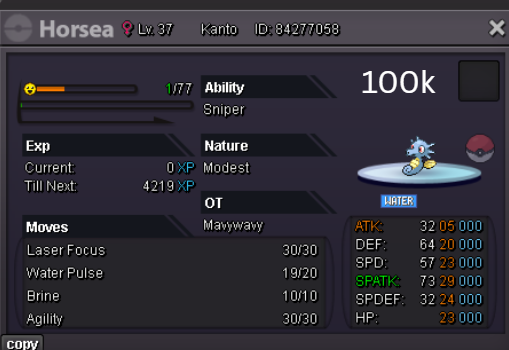
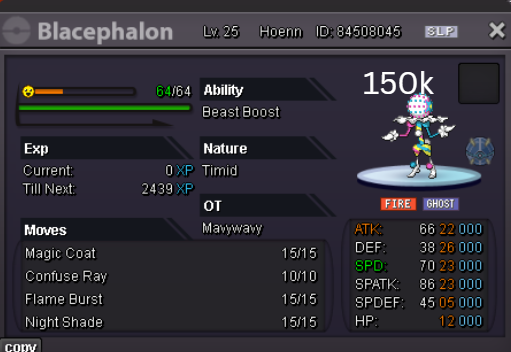
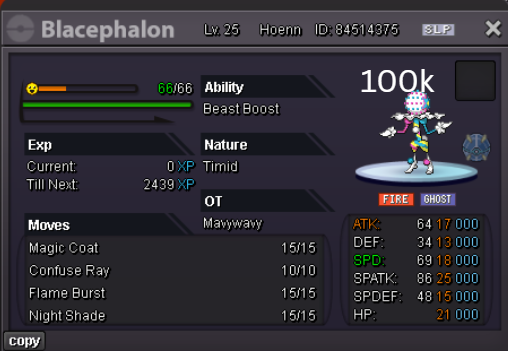
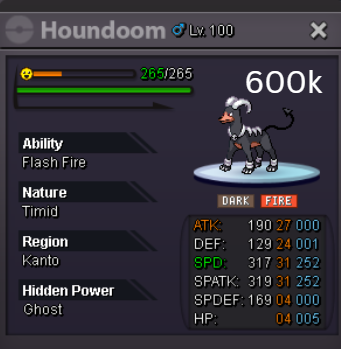
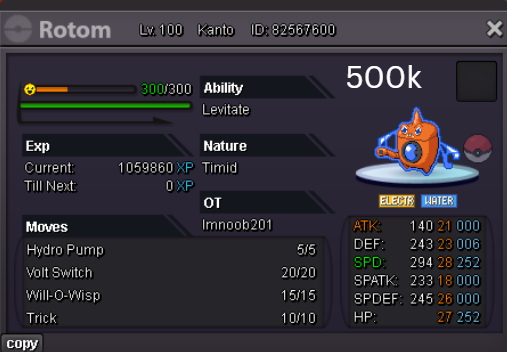
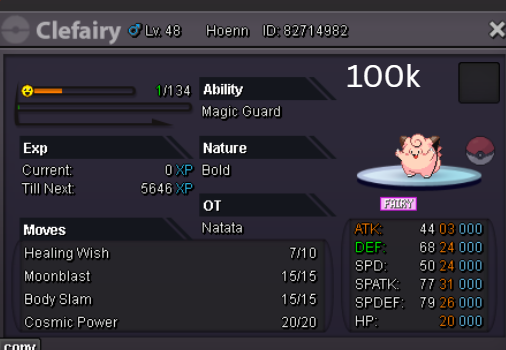
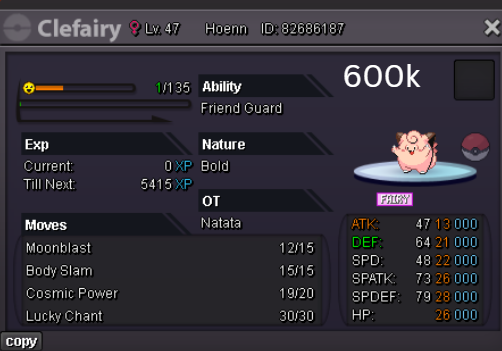
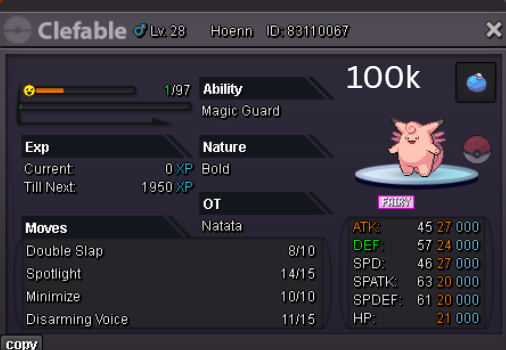
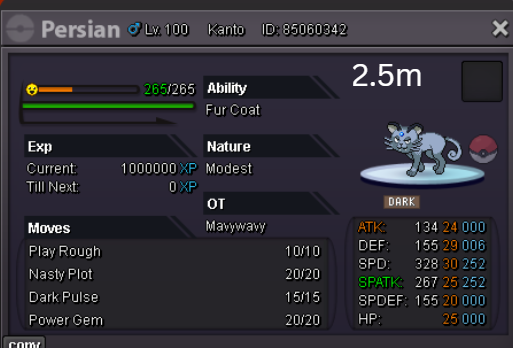
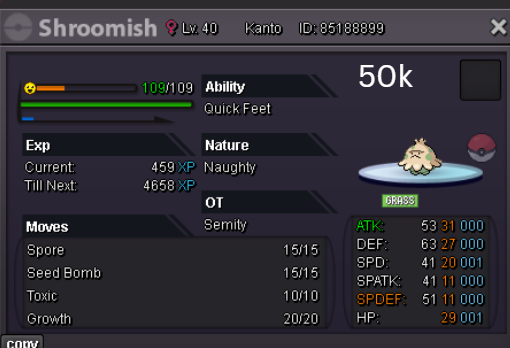
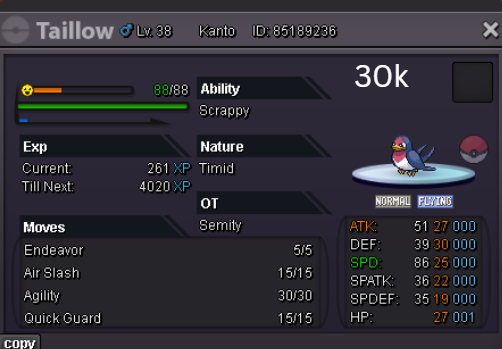
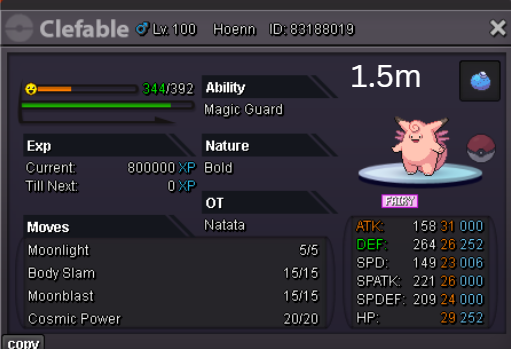
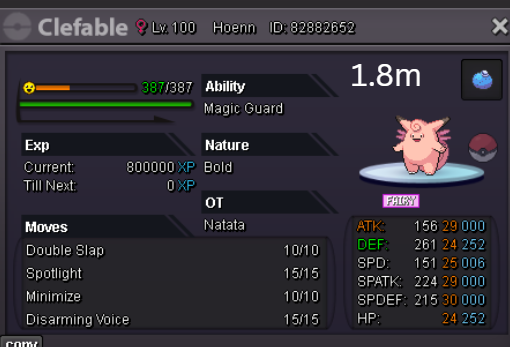
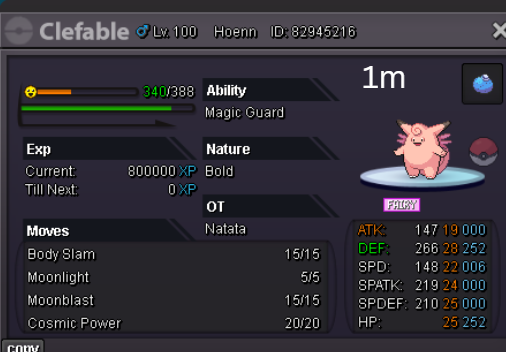
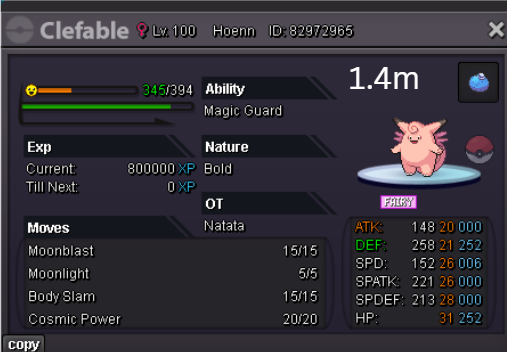
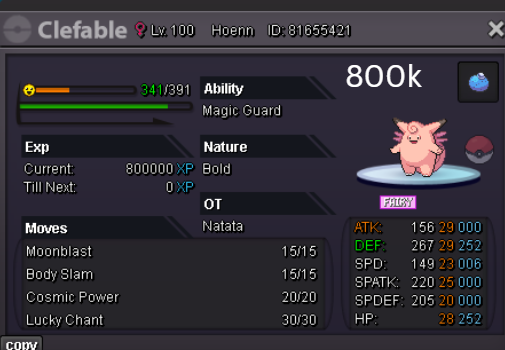
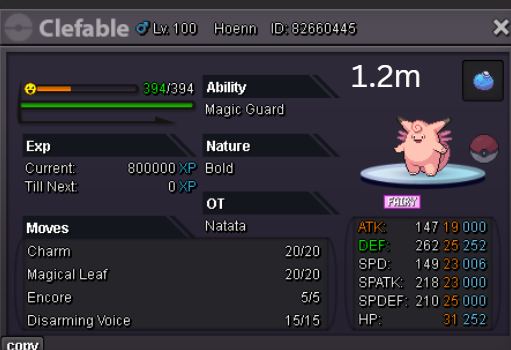
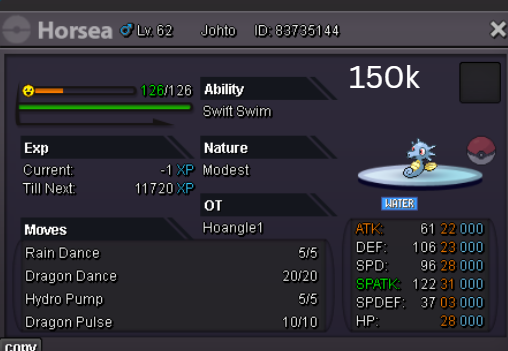
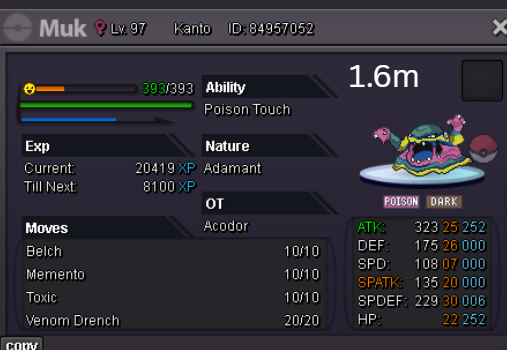
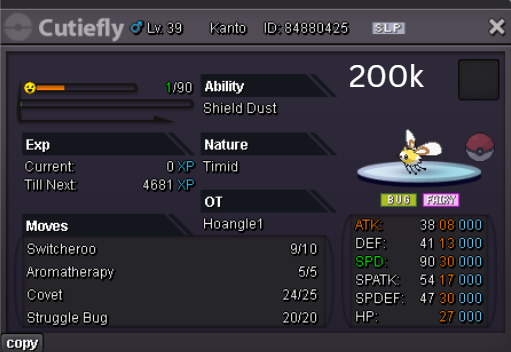
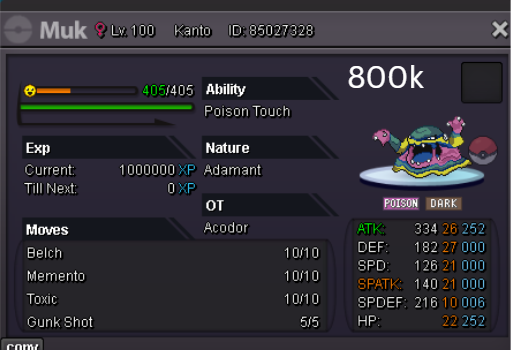
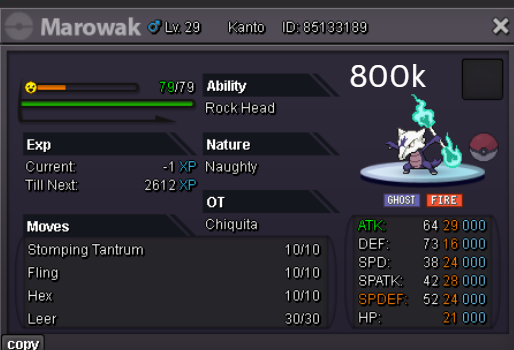
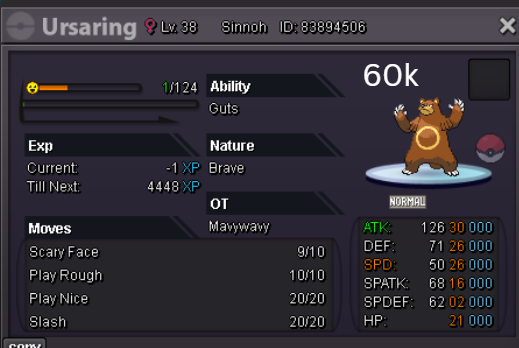
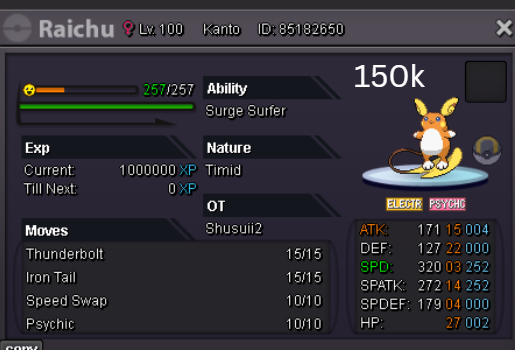
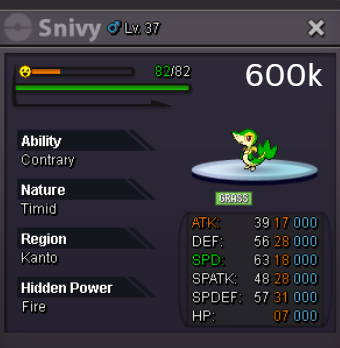
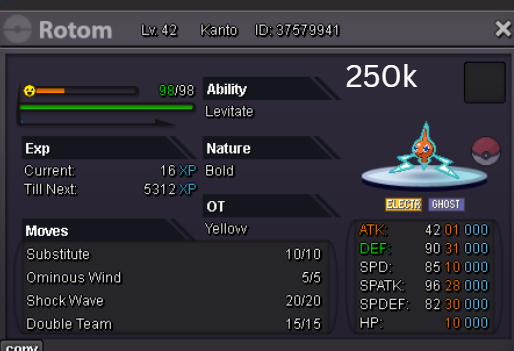
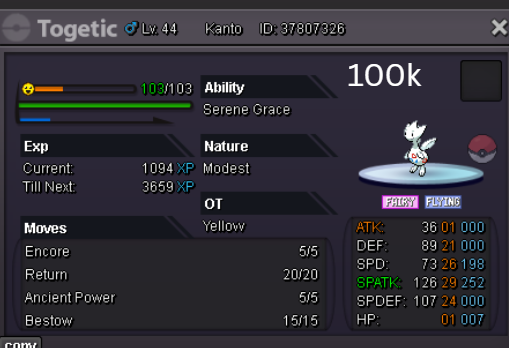
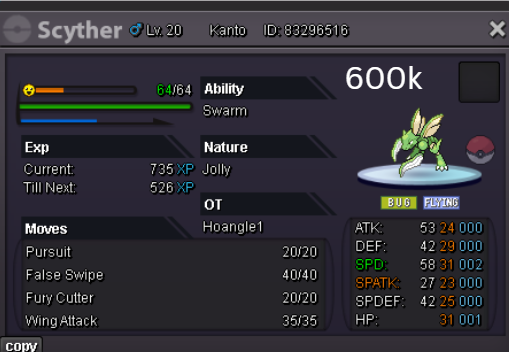
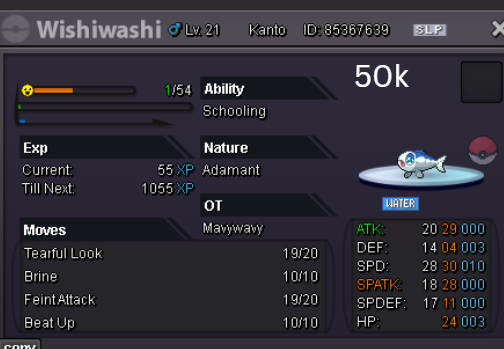
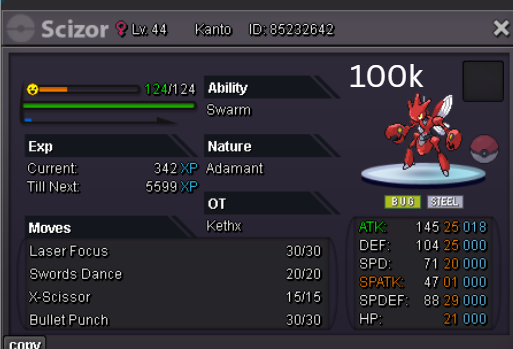
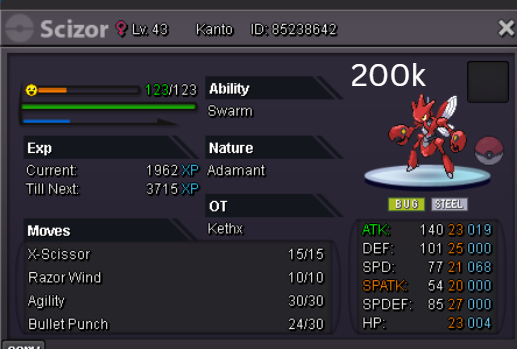
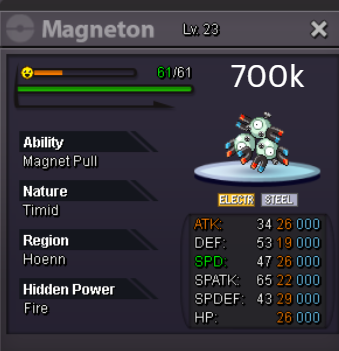
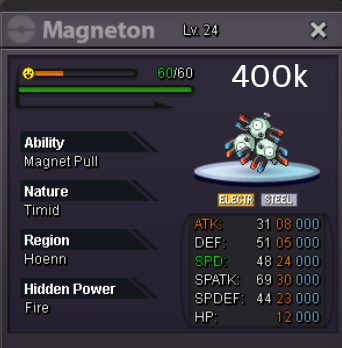
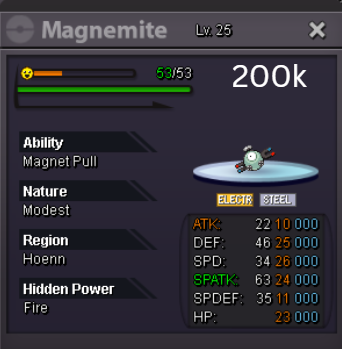
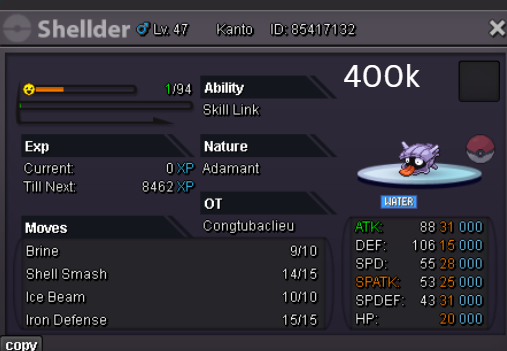
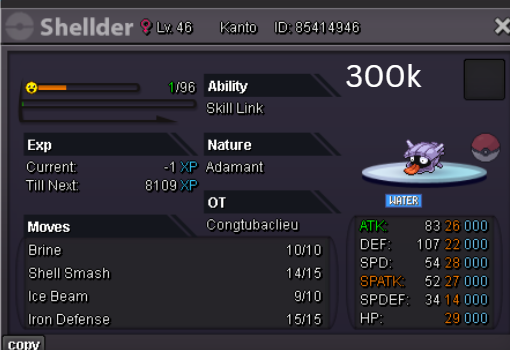
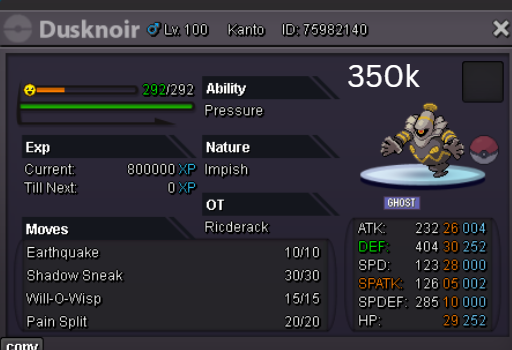
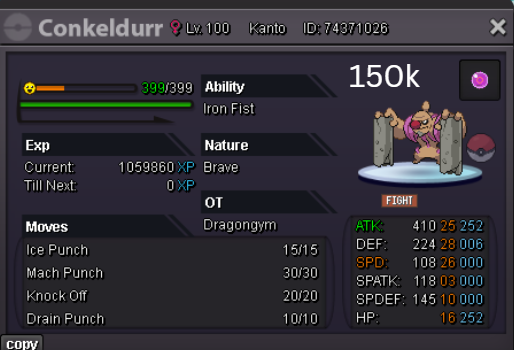
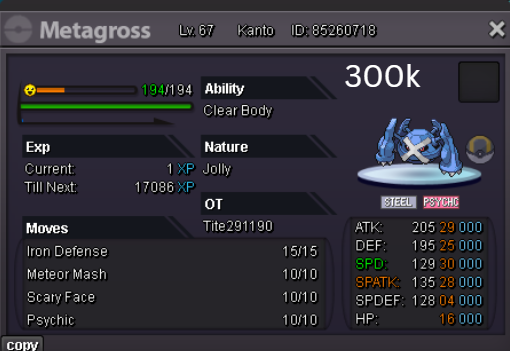
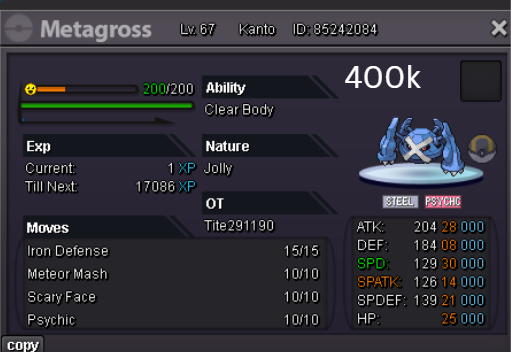
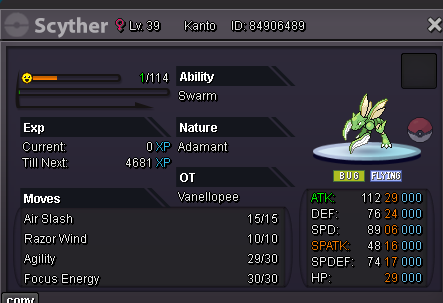
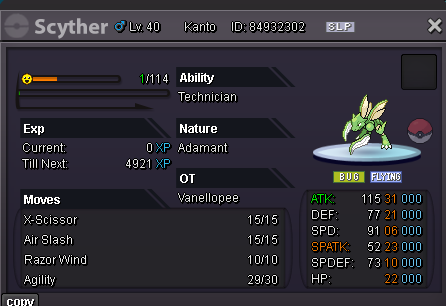
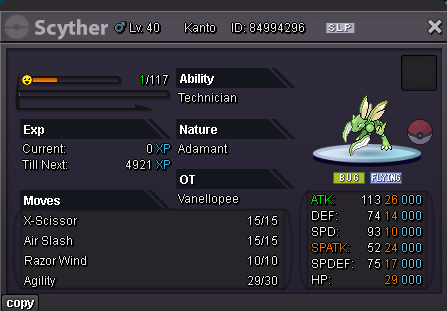
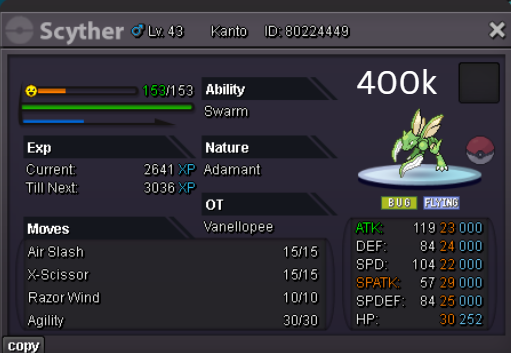
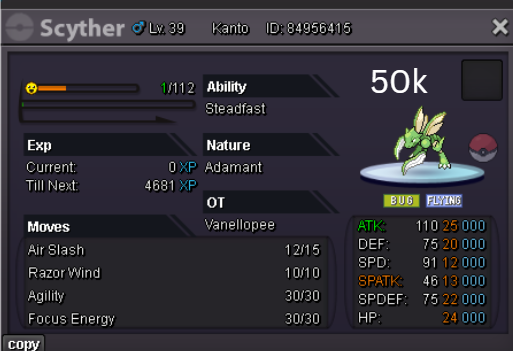
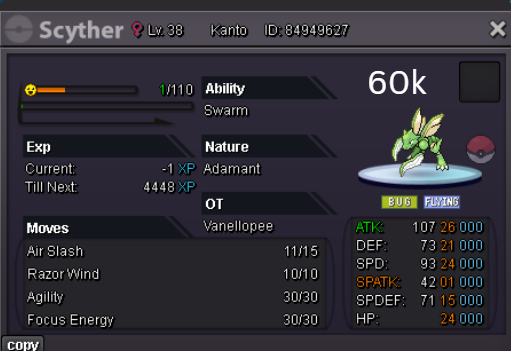
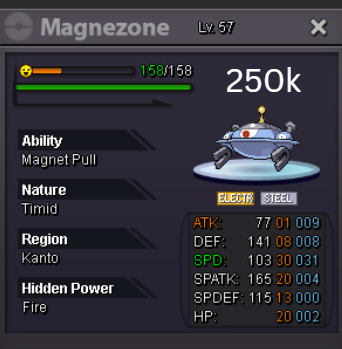
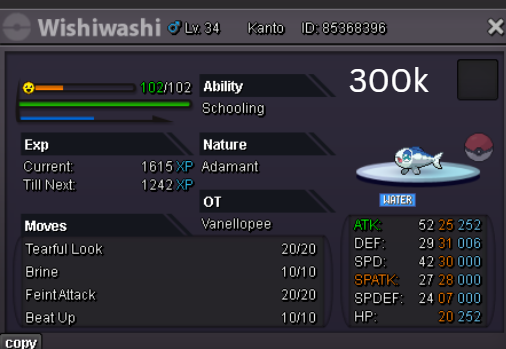

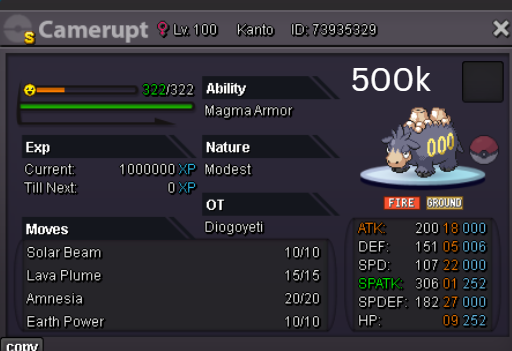
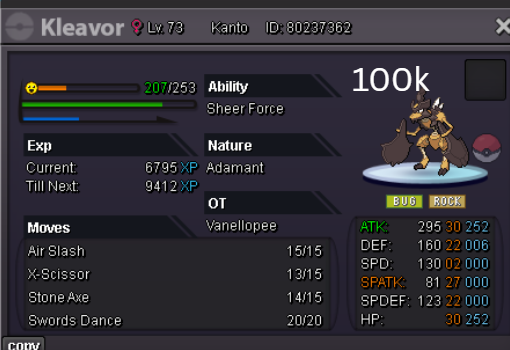
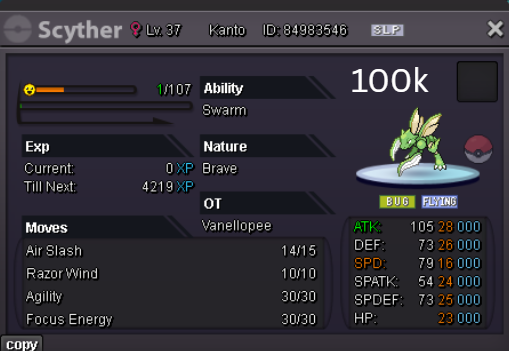
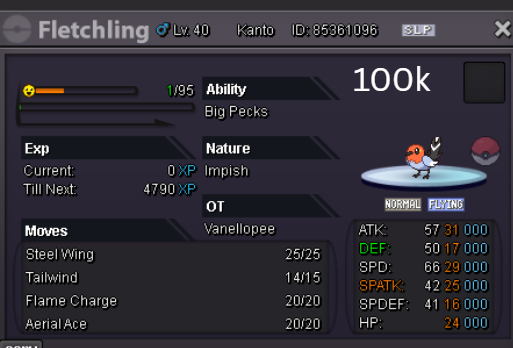
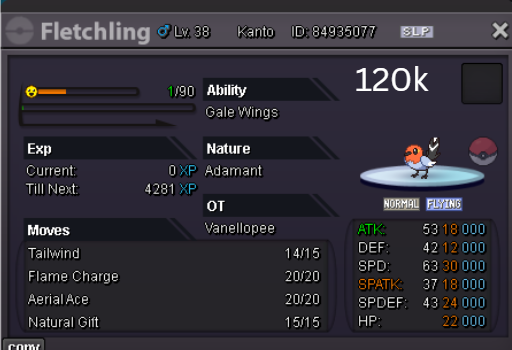
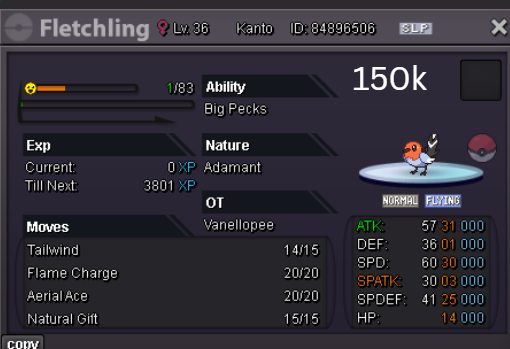
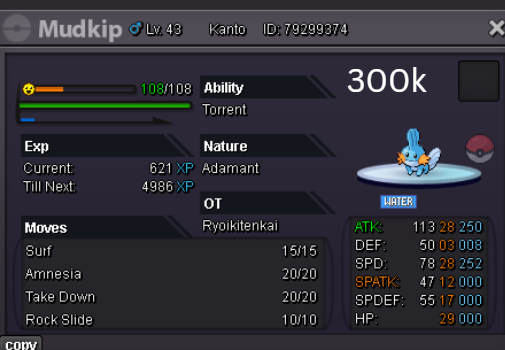
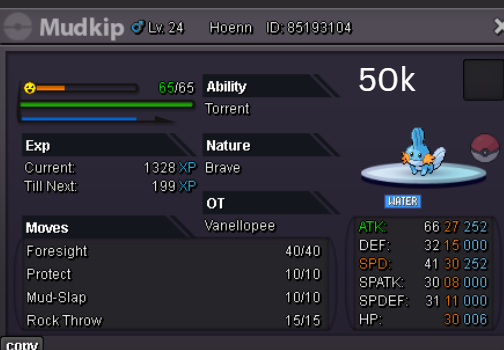
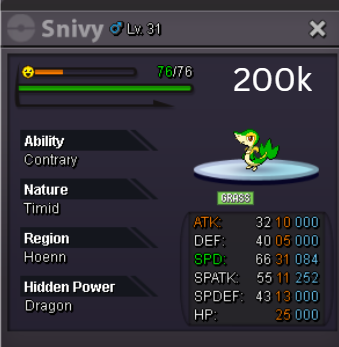
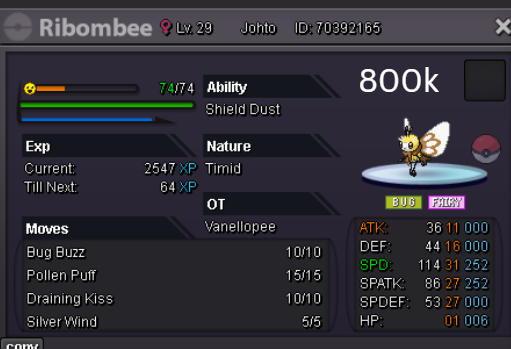
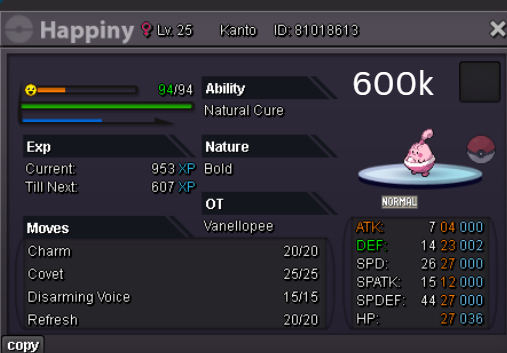
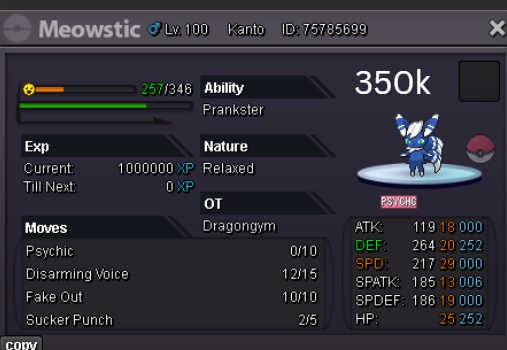
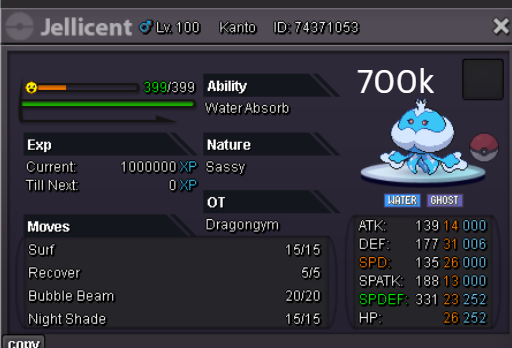
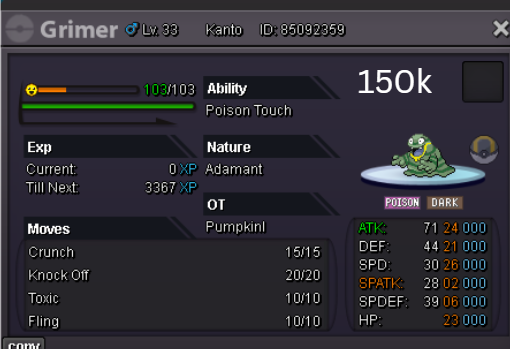
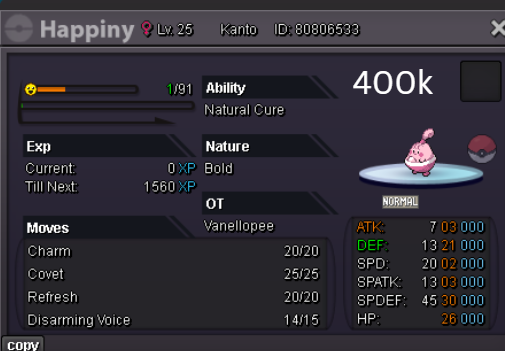
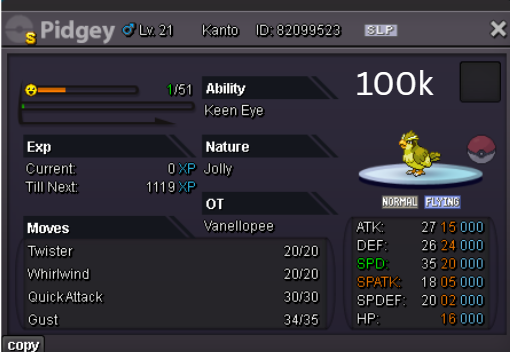
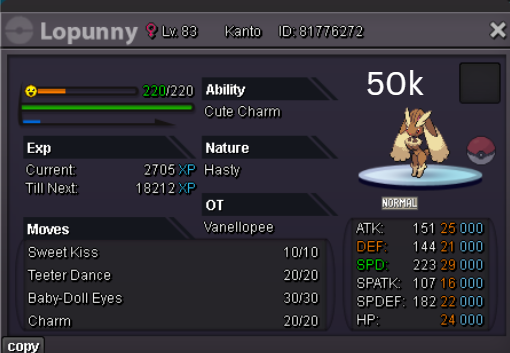
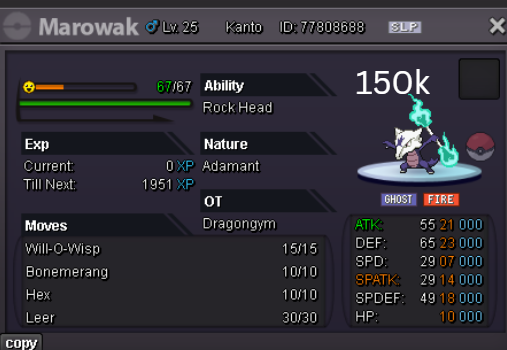
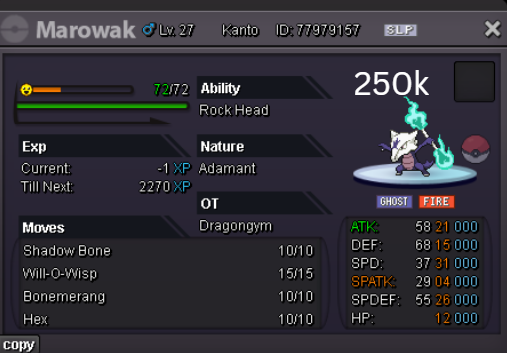
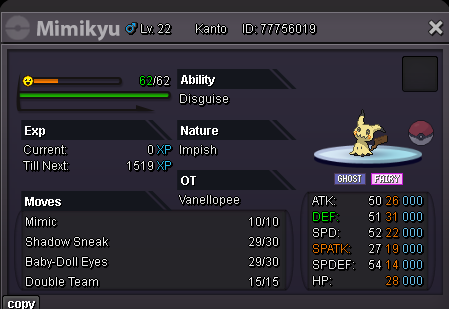
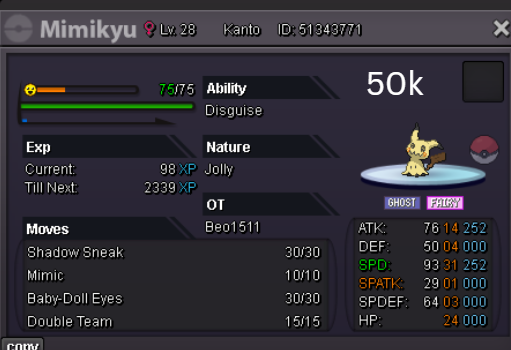
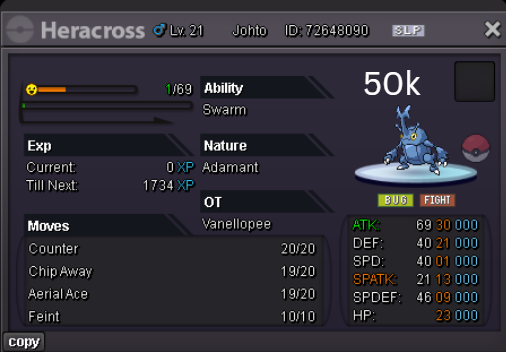
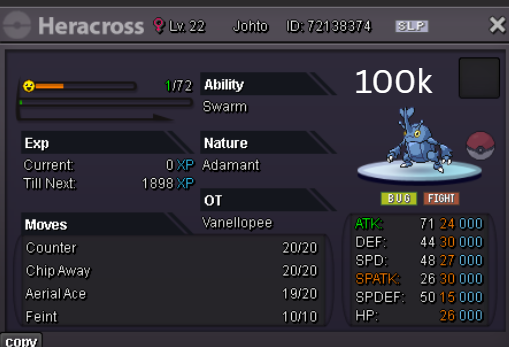
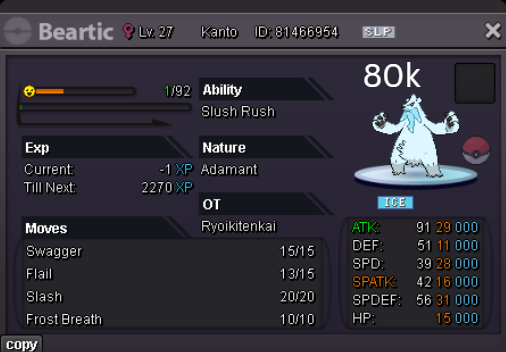
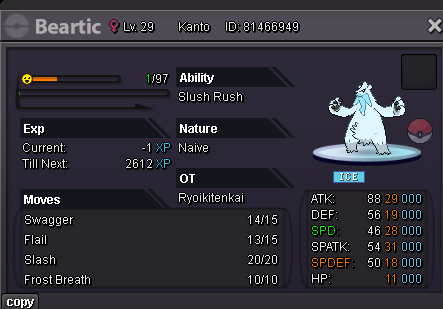
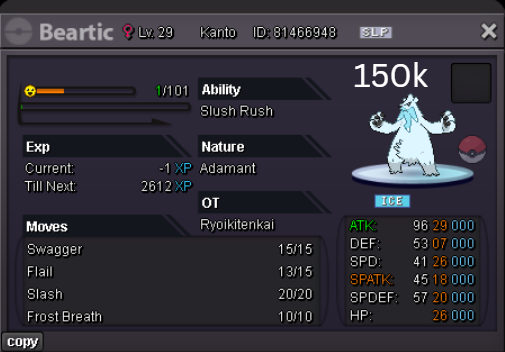
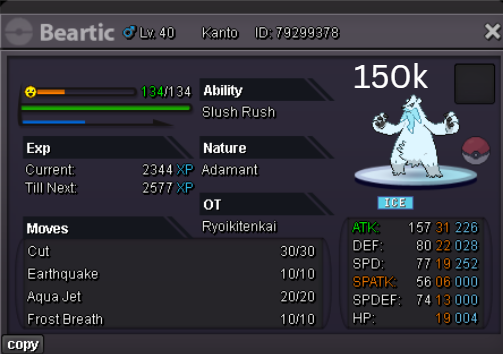
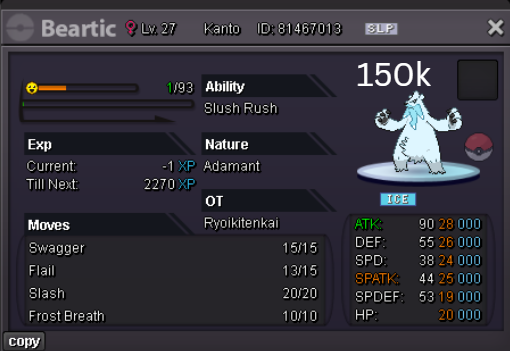
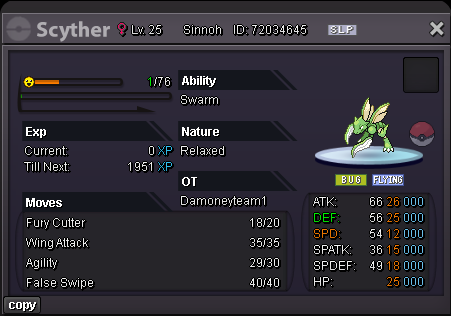
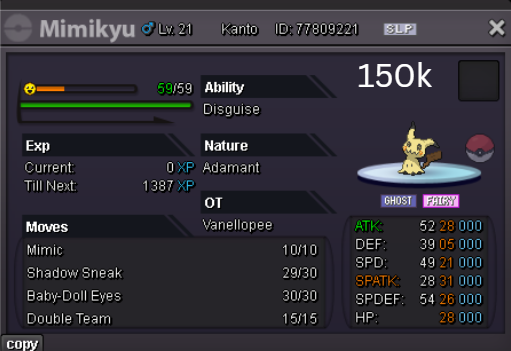
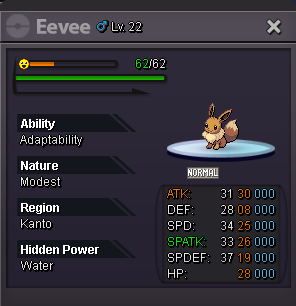
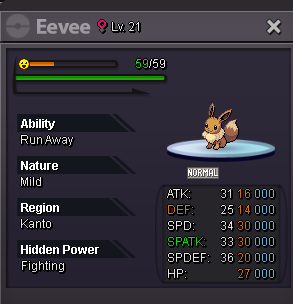
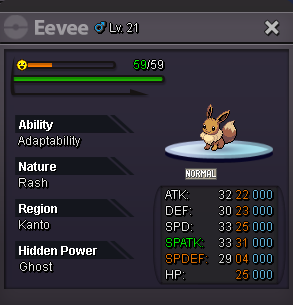
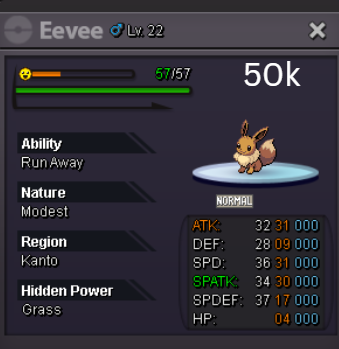
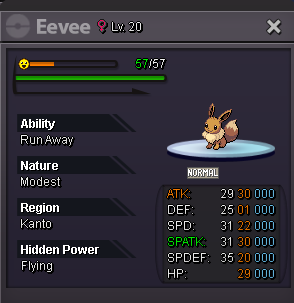
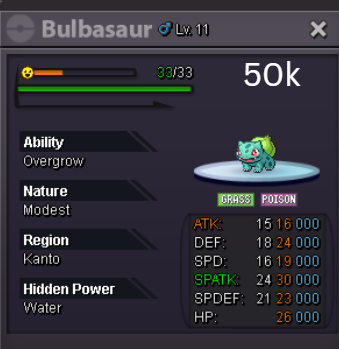
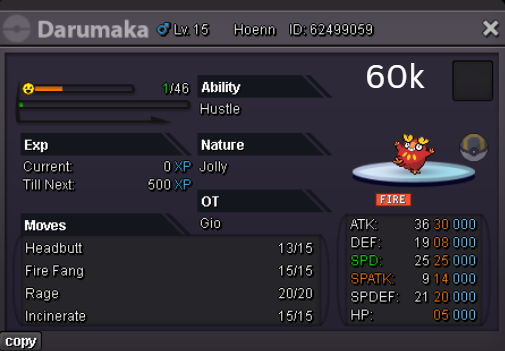
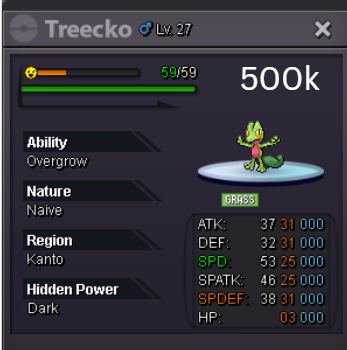
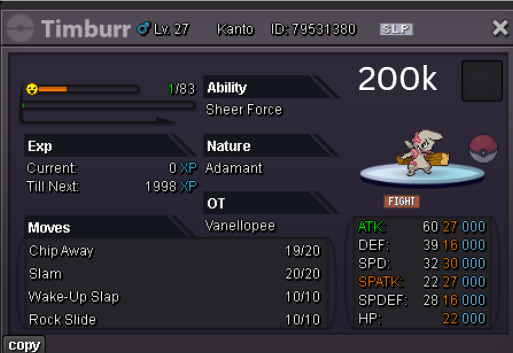
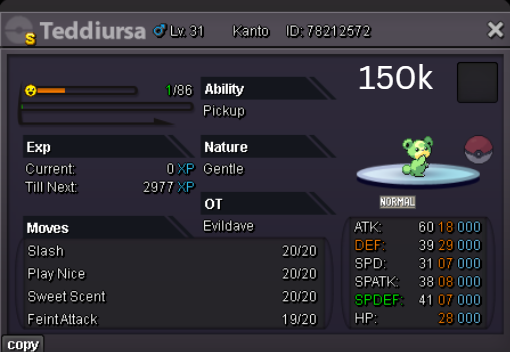
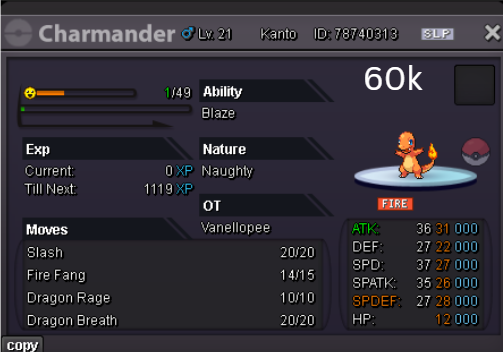
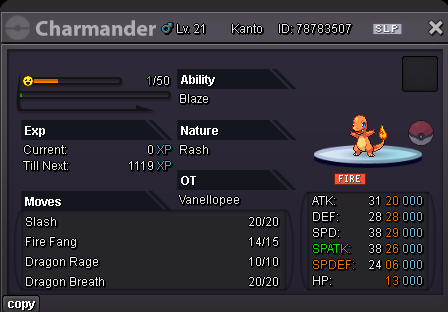
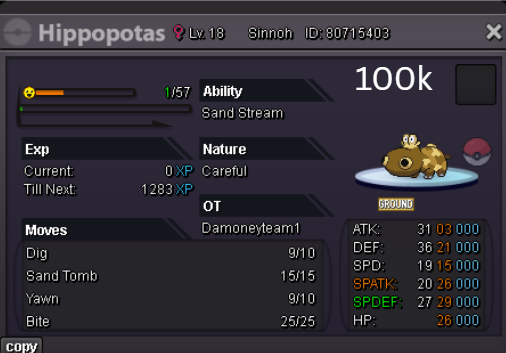
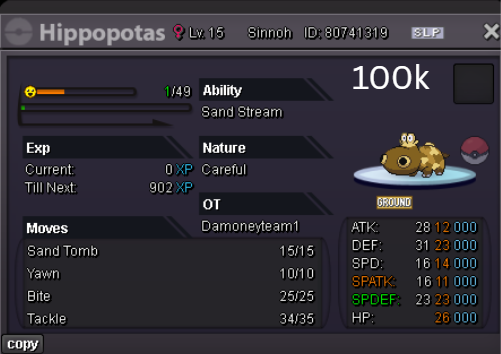
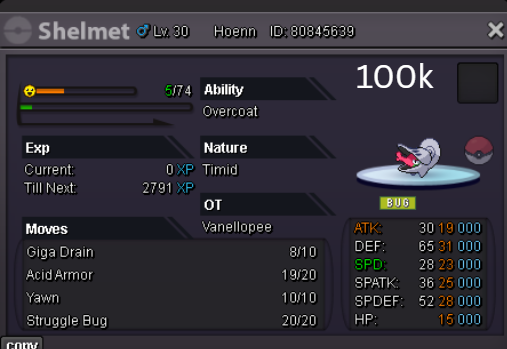
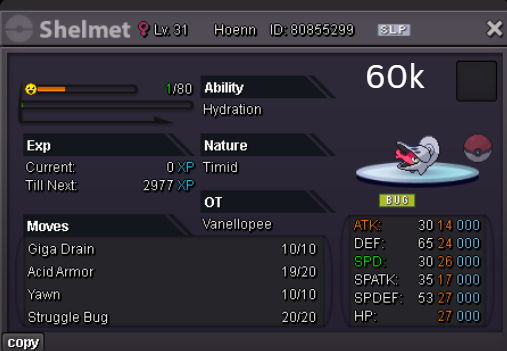
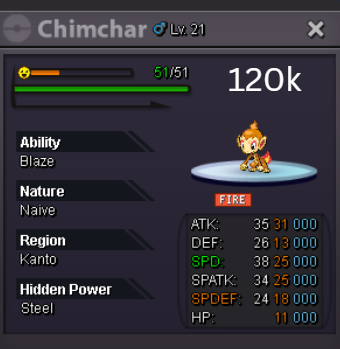
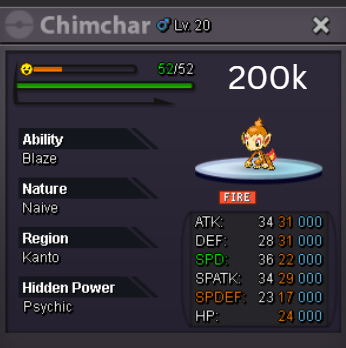
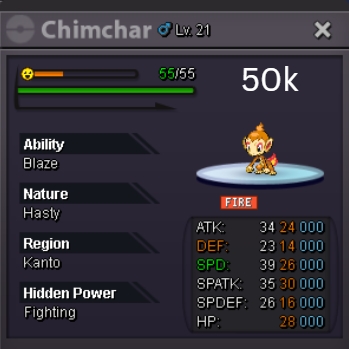
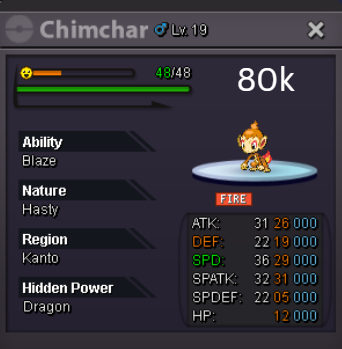
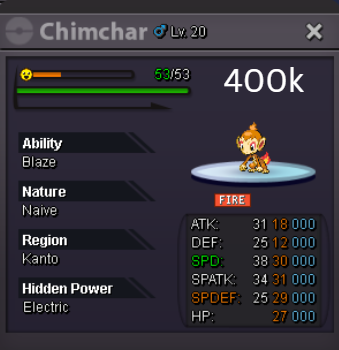
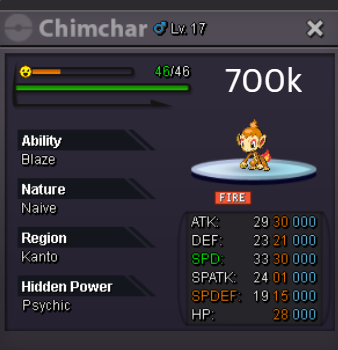
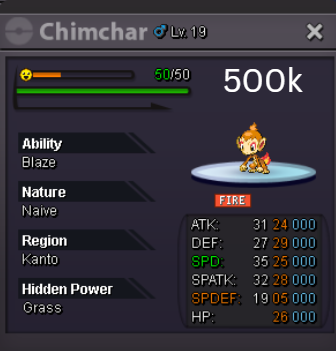
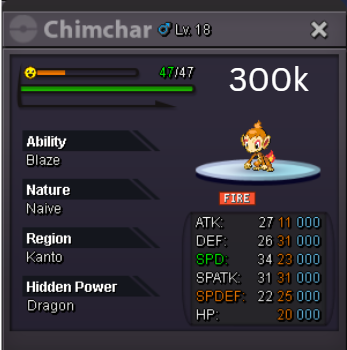
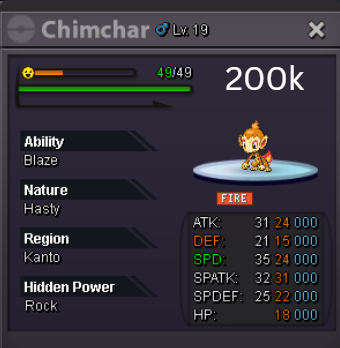
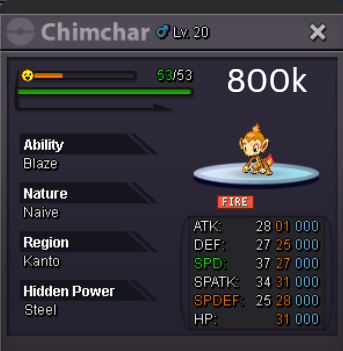
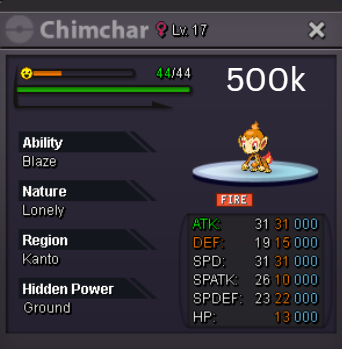
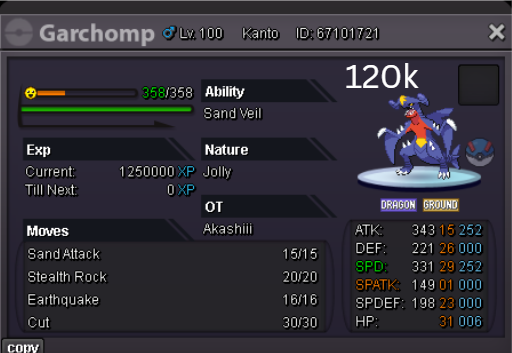
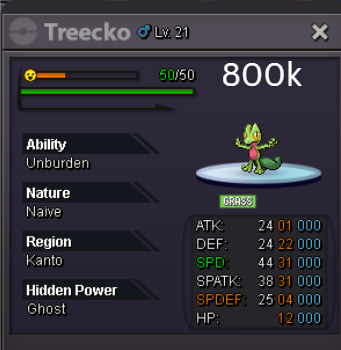
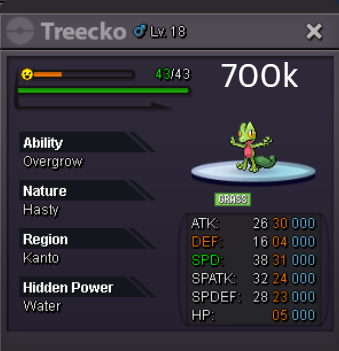


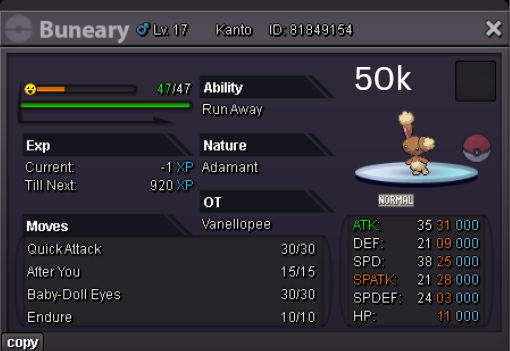
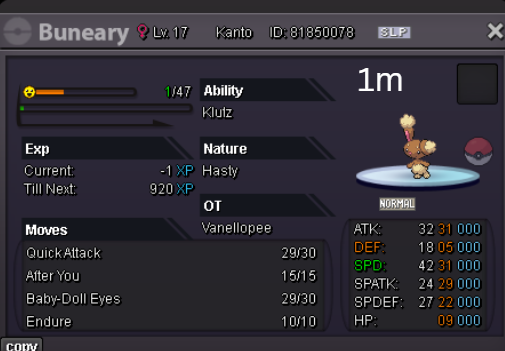
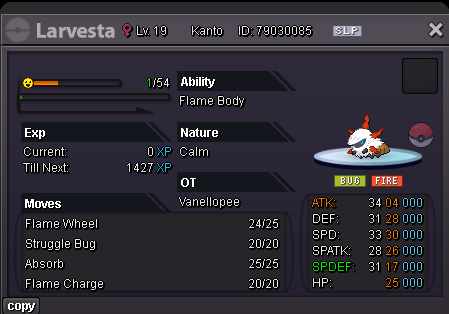
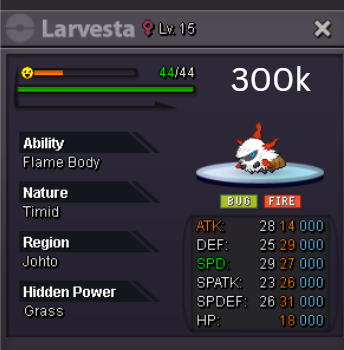
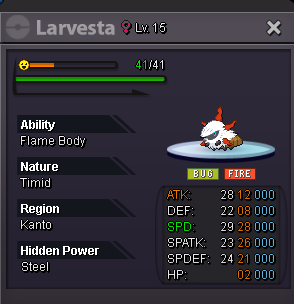
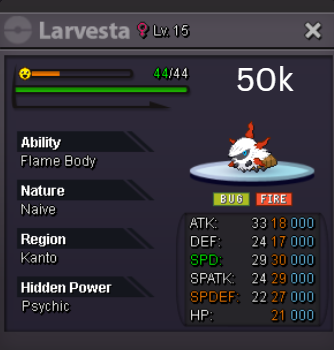
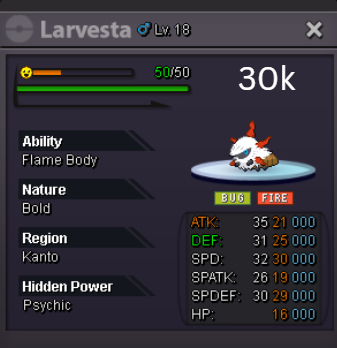
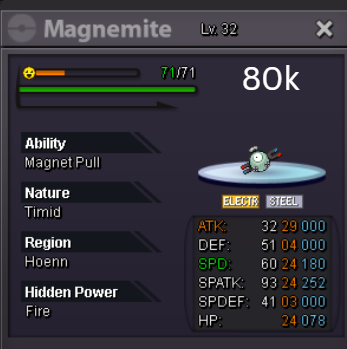
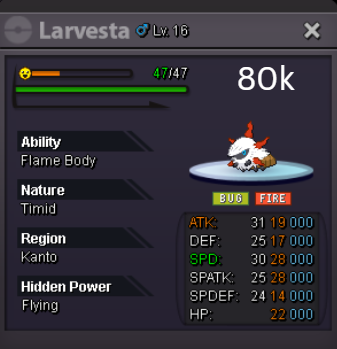
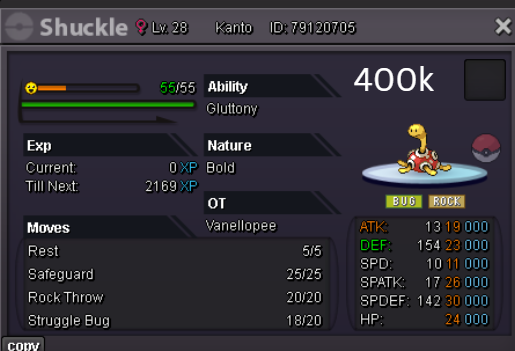
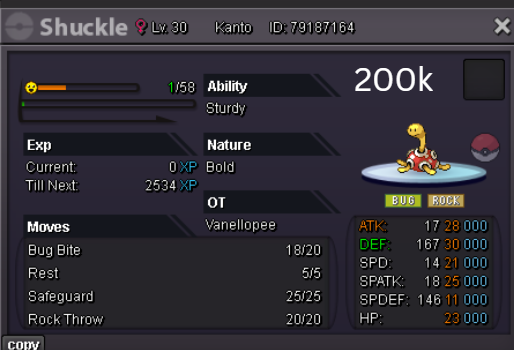
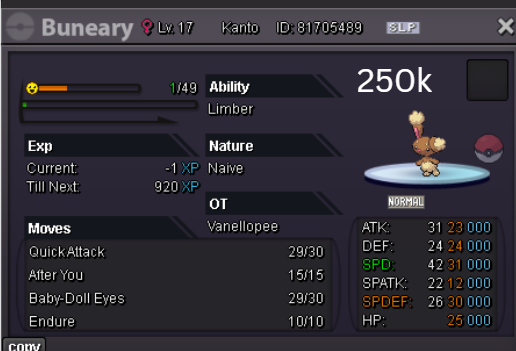
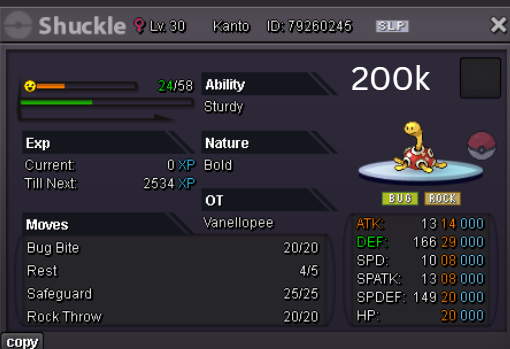
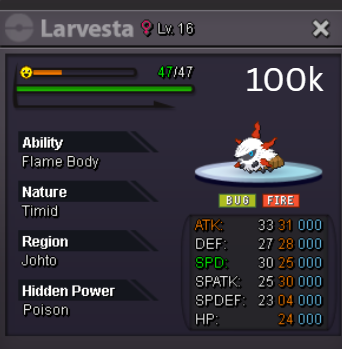
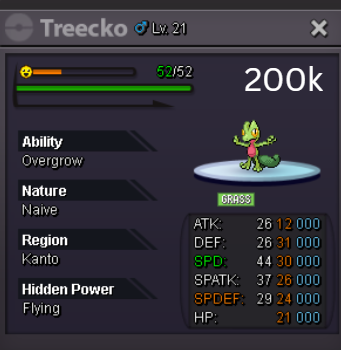
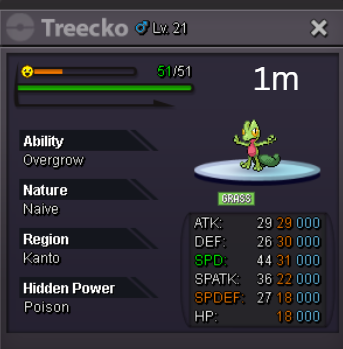

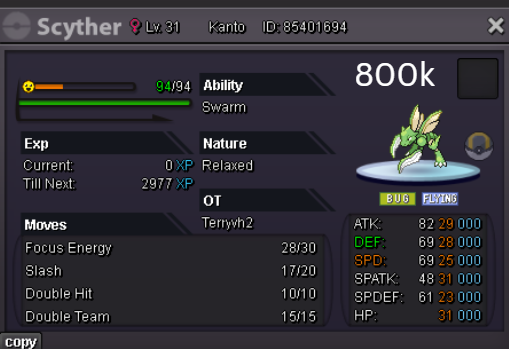
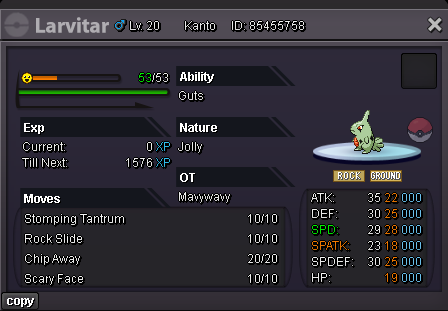
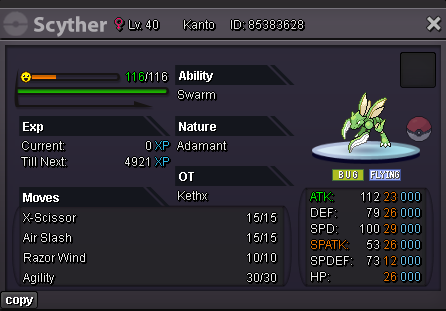
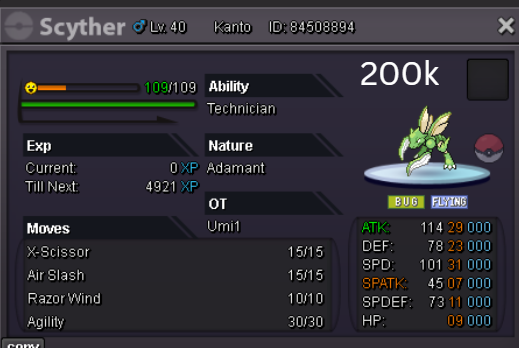
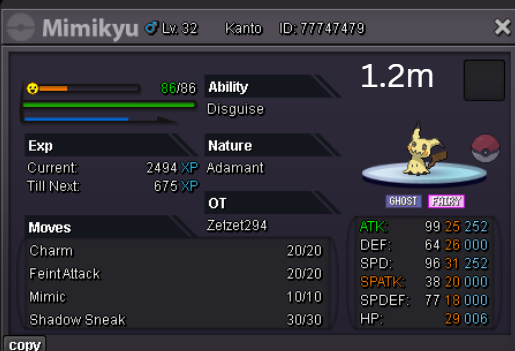
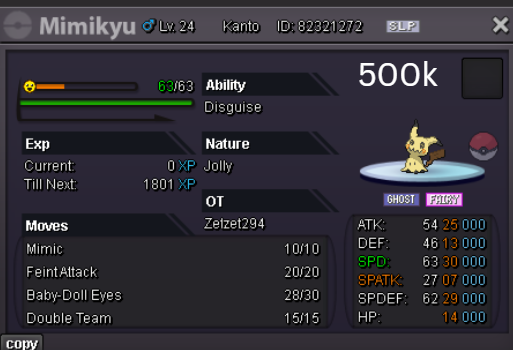
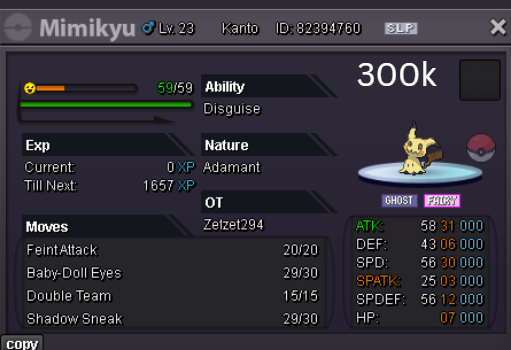
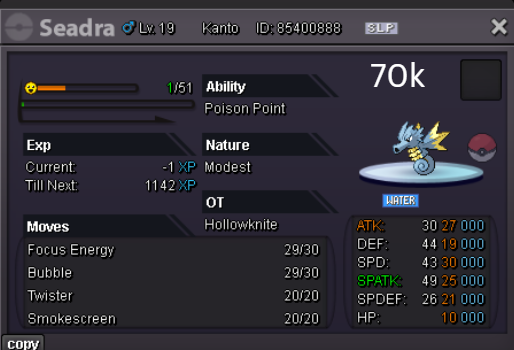
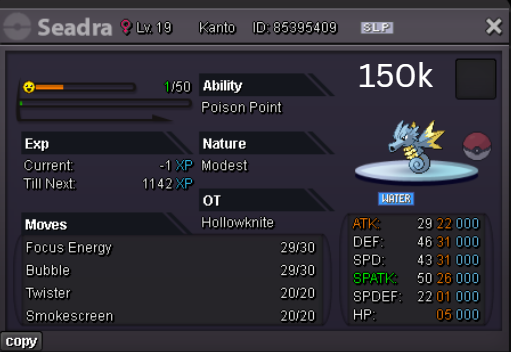
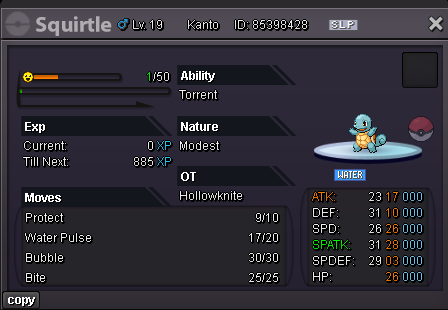
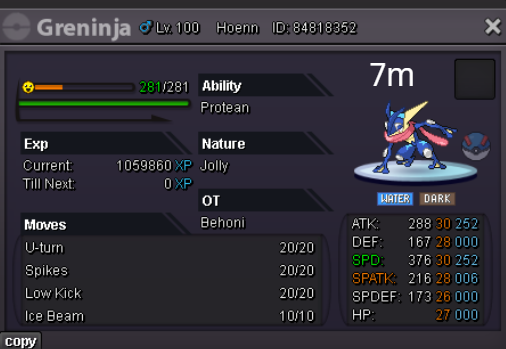
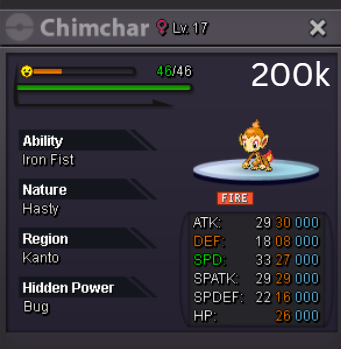
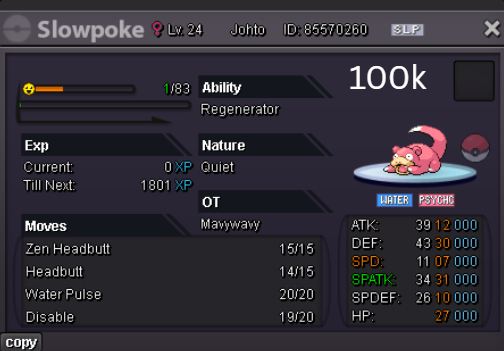
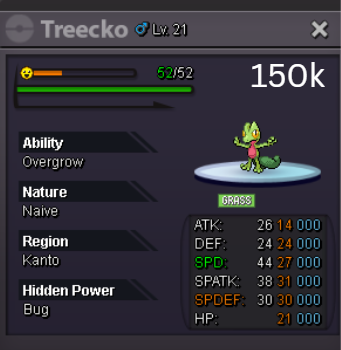
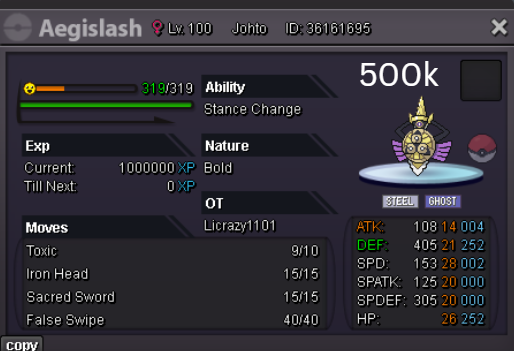
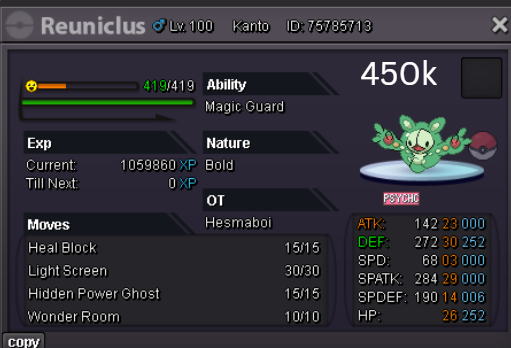
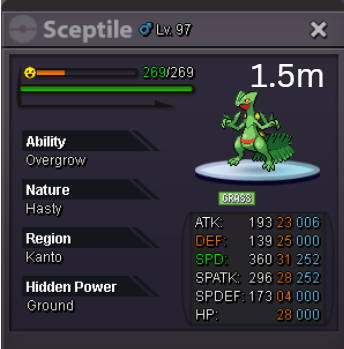
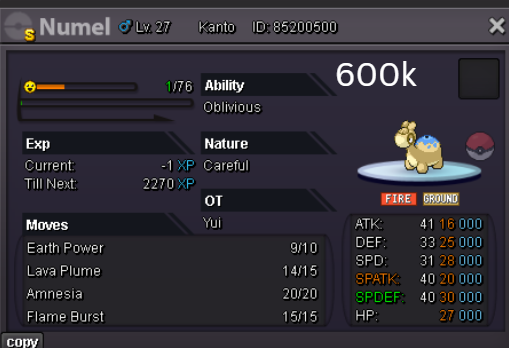
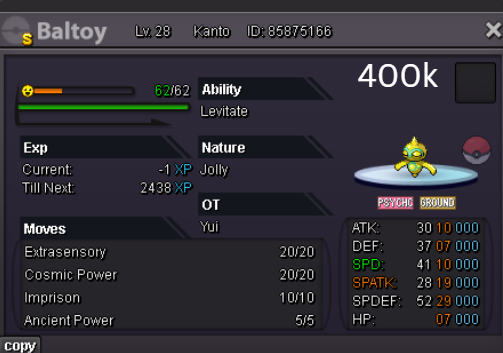
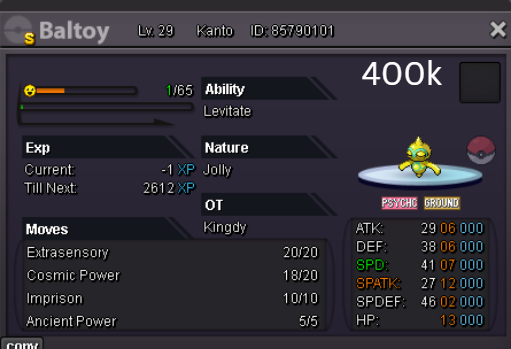
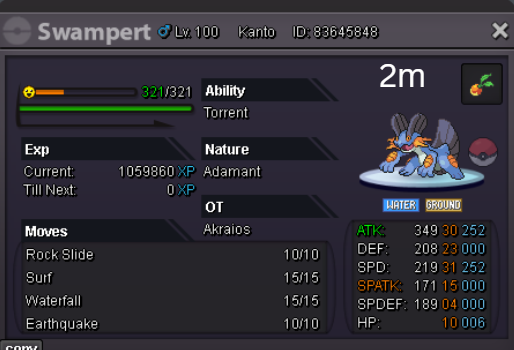
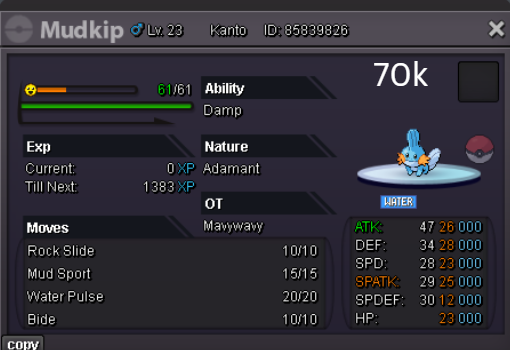
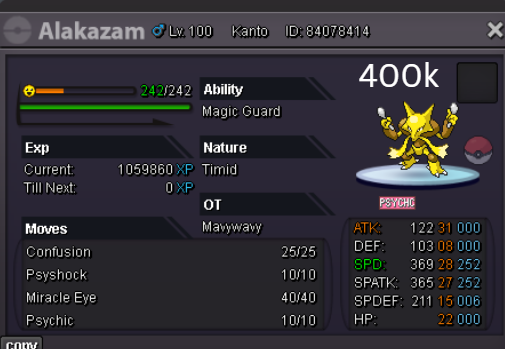
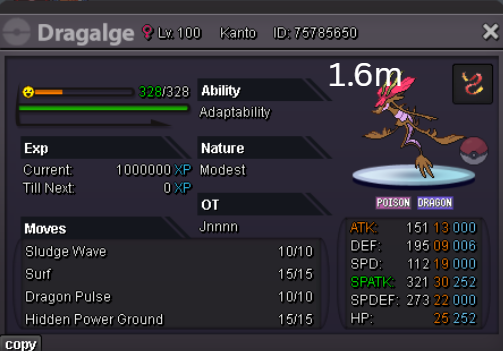
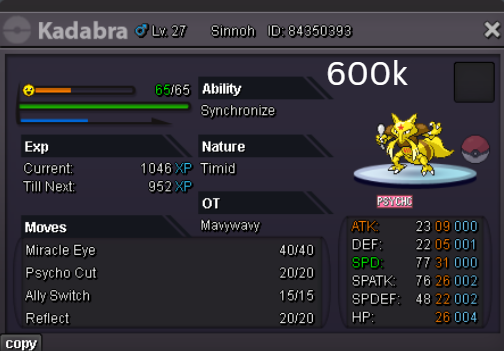

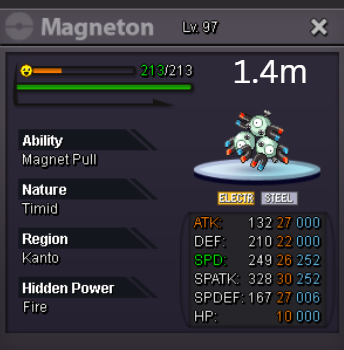
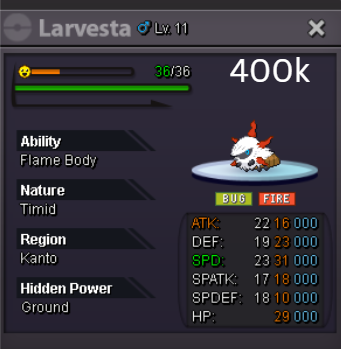

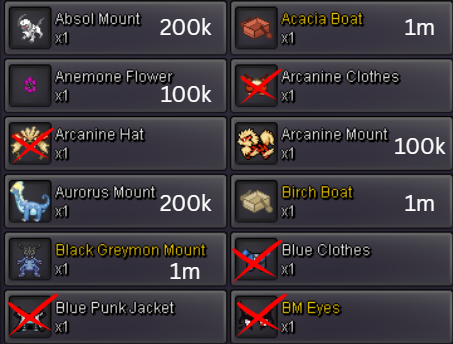
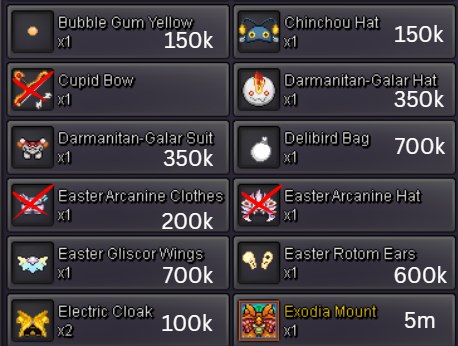

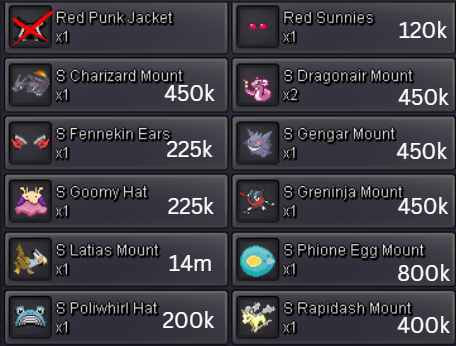
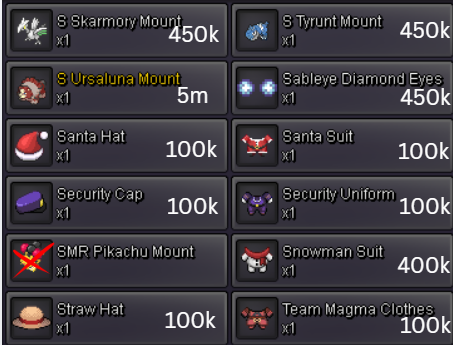
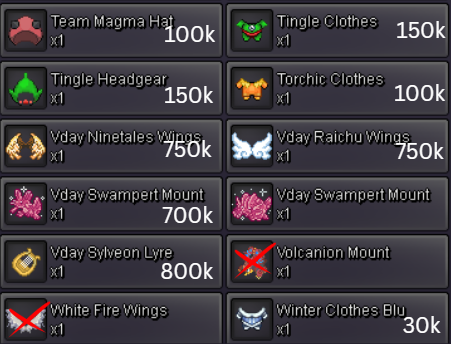
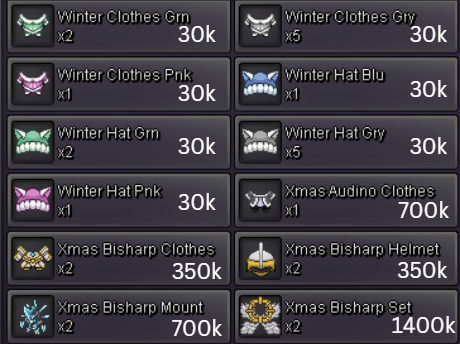
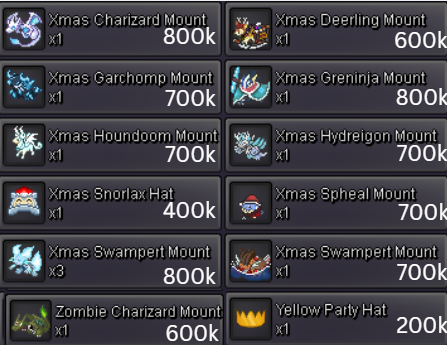
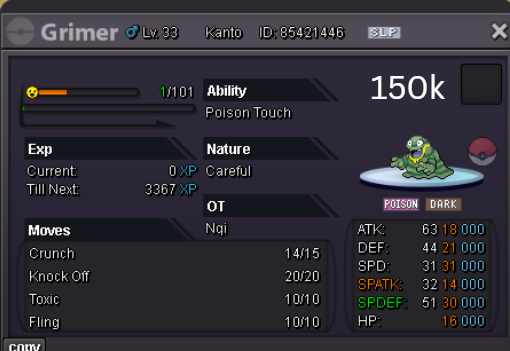
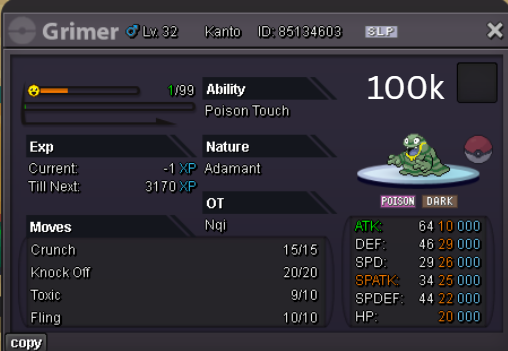
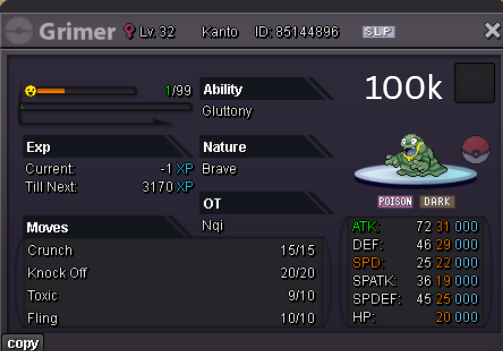
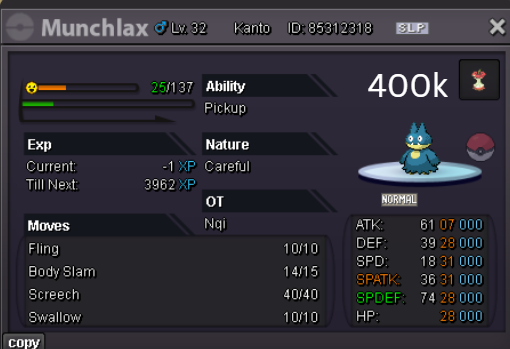
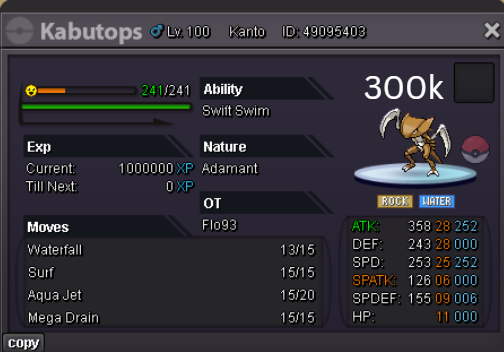
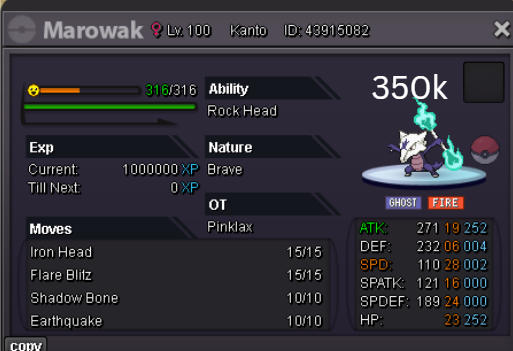
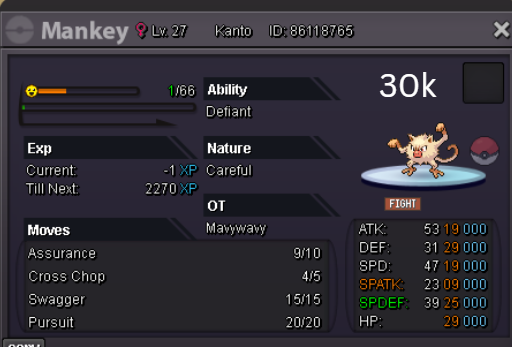
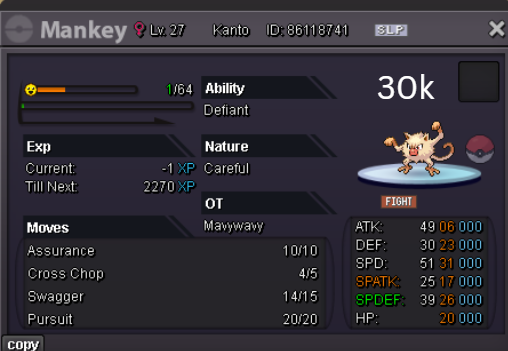
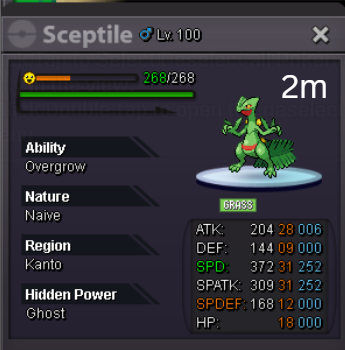

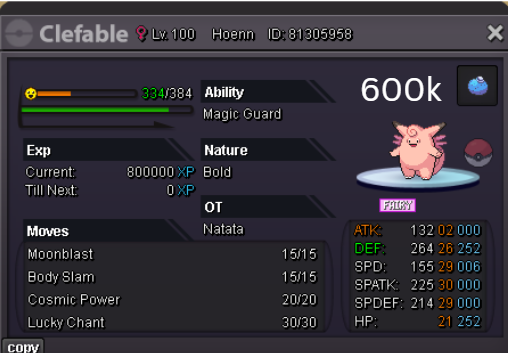
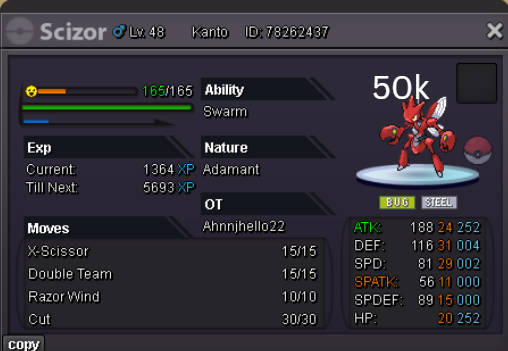
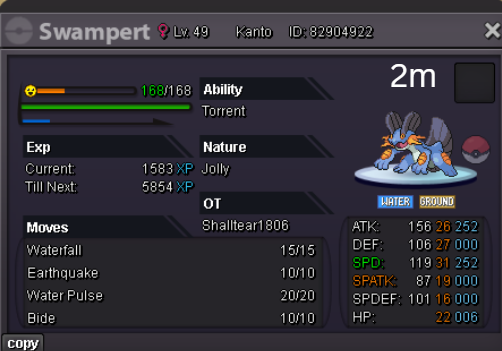
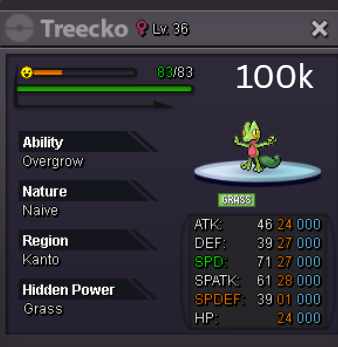
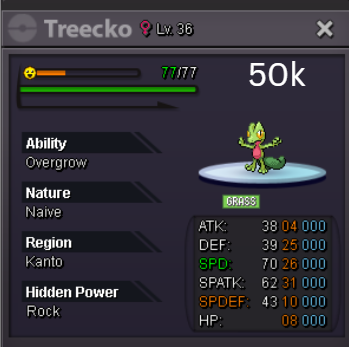
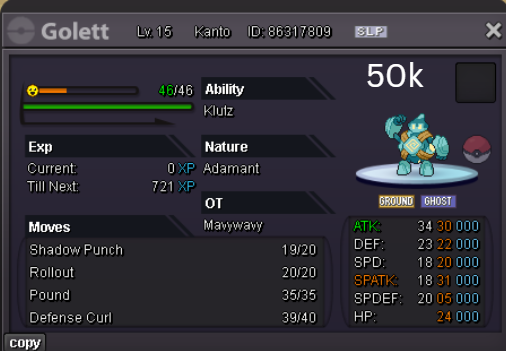
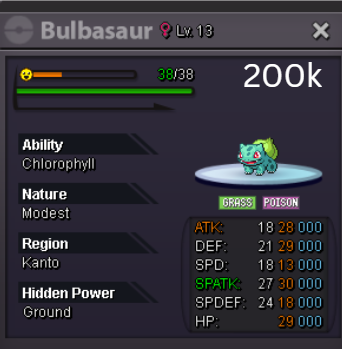
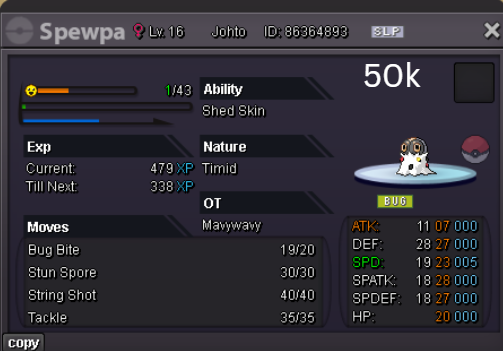
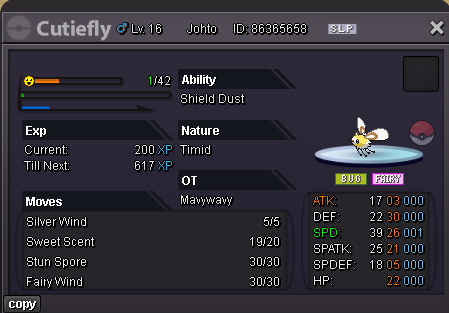
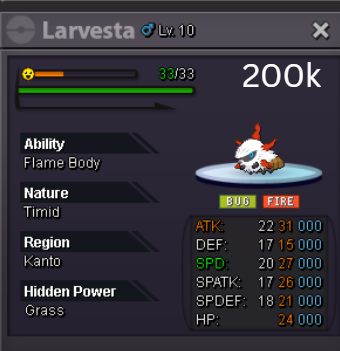
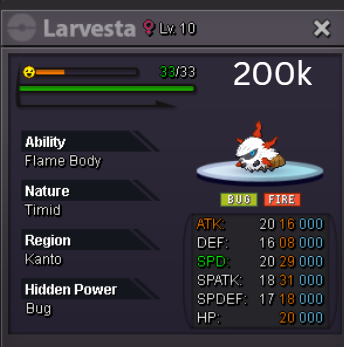
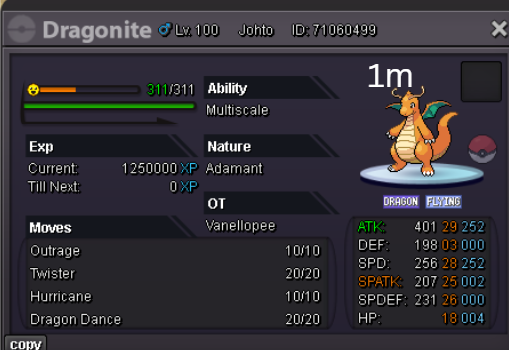
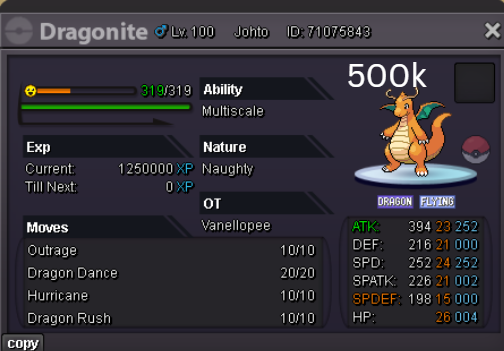
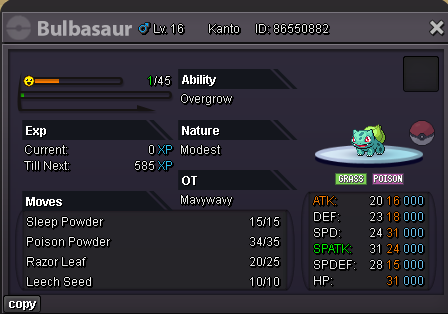
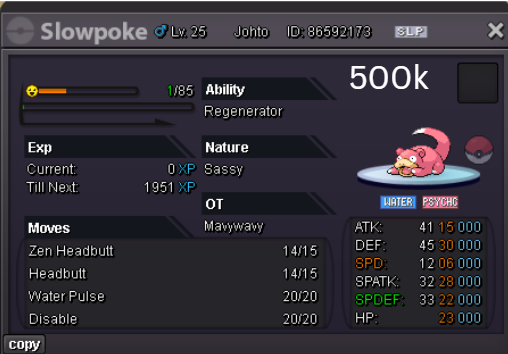
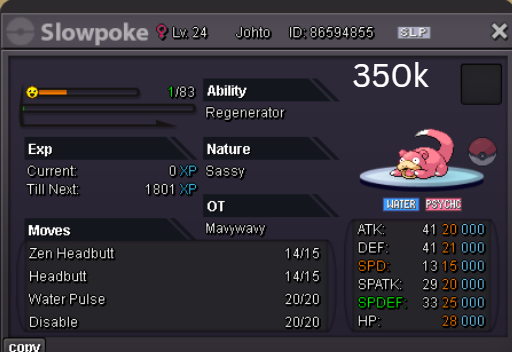
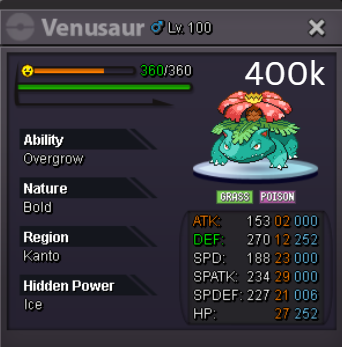
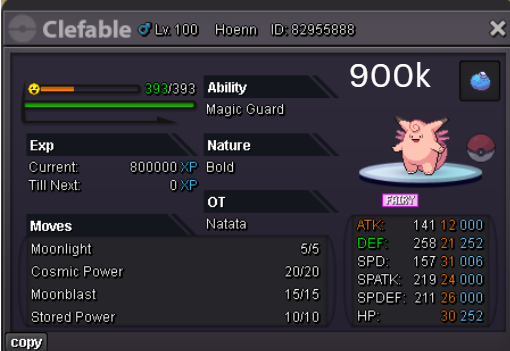
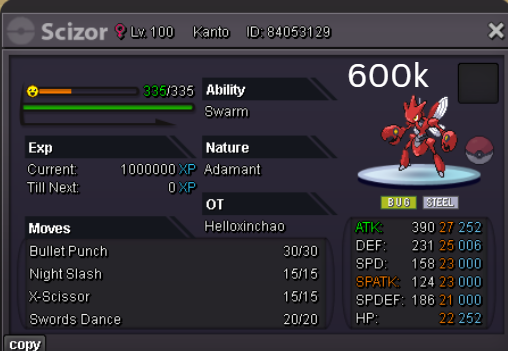
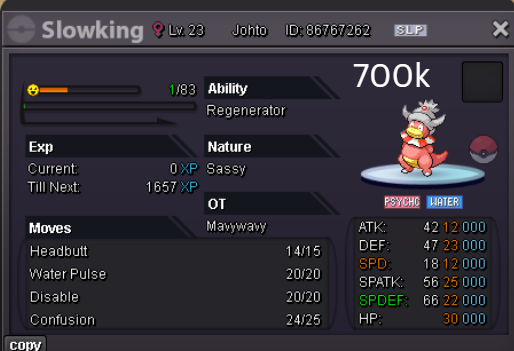
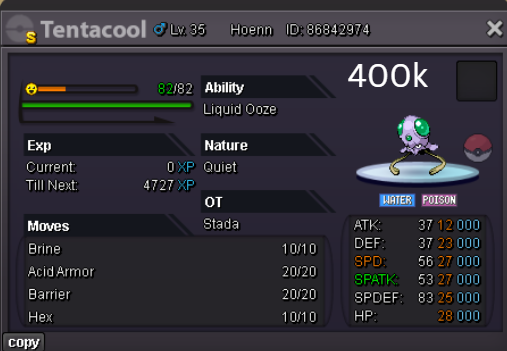
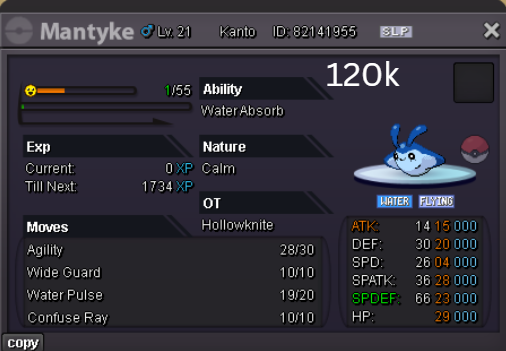
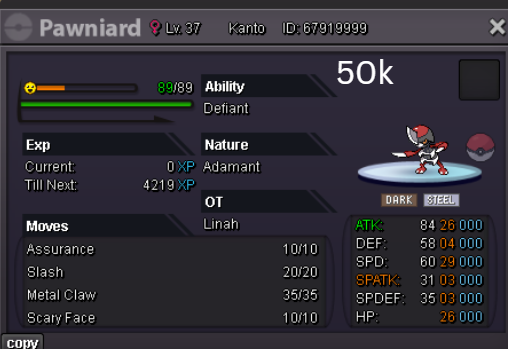
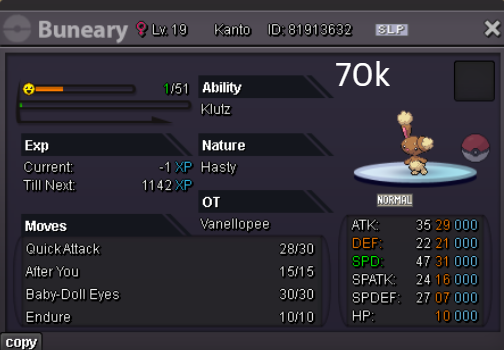
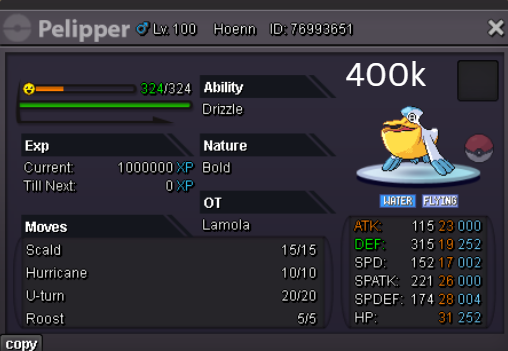
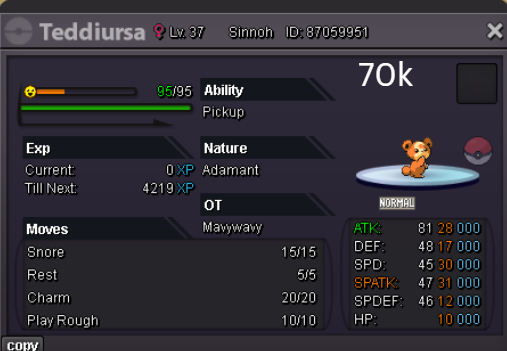
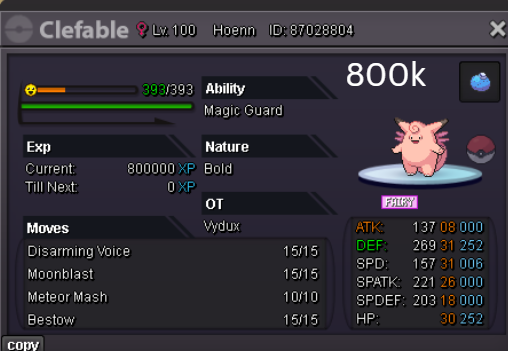
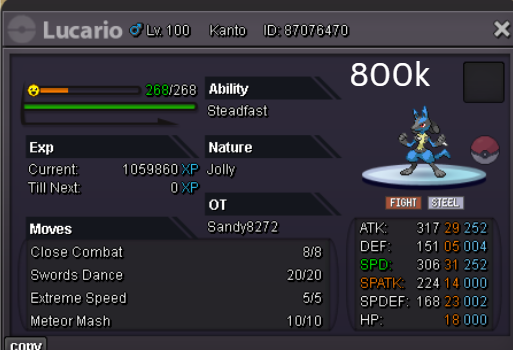
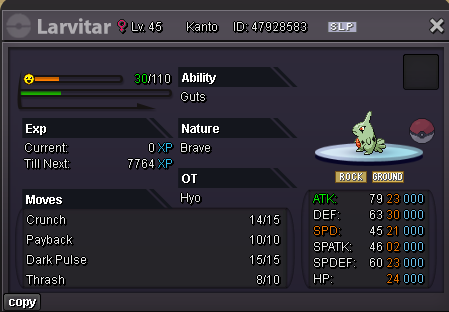
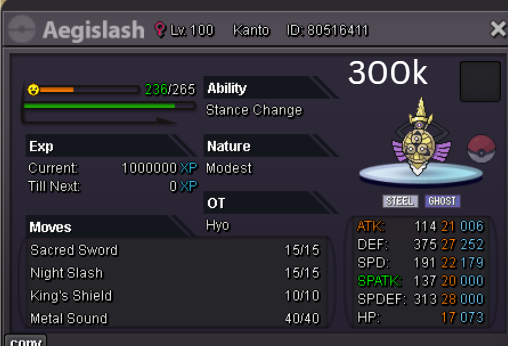
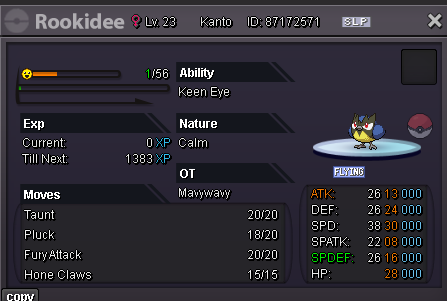
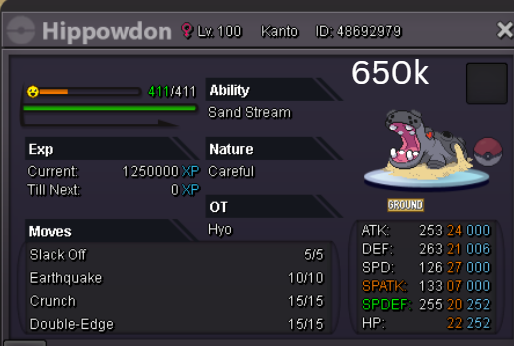
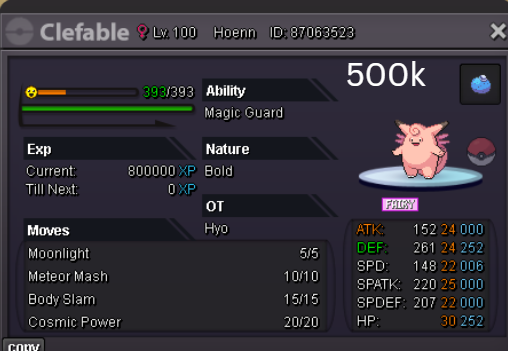
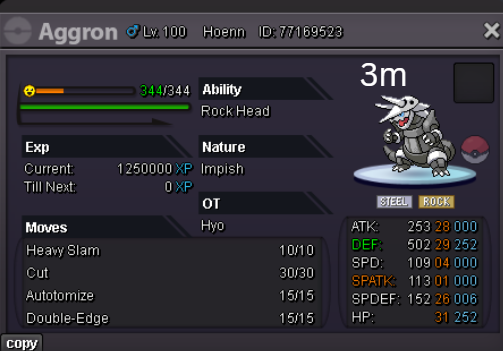
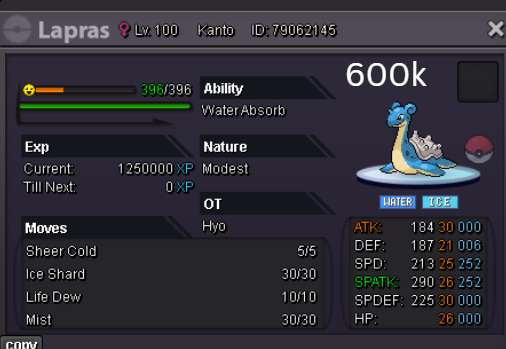
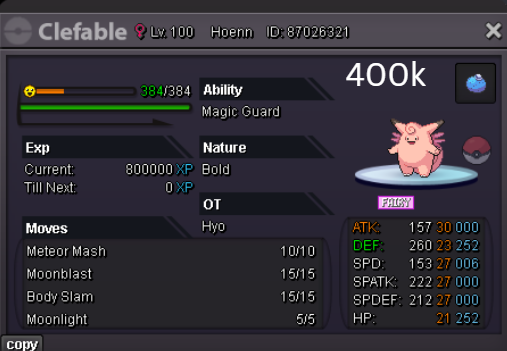
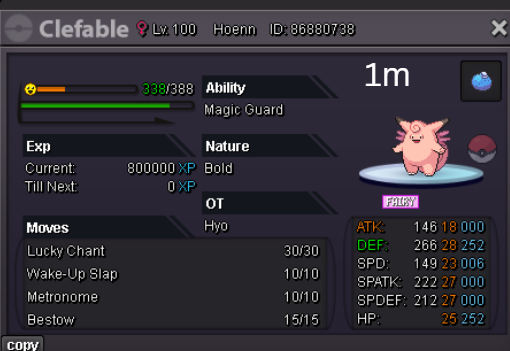
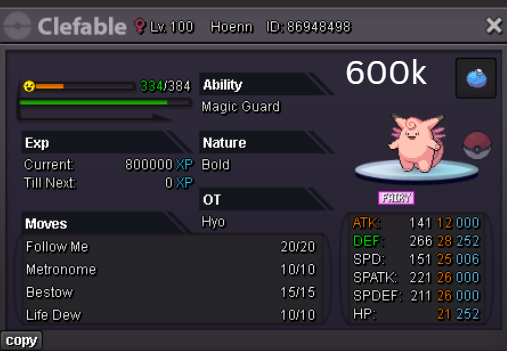
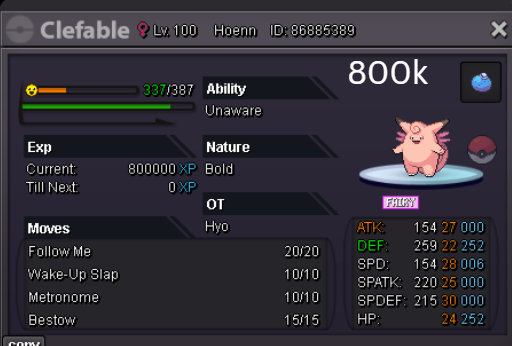
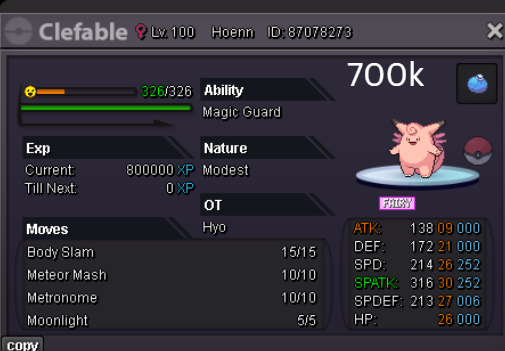
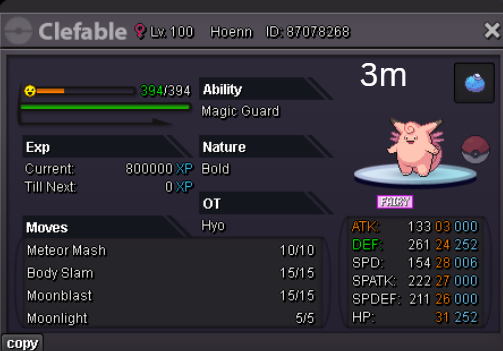
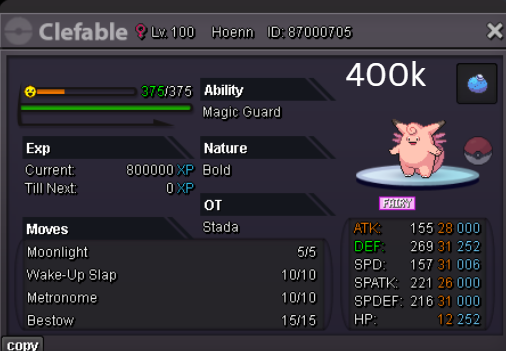
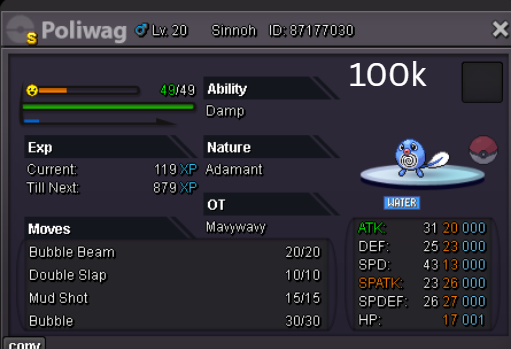
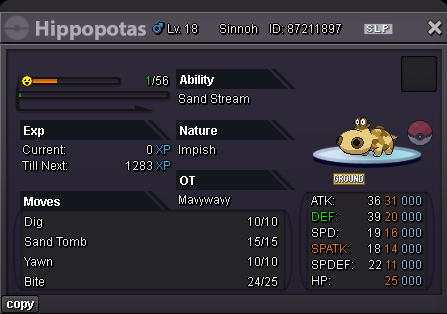
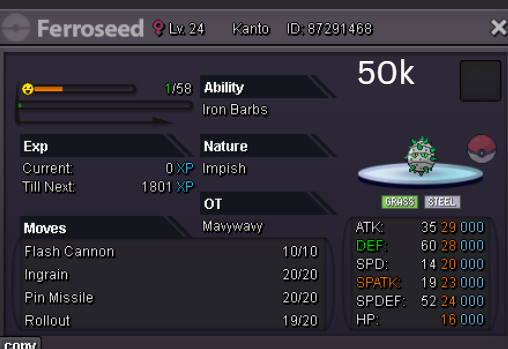
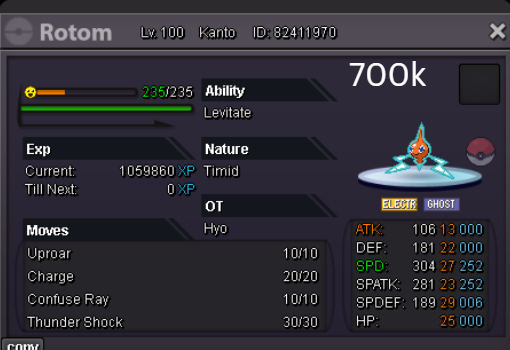
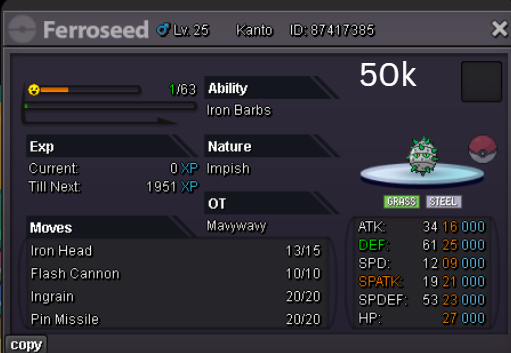
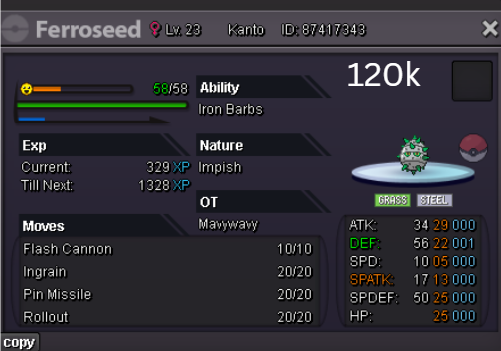
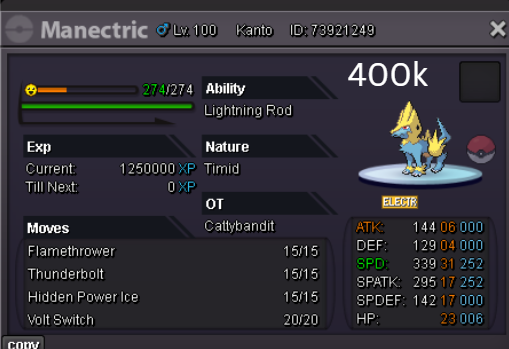
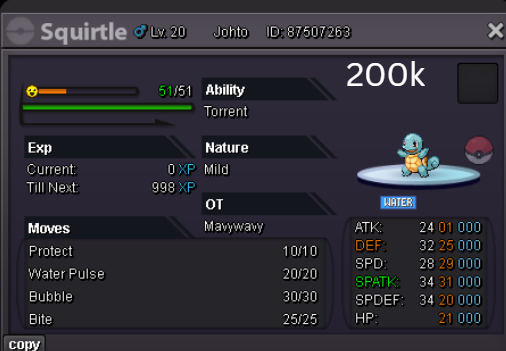
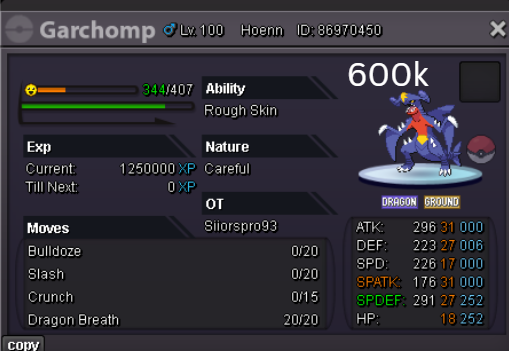
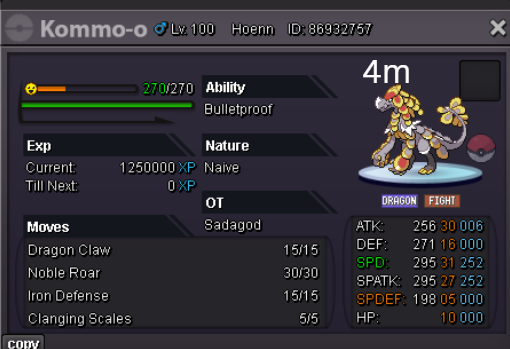
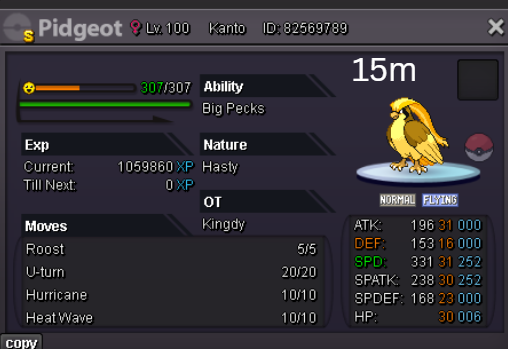
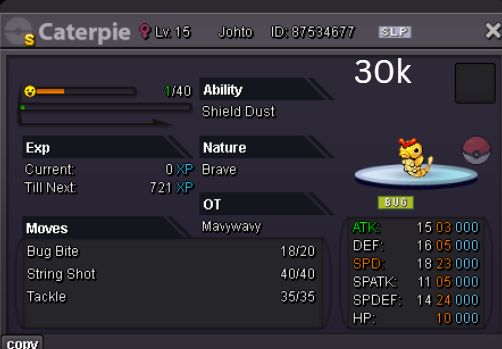
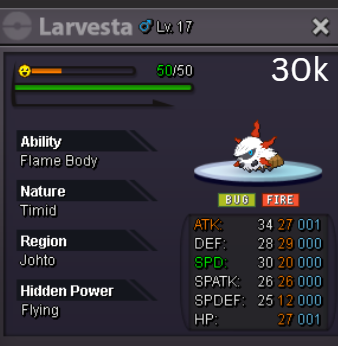
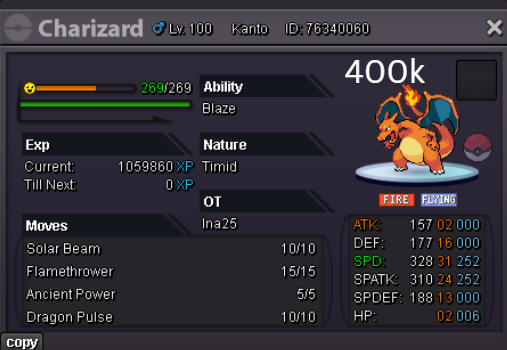
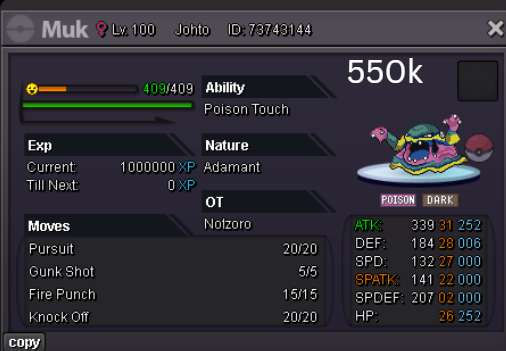
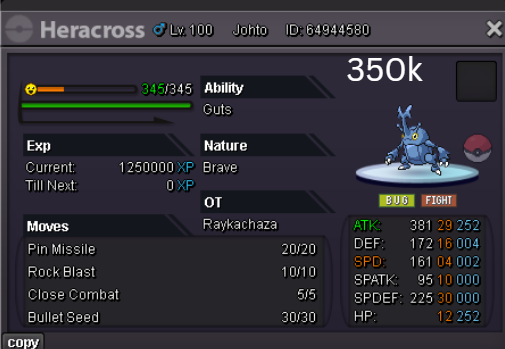
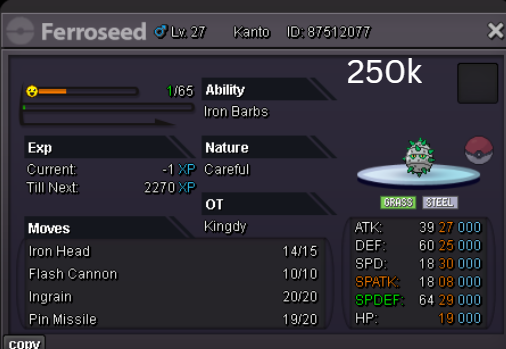
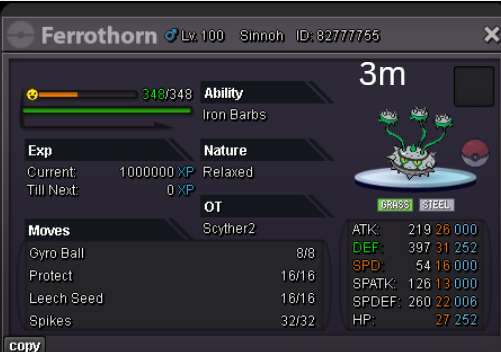
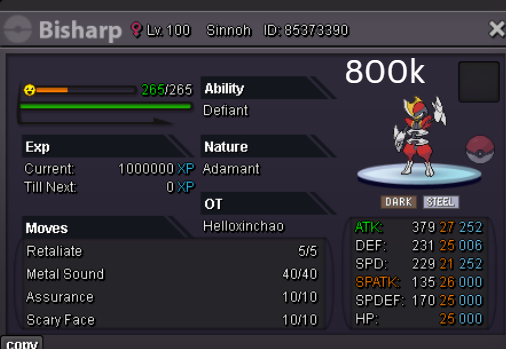
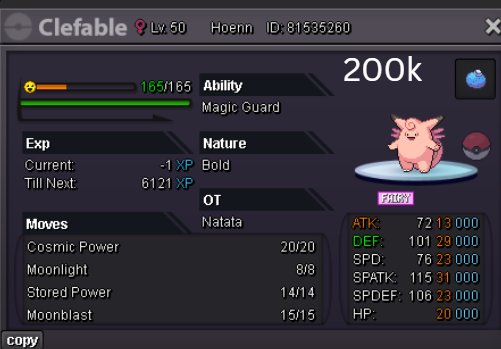
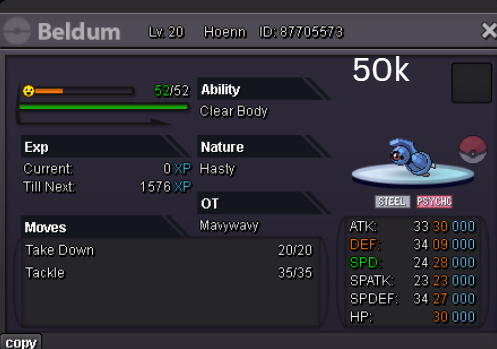
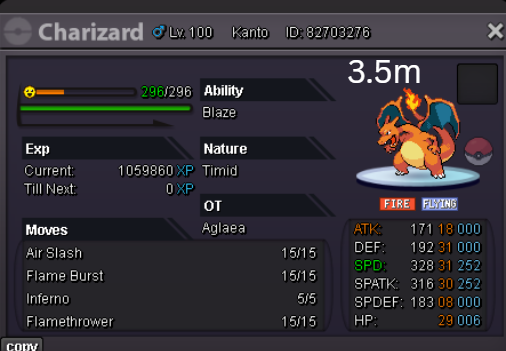
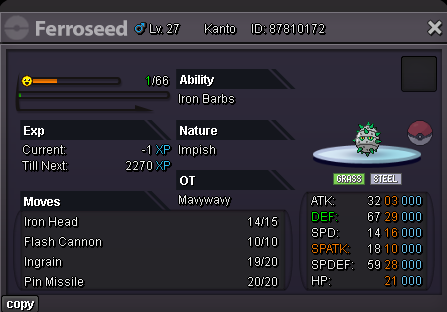
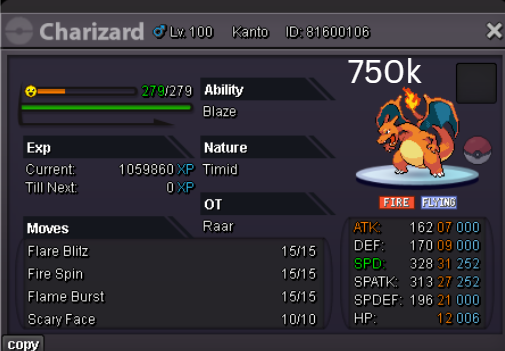
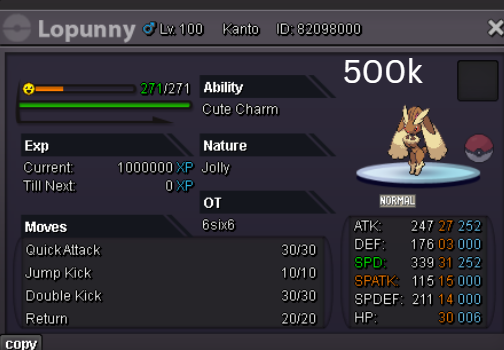
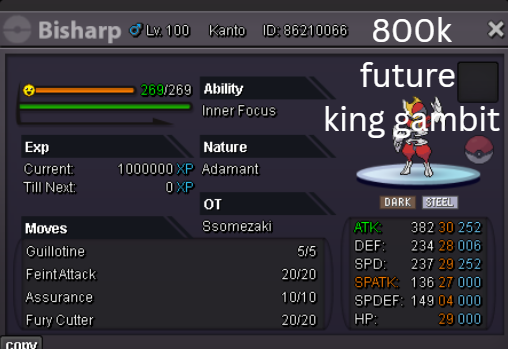
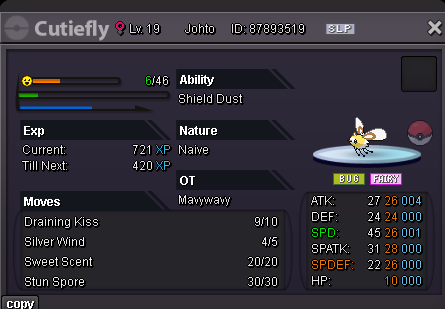
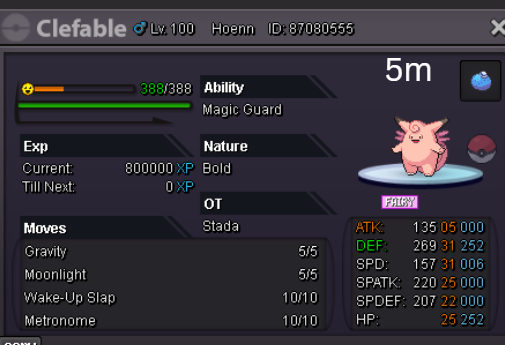
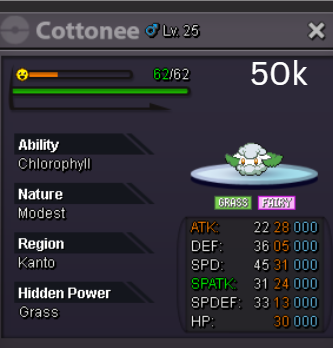
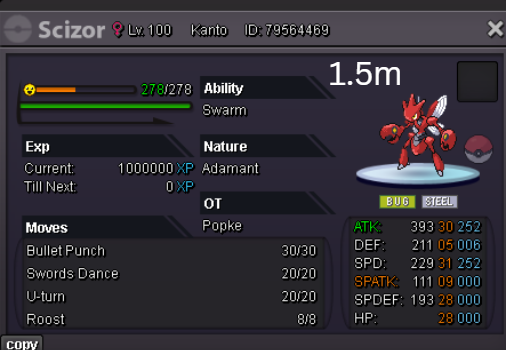
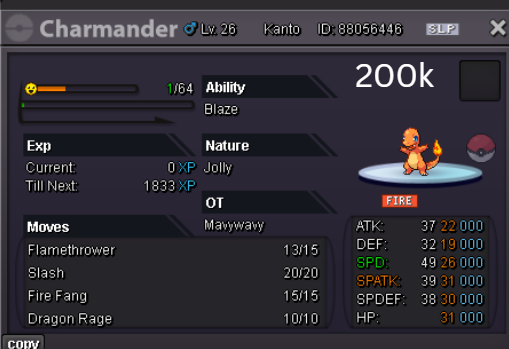
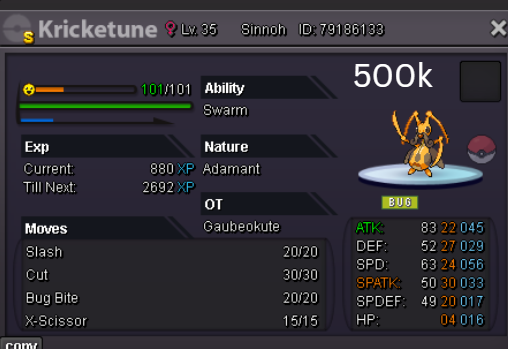
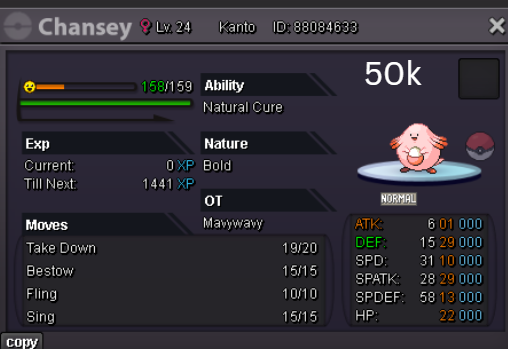

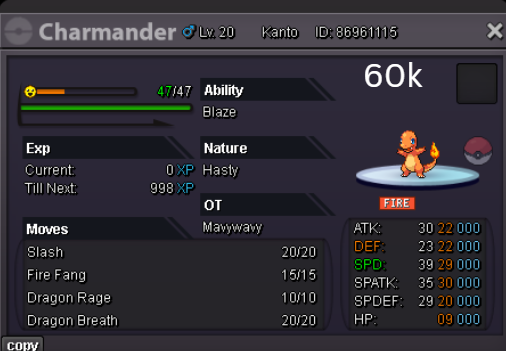
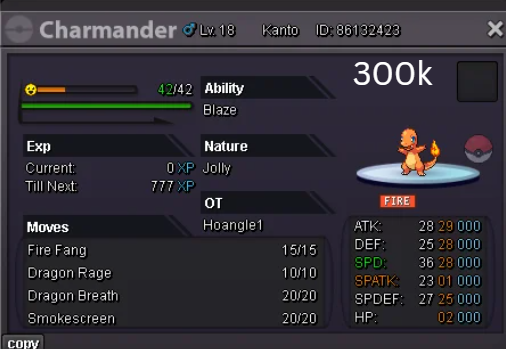
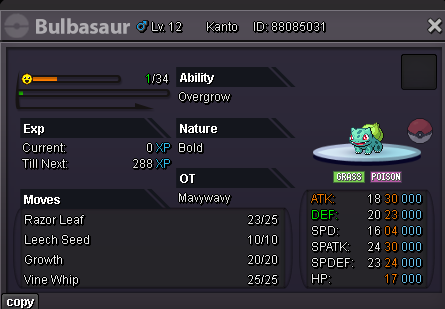
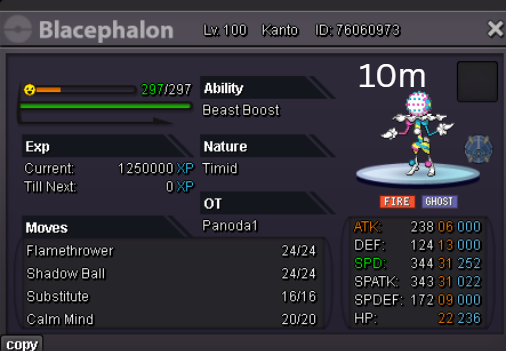
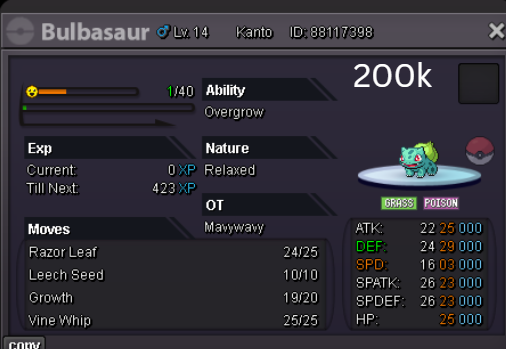
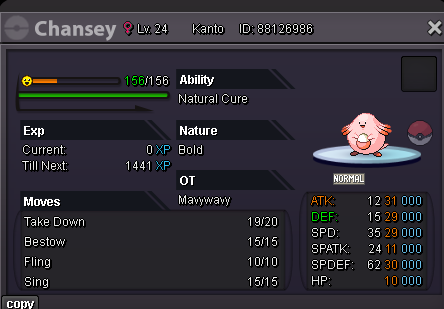
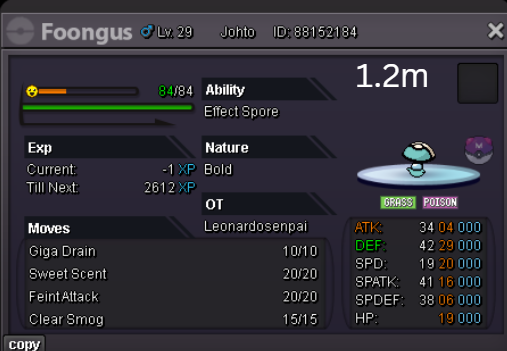
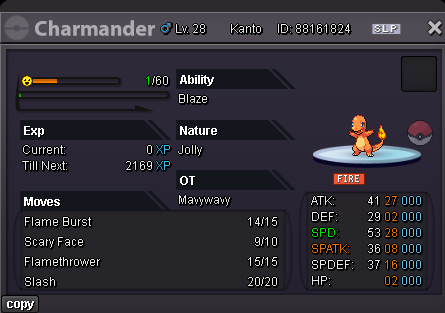
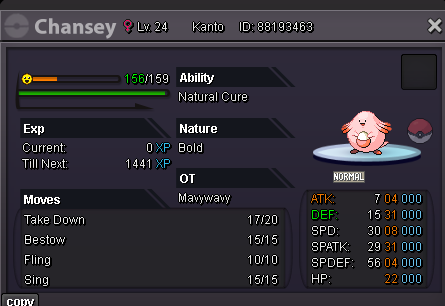
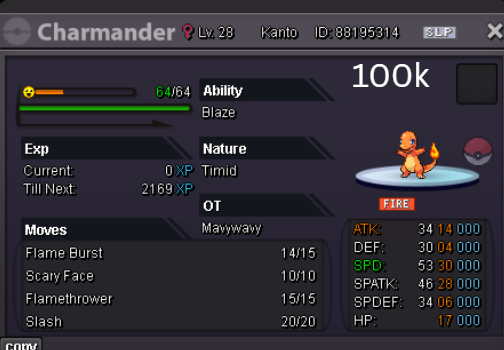
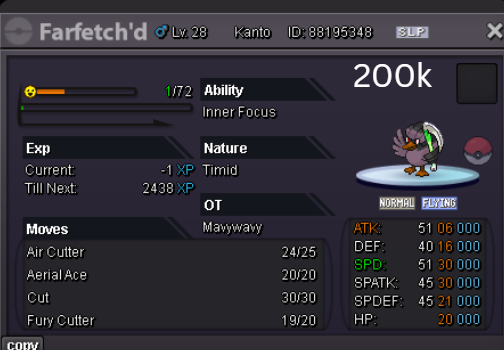
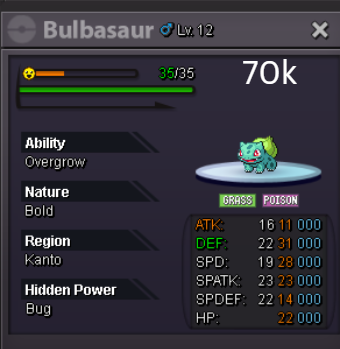
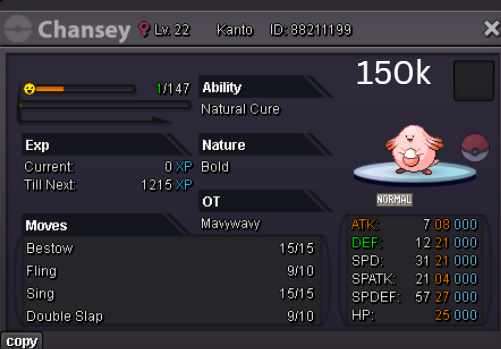
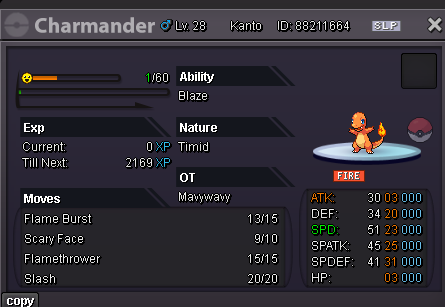
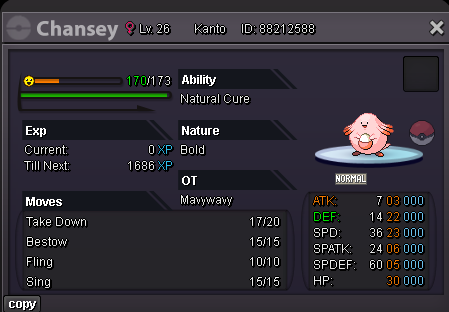
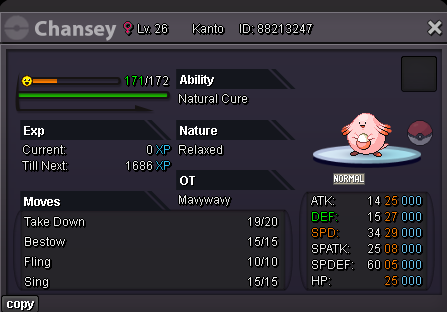
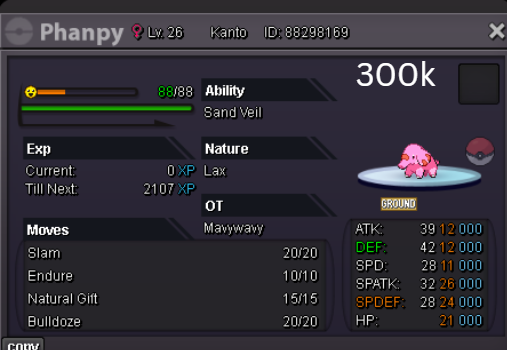
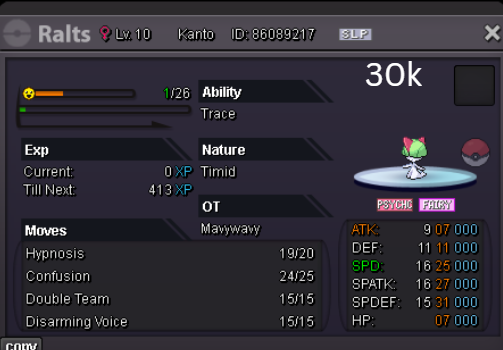
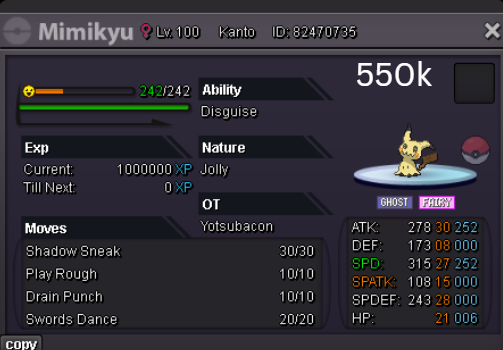
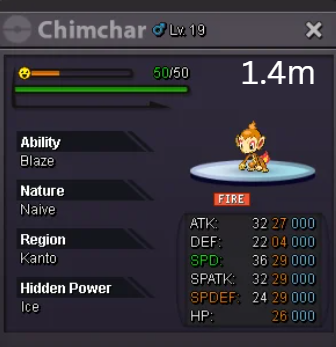
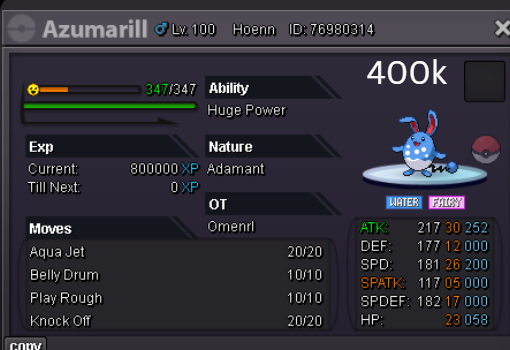
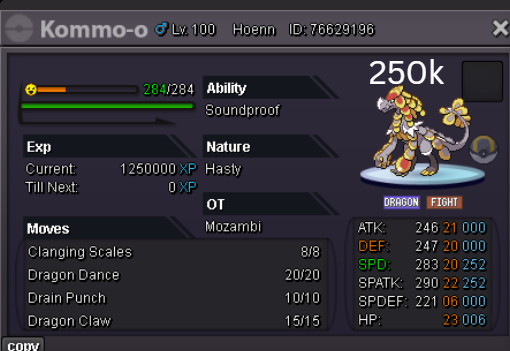
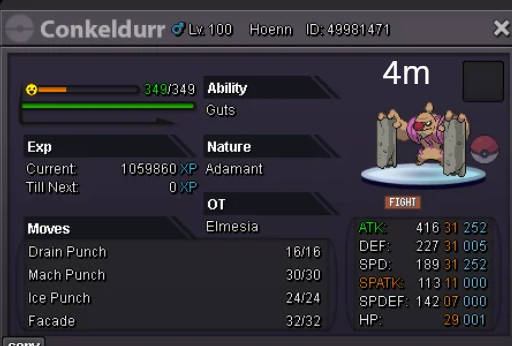
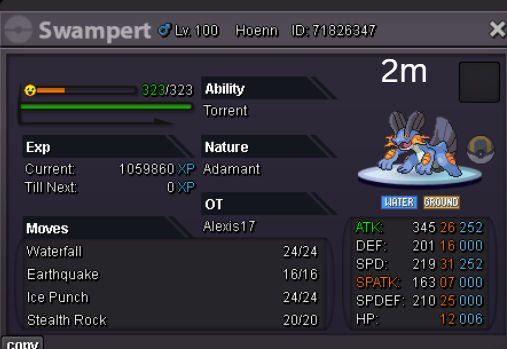
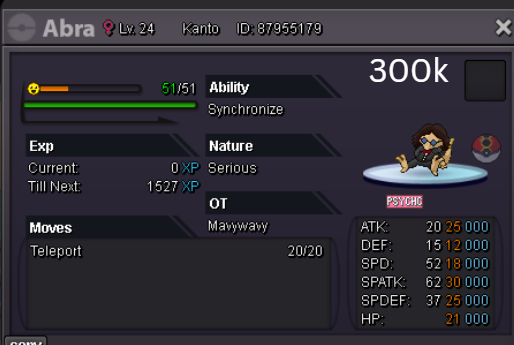

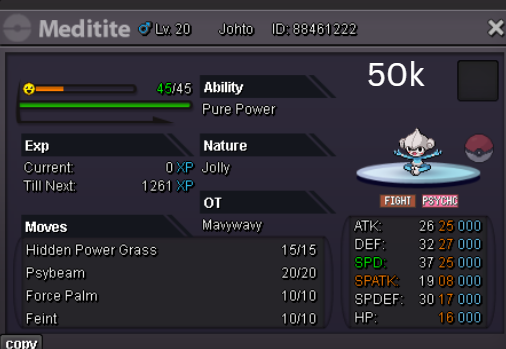
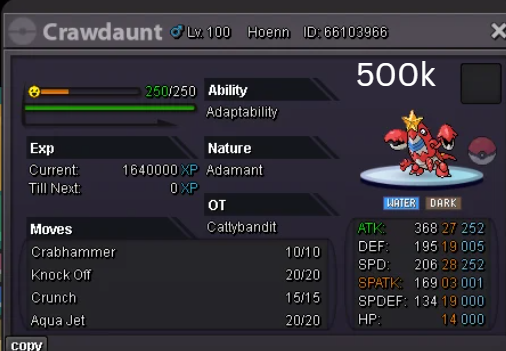
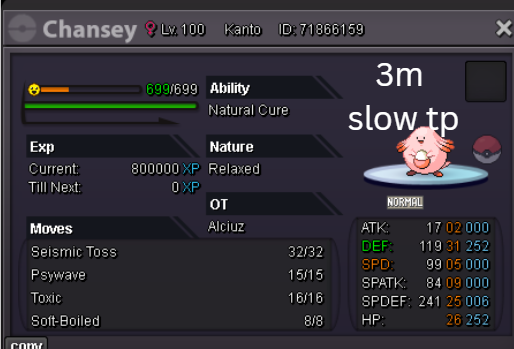
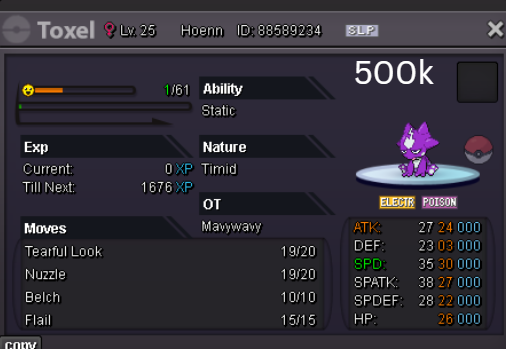
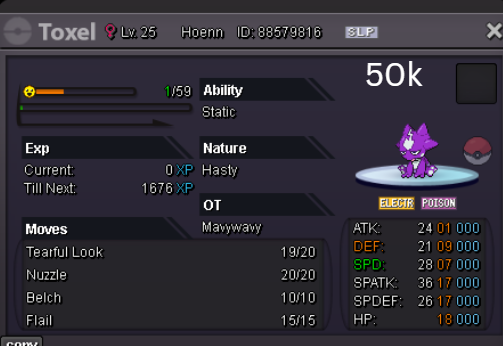
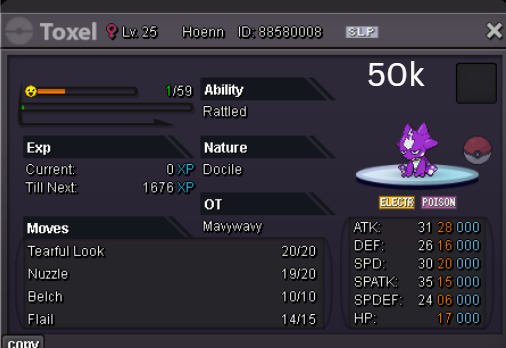
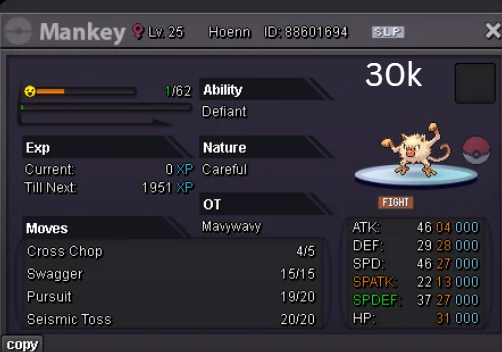
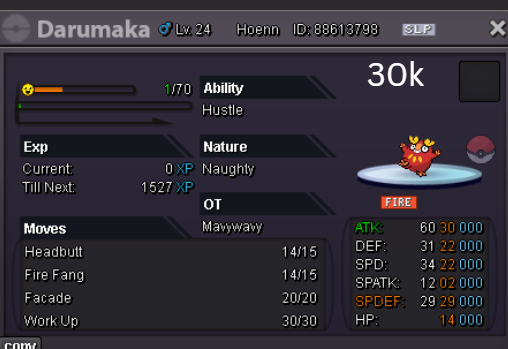
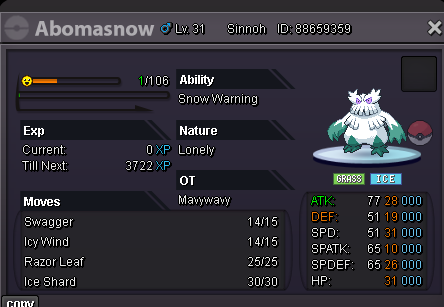
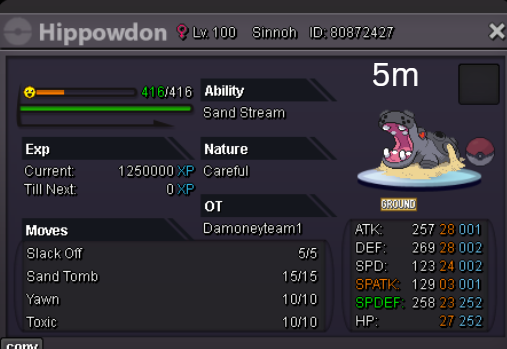
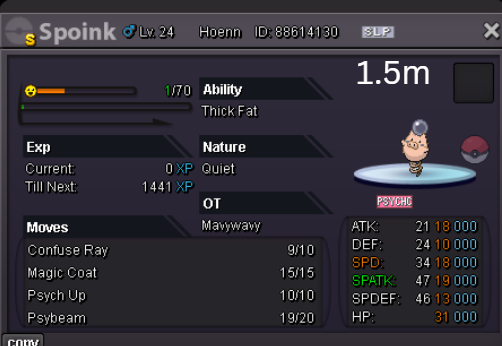
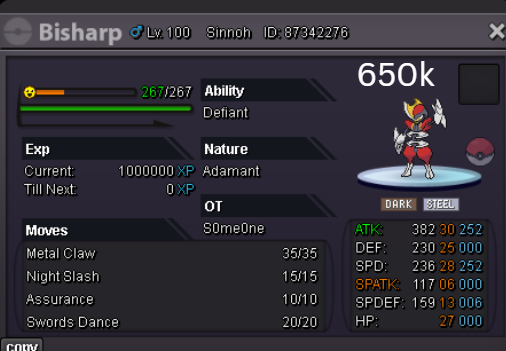
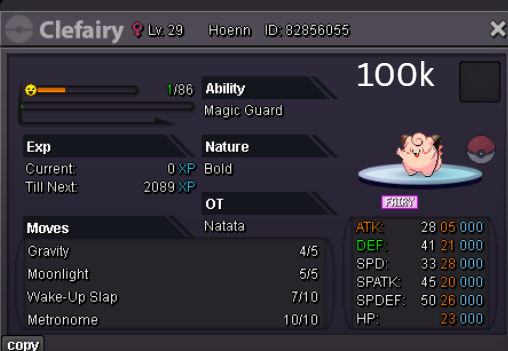
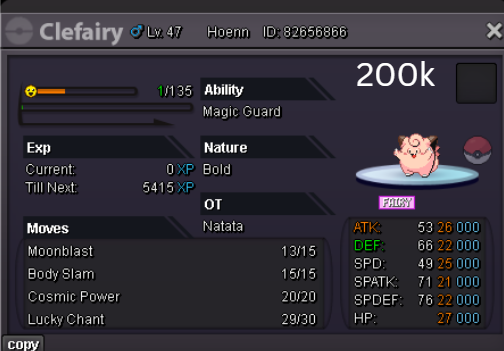
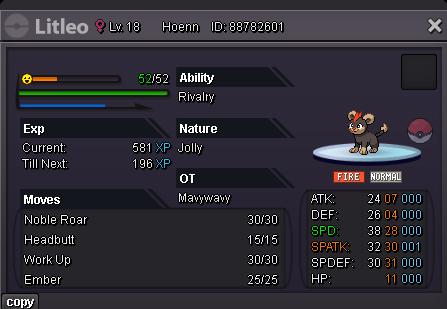
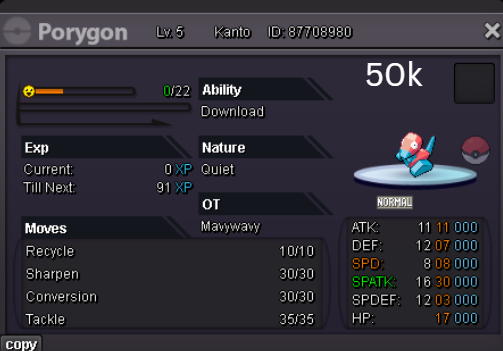
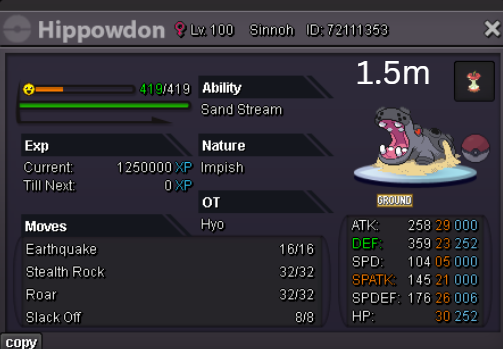
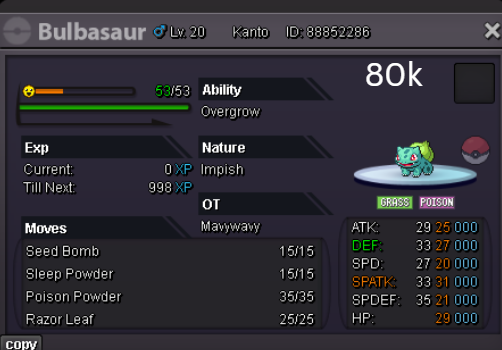
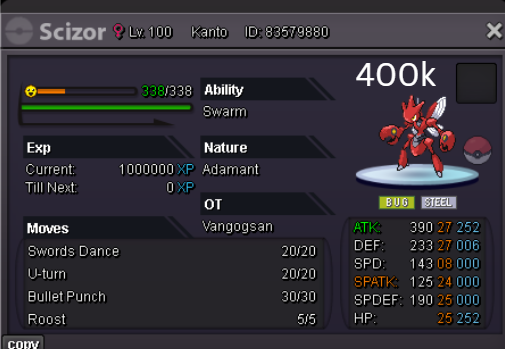
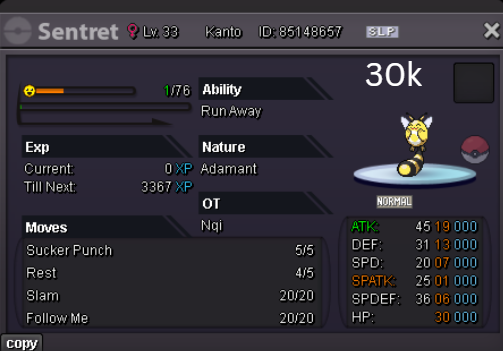
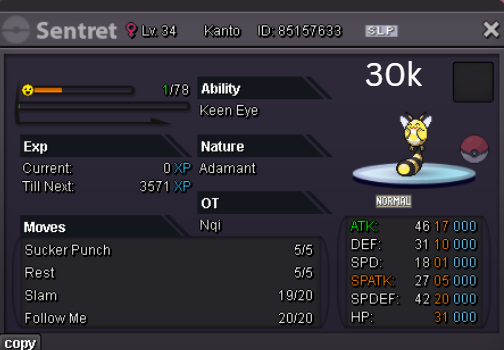
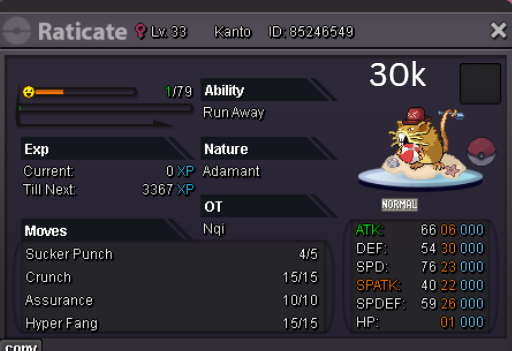
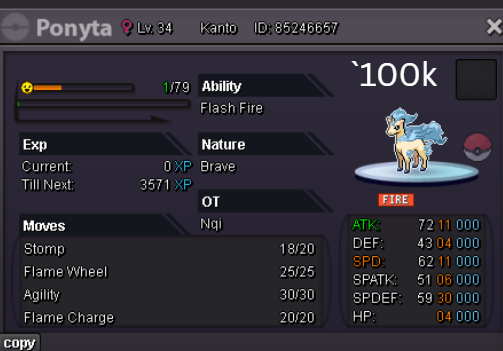
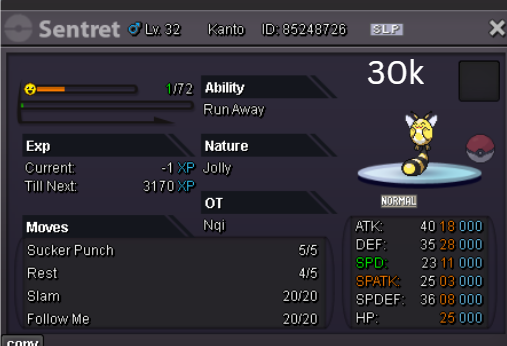
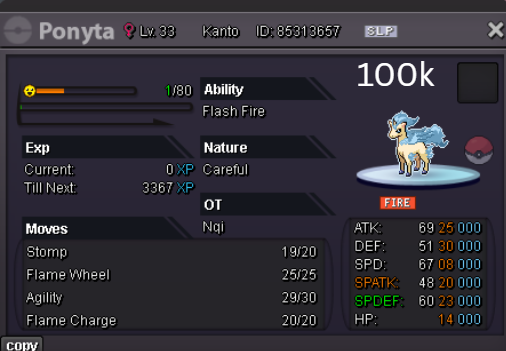
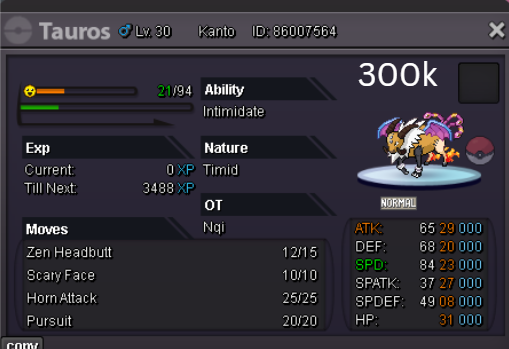
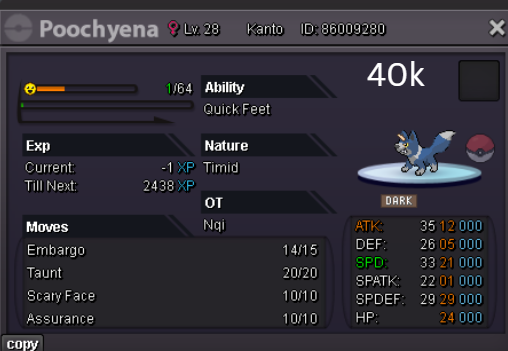
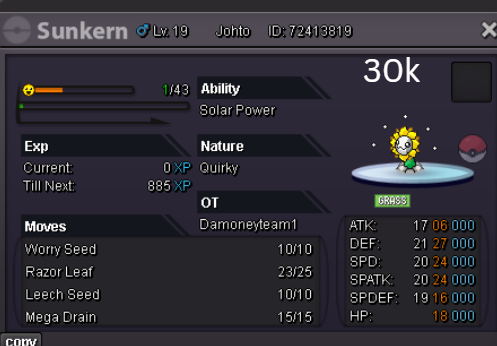
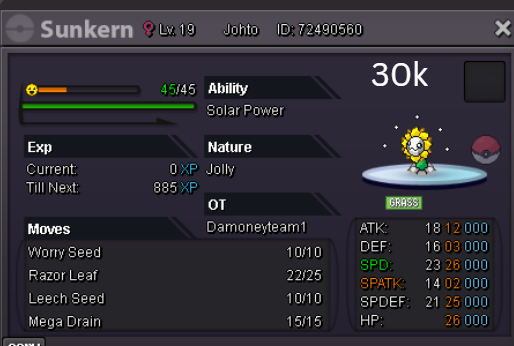
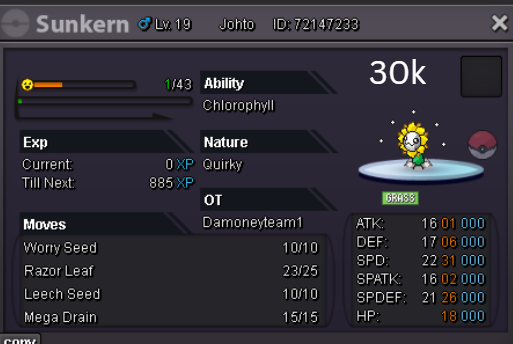
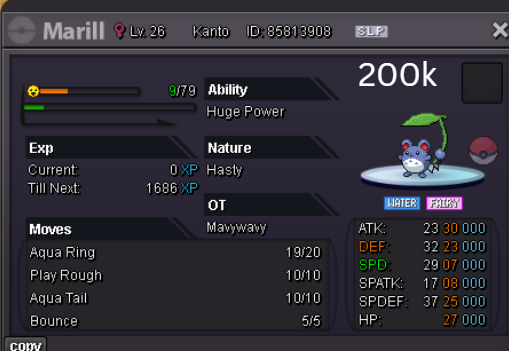
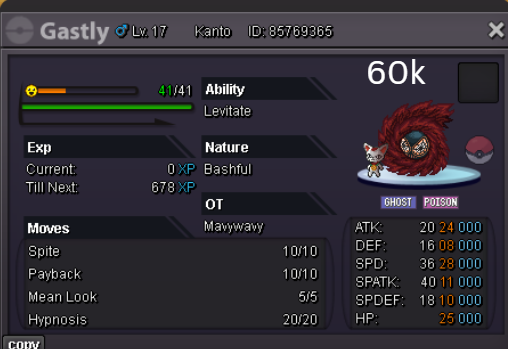
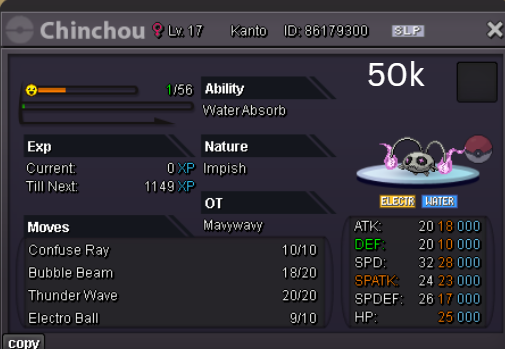
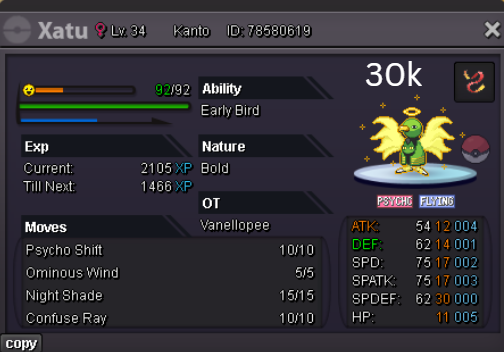
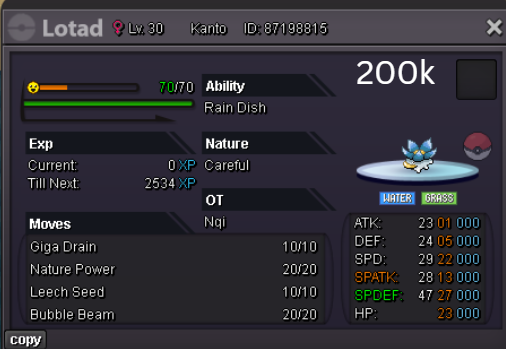
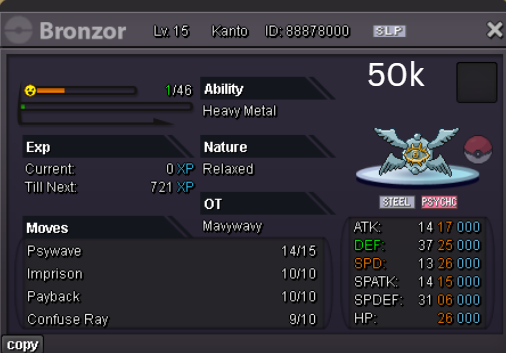
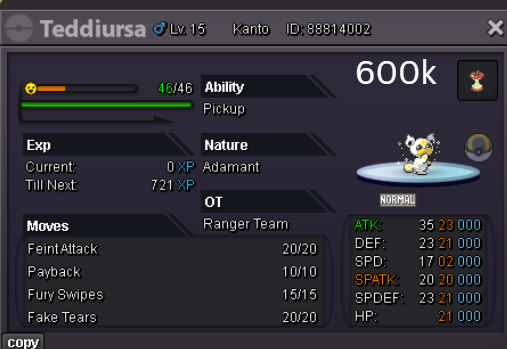
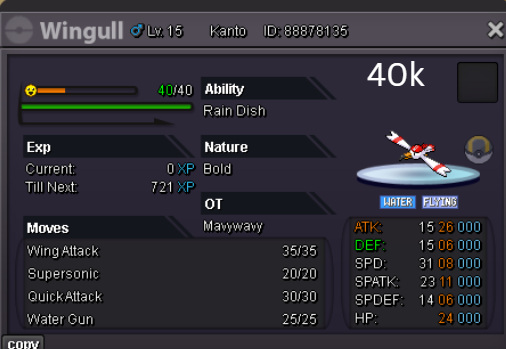
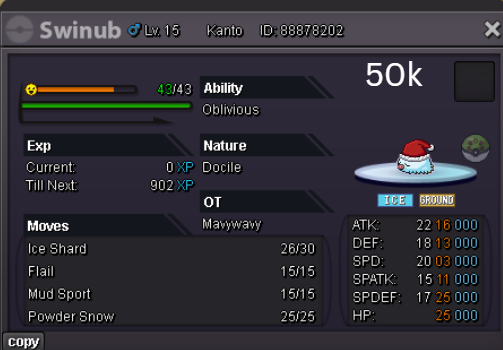
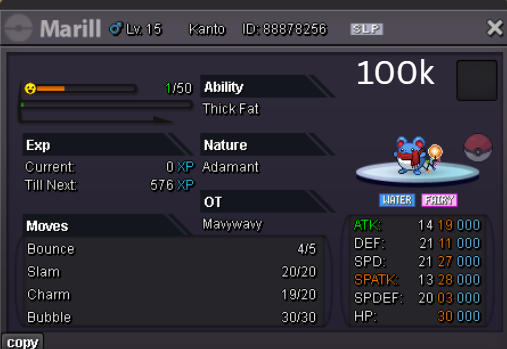
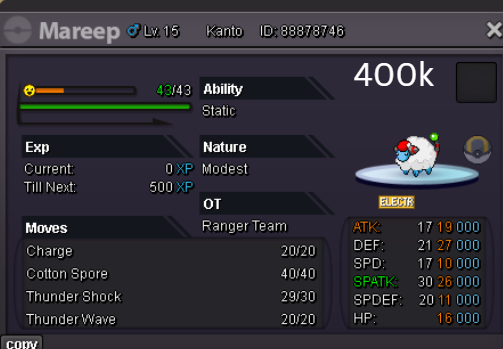
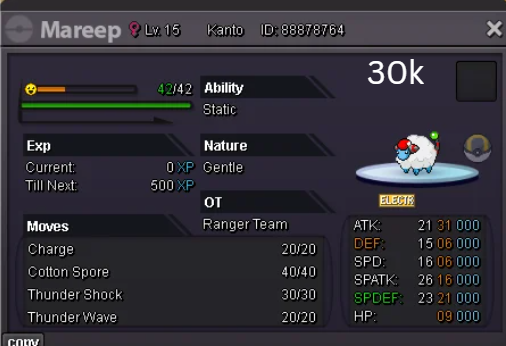
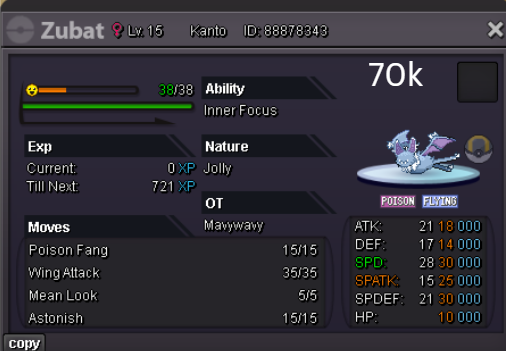
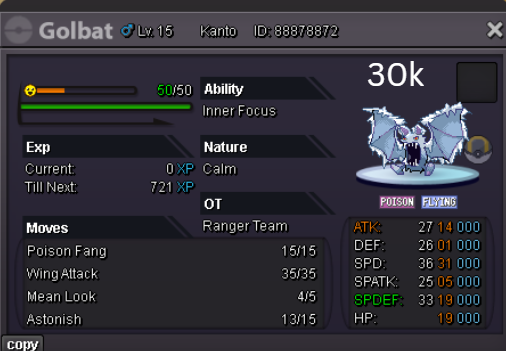
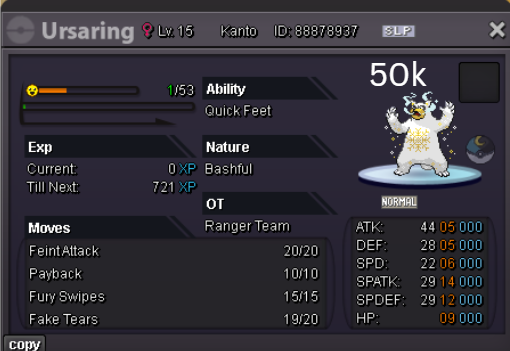
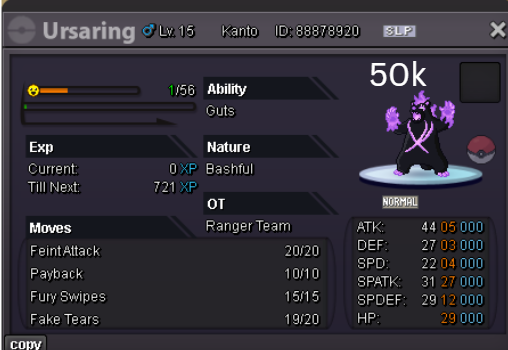
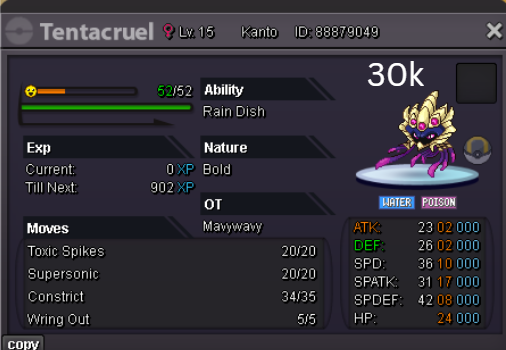
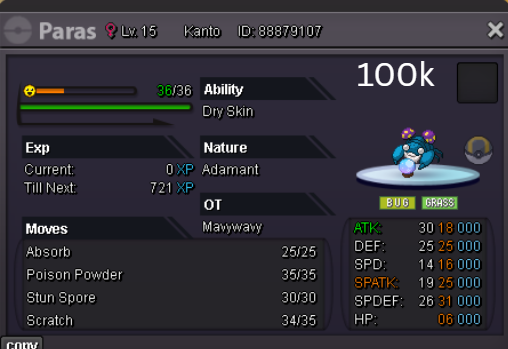
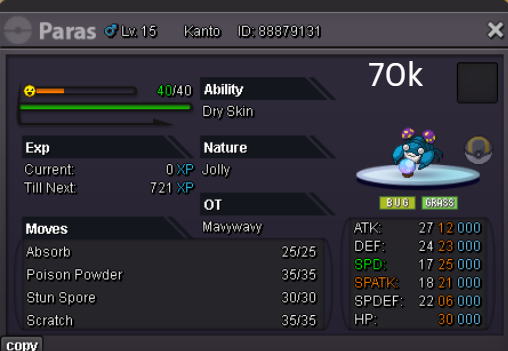
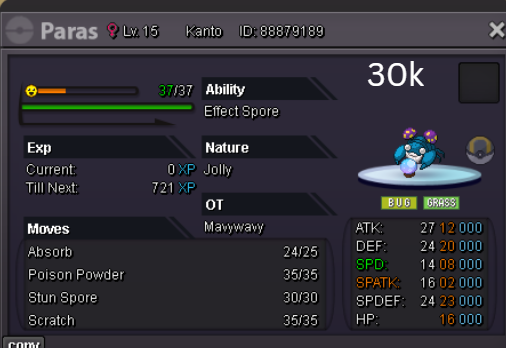
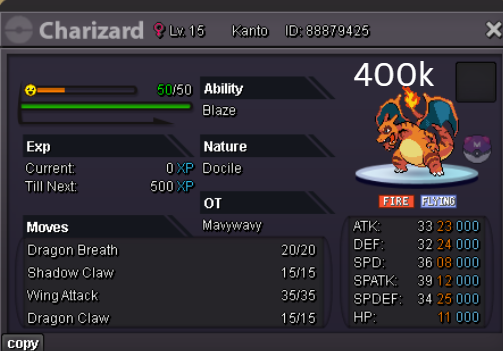
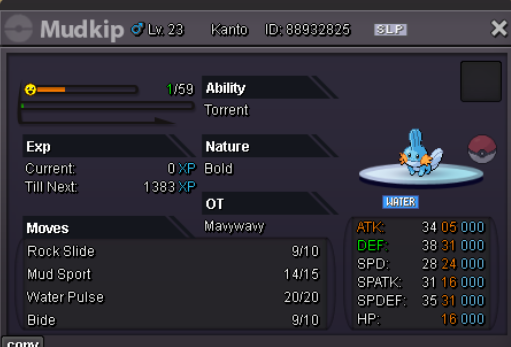
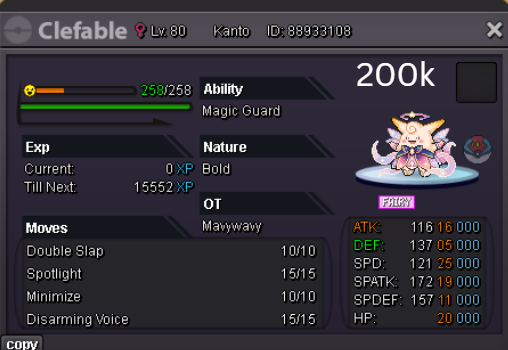
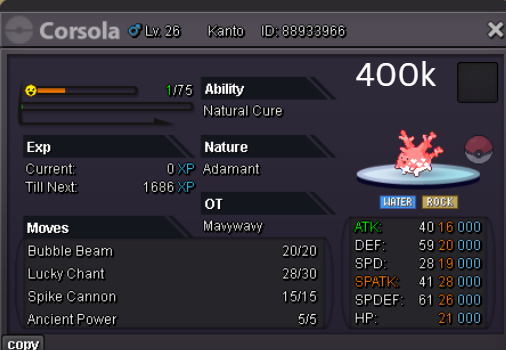
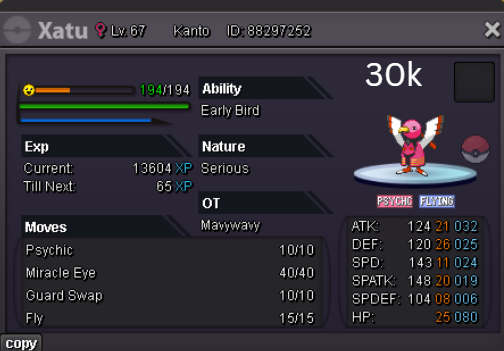
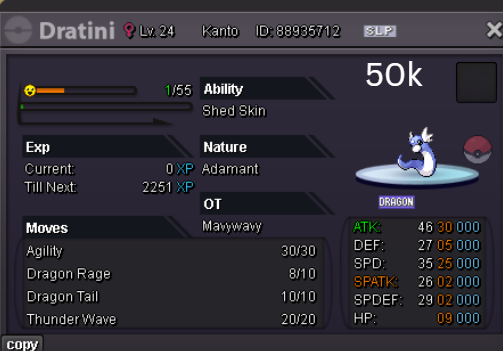
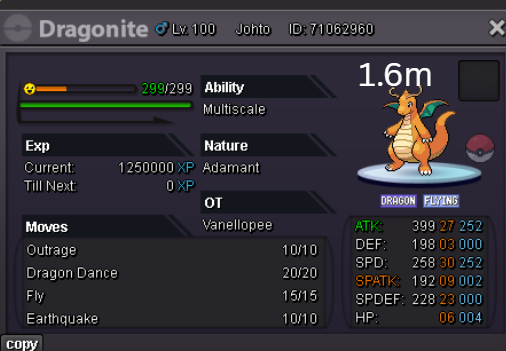
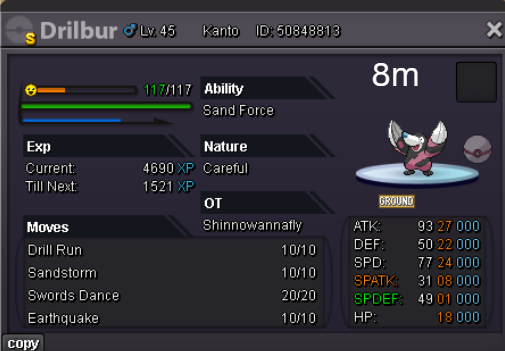
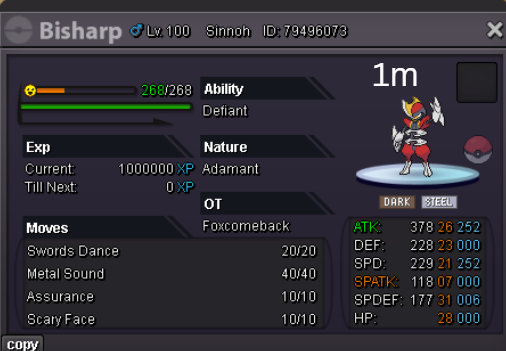
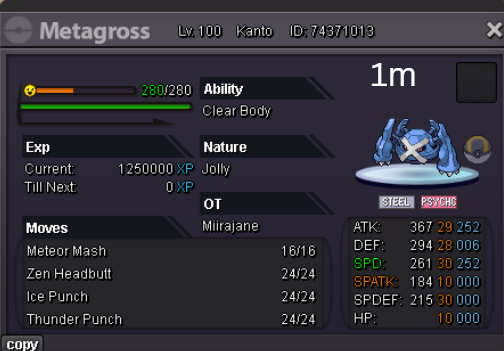
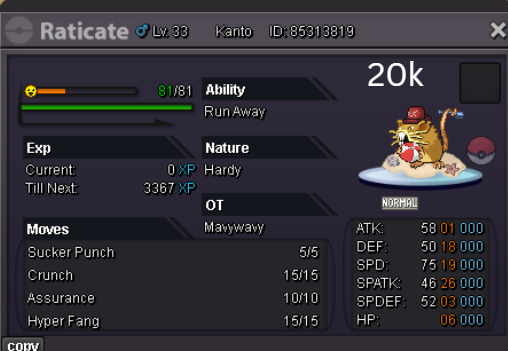
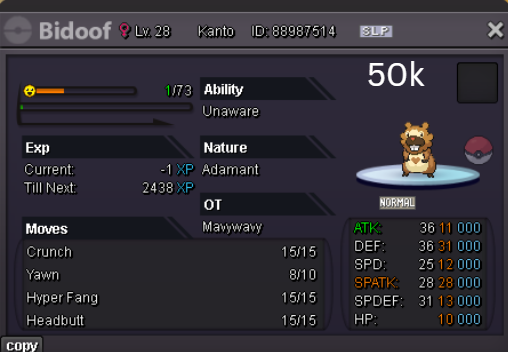
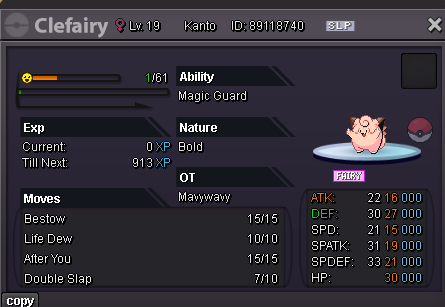
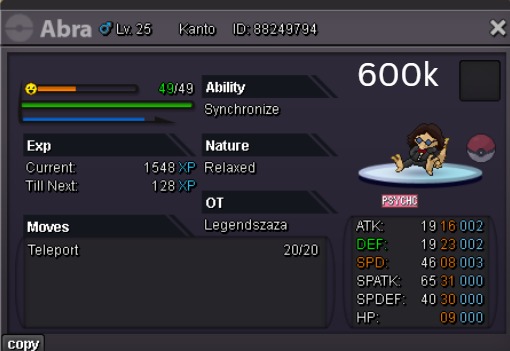
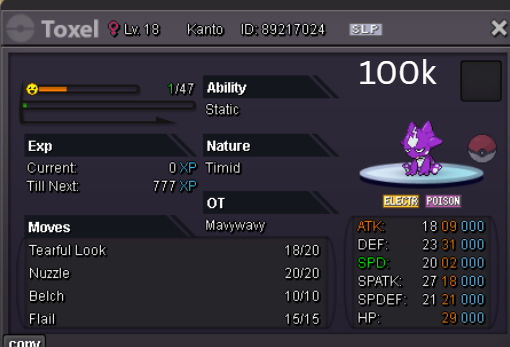
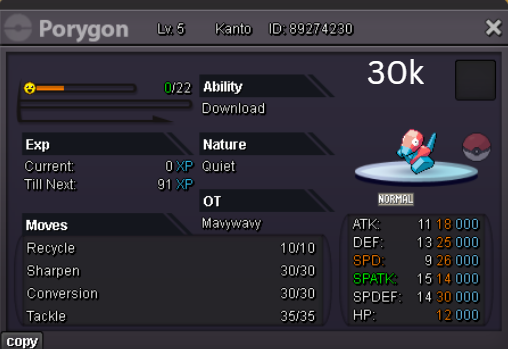
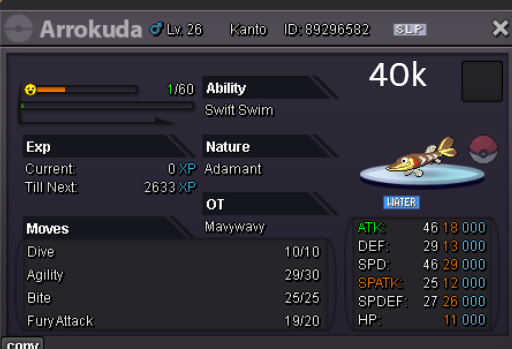
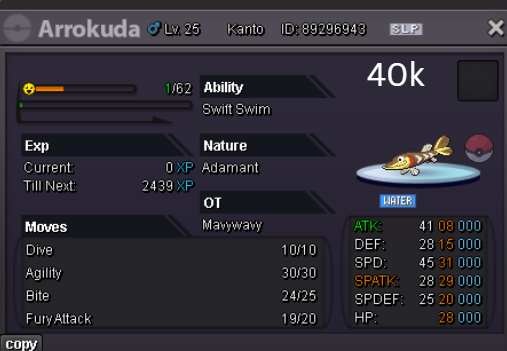
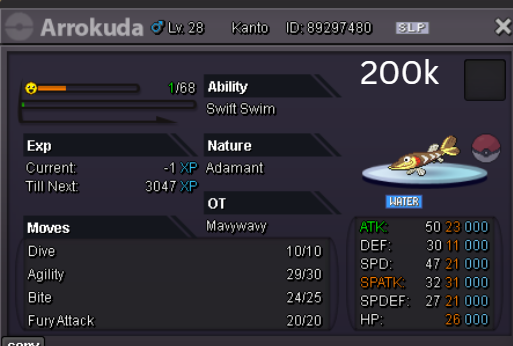
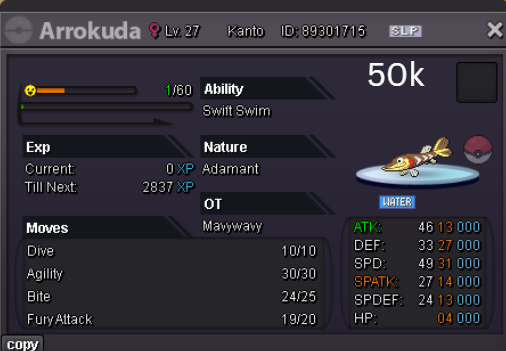
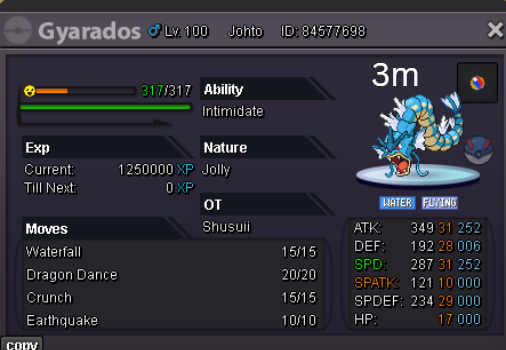
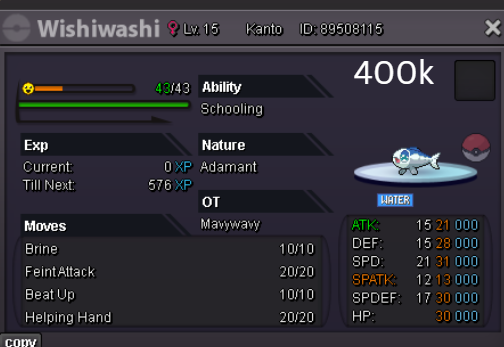
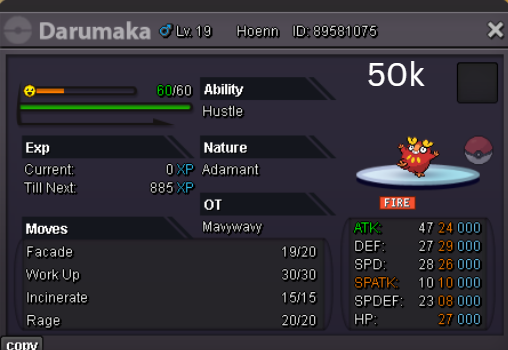
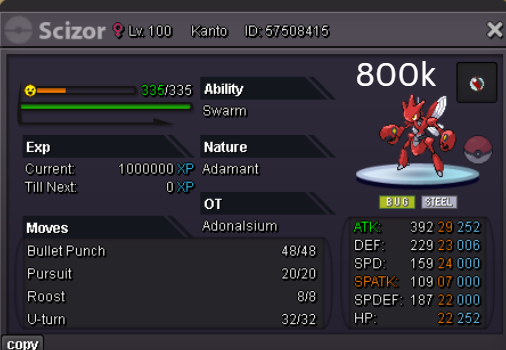
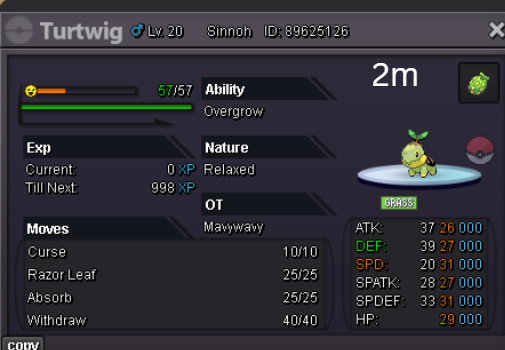
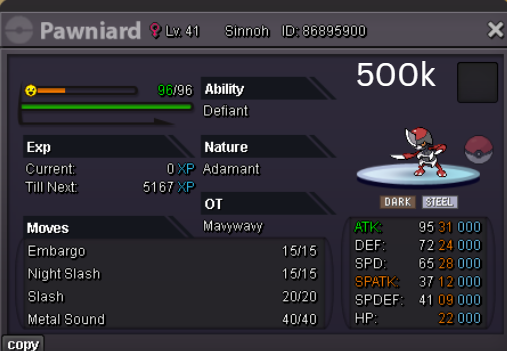
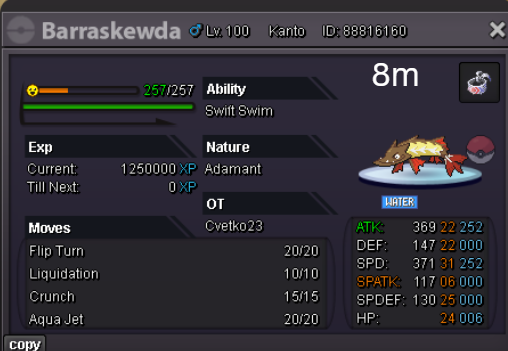
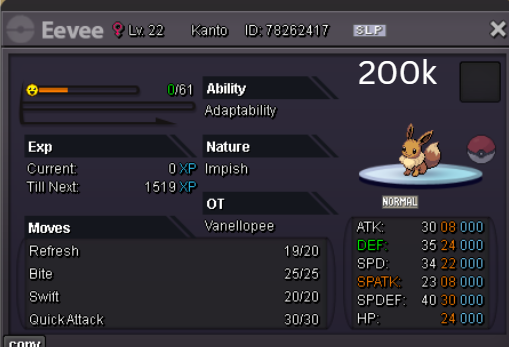
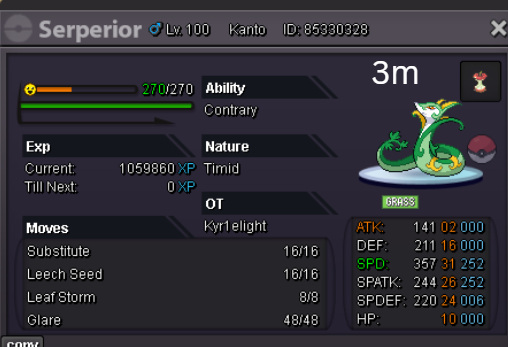
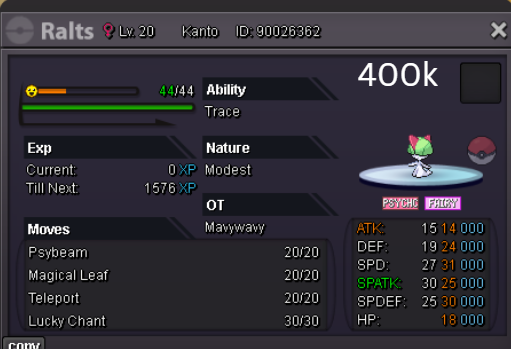
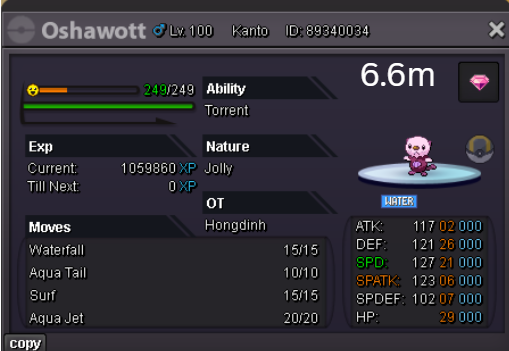
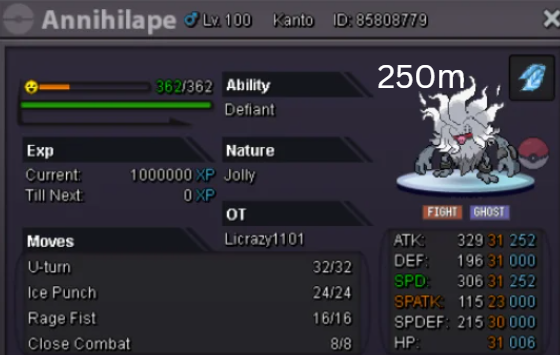
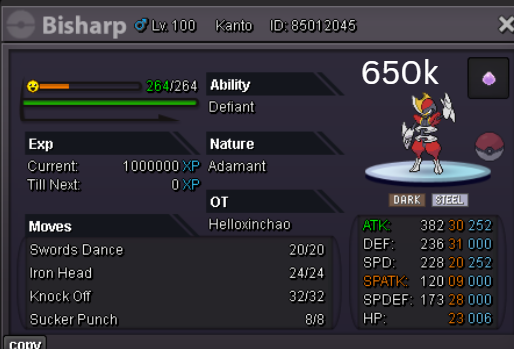
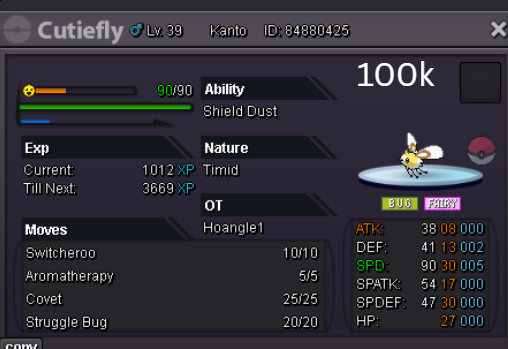
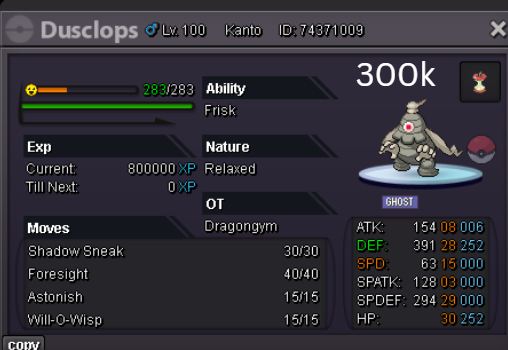
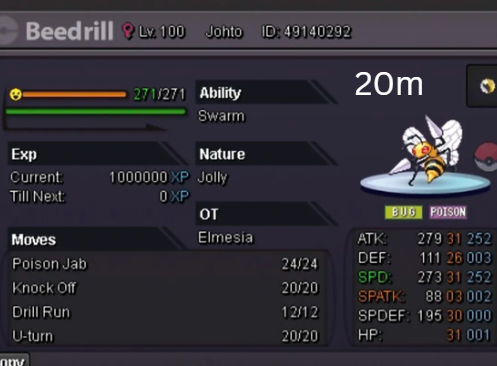
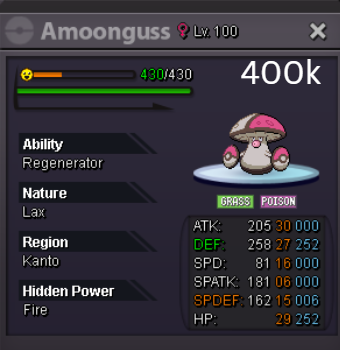
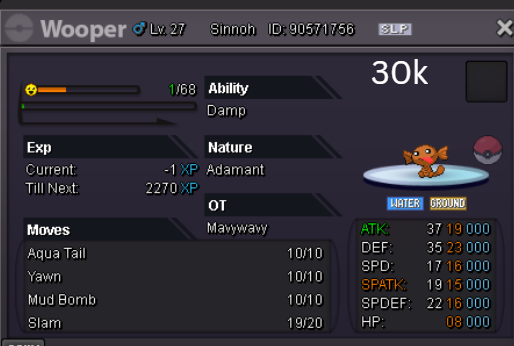
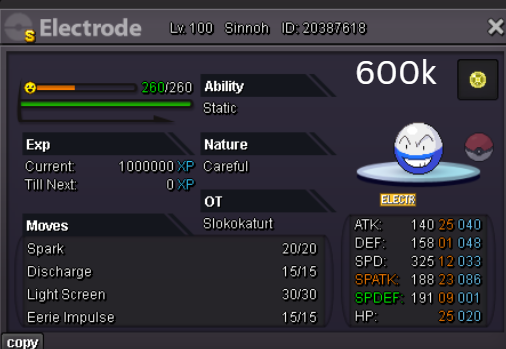
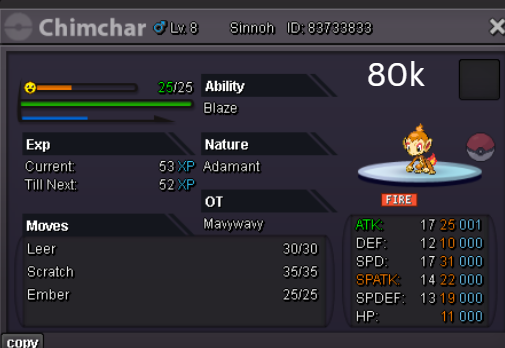
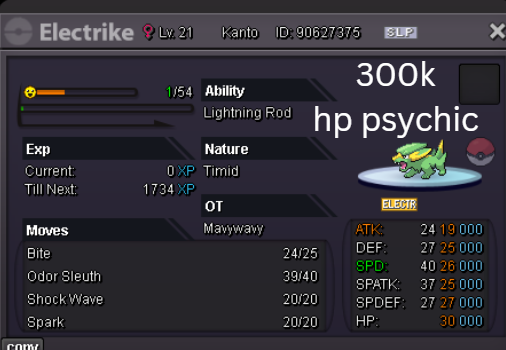
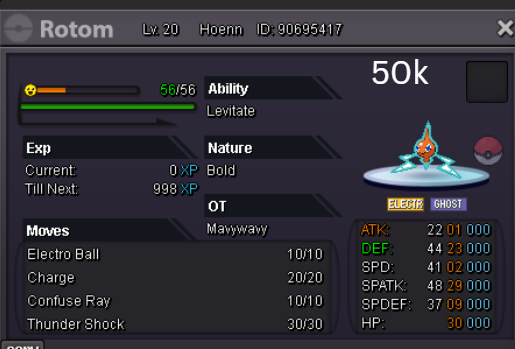
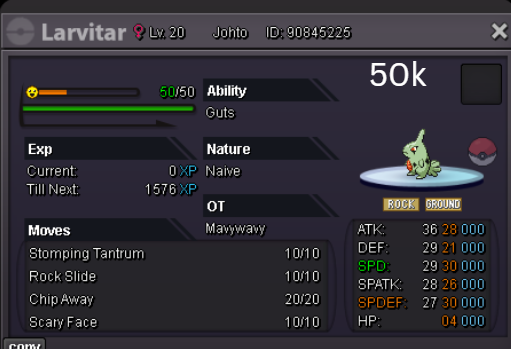
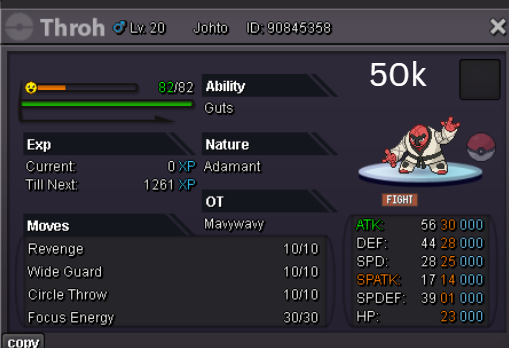
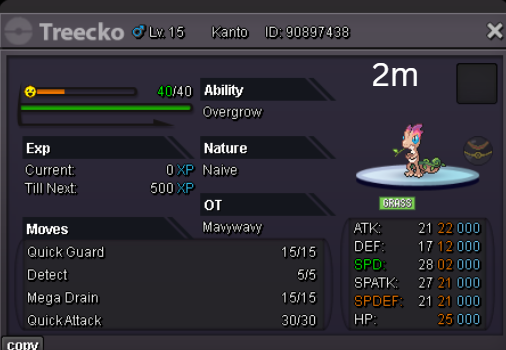
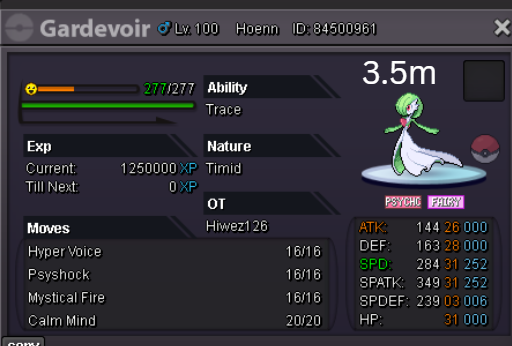
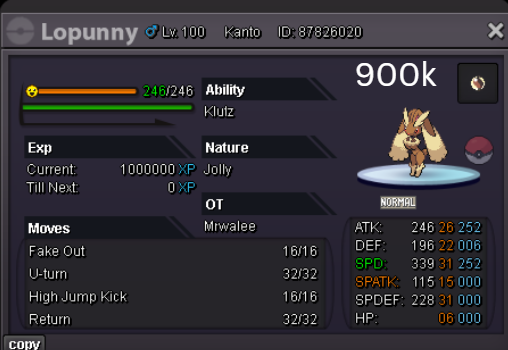
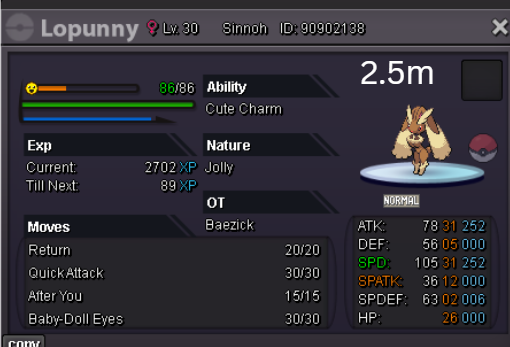
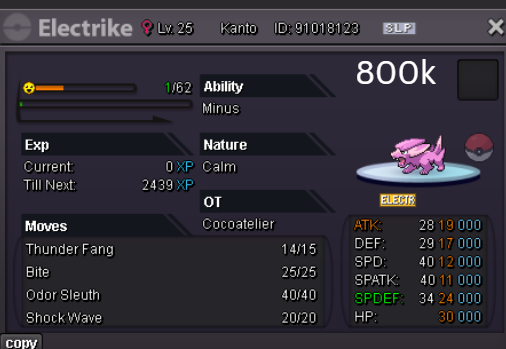
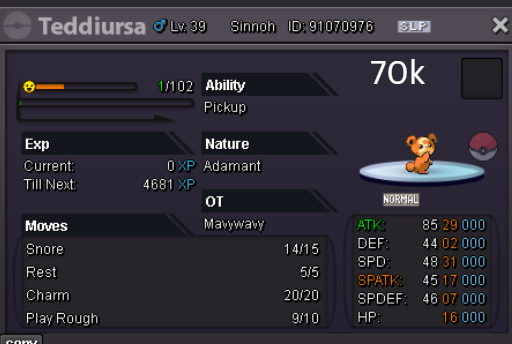
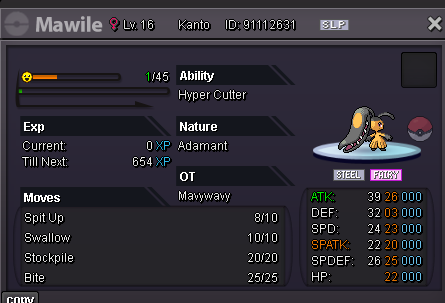
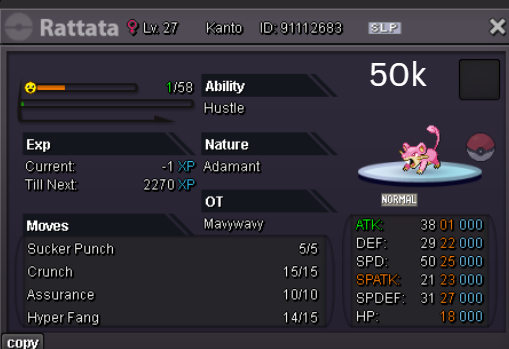
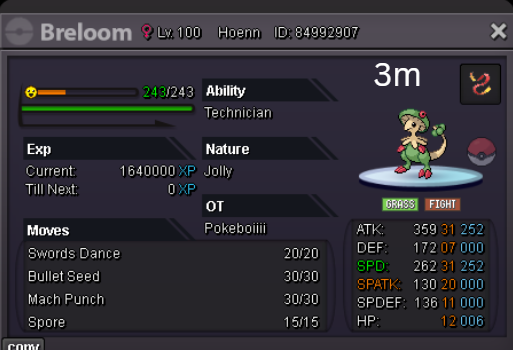
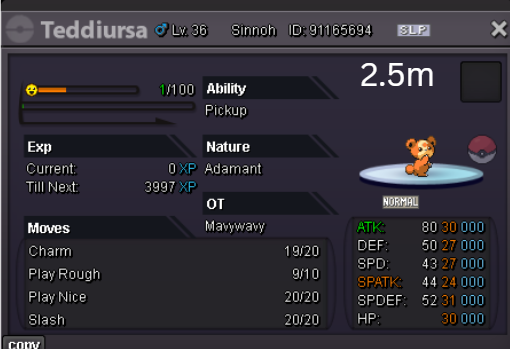
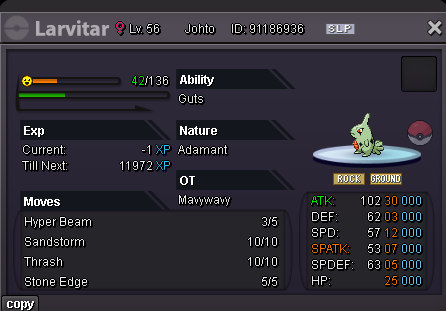
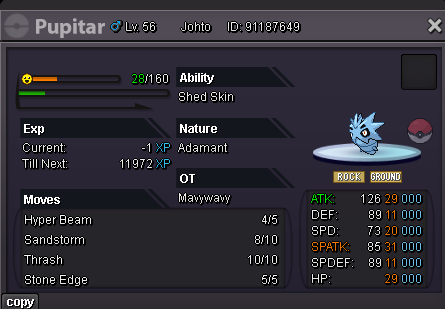
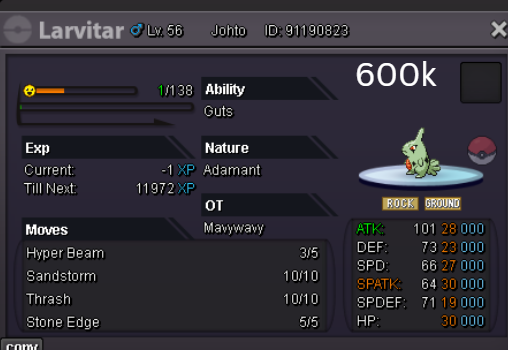
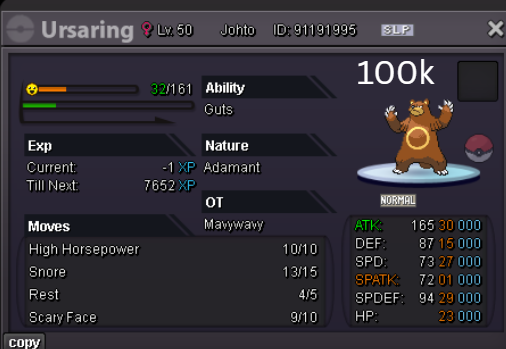
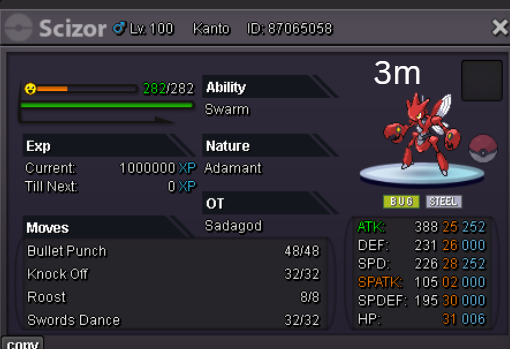
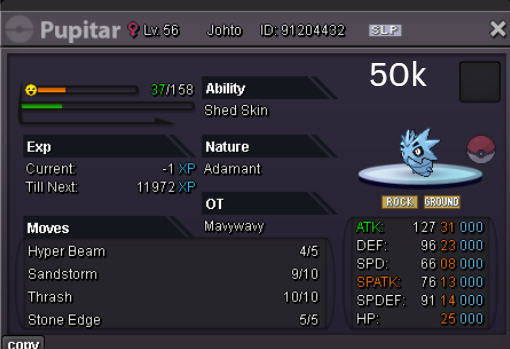
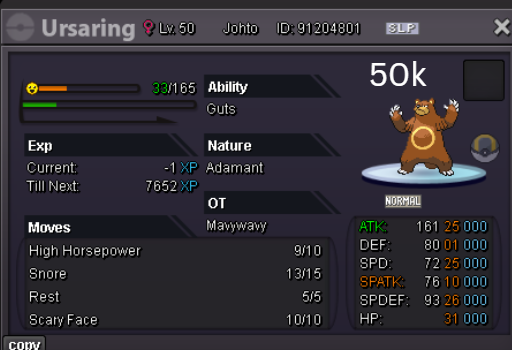
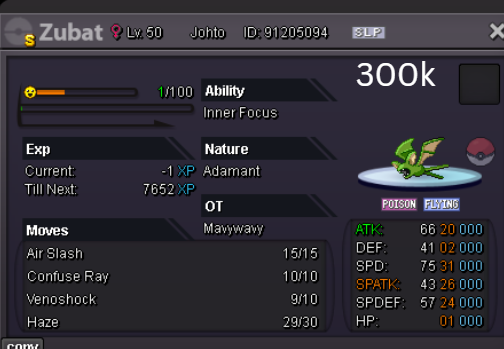
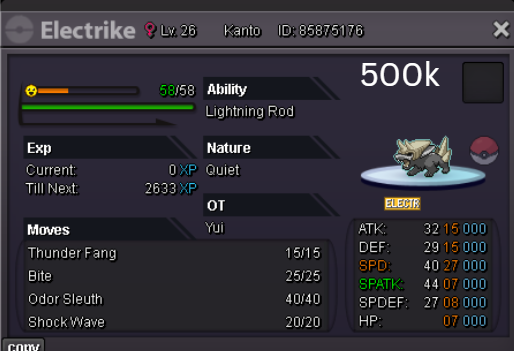
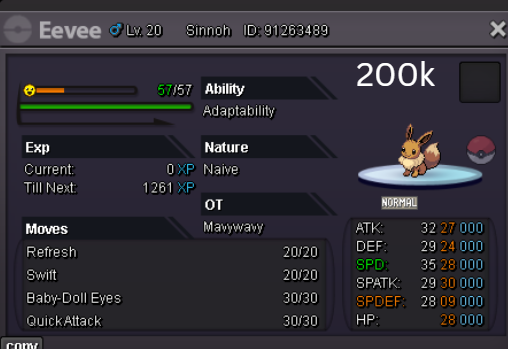
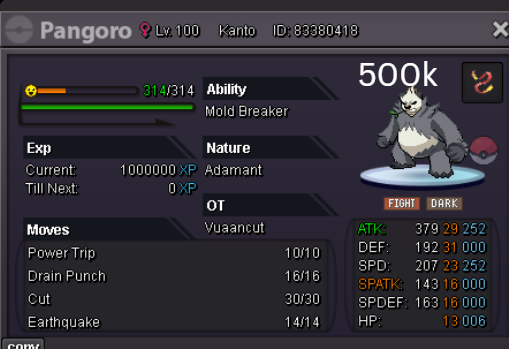
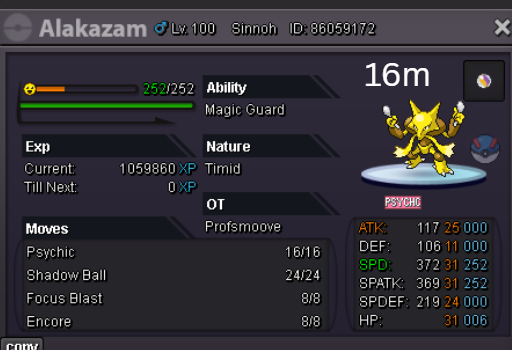
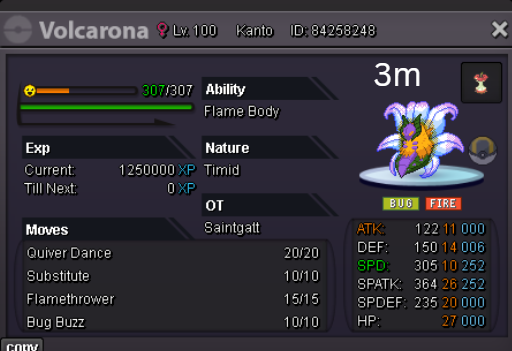
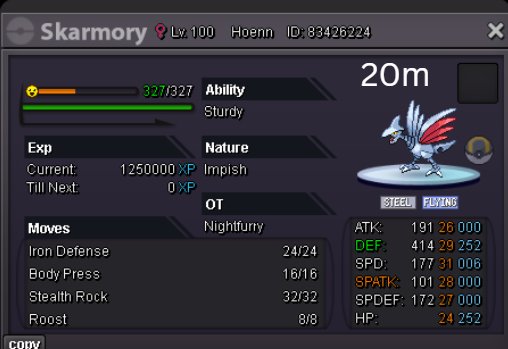
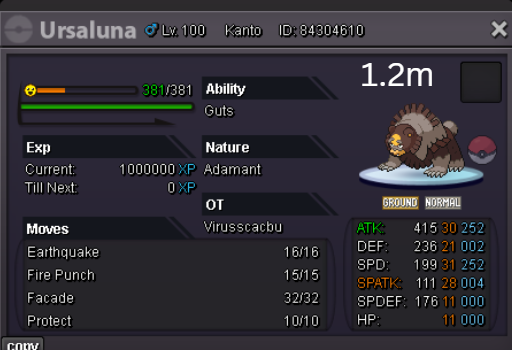
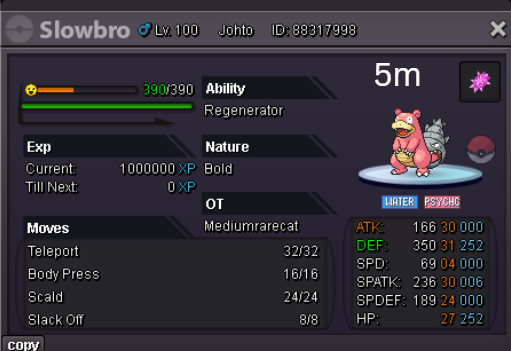

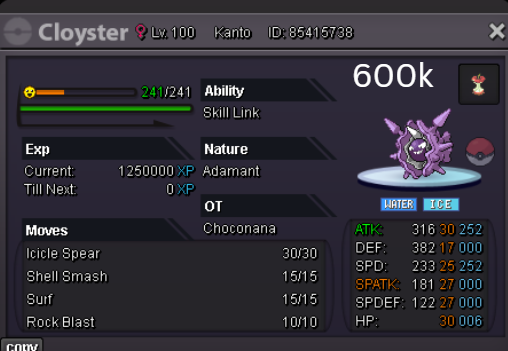
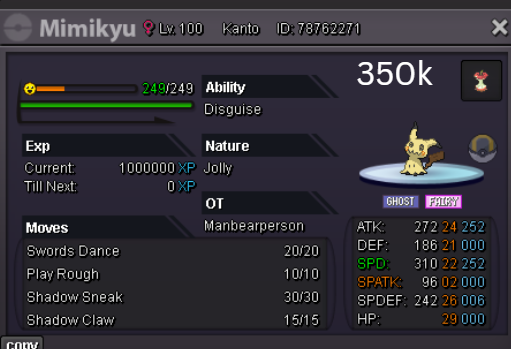
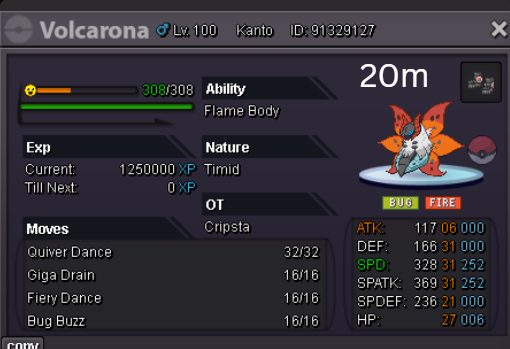
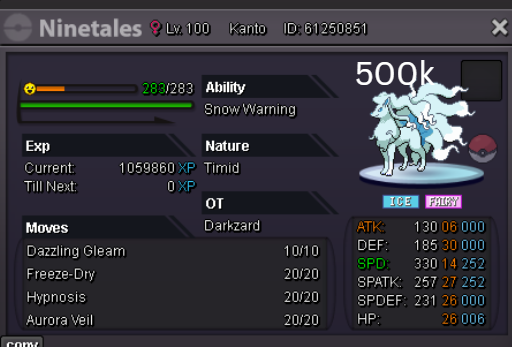
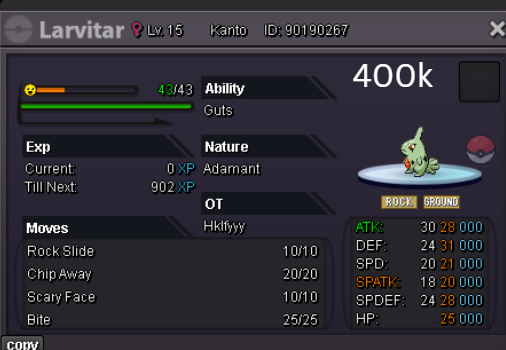
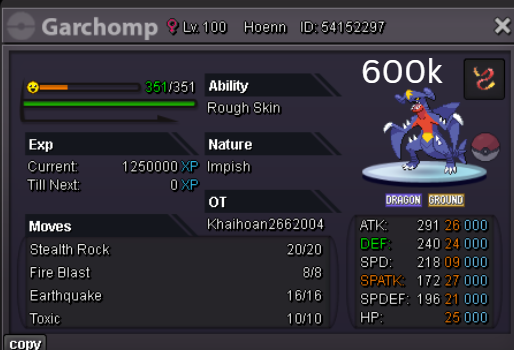
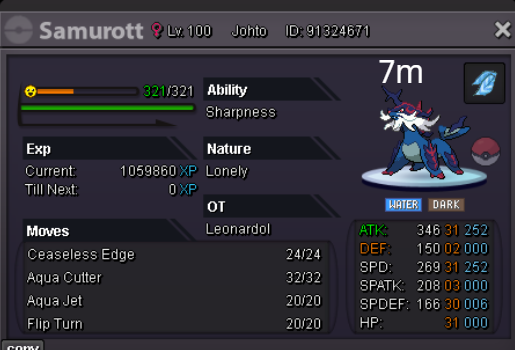
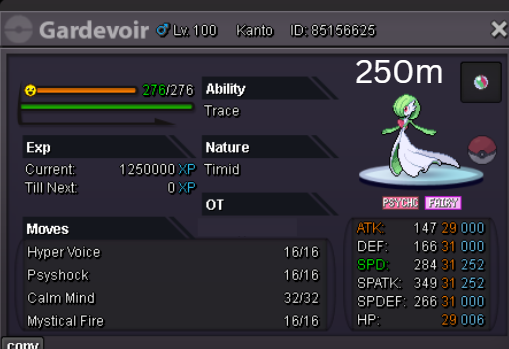
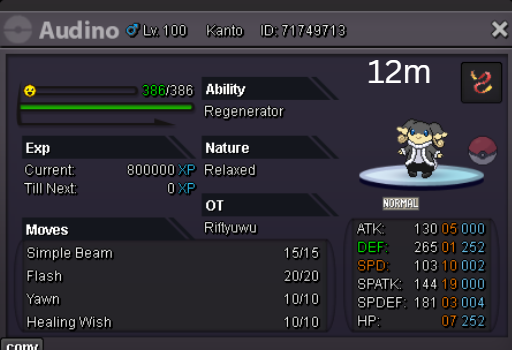
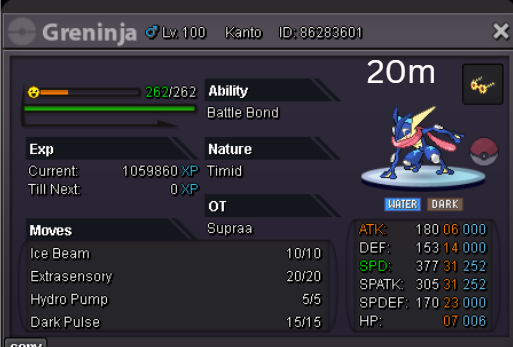
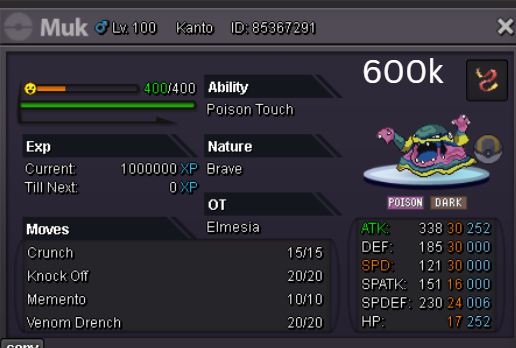
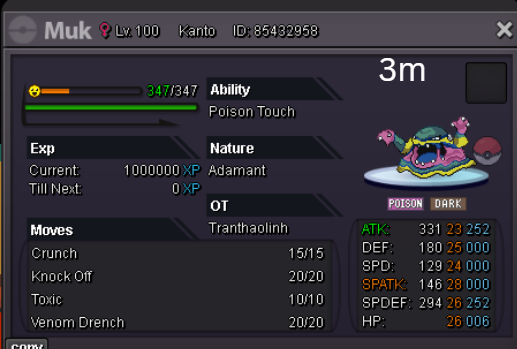
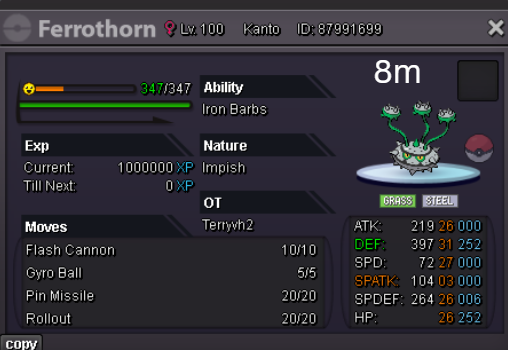
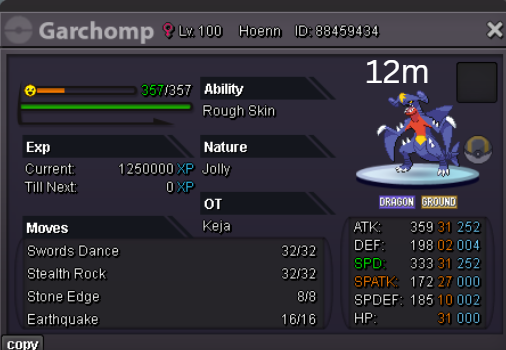
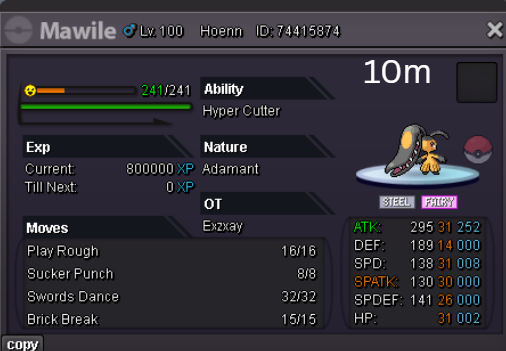
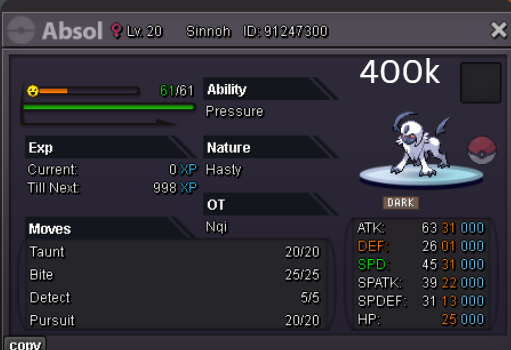
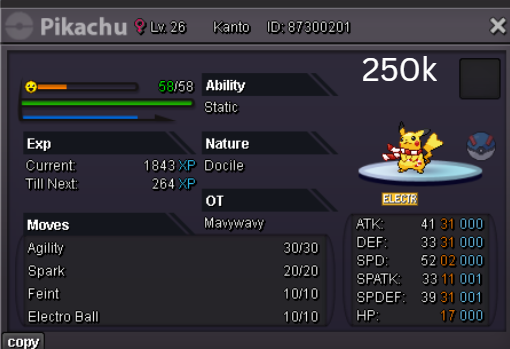
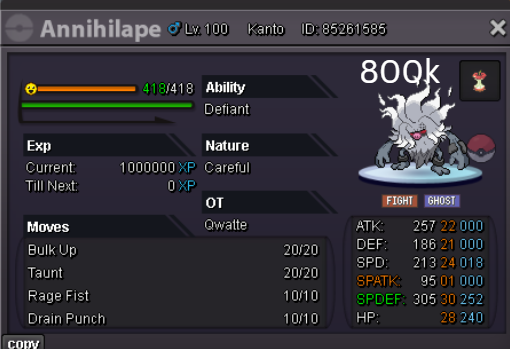
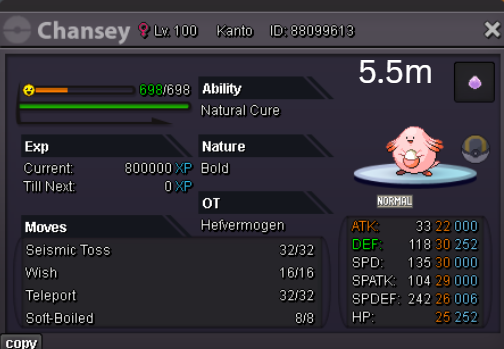
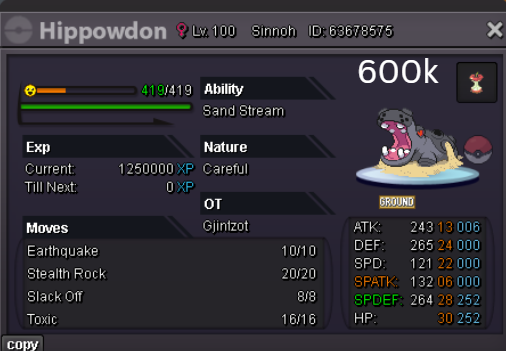
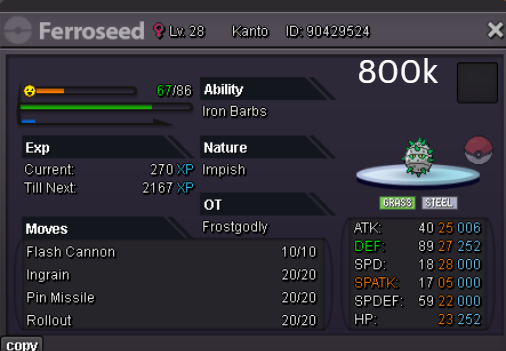
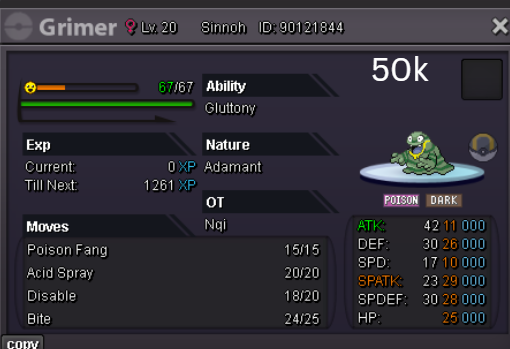
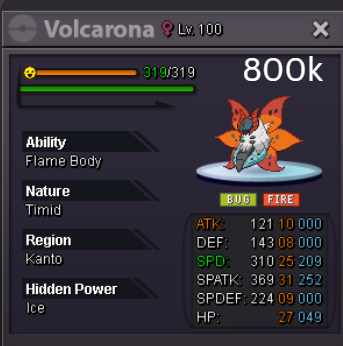
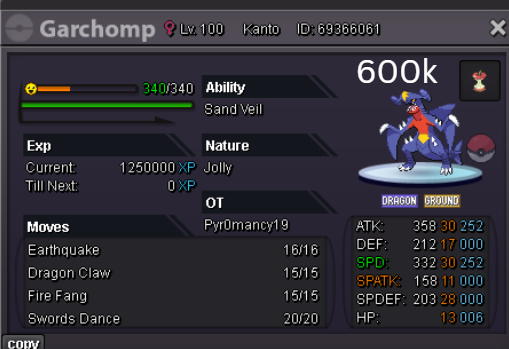
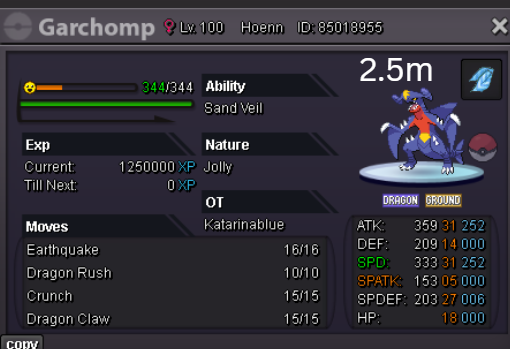
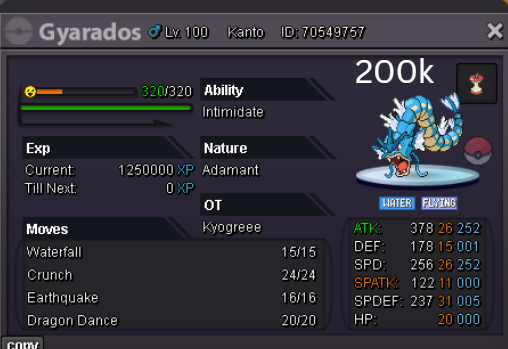
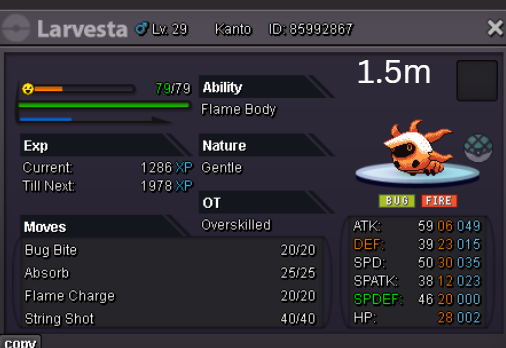
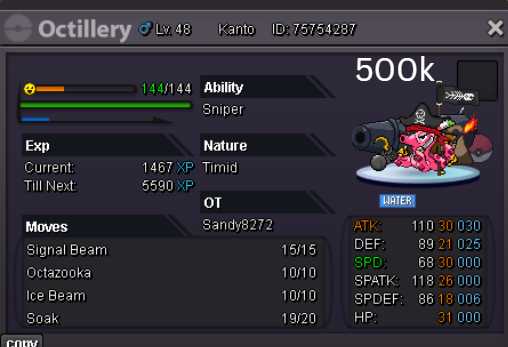
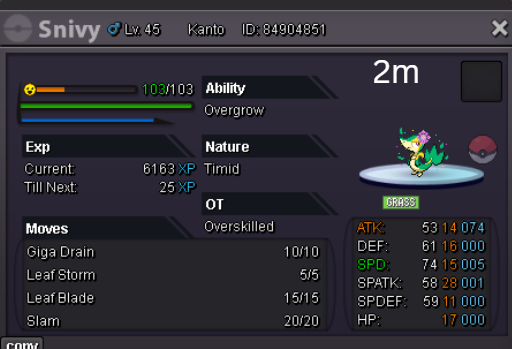
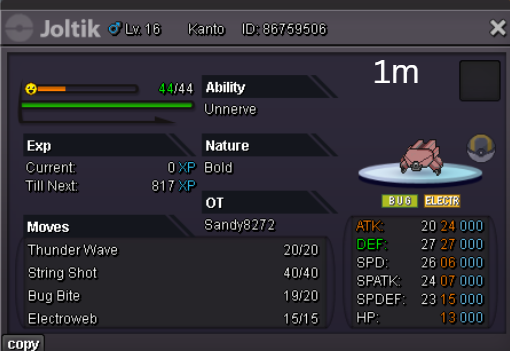
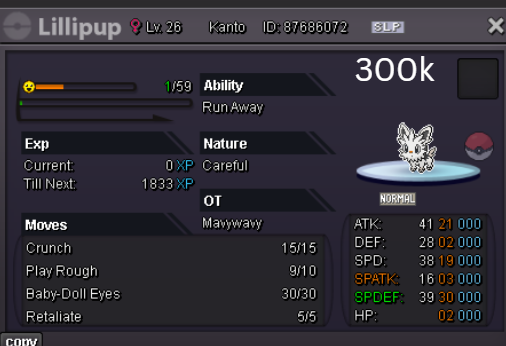
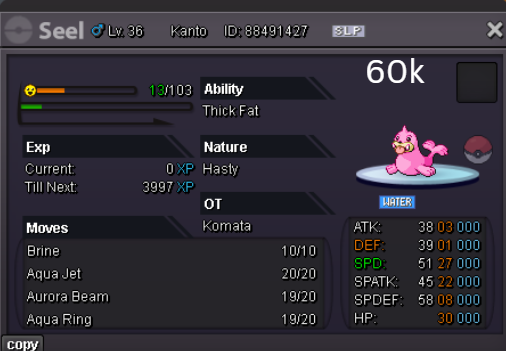
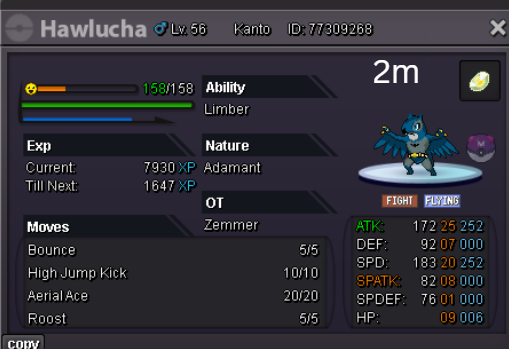
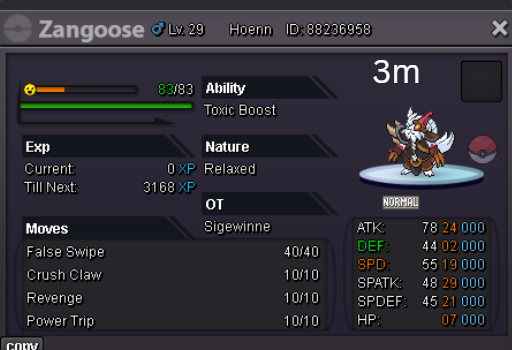
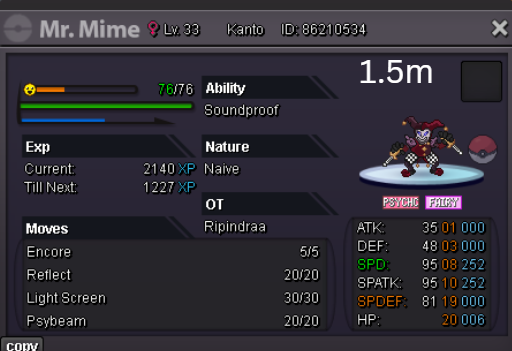
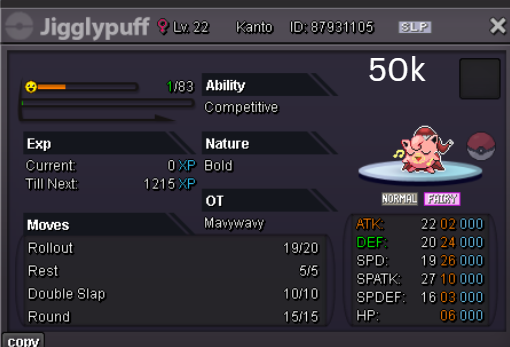
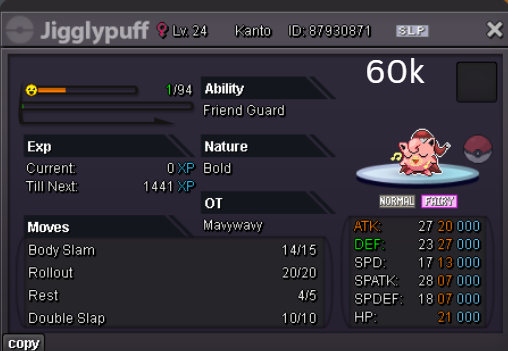
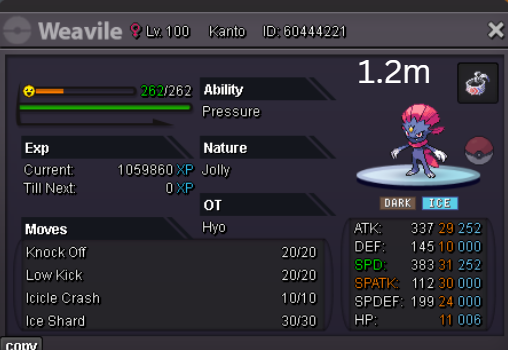
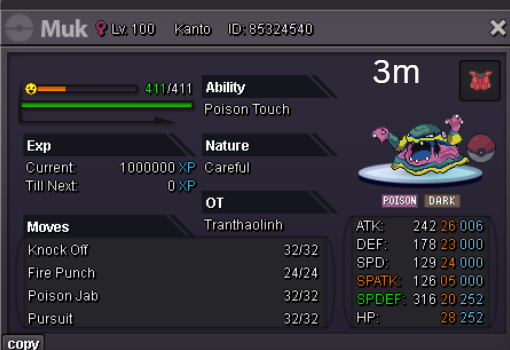
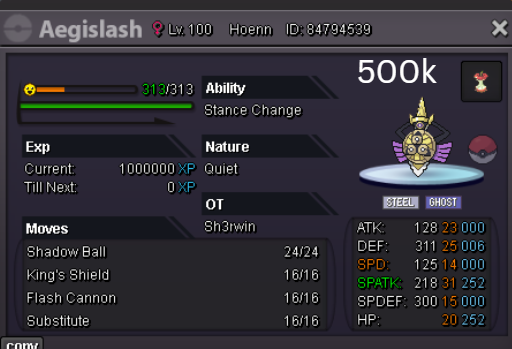
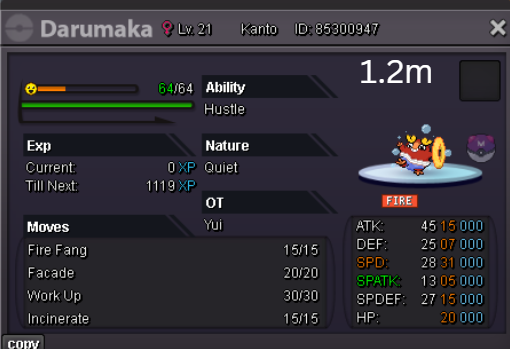
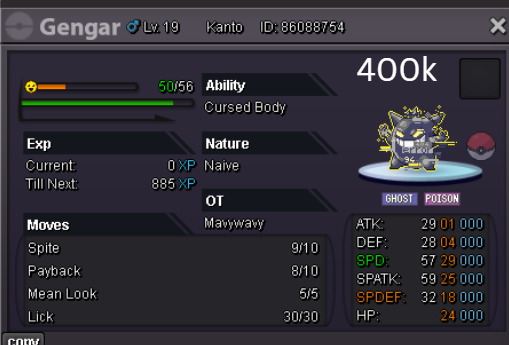
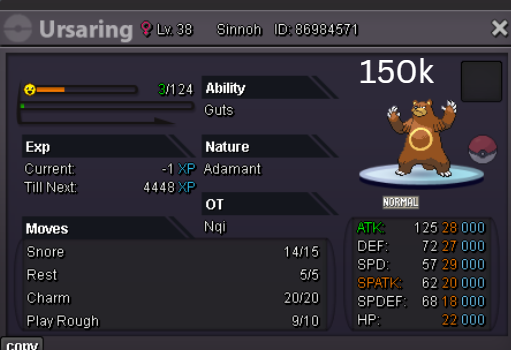
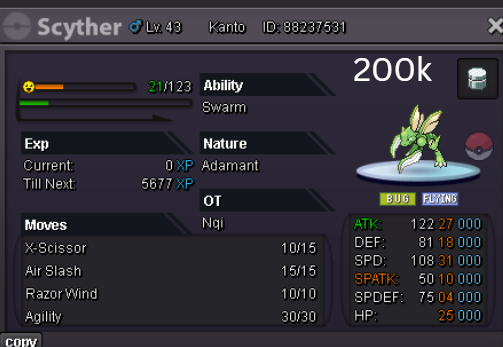
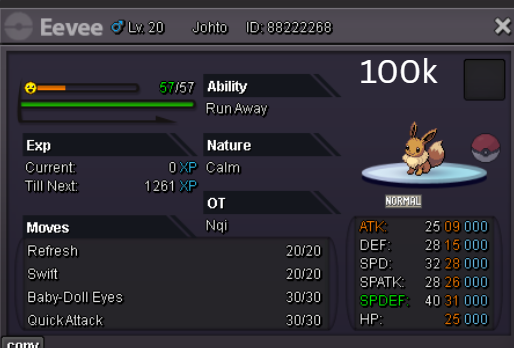
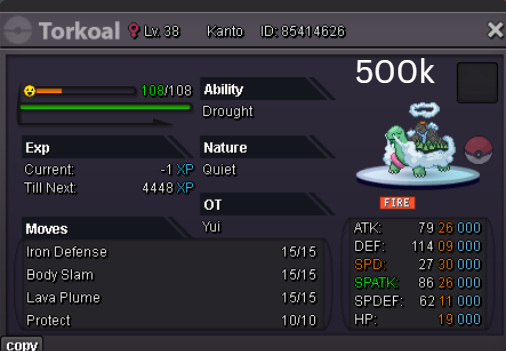
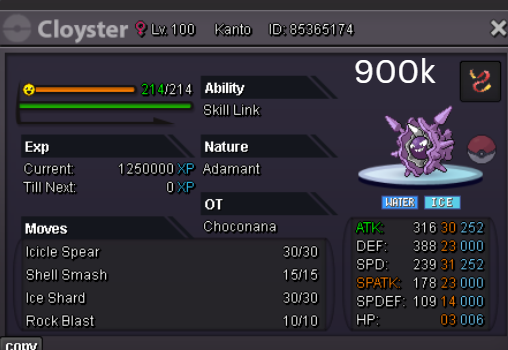
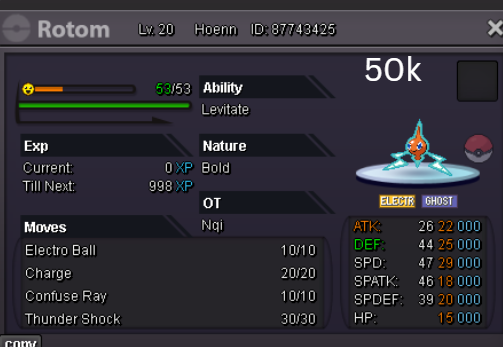
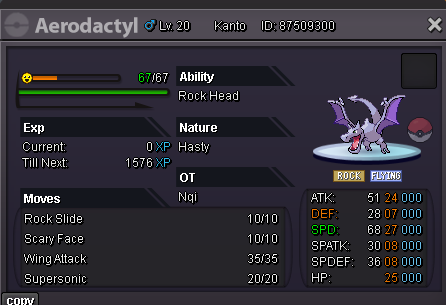
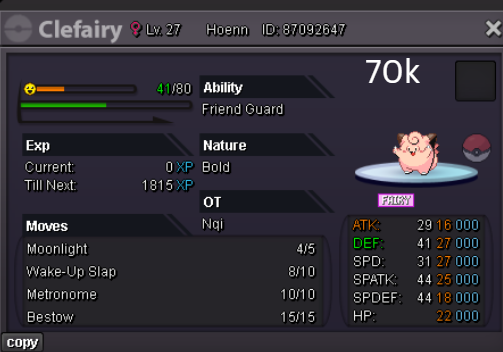
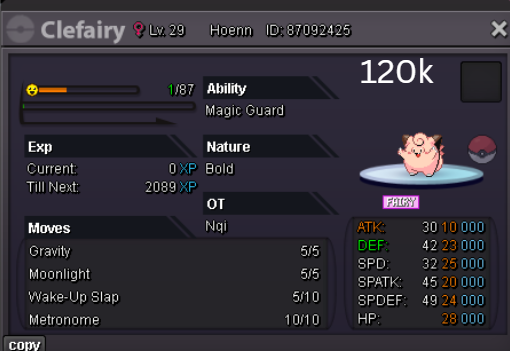
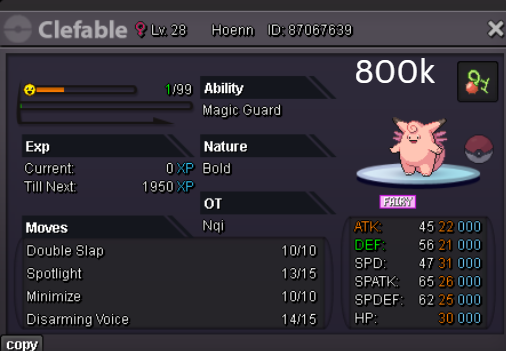
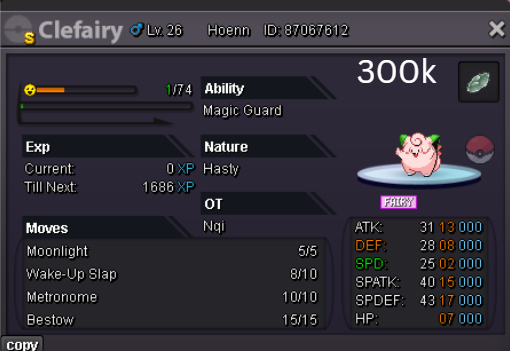
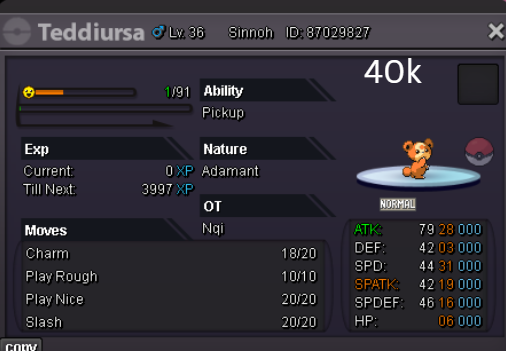
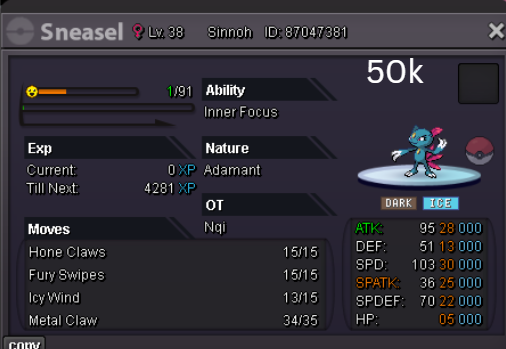
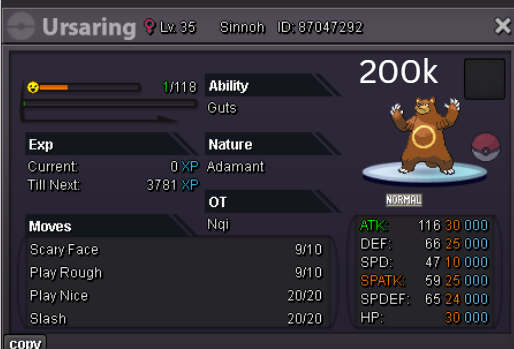
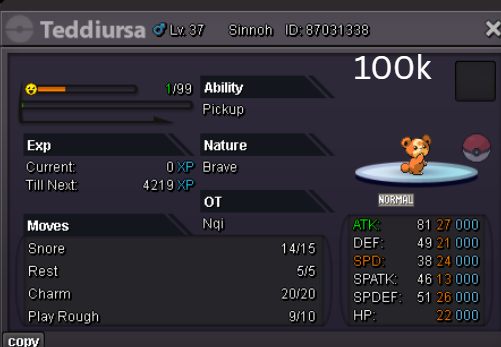
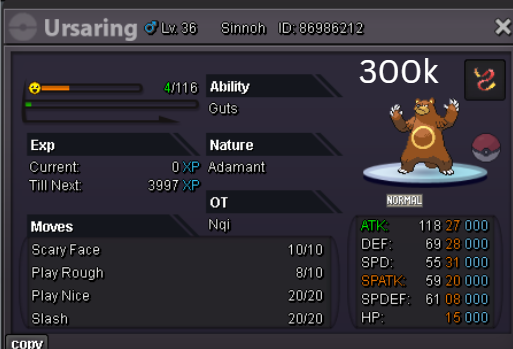
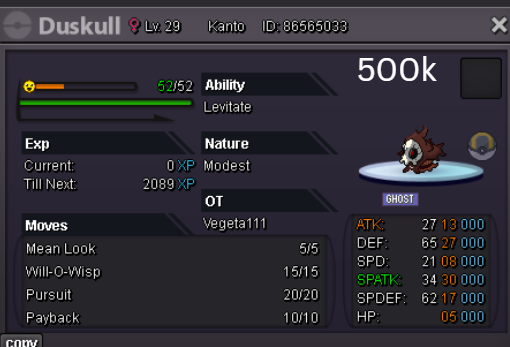
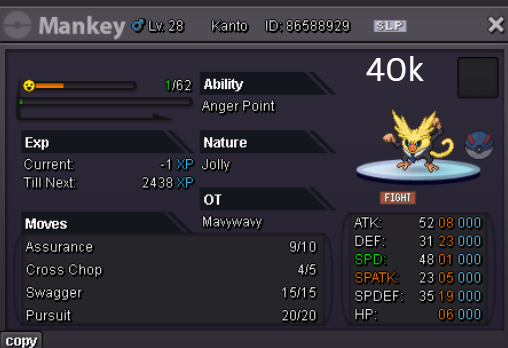
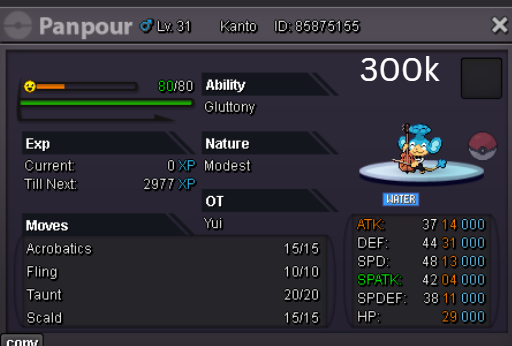
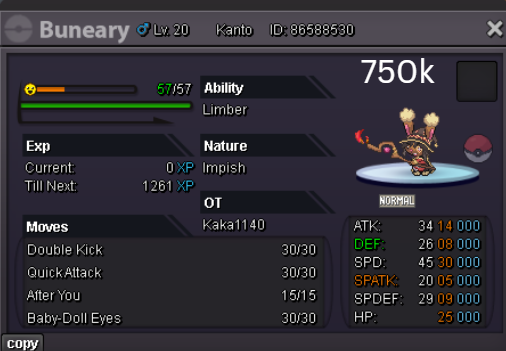
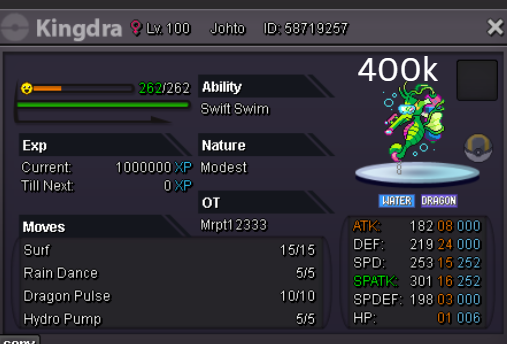
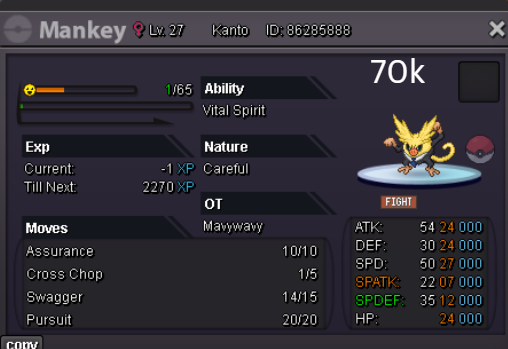
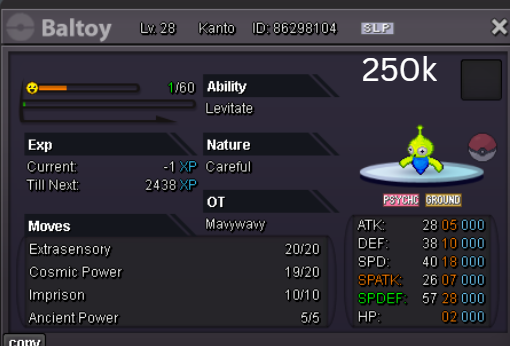
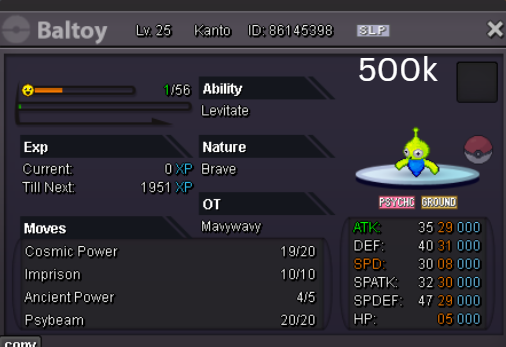
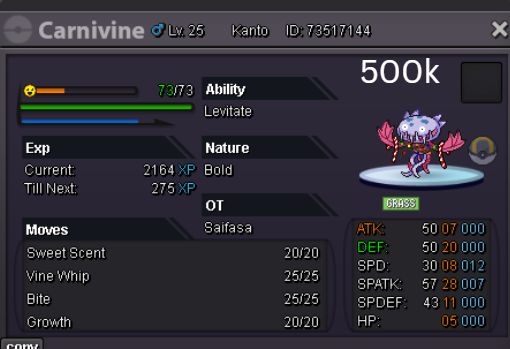
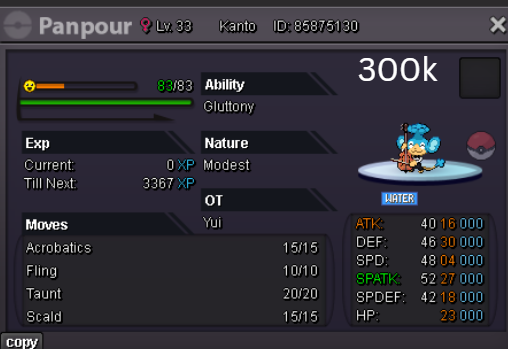
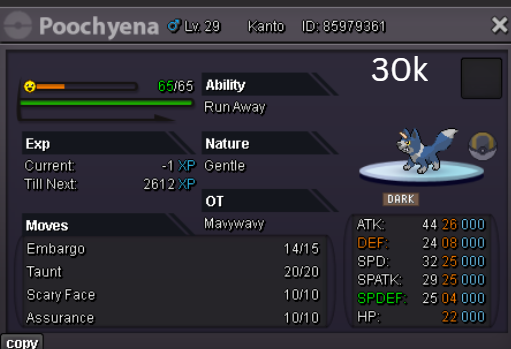
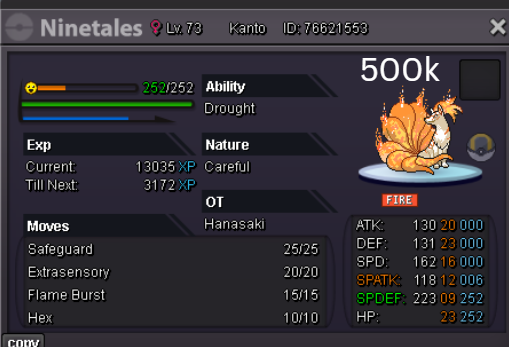
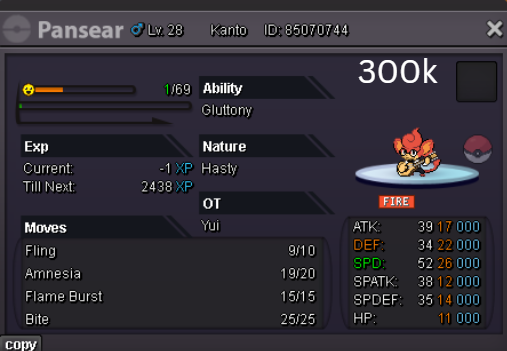
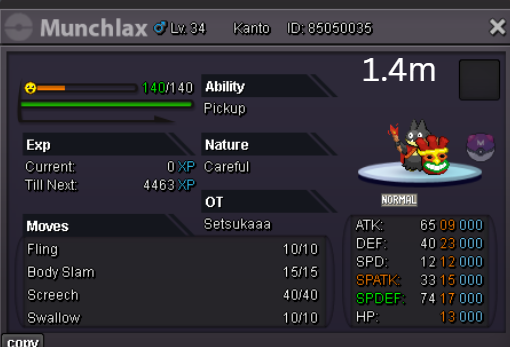
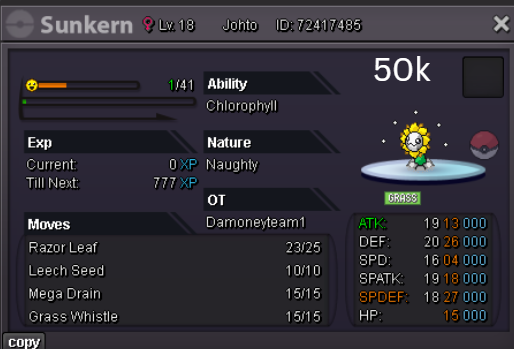
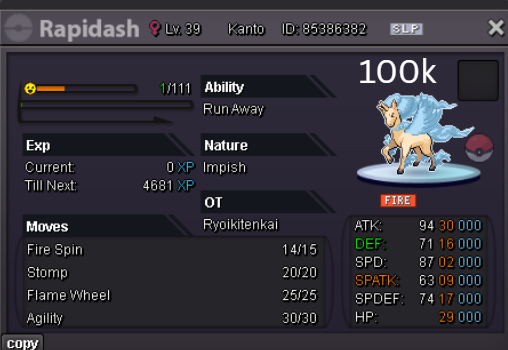
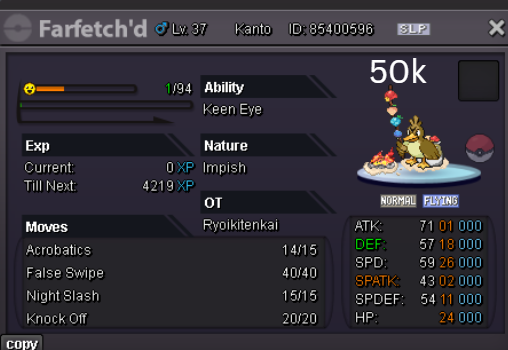
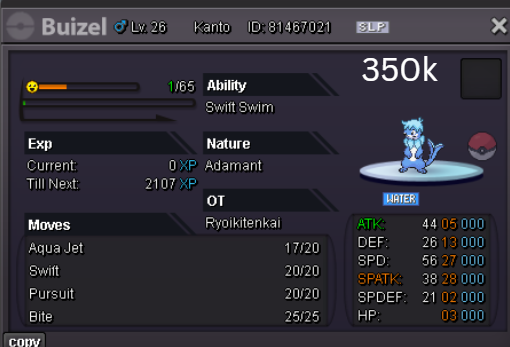
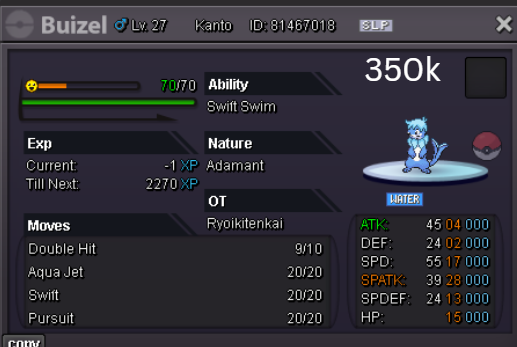
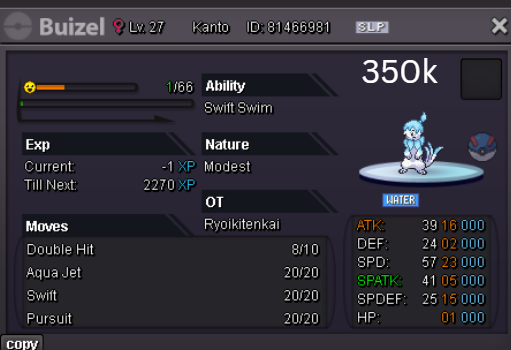
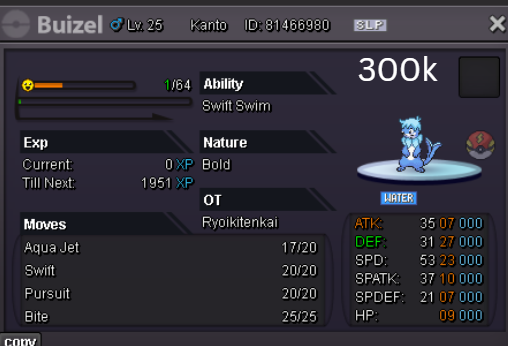
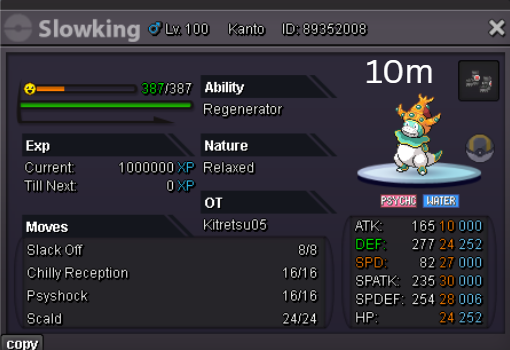
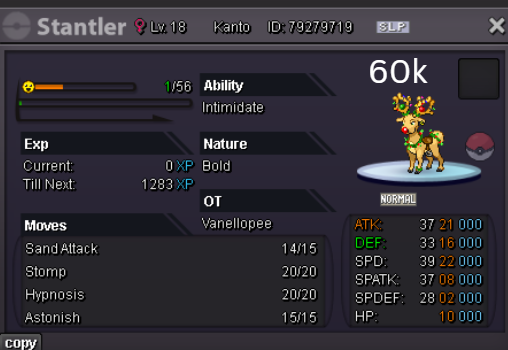
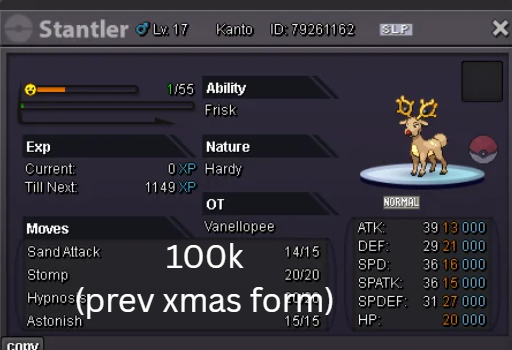
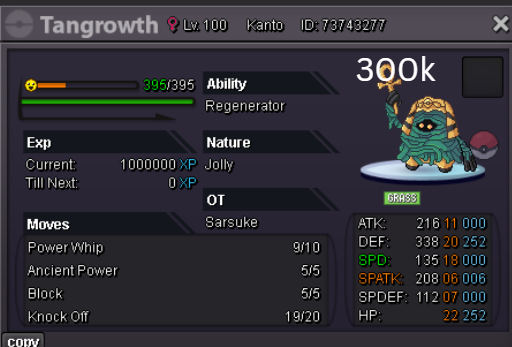
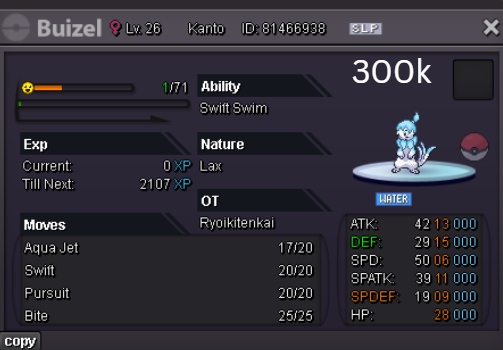
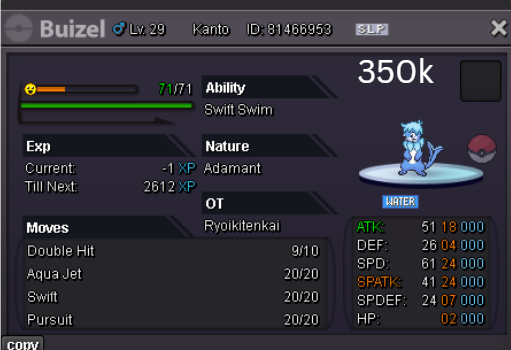
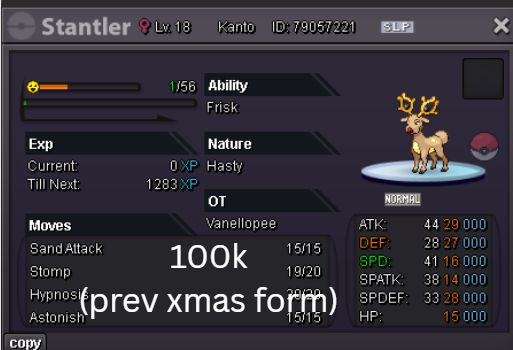
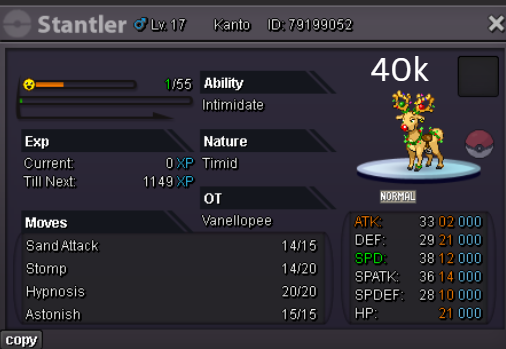
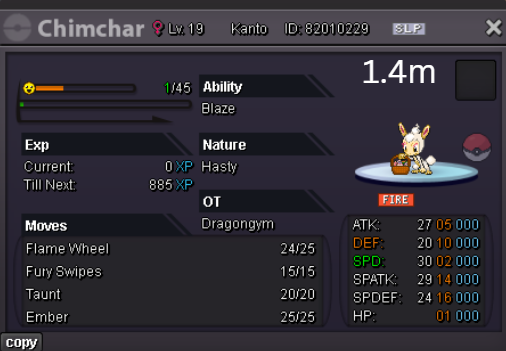
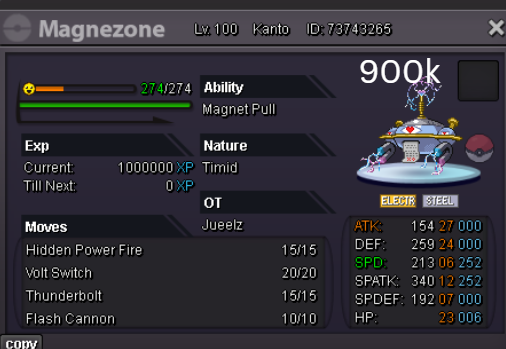
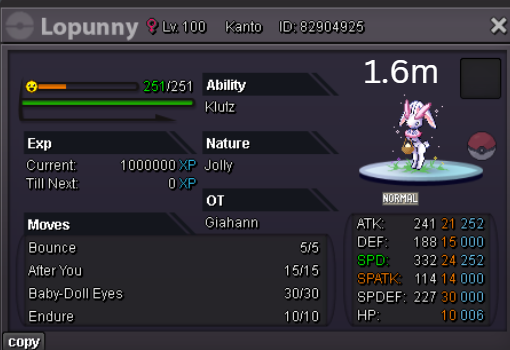
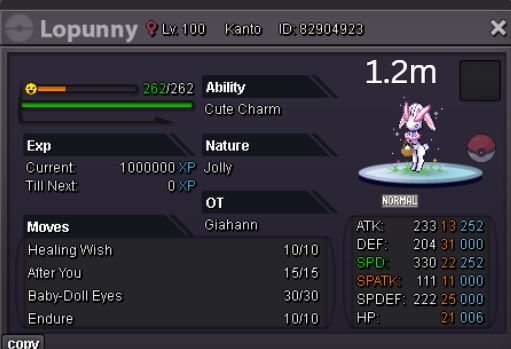
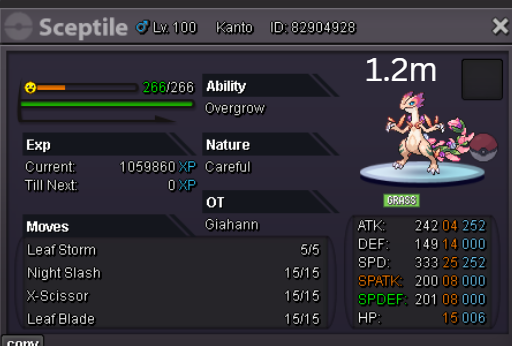
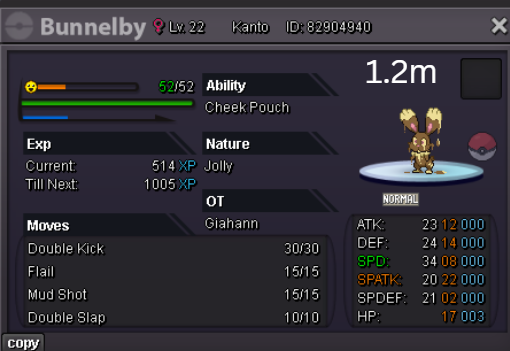
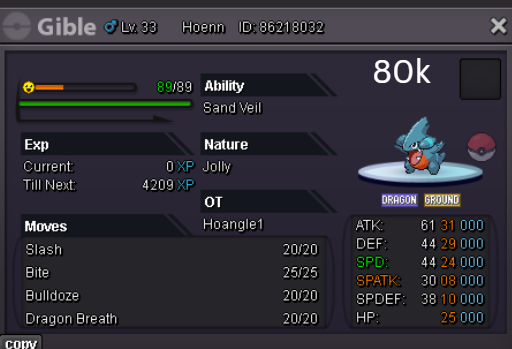
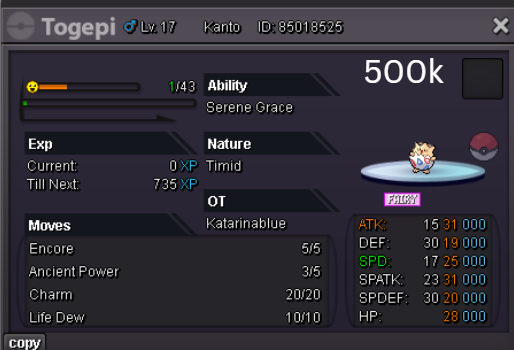
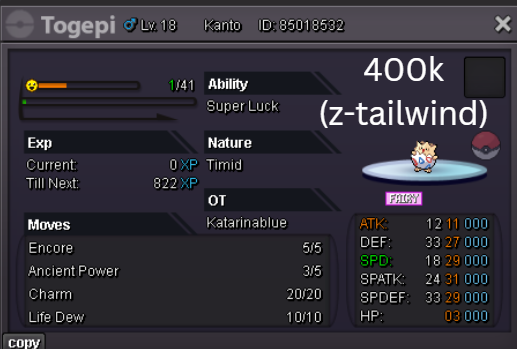
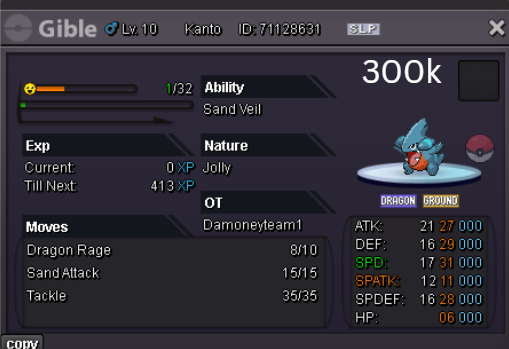
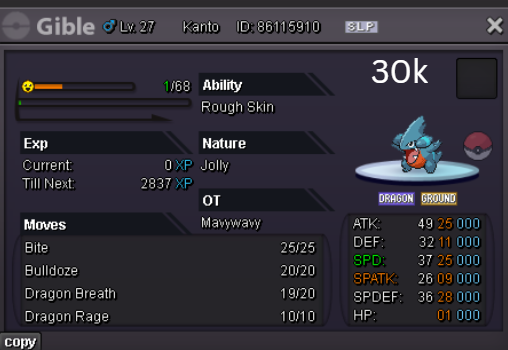
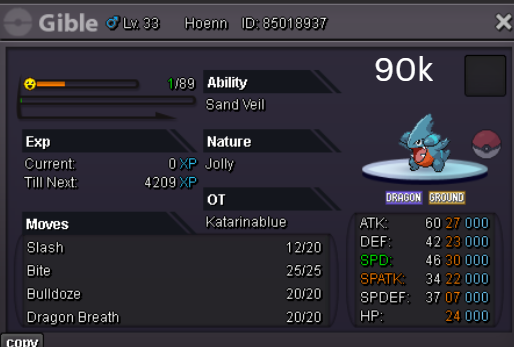
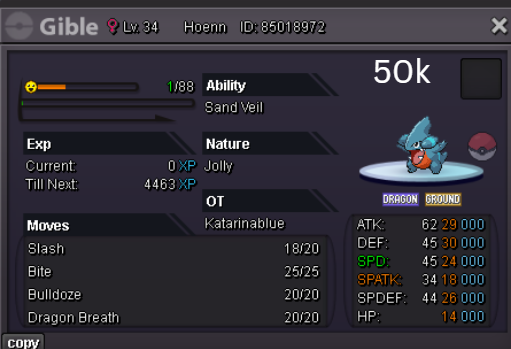
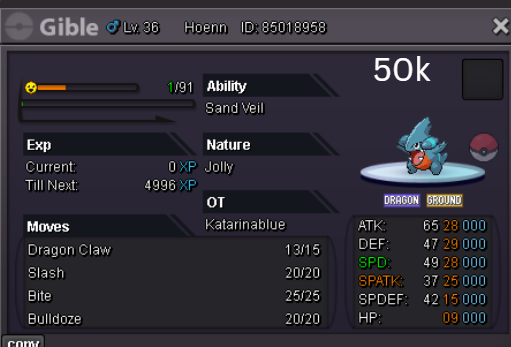
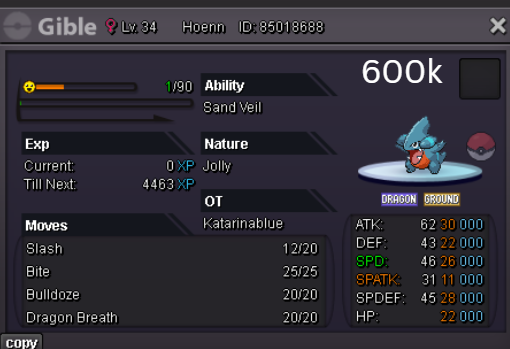
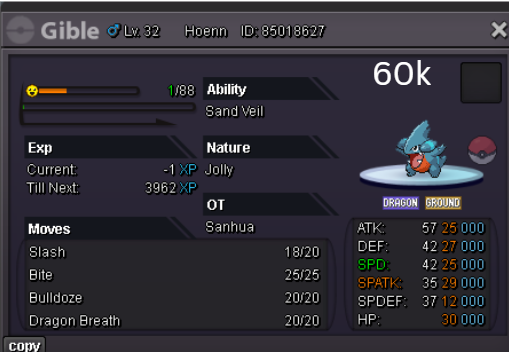
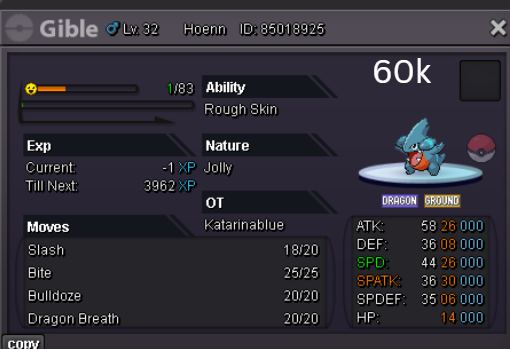
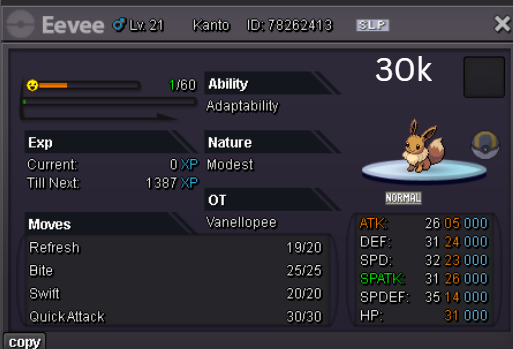
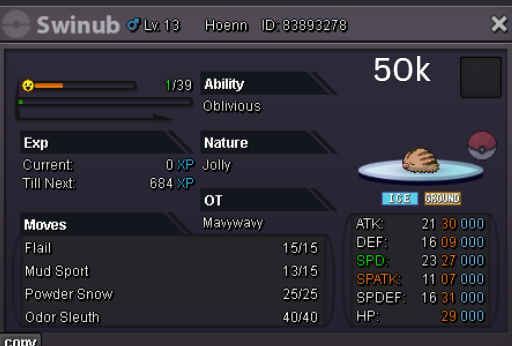
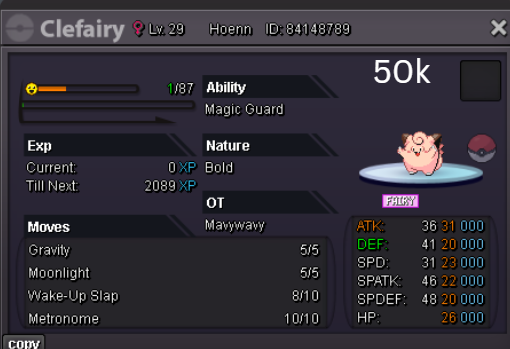
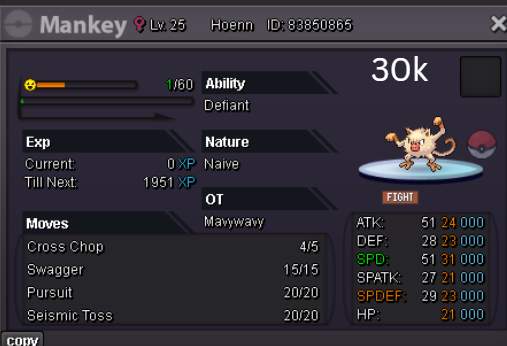
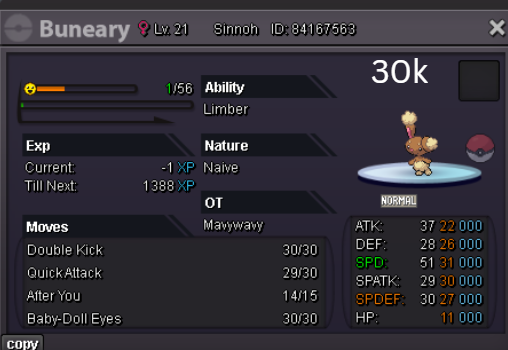
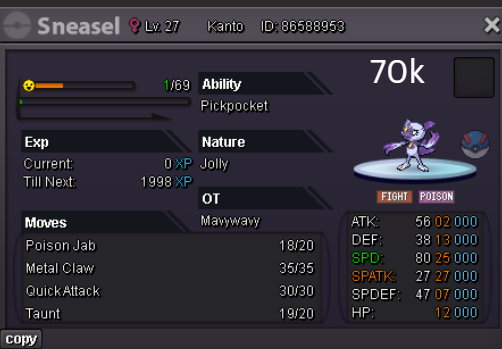
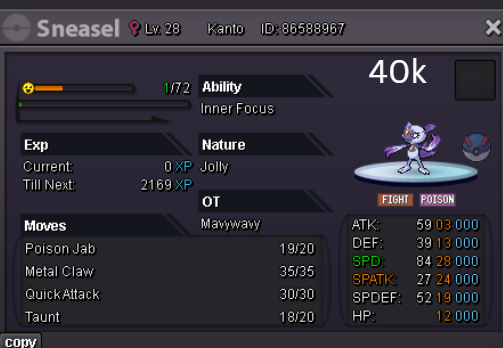
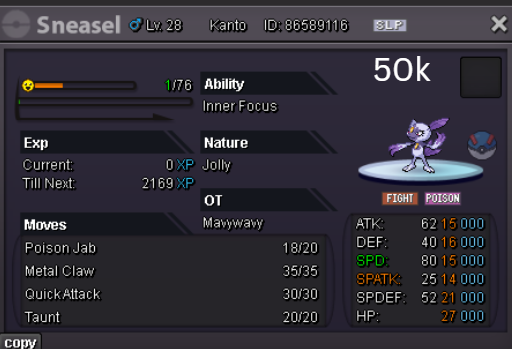
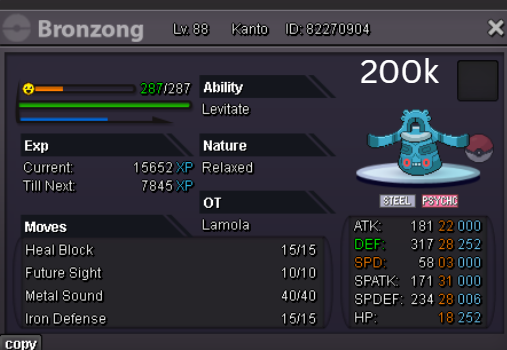
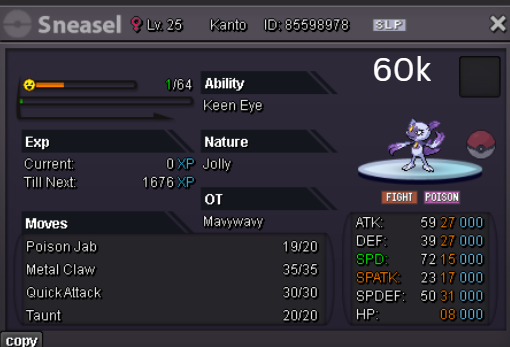
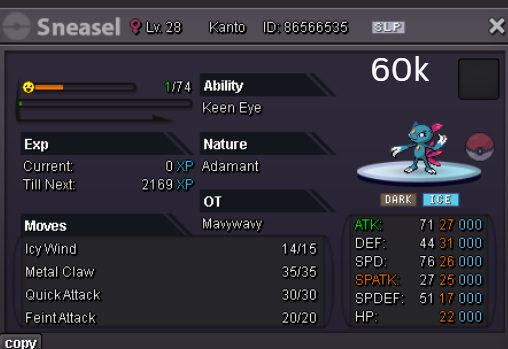
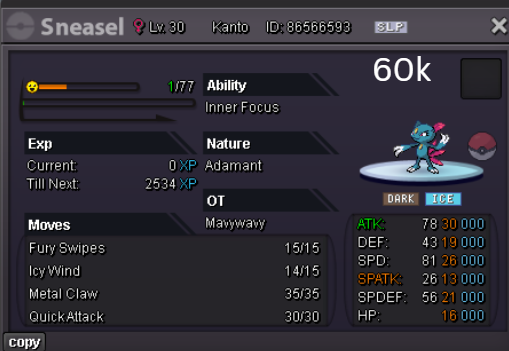
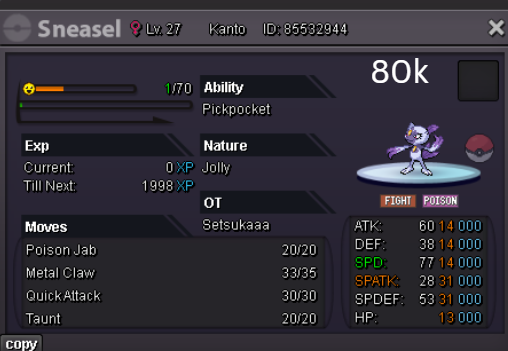
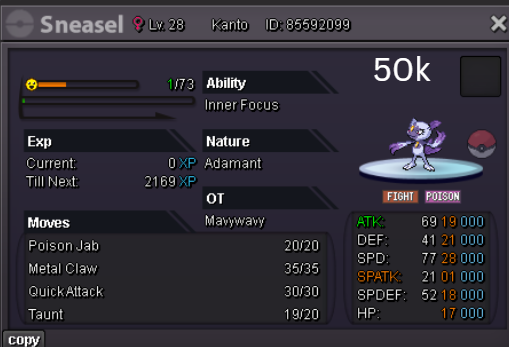
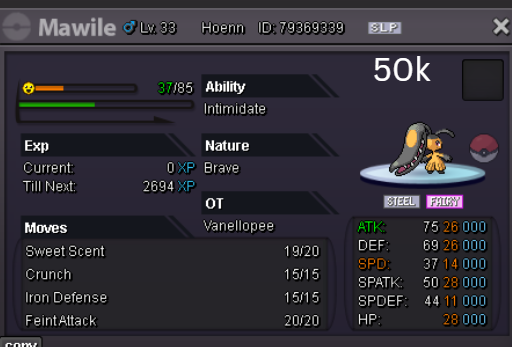
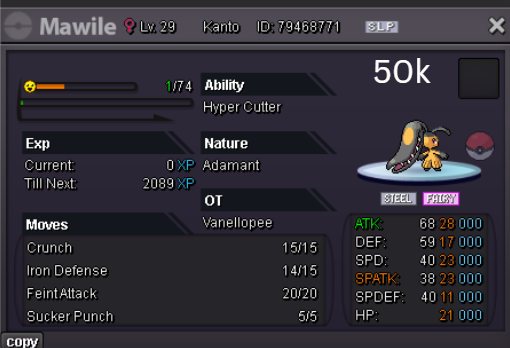
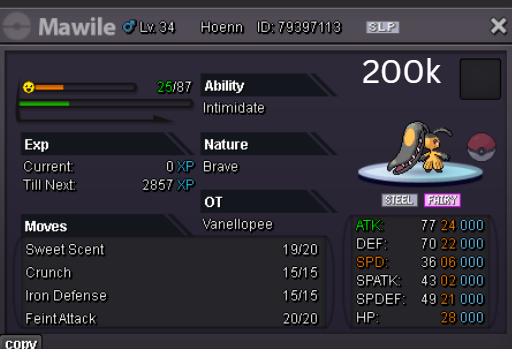
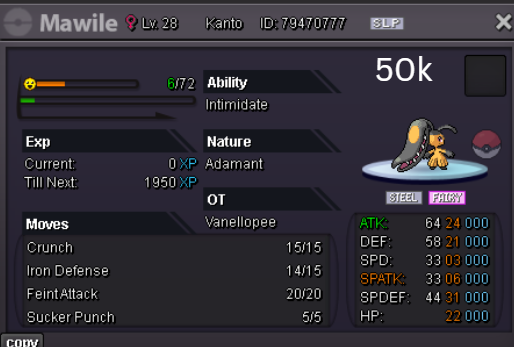
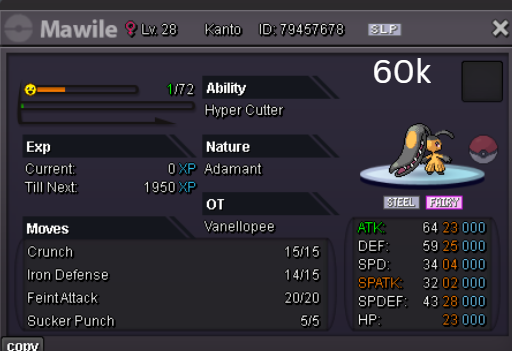
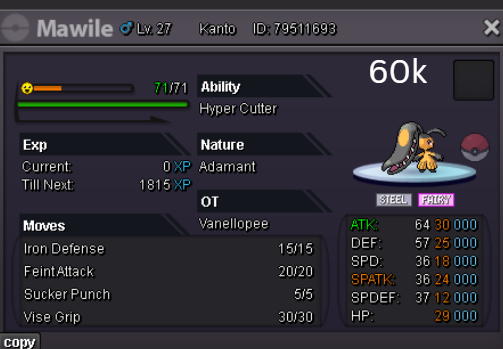
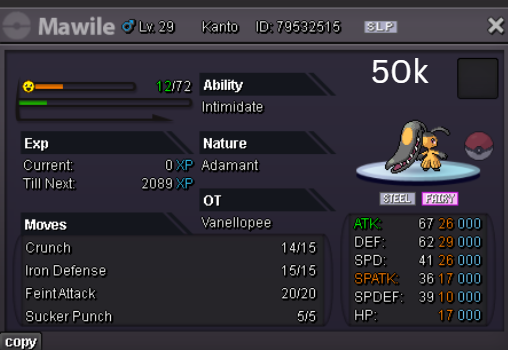
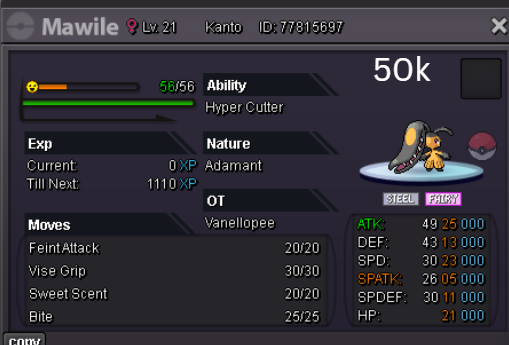
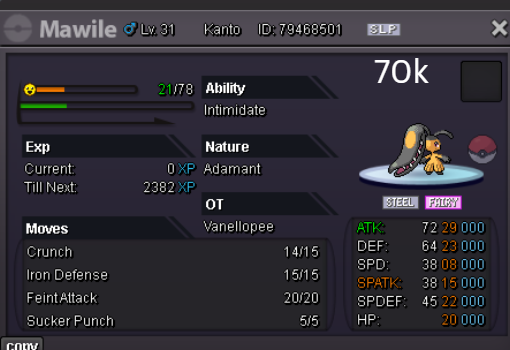
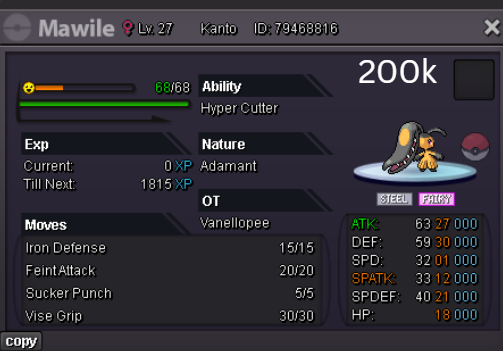
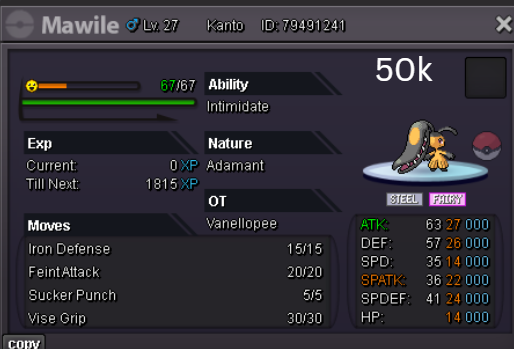
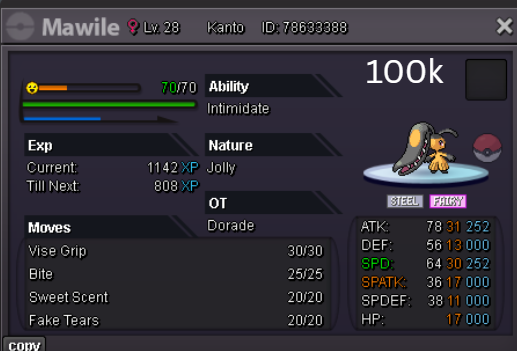
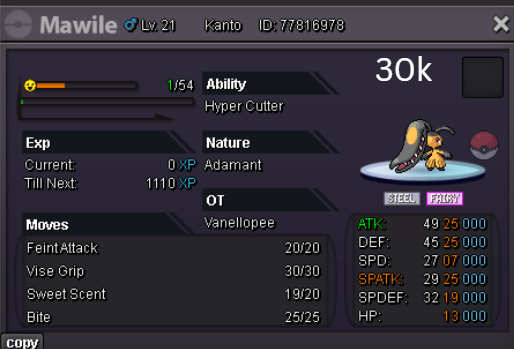
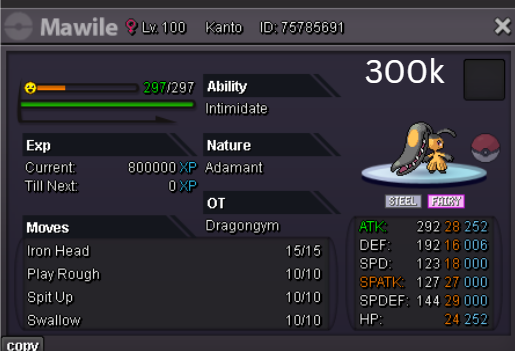
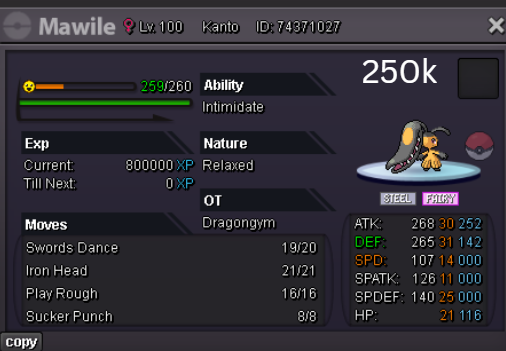
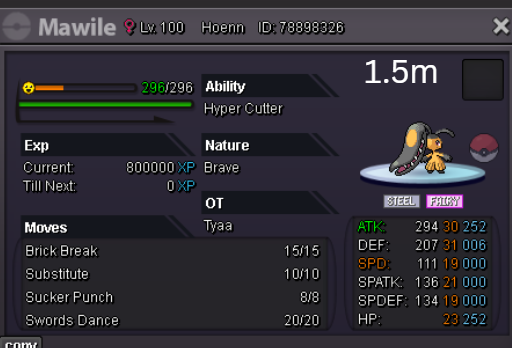
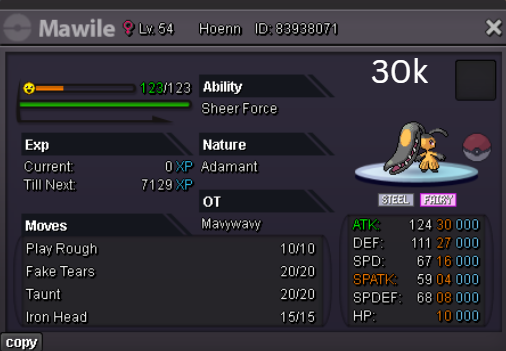
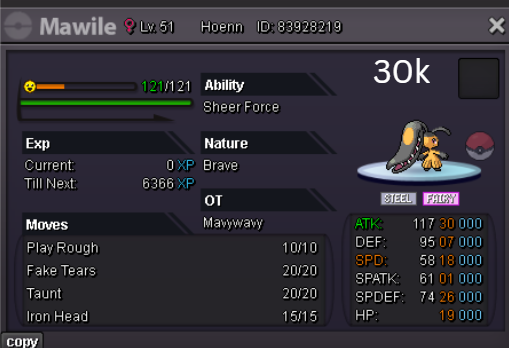
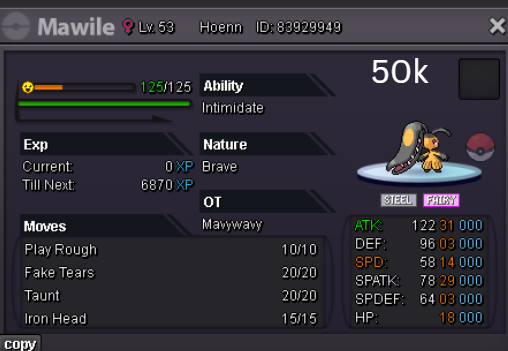
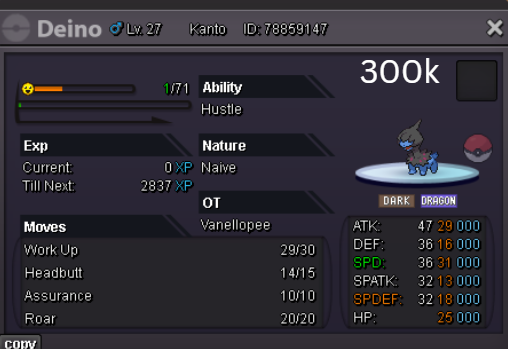
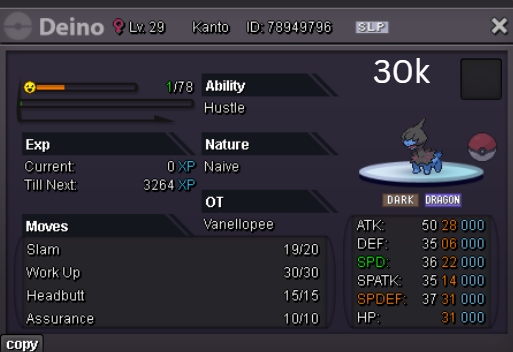
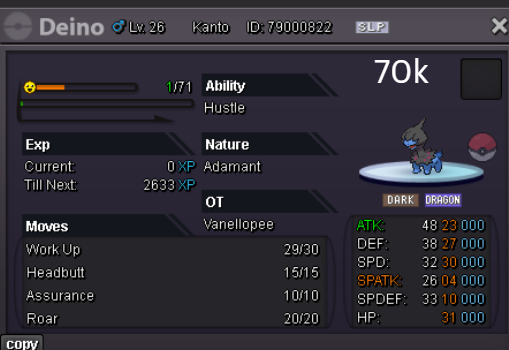
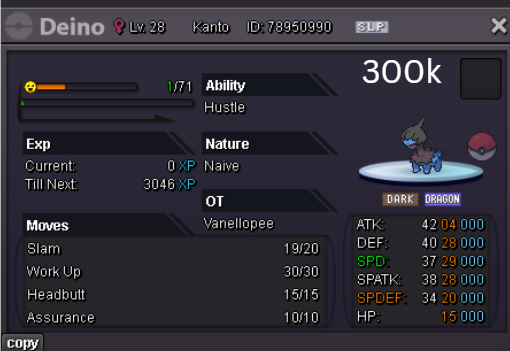
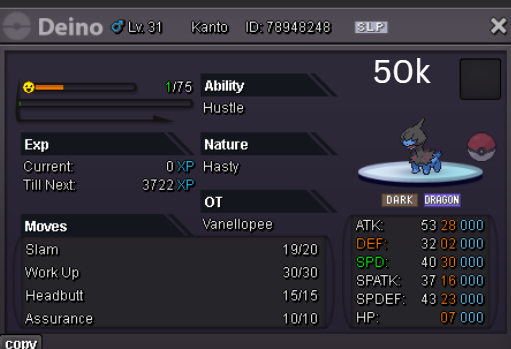
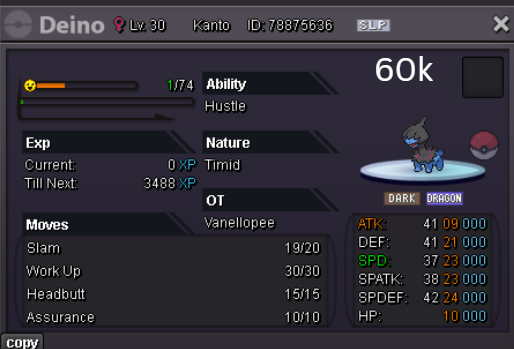
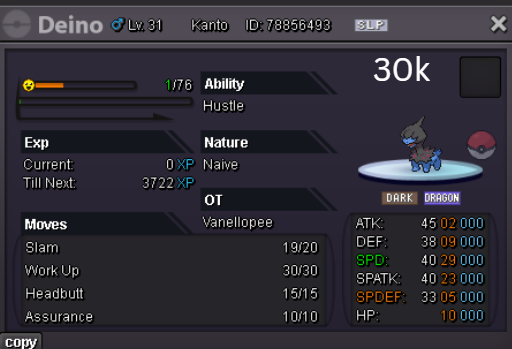
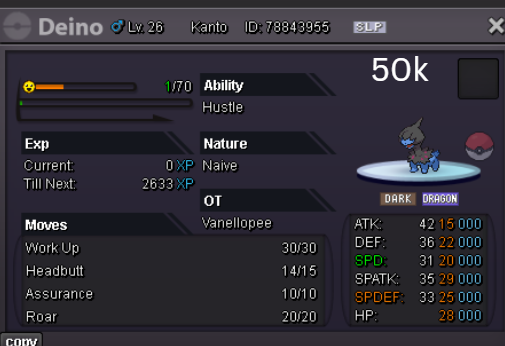
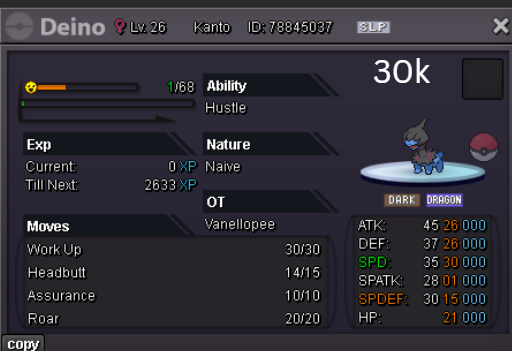
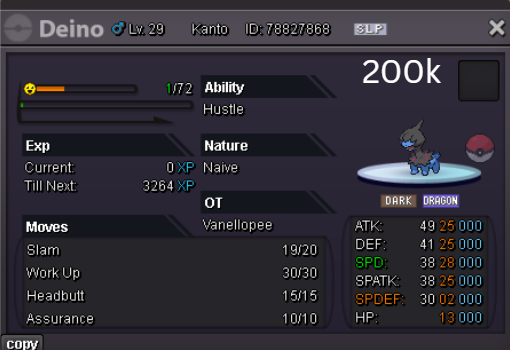
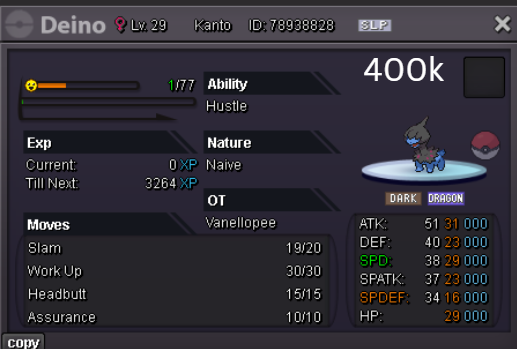
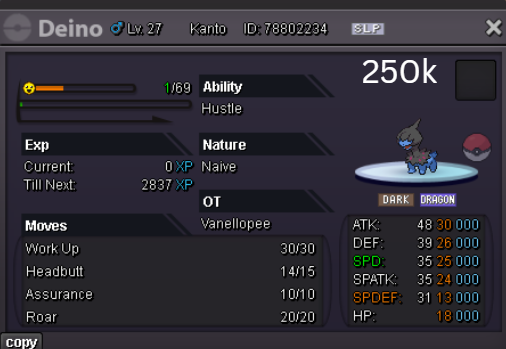
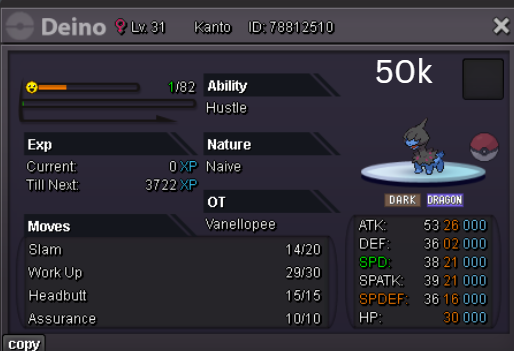
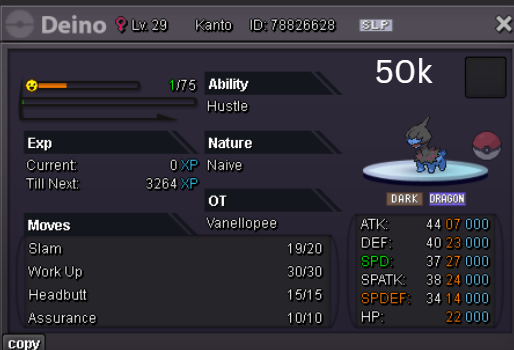
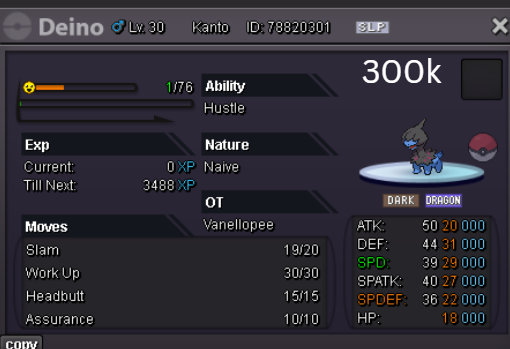
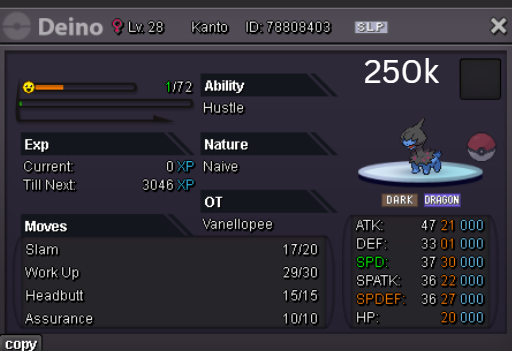
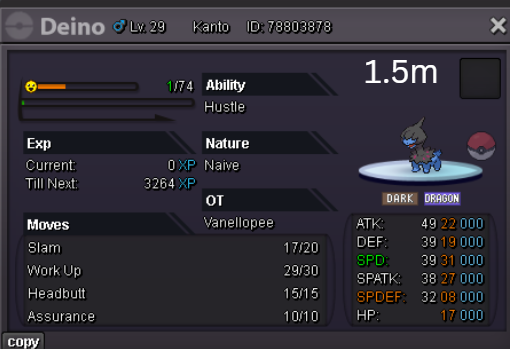
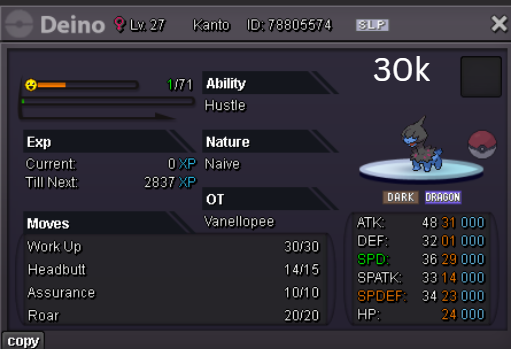
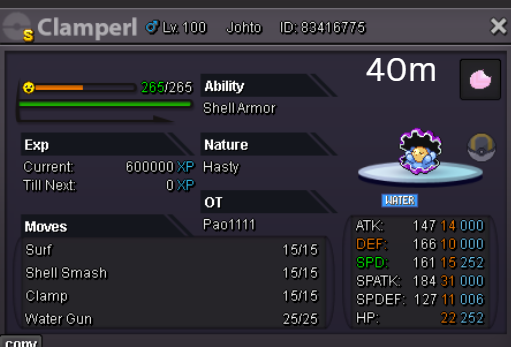
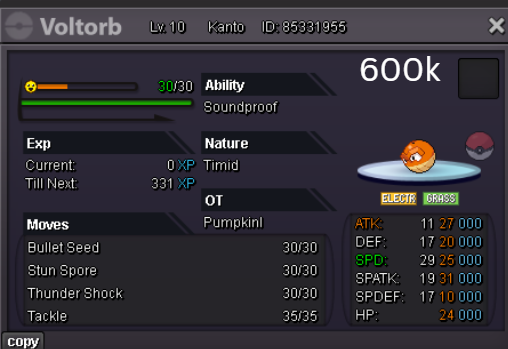
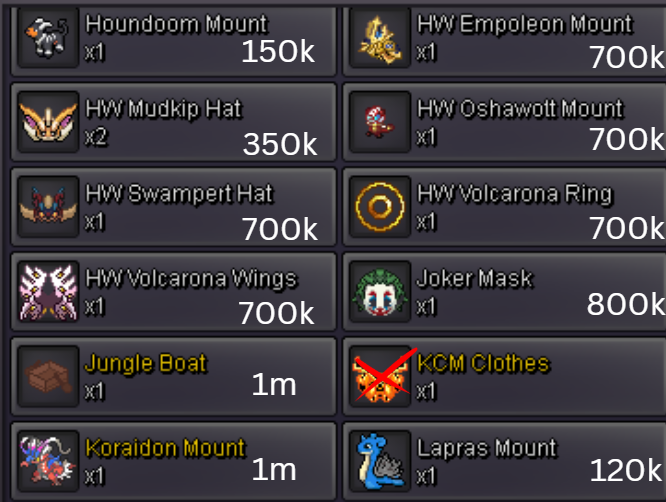
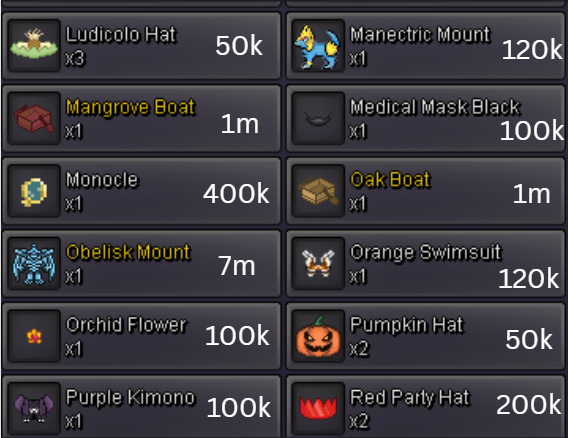
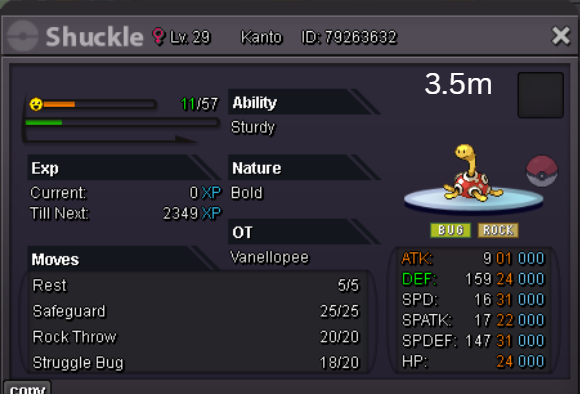
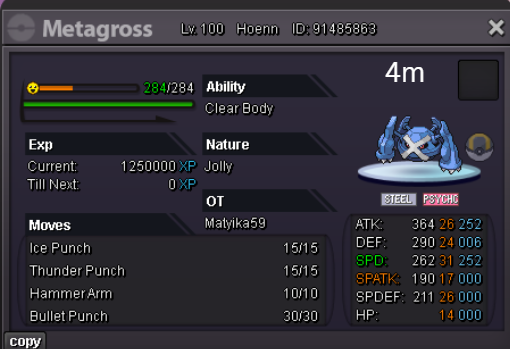
 1 point
 -
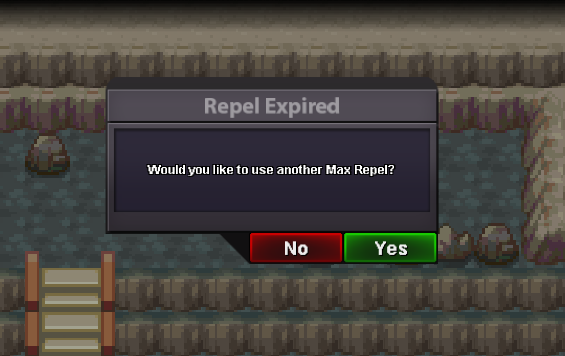
1 pointpls add a shortcut keyboard key to yes or no window fonction instead of using mouse click its boring (player choice) this is an example for what to use
 1 point
 -
It’s been 7 years. 7 years of a long journey together, challenges, laughter, and growth. I joined the Staff when I was 22 and now I am almost 30 in a few months 😮 What began as a simple step into a community I admired quickly became one of the longest and most meaningful journeys of my life. For 1/4 of my life, PRO has been a community, a family, and a place where I’ve spent 20.000+ hours alongside you all as someone whose job was to protect the integrity of the game and ensure everyone could enjoy it fairly. MY ROLE IN PRO As a Moderation Staff and later Admin, my role wasn’t always the most glamorous and visible to players. I didn’t design new regions or events. Instead, I worked behind the scenes, reviewing reports, investigating rule-violations, handing out punishments when necessary, and sometimes having the tough conversations nobody likes to have (😓). It wasn’t always easy, and it certainly wasn’t always fun or rewarded, but it was very important for me… because keeping PRO fair and safe meant protecting the adventure you all love and protecting the community in general, which is the reason I joined the Staff Team. I know that sometimes my role put me in situations where I had to make hard calls. I would be lying if I said I’ve always done everything right. Not every decision I made was perfect, and I’m sure there were moments where I did wrong (I mean, in 7 years of work it would be impossible to make 0 mistakes) or where I could have done better. There were decisions I wish I had handled differently. However, all of my actions were motivated by wanting the best for both the game and its community, and that never changed. WHY AM I LEAVING? The truth is, my journey here is ending not because I’ve stopped caring, but because my mental and physical health has reached a point where I cannot give the game, the community, or the staff team the dedication they deserve. I’ve always believed the players deserve my very best, and if I can’t provide that, continuing would feel like letting you all down and kind of disrespecting you. As some player know, my life has never been a simple one. I was born with more health problems than I could count, and as the years passed, they only grew heavier. Surgeries, endless hospital stays just to survive. Surviving was never a given, but something I had to fight for, over and over like an endless battle. Every time I thought I had won, something new emerged to destroy me. Last year and the first half of this one I fought through a severe infection that nearly destroyed a lot of my organs and almost took my life. I spent months in the hospital, clinging to hope. Once I beat the infection, I thought I had fixed everything only for life to strike again. Without warning, recently I suddenly lost the sight in one eye completely and am blind, and half the vision in the other due to another health issue. Due to all of this, I had a complete mental breakdown because I spent a whole life in this situation over and over. The tears/crying wouldn’t stop, the desperation wouldn't stop and it's been a continuous "why me?" and then situation is getting worse and worse and I have almost reached the bottom of the barrel and cannot see the light anymore. Given this, I’ve decided to step back, focus on recovery, and fight for myself for once. I’ve already taken steps to get the help I need, and I hold on to hope that better days will come. TO ALL OF YOU PLAYERS To every player I’ve met along the way, regardless if we spoke 1 or 100 times, thank you. Thank you to everyone who made my years here worthwhile and fun, to the players who respected the rules or reformed themselves after violating them, to those who gave constructive feedback, to those who showed kindness in chat, and even to those who challenged me to do better. You all played a part in my time here. Please, keep this community strong. Be patient with the Staff Members, they’re not perfect, but their heart is in the right place and they’re doing a tough job for the good of everyone as they want the best for PRO and its community. Treat each other with respect and remember that behind each username there is a person with feeling and emotions. Help new players find their way in the game, and remember that at the end of the day, we’re all here for the same reason: our love for Pokémon and this world we share. FINAL WORDS I leave proud, proud of the time I was here. PRO will keep evolving without me, and I’ll be watching from the sidelines, cheering and smiling for every success, and rooting for all of you and the next generation of both players and staff to find their own unforgettable moments here like I did. 7 years is a long time to give a piece of your heart to something. And PRO will always have my heart. This is not goodbye forever. It’s just the closing of my chapter, so that new ones can be written by those ready to carry the torch. I wish you all to continue your player journey and find a lot of happiness on your path like I did on mine. — Keita here, signing off for the last time — thank you for some of the brightest days of my life. ♥️ PS: I've no news about Summer Tournament. I was asked to wait due to some background stuff, but further info will be provided by the Admin Team1 point
-
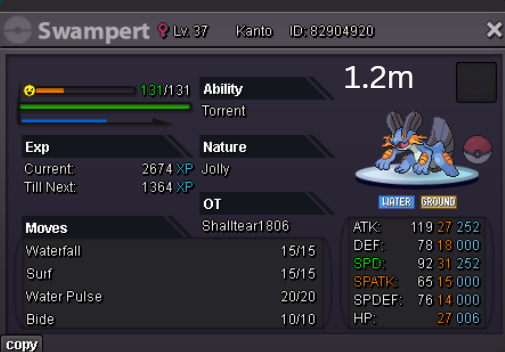
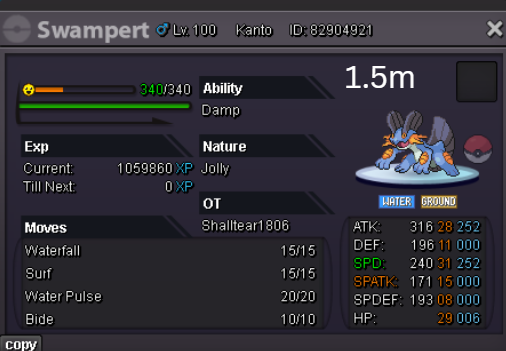
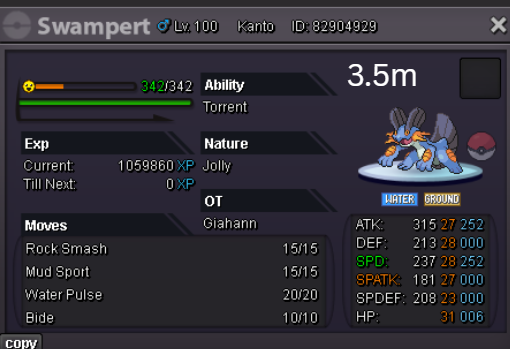
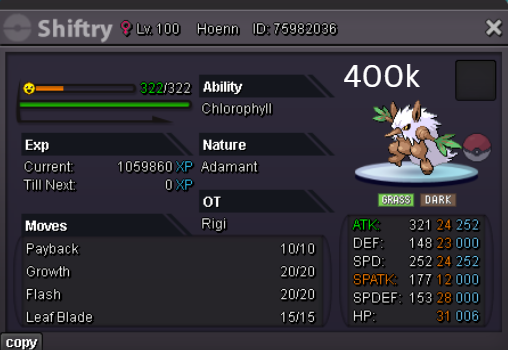
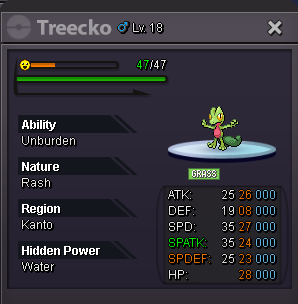
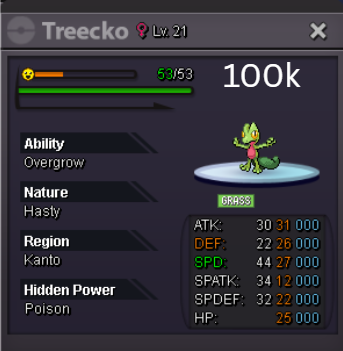
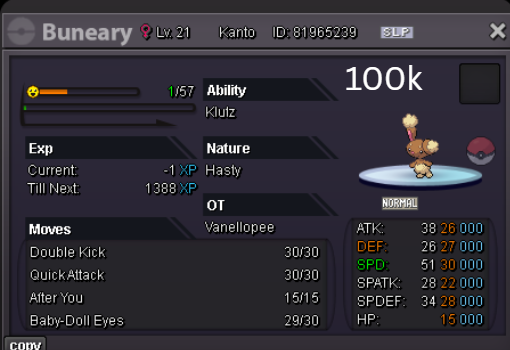
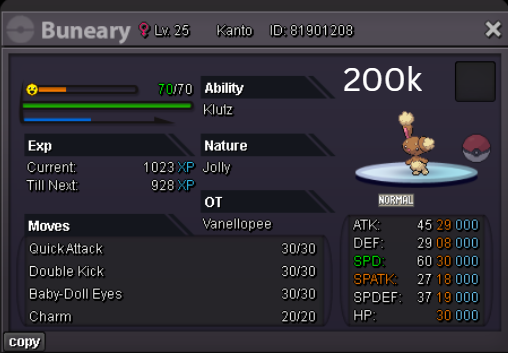
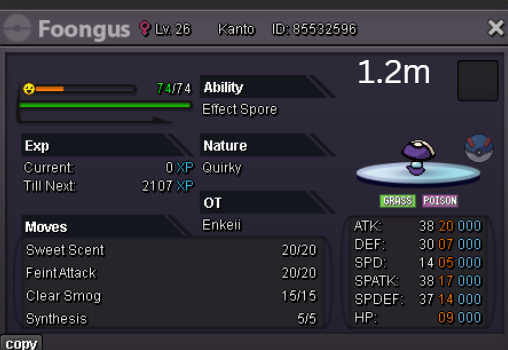
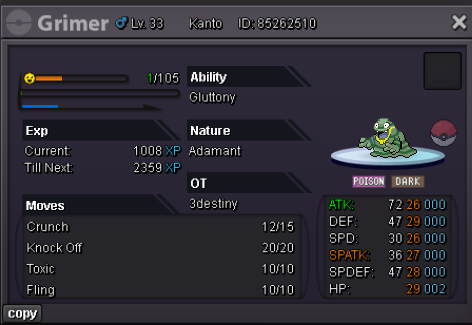
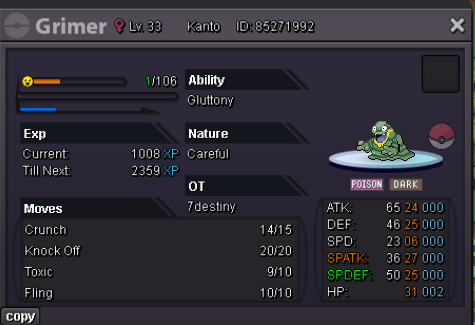
26+ CO 1m Gluttony Careful SO 700k HA Careful SO 600k 48 Hours seperate auctions after start, min bid 100k. Accept pokedolars, CC 450k, iv rerolls 700K, nature rerolls 320k This is a gold auction, no instas
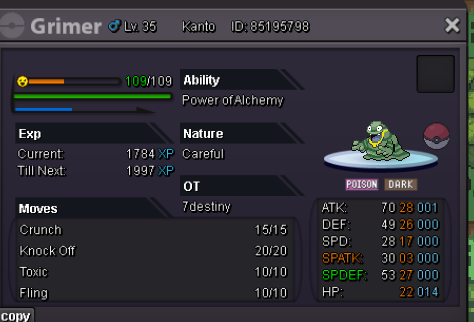 1 point
 -
Note: Once opened, these items become non-tradable. The cosmetics included in this set are Ulquiorra Horns, Ulquiorra Clothes, Ulquiorra Wings, and Ulquiorra Eyes. Every piece in this set can be worn by both male and female characters. PvP Chests: Battle, Win, and Earn Exclusive Rewards! - Announcements - Pokemon Revolution Online Auction Details: Start Price: 20m End Point: 48 hours (after start price is met) Insta Price: N/A Minimum Raise: 200k Accepted Payments: Pokedollars, Coin Capsules (x1 Coin Capsule = 500k), IV Reroll Tickets (x1 IV Reroll Ticket = 750k) Important Reminders: This is a Gold Server auction. However, you may bid from any server, and I will transfer to your preferred server upon winning. If you intend to purchase with an alt account, specify the account alongside your bid. If a bid is received in the final 15 minutes of the auction, the end point will be delayed by 15 minutes from that bid, and will be delayed by 15 minutes for each new bid thereafter, until the current offer has been held for a full 15 minutes. Happy Bidding!
 1 point
 -
Auction Details: Start Price: 10m End Point: 72 hours (after start price is met) Insta Price: N/A Minimum Raise: 200k Accepted Payments: Pokedollars, Coin Capsules (x1 Coin Capsule = 500k), IV Reroll Tickets (x1 IV Reroll Ticket = 700k) Important Reminders: This is a Gold Server auction. However, you may bid from any server, and I will transfer to your preferred server upon winning. If you intend to purchase with an alt account, specify the account alongside your bid. If a bid is received in the final 15 minutes of the auction, the end point will be delayed by 15 minutes from that bid, and will be delayed by 15 minutes for each new bid thereafter, until the current offer has been held for a full 15 minutes. Happy Bidding!
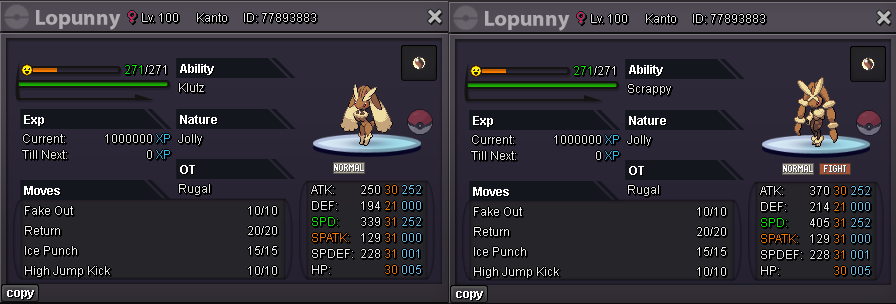 1 point
 -
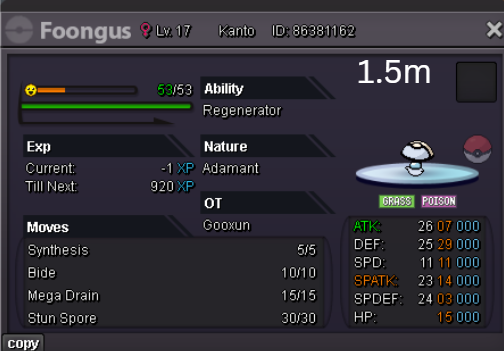
S.O 3M INSTA 6M MIN RAISE 100K ACCEPTING CC 480K REROLL 700K ENDS IN 48 HRS FROM STARTING BID
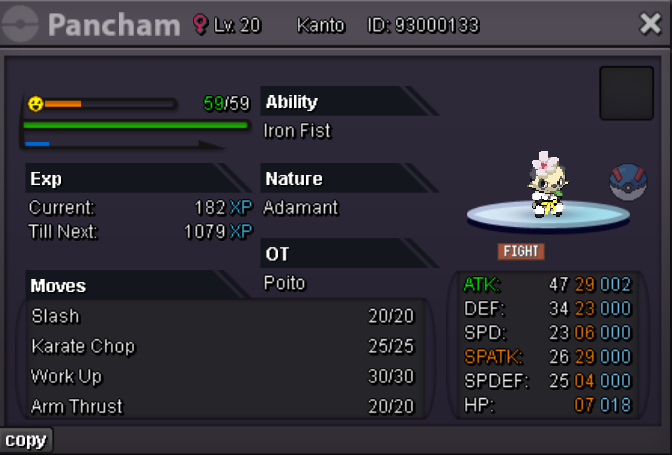 1 point
 -
1 point1 pointHey @Leeluckya I'm going to take you reaction to this post as acknowledgement to my response. If you have any further question regarding other topics please create a new thread. I will now lock this thread. Happy Gaming Hazegeek1 pointim online in gold if u are available for the trade1 point1 pointThe auction is now closed. @Ntszuu3 has won.1 point1 point1 point1 point1 point1 point1 point1 point1 point1 point1 point1 point1 point1 point1 point1 point1 point1 point1 point1 pointHi @Houndstone thank you I was able to catch latias now, thanks for the clear explanation. Thank you for the reply @Houndstone and @Tgbnamish, I will be trying to capture all, thanks again
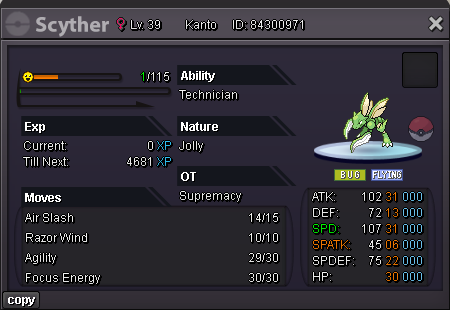
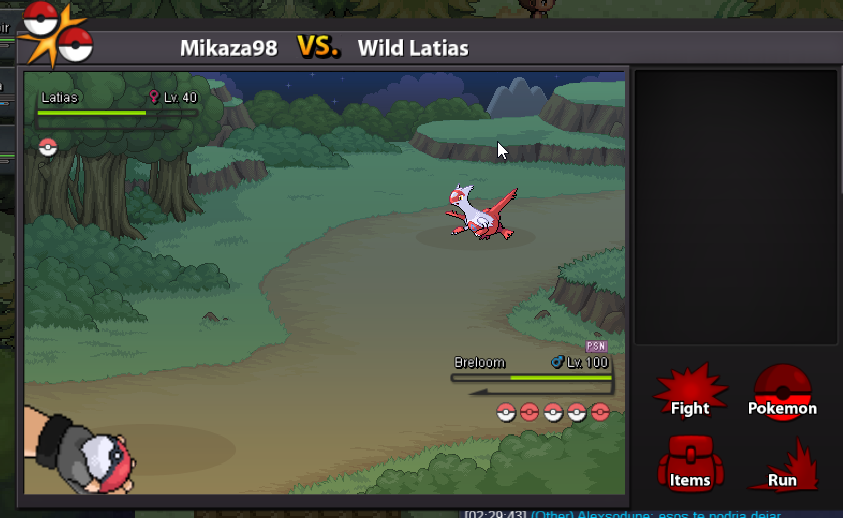 1 point1 pointStart 2 scyther1 pointStart sassy nature ferroseed Pokémon bid 100k.1 pointI’ve experienced him service, and both the product quality and the way customers are treated are really nice.1 point1 point1 point1 point1 point1 point1 point1 pointI would like there to be a quick option to see the Pokémon that is in your team in the Dex, either by right-clicking and having the Pokémon open in the Dex or by sending the Pokémon in your team to the map spawn so that it opens the Dex, I feel that it would be a detail to speed up some type of information that we want to know, it seems quite practical to right-click with the mouse on x poke of your team and have it appear in the dex.
 1 pointjust like in normal pvp can you give us the option to avoid in rand
 1 point1 point1 point1 pointThe post you are referring to is about any random ranked opponent. Here it's specified about avoiding guild members in random pvp. You can find this setting in Guild Manage in Social Tab.1 point1 pointPlease, do note that while our Developers are actively working on PvP updates and fixes, you may still encounter some bugs during battles. Keep an eye on our PRO Official Discord and our Update Logs to stay updated about any rule change and in general any game announcement/update. As a reminder, PvP reports should be filed in our Report Center. Please make sure to provide enough evidence to support your claim. Failure in doing so will result in the dismissal of your report. PVP Rules Every match should be played out in a timely manner. Time-, PP-, Switch- or any type of stalling beyond reasonable usage is not allowed. Video evidence is required and without it we will not take actions. Video evidence may be deemed insufficient at Moderators discretion. PP-stalling: Using moves to unnecessarily extend a match's duration with no proper reasoning such as using healing moves instead of attacking Switch-stalling: Switching your Pokemon around with no proper reasoning instead of attacking. Time-stalling: Waiting until the last few seconds to make your move on every single turn, prolonging the match more necessary. Boosting in any form in Ranked PvP, random ranked included, is forbidden. Action will be taken if caught or attempted. | Rule explanation Playing against someone under the same network connection is considered boosting as staff is unable to verify if it's actually two different people playing. Intentionally queuing against a user to aid yourself or another user in the form of Rating, PvP Coins, PvP Chests, etc will be considered as Ranked Boosting and will be punished accordingly. You can use only 2 of your own accounts to PvP within each season. Using any account you do not independently own, or using more than 2 accounts, will result in severe punishment. Each account may only PvP on one server. You may only have one account in the Top 25 at any point in the season. This means one account across both servers – you cannot have one account in the Top 25 on Silver and another in the Top 25 on Gold. Using false information or offering compensation to incite players to disconnect or draw in a Ranked Battle is prohibited and considered Illegitimate Rank Boosting. Please refer to Rule Explanation for more information. Violating any of our specific PvP Clauses will result in sanctions. PVP Clauses Species Clause: The same two Pokemon should not be on the same team. This includes the use of more than one Rotom form or a Pokemon together with its Alolan counterpart. Sleep Clause: If you have already put a Pokemon on your opponent's side to sleep, and it is still sleeping, you cannot put another one to sleep. This rules is not induced by self-sleep inducing moves, such as Rest. Video evidence is required. Natural Cure - Two Pokemon can be put to sleep if, and only if, the first Pokemon has Natural Cure (The reverse order would violate the clause as the Natural Cure Pokemon would be on the field asleep with an additional Pokemon being asleep in the party). Pokemon that use U-turn/Volt Switch on the turn that they wake up will show as asleep until they are back on the field Endless Battle Clause: Any moveset that is capable of intentionally cause an endless battle is banned. More specifically: Recycle + Leppa Berry. Harvest + Leppa Berry. Trace + Leppa Berry. Role Play + Leppa Berry. Banned Moves / Abilities / Pokemon / Items / Combination The following moves are banned from the Ranked PVP Battles. The system is developed in a way where you cannot queue with them. Credits to: Singham & Flik - Established the first PvP Rules thread. Windypuff, Kagawa & Alaris- Updating thread. Letrix - Revamped and updating thread. Qeight - Revamped and keeping thread updated. Shinohara - Revamped and keeping thread updated Tanavast - Keeping the thread updated1 point1 pointHey fellow PvP players, In this thread I will explain how we enforce this rule, what counts towards it and why it is important to cooperate with us here. I made the mistake and not thoroughly wrote down procedures, limitations and explanations for the community which resulted in some unfair bans that will be fixed as soon as possible, so count this thread as an apology for our mess as well. This type of stuff shouldn't happen, will not happen again and I take full responsibility for it. The current rule that forbids any type of boosting. What counts towards this rule?: Playing against any accounts you have access to If Bob has the password of Billy and Bob matches against Billy in ranked PvP, you may risk of being flagged as boosting players. The best advice we can give here is that you do not share accounts to avoid any confusion here. Did Billy actually play or was it Bob controlling both accounts. Those are questions we have to answer. Playing against your own alternate accounts If Tom owns the accounts Tom123 & Tom321 and matches against himself in ranked PvP, he will be banned for boosting. Playing on an account you do not rightfully own Jake gave his account to Bob so he can play ranked PvP on it and Bob starts playing in ranked with Jake's account, you will be banned for boosting. Please avoid at any cost playing on someone elses account in ranked PvP unless you have full control over it (E-Mail is yours, you are the only one having access to the account and the original owner does not return) Disconnecting on purpose and receiving payments for it Bob matches against Tom, Tom messages Bob & asks him if he could disconnect or let him win for 50k$. Bob should report Tom however if he accepts this payment both players will be banned for boosting. Disconnecting repeatedly against the same players Billy always disconnects against Jake because he thinks he is the superior player. This might get you flagged as boosting if done multiple times as you are supposed to play out all matches. We can see the difference between server crashes, a user with bad internet or someone boosting. Disconnecting against Guild members on purpose or due to "Queue/Game" guild rules Bob, Tom and Jake are in the same guild [ExamplePlayers]. Tom matches against Jake in ranked PvP and Jake disconnects during team-preview. If done multiple times you may get flagged as boosters. Jake writes in his guild chat or in a matchmaking chat on their discord that he is in the queue. Jake: queue Bob always forgets to write in that chat and matches against Jake. Jake is annoyed and tells Bob to disconnect because he broke the "queue/game" guild rules. This may get you flagged as boosting as well, as you are supposed to play out all matches. Playing against another player under the same network/connection. Unfortunately staff is unable to verify and confirm if someone is really living with other people, making therefore impossible for us to see if it's one single persone with two different account or two different people. Reason we can't do that is simply that we don't live with you, it's not a problem of our tools. As the last thing always gets broken and causes a lot of confusion we made an announcement regarding it: If you have any further questions please write them down below and I try to answer all of them to the best of my ability. Kind regards. Credits to Qeight
 1 point




























Account
Navigation
Search
Configure browser push notifications
Chrome (Android)
- Tap the lock icon next to the address bar.
- Tap Permissions → Notifications.
- Adjust your preference.
Chrome (Desktop)
- Click the padlock icon in the address bar.
- Select Site settings.
- Find Notifications and adjust your preference.
Safari (iOS 16.4+)
- Ensure the site is installed via Add to Home Screen.
- Open Settings App → Notifications.
- Find your app name and adjust your preference.
Safari (macOS)
- Go to Safari → Preferences.
- Click the Websites tab.
- Select Notifications in the sidebar.
- Find this website and adjust your preference.
Edge (Android)
- Tap the lock icon next to the address bar.
- Tap Permissions.
- Find Notifications and adjust your preference.
Edge (Desktop)
- Click the padlock icon in the address bar.
- Click Permissions for this site.
- Find Notifications and adjust your preference.
Firefox (Android)
- Go to Settings → Site permissions.
- Tap Notifications.
- Find this site in the list and adjust your preference.
Firefox (Desktop)
- Open Firefox Settings.
- Search for Notifications.
- Find this site in the list and adjust your preference.