New Trade Zone
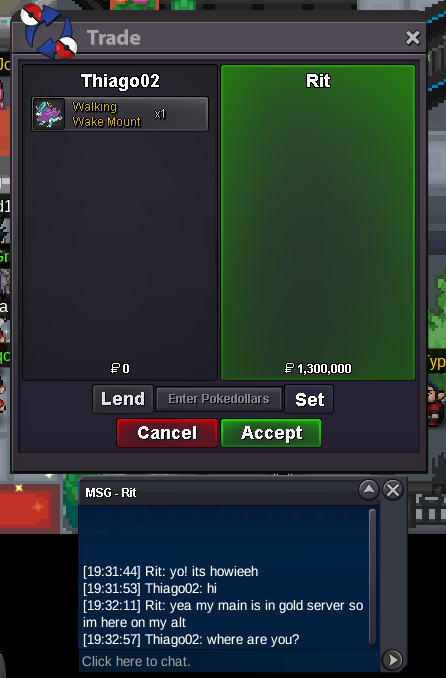
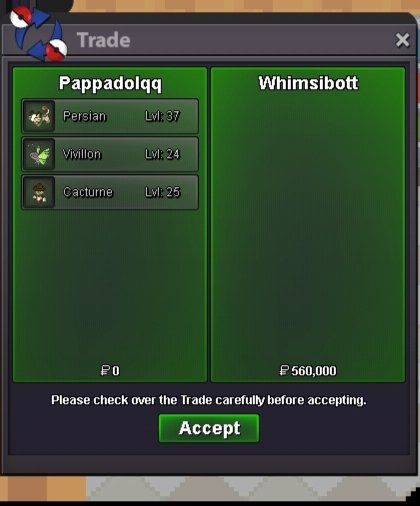
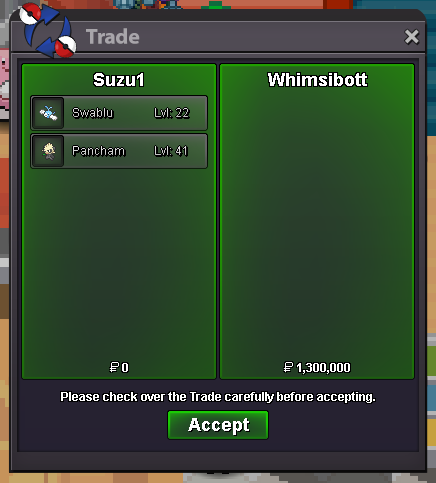
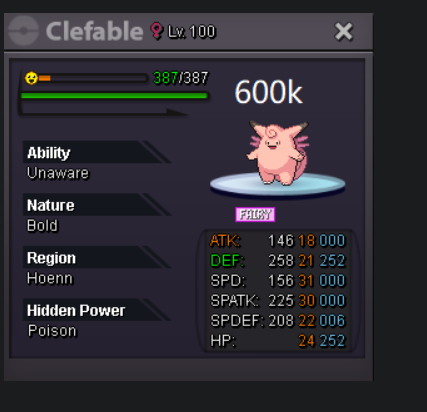
Trade Zone is now live
Use the new Trade Zone for auctions and instant-price trades so Pokemon and item offers are easy to find.
Leaderboard




Popular Content
Showing content with the highest reputation on 02/02/26 in all areas
-
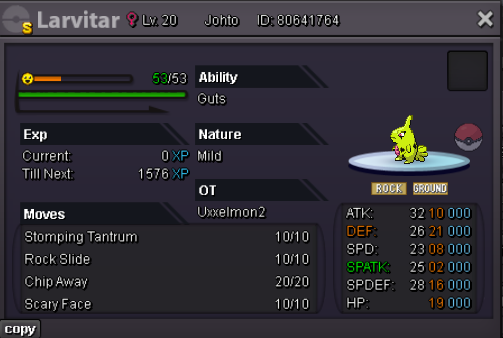
4 pointsHello there, i´d like to auction my shiny Larvitar: Start Offer: 7m Min Bid: 500k No insta Duration: 48 Hours after first bid Accept Pokedollars & CC (500k each)
 4 points
 -
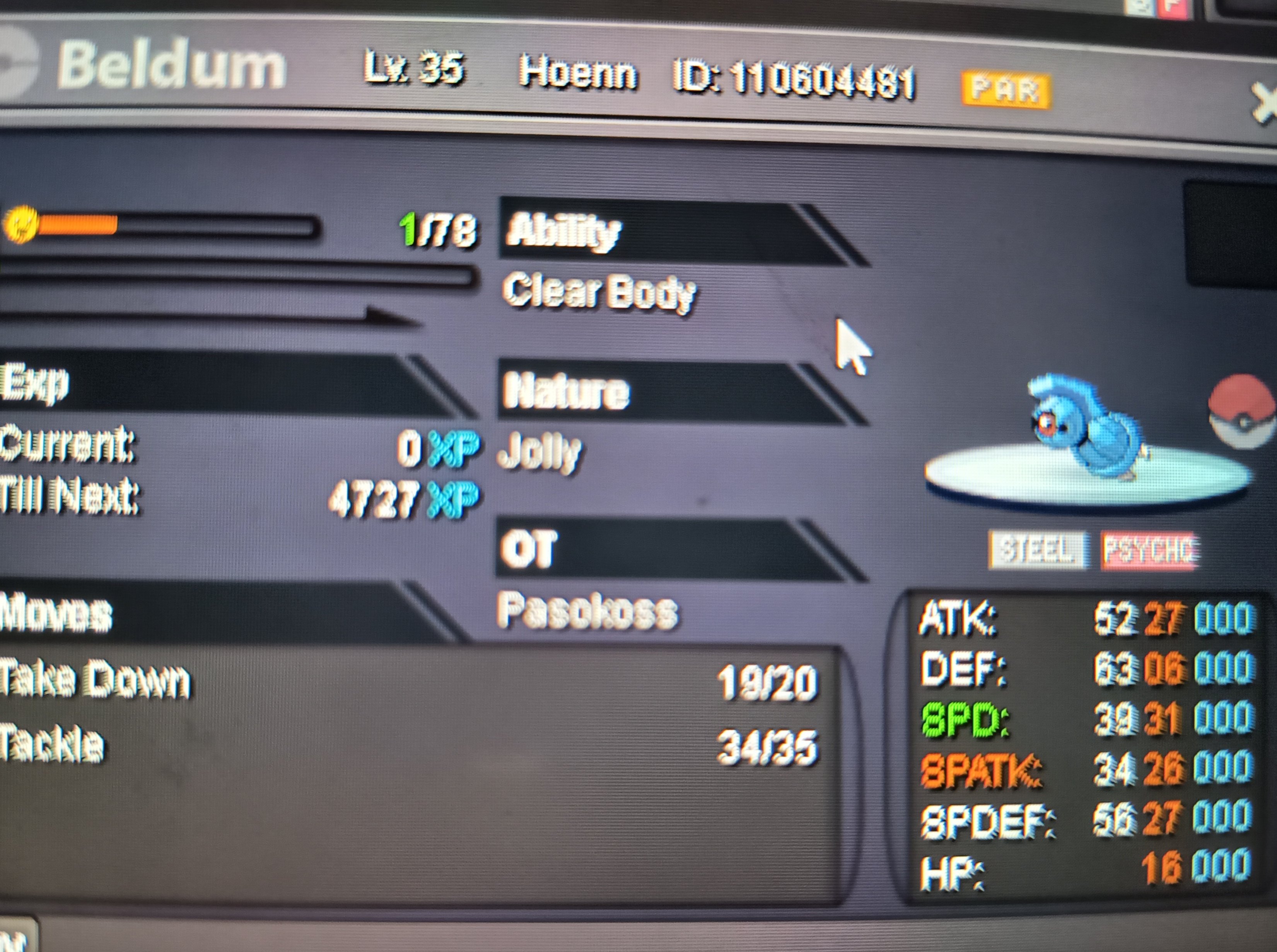
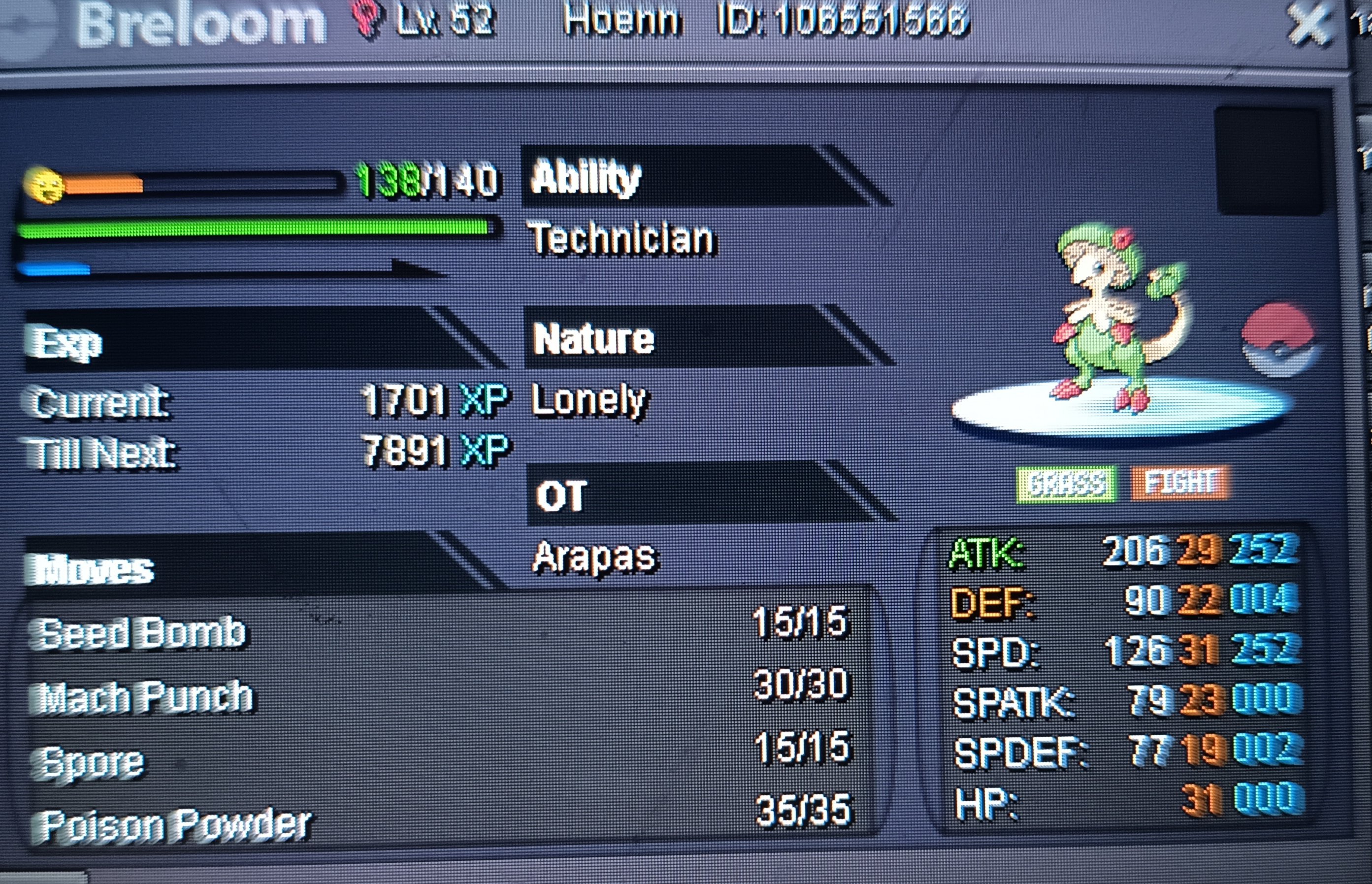
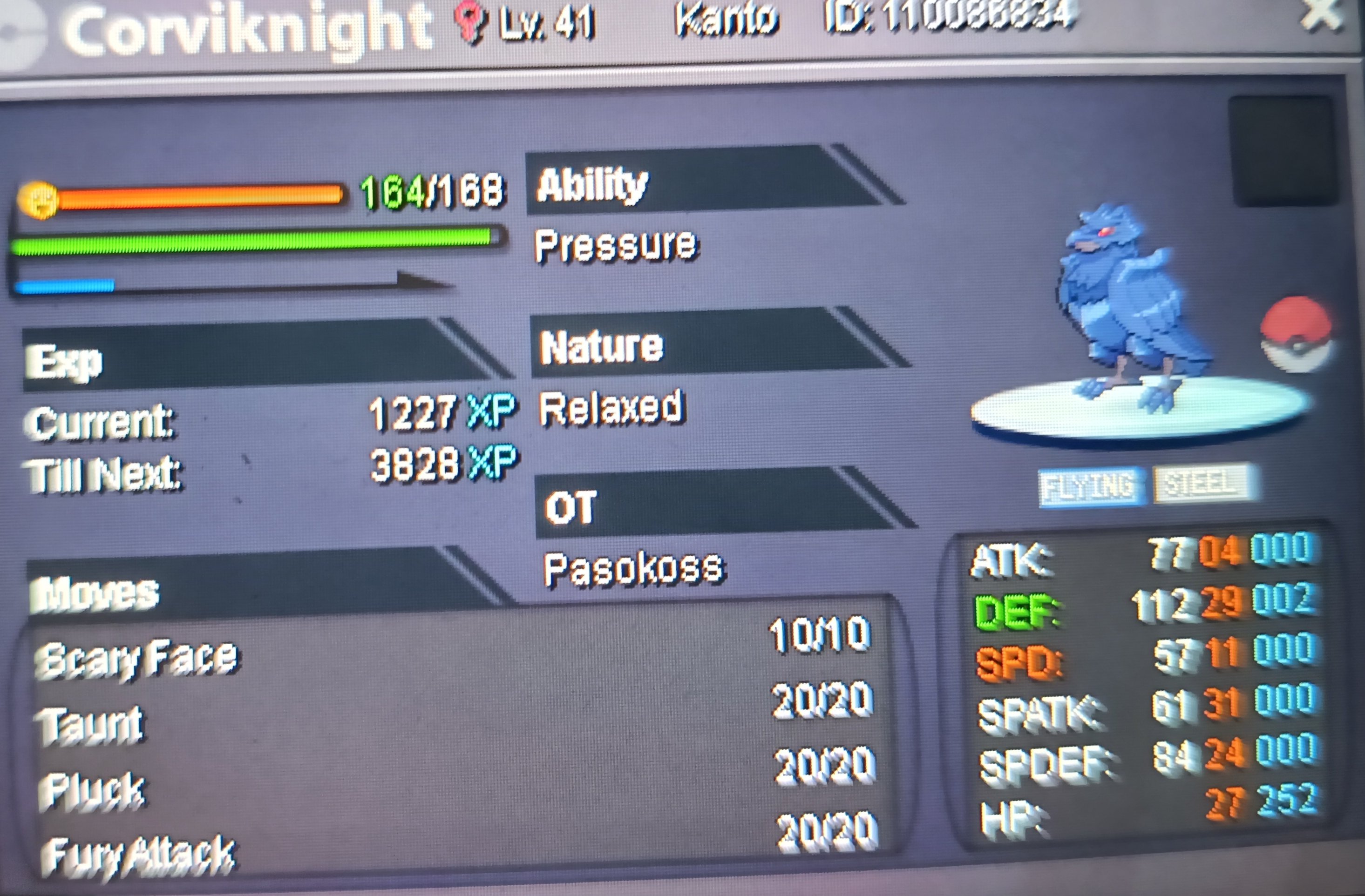
Start 100 k each Min raise 100 k each 48 hours after first bid for each mon Accept cc 500 k Rr 700k Timburr epic insta 5m Beldum 31 spd insta 2m Breloom tech 31 spd insta 1.2m Cyndaquil ha hp ice max spd insta 7m Corviknight 24+ bulk insta 5m Alopix h.a insta 900k
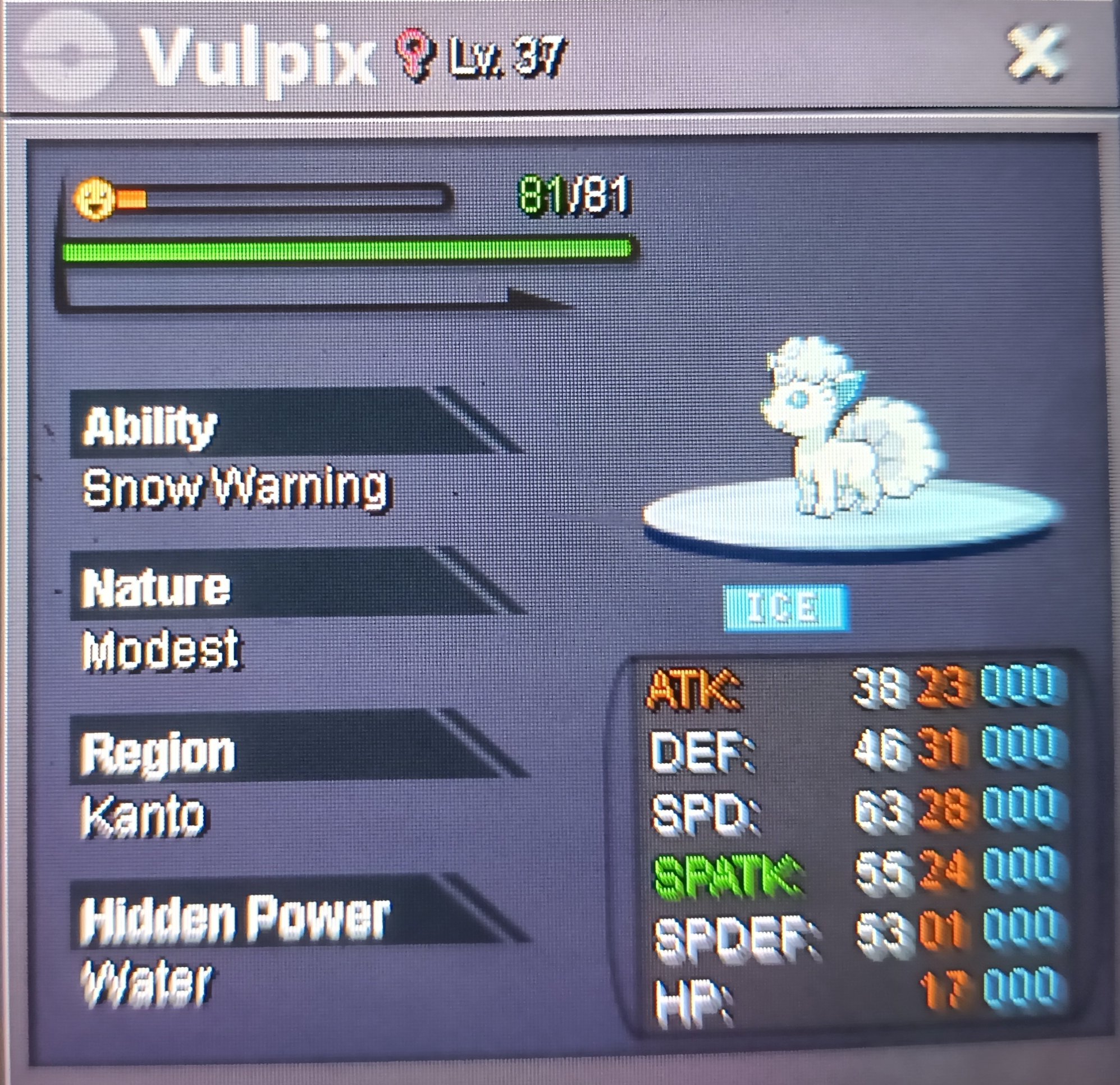
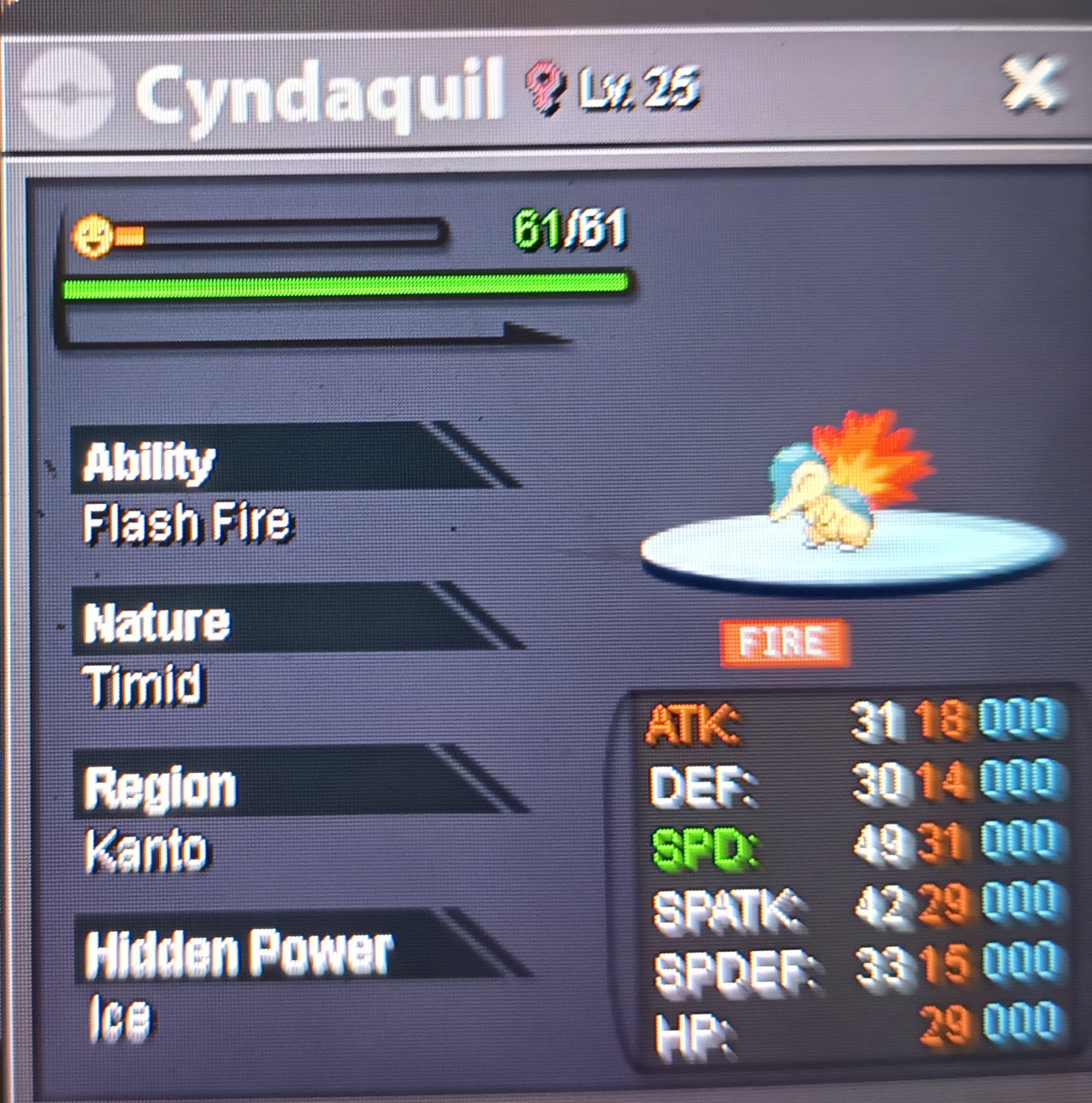
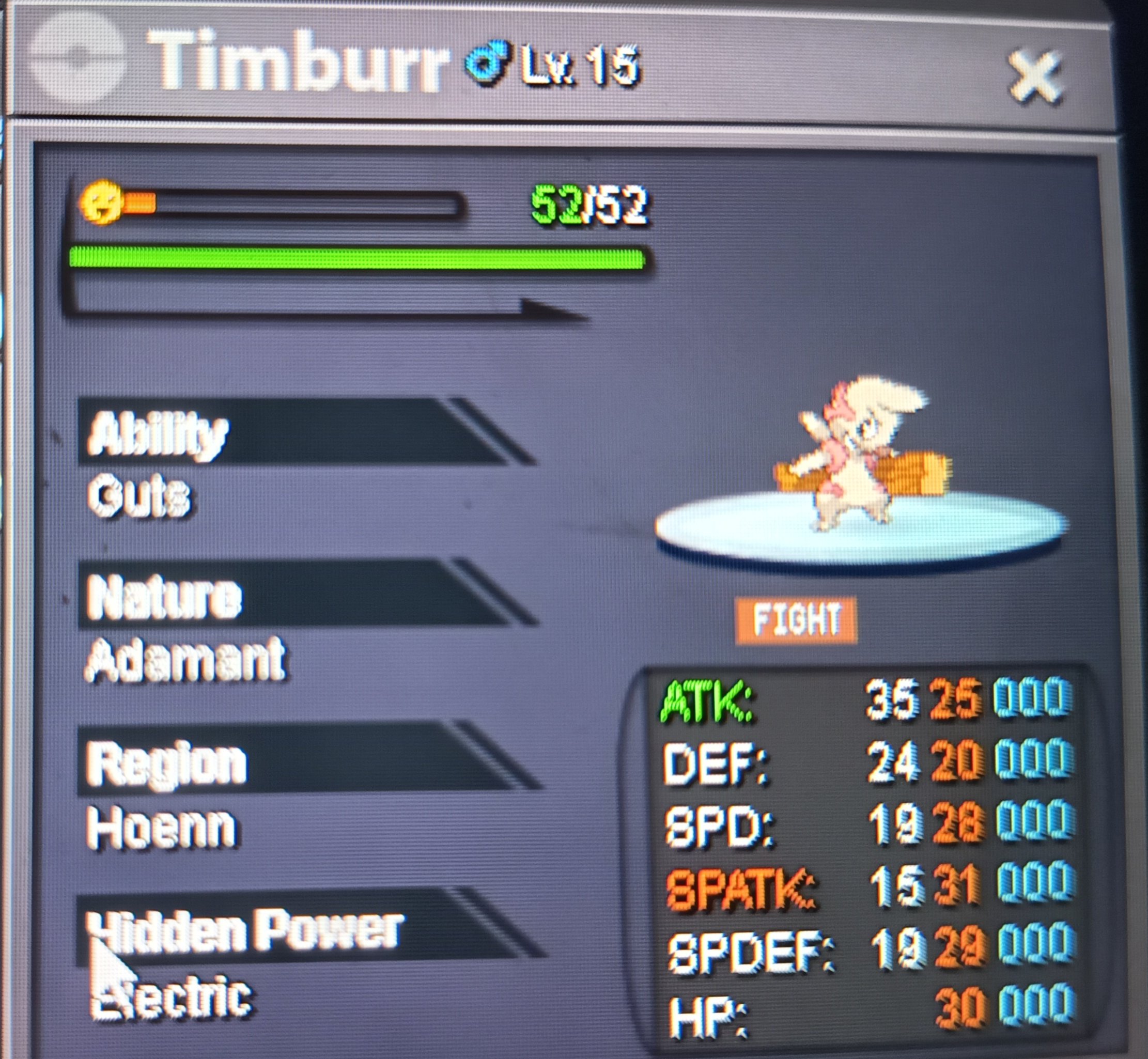 2 points
 -
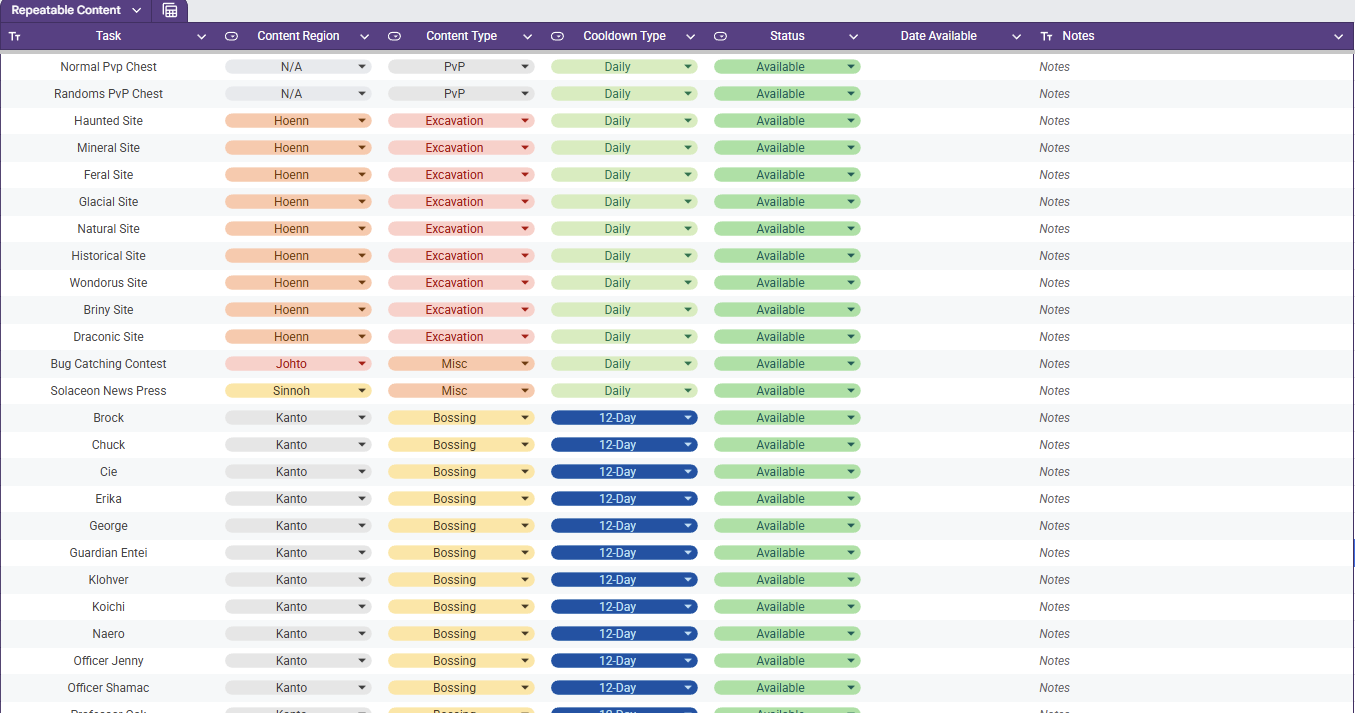
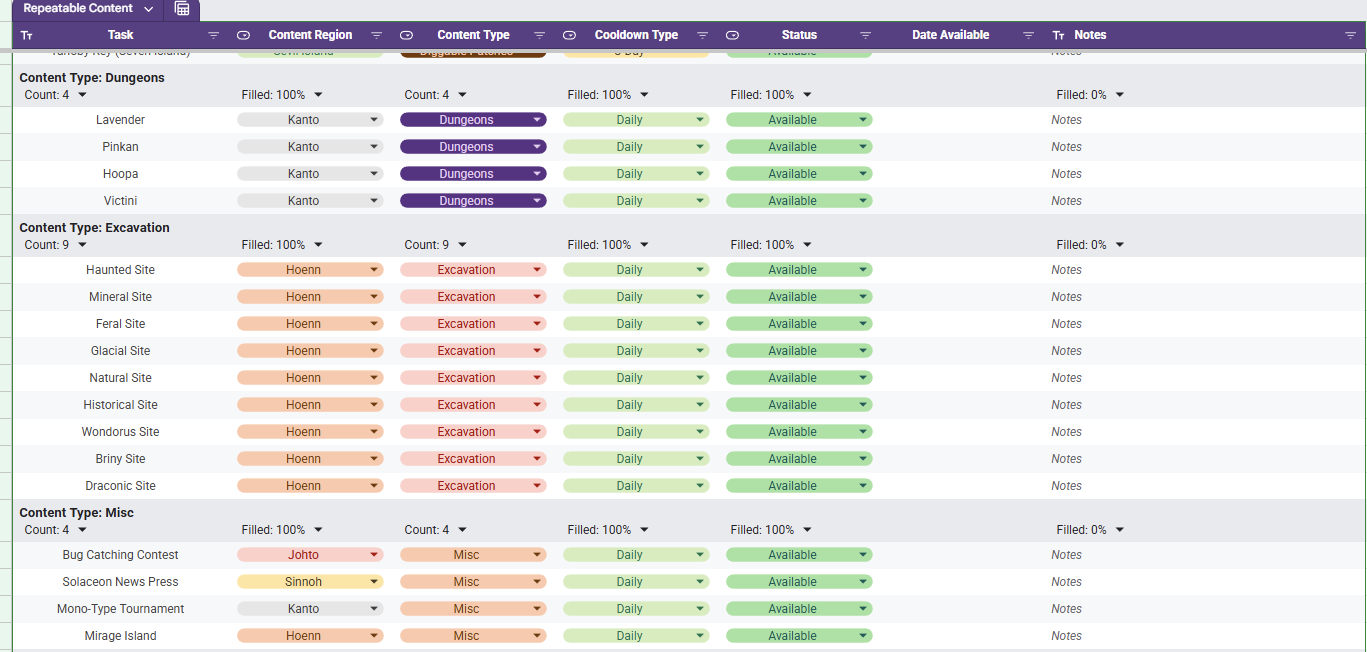
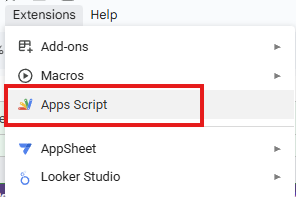
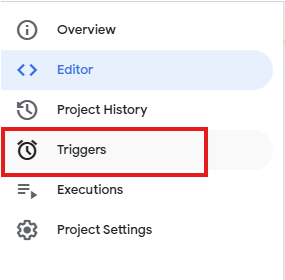
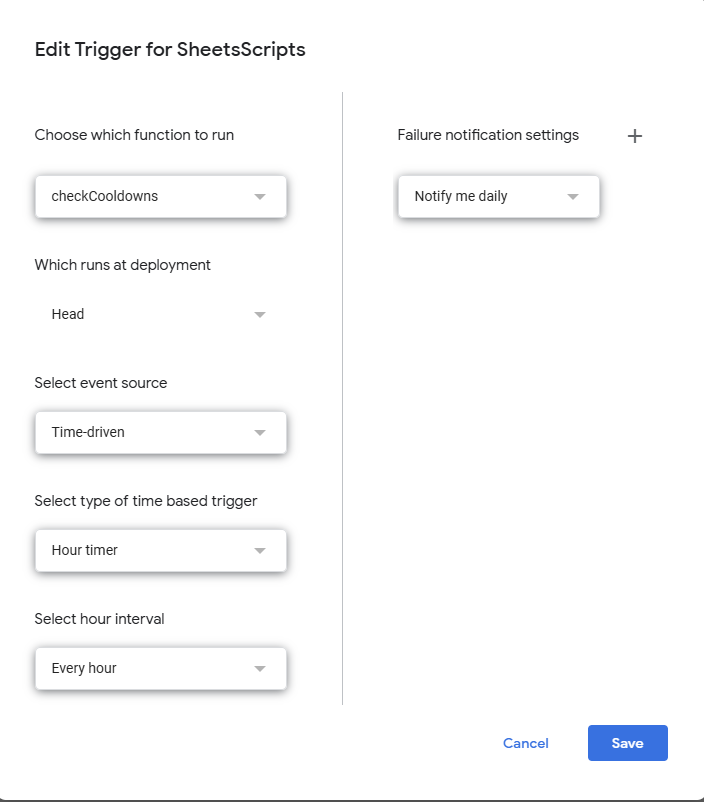
Repeatable Content Cooldown Tracker Tired of having to try to remember if your repeatable content is off cooldown or wasting your time making your way to dome content to realize it's unavailable cause you already did it? I know I was as well, so I made a spreadsheet (those who know me know I love my spreadsheets). Specifically, this spreadsheet lists out repeatable content (Dailies, weeklies, etc) and gives your the ability to mark it as on cooldown or available. While it sounds simple, there is a bit more luxury in this tracking tool. Once you set something as on cooldown the corresponding cell in the Date Available column will auto populate the day that it is to come off cooldown (In the case of Excavation sites, it calculates it with date and time and checks for exactly 20 hours). If the spreadsheet receives an update, then you will need to make a copy of the updated one if you want to have the new / fixed functionality. How to Acquire The first thing you need to do is acquire the spreadsheet with the following steps. - Access the Google Sheets link here. - At this point you are a Viewer and will need to make a copy by clicking File and then Make A Copy - Once you have a copy made, you are ready to track your Repeatable Content. How to Use The first thing you need to do is set your specific time zone. This can be done be clicking File and then Settings. Once the settings are open you will need to set your specific time zone. Doing this will allow tie cooldowns to be set relative to your time zone. When the file is first acquired, you will see all of the listed repeatable content in a single table as seen below and the columns are broken down as follows. Column A - Task The daily repeatable task name. Column B - Content Region The region (loosely) in which the content is located. Column C - Content Type The group in which the content is associated with. Column D - Cooldown Type The associated cooldown of the task. Column E - Status The indicator whether your repeatable task is available or not Column F - Date Available If on cooldown, the date which is will become available Column G - Notes A section for the user to leave personal notes associated with the task Although it is preference, a much cleaner view is through using a pre-saved data view "Group by Content Type". You can access this by selecting the Data tab and then Change View followed by Group by Content Type. This view will have all of the content separated neatly by the type of content it is identified as and an snippet of this view is shown below. As you go complete repeatable activities, you will want to mark them as "On Cooldown". Once you select this, the corresponding cell in the Date Available column will populate with a cooldown associated with the value in the Cooldown Type column. For example, if you complete the the Diggable Patches on Route 3 on 01/28/2026 then they will be available on 01/31/2026 (as seen below). When the current date is the same as the Date Available, the "On Cooldown" in the Status will automatically flip back to "Available". If you want to add or remove content that you don't do, that is no problem. Simply remove the row from the sheet and refresh. Be advised, if you were to remove a column, it runs the risk of breaking the scripts and references and you may have to acquire a new copy. Adding a new cooldown type is not as simple and requires script modifications. The current version of the spreadsheet covered as much ground as I could think regarding repeatable content and its associated cooldown. The current cooldown options are 1, 3, 12, and 14 days as well as 20 hours. I am excited to share this with you all and, while I do not know of any bugs that currently exist with it, if you run into any issues please let me know and I will do my best to sort it out. Trigger Setup Instructions To get the spreadsheet set up to auto-update, you will need to set up the triggers within the spreadsheet scripts. The instructions can be seen below. Access the Script found under "Extensions-> Apps Scripts" After you have clicked the App Scripts page, it will open in a new tab. On the left side of the screen you will see a collapsed window of options. Hover the collapsed window to expand the options and then select the option that says "Triggers" You should now be in the trigger menu. The trigger is a scheduled in while to run the scripts in the editor tab. There are two functions in the script. the "onEdit" function is responsible for filling the date available column in with the appropriate date / date and time until the activity should be off of cooldown. The other function is the checkCooldowns function. This function is responsible for checking the date / date and time in the Date Available column against the local date / date and time and then resetting the On Cooldown chip to Available in Column E (Status). The function of interest is the checkCooldown function and we want to set it on an hourly trigger. Select the 'Add Trigger' button on the bottom right of the screen. For the trigger options you will want to set them as follow: Choose which function to run: checkCooldowns Which runs at deployment: Head Select event source: Time-driven Select type of time based trigger: Hourly timer Select hour interval: Every hour Once the triggers are set, click the Save button and then your copy should update both all activities accordingly. Updates - 1/28/26: Fixed the download link and added Sinnoh Underground and Celadon Daily - 1/29/26 Updated Non-Excavation Date Available to put the local representation of 12:00 GMT+0 (so that it properly resets with game daily reset) - 1/29/26: Fixed bug where Petalburg Woods timer would only update a 1 day instead of 14 days. - 2/1/2026: Updated instructions for setting the triggers to allow time based updating and fixed a bug where some cooldowns were not generating the proper date available. - 2/2/2026: Adding instructions to the post to walk the user through setting the time zone of the spreadsheet to their own.

 1 point
 -
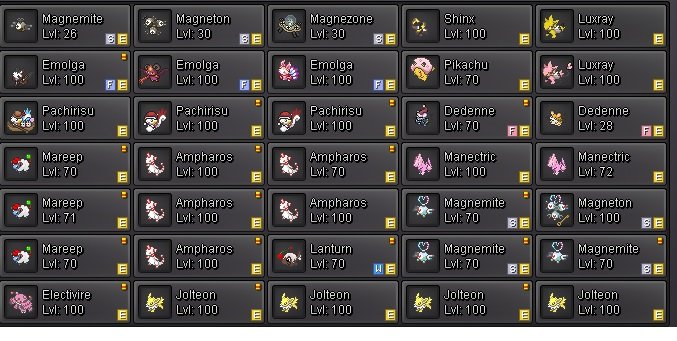
My collection Pokemon Shiny Electric, Event Electric and Pink Electric. Offer me here or Discord. Valentine's Day Event 2024: Shinx Male or Luxio Male. Valentine's Day Event 2024 Shinx Female, Luxio Female. List Shiny: -Raichu-Alola -Geodude-Alola -Graveler-Alola -Golem-Alola -Stunfisk

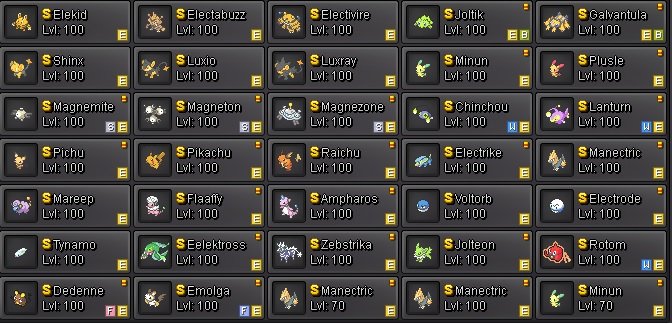
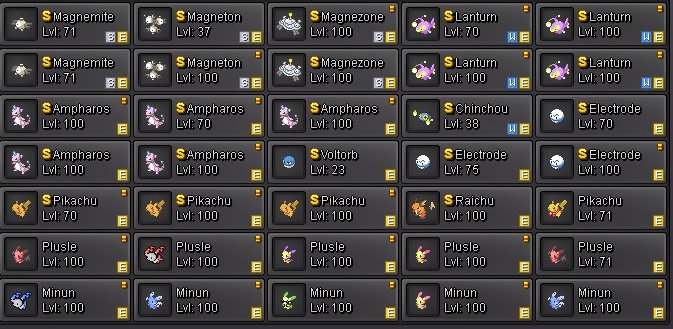
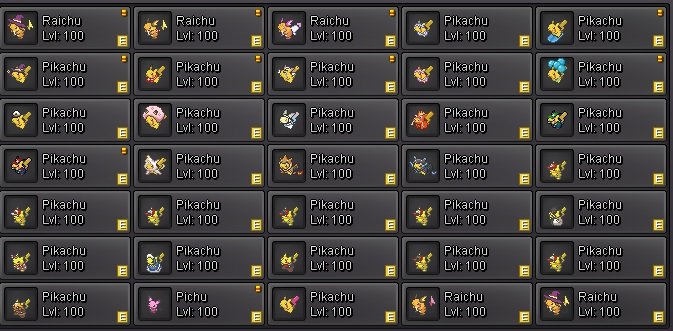
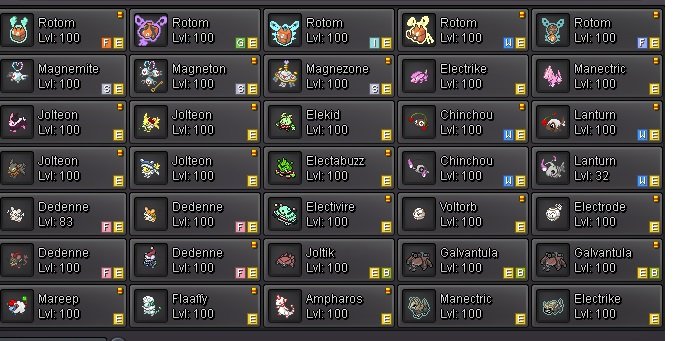
 1 point
 -
Here is an Halloween themed FORM design for Ditto Here is the Original 5G Sprites : Back View : Front View : Edited for Halloween : Back View : Front View : Size is 96x96 Big view : BACK FRONT Please give your comment down below




 1 point
 -
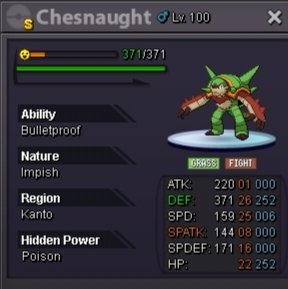
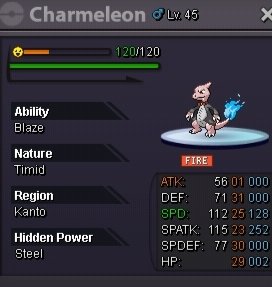
Hi I decided to sell few of my mons. You can send me here or better discord your offer Pasokoss discord Chesnaught impish h.a 35m Semi god timid 23+ 25m
 1 point
 -
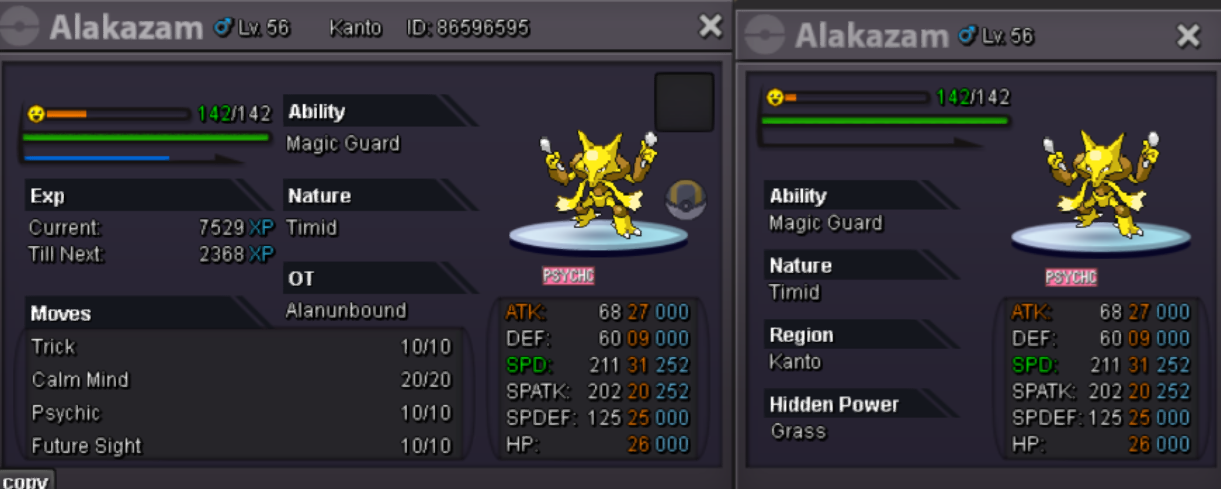
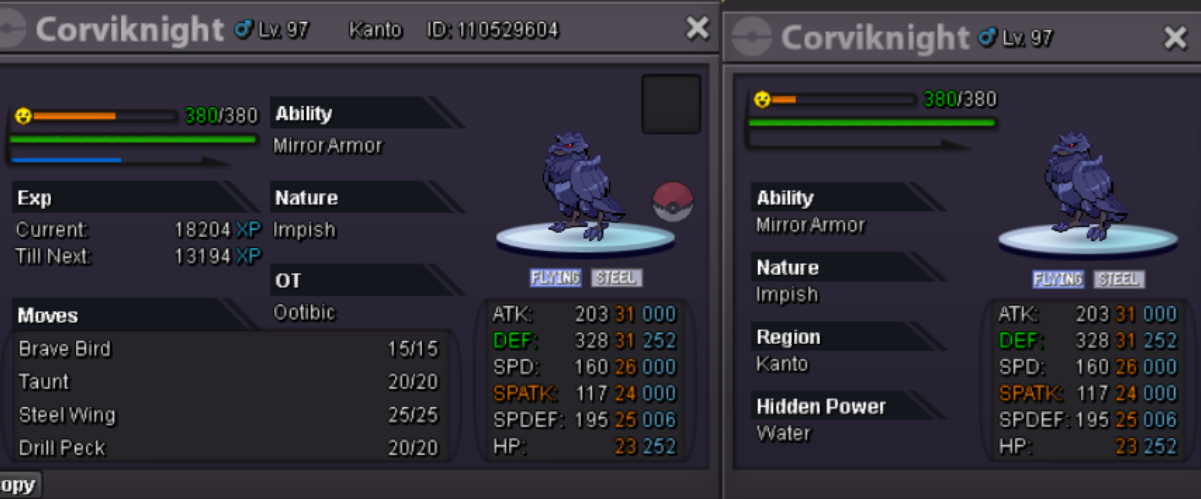
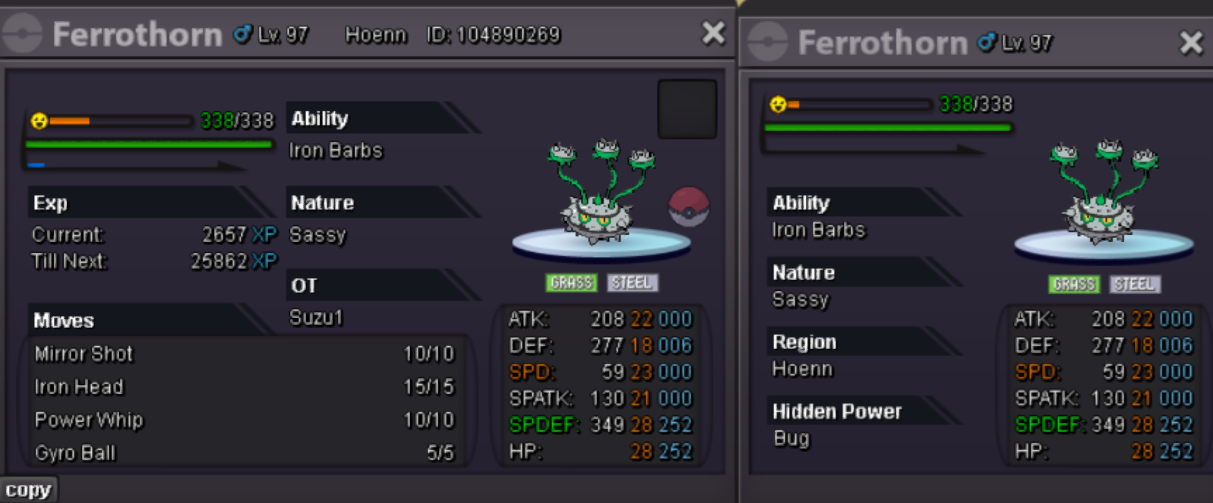
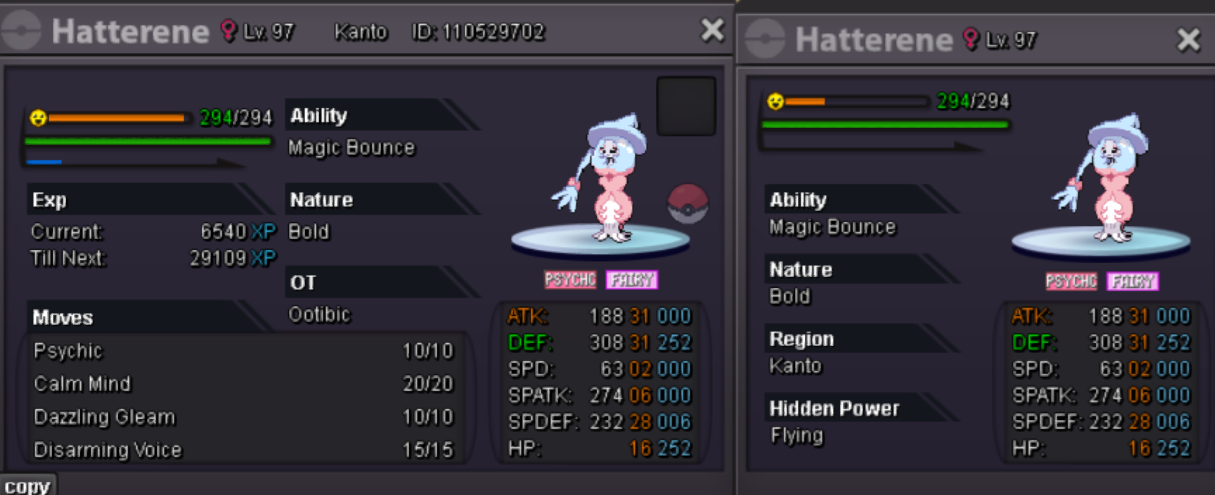
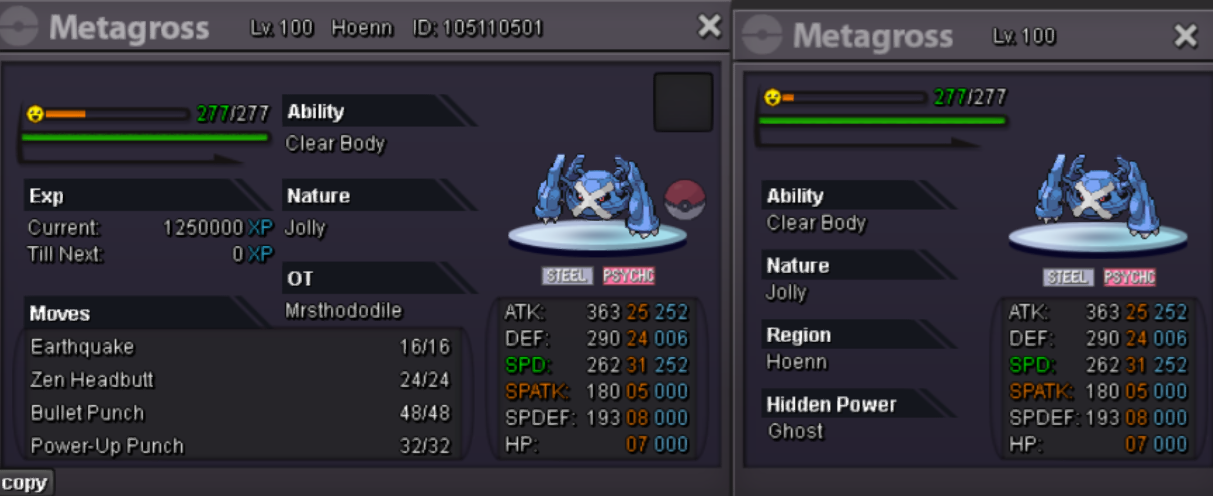
Hey everyone, welcome to my auction! I have some really good Pokémon, so please follow the rules: I'm on the Silver server, so bidding here is allowed. If you're on another server and want to participate, you'll need to transfer your account, as this isn't a cross-server auction. So let's start with PvP Pokémon. Alaka = 1m start more for yous mys friends and players 800k start, min bid 50k, insta 2m500k, 48hrs time This one is speechless, just a start of 6 m and an Insta 35m, 72hrs auction time, min bid i like 1k so good...more people better start 500k, min bid 20k, insta N/A 48hrs time auction pvp start 1m, min bid 200k, insta N/A 72hrs start 31 spd meta 900k min bid 10k, insta N/A 72hrs
 1 point
 -
1 point1 point1 point1 pointcyndaquil 300k1 pointcorvi 300 - beldum 2001 point1 point1 point200k vulpix1 point1 pointHello @Leonardosenpai & @Gracee I have force the trade of the Auction here. 10k have been deducted from @Gracee's Account. 10k have been added to @Leonardosenpai's Account. Abra, both Gible, Sableye, Horsea, Zorua and Magbye has been transfered to @Gracee's Account. In the future if you need help, please use the report button. Kinda Regards Glitterwing1 pointcyndaquil 200k1 point1 pointStart 1m. Alt account: Sumocal (Silver Server).1 point1 point200k tim1 pointStart all .,1 point1 pointHello, I really appreciate your help in switching to silver trading. It seems I misread the rules for the auctions section instead of the rules for trading😓. I sincerely apologize for this mistake and will be more careful in future transactions (auctions and selling Pokémon)😊1 pointHello @Mahnmee, In the Cross Server section you are only allowed to auction one Pokemon at a time. To cause the less damage as possible I have moved the post to Selling Pokémon - Silver where you can auction up to 5 pokemons. (Feel free to add a fifth here as I deleted the 2 that were not started). I hereby recommend you to read our Trading rules & Auction Rules to avoid future infractions. Just to clarify this auction is still going but only for Silver Server (as it is your main server and as all the best offers are from Silver Players so far). If you have any question, feel free to ask. Best regards, Hizukii1 point350k altaria, 500k corviknight, start lopunny. Ty.1 point1 point1 point1 point1 point1 pointI miss having a notification that I received a message in my mailbox. Currently, if you send a message to another player, they will only know they have a message in their mailbox if you ask them to look; similarly, you will only know you received a message if the other player notifies you. With the game's own notification, we would receive a notification on the game screen. For example: Sometimes I need to talk to a player, but I never see them online, so I would leave a message for them in the mailbox and they would see it as soon as they logged into the game. It would also help with chat trading. Sometimes I saw a player selling something in chat trading, but when I messaged them they were no longer online. With the game's own notification, they would see my message in the mailbox saying that I am interested in the item or Pokémon they were advertising, and they would contact me to negotiate. This improvement to the mailbox would greatly facilitate communication between players, especially because of the different time zones.1 point1 pointThis ursa is already selled .. check in the main page of the shop1 point1 point1 pointHello @Omenrl & @Wakko16, Trade has been forced: 150K have been deducted from @Wakko16's account. 150K have been added to @Omenrl's account. Electrike have been transferred to @Wakko16's account. Best regards, Hizukii1 pointHey Chaos, i want to buy Full Hoopa, Full Victini and all my Z moves (I only have 2)1 pointHere is an April Fools themed FORM design for Shuckle Here is the Original 5G Sprites : Back View :Front View : Edited for April Fools : Back View : Front View : Size is 96x96 Big view : BACK FRONT Chromas for : Shuckle Back View : Front View : Please give your comment down below







 1 pointNeed full story service1 point1 pointWhat ìs the role of an Artist? Pokemon Revolution Online Artists are in charge of the graphic aspect of the game. This is done through the use of pixel-art to create to things like outfits, mounts, special event Pokémon forms, environment tiles, etc. Requirements At least 30 days since Account Creation. 18 years or older Be able to speak English at an understandable level. (Mandatory) Understanding Pixelart/ Digital art at a decent level. Portfolio containing Pixel Art / Digital art work. What if I've never done pixelart before or don't have any pixel art in my Portfolio? I can't properly distinguish your level without any sort of work to measure by. Which makes it harder for me to figure out what kind of training you may need to be viably recruited. I'll gladly train up people of any skill level. My general lookout point is for people who are dedicated and willing to learn. Do not apply to this position with content that isn't your own. It will be discovered. And may affect your possibility of admission to staff in the future. Where to start when you've never done Pixelart before Interested but uncertain where to start? We got a big tread of tutorials with basics: Click Here to Open it! We got some blank sprite sets as well for people who want to train making pixelart costumes. Click Here to Open it! Application form Contact To apply, please make a thread here Pixel-Art Application SubForum1 point0 points0 points0 points0 points0 points0 points0 points23m gold server0 points0 points0 points0 points