New Trade Zone
Trade Zone is now live
Use the new Trade Zone for auctions and instant-price trades so Pokemon and item offers are easy to find.
Leaderboard
-
Larfleeze
Game Master4Points2541Posts -

Eaty
Developer2Points2712Posts -

Fusionflair
Community Coordinator1Points792Posts -

Divinegold
Registered User1Points209Posts




Popular Content
Showing content with the highest reputation on 08/09/26 in all areas
-
2 pointsChangelog 09.08.2026: Coded Mega Sol. Coded Dragonize. Coded Spicy Spray. Coded Eelevate. Coded Fire Mane. Coded Jaw Lock. Coded Gulp Missile. Coded Hunger Switch. Coded Aura Wheel. Coded Octolock. Coded Pastel Veil. Coded Screen Cleaner. Coded Ice Face. Coded Last Respects. Coded Burmy's form changes and its evolutions. Added accurate move descriptions for moves affected by other moves or abilities when the Accurate Description setting is enabled. The respective sub-category is now also displayed. Affected-by effects include King's Rock, King's Shield, Magic Bounce, Mirror Move, Pressure, Protect, Snatch, and Spiky Shield. Sub-categories include Ball / Bomb, Biting, Dance, Explosive, Powder / Spore, Aura / Pulse, Punching, Slicing, Sound, and Wind. Fixed move tooltips in battle not disappearing correctly and sometimes having multiple tooltips displayed simultaneously. Fixed Pokémon-specific Z-Moves becoming unavailable after using a semi-invulnerable move. Fixed the battle window occasionally getting stuck when clicking a locked button in certain situations. Fixed several bugs with the Replay window and its tooltips. Fixed scaling issues with ball physics in the battle window. Fixed several incorrect Pokédex, move, and item descriptions. Added the in-battle snow effect to all Christmas forms. Removed the white border from 228 inventory icons and generally improved them. Added almost all new Mega base sprites, many of their event forms, and Stereo Rotom. Linked the new Mega Pokédex entries to their non-Mega variants. This means you will now receive the corresponding Mega entries when obtaining the regular entries This does not apply to existing entries, as updating them would require an extended maintenance period of approximately three hours. We will take care of this in the future. Fixed the TM movesets for some Hisuian Pokémon.2 points
-
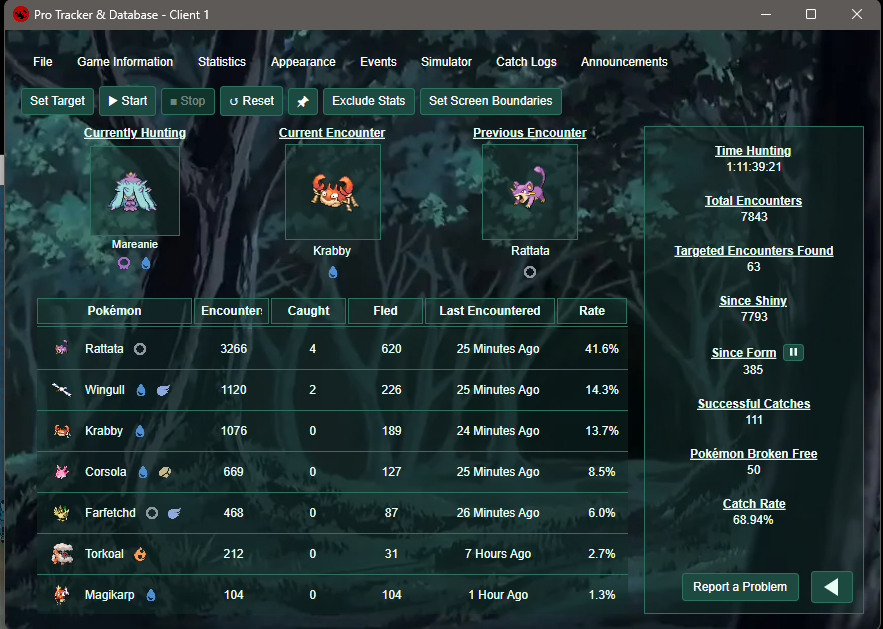
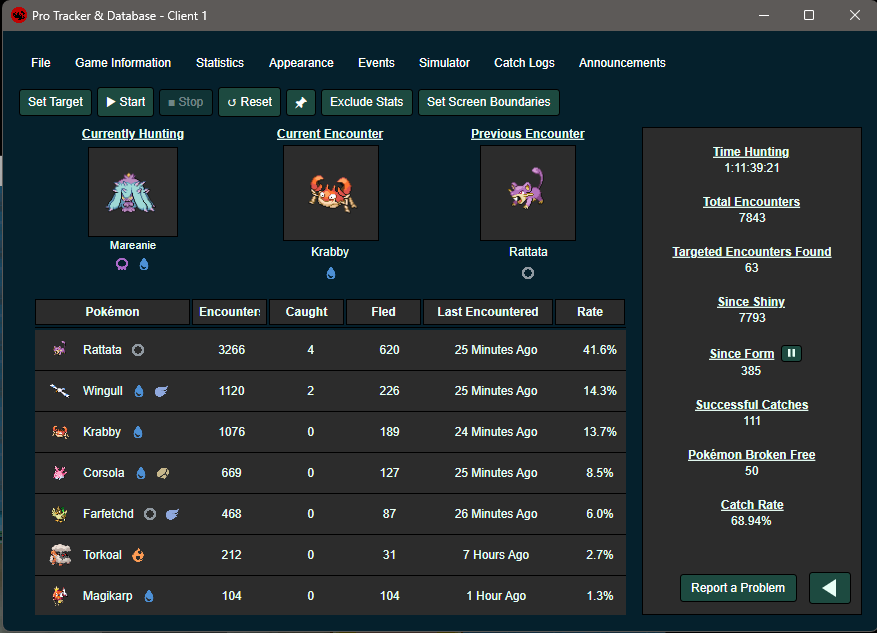
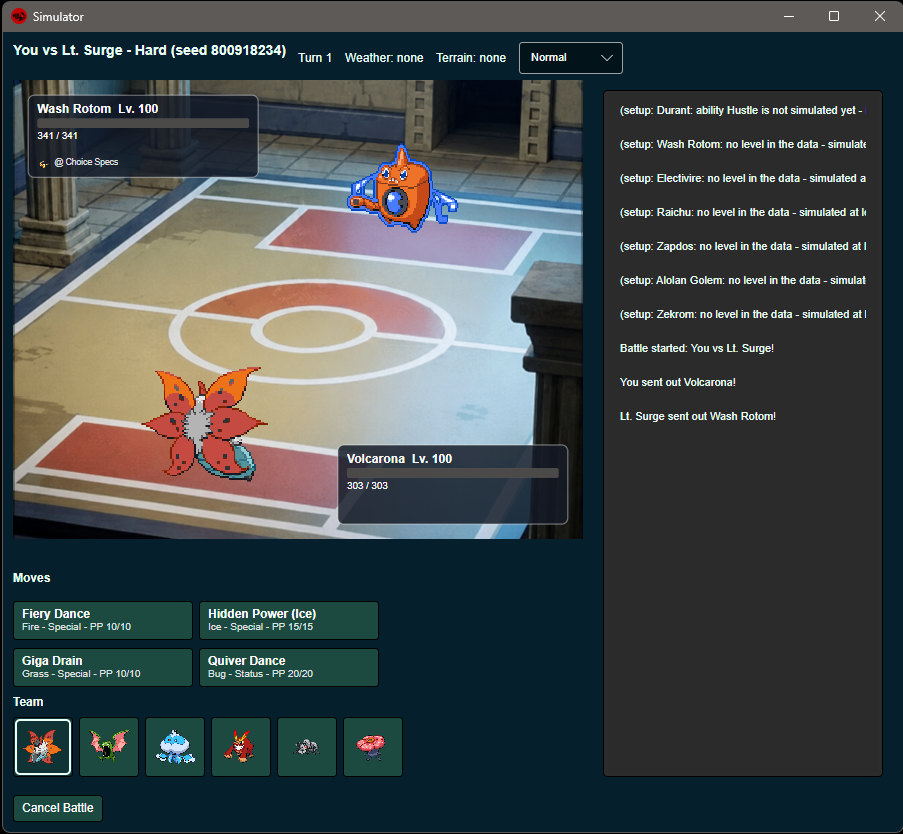
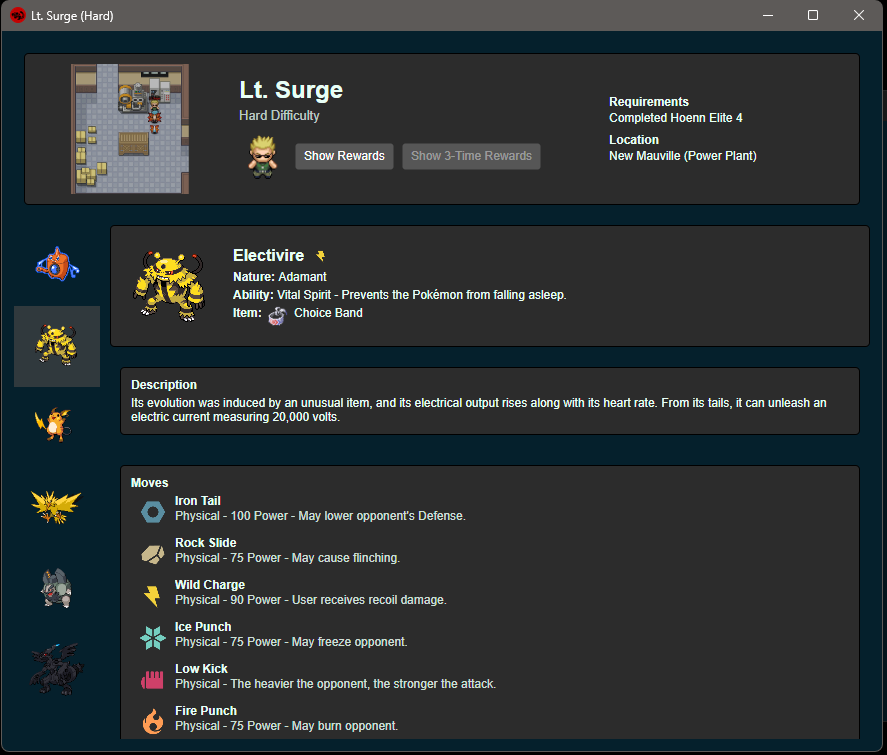
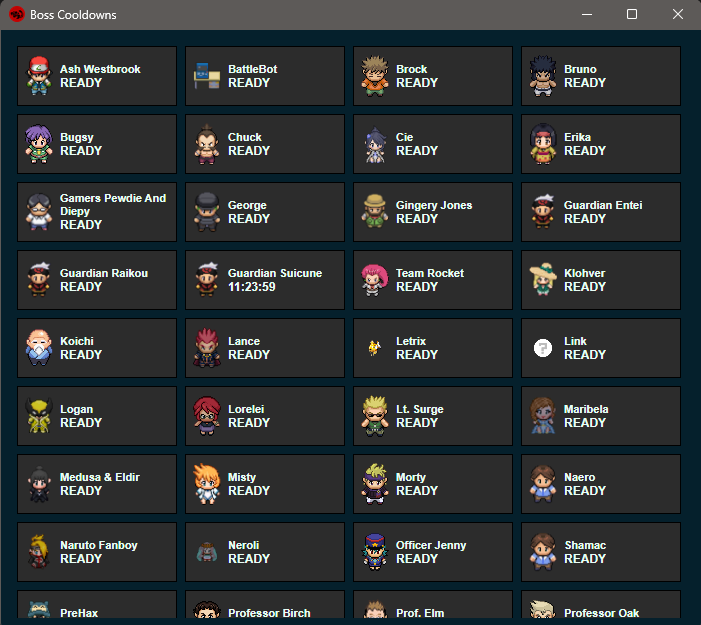
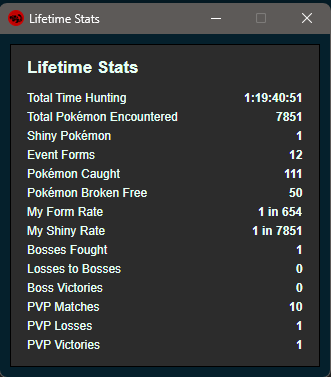
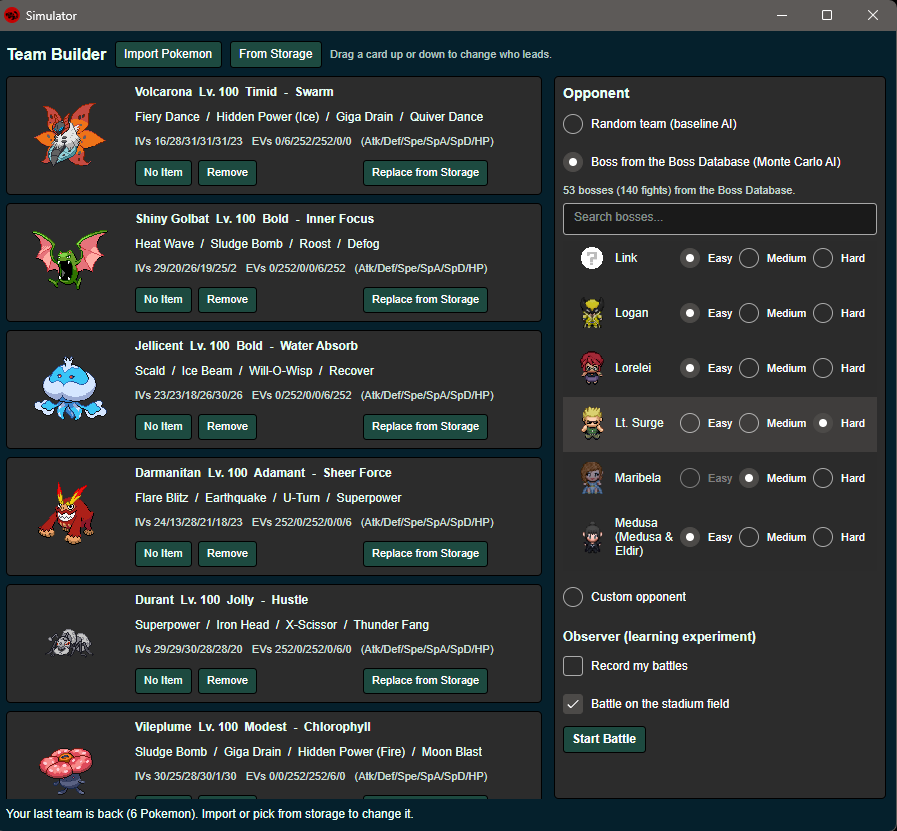
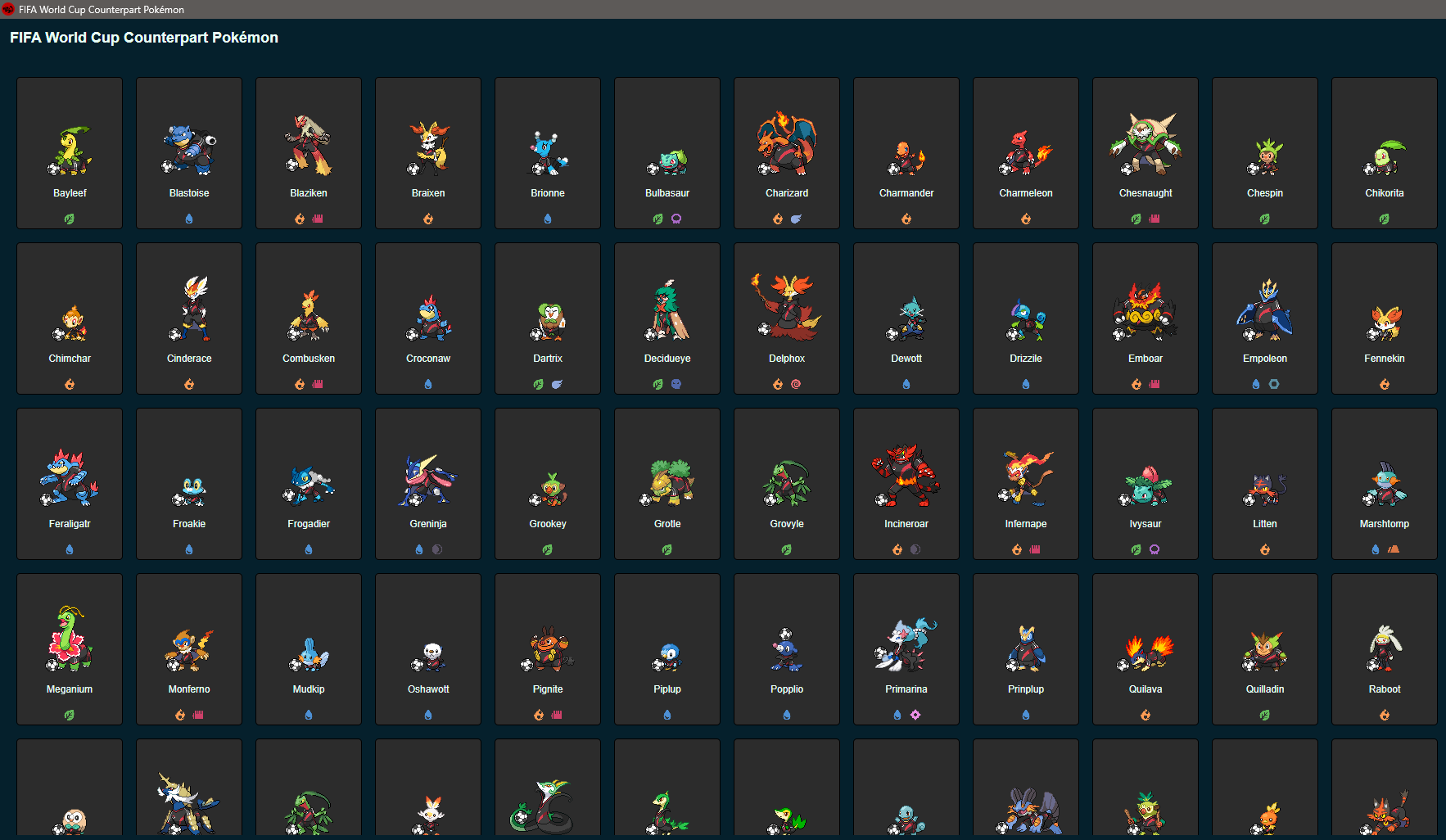
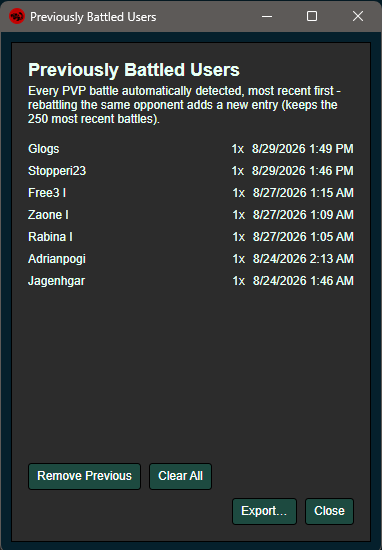
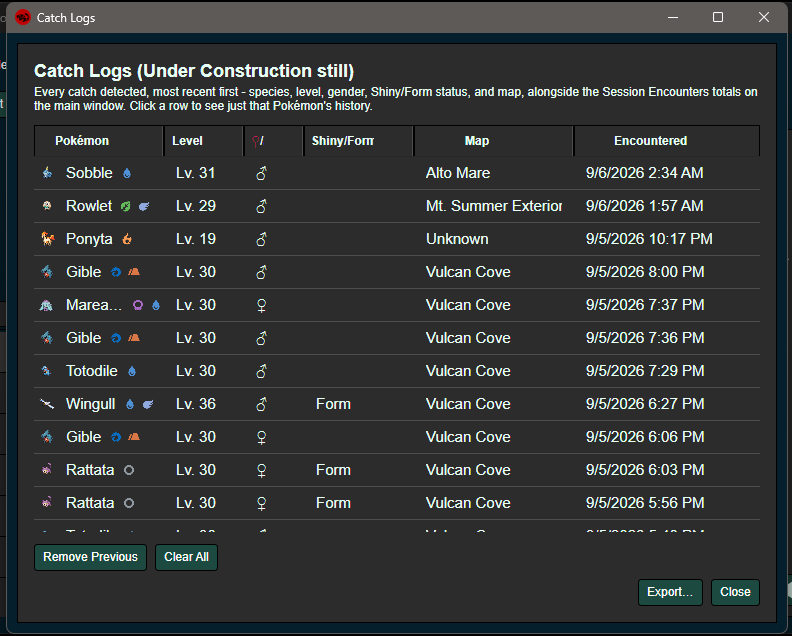
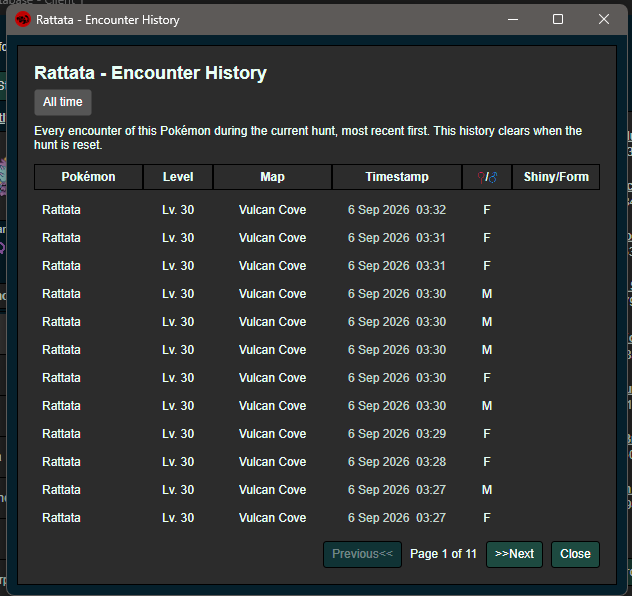
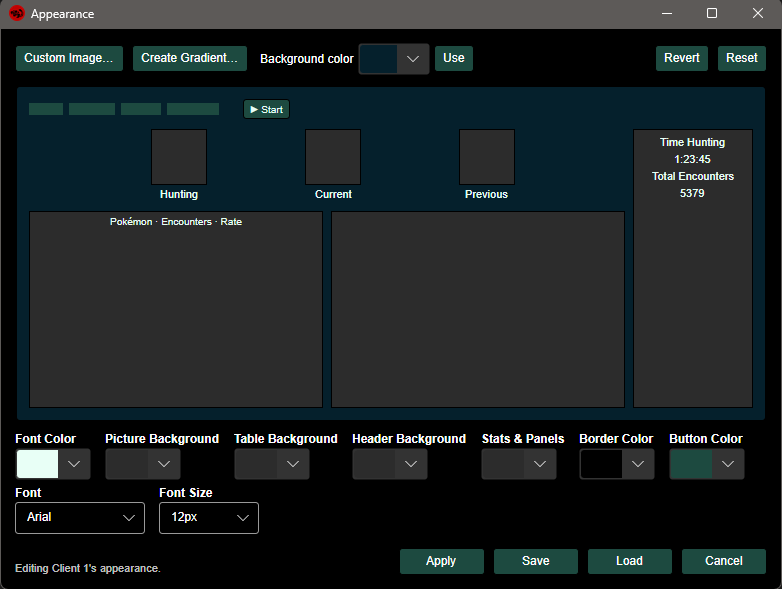
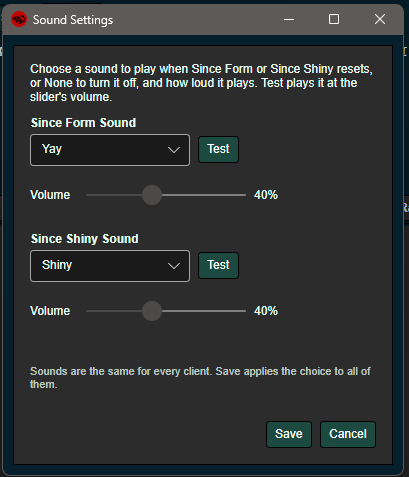
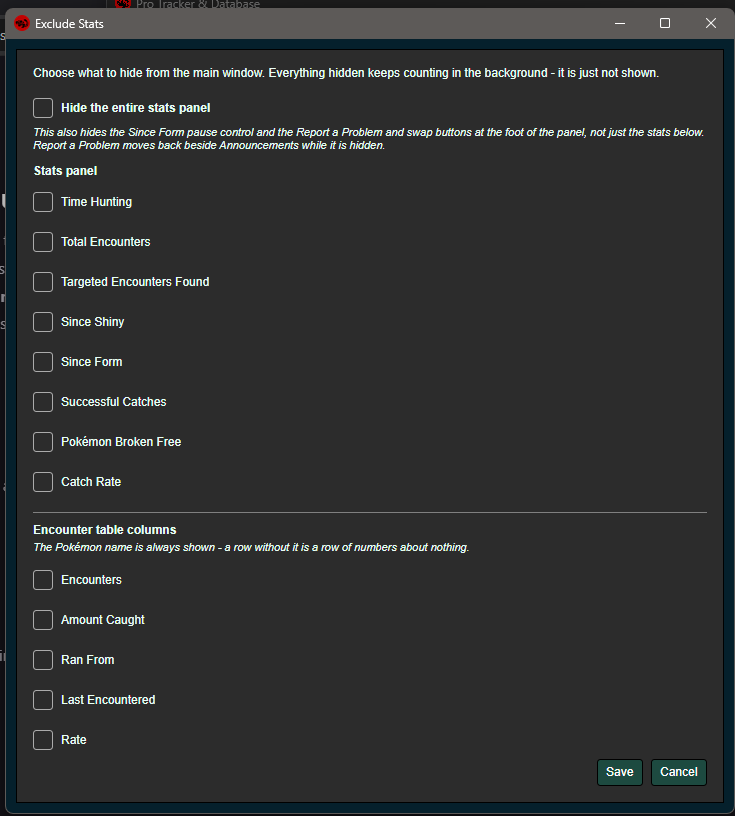
Pro Tracker & Database — Version 1.1.3 A Cross-Platform Pokémon Revolution Online Tracker, Database & Battle SimulatorAfter a lot of development, testing, rebuilding, and probably far too many encounters, I'm happy to finally present Pro Tracker & Database Version 1.0! Pro Tracker started as a relatively simple hunting tracker, but has grown into a much larger application designed to bring together hunting statistics, encounter history, Pokémon information, boss information, calculators, customization, and now a full Pokémon battle simulator into one application. Version 1.0 is also a major milestone because the application has been rebuilt around Avalonia, allowing Pro Tracker to move beyond Windows and toward true cross-platform support. Is this safe to use on Pokémon revolution online? The answer is yes. This does not inject or automate anything with the game, it simply reads the screen, specifically text found on the screen, and relays that information to the program. 💻 Cross-PlatformVersion 1.0 represents the transition of Pro Tracker to Avalonia, allowing the application to target multiple operating systems. Current platform support includes: 🪟 Windows 🐧 Linux 🍎 macOS 📸 Screenshots 📥 Download - protrackerdb.com with cloudflare Please pay attention, a couple of files had the & removed and capitals taken off. Windows[DOWNLOAD LINK] Linux[DOWNLOAD LINK - X64] Regular PCs (64-bit Intel/AMD - this is almost everyone) [DOWNLOAD LINK - Arm64] ARM devices (Raspberry Pi 5 and similar) (Not sure? Run: uname -m in a terminal - "x86_64" means the first link, "aarch64" means the second.) macOS[DOWNLOAD LINK - X64] Intel Macs [DOWNLOAD LINK- Arm64] Apple Silicon Macs (M1/M2/M3/M4) (Not sure which you have? Apple menu > About This Mac - if it says "Apple M1/M2/M3/M4" use the second link, if it says "Intel" use the first.) Android[Download Link] There is not much here yet other than boss information, and the simulator. Android will take a bit more time. 📋 Launching WindowsDownload. Extract the Pro Tracker files. Launch Pro Tracker. Start Pokémon Revolution Online. Select your desired hunting target(s). Start tracking. 📋 Launching Mac OSHow to start it (first time - about a minute): Unzip the download (double-click it). Open Terminal (Cmd+Space, type "terminal", press Enter). Type: cd followed by a space, then drag the unzipped folder into the Terminal window, and press Enter. Run this command: bash macos-start.sh 📋 Launching LinuxHow to start it (first time - a few minutes, it installs what it needs): Extract the zip. Open a terminal in the extracted folder. Run this command: bash linux-start.sh 📋Github [Github] ⭐ Main Features 🎯 Pokémon Hunting TrackerThe heart of Pro Tracker remains the hunting tracker. The tracker can automatically monitor your Pokémon Revolution Online client and keep track of your hunting session without requiring you to manually enter every encounter. Tracking includes:🔍 Automatic Pokémon encounter detection 📍 Automatic location detection 🆙 Encounter level detection ♀️♂️ Gender detection ✨ Shiny detection 🎨 Form/Event detection 🎣 Catch detection 💨 Pokémon breaking free ⏱️ Hunting timer 📊 Encounter statistics 🎯 Targeted encounter statistics 📈 Encounter rate 🎣 Catch rate ✨ Since Shiny counter 🎨 Since Form counter 🔄 Resettable hunting statistics 💾 Persistent hunting data You can track up to four hunting targets simultaneously, making it possible to monitor several Pokémon without constantly changing your target. 🖥️ Multi-Client SupportPro Tracker is designed with multi-client users in mind. You can track up to four Pokémon Revolution Online clients simultaneously, with each client maintaining its own information. Each client can have its own: Hunting statistics Hunting targets Appearance settings Boss cooldowns PvP history Preferences Hunting data Client profiles can also be named, making it much easier to keep track of which tracker belongs to which PRO client. 🔎 Advanced OCR & DetectionA major part of Pro Tracker is the automatic recognition system used to read information directly from the game. The application contains a dedicated OCR and capture system for recognizing information such as: Pokémon species Pokémon level Gender Location Shiny status Forms Event Pokémon Battle state Catch results The detection system also contains additional refinement and correction logic to improve recognition accuracy. 📚 Encounter HistoryYour encounters aren't simply discarded after the current hunt. Pro Tracker maintains a persistent encounter database so you can look back at your previous encounters. Encounter history can include: Pokémon Level Gender Location Date/time Shiny/Form information You can also view encounter history for individual Pokémon. Large encounter histories are supported through pagination rather than requiring the application to load everything at once. 🎣 Catch LogsCaught Pokémon have their own dedicated history. The Catch Log records information such as: Pokémon Level Gender Location Shiny/Form Date/time You can: View catch history Search by Pokémon Remove entries Clear history Export your catch data ✨ Shiny & Form TrackingShiny hunting is one of the main reasons Pro Tracker exists, so shiny and form detection has received special attention. The tracker supports: ✨ Shiny detection 🎨 Form detection 🌟 Shiny sprites 🎨 Form sprites 📊 Since Shiny tracking 📊 Since Form tracking 🔔 Shiny notifications 🔔 Form notifications ⏸️ Independent Since Form pause Different event and form classifications can also be handled separately. 🧬 Counterparts & Pokémon Forms(Meant to remove clicking on the cards. Will next update)The database contains a dedicated system for Pokémon counterparts and forms. This allows alternate versions of Pokémon to be represented separately rather than simply treating every form as the same Pokémon. The system supports: Regional forms Alternate forms Event forms Counterpart sprites 👑 Boss DatabaseThe Boss Database has grown into one of the largest sections of Pro Tracker. The database currently contains 58 boss definitions, including custom bosses. Each boss can contain information such as: Boss name Difficulty Location Requirements Boss Pokémon Pokémon levels Nature Ability Held items Moves Rewards Pokémon rewards Item rewards Pokédollars PvE Coins Streak rewards Special requirements/messages Boss information is stored in JSON, allowing the database to be expanded without requiring the entire application to be rebuilt. ⏱️ Boss Cooldown TrackerPro Tracker also keeps track of your boss cooldowns. Cooldowns can be tracked independently from normal hunting. Features include: Boss cooldown tracking Automatic battle detection Manual cooldown activation Boss-specific cooldowns Multi-client cooldown separation This makes it much easier to keep track of which bosses are ready without maintaining a separate list outside of the game. ⚔️ PvP TrackingPvP battles now have their own tracking system. The tracker can record: Opponents Number of battles Last battle Battle history Client association PvP history can also be: Removed Cleared Exported to CSV Exported to JSON Additional detection logic is used to prevent NPC trainers from incorrectly being treated as PvP opponents. 📊 Lifetime StatisticsYour hunting statistics can now be viewed separately from your current hunt. Lifetime statistics include: ⏱️ Total hunting time 👾 Total encounters ✨ Shiny Pokémon 🎨 Event/Form Pokémon 🎣 Pokémon caught 💨 Pokémon broken free 📈 Form rate ✨ Shiny rate 👑 Boss battles 🏆 Boss victories 💀 Boss losses ⚔️ PvP battles 🏆 PvP victories 💀 PvP losses These statistics are independent of resetting an individual hunting session. 🎨 Fully Customizable AppearanceOne of the biggest additions to Version 1.0 is the appearance system. Pro Tracker can be heavily customized to match your preferred style. You can customize: Background colors Font colors Border colors Button colors Header colors Panel colors Sprite backgrounds Encounter-table backgrounds Font Font size Text shadows Text outlines Custom images GIF backgrounds Gradient backgrounds Gradient direction The appearance editor includes a live preview so you can see your changes before applying them. 🎨 Custom ThemesAppearance settings can also be saved as .protheme.json files. This means themes can be: Saved Loaded Shared Imported Exported Reset This opens the door for the community to create and share their own Pro Tracker themes. 🔊 Sound NotificationsPro Tracker supports customizable sound notifications. Currently this includes notifications for: ✨ Shiny Pokémon 🎨 Form Pokémon Sounds can have their own volume settings and can be tested directly from the settings. 📥 Import & ExportHunting data can be backed up and transferred. Supported formats include: CSV JSON Importing can either: Add data to an existing hunt Replace existing hunt data This makes it much easier to migrate between installations or keep backups of your hunting history. 🧮 Calculators (Under Construction)Pro Tracker includes several calculators intended to make common Pokémon-related calculations easier. ⚔️ Damage Calculator (Under Construction)The Damage Calculator supports a wide range of battle information, including: Attacker Defender Pokémon levels IVs EVs Nature Abilities Held items Moves Move power Stat stages Weather Terrain Burn Reflect Light Screen Critical hits Type effectiveness Damage ranges Damage percentages KO calculations Moves can also be filtered based on whether the Pokémon can actually learn them. 🧬 IV Calculator (Under Construction)The IV Calculator allows you to calculate Pokémon stats based on: Pokémon Level Nature IVs EVs It also supports the six primary stats and Hidden Power calculations. 🌎 World Quest Calculator (Under Construction)The World Quest Calculator helps keep track of community and individual contribution calculations. It can calculate: IV totals Individual catches Average IV Number of catches Community contribution Share percentage Ticket calculations 📖 Game InformationThe application now has a dedicated Game Information section. Current/planned sections include: 👑 Boss Database 🧬 Counterparts 📖 Game Guides 💎 Mega Stones ⭐ Legendary Pokémon 📈 EV Zones ⛏️ Excavations 🧮 Calculators ⚔️ Damage Calculator 🌎 World Quest Calculator 🧬 IV Calculator Additional database sections will continue to be added as development progresses. 📚 Game GuidesThe application also contains an in-development guide system. The system is designed to allow guides to be viewed directly inside Pro Tracker rather than requiring users to constantly switch between the game and browser. Guide functionality includes: Guide database Guide parsing HTML rendering In-app guide viewing Browser fallback 🎉 EventsAn experimental Events system has also been added. The system is designed around displaying and managing event information, including: Event listings Event descriptions Event rewards Pokémon rewards Item rewards Pokédollars Pokémon submissions Event entries Active events The event system is still under development and will continue to evolve. 📢 AnnouncementsA dedicated Announcements section has also been added. This allows important information to be displayed directly inside the application rather than requiring users to manually check the forum for every update. 🐛 Report a ProblemA dedicated problem-reporting system is included to help gather useful diagnostic information when something goes wrong. Rather than simply reporting: the diagnostic tools can help determine whether the issue is related to: Screen capture OCR Client detection Location recognition Tracker state Data Configuration 📌 Compact ModeDon't want the tracker taking up your entire screen? Pro Tracker includes a dedicated compact mode. The compact tracker provides the important controls and information while taking up considerably less space. It includes: Start Stop Reset Pokémon selection Target information Current encounter Previous encounter Hunting timer Always-on-top support 📌 Always on TopThe tracker can remain above other windows while playing. This can be particularly useful when using the tracker alongside multiple PRO clients. The statistics panel can also be positioned on either side of the tracker. 📋 Statistics & Table CustomizationNot everyone wants to see the same information. Pro Tracker allows individual statistics to be hidden without disabling the underlying tracking. You can customize visibility for statistics such as: Hunting time Total encounters Targeted encounters Since Shiny Since Form Successful catches Broken free The encounter table can also have individual columns hidden. Hidden information is still tracked in the background. ⚔️ NEW — Pokémon Battle Simulator (Under construction)And finally... 🐝 Pro Tracker is no longer just a tracker.One of the largest additions to Version 1.0 is the integrated Pokémon Battle Simulator. The simulator is being developed directly alongside the tracker and shares many of the Pokémon, move, ability, item, and battle systems used throughout the project. 🧑🤝🧑 Team BuilderBuild your own Pokémon teams directly inside Pro Tracker. The Team Builder supports: Six-Pokémon teams Pokémon selection Team ordering Lead selection Pokémon replacement Pokémon removal Moves Abilities Held items Levels IVs EVs Nature Shiny status 👑 Battle BossesThe Boss Database and Battle Simulator are connected. This allows bosses from the database to become actual simulator opponents. You can select bosses based on their available difficulty: Easy Medium Hard The simulator can then use their stored Pokémon, levels, moves, abilities, and items. This means the Boss Database is no longer simply informational. You can actually battle them. ⚔️ Battle SystemThe simulator contains an underlying battle engine rather than simply displaying a visual mock battle. The engine currently supports systems such as: Damage calculation Accuracy Critical hits STAB Type effectiveness Weather Terrain Stat stages Nature IVs EVs Abilities Held items Status conditions Entry hazards Screens Protect Substitute Drain Recoil Healing Poison Burn Toxic Spikes Spikes Stealth Rock Rapid Spin Defog Two-turn moves Switching Mega Evolution Z-Moves Battle phases Battle events Battle logging The battle engine is being developed as its own modular system so additional mechanics can continue to be added. 🧠 Battle AIThe simulator also contains several experimental AI systems. Current development includes: Baseline/random AI Monte Carlo AI Neural-network AI Model-based AI Battle memory Opponent memory The long-term goal is to allow the simulator to observe battles and use those battles to improve future decision making. 🗃️ Data-Driven ArchitectureA large portion of Pro Tracker is data-driven. Pokémon, moves, bosses, themes, locations, and other information can be stored externally rather than being hard-coded directly into the application. This makes it much easier to expand the project over time. The project currently makes use of systems for: Pokémon data Move data Ability data Boss data Item data Location data Theme data Counterpart/form data Sprite data 🚧 Experimental / In DevelopmentNot everything currently visible in the application should be considered completely finished. Some areas remain under active development, including: 🗺️ Interactive Maps ⭐ Legendary Pokémon database 📈 EV Zones ⛏️ Excavations 📖 Additional guides 🎉 Events system 🤖 Deep-learning battle AI 🔬 Advanced Battle Lab functionality 🎨 Automatic form identification Additional boss information These features are being developed alongside the main application and will continue to receive updates. 🐛 Known IssuesAs with any major 1.0 release, there are still things being worked on. Some platform-specific behavior, OCR edge cases, and experimental features may not work perfectly in every environment. If you encounter a problem, please use the application's diagnostic/reporting tools where possible. When reporting an issue, please include: Operating system Pro Tracker version PRO client version What you were doing What happened Any relevant screenshots Diagnostic information when available The more information provided, the easier it is to reproduce and fix the problem. ❤️ Credits & ThanksA huge thank you to everyone who has: Tested Pro Tracker Reported bugs Suggested features Provided feedback Tested different operating systems Helped identify OCR issues Tested bosses Tested the simulator Helped improve the database This project has grown considerably because of the feedback from the PRO community. 📋Final WordsWhat started as a small hunting tracker has turned into something considerably larger. Pro Tracker & Database is now intended to be an all-in-one companion for Pokémon Revolution Online, combining hunting, statistics, databases, bosses, calculators, history, customization, and battle simulation into a single application. I hope you enjoy Version 1.0, and as always, feedback and bug reports are greatly appreciated! Thank you for checking out Pro Tracker! 💜


 1 point
 -
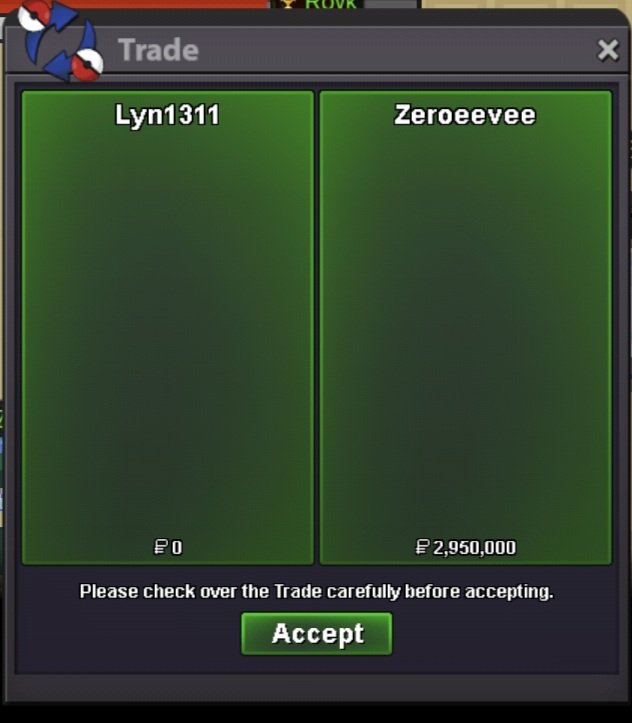
Service quest diancie, hoopa, arche valley quest, crater town quest and victini+timeflute. Thnx much, Glhf!
 1 point
 -
1 point
-
1 point
-
1 point