New Trade Zone
Trade Zone is now live
Use the new Trade Zone for auctions and instant-price trades so Pokemon and item offers are easy to find.

Olker
Registered User
-
Joined
-
Last visited
Everything posted by Olker
-
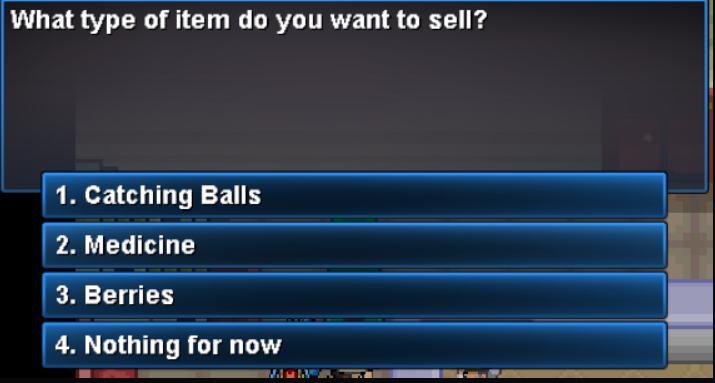
I came back after a few months, I know it's not tradeable, but they told me I could still sell it to the item buyer. However, the option doesn't appear.
-
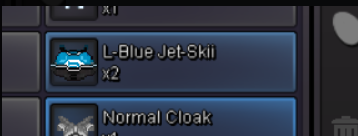
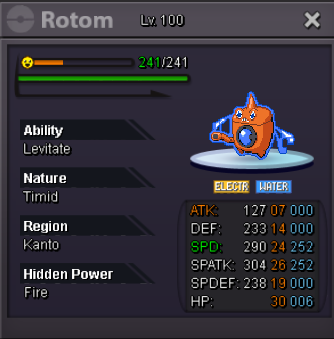
Current Offer: 1m (MiracleBoy) Increment: 50k Insta: 2m Auction lasts 24 hours after first offer. I accept pokédollars and cc as 390k.
-
Little 4 month bump.
-
Bump
-
Bruh, why tf would you pass buffs into a mega medi instead of to something with mold breaker.
-
Title. Contact me here, in game or via discord. Locrito#6699
-
Raikuo :u
-
Numbers in the spreadsheet aren't really hard to understand. However, the time invested fpr creating it is appreciated. As you said, I disagree with the time factor, I believe it takes much, MUCH mess. Responding to the suggestions: 1. It has been suggested already, and is being worked on. I hope it works like neopets auctions. 2. I prefer for it to just be coded. I strongly believe that the market will re-balance itself, probably producing a lower range of varying prices. 3. Kind of like pokémon go? I completely disagree with this one, it would limit the economy completely, disbanding it from being a real free market.
-
Damn, people literally just read two words of a whole paragraph.
-
Remember his time is not necessarily your time.
-
I never thought those type of Joys were used that much, lol. I NEVER used any of them.
-
Bump
-
Did you listen to the elder'# story?
-
I gave him, or someone from his guild, clothes once. I left vermi and came back a few minutes later. He asked me for clothes again. It reminded me of that south park episode where beggars were everywhere.
-
I suggest that it should be revamped, just like new bosses. That way recognizes if the dc was a crash, and lets the player fight again.
-
I don't rememner if the halloween client songs were the same every year, but I remember one I really liked back in 2017 I believe? I tried to find it, but can't. Anyone can help me with this, please? :]
-
Dealt with quickly and accordingly before it became a morality battle. Close this, as it has been denied already, please. :]
-
Bump
-
Knock off doesn't remove the item if you die.
-
A 12 day wait isn't that crazy for an mmo. The wait will be over sooner than what you two think.I think it would be better if the mini icon purple parts were more accurate to its sprite purple parts. PRO's one's purple parts in the mini icon looked like clothes that have been bleached out before, and now look way darker than the 2d sprite. This is the original 2d sprite This is how its mini icon looked like in game before the update This is how it looks like now This is how its mini icon looks like in showdown (more accurate to the 2d sprite) My suggestion: Use showdown's Tornadus Therian mini icon colors. I'm not an artist, and I'm sure PRO's artists can do a much better job with it, but the following is an example I made that I think should be the accurate colours: Sorry for bumping this, I know it's probably an unecessary change, but I had to point it out.




 I love the idea. It would be a complete pain to re - do all the story to make this feature available. PokeOne has it. Don't know if they're still working on it, though.Klinklang is a high tier poke though. I don't think it's plausible.