




New Trade Zone
Trade Zone is now live
Use the new Trade Zone for auctions and instant-price trades so Pokemon and item offers are easy to find.

Epithet
Community Coordinator
-
Joined
-
Last visited
Everything posted by Epithet
-
Hola @Keen21. Para poder entrar al S.S Anne, tienes que presentar un boleto. Bill, en la ruta 25, te regala un boleto por ayudarle encontrar su cuaderno. El cuaderno de Bill estará debajo de su almohada. Si tienes más preguntas o requieres más clarification, házmelo saber.
-
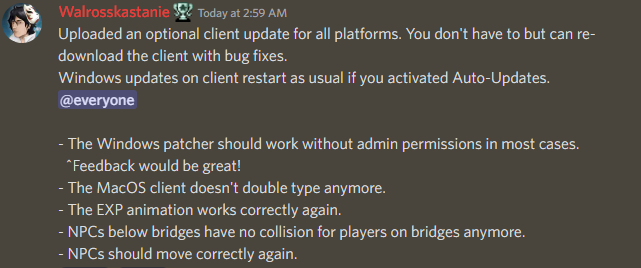
Hello @Mochi00. My apologies for the late response. Thank you for reporting this. This issue has since been fixed, as announced in the PRO Discord server. If you have further questions or still continue to face this issue, please let me know.
-
Locked as resolved. Feel free to create a new thread if you have another question or concern. Have a great day.
-
Hello @Coono. This is not a bug, but an intended interaction between the moves. Sound-based moves, with the exception of Howl, are able to bypass Substitute. Hyper Voice is one of the sound-based moves.
-
Hello @Konservatif. My apologies for the late response. I forwarded the issue to our Developers and they re-added the controller option. You are allowed to use Joy2key. Let me know if you have further questions.
-
Hello @Slickrick23. My apologies for the late response Are you still experiencing this issue? If so, can you provide a screenshot of the error you’re receiving?
-
Hello @Ddanthe. My apologies for the inconvenience. Can you try either of the following: Run the client as an administrator Delete all your PRO files and redownload the game
-
Hello @Chamaleo. Those guards are blocking the entrance to the Pokémon League Reception Gate, which is opened after obtaining the 8 Kanto badges required to challenge the Pokémon League. To progress, you'll need to take the northern exit in Viridian City. I've attached an image to show you where it is.

-
I can’t guarantee that it will be solved today or even tomorrow. I can just tell you that the CS team is aware of it. The issue could be very complicated or very simple. As soon as there’s a fix, we’ll inform you.
-
Hello @Soudias. My apologies for the inconvenience. Your issue has been forwarded to our Content Scripter team. Once there is a reply, either one of them or myself will reply to you here. We kindly ask for your patience and understanding while we work to solve this.
-
Hello @Compile. My apologies for the inconvenience. Your issue has been forwarded to our Content Scripter team. Once there is a reply, either one of them or myself will reply to you here. We kindly ask for your patience and understanding while we work to solve this.
-
Hello @Tasin. Please try running the client as administrator. If that does not work, try deleting all your PRO files and redownload the game.
-
Hello @Praveen00. My apologies for the inconvenience. Your issue has been forwarded to our Content Scripter team. Once there is a reply, either one of them or myself will reply to you here. We kindly ask for your patience and understanding while we work to solve this.
-
On mobile, there is an option in settings labeled Console. Try doing the steps I mentioned above.
-
Glad to see you found all the required items. Since the issue has been solved, this thread will be closed. Feel free to create a new thread if you have another question or issue. Have a great day.
-
Locked as resolved.
-
Hello @Darklives666. My apologies for the late response. Are you still experiencing this issue? If so, can you try opening the console by clicking F2, then typing in clean reg, then hitting your enter key?
-
Hello @Sofiuwu. My apologies for the late response. Are you still experiencing this issue?
-
Glad to see you were able to find a solution. I'll go ahead and lock this thread since that is the case. If you come across another issue or have a question, feel free to create a new thread. Have a great rest of your day.
-
Hello @Swer4412. Thank you for being forthcoming with this. It has been forwarded to the responsible team to see if this was intentional or a bug. We will update you as the situation unfolds. Thank you for your patience and understanding.
-
Hello all. My apologies for the inconvenience. The issue has been brought up to the Content Scripter team. They will look into it as soon as they can. Either one of them or myself will reply when a solution has been found or if we have some questions for you guys. Thank you for your patience and understanding.
-
Hello @Habadain. My apologies for the inconvenience. The MAC download should be working now.Please try again. Let me know if you still have problems downloading it.
-
Hello all, MAC download should work again now. Let me know if you still face any troubles.
-
Hello @Megadialga. My apologies for the inconvenience. According to our database, you are currently wearing the Reaper Outfit. Was your issue solved? Is this a separate Reaper Outfit?
-
Hello @Criistcrist. My apologies for the inconvenience. Can you share a picture of the error you're receiving?
