New Trade Zone
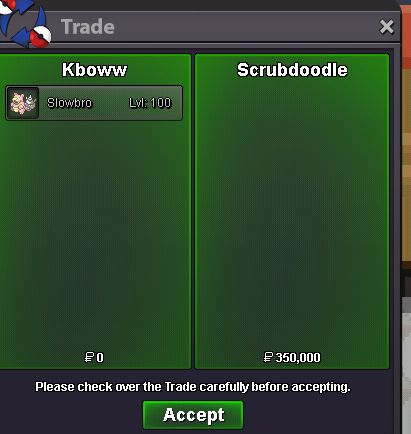
Trade Zone is now live
Use the new Trade Zone for auctions and instant-price trades so Pokemon and item offers are easy to find.

Kboww
Registered User
-
Joined
-
Last visited
Everything posted by Kboww
-
That makes no sense still because I am one of the leaders of the top guild and it's full of quality players (id argue the best pvpers on gold) because everyone in the guild can manage 200+ rating and it took over a year for us to form friendships with all the people in the guild to get to this point. Hard work pays off and takes time. it just takes the leader of the guild to have dedication and good leading skills to be able to have people join and work together to get to the top like a guild should. [This is just my opinion I understand what you are trying to say I'm just voicing from my point of view]
-
A guild is supposed to be a big group of people thats the whole point. If you want top 10 all you need to do is just recruit people and teach them pvp and eventually once you have enough people you will make it. Top 10 guilds can not be made over night its a process because you need to build a bond with everyone like its your own family so that way everyone can work together. All you need is about 20-30 people who can do at least 100 rating and you can get top 10
-
Bump ^^
-
Bump
-
Bugged for me as well. just checked it and it's invisible
-
Thank you!!
-
Earlier today i was going to pvp and when I pulled my zapdos out its ability was pressure again. I changed it to static the day of the ability reroll release so something went wrong
-
Same lots more lag and crash since update
-
Oh ok thanks for looking into it for me!
-
https://www.smogon.com/dex/sm/pokemon/xatu/ On smogon it shows that xatu learns baton pass in gen7 but its not an egg move, pre evo or at the relearner can someone help me with how to get it?
-
+1 super annoying and makes the game seem alot more laggy than usual
-
Up :)
-
Up :]
-
Bump new mons new prices <3Bump <3Yes it works now thanks so much!! <35m or trade for rare shiny I'll listen to offers Pm me here or on discord @kboww#5487
 I transferred to silver a few days ago so I could hunt jangmo-o and when i came back i couldn't access guild island anymore. I'm in ascension on gold and I ended the season with over 10 rating last month so I should be able to. Also I was able to access before i transferred the first time too