New Trade Zone
Trade Zone is now live
Use the new Trade Zone for auctions and instant-price trades so Pokemon and item offers are easy to find.
Leaderboard







Popular Content
Showing content with the highest reputation on 05/12/22 in Posts
-
8 points
-
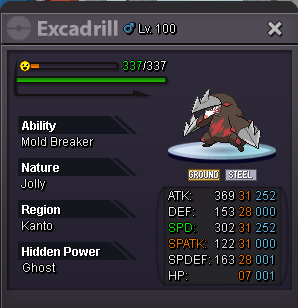
8 pointsS.o 2m5 min bid 200k insta: 10m end in 24hrs after start accept payment pokedollar cc - 400k rr -700k nature rr - 350k
 8 points
 -
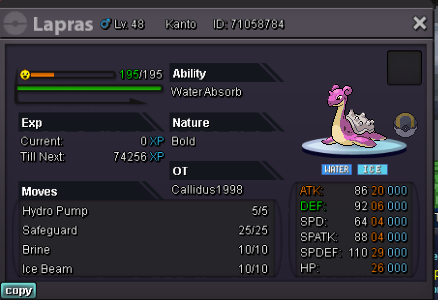
6 pointsS.o 7m min bid 200k no insta end in 24hrs after start accept payment pokedollar cc - 400k rr -700k nature rr - 350k
 6 points
 -
6 points
-
5 points
-
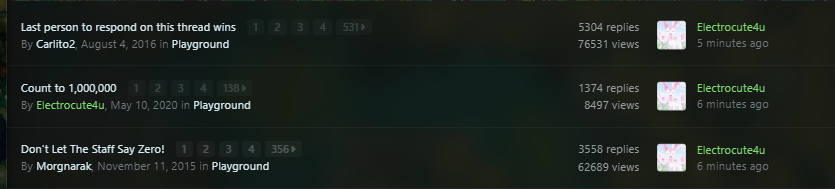
it would be cool if we could filter out certain forum sections so they dont show up on the main page of the forums on the latest posts, every day all that shows up is people spamming in playground (not saying they shouldnt do that) but would be nice to just be able to see certain sections like suggestion or only gold/silver shiny trades for example. even the ability to ignore certain sections on the forum so they dont show up at all on the main page would be nice. this isnt much of a big suggestion but would be a quality of life change for sure
 4 points
 -
Starting Offer - 100k Current Offer - 300k Shopee Min Bid - 50k Insta- 750k Auction ends 24 hr from last bid
 4 points
 -
4 points
-
2 points
-
2 points
-
2 points
-
2 points
-
2 points
-
2 points
-
2 points
-
2 points
-
2 points
-
2 points
-
2 pointsHello @Syn1x. My apologies for the extreme delay on our part. Your issue has been forwarded to, and is being looked into by, our Content Scripters. Once there is a reply, either a Content Scripter or myself will reply. Thank you for your patience.2 points
-
2 points
-
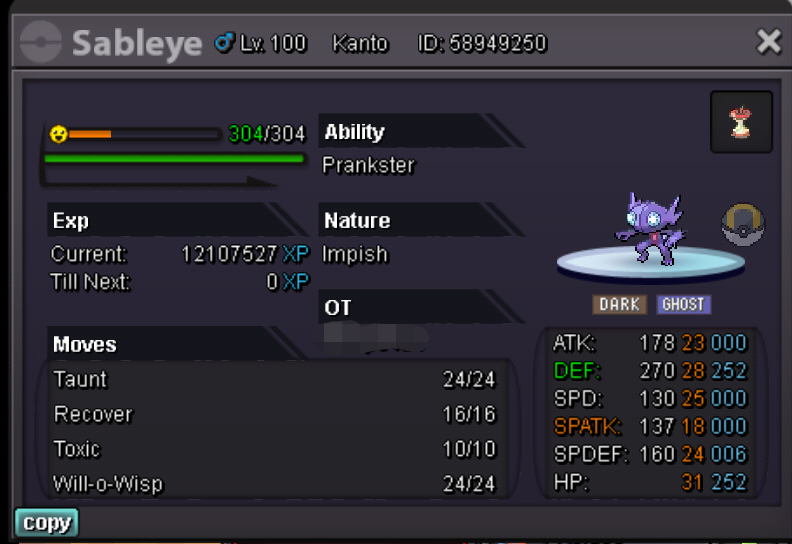
1 pointGold server / Silver server It depends on the server I am on, you will have to put the server transfer. I accept only the following in case you do not have the money: you can contact me on Discord - Limit#8291 Nig - Limit

.png.95bebc6fc42ef138721082eec5c34a13.png)



.png.dc99c9c9f4dd7ec07cdd0f4ff98fe20c.png)
.png.0d41c3c1a72046a3dcee1b6c6aab0484.png)

.png.800c8fe4599184a2968bd388b3af04ed.png)
.png.e94c2c122bfb8f92d09b00cbacdfe838.png)

.png.4821b5d5f93c8c6602ba2c0ae54961e4.png)

.png.1f4c2460bc16cdd200e1c113dfdbaf07.png)
.png.650a57b56ddfe9f125595885372e60ff.png)

.png.5a7bfb16b648d016545a7953a728cc8e.png)
.png.af34151f870d6446437a688080aa2094.png)
.png.7e283322b03f5767d87a9ff9bd339d47.png)
.png.0e22167e72115534baf82ed308000082.png)
.png.f8e06acf5401a7ae134c920f58f0c1b7.png)
.png.9939c01737a352aeae5182cee38e7fb3.png)
.png.55eff5168347761d493febe0ba887bdc.png)
.png.44b4e04d39499f123ec16f8d8e7d6cde.png)

.png.f5c400b08fe44ded6bbf621330342f54.png)

.png.7342ec9ed1f123c8307ad3a101229143.png)






.png.3dd7c9f39012342c36c71f39c22b40f7.png)

.png.a581bee808623c5eeaf2e04114e36992.png) 1 point
1 point -
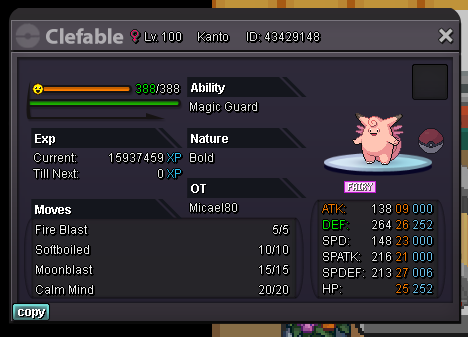
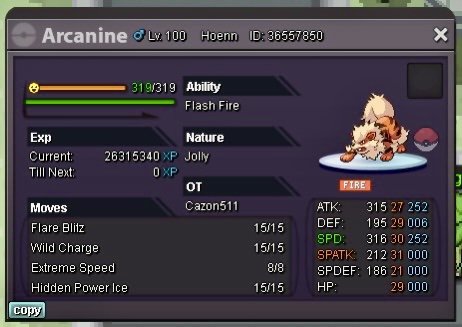
1 pointCLOSED AT THE MOMENT Hello everyone and welcome to my mini shop 😘 You are free to message me at any moment and I will always answer here or in discord. It’s more likely that I can answer you faster through Discord. PM me to buy, prices will not go any lower. Accepted payment methods: Pokedollars, Coin Capsule (400K), Reroll Ticket (690K) and Rare Candy (7K). IGN Micael80 Discord Tag Micael80#7761 Metagross Jolly 22+IVs 29SPD Price 2.5M (2.500.000) SOLD Greninja Timid HP ICE 31SPD/31SPATK Price 2.1M (2.100.000) SOLD Alakazam Timid H.A. 30SPD Price 1.2M (1.200.000) SOLD Blastoise Bold 24+IVs Price 1M (1.000.000) SOLD Abomasnow Mixed H.A. 31ATK/31SPATK Price 700K (700.000) SOLD Staraptor Jolly H.A. 20+IVs 31ATK Price 650K (650.000) SOLD Charizard Mega X Jolly 27SPD/27ATK/31HP Price 550K (550.000) SOLD Lopunny Jolly H.A. 20+IVs 27SPD Price 500K (500.000) SOLD Arcanine Jolly 21+IVs & 30SPD Price 450K (450.000) SOLD Clefable Bold Magic Guard 21+IVs 25HP Price 400K (400.000) SOLD
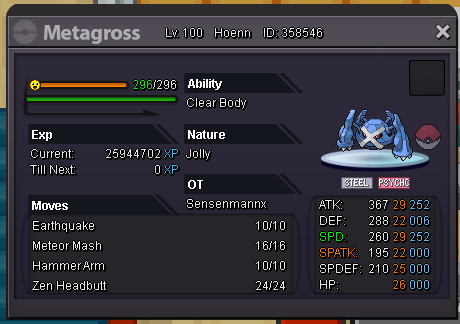
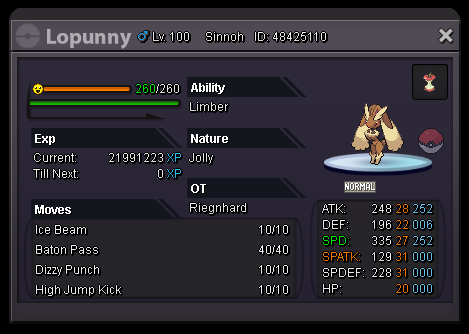
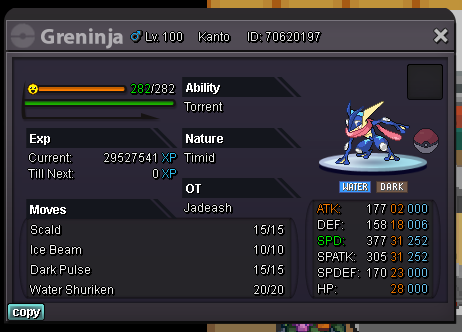
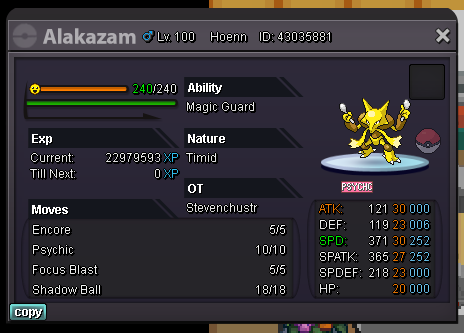
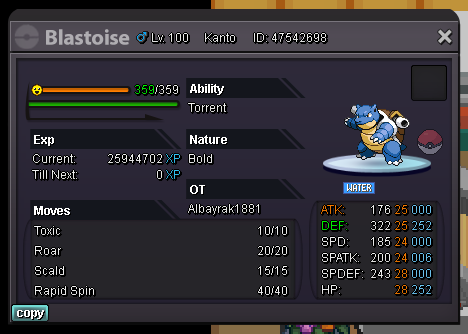
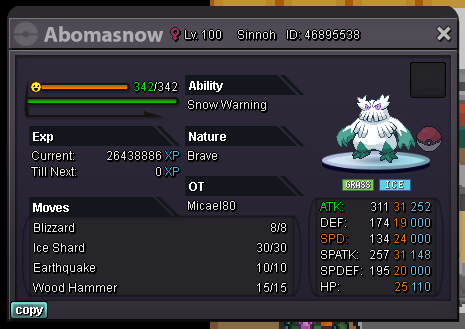
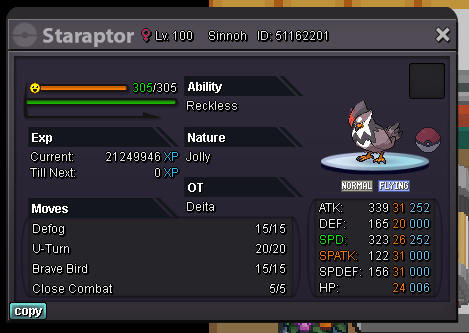
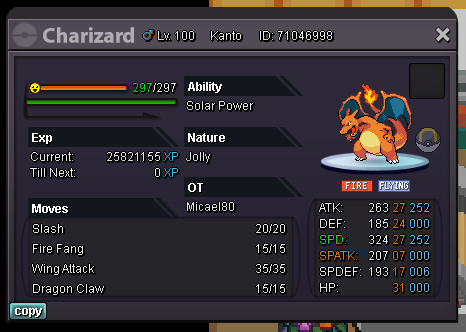
 1 point
 -
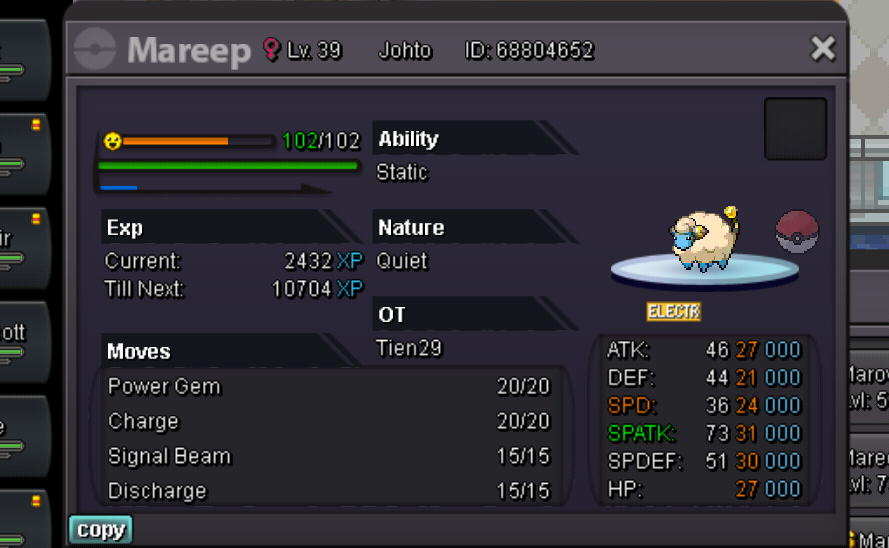
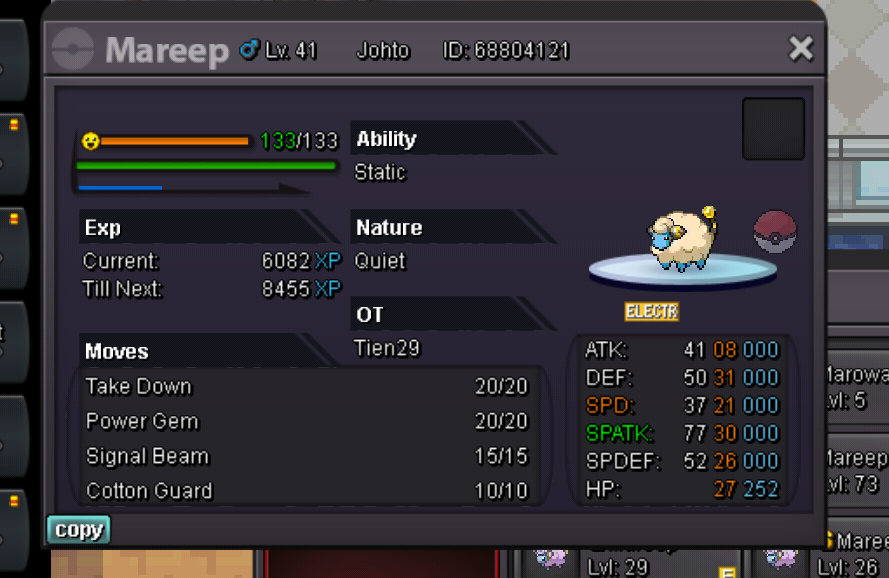
1 pointBOTH END AT 7:39A.M GMT+7 1st mareep (31spatk) C.o: 450k by Rinoc 2nd mareep (30spatk) C.o: 400k by Alexii Both S.O are 100k Min bid:50k Insta 1st: 750k 2nd: 850k Auction end 36hrs after first bid I accept: Cc(400k) Rr(690k) Nrr(340k) Have fun bidding!
 1 point
 -
1 point
-
1 point
-
1 point
-
1 point
-
Unfortunately both options dont work. The Unread page shows every content you didnt read yet, including the Playground area for example and you cant be ignored as a user since you have the Contributor role. This is not meant to be against you personally in any way so please try to not take it that way. I would just like to browse through the forum more comfortably.1 point
-
+1 And for the record, proclaiming it as "every day" is a bit overexaggerating, as I've been quite inactive as of lately and I do it in bulk to keep myself from appearing any more then I have to. But If you don't like to see it, I would advise you to use either the Unread page or ignore me through the ignore list, if you want to get the latest post updates and create a new stream to watch or simply ignore all my posting in the future. Imo I gotta have some freedom to appear wherever I want without people throwing more toxicity at me for breathing and being active, trying to keep a overwise dead forum and forum section alive.1 point
-
1 point
-
1 point
-
1 point
-
1 point
-
1 point
-
The following information apply to both. S.O : 500k. Min Raise : 100k. Insta : 3m. Duration : 48 hours after the first bid. Accepted payments : Reroll Tickets : 700k each. CC : 400k each. Pokedollars. C.O : 500k AdonaR for Guts Machop (Winner). 500k Alcahtras for No Guard Machamp (Winner). Quick Reminder : Don't forget this, so nobody will get upset 😉. Happy bidding .


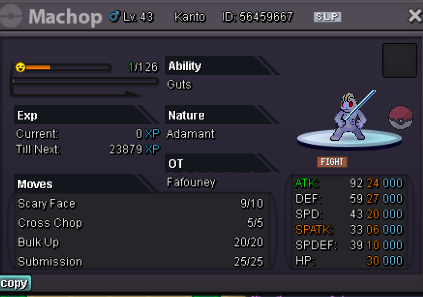
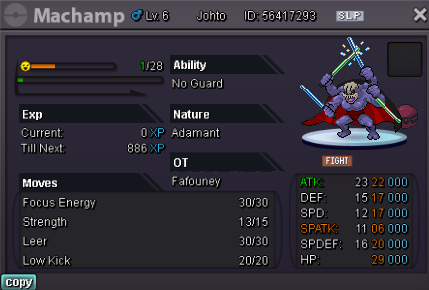
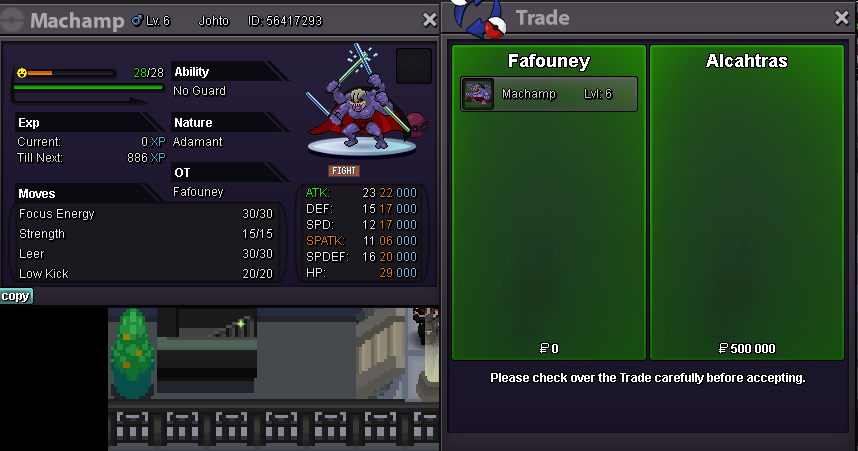 1 point
 -
The first one I found in 4 minutes believe it or not (I spent thousands of repels and 18 boxes the previous year however while getting 0) and the rest I found within 1600 repels total1 point
-
1 point
-
Start price 1m min bid 100k insta 2.5m cc = 400k iv rr = 700k 24hrs since start Thx ! Will go to both server to trade.
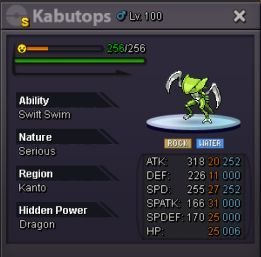 1 point
 -
1 point
-
1 point
-
1 point
-
1 point
-
1 point
-
1 point
-
1 point
-
1 point
-
1 point
-
1 point
-
1 point
-
1 point