




New Trade Zone
Trade Zone is now live
Use the new Trade Zone for auctions and instant-price trades so Pokemon and item offers are easy to find.
Leaderboard
-
Yumetsuki
Registered User11Points269Posts -
370kibiryani
Suspended4Points2840Posts -
Sushimy99
Suspended2Points67Posts -

Fenermania
Suspended2Points330Posts



Popular Content
Showing content with the highest reputation on 12/09/22 in all areas
-
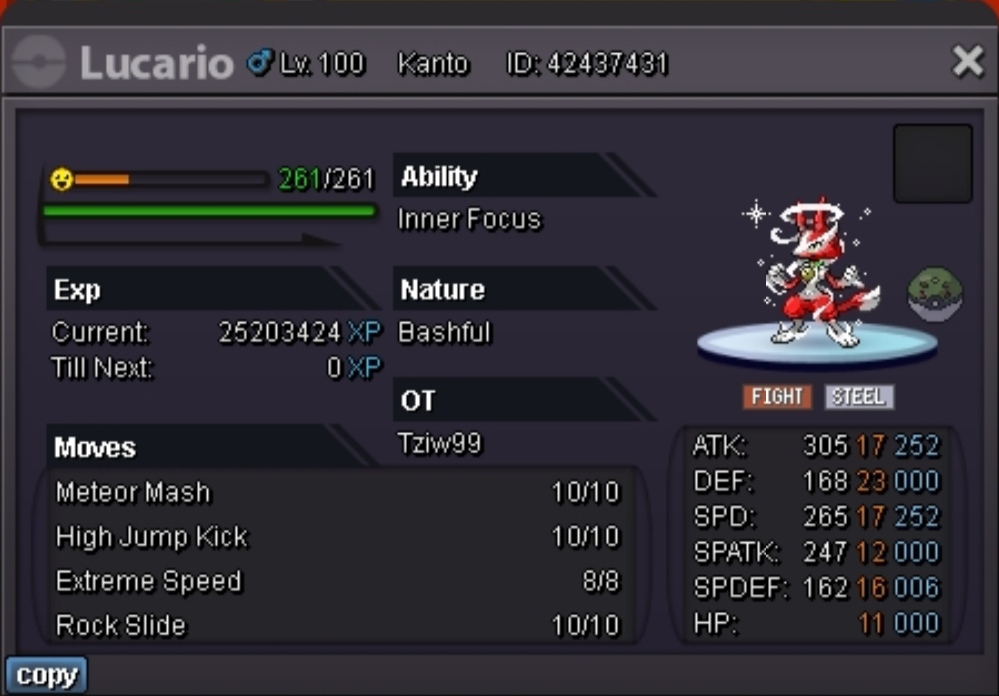
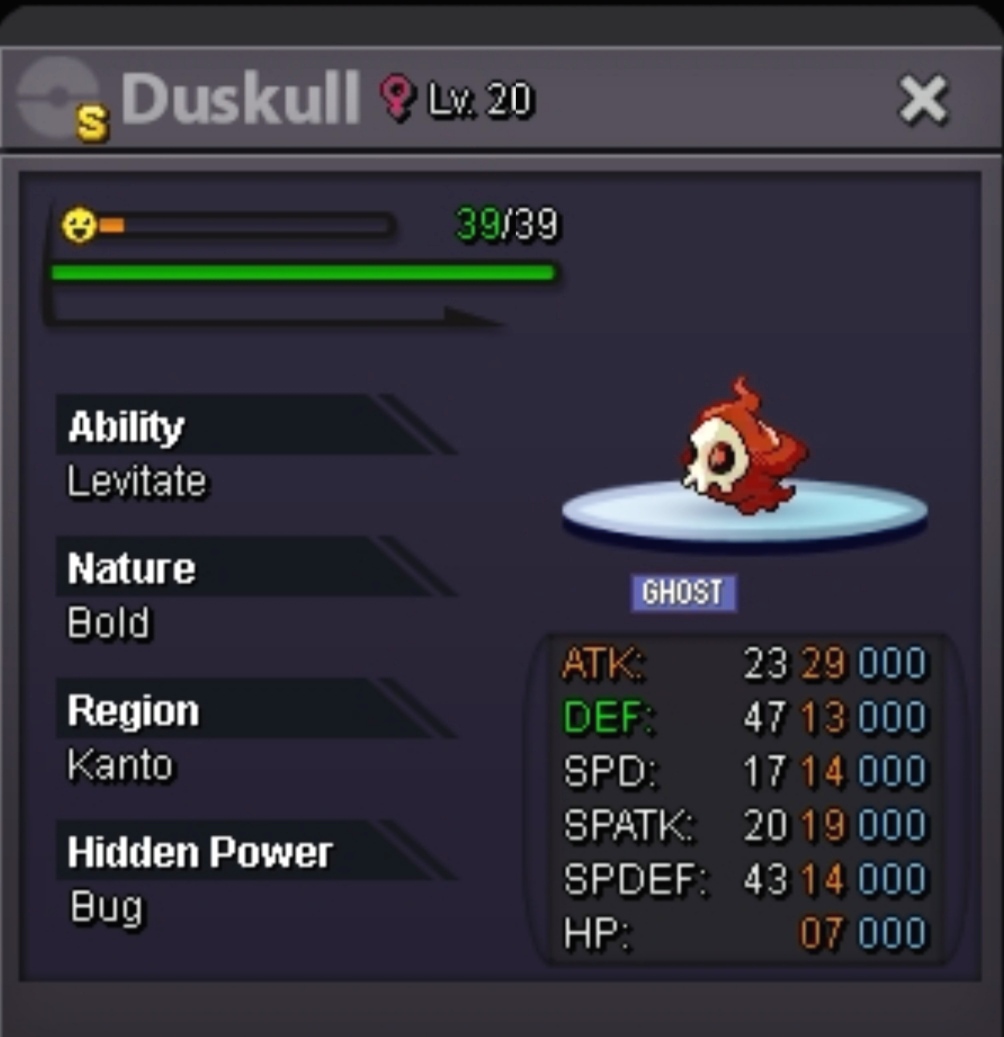
2 pointsC.o. 1.1m by Itachiy for Lucario/800k by Bitrix for Duskull Min bid 50k No insta End- 1am 12/12/22 IST GMT+5.30 Accept cash and cc(350k)
 2 points
 -
2 points
-
2 pointsYou can change your username from dashboard. It costs 5 × Coin Capsules.2 points
-
1 point
-
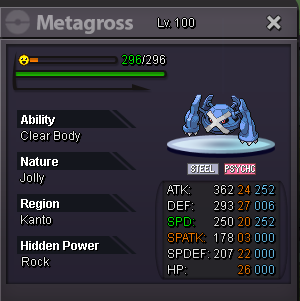
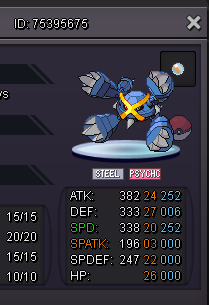
1 pointMETAGROSS S.O : 500k HIS NICKNAME : (BLUE BEETLE THE GREAT) ------------------------------------------ ------------------------------------------ MIN RAISE : 50K END OF AUCTION : 5 days AFTER FIRST BID
 1 point
 -
1 point
-
1 point
-
1 point
-
1 point
-
1 point
-
1 point
-
1 point
-
1 point
-
1 point
-
1 point
-
1 point
-
1 point
-
1 point
-
1 point
-
1 point
-
1 point
-
1 point
-
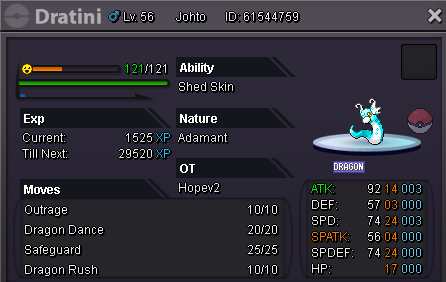
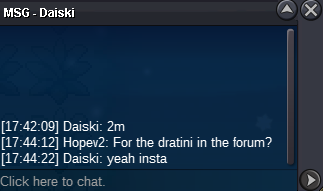
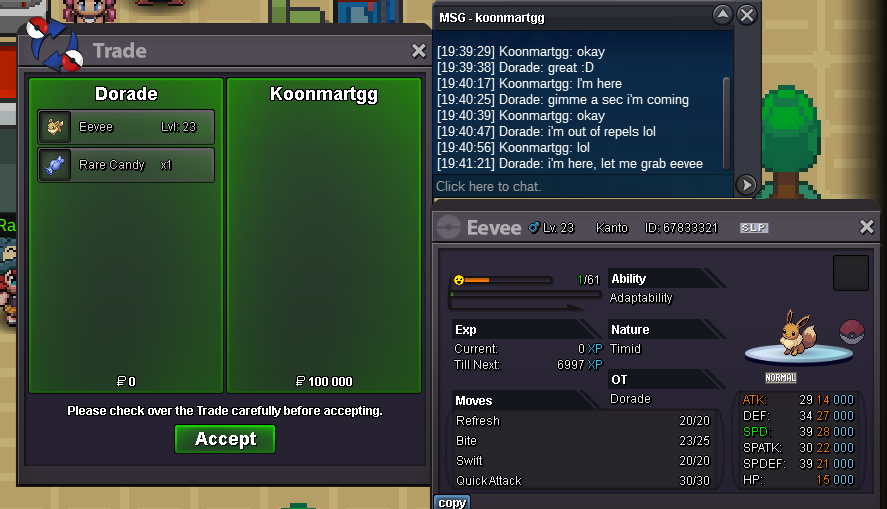
1 point1 point1 point1 point1 point1 point1 point1 pointAnd now the final page of this extra ~ Tomorrow we're going to enter Chapter 4 and then it's back to the regular weekly friday update schedule.1 pointOnix and geodude are best when it comes to rock / ground type in MT. moon. But it'll be hard to gain exp for onix.1 point1 point1 point1 point1 point1 point1 pointNow before the chapter starts, it's time for the the Extra I've been talking about that's releasing for Zinelocke. Unfortunately it seems the release date has been delayed by a few days. But until then I'll still be posting the extra pages one by one evert day... :x1 pointWith chapter 3 now entirely officially out of the way it's time to reveal the cover for chapter 4 😄1 point1 point0 points0 points0 points0 pointsHello @Lag621 The 15 minute extention rule was not honoured and you ended your auction prematurely. As stated in the Auction Rules You have been punished for a mishandled auction as @Sayedkhairill was not the rightful winner. Please read the Auction Rules to avoid further punishment in the future. @Jinkslit was the correct winner as the bid stood for a full uninterupted 15 minutes. @Sayedkhairill I have reversed the trade and you have recieved the 2.7m back into your account. @Lag621 The trade of 2.7m has been reversed and you have now recieved 2.9m instead. @Jinkslit 2.9m has been removed from your account and you have recieved the Chansey. My apologies to everyone for the inconvenience. Take care, Manbat.0 points0 points0 points0 points0 points




























Account
Navigation
Search
Configure browser push notifications
Chrome (Android)
- Tap the lock icon next to the address bar.
- Tap Permissions → Notifications.
- Adjust your preference.
Chrome (Desktop)
- Click the padlock icon in the address bar.
- Select Site settings.
- Find Notifications and adjust your preference.
Safari (iOS 16.4+)
- Ensure the site is installed via Add to Home Screen.
- Open Settings App → Notifications.
- Find your app name and adjust your preference.
Safari (macOS)
- Go to Safari → Preferences.
- Click the Websites tab.
- Select Notifications in the sidebar.
- Find this website and adjust your preference.
Edge (Android)
- Tap the lock icon next to the address bar.
- Tap Permissions.
- Find Notifications and adjust your preference.
Edge (Desktop)
- Click the padlock icon in the address bar.
- Click Permissions for this site.
- Find Notifications and adjust your preference.
Firefox (Android)
- Go to Settings → Site permissions.
- Tap Notifications.
- Find this site in the list and adjust your preference.
Firefox (Desktop)
- Open Firefox Settings.
- Search for Notifications.
- Find this site in the list and adjust your preference.