




New Trade Zone
Trade Zone is now live
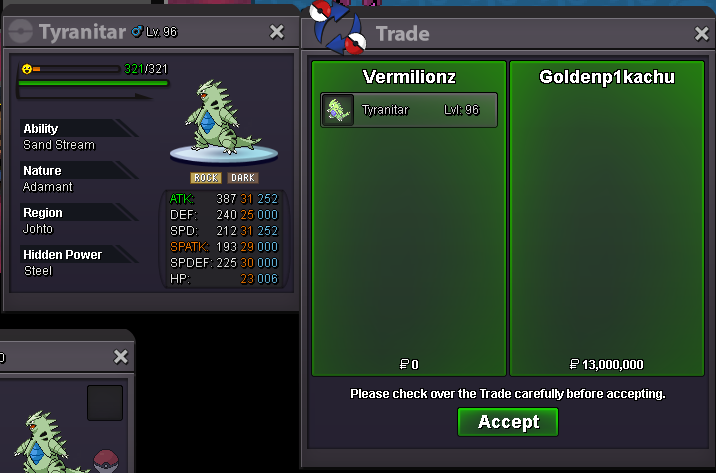
Use the new Trade Zone for auctions and instant-price trades so Pokemon and item offers are easy to find.
Leaderboard
-
Darksoul56
Registered User7Points595Posts -
Zrau91
Registered User6Points53Posts -

Acetzy
Suspended6Points792Posts -
Mavuika
Registered User6Points2244Posts



Popular Content
Showing content with the highest reputation on 04/06/23 in all areas
-
2 points
-
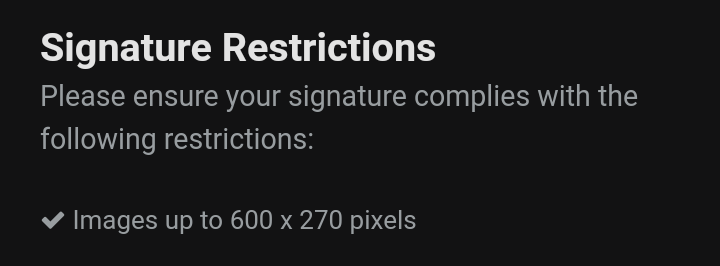
2 points2 points2 points2 points2 points2 pointsCongratulations to @L0n3walk3r you won the auction! Pm me once you online! 🙂2 points2 pointsIt may not really matter, but some people might like it especially people who use image signatures As we know,there is an option to add an image to the forum signature section with a maximum size of 600 × 270 pixels now with a pixel size like that we definitely won't see an image that comes from the original image itself (High Quality) which forces users to force their image resolution to 600 × 270 which makes their images less attractive. You can definitely see the difference from these two pictures "sorry my picture is bad" :v1560 × 702 Piksel to 600 × 270 Piksel You can clearly see the difference in the pictures above So I only suggest that the size of the images in the Signature Forum can be unlimited or have no maximum size so that we can see good Original and High Quality Images, this will also make people like their own Signature more and others too. So What's your reason for not allowing unlimited size of images in Signature? I'm sure this isn't because it will cause problems Spam images that are too long to cause problems for some people who see the image,because as we know we can ignore other people's signatures So what's your reason for not allowing it? Like and +1 if you like,feel free to Laugh if it's not too important 😛 Give your feedback regarding my suggestions above ty Best Regards ~Wakaranaii~


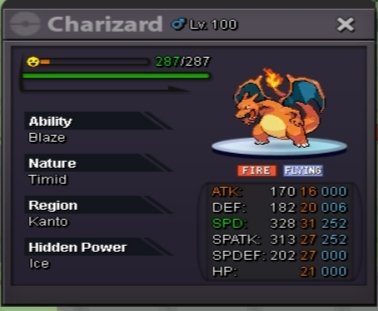
 1 point1 pointC.o. 3.1m by Leeluckya Min bid 100k Insta 8m Ends after 48hrs from 1st bid- 3:06am 9-4-23 IST GMT +5.30 Accept CC(390k) and Pokedollars.
.png.630d8298f88a3c8cbabe35235c0d4af9.png) 1 pointStart offer for both: 1k Min raise: 2k Insta: 1m5 Duration: 24hrs after first bid Accept: Coin Capsule: 350k Reroll Ticket: 550k
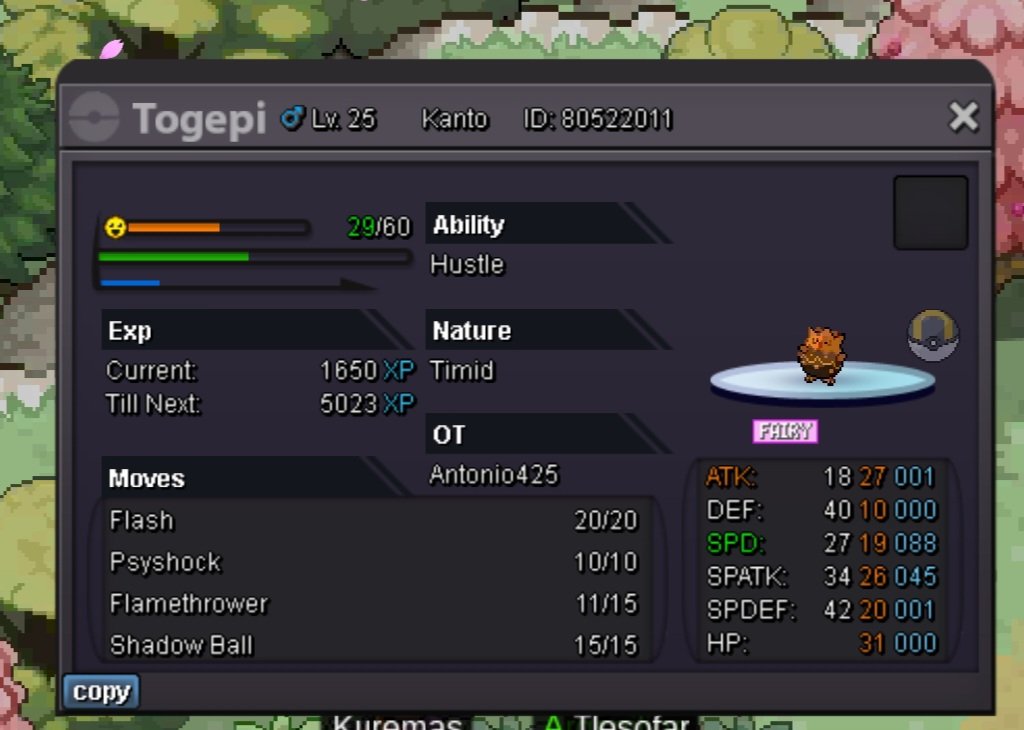
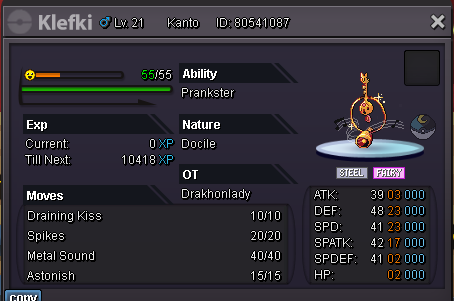
1 pointStart offer for both: 1k Min raise: 2k Insta: 1m5 Duration: 24hrs after first bid Accept: Coin Capsule: 350k Reroll Ticket: 550k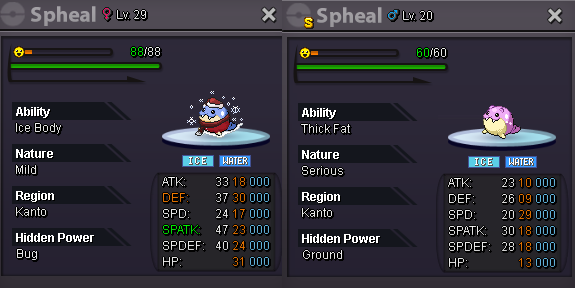 1 point1 pointStarting bid 300k, minimum raise 50k, h.p - poison. Bid will end in 36 hours of this post
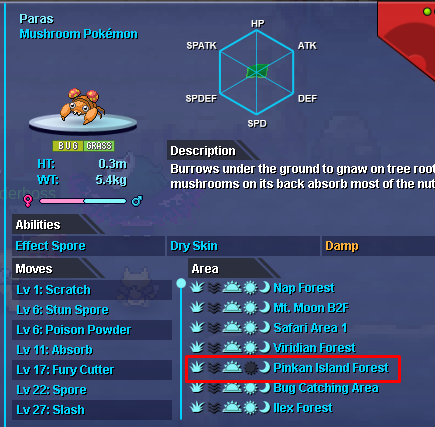
 1 point1 point@Lacomus won the squirtle, traded in game for 300k, rest of the auctions canceled1 point1 point1 point1 point1 point1 point1 point1 point1 point1 point1 point1 point1 point1 point1 point1 point1 point1 point1 point1 point1 point1 point1 point1 point1 point1 point1 point1 point1 point1 point1 point1 point1 point1 point1 point1 pointHello @Ursleepkiller. My apologies for the late response. First off, thank you for reporting the issue. Though we were already aware at the time, we still appreciate you coming to us with this. As per the last changelog, this issue has been fixed(see image below). You can verify this yourself by opening the Pokédex. Do you have any further questions?
 1 point























.png.e140374ba75529ae11ad119fae0ab559.png)









Account
Navigation
Search
Configure browser push notifications
Chrome (Android)
- Tap the lock icon next to the address bar.
- Tap Permissions → Notifications.
- Adjust your preference.
Chrome (Desktop)
- Click the padlock icon in the address bar.
- Select Site settings.
- Find Notifications and adjust your preference.
Safari (iOS 16.4+)
- Ensure the site is installed via Add to Home Screen.
- Open Settings App → Notifications.
- Find your app name and adjust your preference.
Safari (macOS)
- Go to Safari → Preferences.
- Click the Websites tab.
- Select Notifications in the sidebar.
- Find this website and adjust your preference.
Edge (Android)
- Tap the lock icon next to the address bar.
- Tap Permissions.
- Find Notifications and adjust your preference.
Edge (Desktop)
- Click the padlock icon in the address bar.
- Click Permissions for this site.
- Find Notifications and adjust your preference.
Firefox (Android)
- Go to Settings → Site permissions.
- Tap Notifications.
- Find this site in the list and adjust your preference.
Firefox (Desktop)
- Open Firefox Settings.
- Search for Notifications.
- Find this site in the list and adjust your preference.