Leaderboard
-

Hallowglow
Community Coordinator3Points102Posts -
Scout17
Registered User2Points102Posts -
Blaab
Registered User2Points4Posts -
Envymeister
Registered User2Points1838Posts




Popular Content
Showing content with the highest reputation on 06/28/26 in all areas
-
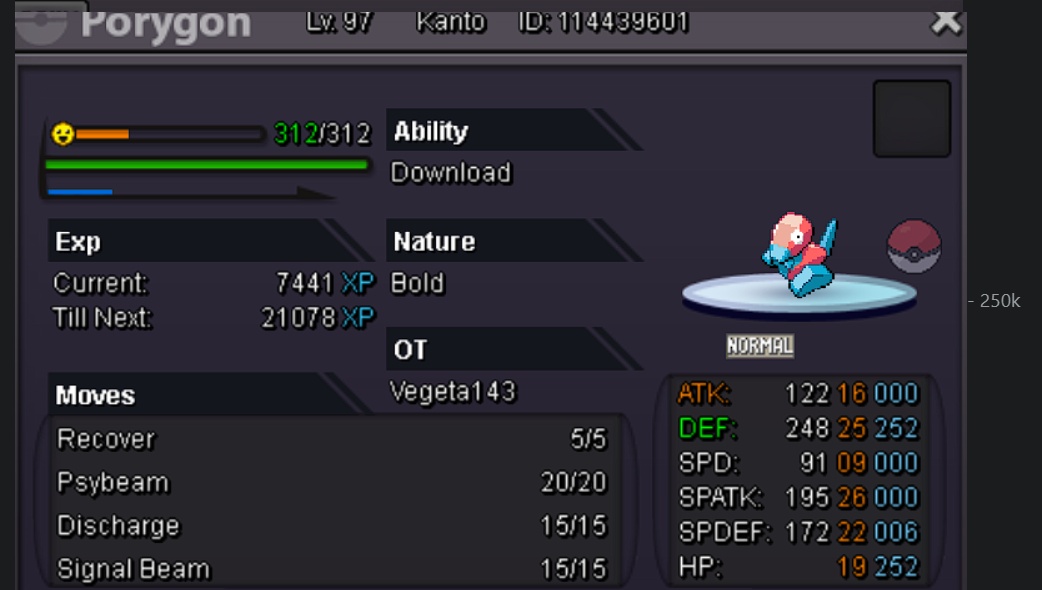
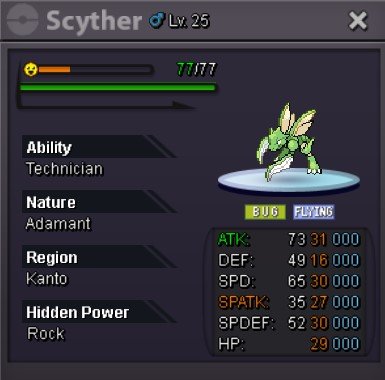
S.O-500K MIN RAISE-100K INSTA-N/A ACCEPTED CURRENCY - CC-450K,RR-700K,RC-5K TIME LIMIT-36HR AFTER S.O
 1 point
 -
1 point
-
1 pointHello! I am sorry for the inconvenience. I have reported your issue, and we will try to provide a solution, however, it may take some time. I kindly ask for your patience and apologize for the inconvenience again. Regards. Hallowglow.1 point
-
1 point
-
1 point
-
1 point
-
1 pointHello, I'm sorry for the inconvenience. There doesn't seem to be anything wrong with your account. I understand that the wait can be frustrating, but sometimes logging in may take longer than usual. Please be patient and allow the game some more time to open. You may also try closing unnecessary background applications before opening the game, although, in most cases, allowing the game a bit more time is enough. Please let me know if you need anything else. Regard. Hallowglow.1 point
-
1 point
-
1 point
-
1 point
-
1 point
-
1 point
-
auction ended conratulations to the winner @Bharathmax let me know when and where we can trade1 point
-
i am in silver1 point
-
1 point
-
1 pointYour account shows a single Baby XD001 having been owned at one point, but it was part of the suspect test that ran in 2022 while it was being trialed before being formally added to PRO. At the end of the suspect test, the Baby XD001's on all accounts were removed. To catch the Pokemon, you'll need to wait until the Halloween Event starts! Then, you will be able to complete the associated seasonal quest to obtain it. Sorry about the misunderstanding, but do you have any other questions, or is there anything else I can clarify?1 point
-
1 point
-
1 point
-
1 point
-
1 point
-
1 point
-
1 point
-
0 points
-
0 points
-
0 points
-
0 points
-
scizor 1.6M0 points
-
Conkeldurr 1.1M0 points
-
0 points
-
0 points
-
0 points
-
0 points
-
0 points
-
0 points
-
0 points
-
1.4m0 points
-
0 points
-
0 points
-
0 points
-
0 points
-
0 points
-
0 points
-
0 points
.thumb.gif.9214578ca10a75720d259cbd2826fbb5.gif)














.thumb.png.65ec3814f0dbaef639a5422a70380ad2.png)

(1).thumb.png.cc601e8b7ac8ea3a34e8aac1770e0b24.png)