




New Trade Zone
Trade Zone is now live
Use the new Trade Zone for auctions and instant-price trades so Pokemon and item offers are easy to find.

Bitterblade
Community Coordinator
-
Joined
-
Last visited
Everything posted by Bitterblade
-
Good day @Setricity Apologies for the delay in response. Also, please refrain from making multiple threads for the same issue. This information was passed along to our testers. They were unable to replicate your situation and were able to successfully evolve Petilil into Hisuian Lilligant. With that being said, can you provide any other information that may be relevant to this issue? I look forward to hearing from you. Regards, Bitterblade
-
Who is winning?
-
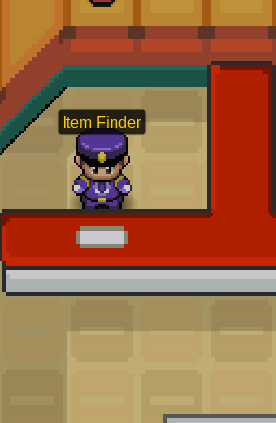
Good day @Mrweekmaster I deeply apologize for the delay in response and the issue you encountered. You can speak with the NPC Item Finder in the upstairs of the Lavender Pokemon Center. Once you do, he will return the items you. I hope this information finds you well and look forward to hearing of the successful retrieval of your items. Regards, Bitterblade
-
Good day @Soulassassin Struggle is a a move that only appears once all four of the moves on your Pokemon have run out of Power Points (PP). This move does typeless damage to your opponent while also doing 25% of your own max Hitpoints (HP) in recoil damage to yourself. In the screenshots you provided, your Magnezone has 0 PP in all four moves, Zap Cannon, Tri Attack, Flash Cannon, and Thunderbolt. This resulted in the moves disappearing and being replaced with the move Struggle in the Battle UI. Once any of your moves regain PP then should no longer be available to use (or see). Can you confirm that after recovering your PP that the move Struggle is no longer available? I hope this information finds you well and I look forward to hearing from you. Regards, Bitterblade
-
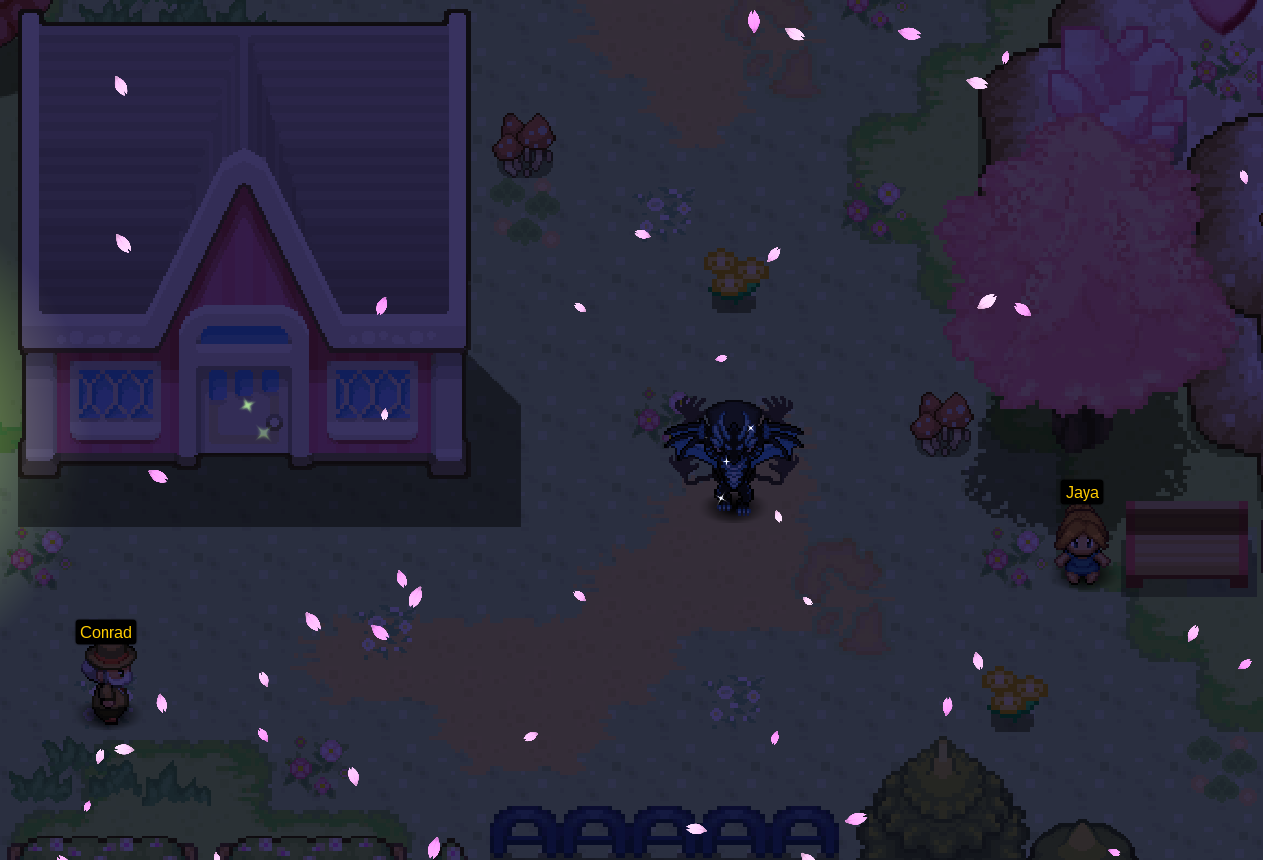
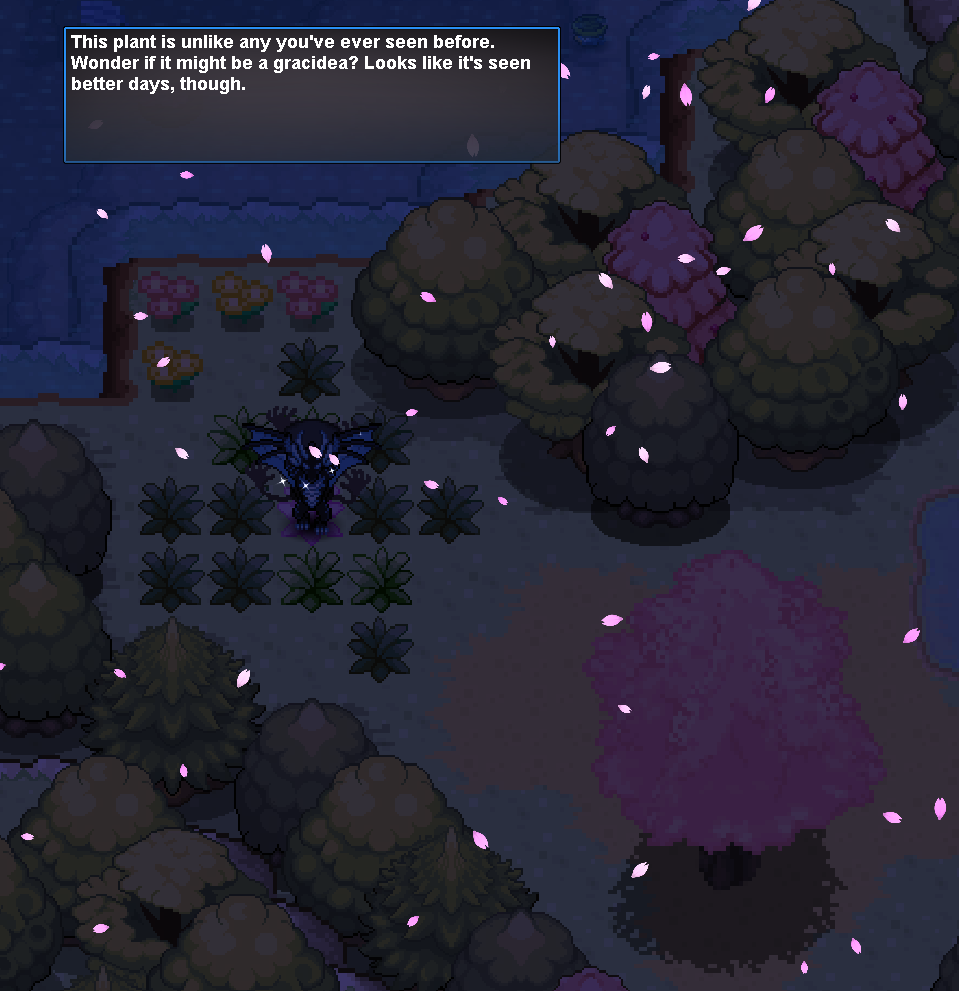
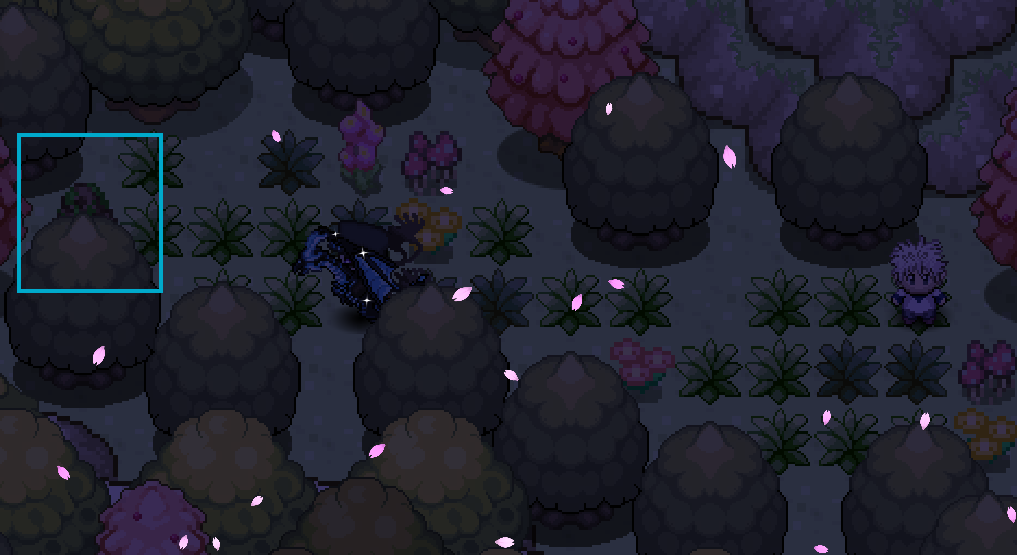
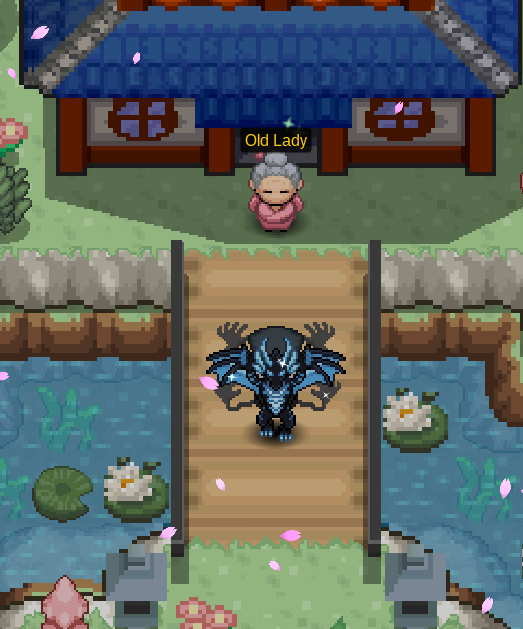
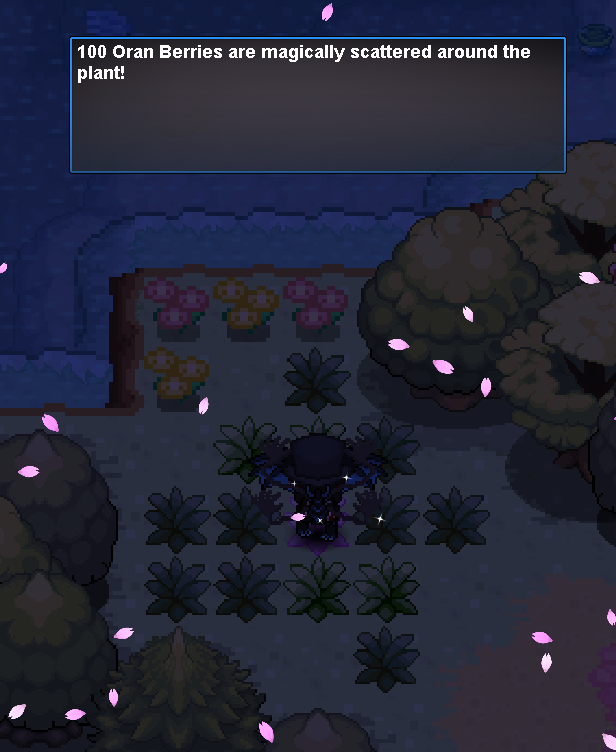
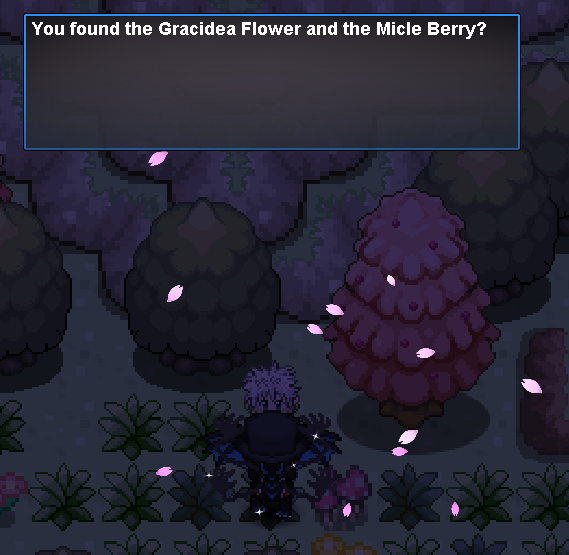
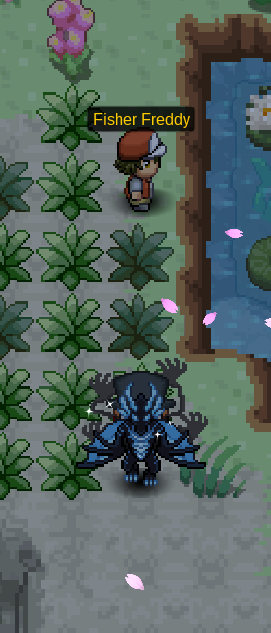
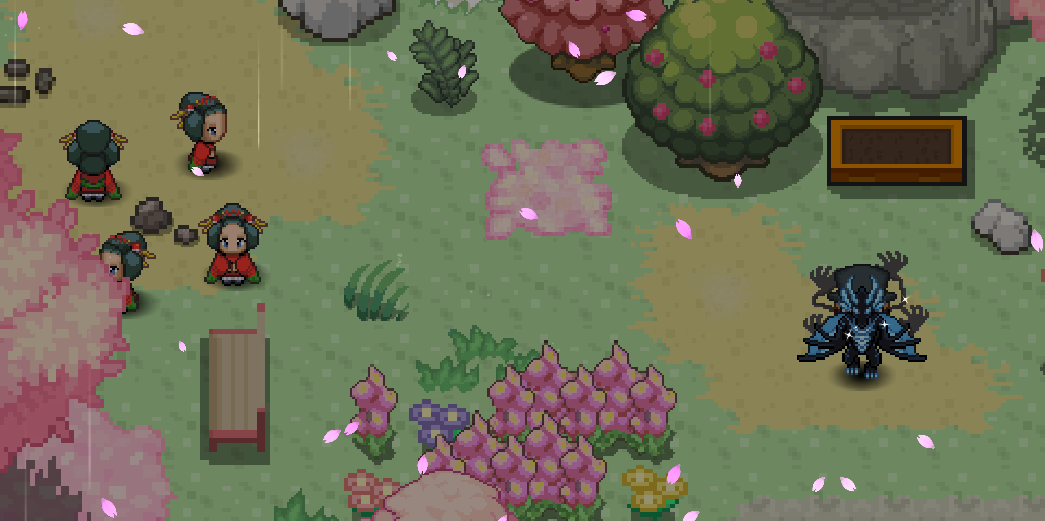
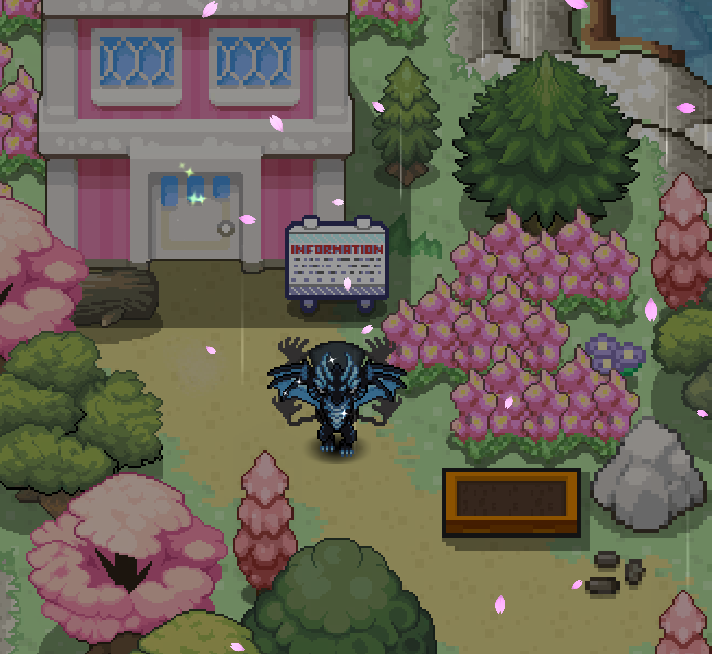
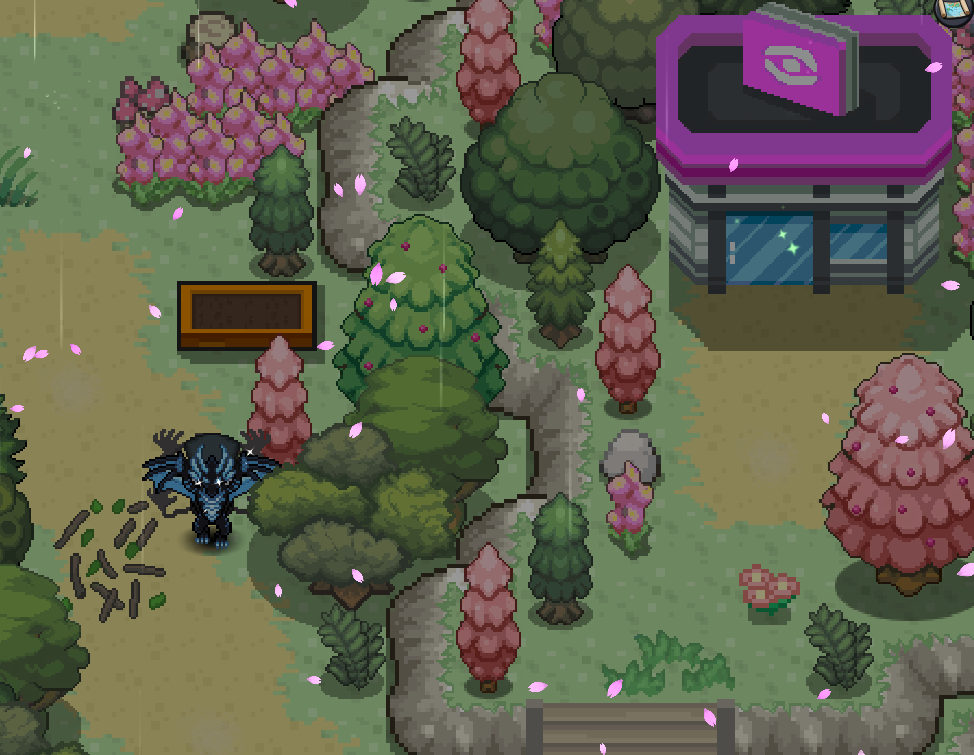
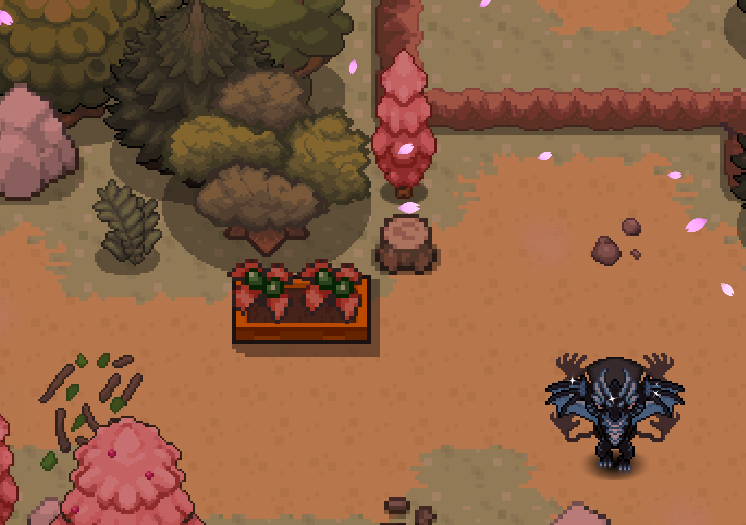
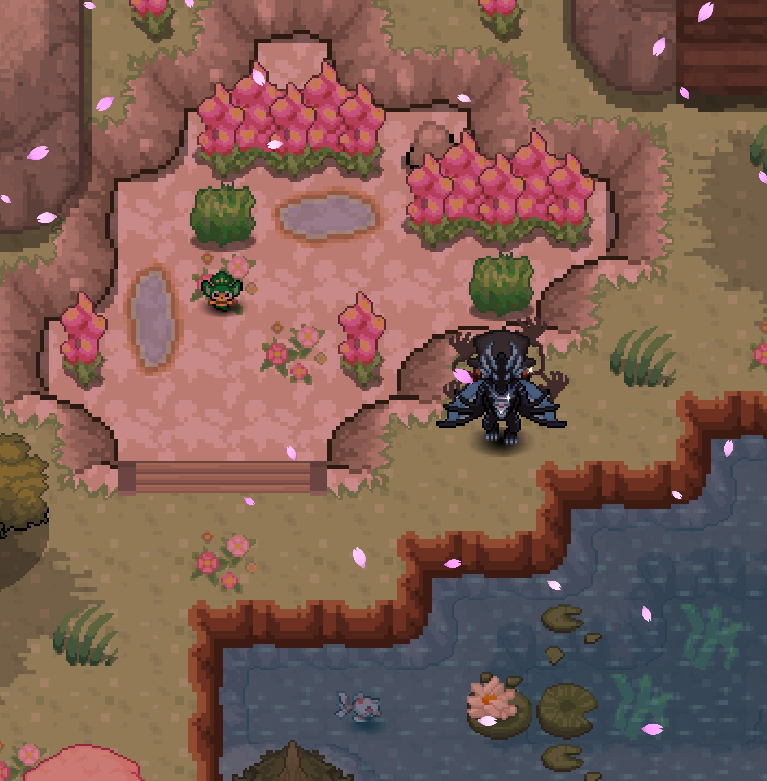
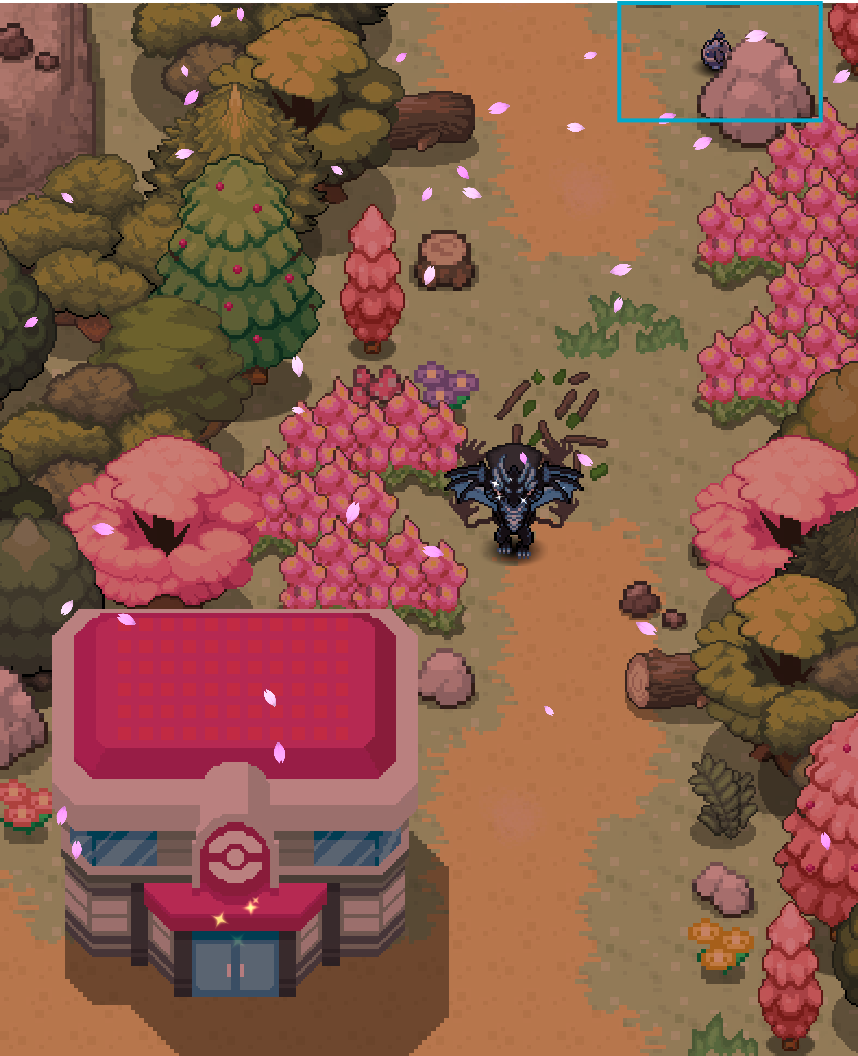
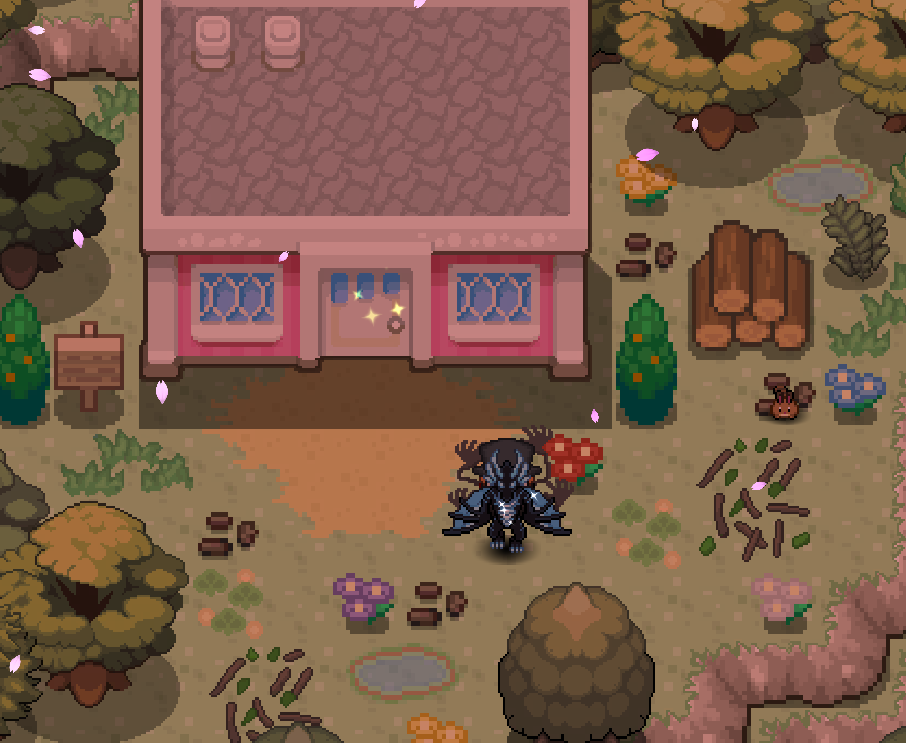
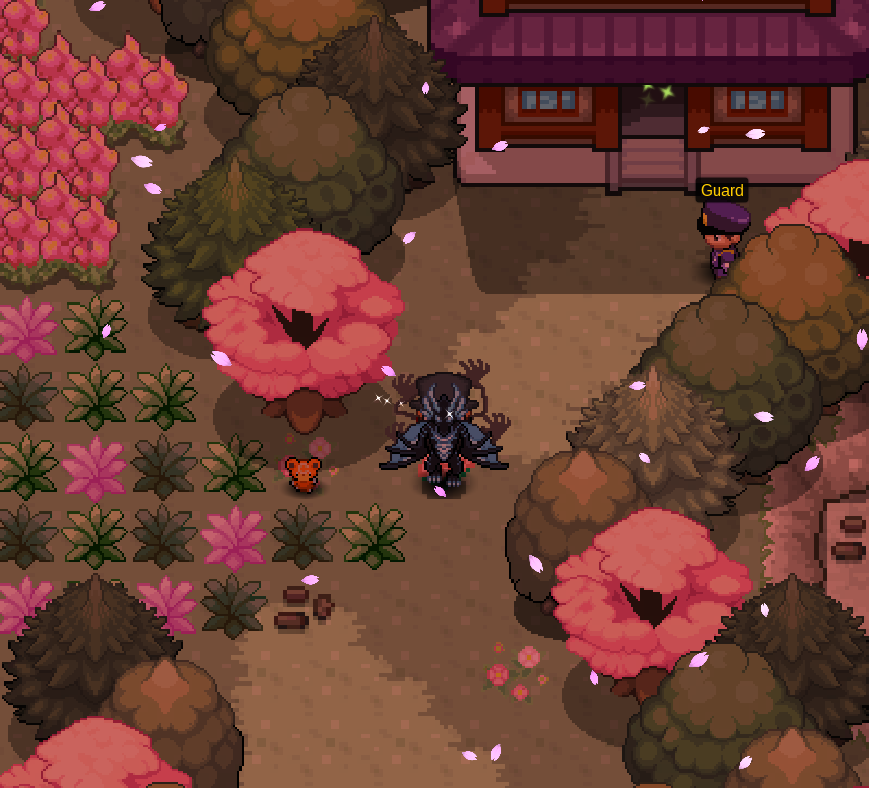
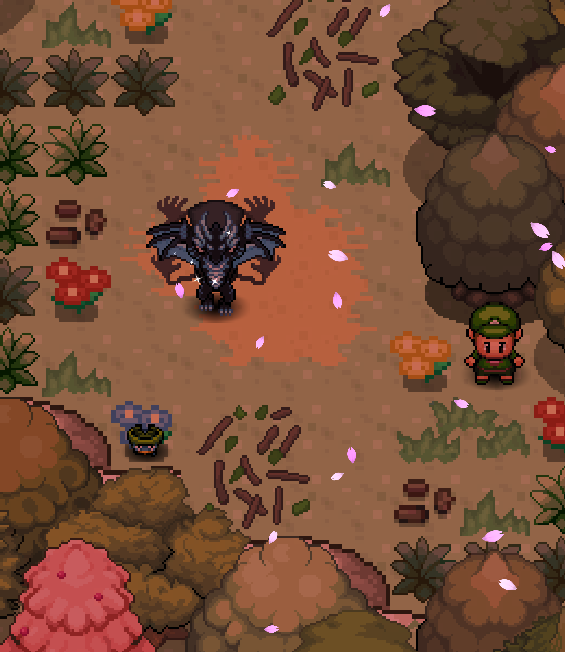
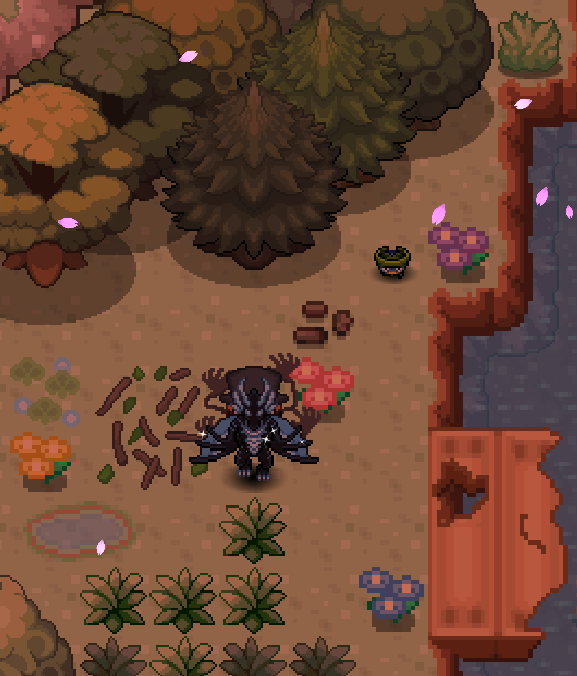
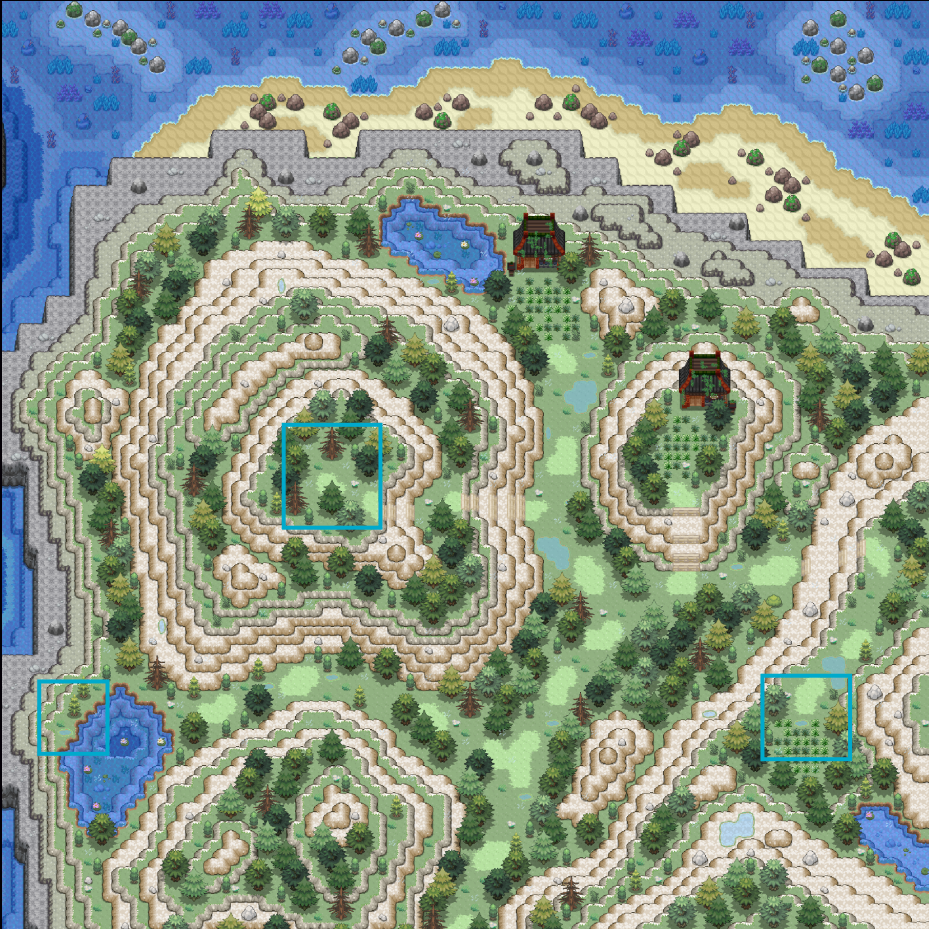
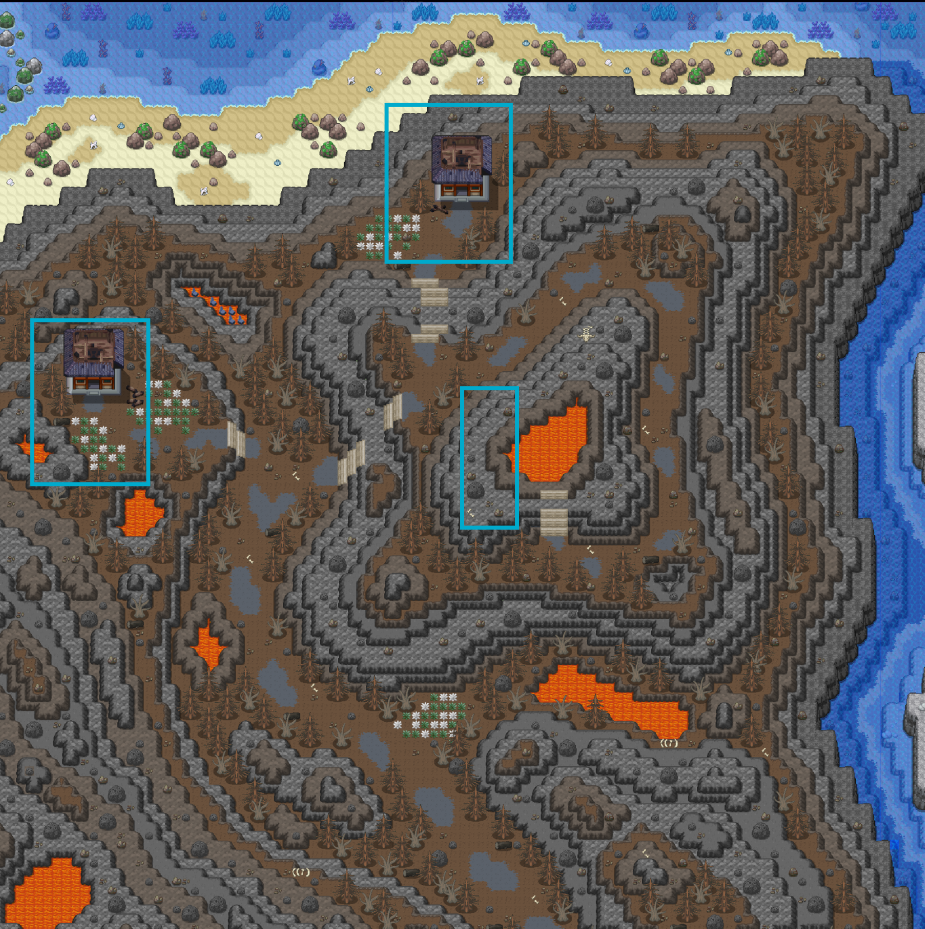
Pre-Requisites ★ A Pokemon with the move Magical Leaf ★ 100 Oran Berries ★ 5 Leppa Berries ★ 5 Sitrus Berries ★ 2 Pecha Berries ★ 2 Cheri Berries ★ 2 Chesto Berries ★ 2 Rawst Berries Getting Started To access the Breezy Island map, you will need to speak with Sailor Richard in the port city in each respective region. - Kanto - Vermilion City - Johto - Olivine City - Hoenn - Lilycove City Sinnoh - Canalave City Gracidea Flower Once you speak with Sailor Richard, you will be transported to Breezy Town Harbor. Head north, leaving Breezy Harbor, into Breezy Town and you will be met by the Breezy Town Mayor. After initially speaking to the mayor, head into his house (Breezy House 1) and speak to him again and select option 3, "What is the Spring Festival". Then select option 1 "Shaymin!?!". After you finish speaking with him, interact with the bookcase on the far right to read the book on rare flowers. Now begins your hunt for the Gracidea Flower. To continue, you need to have a Pokemon with the move Magical Leaf in your party and also 100 Oran Berries. When you have the Oran Berries and the Pokemon with Magical Leaf, head to Breezy Path. Once you enter Breezy Path, head north until the first fork and then take the path to the west. Then go immediately up the first set of stairs to the second fork and follow the east path. When you make it to the bridge, head north until you see a patch of grass with a pink center. Walk over the pink grass in the center to trigger text. The Oran Berries will be scattered and you will now have the Gracidea Flower. Confirm that the Gracidea is in your inventory before proceeding. Micle Berry After getting the Gracidea Flower, now head to the north west part of the map and interact with the rock. The rock will give you a message but there are quite a few letters missing. Completed, it reads "The cries of the few becomes the cry of the many". Now you need to go to the following locations in the numerical order supplied in the screenshots below. Interact with the plant at position 1, then interact with the tree stump at position 2. For position 3, 4, and 5 you need to walk over the flower, mushroom, and lily pad. Once you complete this, in the proper order, you will receive a text box stating "You hear a rumble in the distance". Head back to the original rock in the north west of Breezy Path and you will notice that it has grown into a Micle Berry. Interact with the berry to collect it. Once you have both the Gracidea and Micle Berry in your inventory, speak with the white haired NPC. Suzuka Town Now head towards Suzuka Town. To get there, leave Breezy Town towards Breezy Path and then head north towards the first fork. Take the east path and then go south across the first bridge. Follow this path around and then continue east into Sukuza Path. Continue east through Sukuza Path to enter Suzuka Town. Once you arrive at Suzuka Town, head to the north west and speak with the Old Lady. If you have both the Micle Berry and the Gracidea in your inventory, you will be invited in Suzuka Temple. Speak with her again inside. After speaking with her, interact with all 4 of the 2x1 paintings around her house. These paintings represent four puzzles that you must complete, in any order. Puzzle 1 There are four Kimono Girls that you must defeat for this puzzle. Each one requires a specific amount of Pokemon in your party to battle. Kimono Girl Samantha Samantha requires three Pokemon and can be found in Suzuka Path. Go to Fisherman Freddy on the western part of the Suzuka Path then Surf east across the water to the land on the other side and then go south across the bridge. Her team can be seen below. Kimono Girl Asuya Asuya requires five Pokemon and can be found in Suzuka Towers, which is directly north of Suzuka Town. Take the path on the east side of the Pokemon Center and head north until you enter Suzuka Towers. Once you enter, Asuya can be immediately seen on the path. Her fight is unique because you fight five, 1v1 style matches and you must win the majority (at least three). Her team can be seen below. Kimono Girl Margaret Margaret requires six Pokemon and is located in Breezy Cave. The easiest way to get here would be to head back to the entrance to Breezy Path from Breezy Town. Head north and go east at the first fork. Follow this path until you find Breezy Cave. Once you enter Breezy Cave, head to the south west corner and go up the stairs. Then follow the cliff edge to the west, around the map, until you reach Margaret. Unlike Asuya, this is a regular battle. Margaret's team can be seen below. Kimono Girl Tinea Tinea is fought using Little Cup rules in Breezy Falls. To enter Breezy Falls you will need to have only one Pokemon that is Level 25 or less, has not evolved, and also is able to evolve at least one in your party. You are able to catch other Pokemon once you enter. The following Pokemon are banned: Gligar, Meditate, Misdreavus, Murkrow, Scyther, Sneasel, Swirlix, Tangela, and Yanma. There are also four moves that are banned: Baton Pass, Dragon Rage, Sonic Boom, and Swagger. Once you have your single Pokemon, head to Breezy Cave. Go to the south west corner and then go up the stairs. Follow the cliff edge around the cave until you come across a large bridge. Cross the bridge and follow the path to the exit. Once you leave the cave, follow the path to the west until you arrive at Breezy Falls. Now speak with Ron or John and select the option "Hell yeah!" Once you enter, you will be teleported to the Pokemon Center in the area. Leave the Pokemon Center and head north to find Tinea. Her team can be seen below. Once you defeat her, the first puzzle will be complete. Puzzle 2 This puzzle involves Fisher Freddy in Suzuka Path. From Breezy Path, head to the south east into Suzuka Path. Once you enter, head directly north to find Fisher Freddy next to the water. Speak with him to find out that he wants your help filling the pond near him. Specifically he wants x3 Goldeen, x3 Magikarp, x2 Finneon, x1 Feebas, and x1 Remoraid. These Pokemon do not need to be your OT. Once you give him all the required fish, he will tell you that "The population will regulate itself properly again" and the puzzle will be complete. Puzzle 3 This puzzle requires you to plant specific berries in different locations. First, head to Suzuka Town and then take the path on the west side of the Pokemon Center towards the Suzuka Temple. After going up the stairs on the cliff, you will see an empty planter. Interact with the planter and plant Cheri Berries here. Next, head to the Pokemart in Suzuka Town. There will be another empty planter near it and will require you to plant Chesto Berries. Now head to the library by going directly east from the Pokemon Center. Cross the bridge and follow the path to the north. You will the library at the end of the path with the third planter. Plant Pecha Berries here. Finally, head south from the library and hop the ledge to access the last planter. Plant Rawst Berries. Once all the planters have the proper berry planted in them, the puzzle will be complete. Puzzle 4 To complete this puzzle, you must feed specific Pokemon required items. You will need to feed the following Pokemon the listed items: Carbink Suzuka Town 3 Breezy Crystal Teddiursa Suzuka Towers 5 Leppa Berries Sentret Suzuka Clearing 5 Sitrus Berries Pansage Suzuka Path 2 Bananas To acquire Breezy Crystal, you will need to use Rock Smash (or the Pickaxe Tool) on the pink sparkling crystals that have the resting emoji above them in Breezy Cave. For the Bananas, you can find them held by wild Tropius in Suzuka Clearing. You can also purchase the Bananas from other players. Once you feed all the Pokemon, this puzzle will be finished. Puzzle 5 This is the last puzzle to complete. You need to help Sentret cross the water in Suzuka Clearing. This is done by making a bridge of Lotad. Four Lotad in total are required and must be led to Sentret south of the broken bridge. Once you do this, Sentret will cross to the other side and the puzzle will be complete. Now that you have completed all of the puzzles, head back to the Suzuka Temple and speak with the Old Lady and she will tell the Guard in Suzuka Towers to let you through. Suzuka Cave After speaking with the Old Lady, head to to Suzuka Towers (north of Suzuka Town) and enter the tower. Once you enter, head right and enter the second tower. As you come across the bridge, you will receive a text box saying that you should hurry to rid the area of Grimer. There are six Alolan Grimer that you need to defeat and if you take to long, they will respawn. Once you defeat all of the Alolan Grimer, you will need to defeat the Alolan Muk. If you lose, you will have to defeat the Alolan Grimer again. Their locations can be seen below. Note: Be sure to interact with the hole outside of Suzuka Cave to have the first side of the shortcut to Petal Glade. Once you defeat the Alolan Muk, you will receive a message stating that the towers should be cleansed now. Head east and pick up the Pokeball that holds the Gracidea Flower Black and exit to the south to enter Petal Glade. Interact with the hole in the outside of the wall to complete the shortcut through the cave. Now is the time to catch Shaymin. Prepare with what ever you need to catch it and the go north and interact with it. After you catch Shaymin, you can interact with the Pink Tree behind where it spawned to change it to its Easter form. Finally, if you wish to transform your Shaymin into it's Shaymin-Sky form, you need to take Shaymin to the Shaymin Shine in Route 224. Quest Complete!
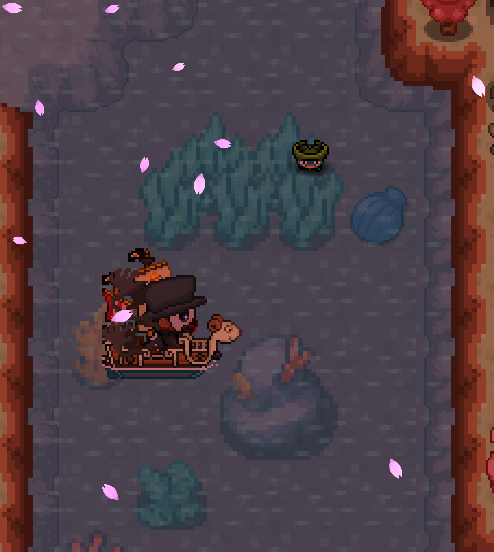
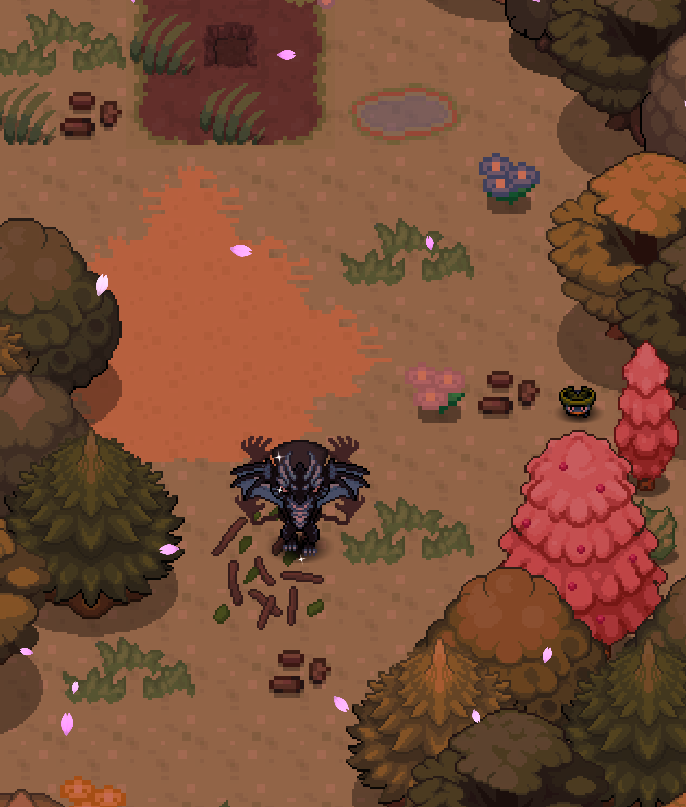
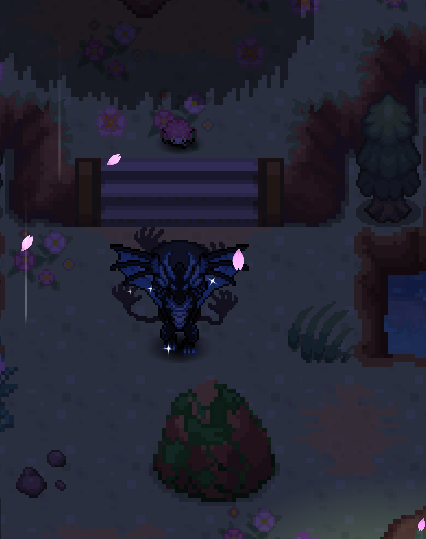
-
Good day @Ancientfarmer Unfortunately, de-evolution services are not something that we offer. This is because it is the player's responsibility to be careful when training and evolving your Pokemon. I know this is not the answer you were hoping for and for that I am sorry. I hope this information finds you well. I will be locking this thread now. If you have any further questions or concerns, do not hesitate to reach out. Regards, Bitterblade
-
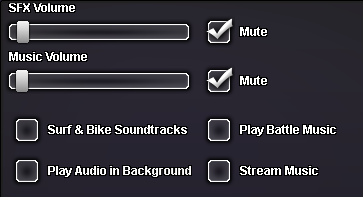
Good day @Juha I apologize for the experience you dealt with. Do you have your in-game music turned on? If so, I recommend turning it off as it has been known to cause crashes in the past. The music settings can be found in the Sound section of your options. Unfortunately, there could be many contributing factors that led to a client crash. Finally, be sure you are playing on the most updated client version. If you are on PC and have Auto Update selected then your client with automatically update; however, if you are playing on phone or tablet, you will need to manually download the newest client version found here. I hope this information finds you well. Regards, Bitterblade
-
Good day @Sesosojito I apologize for the delay, but wanted to let you know that I am working on your thread currently and will let you know when I have an update. Regards, Bitterblade
-
Good day @Birdykm Apologies for the delay in response. Are you still having these issues? In the settings you can find a 'slider bar' for both Game Zoom and GUI Scale. Game Zoom This setting will adjust how zoomed in on your character the game is. The further to the right the slider is set, the more zoomed in the game is on your character and as you slide it to the left it will zoom out. GUI Scale This setting controls the size of the GUI components such as the clickable Pokemon in your party, the PvP, Backpack, Pokedex, Trainer, and Social Tabs in the bottom left of the client, the chat window, and the Town Map, Coin Shop Icon, and in-game Time. This slider operates in the same way that the Game Zoom slider does and moving left will make the GUI smaller while moving right will make it larger. I hope this information finds you well and I look forward to your response. Regards, Bitterblade
-
Good day @Memo3131 As this account has not received a response in quite some time, I will be closing it. If you continue to have issues, please make a new thread. Regards, Bitterblade
-
Good day @Luminusx48 As it has been quite some time since this thread received a response, I will be closing it. If you continue to have these issues, please make a new thread. Regards, Bitterblade
-
Good day @Pikatranier786 Are you still experiencing these issues? I look forward to hearing from you. Regards, Bitterblade
-
Good day @Raulitop It appears that you have been victorious against the Kanto Elite Four, congratulations! With that being said, I will be closing this thread as resolved. Good luck in Johto and if you have any further questions or concerns, do not hesitate to reach out. Regards, Bitterblade
-
Good day @Rjll007 I am glad to hear that you now have access to Shamouti Island. As the issue has been resolved, I will be closing this thread now. If you have any further questions or concerns, do not hesitate to reach out. Regards, Bitterblade
-
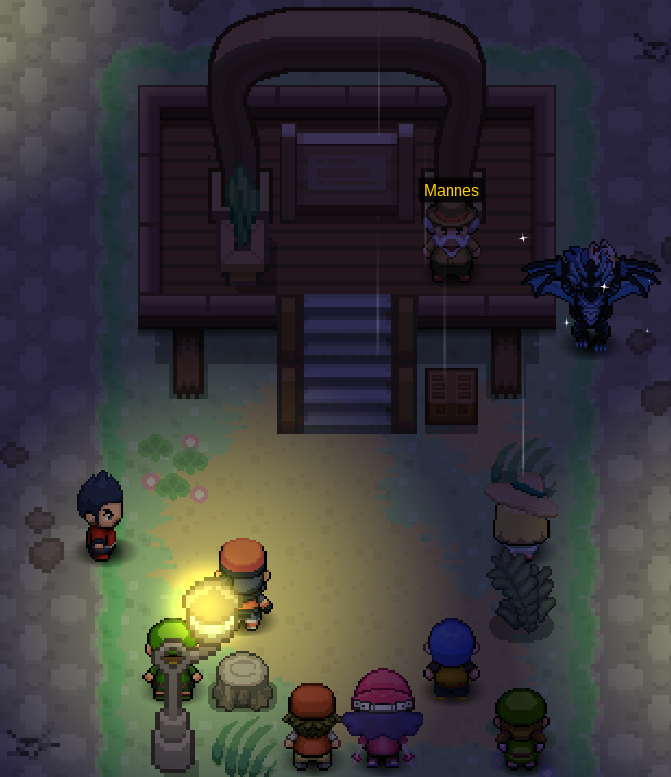
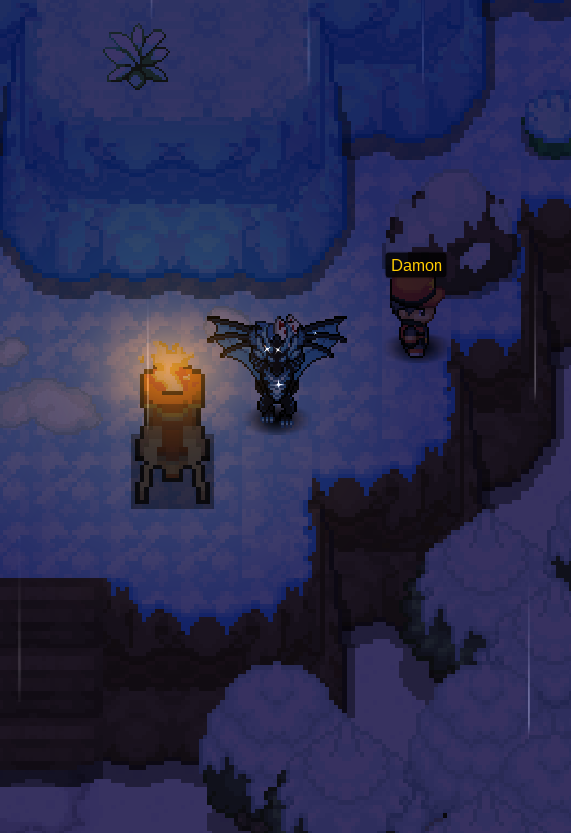
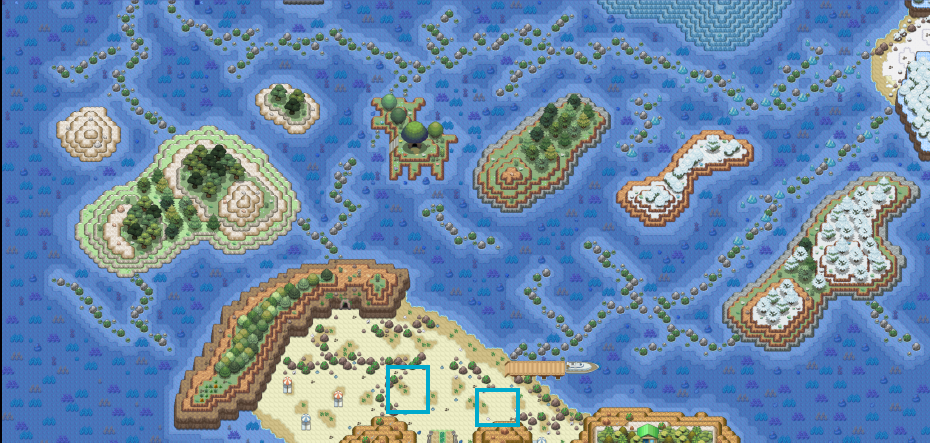
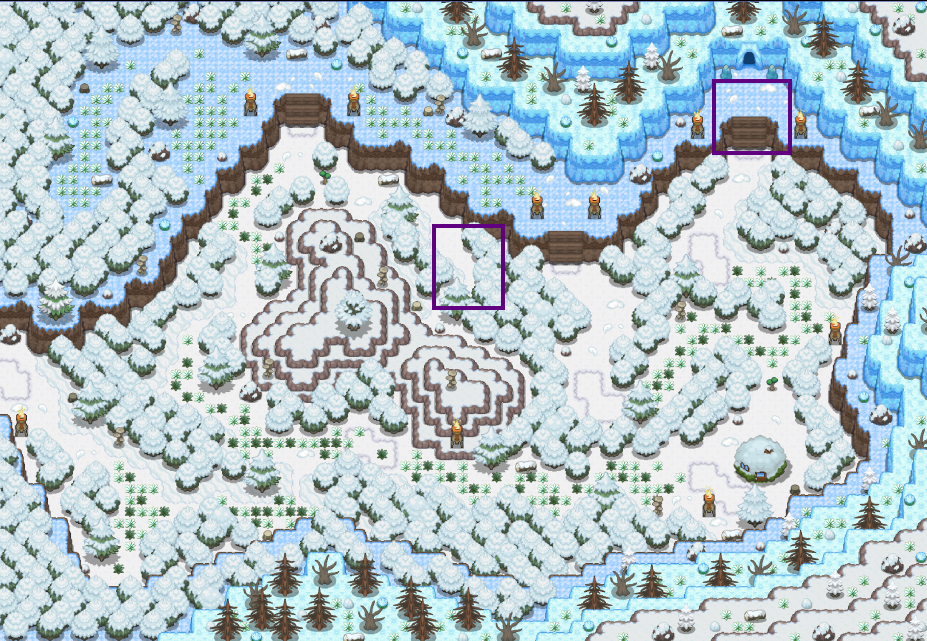
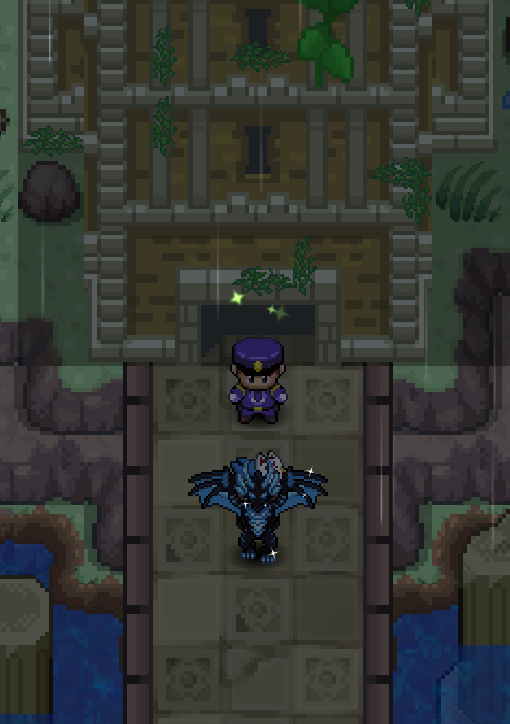
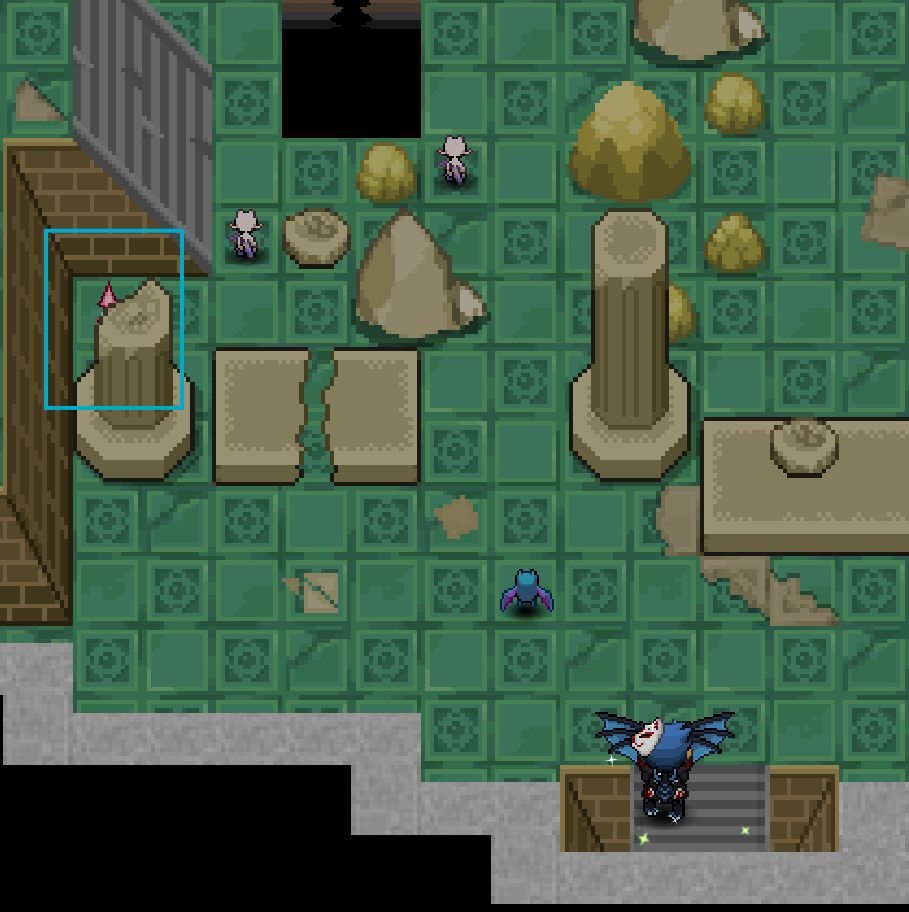
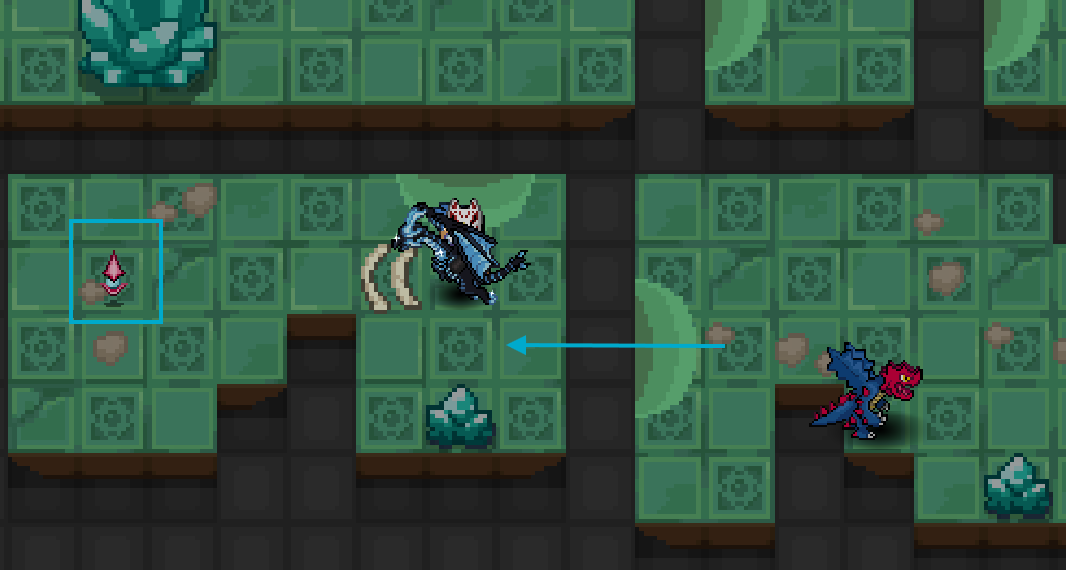
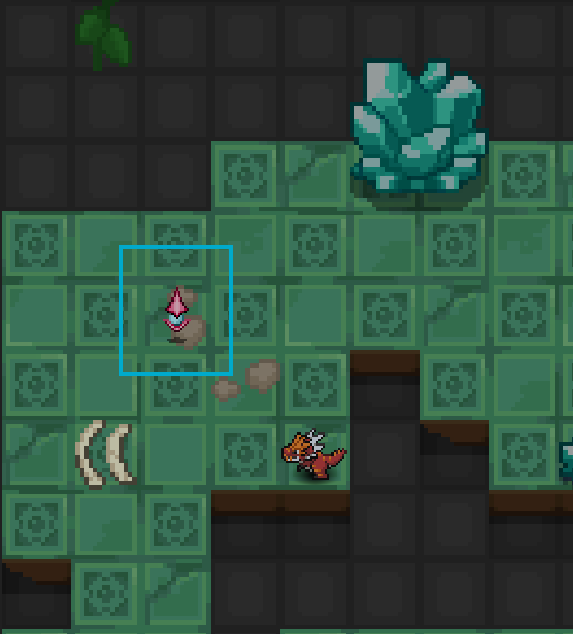
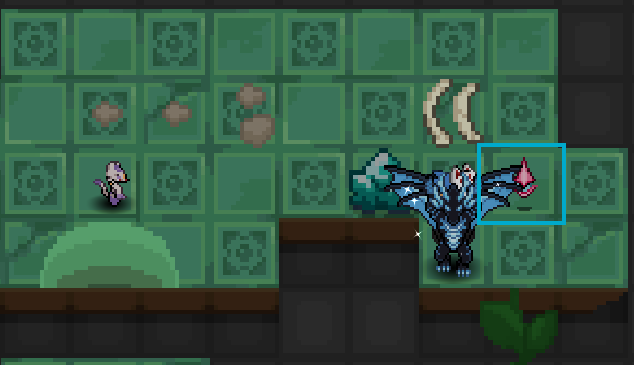
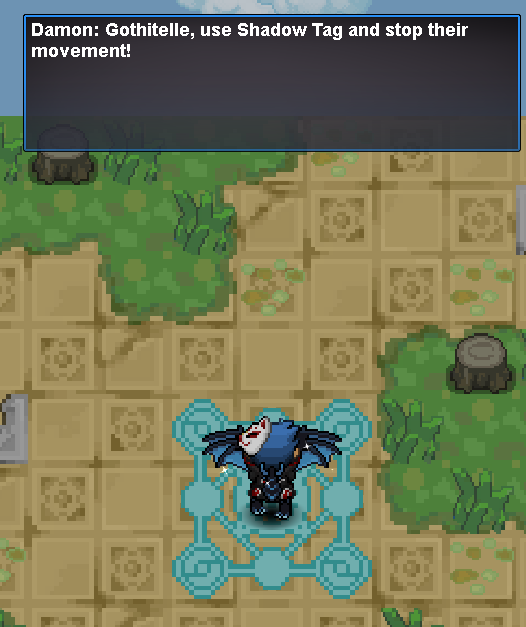
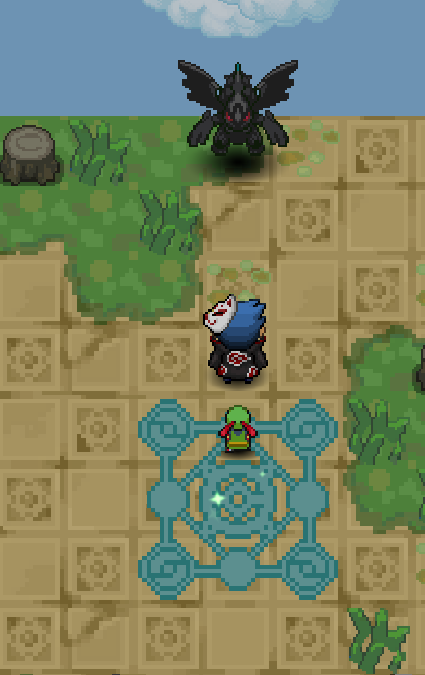
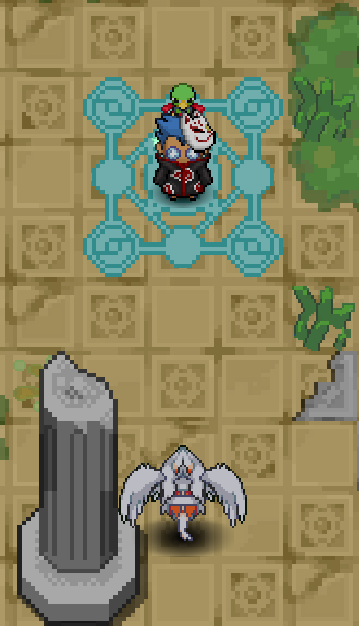
Pre-Requisites ★ Completion of the Kyurem Quest ★ (Optional) Light Stone from Christmas Dungeon, required to obtain Reshiram Beginning the Quest To begin the quest, head to Eindoak Town. To get to Eindoak talk to Sailor Jacob in Lilycove City to go to Eumi Island. Then speak with Sailor Drew to travel to Eindoak Waterway. Finally, head south from the pier to enter Eindoak Town. Once you make it to Eindoak Town, speak with Mannes in the center of the town. He will instruct you to find Damon (he can be found in the Enyor Island Forest) Head north, leaving Eindoak Town to enter Eindoak Waterway. Continue north and then Surf north-east through the waterway until you make it to the north eastern corner. Go onto the land and travel into the Enyor Island Forest. When you enter Enyor Island Forest, head east until you reach the fork in the path and then take the path to the west. Follow this path until you reach the stairs. Go up the stairs and then head east until you find Damon. Speak with him and he will tell you to prepare for the tournament and then will head back to the town. After speaking with Damon, head back to Eindoak Town and speak with Mannes. The Battle Tournament After speaking with Mannes, it is time to begin the tournament to acquire the Dark Stone. This tournament requires you to fight five different trainers with one Pokemon and may take multiple attempts. Once you select your one Pokemon, speak with Mannes again to begin. As previously stated, you need to battle five of the trainers and they are scattered throughout the surrounding islands. They can be found in the following locations: Luis - Eindoak Waterway Glacine - Eindoak Waterway Leeku - Galeras Island East Ravine - Galeras Island East Luisa - Galeras Island East Mannes Jr. - Galeras Island West Juanita - Galeras Island West Tatsuki - Galeras Island West Carlita - Enyor Island Forest Damon - Enyor Island Forest Once you defeat your five trainers, including Damon. Damon will congratulate you on your victory. Return to Mannes in Eindoak Town to receive the Dark Stone. Dragonspiral Tower After receiving the Dark Stone, you now have access to Dragonspiral Tower and must ascend the tower to the peak. Assemble a strong team and then head east to Dragonspiral Tower Exterior and speak with the Guard outside. Note: while you are ascending the tower, healing items and some battle items are temporarily unavailable. Also, Pokemon that are found roaming throughout Dragonspiral Tower will battle you if you enter their line of sight, move with caution. Dragonspiral Tower 1F Proceed north through the entry into Dragonspiral Tower 1F. This floor has nothing but wild spawns and you can proceed through, following the path, into Dragonspiral Tower 2F. Dragonspiral Tower 2F The objective on this floor is to interact with the crystal to weaken the barrier. This crystal can be found on the west side of the room below the stairs. A screenshot can be seen below. Make your way around to the wooden stairs on the east side of the room and head up the stairs and then move west across the pillars. Once you activate the crystal, continue on to the third floor. Dragonspiral Tower 3F There are 3 crystals on this floor which must be interacted with. They can be found in the south-west, center, and north-east of the room. Furthermore, moving in between the rooms is done by hoping on the light green platforms. Screenshots of the crystals can be seen below. Once you have interacted with all of the crystals, the barrier on the north-west side of the room will go down and you will gain access to the fourth floor. Dragonspiral Tower 4F On the fourth floor, the tiles are unstable. To avoid this, you can follow the Pansage. While following the Pansage, a swarm of Golbat will begin chasing you and you must keep close to Pansage. Also note that it is best to avoid any tile that Pansage does not step on, as these tiles may be unstable. Once you interact with the Pansage, he will begin running and you must be quick to follow him. Once you make it to the end, speak with Pansage and he will find a secret lever and deactivate the barrier to the fifth floor and teleport you. Proceed north to enter the fifth floor. Dragonspiral Tower 5F This floor has moving electric barriers that must be avoided. If you are caught by the electric barrier, you will be sent back to the start of the room. There are three crystals in this room and two of them are fake and will prompt a battle. Both the placement of these crystals and which one is correct is random for each player. Once you find the correct crystal, the steam blocking the the stairs to the sixth floor will disappear. Proceed up these stairs. Dragonspiral Tower 6F This floor consist of a switch puzzle that requires switches to be activated in the correct order. The red switches control the air and the blue switches control the electric barrier. As you make your way through the puzzle, you will progress towards the stairs to the seventh floor. Dragonspiral Tower 7F The seventh and final floor requires you to battle Damon. Move onto the 3x3 glowing tiles and Damon will attack you using Gothitelle. This will begin the fight. His team can be seen below. As soon as you beat Damon, you have to fight Zekrom. If you lose to Zekrom, you will be teleported back to the Dragonspiral Tower Entry and you will have to ascend the tower once more. Catching Zekrom Once you defeat Zekrom, head back and get whatever you need to catch Zekrom. Once you are ready to catch him, head back to Dragonspiral Tower 7F and walk into the center of the glowing tiles. The Dark Stone will resonate and Zekrom will appear. [Optional] Catching Reshiram If you have the Light Stone (obtained through the Christmas Dungeon), you are able to encounter Reshiram as well. Walk back into the glowing tiles and the Light Stone will resonate and spawn the catchable Reshiram. Quest Complete!
-
Good day @Rjll007 Shamouti Island access is gained through progression in the Legendary Birds quest and as such is locked behind the following requirements: Kanto Championship All non-legendary caught data for Kanto Seen data of Moltres (Victory Road Kanto 3F), Zapdos (Kanto Power Plant), and Articuno (Seafoam Island B4F) According to our database, you currently have all of the requirements to begin the Legendary Bird quest and access Shamouti. Are you still experiencing issues? I look forward to hearing from you. Regards, Bitterblade
-
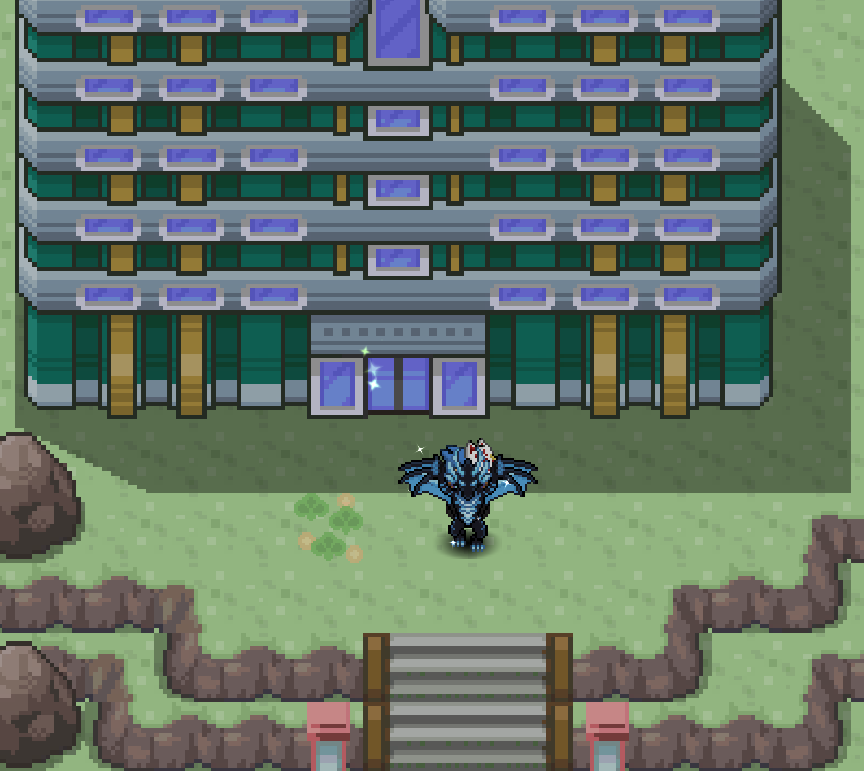
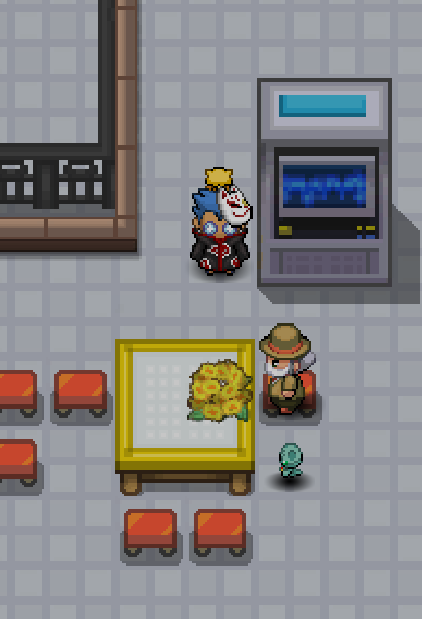
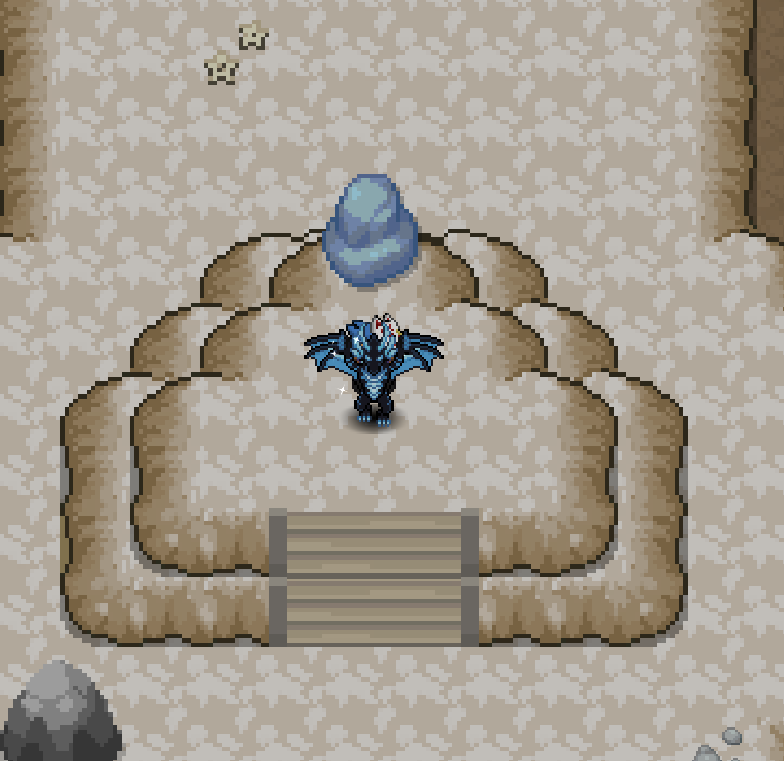
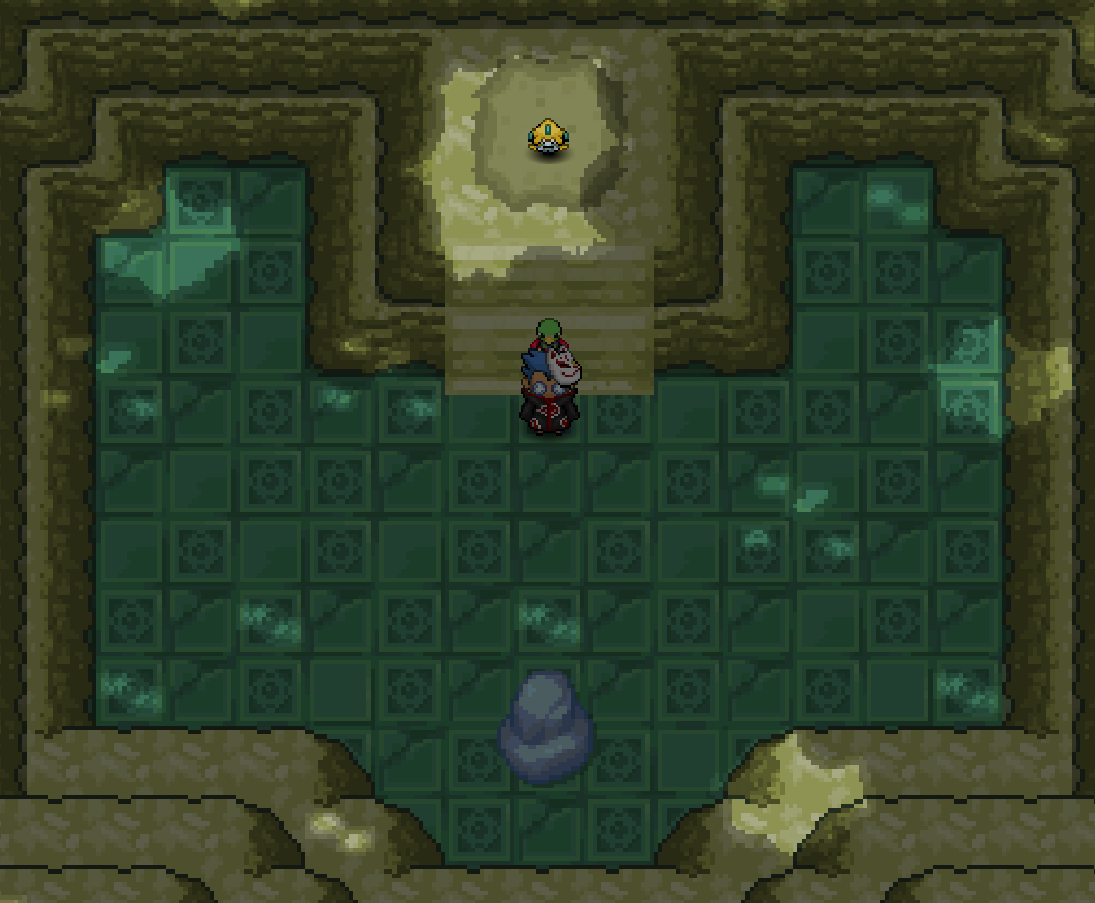
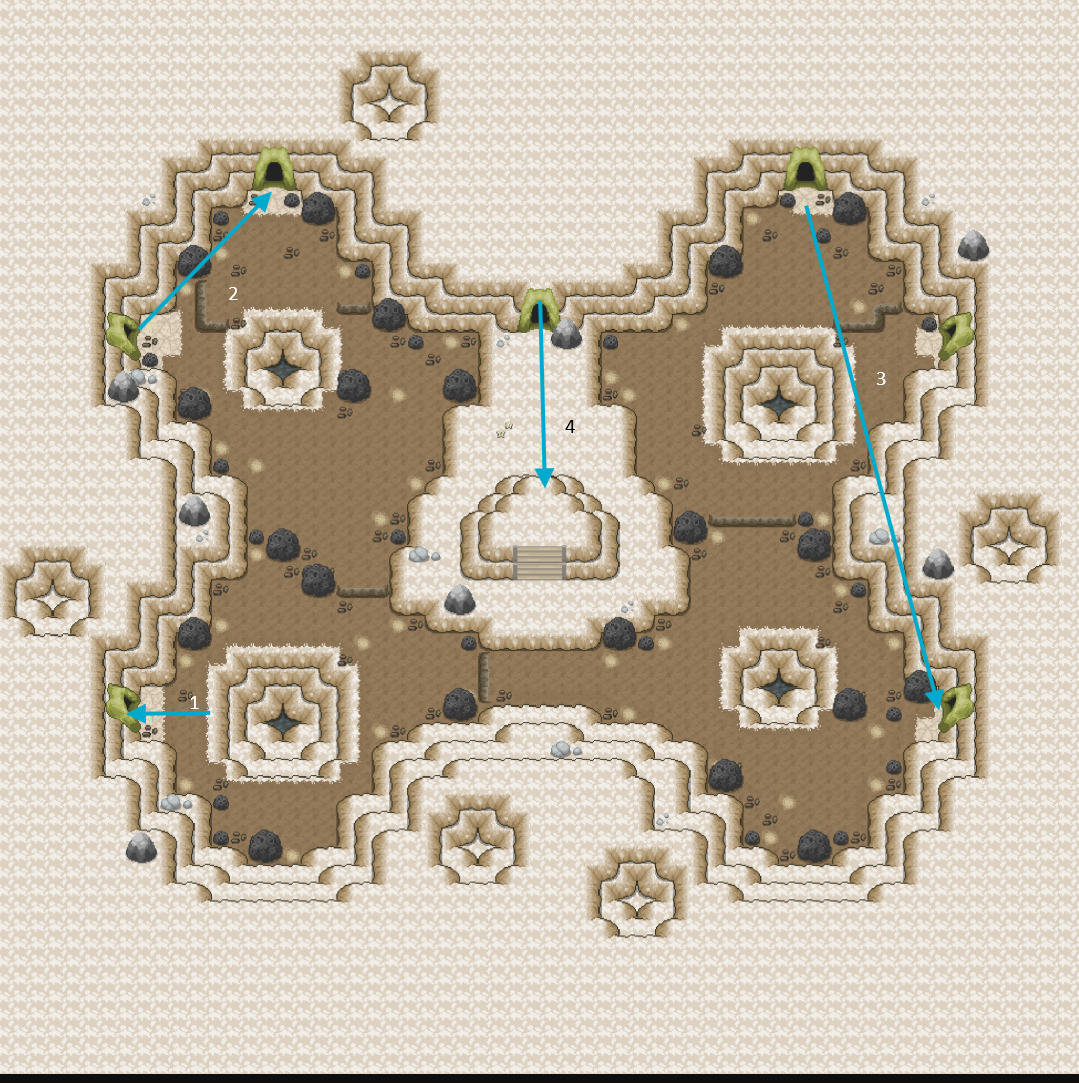
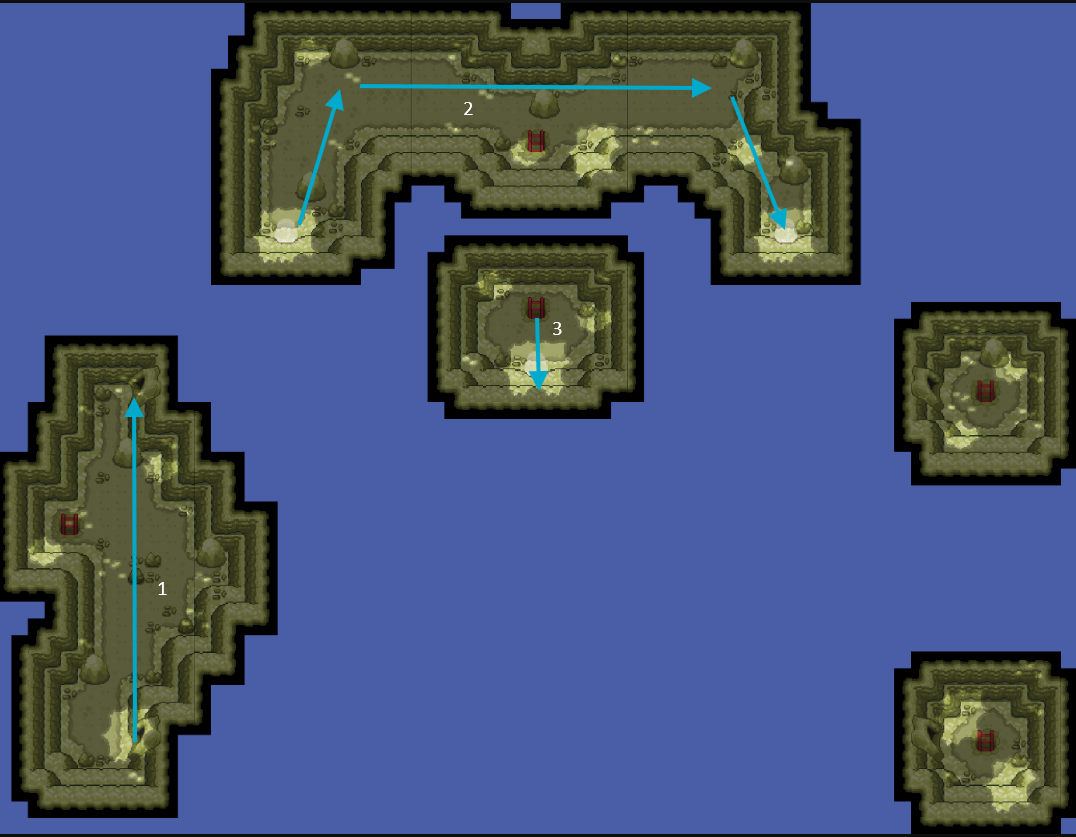
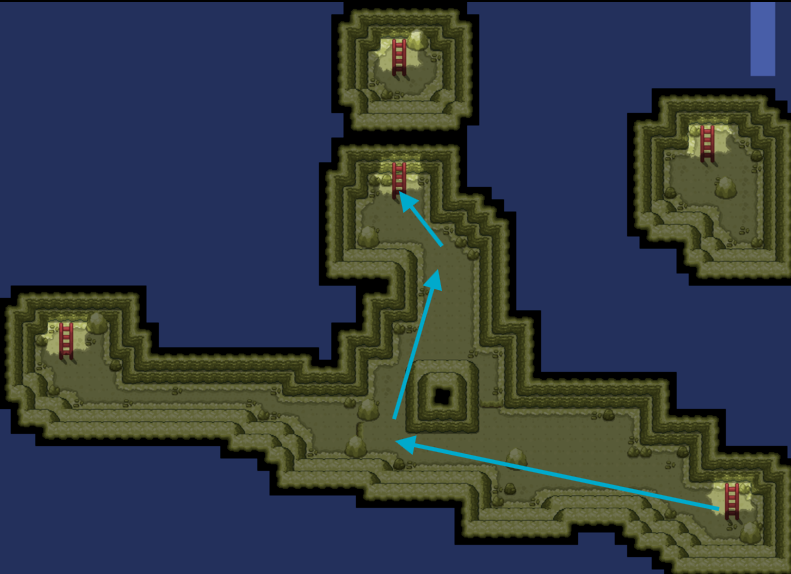
Pre-Requirements ★ Hoenn Championship ★ Have all non-legendary Hoenn seen data ★ $15,000 Pokedollars Beginning the Quest To begin the quest, you need to have the seen data for Jirachi. This can be acquired by interacting with Jirachi on the second floor of the player house in Littleroot Town (Hoenn). Catching Jirachi Once you have the seen data for Jirachi, head to the Mossdeep City. With whatever you need to catch Jirachi, enter the Space Center. Once you arrive at the Mossdeep Space Center, speak with the gentleman with the Elgyem and he will offer to teleport you to the Moon for $15,000. After you get to the Moon, you need to make your way to the shiny stone on a hill and interact with it. This can be done by going through the various tunnels in on the Moon until you arrive on the hill. Directions can be seen in the screenshots below. Once you interact with the shiny stone, select yes and you will be teleported to the Wish Room. There you will find and be able to catch Jirachi. Quest Complete!
-
Good day @Mitesx21 I am glad to hear. With that being said, I will be closing this thread as it has been resolved. If you have any further questions or concerns, do not hesitate to reach out. Regards, Bitterblade
-
Good day @Mitesx21 Your items have been moved onto your main character (currently on Gold). Can you confirm that you have the items in your inventory? I look forward to hearing from you. Regards, Bitterblade
-
Good day @Mitesx21 I will be handling your thread. While I get this sorted out, please remain on your current server. I will reach out again once I have an update. Regards, Bitterblade
-
Good day @Vuxuan0123 Firstly, apologies for the delay in response. I will be taking over this thread now. Unfortunately, we are unable to restore this item as it was claimed prior to mail deletion. I know this is not the answer you were hoping for and for that I apologize. If you have any further questions or concerns, do not hesitate to reach out. Regards, Bitterblade
-
Good day @Thatkid I am glad that I could be of help and that you were able to reacquire your Celebi. With that being said, I will be closing this thread now as the issue has been resolved. If you have any further questions or concerns, do not hesitate to reach out. Regards, Bitterblade
-
Good day: As it has been some time since this thread received a response, I will be closing it. If you are still experiencing this issue, please make a new thread. Regards, Bitterblade
-
Good day As it has been some time since this thread received a response, I will be closing it. If you have issues moving forward, please create a new thread. Regards, Bitterblade
-
Good day @Ancientfarmer You're welcome! As this issue has been resolved, I will be closing this thread. If you have any further questions or concerns, do not hesitate to reach out. Regards, Bitterblade
