




New Trade Zone
Trade Zone is now live
Use the new Trade Zone for auctions and instant-price trades so Pokemon and item offers are easy to find.
Leaderboard
-

Mavywavy
Registered User5Points1111Posts -

Rarecandymedia
Registered User5Points13Posts -
Intgmng
Registered User4Points247Posts -
Grahamsitox
Registered User2Points883Posts




Popular Content
Showing content with the highest reputation on 09/22/25 in all areas
-
✨Welcome to my personal shop ✨ "I will update with new items & pokemons every 2 Weeks" 📞 Contact Info 🎮 In-game: Mavywavy 💬 Discord: mavy411 💳 Payments Pokedollar Coin Capsule = 500k Reroll Ticket = 700k Nature Reroll Ticket = 350k Rare Candy = 5k FREE Pokemons for NEW players Spoiler 📦Categories ✨ [CLOSED for now] ✨ PRESTIGE mount Spoiler 🎒 Items & TMs Spoiler 👑 Cosmetics Spoiler LIMITED 🎃 & ⛄ Spoiler 🐾 Fully Trained Pokémon < 1m Spoiler 1m - 5m Spoiler From 5m+ Spoiler 🌱 Untrained Pokémon Spoiler 🌟 Shiny & Special Pokémon < 1m Spoiler From 1m+ Spoiler 🌸 Clefable Epic Spoiler DM today to place your order and start your Transylvania journey!
.png.455a7d211f128442d0035182d7610039.png)
.png.9ca42baa62c830271dba0c64ed728503.png)





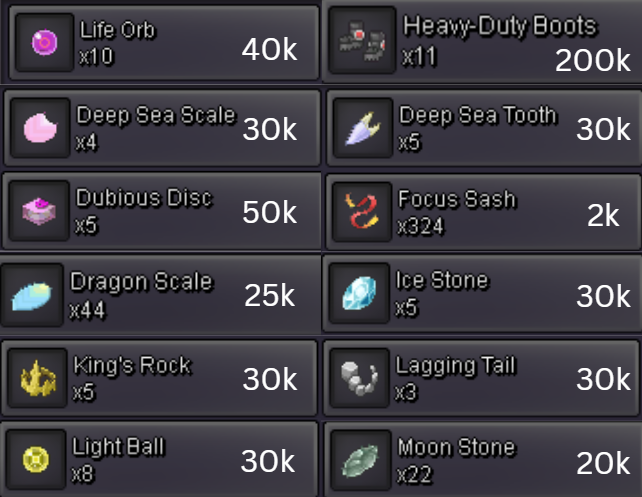
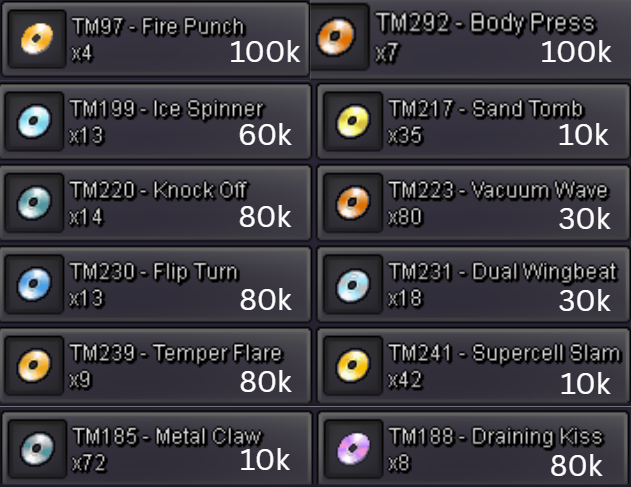
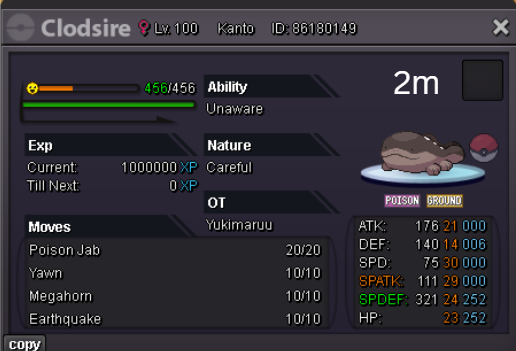
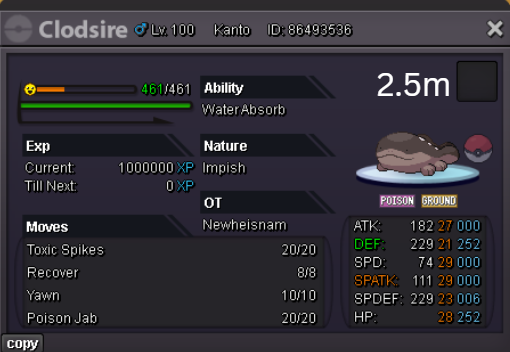
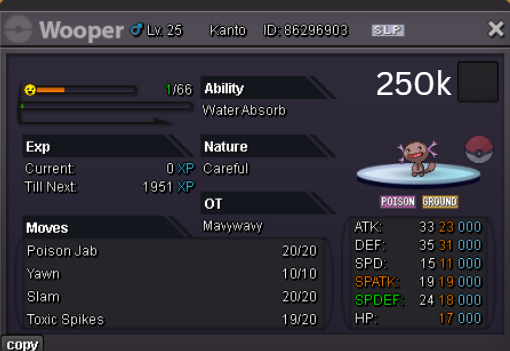
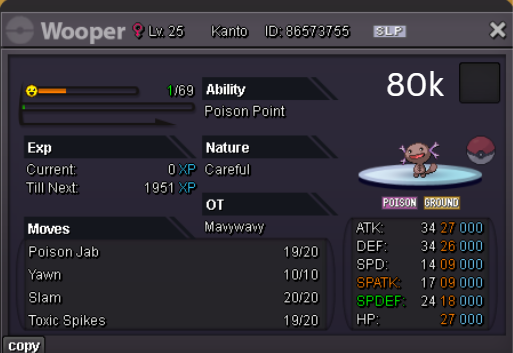
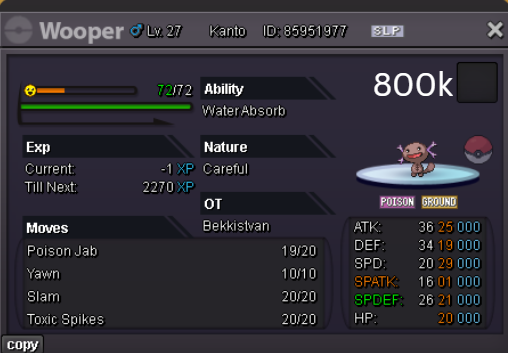
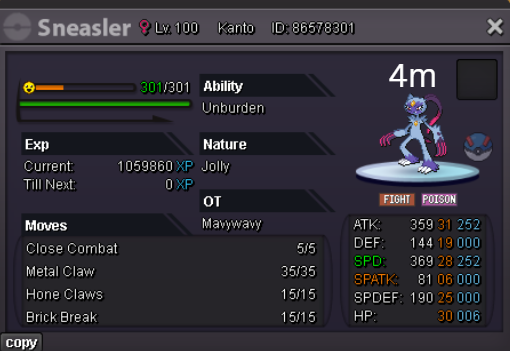
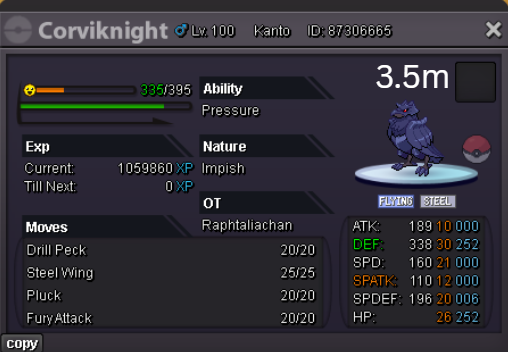
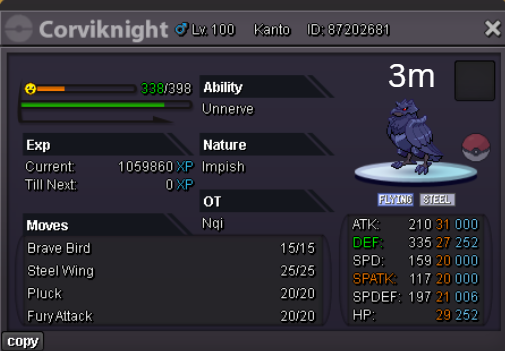
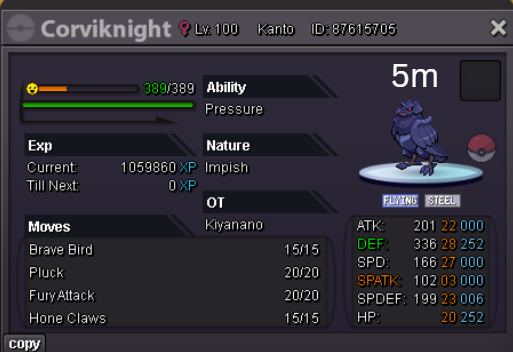
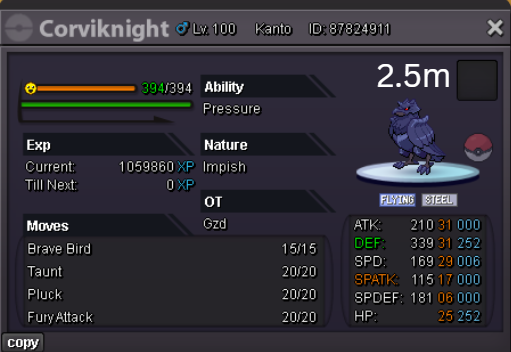
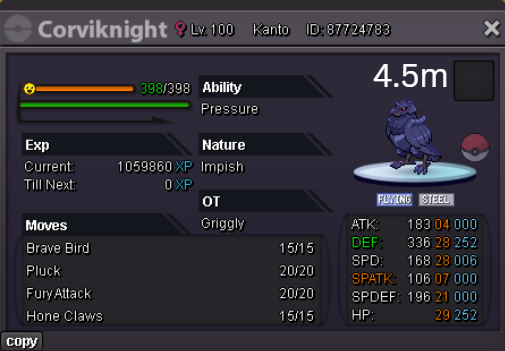
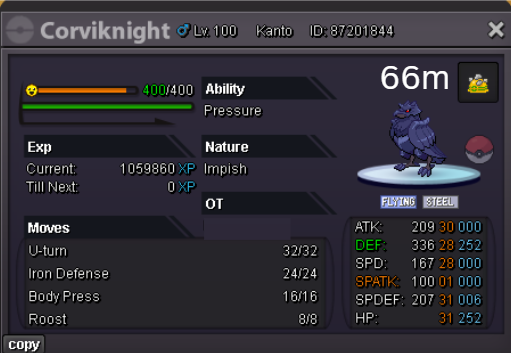
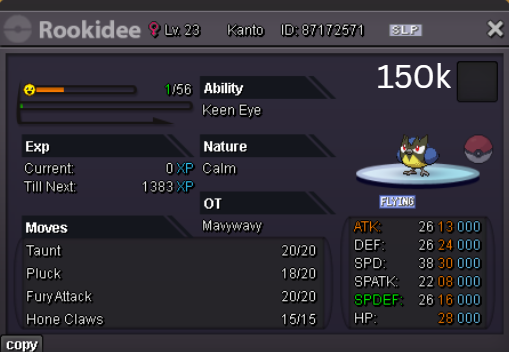
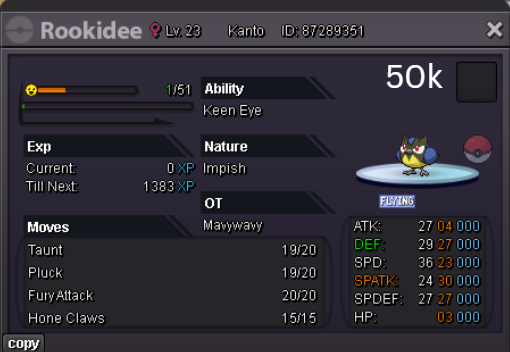
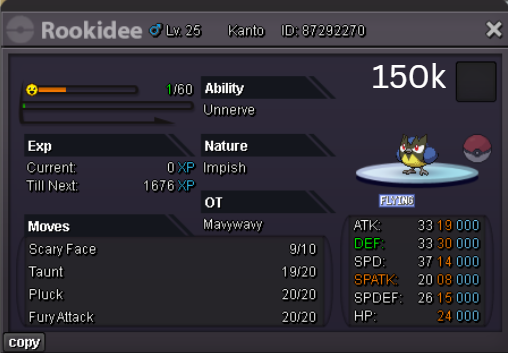

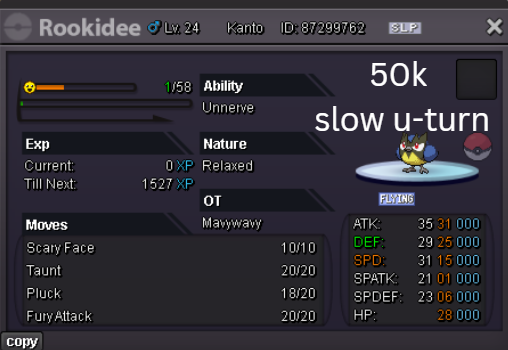
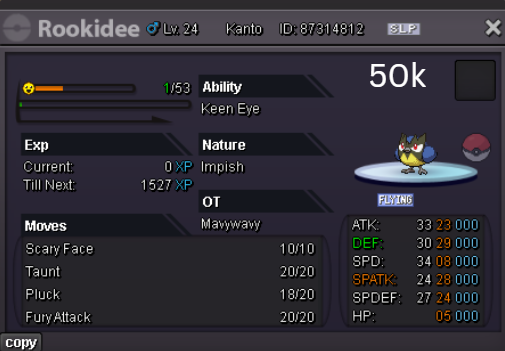
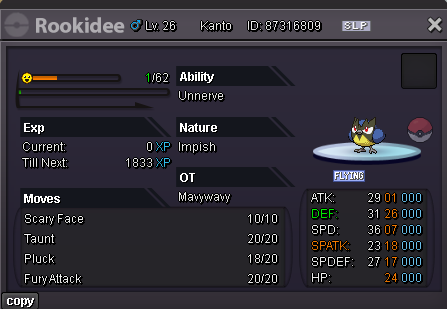
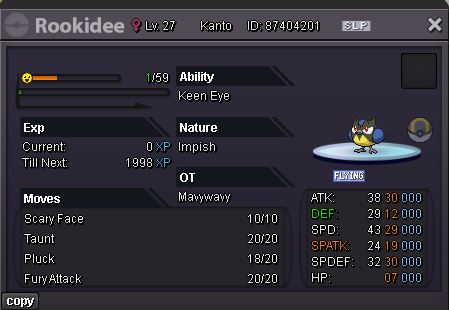
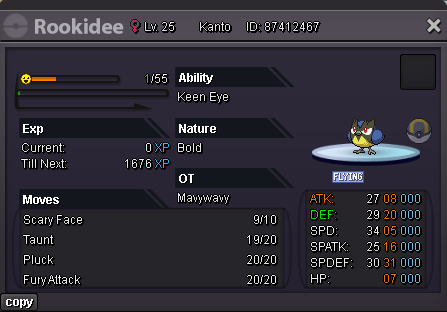
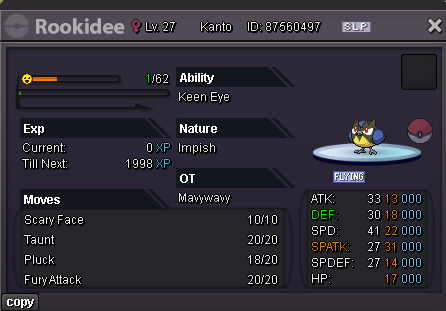

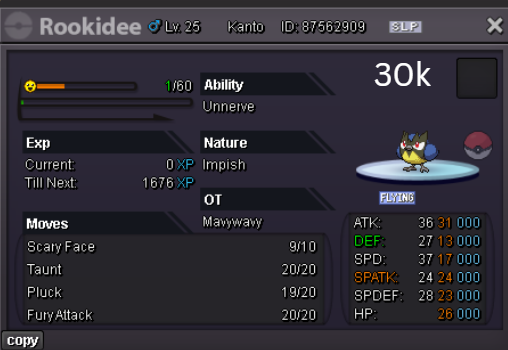
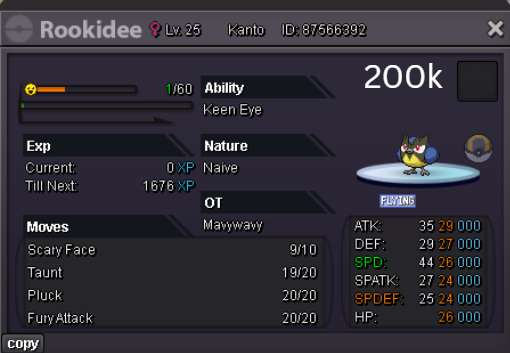
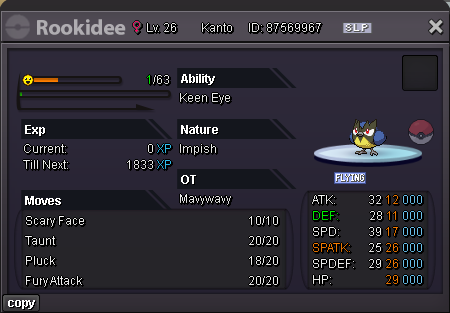
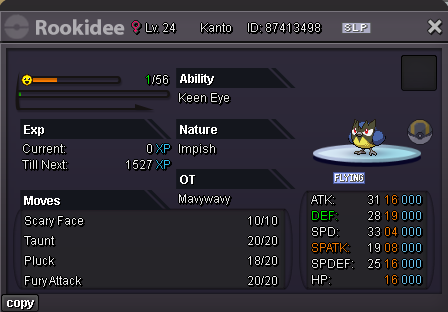
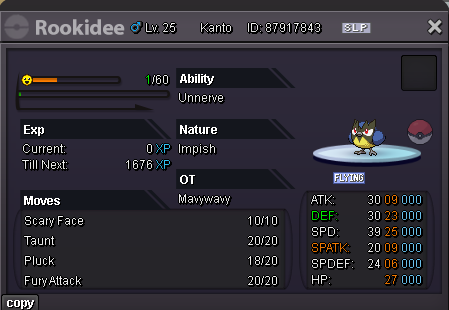
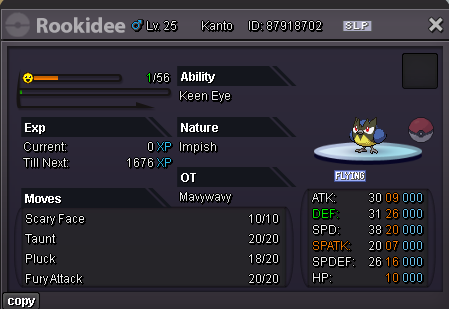
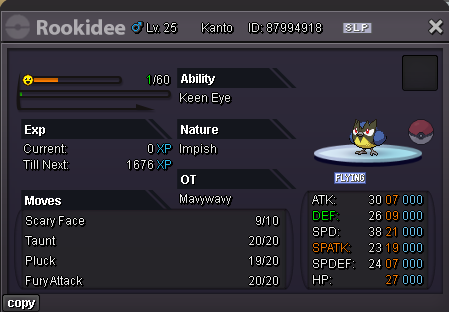
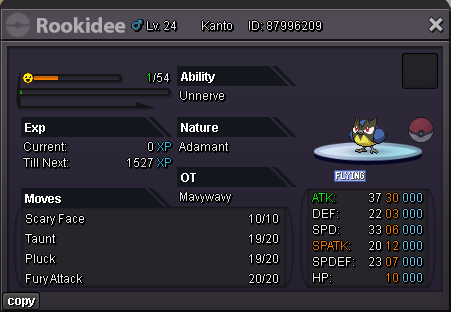
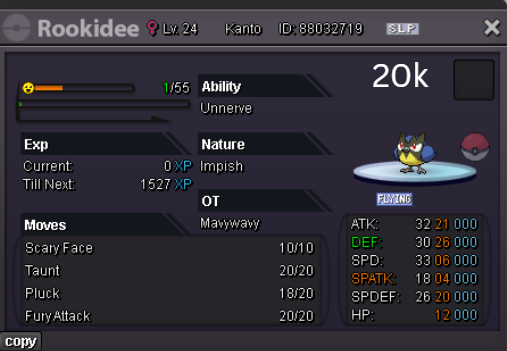

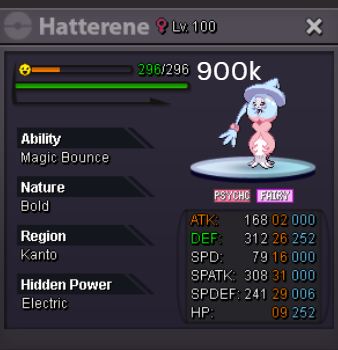
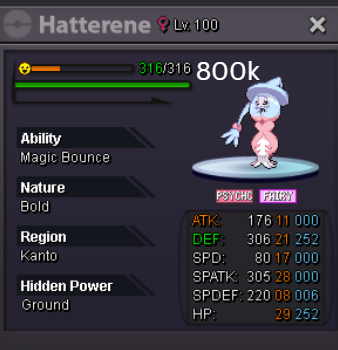
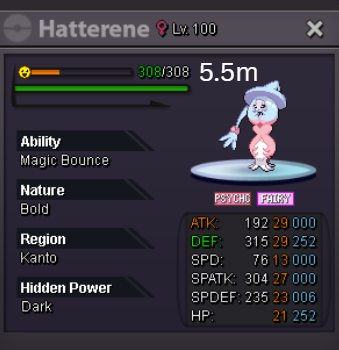


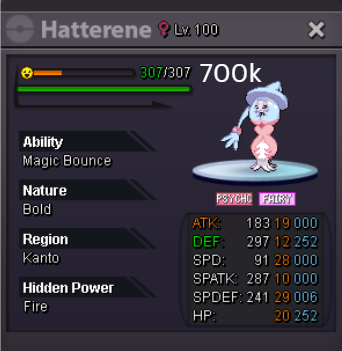

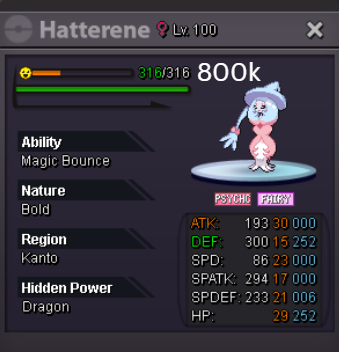
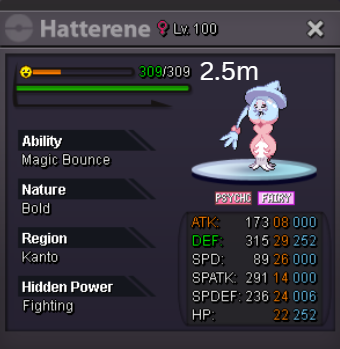


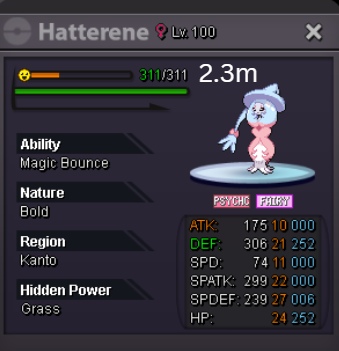

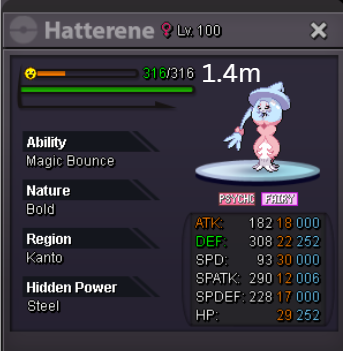

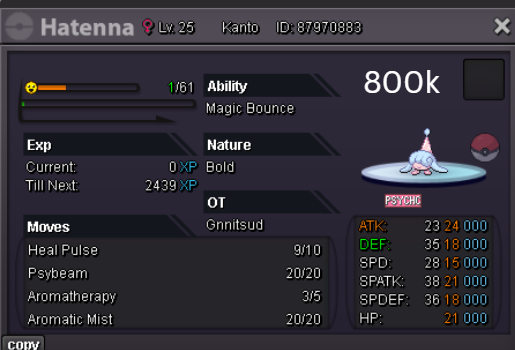
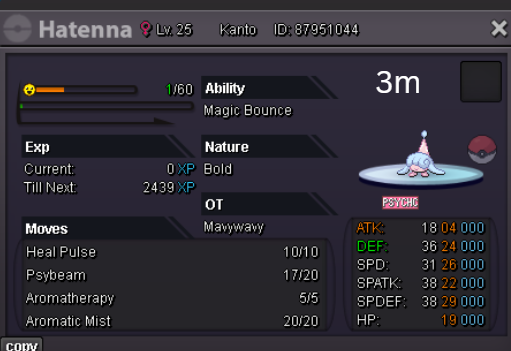
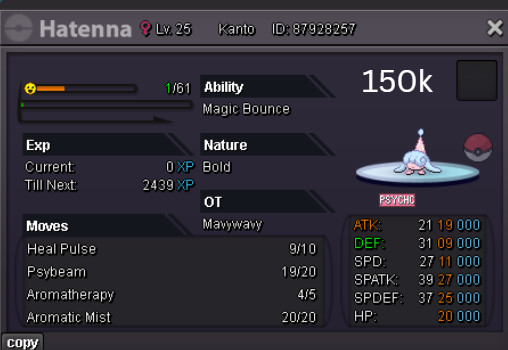
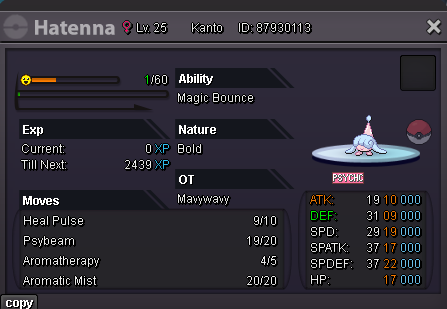
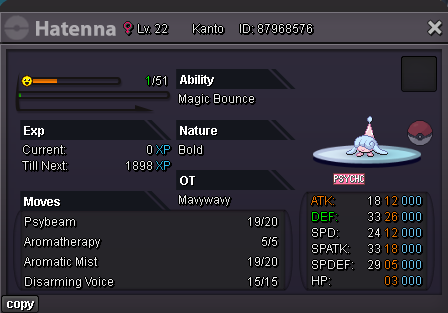
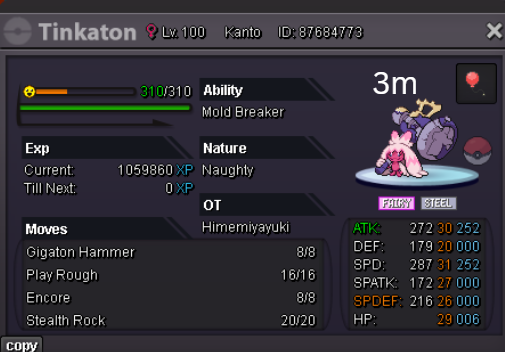
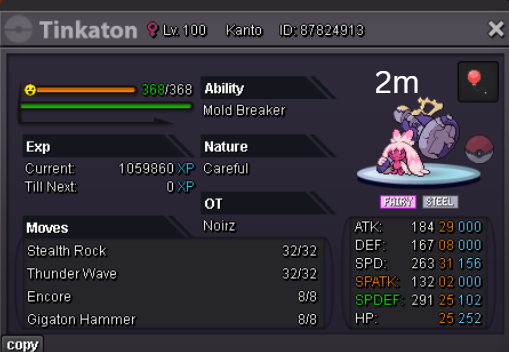
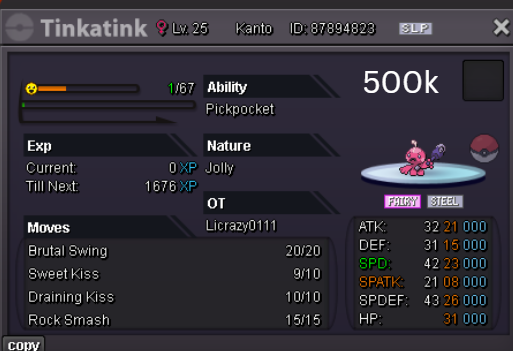
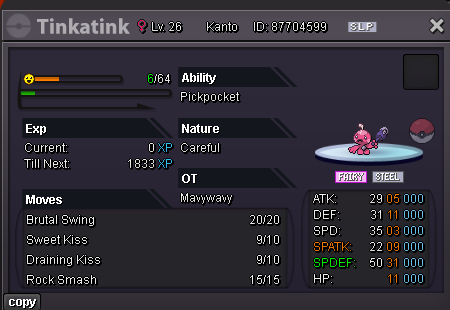
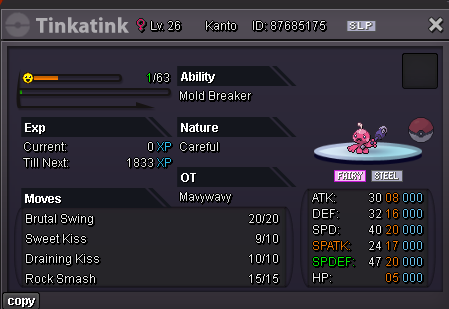
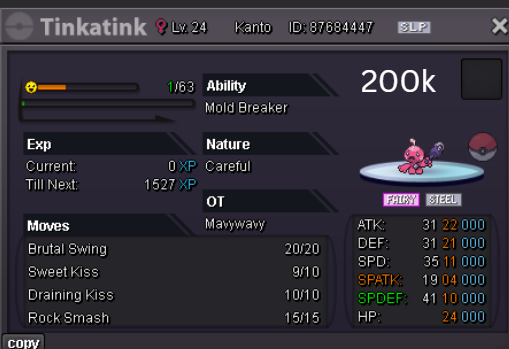
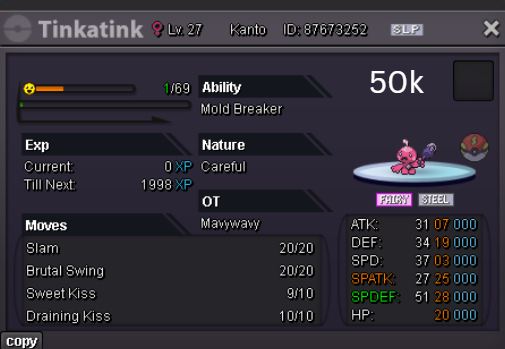
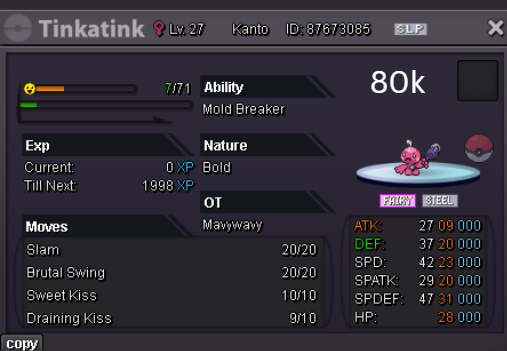
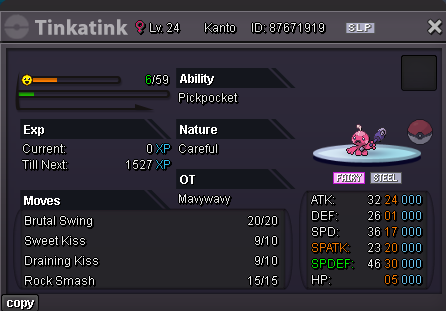
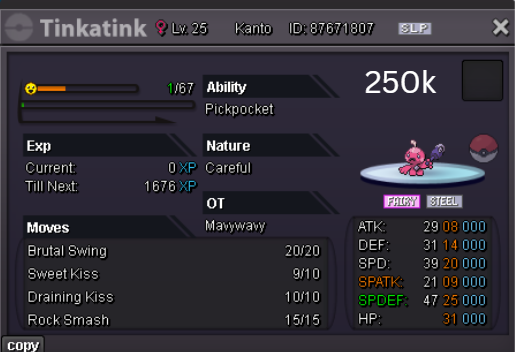
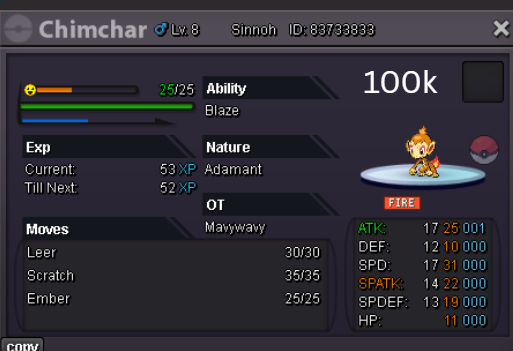
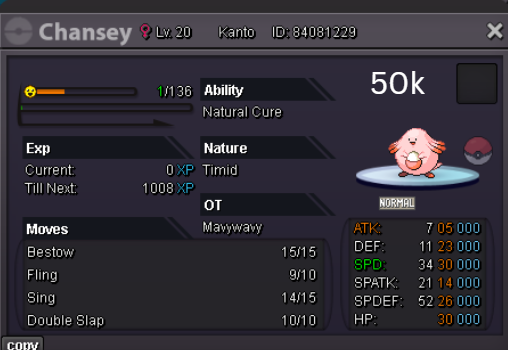

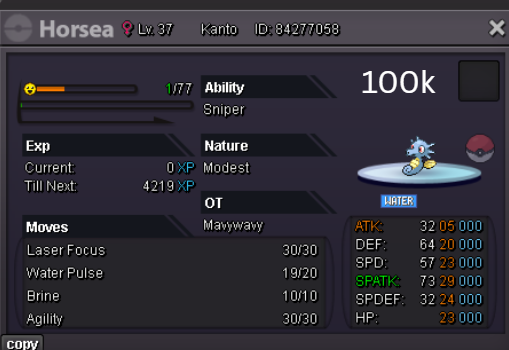
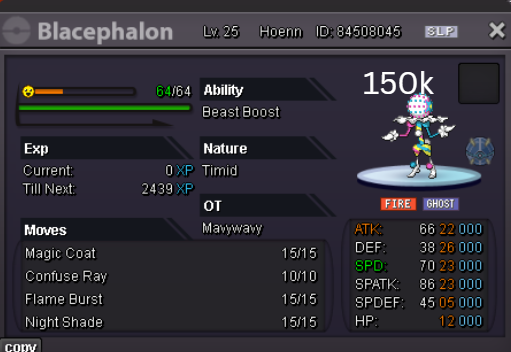
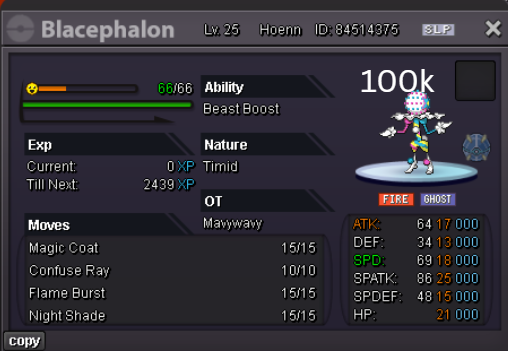
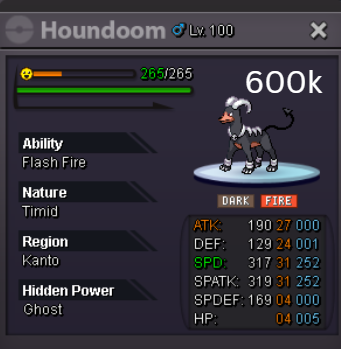
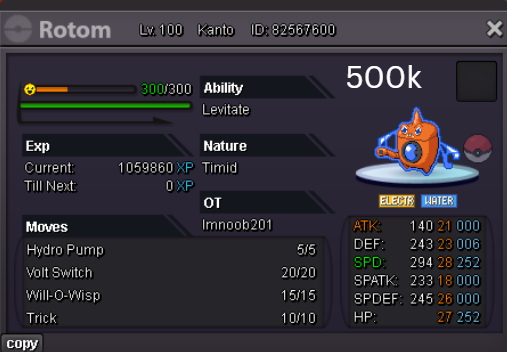
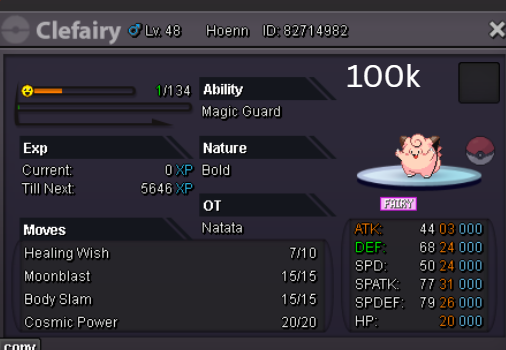
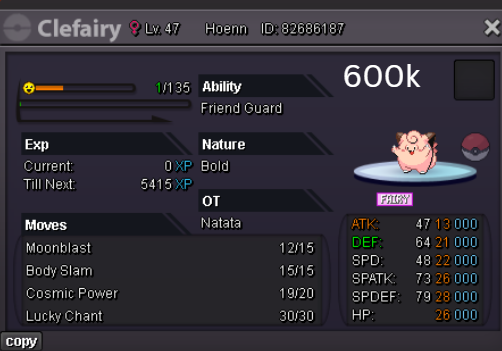
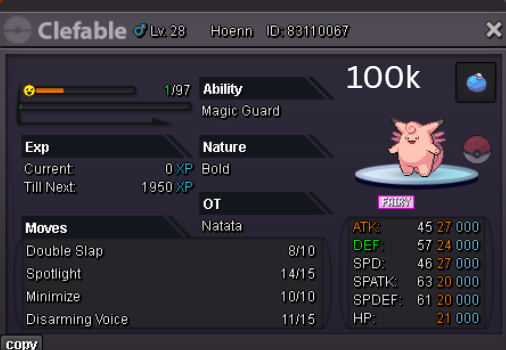
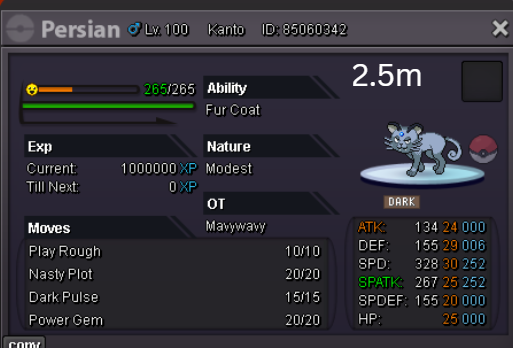

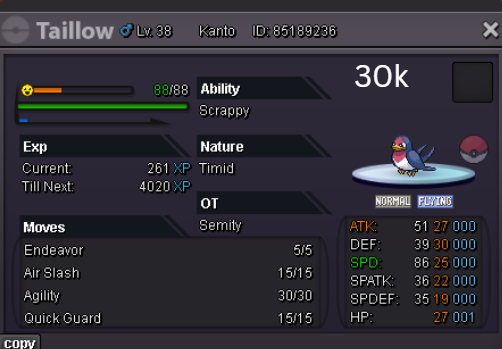
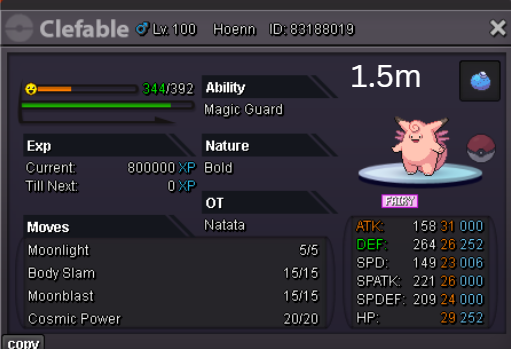
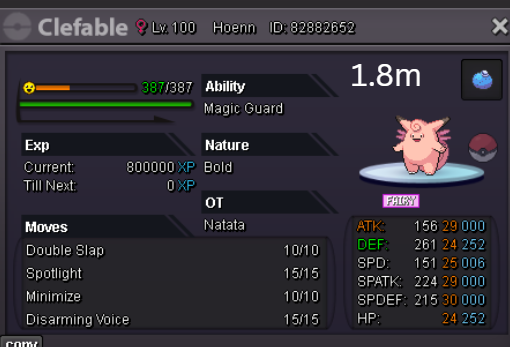
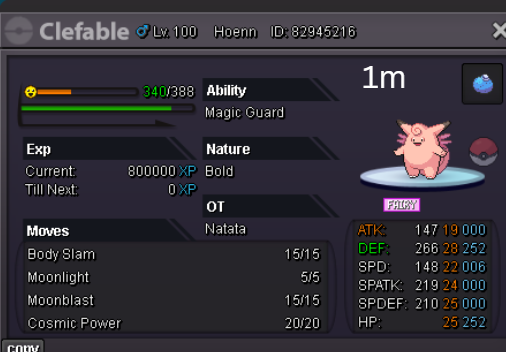
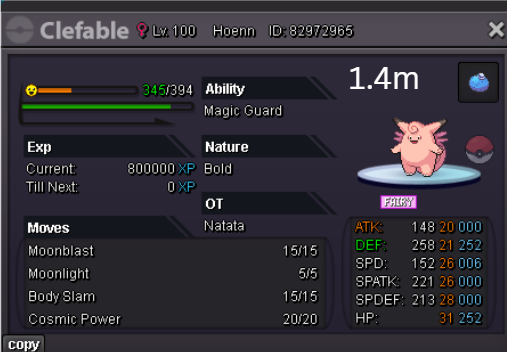
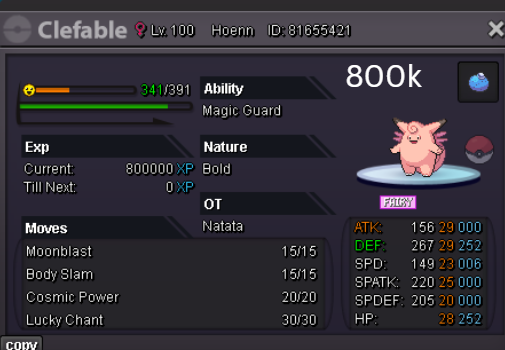
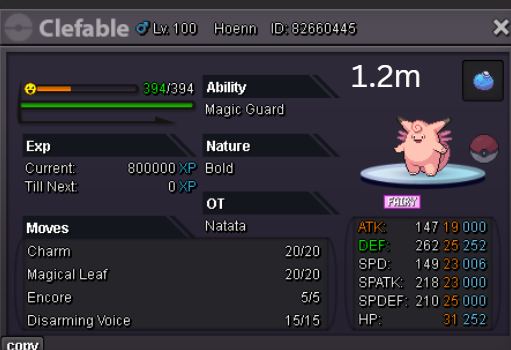
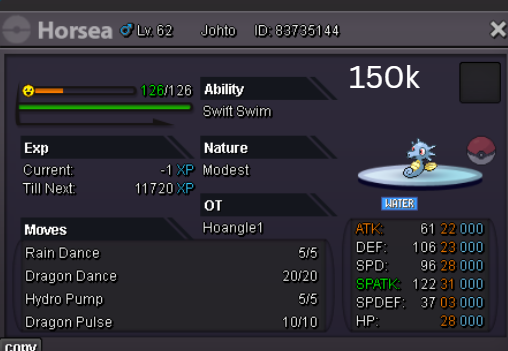
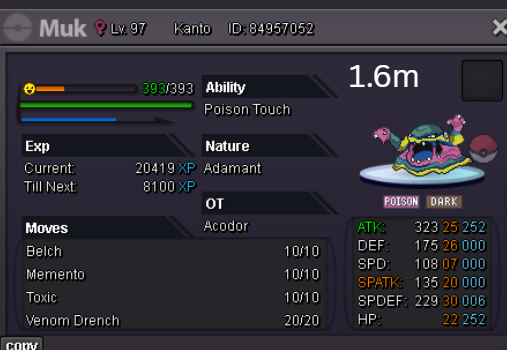
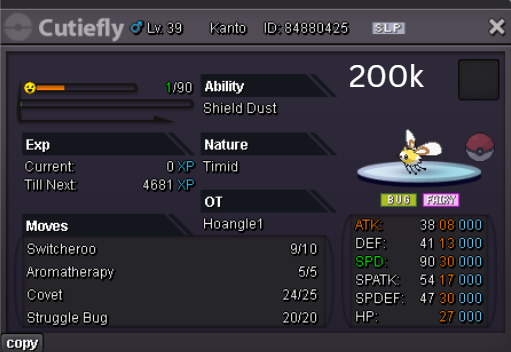
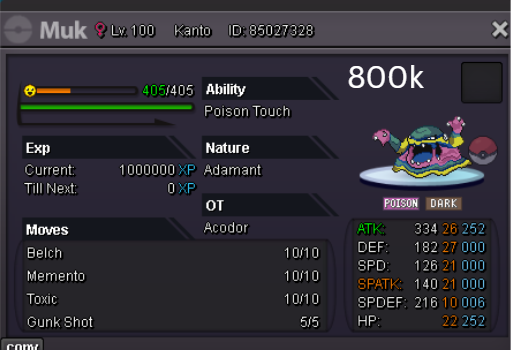
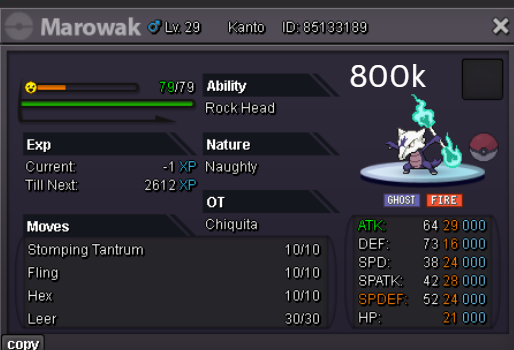
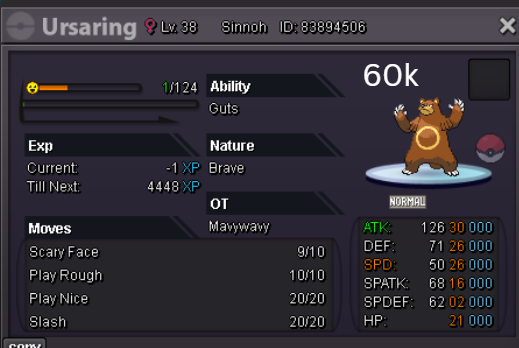
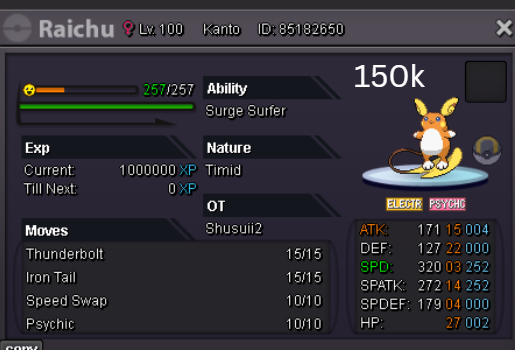
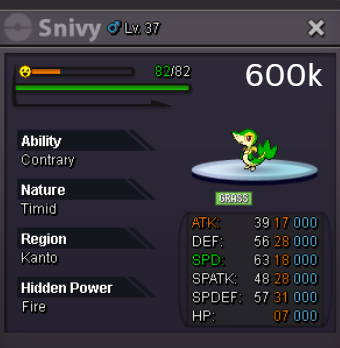
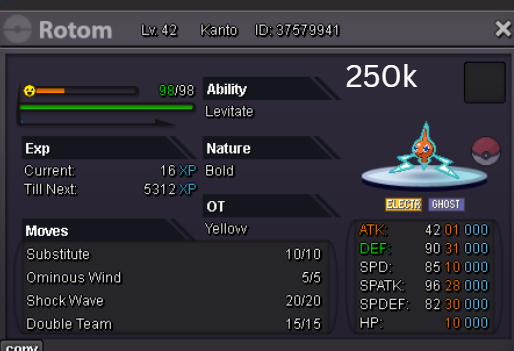
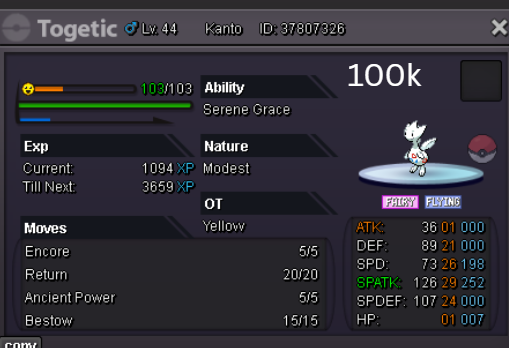
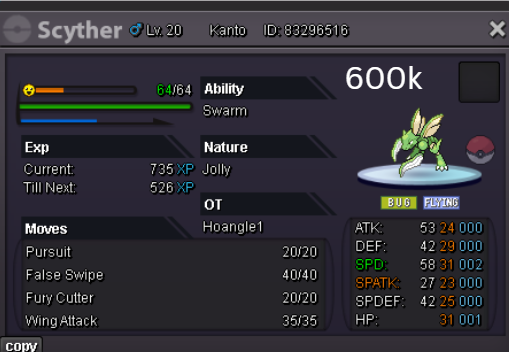
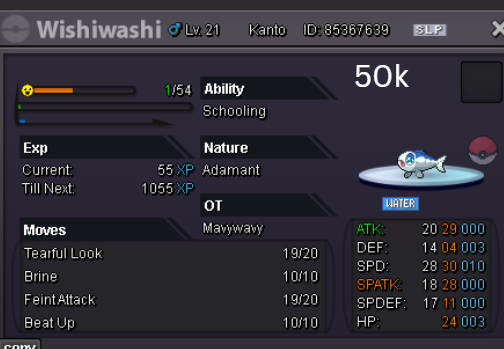
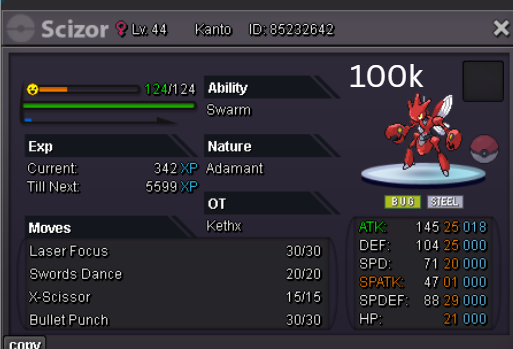
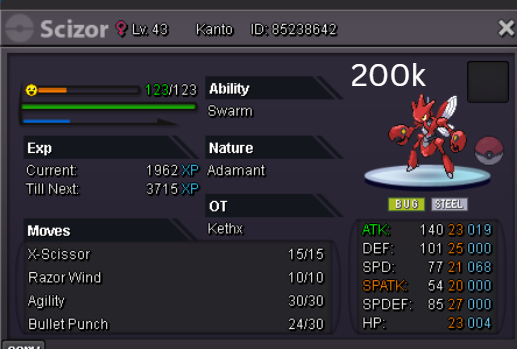
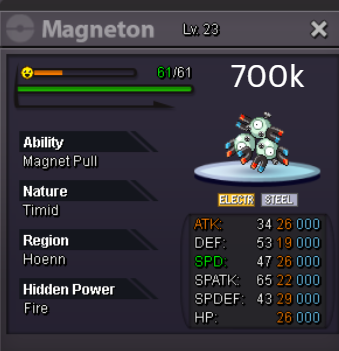
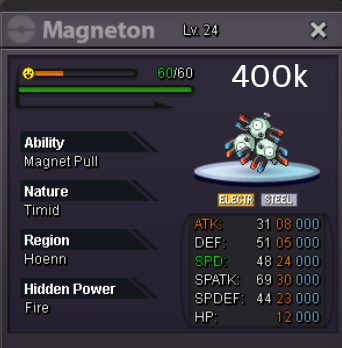
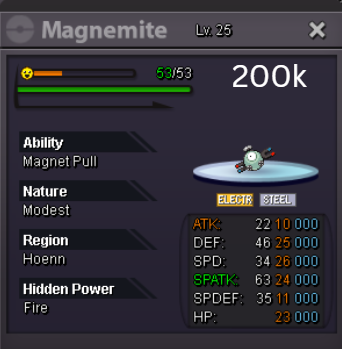

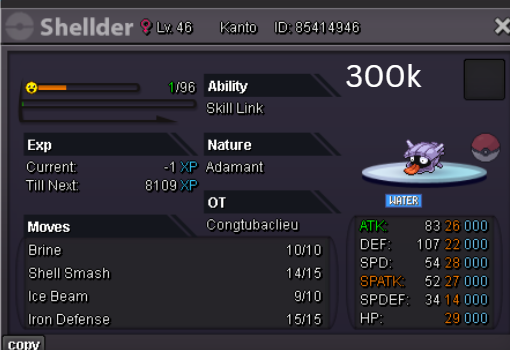
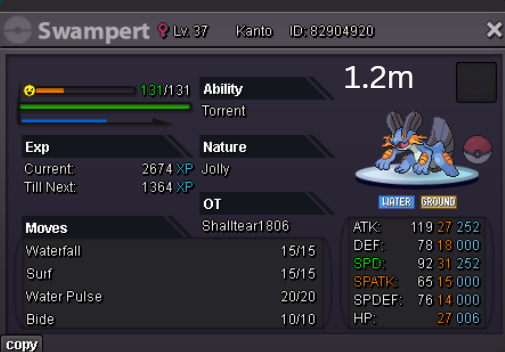
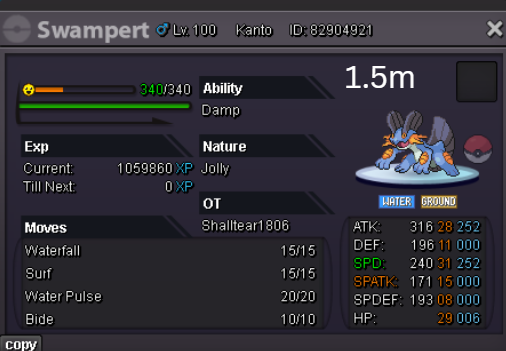
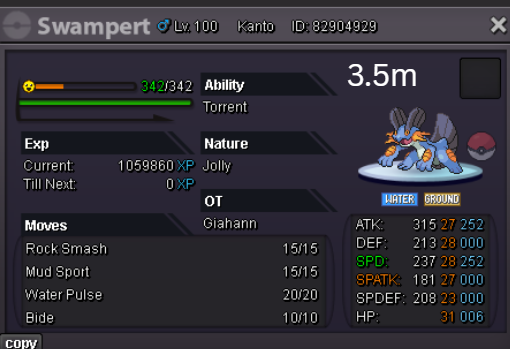
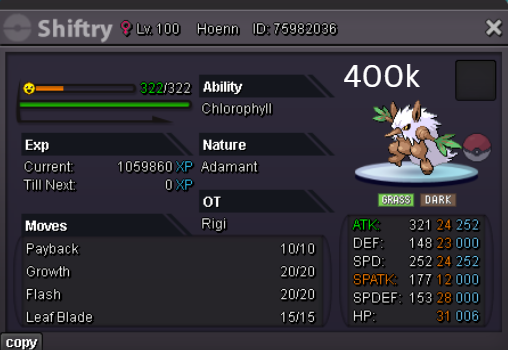
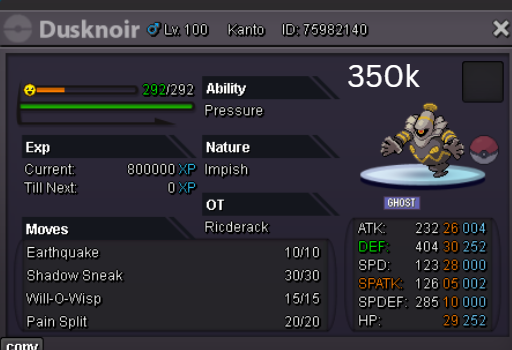
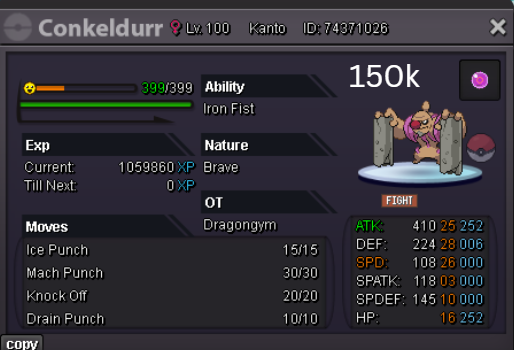
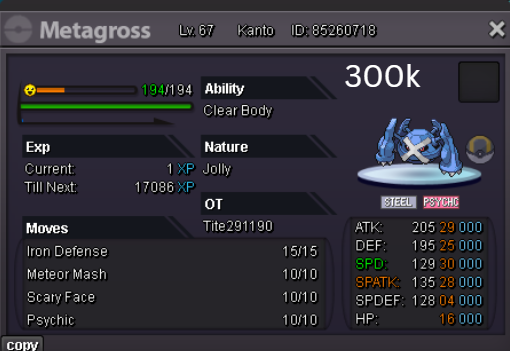
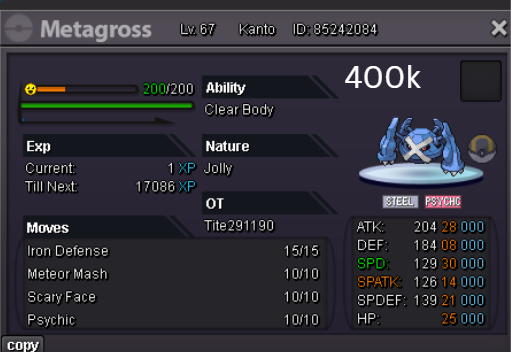
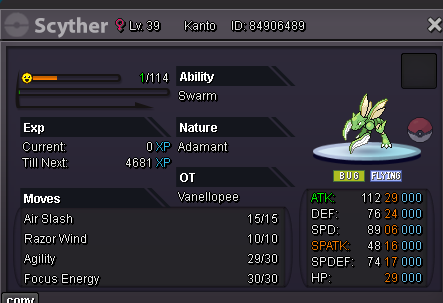
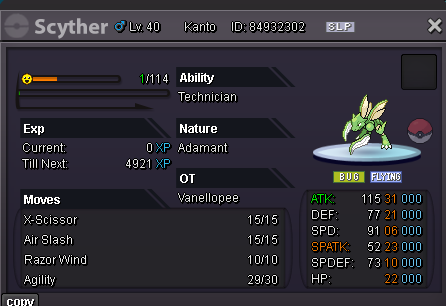
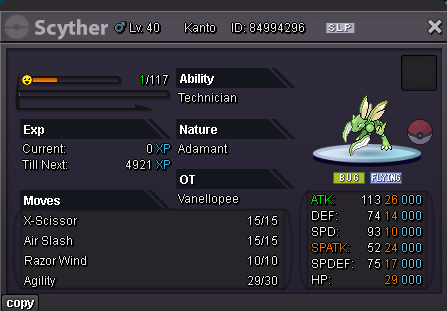
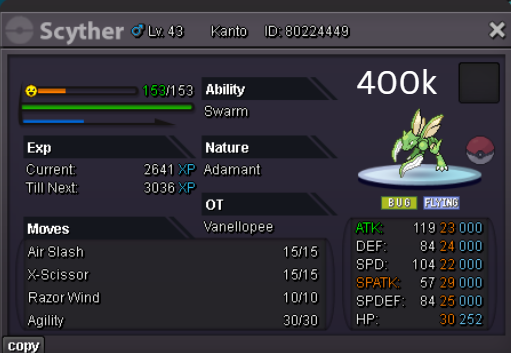
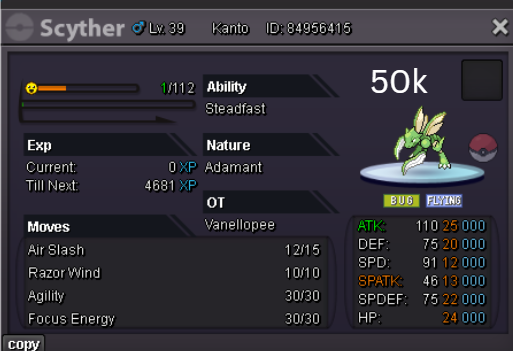
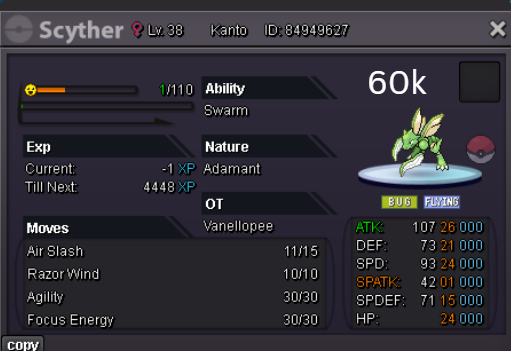
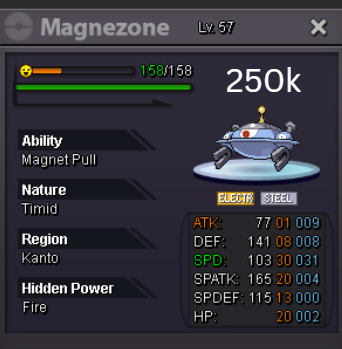
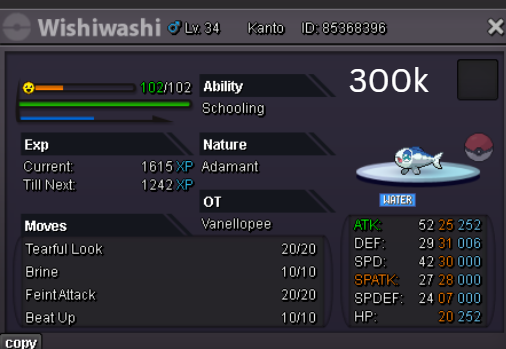

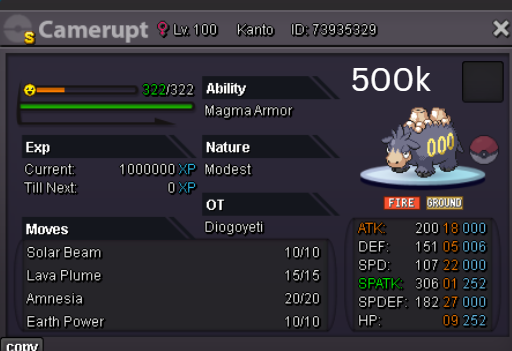
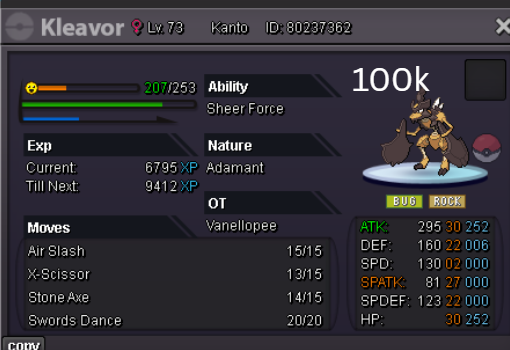
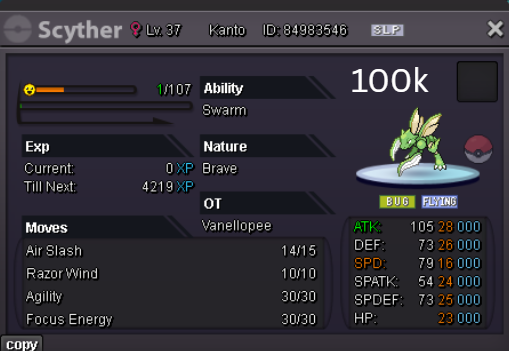
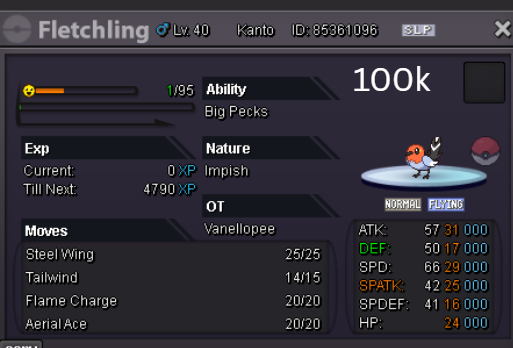
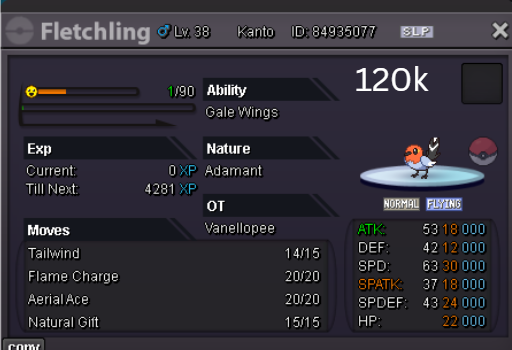
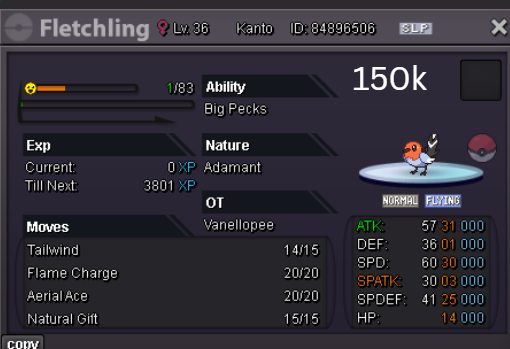
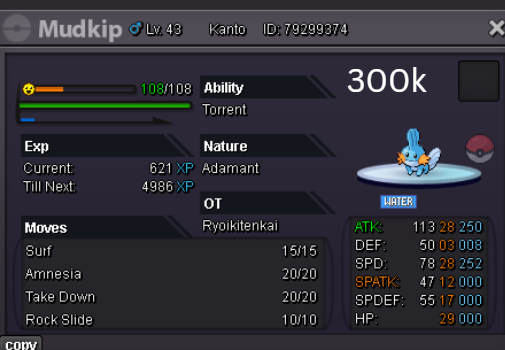

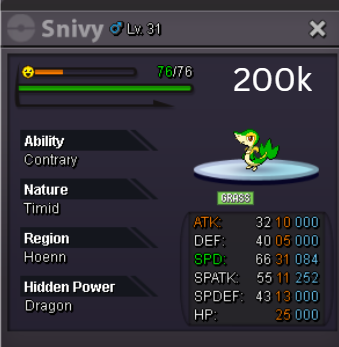
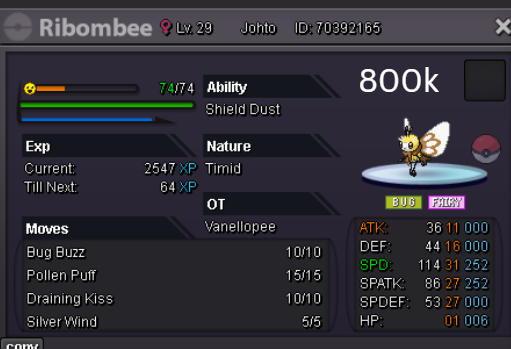


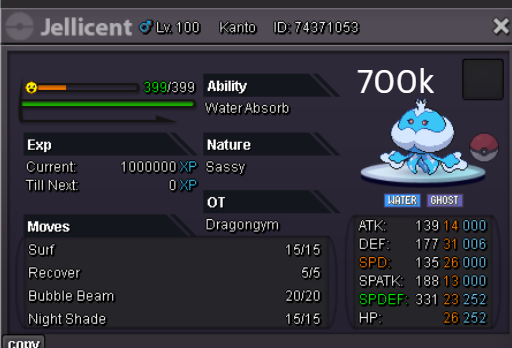
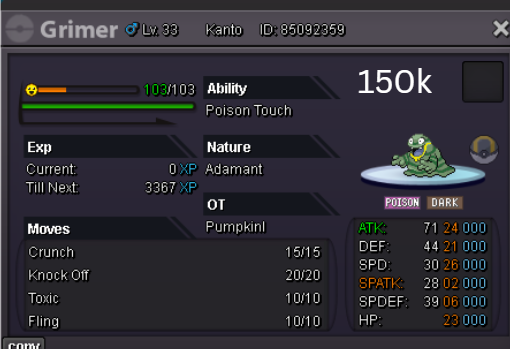

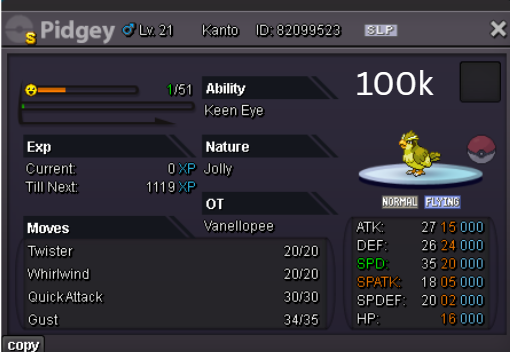

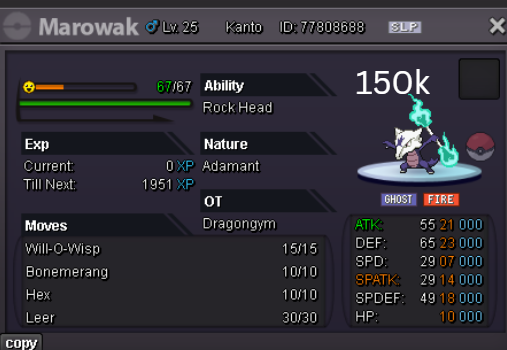
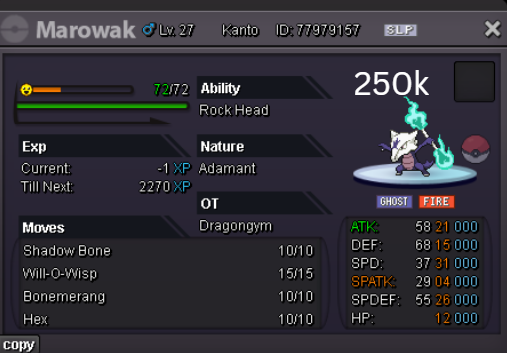
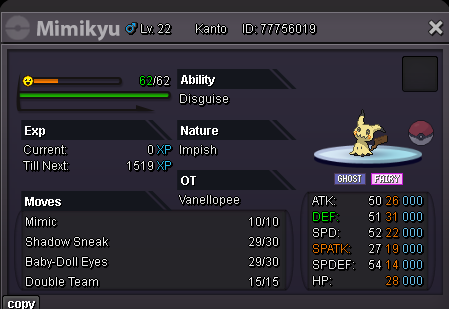
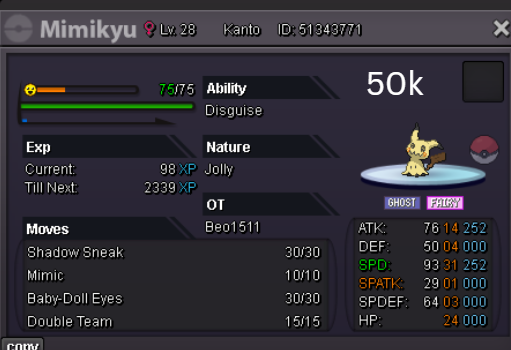
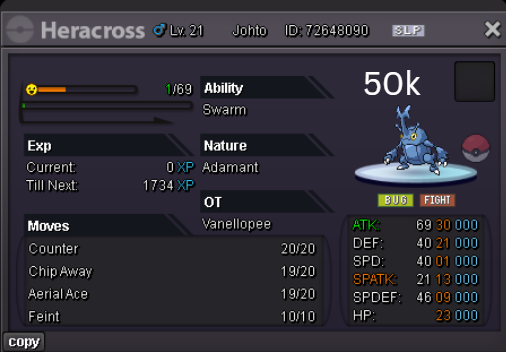
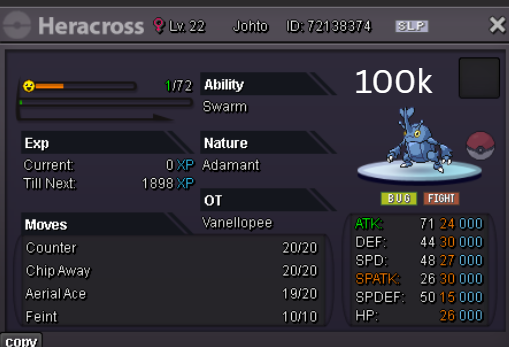
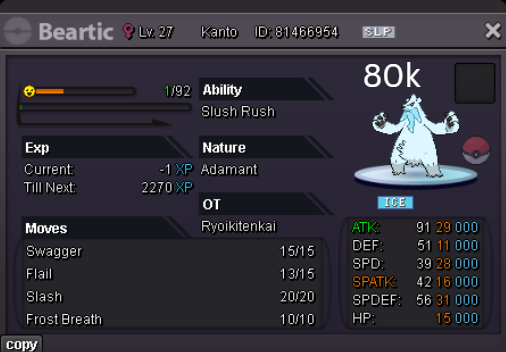
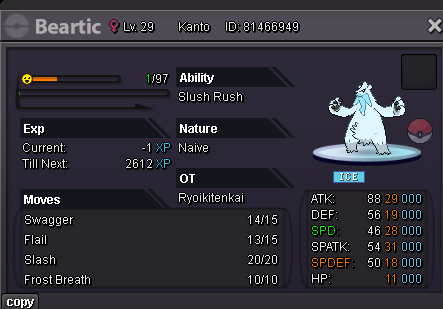
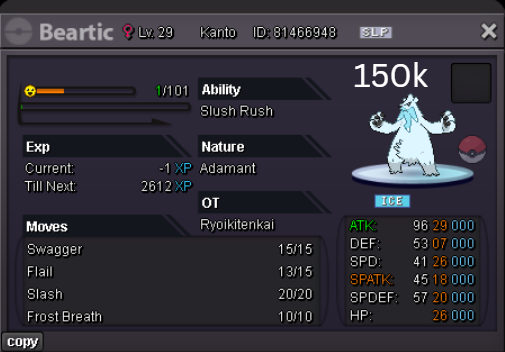
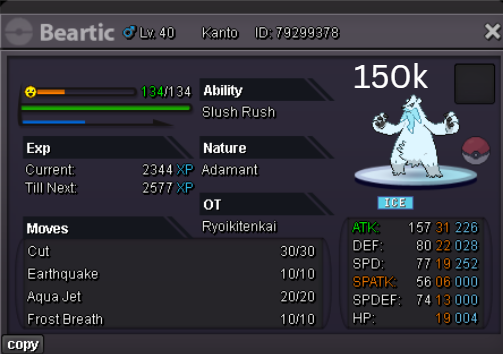
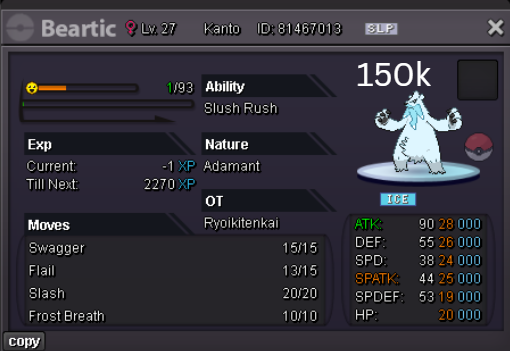
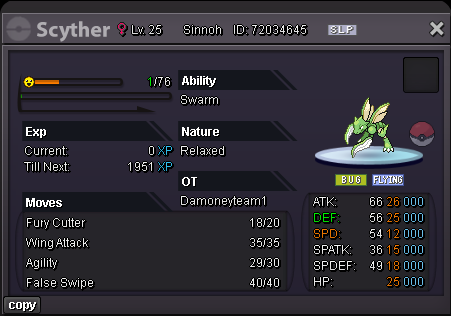
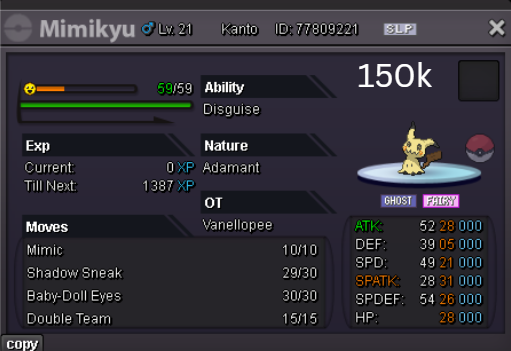
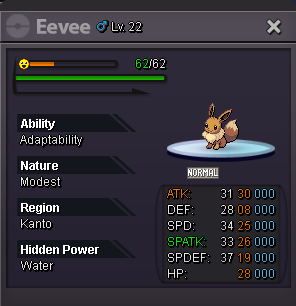
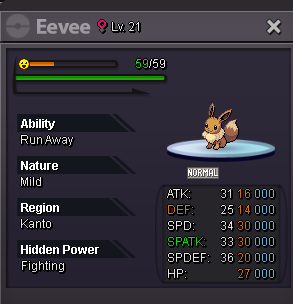
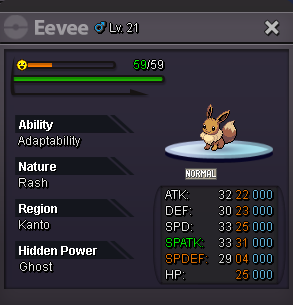
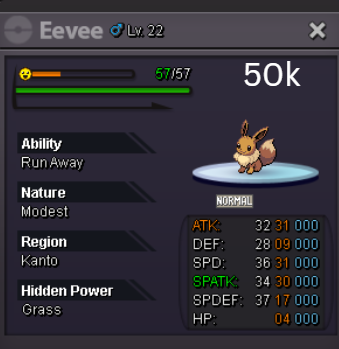
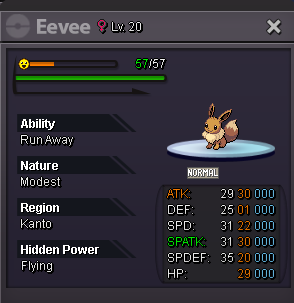
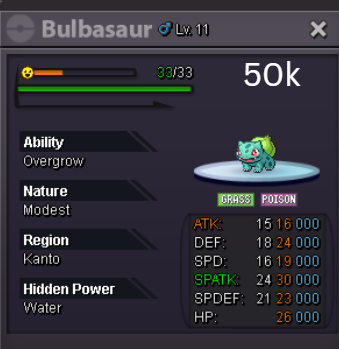

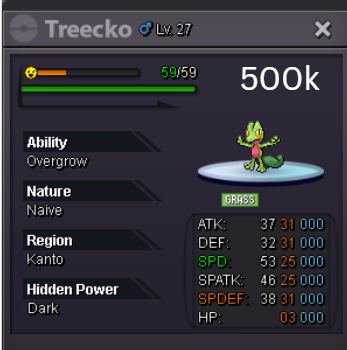
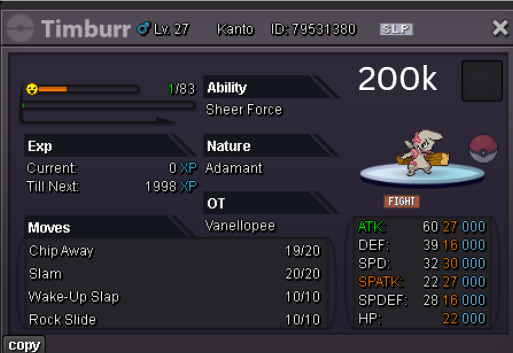
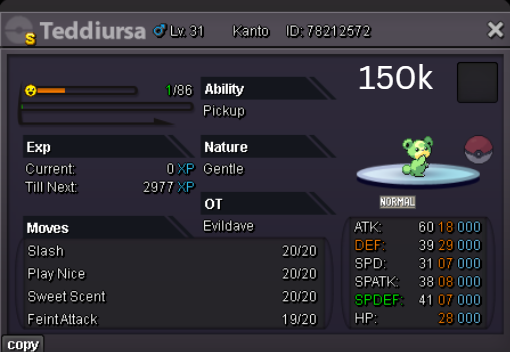
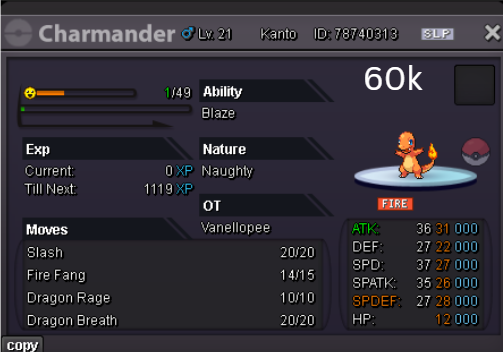
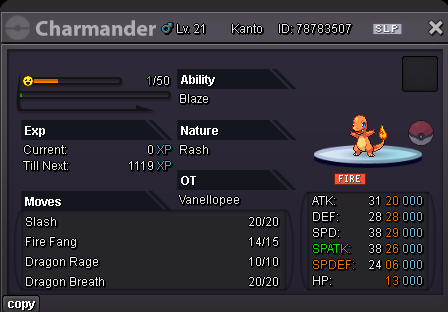
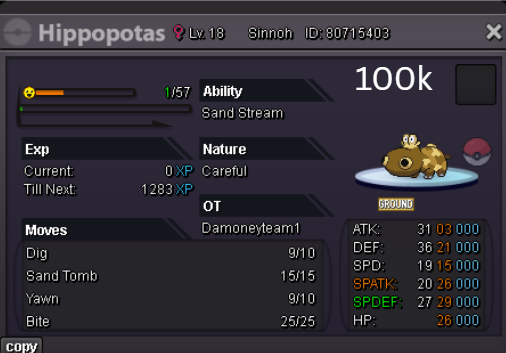
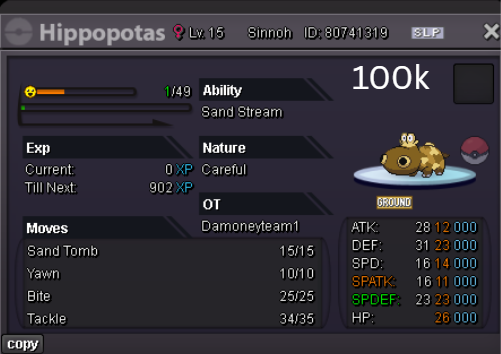
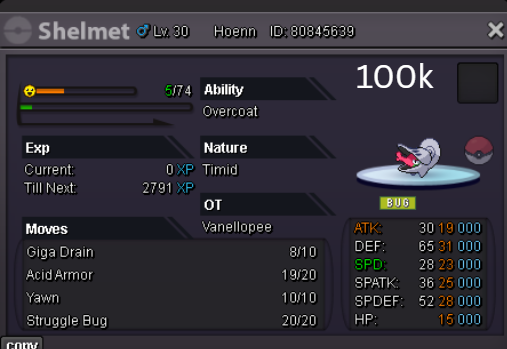
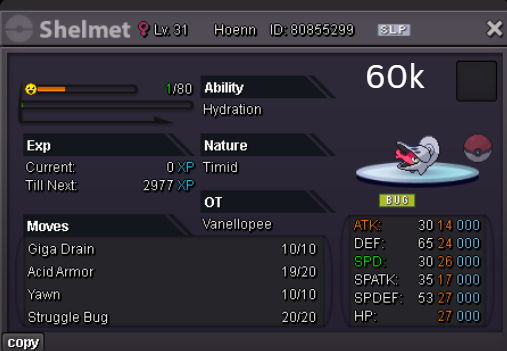



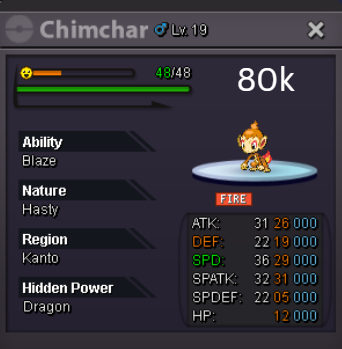




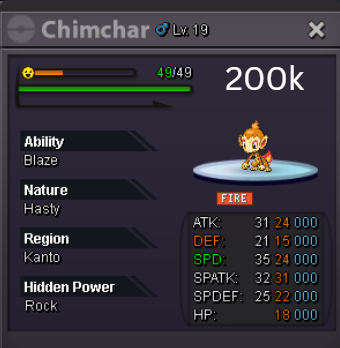

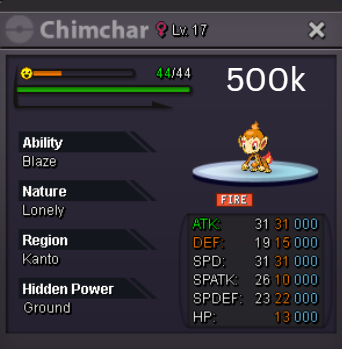
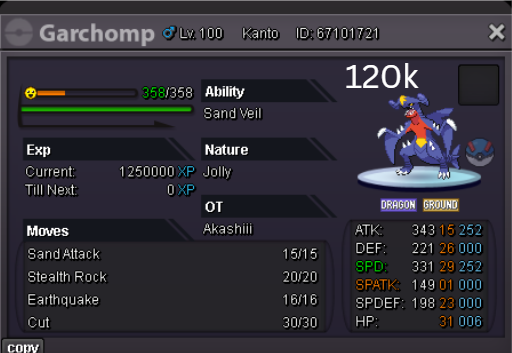

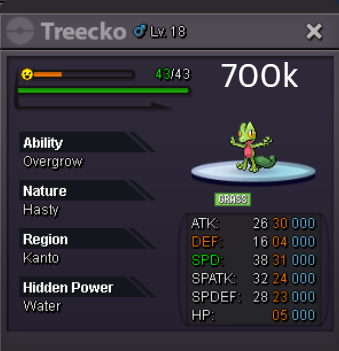



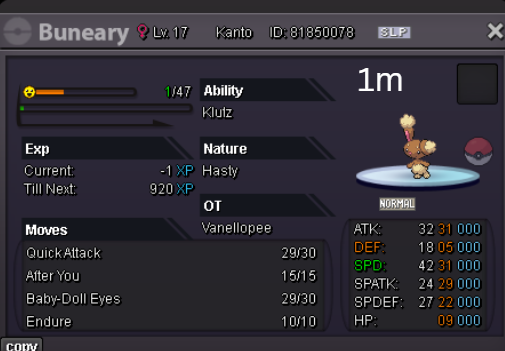
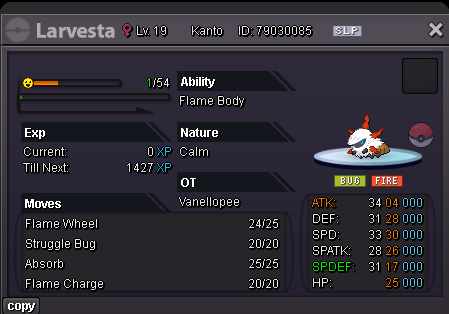
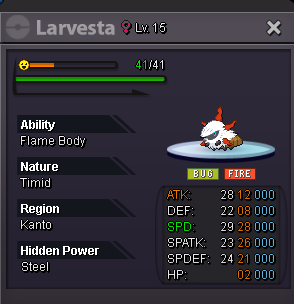
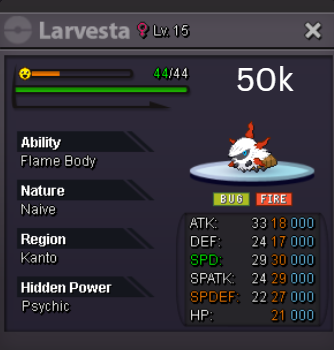
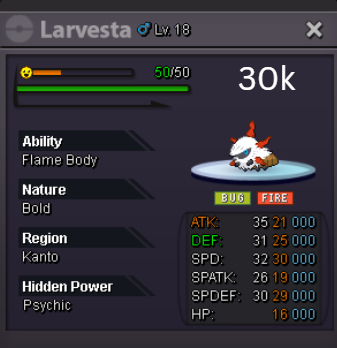
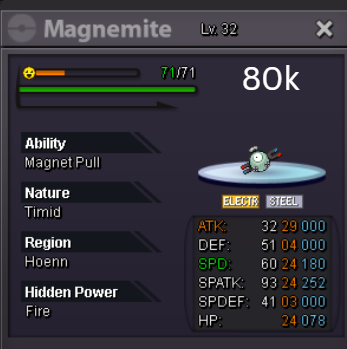
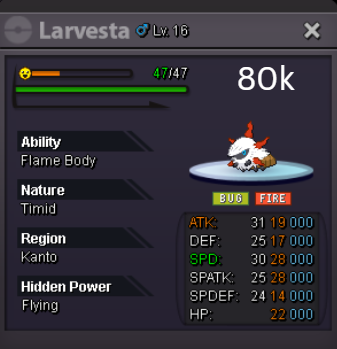
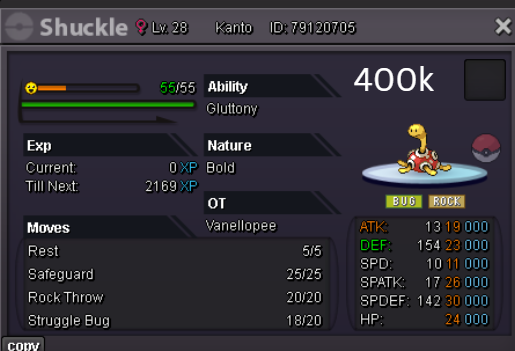
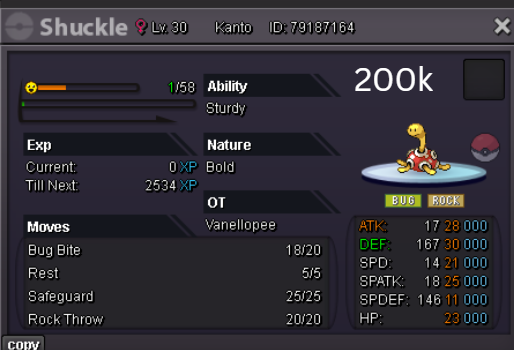
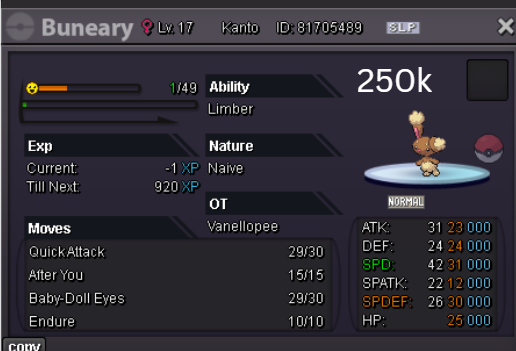
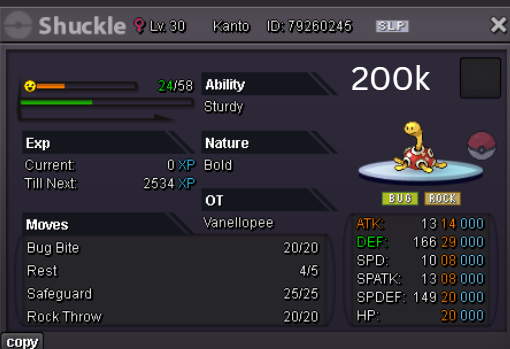
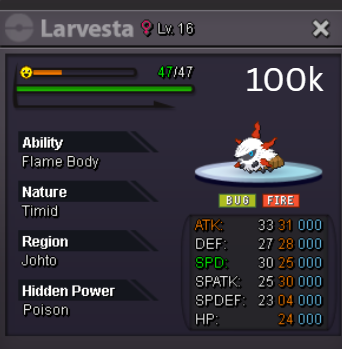
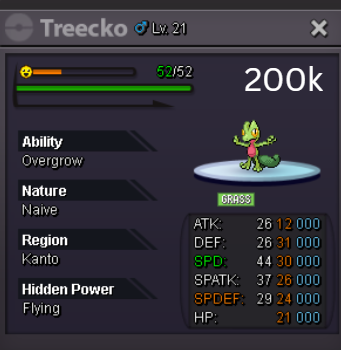
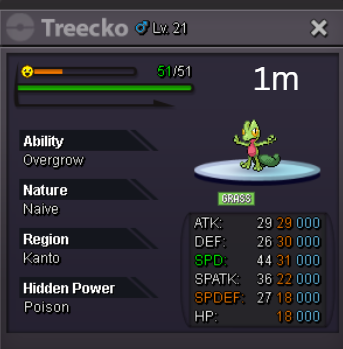

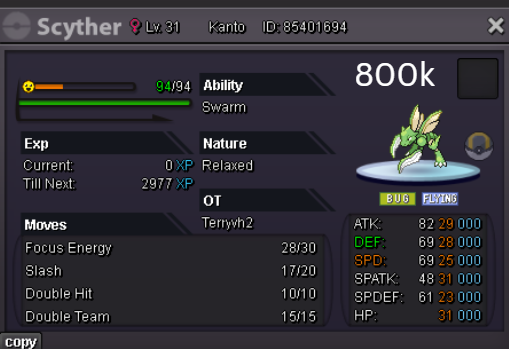
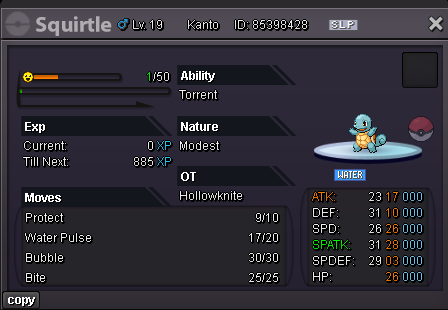
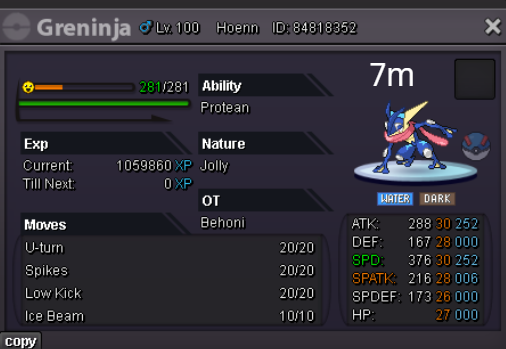

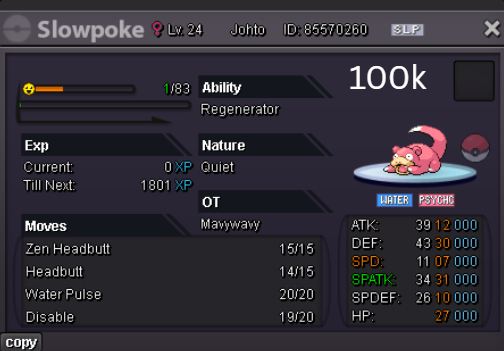

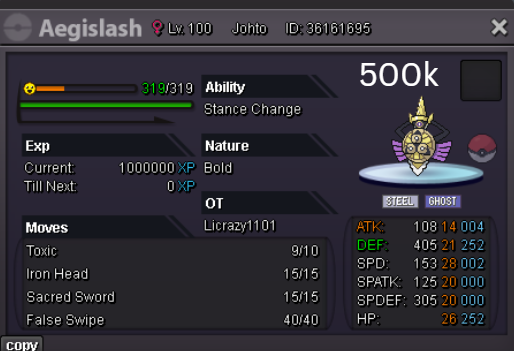

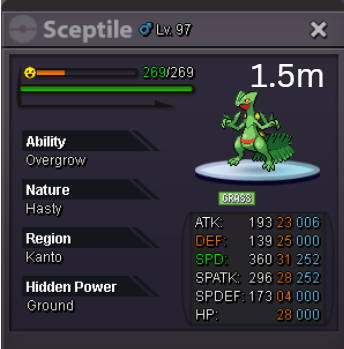
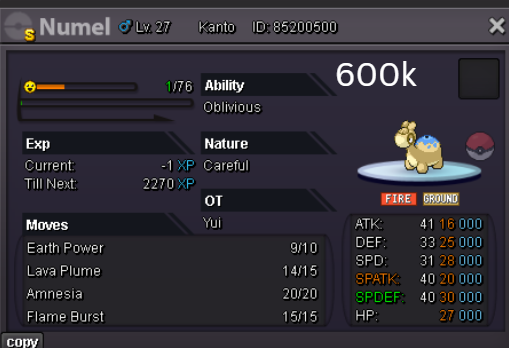
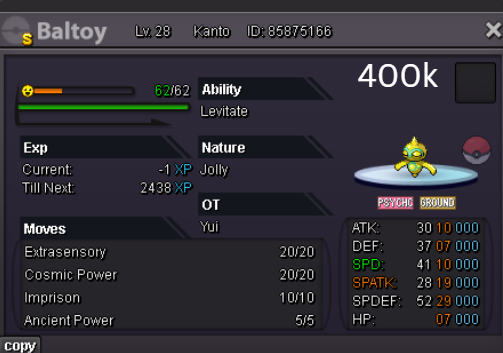
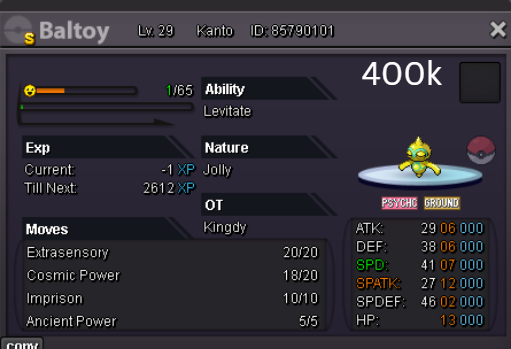
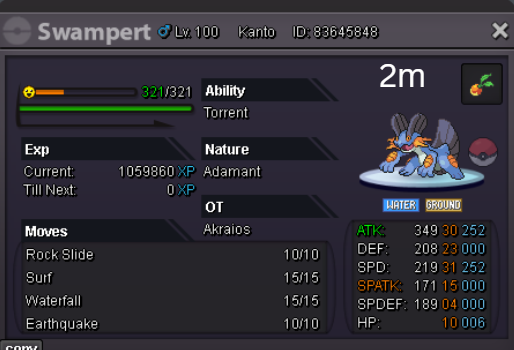
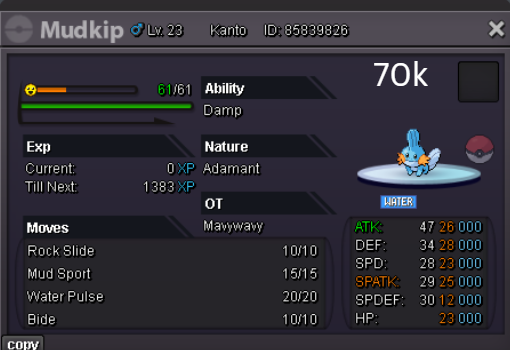
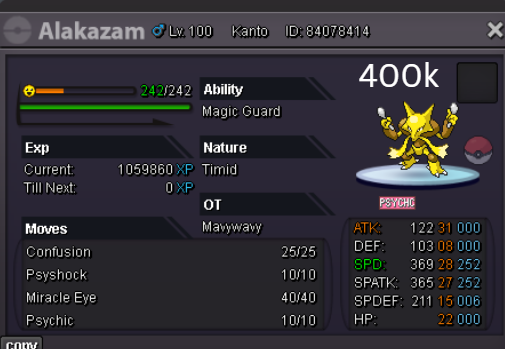
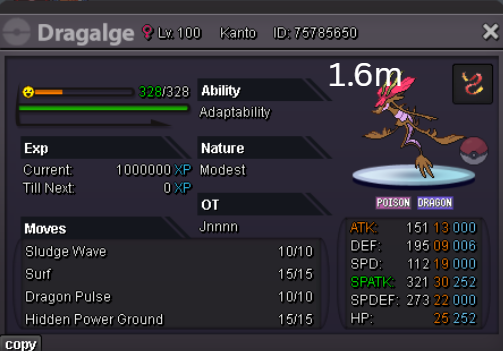
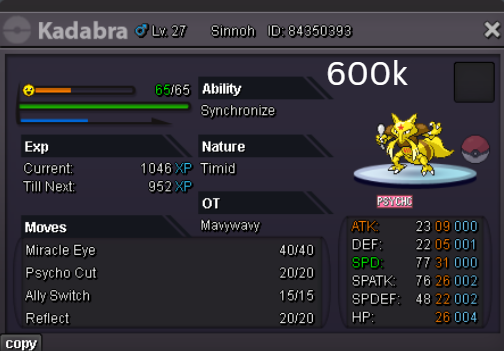

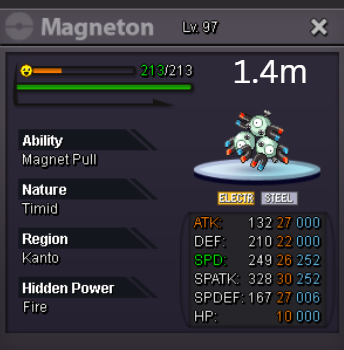
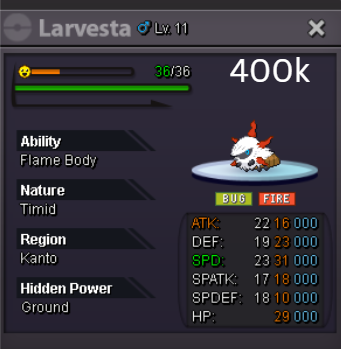

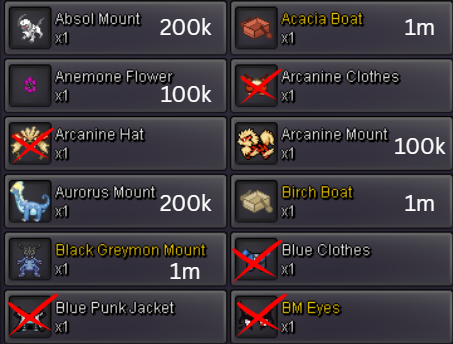
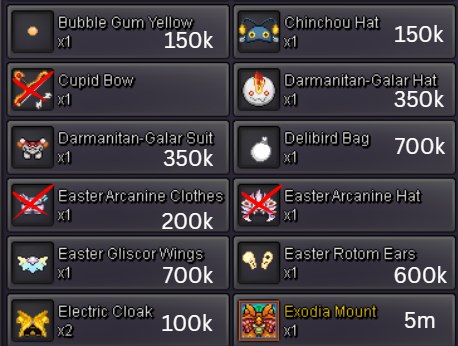

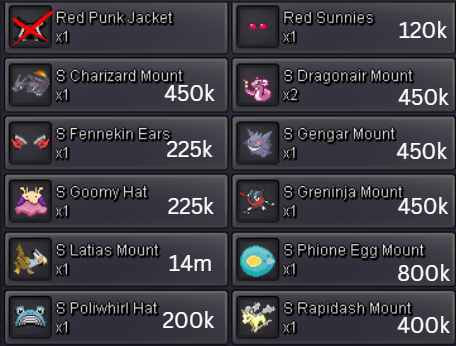
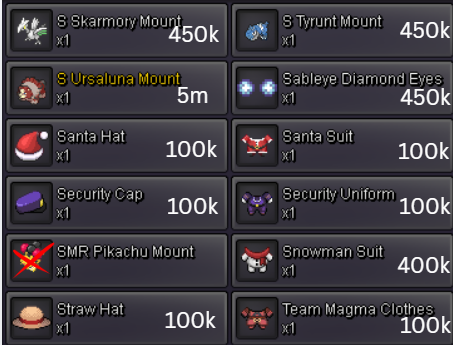
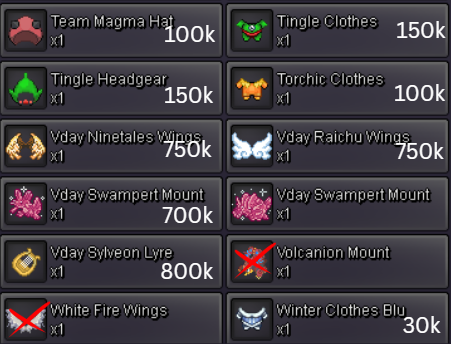
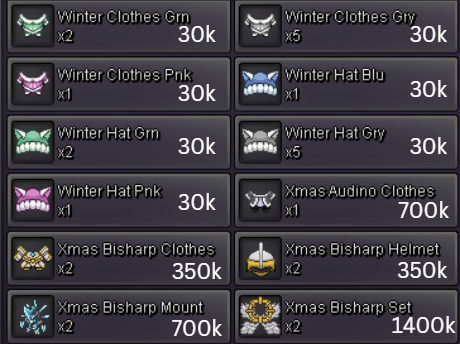
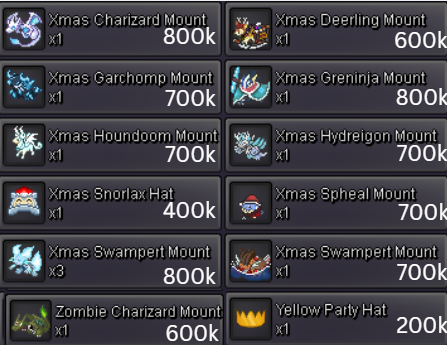
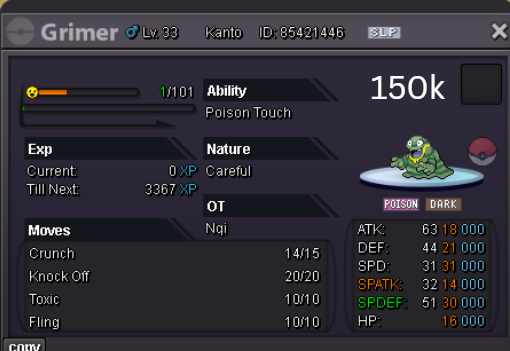
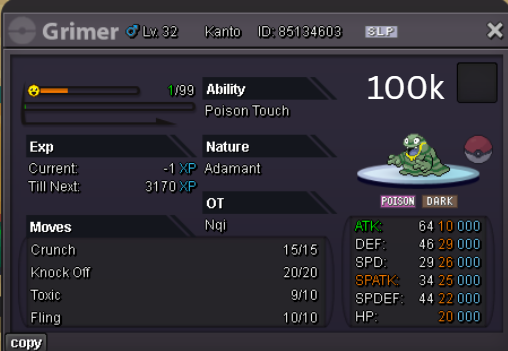
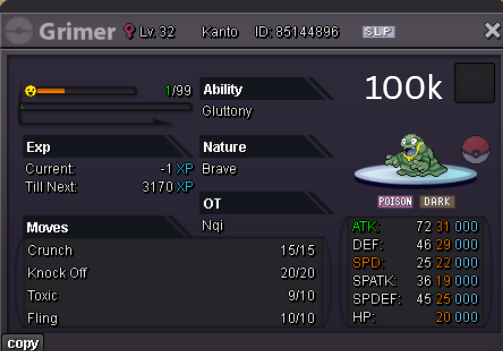
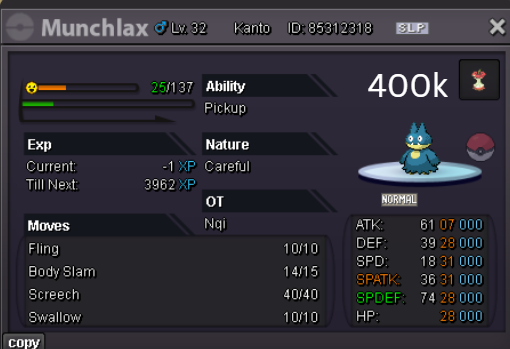
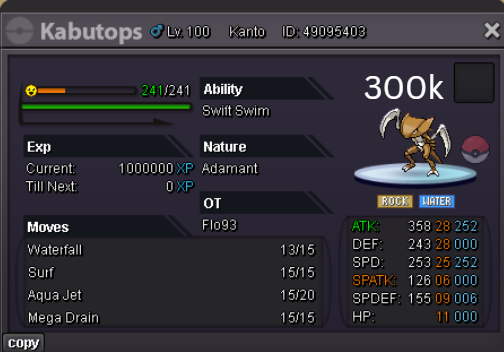
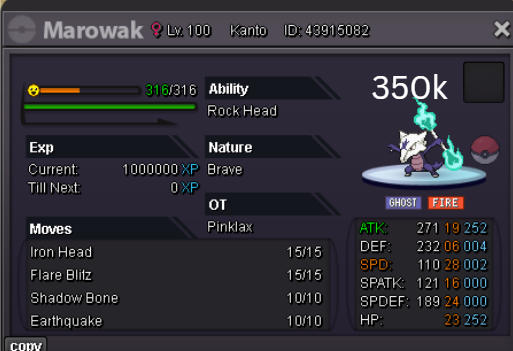
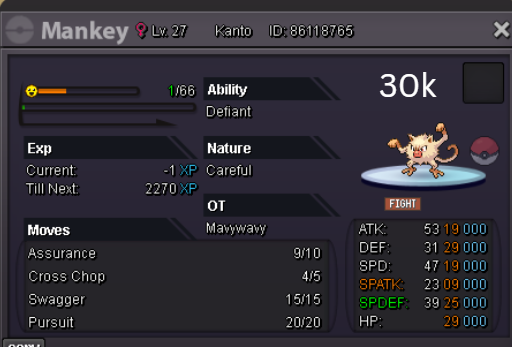
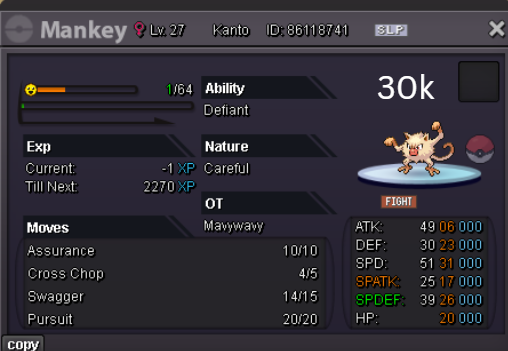
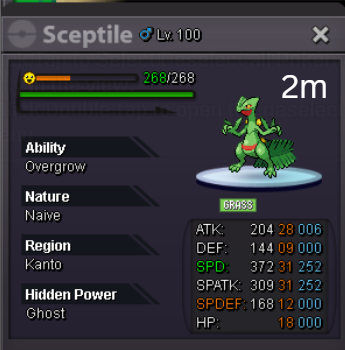

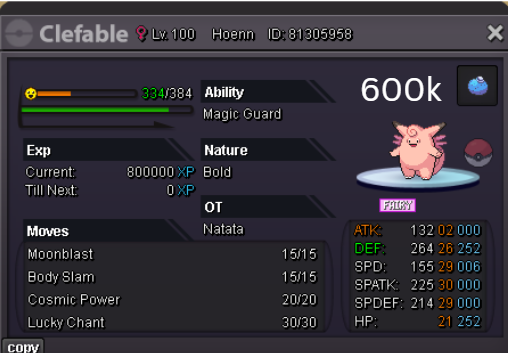
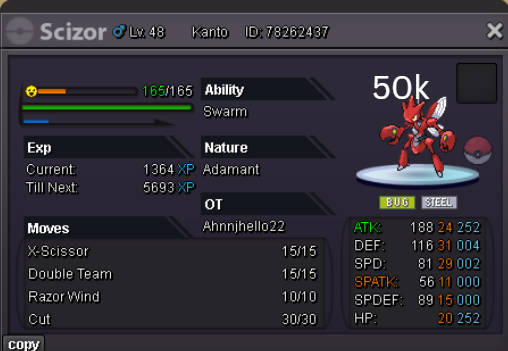
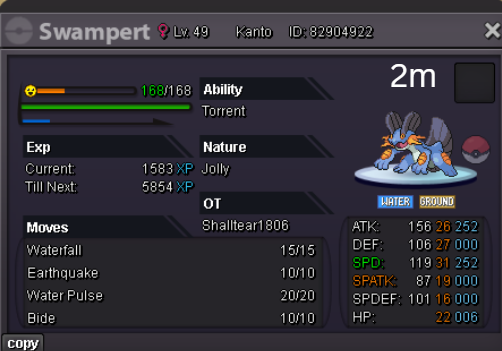

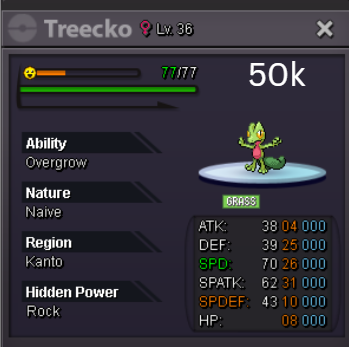
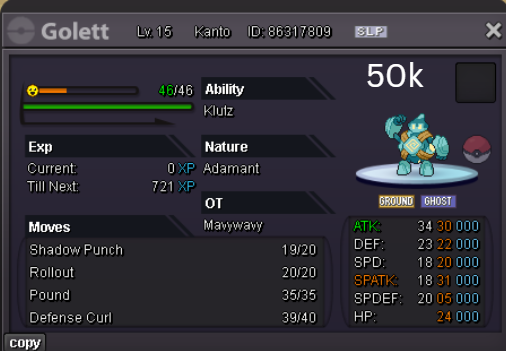
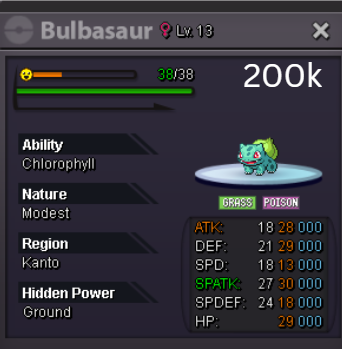
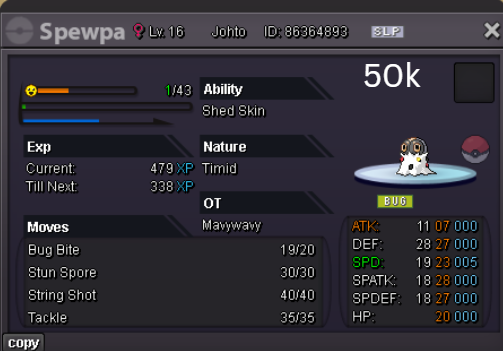
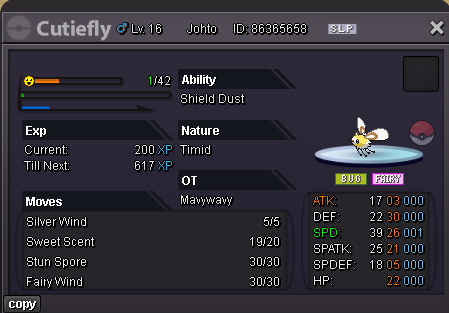
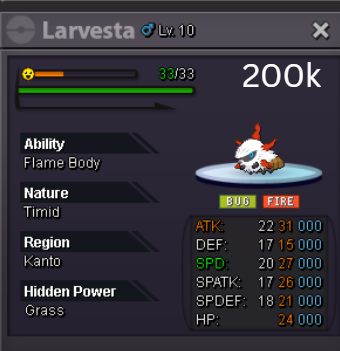
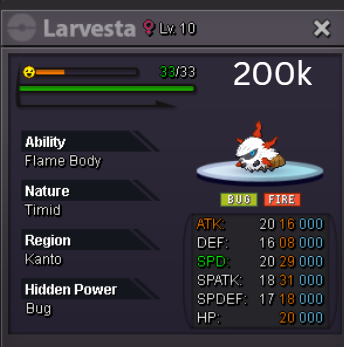
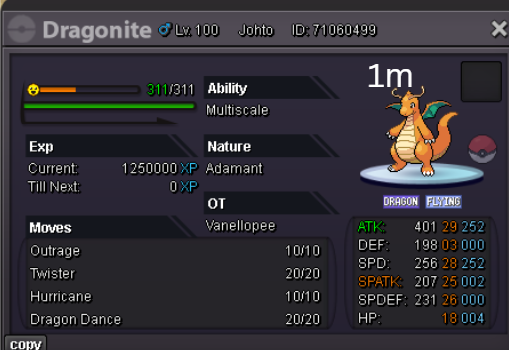
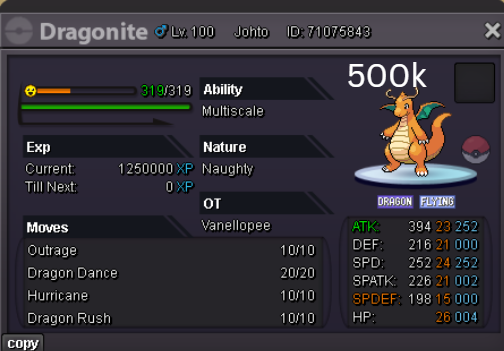
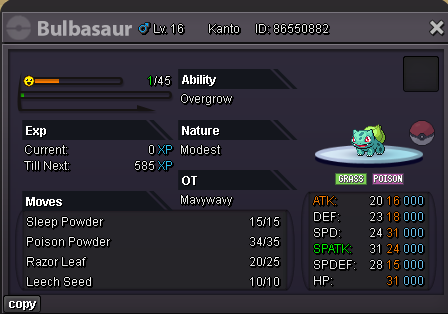
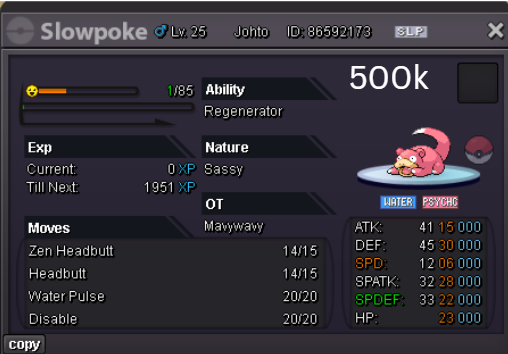
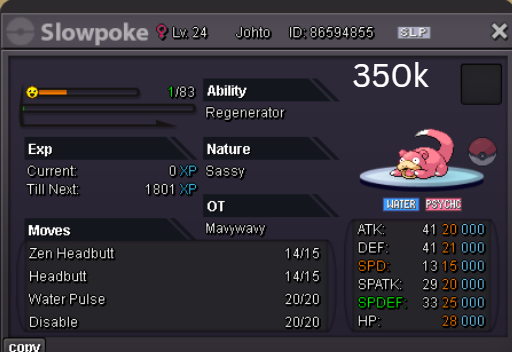
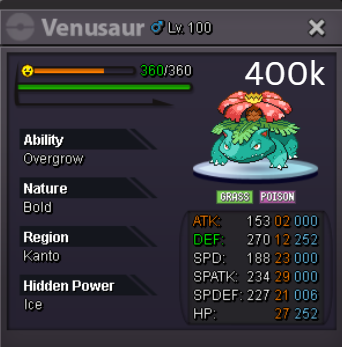
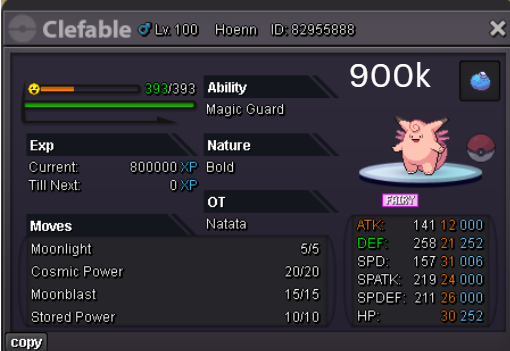
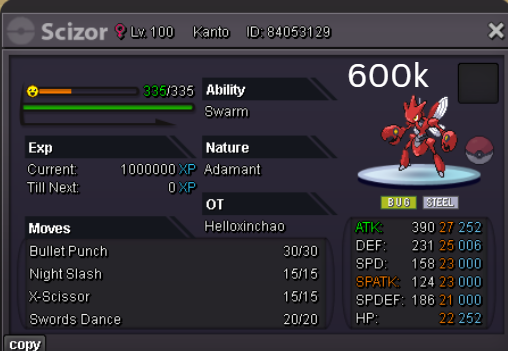
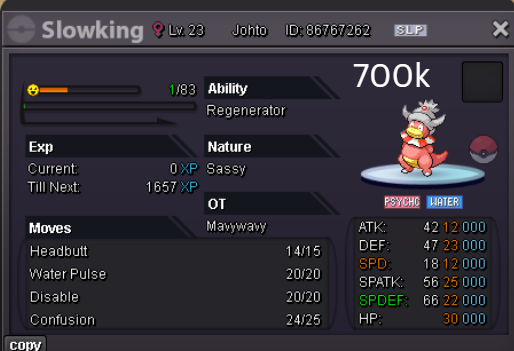
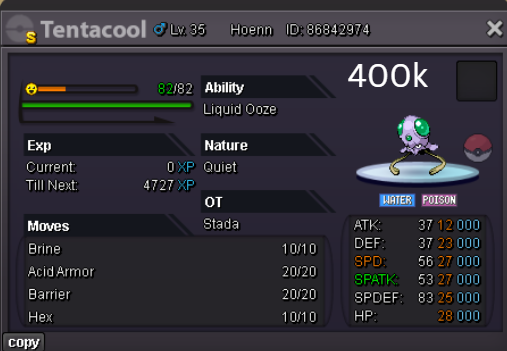

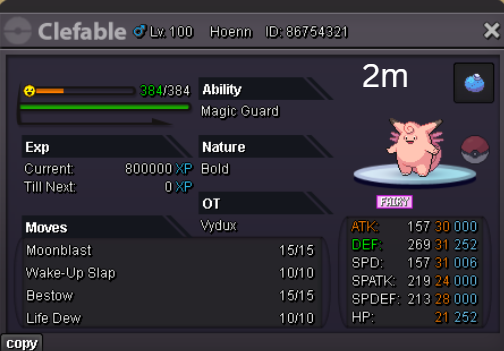
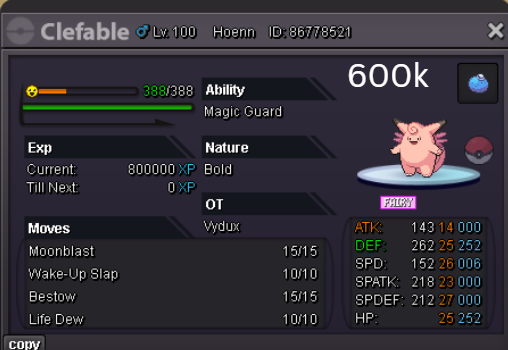
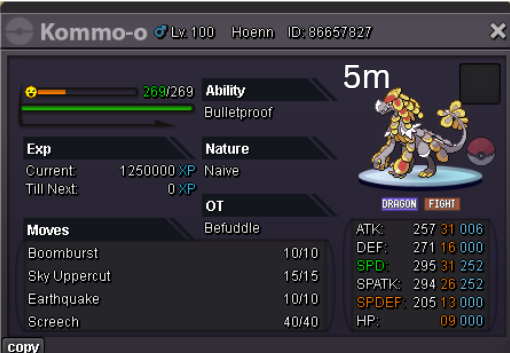
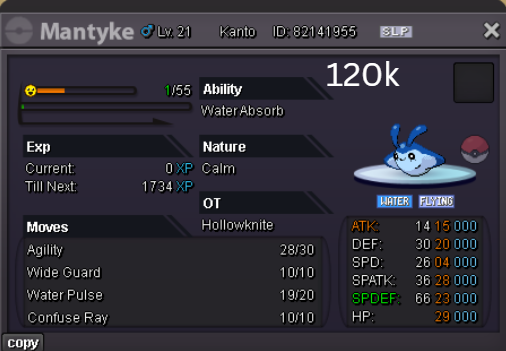
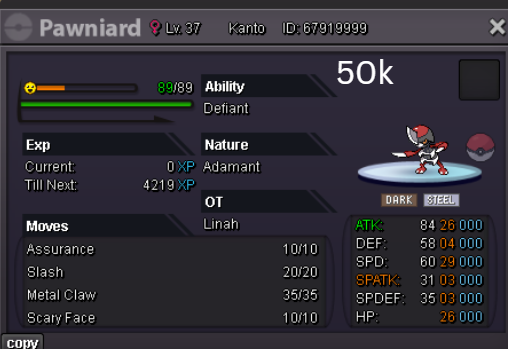
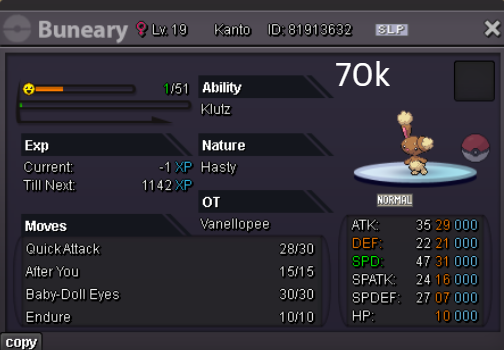
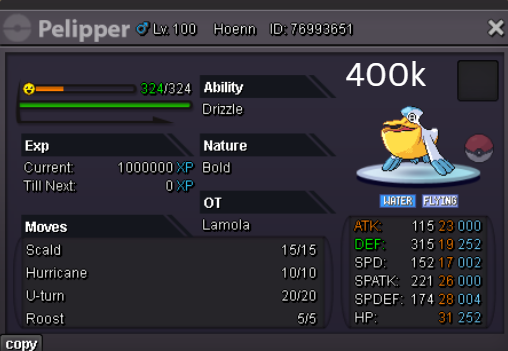
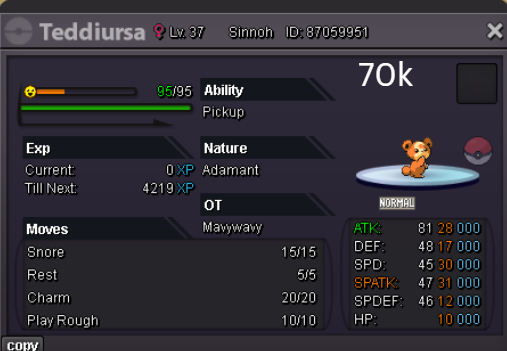
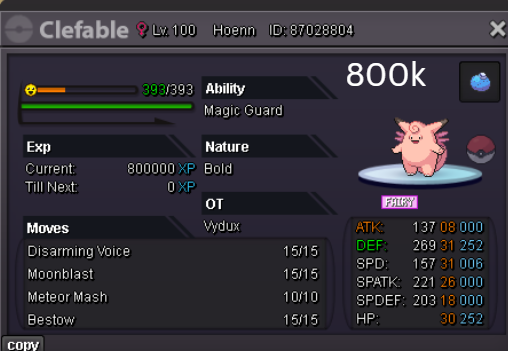
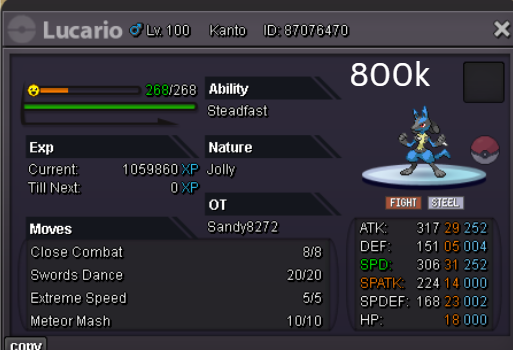
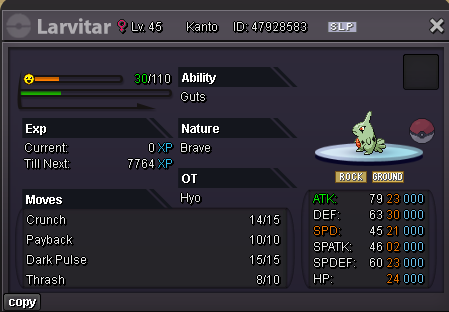

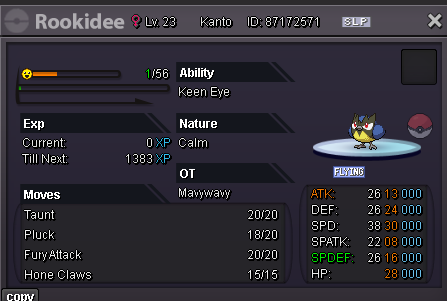
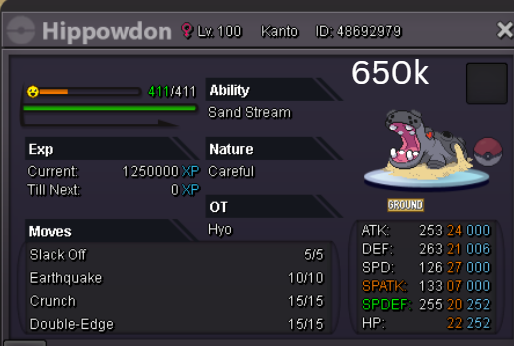
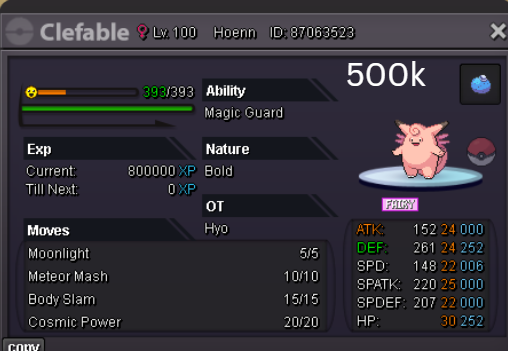
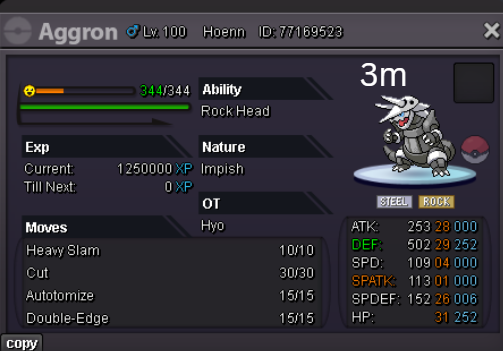
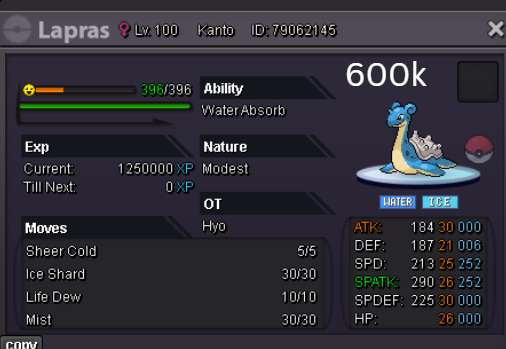
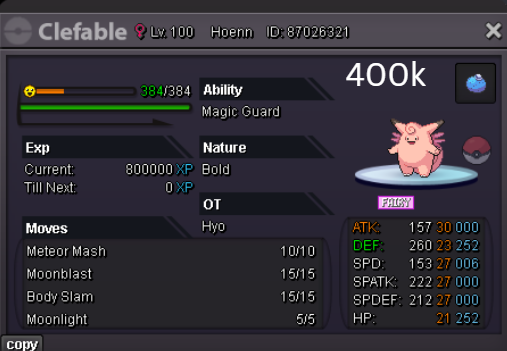
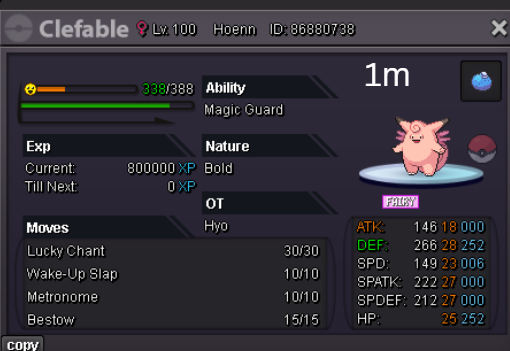
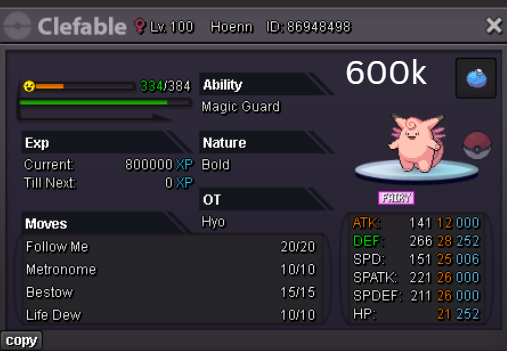
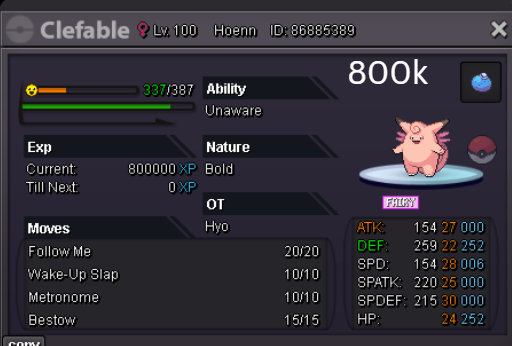
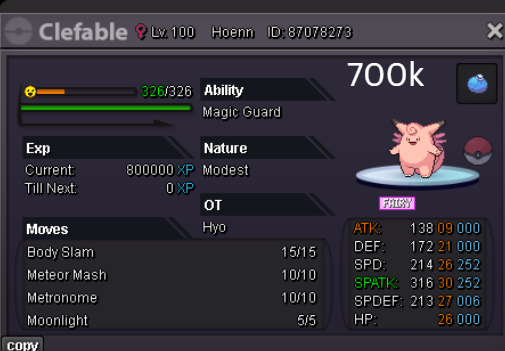

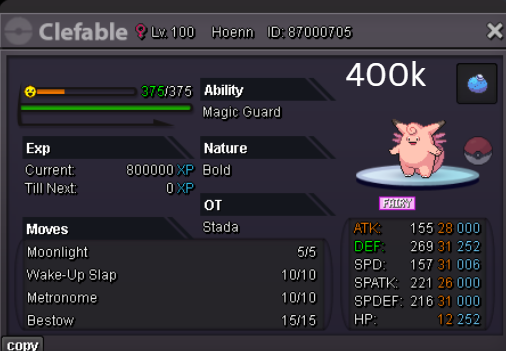
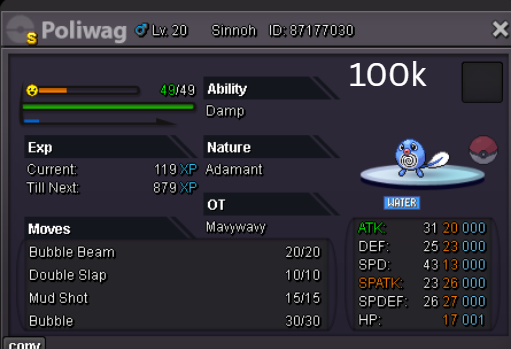
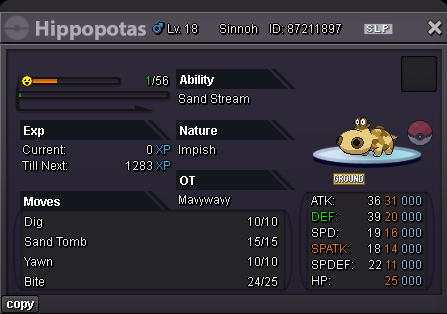
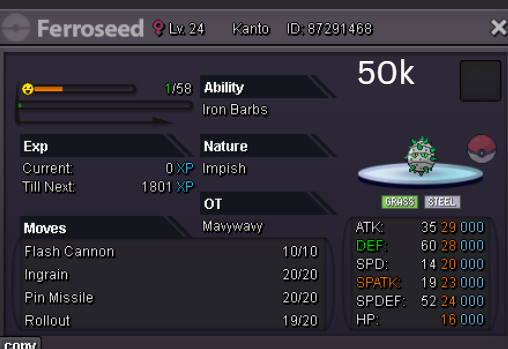
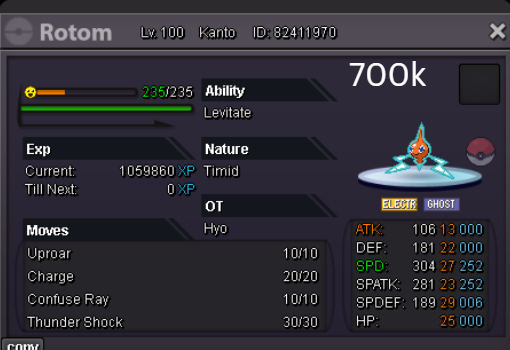
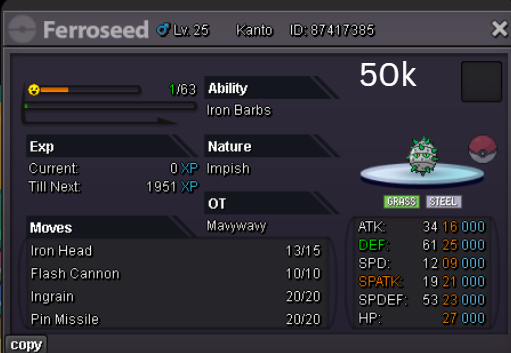
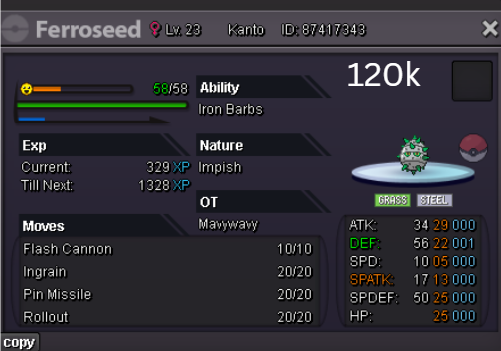
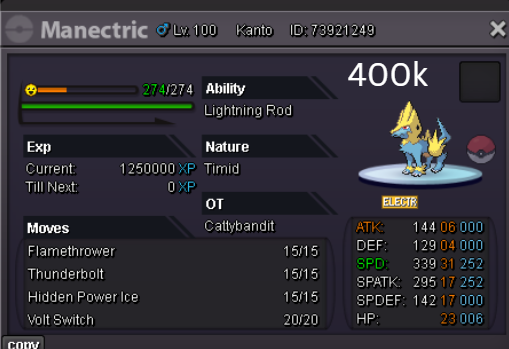
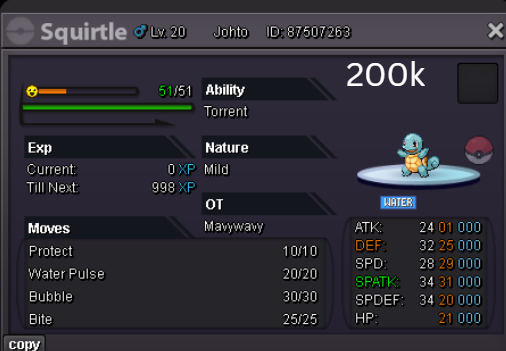
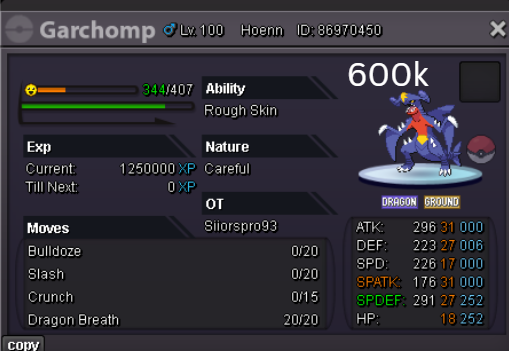
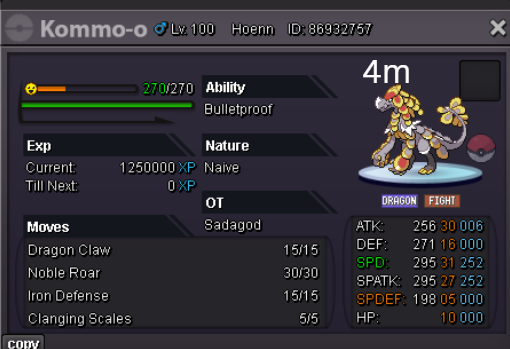
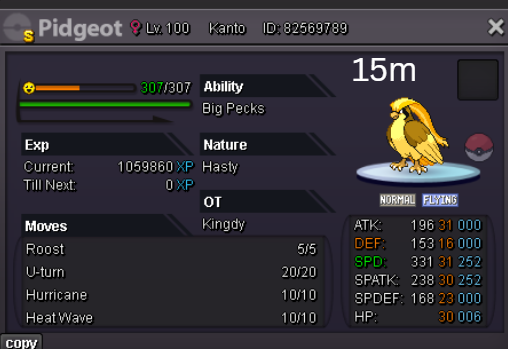
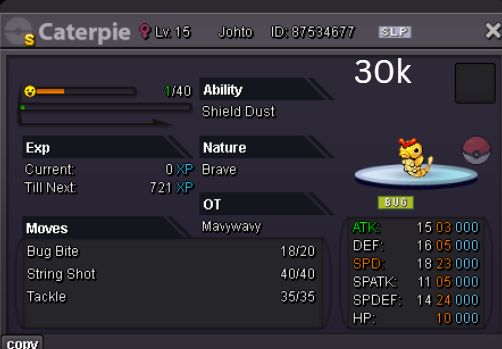
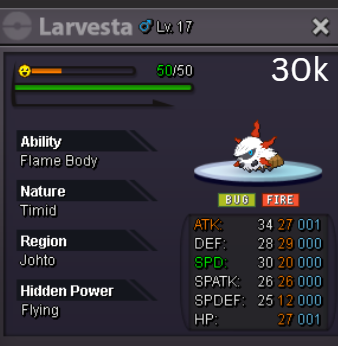
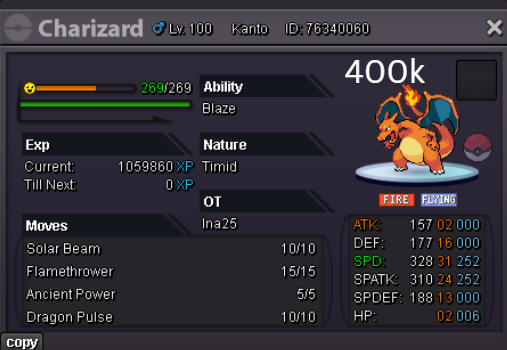
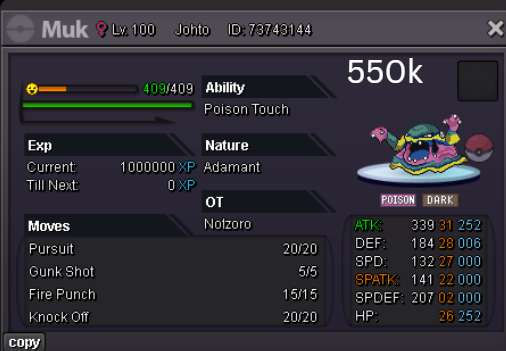
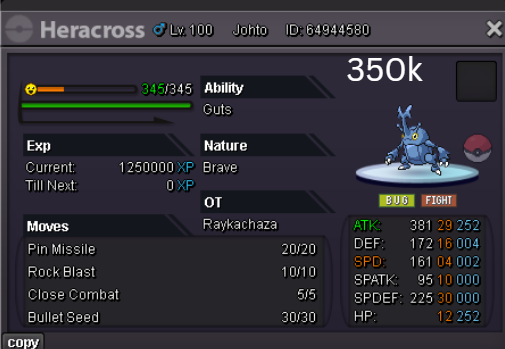
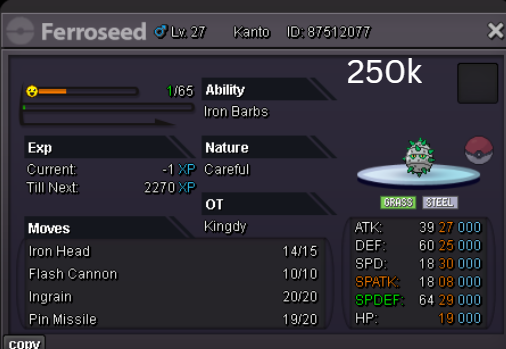
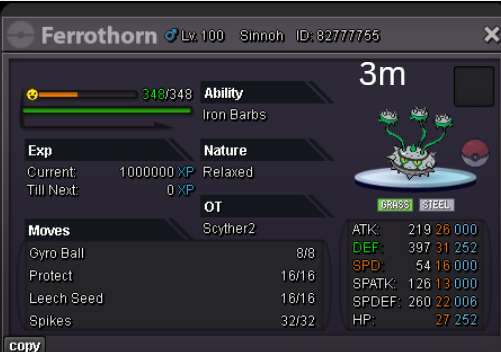
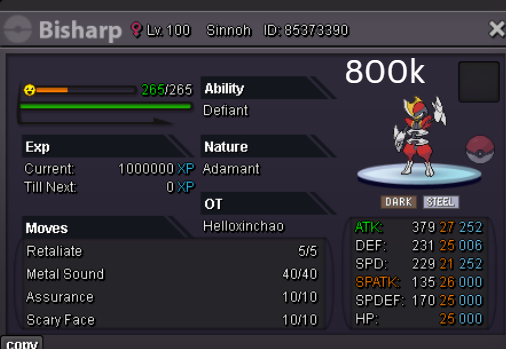
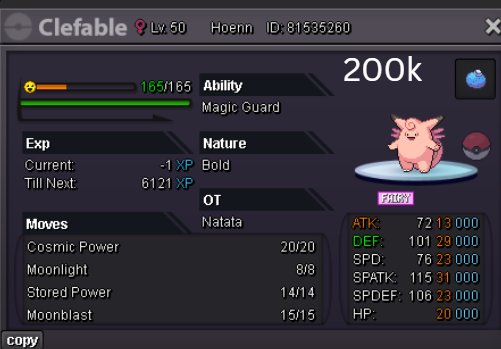
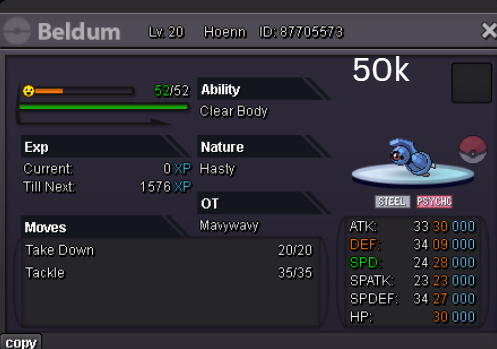
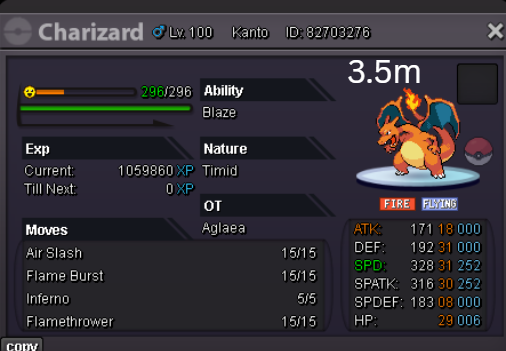
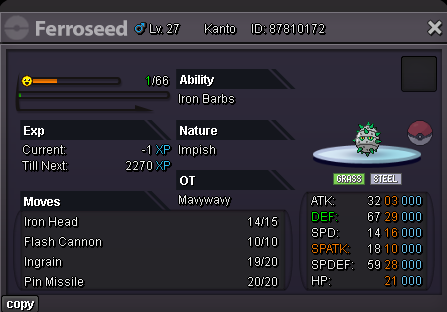
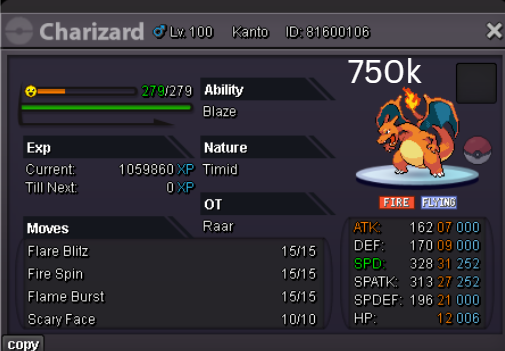
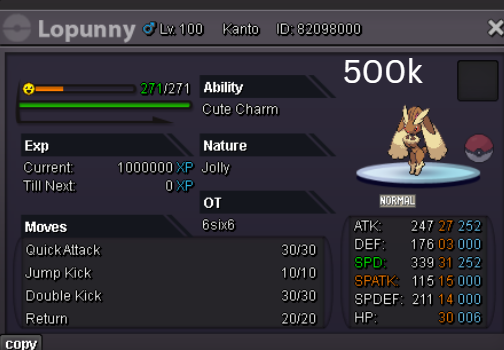
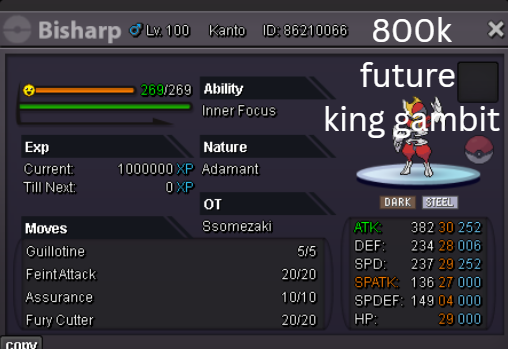
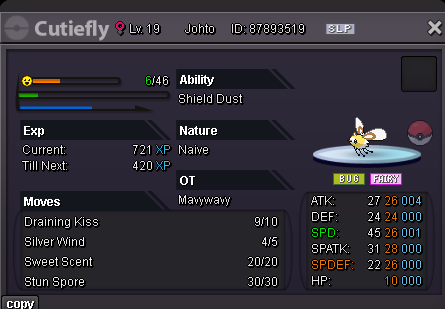

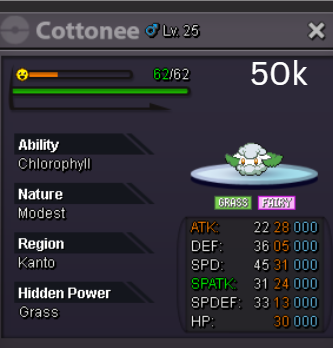
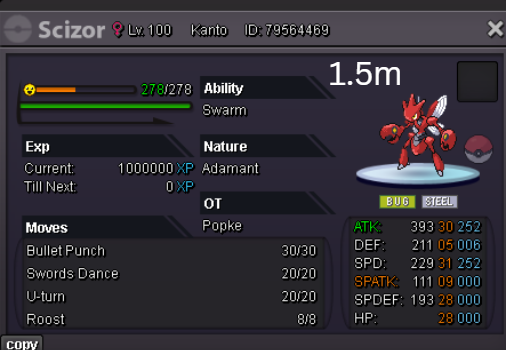
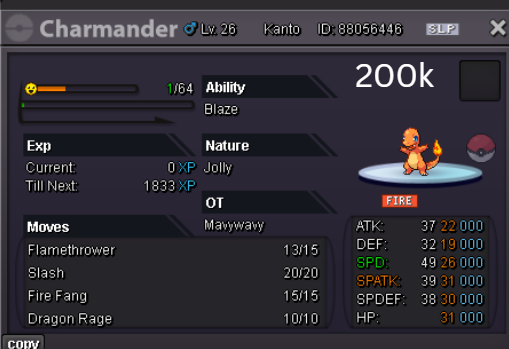
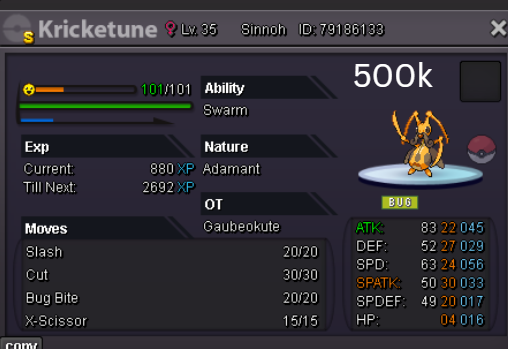
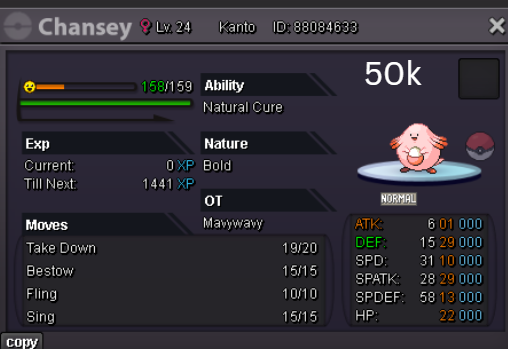

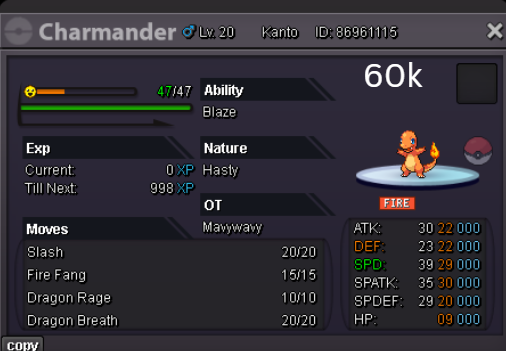
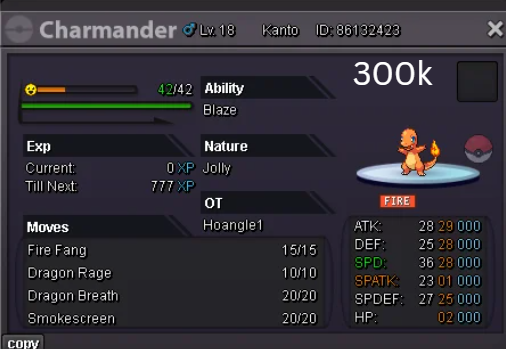
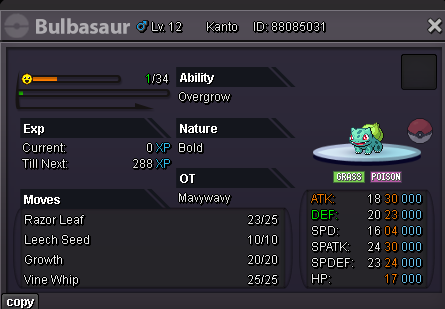
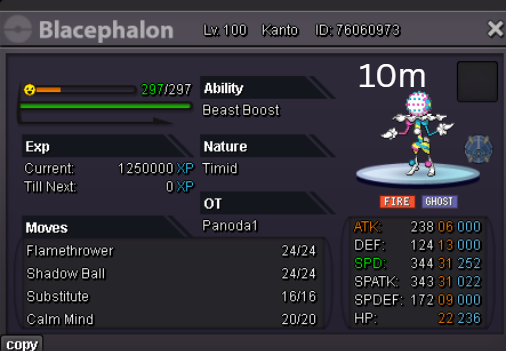
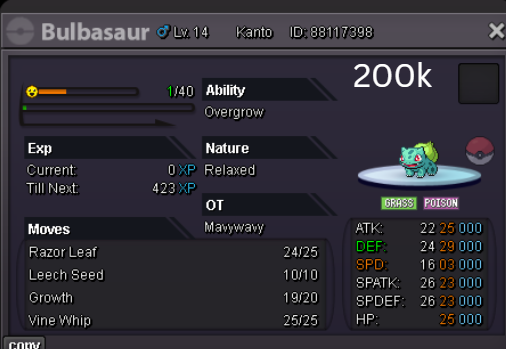
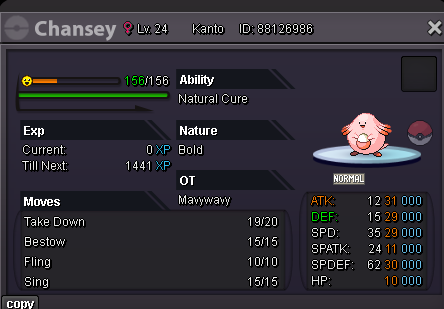
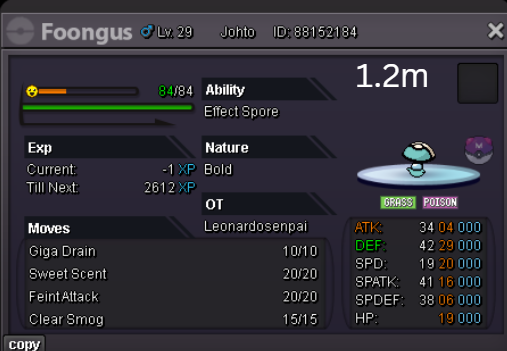
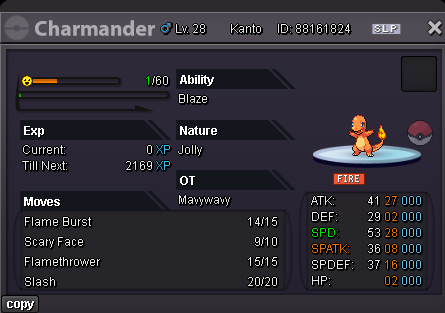
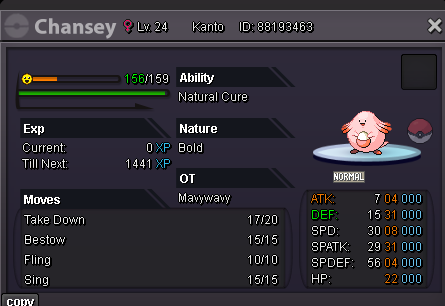
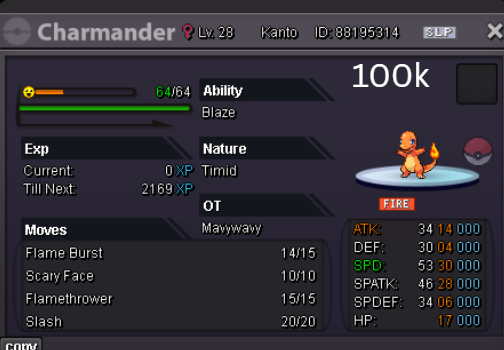
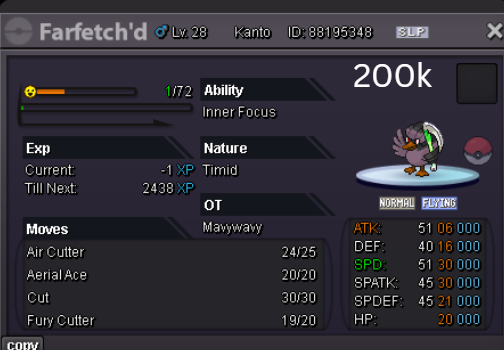
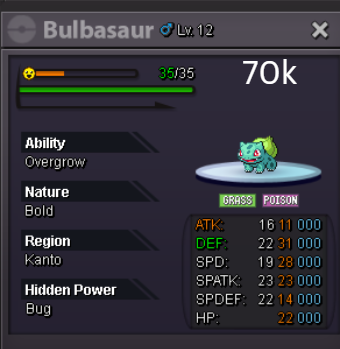
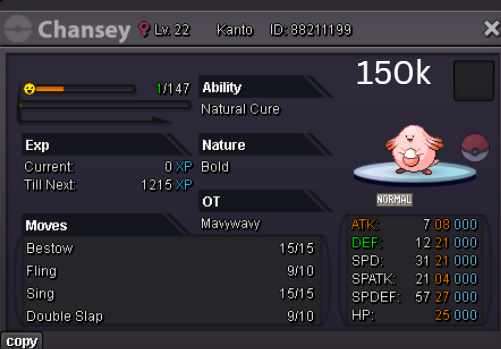
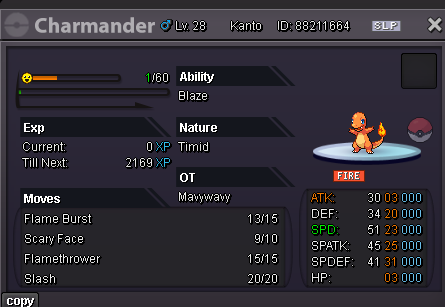
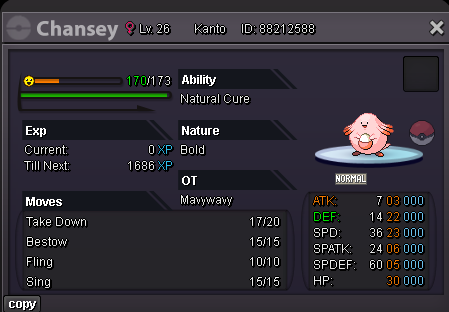
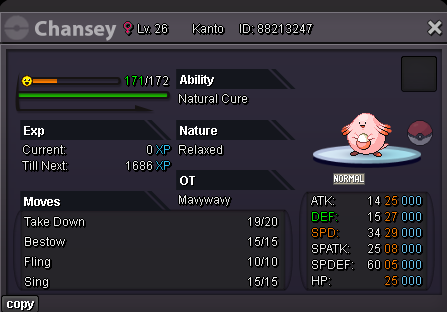
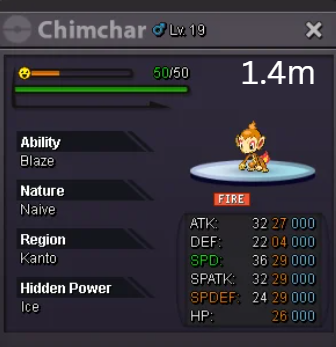
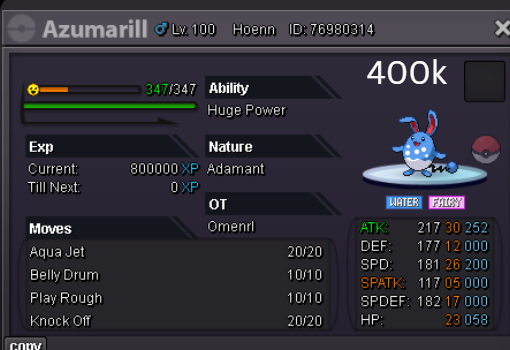
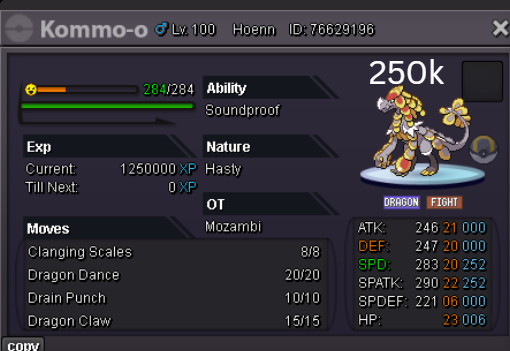
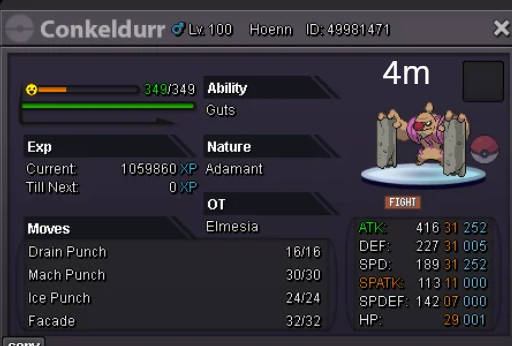
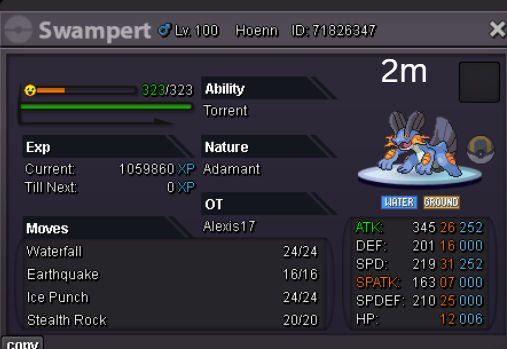
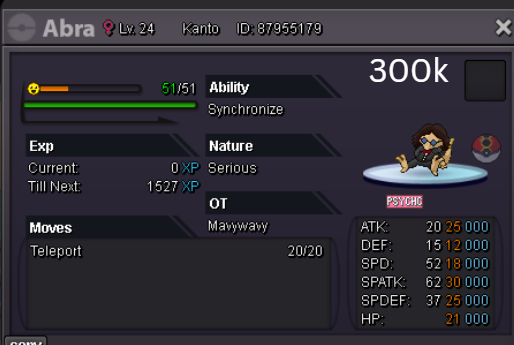
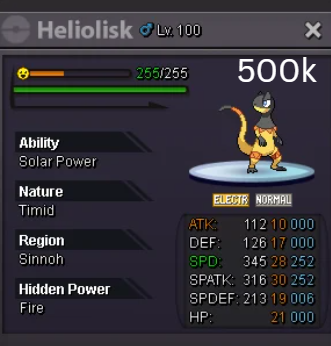
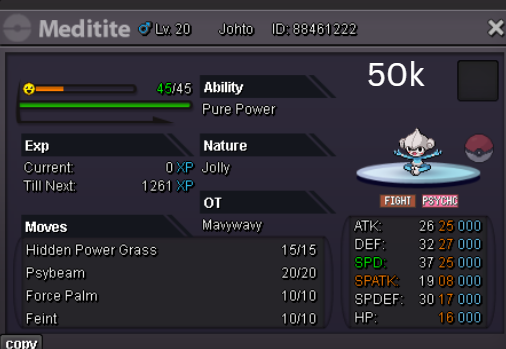
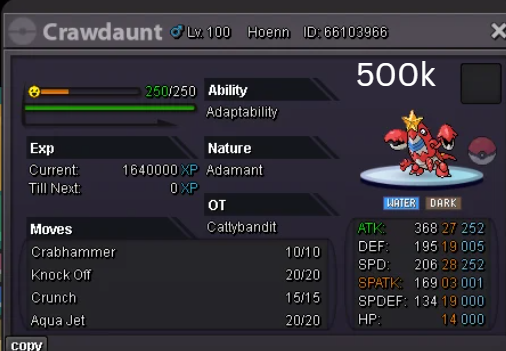

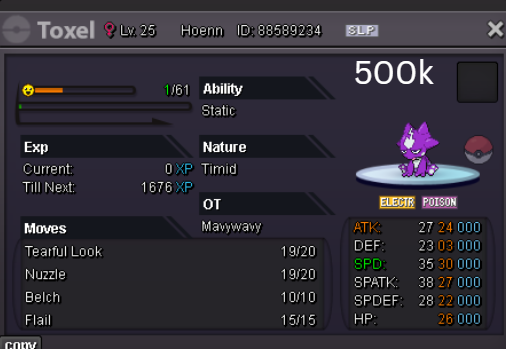
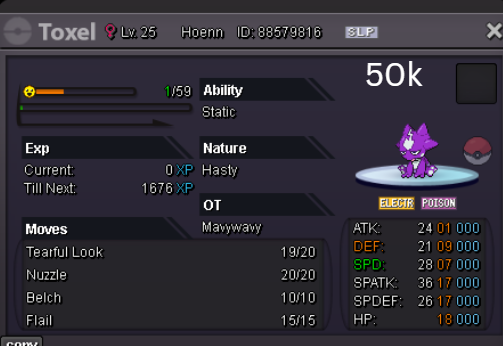
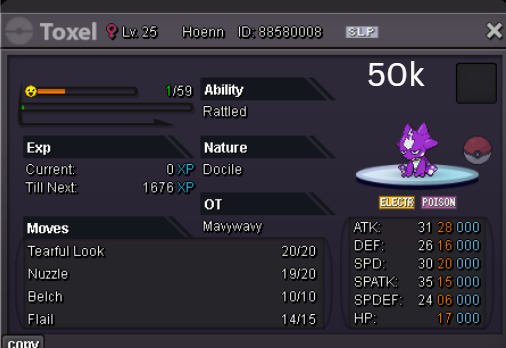
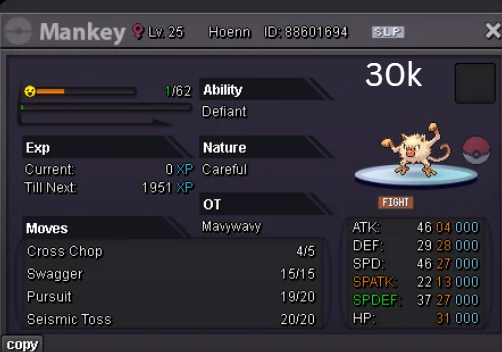
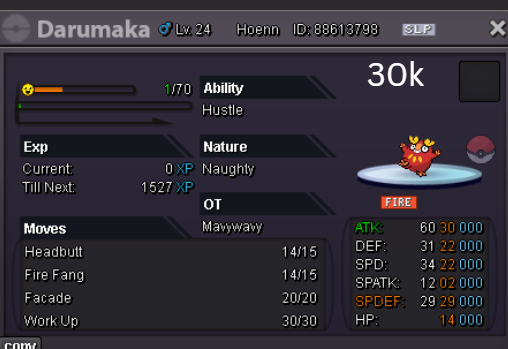
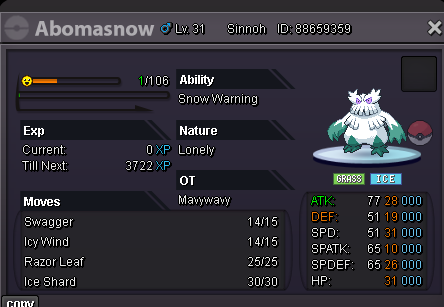
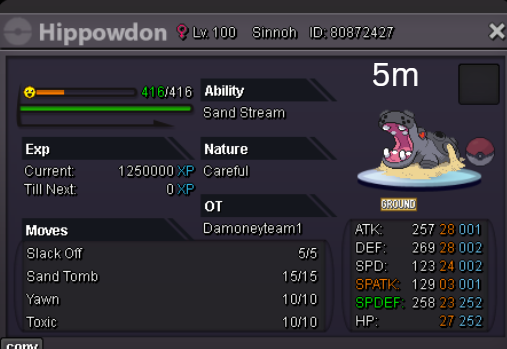
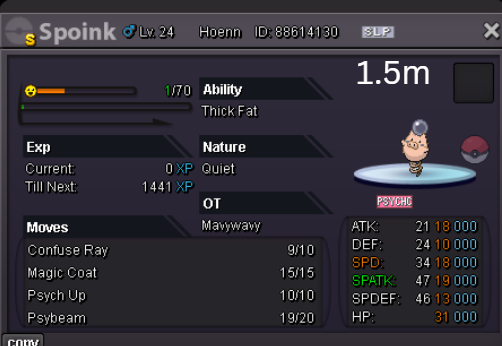
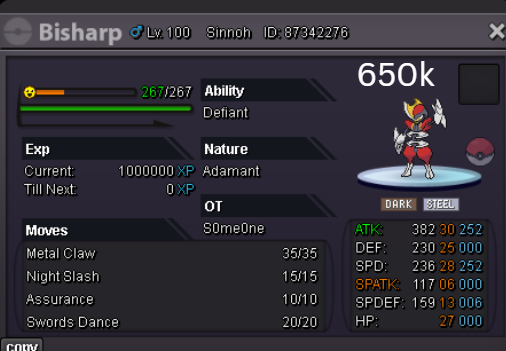
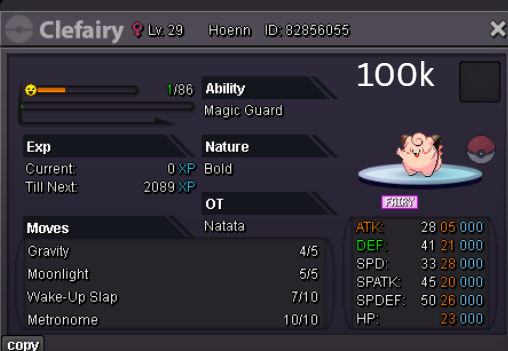
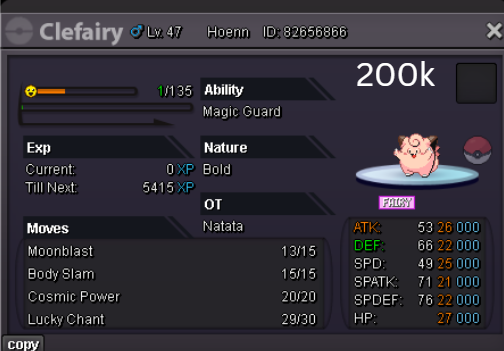
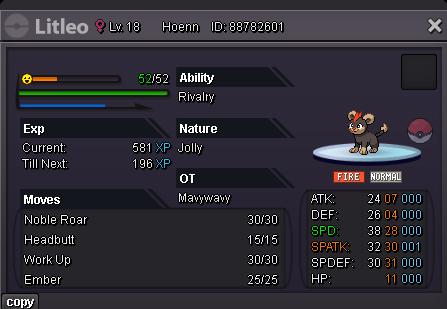
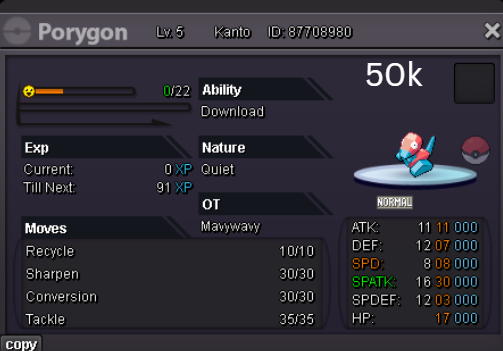
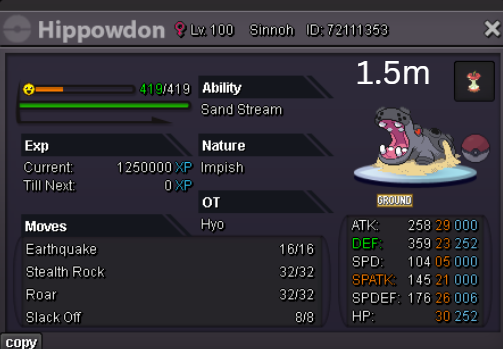
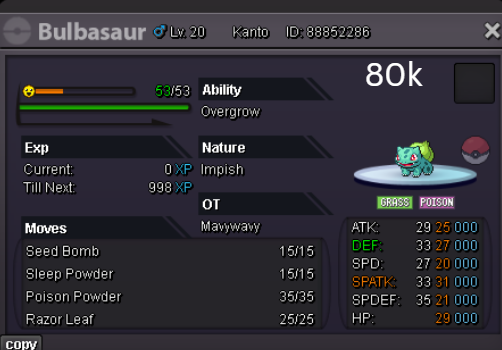
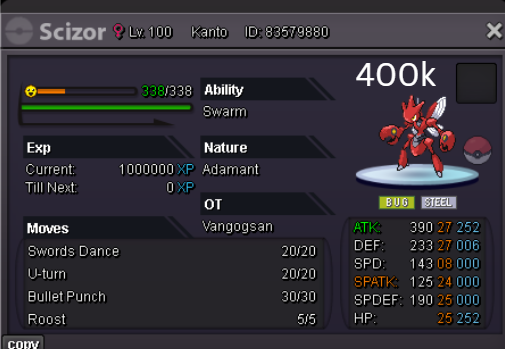
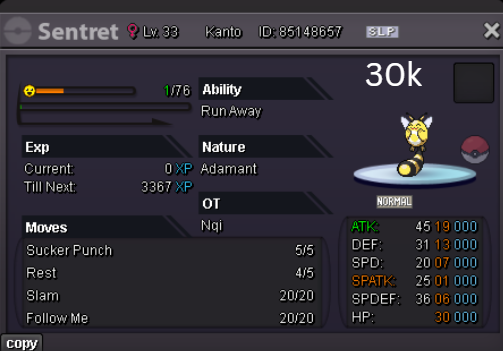
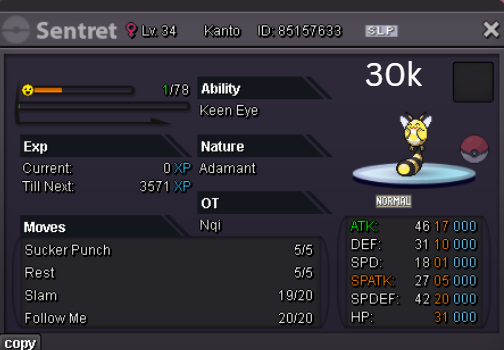
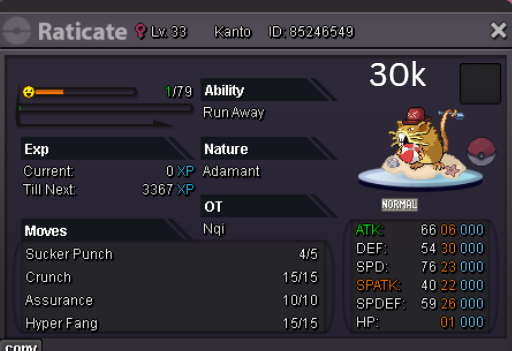
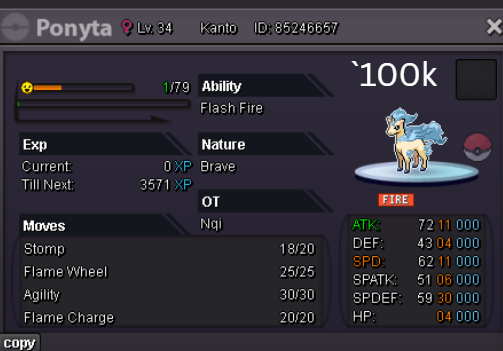
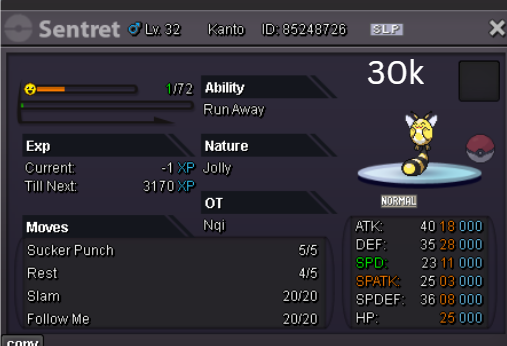
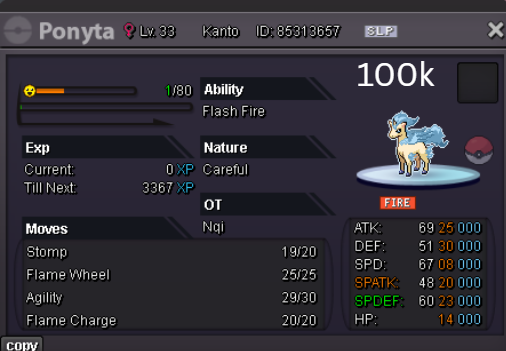
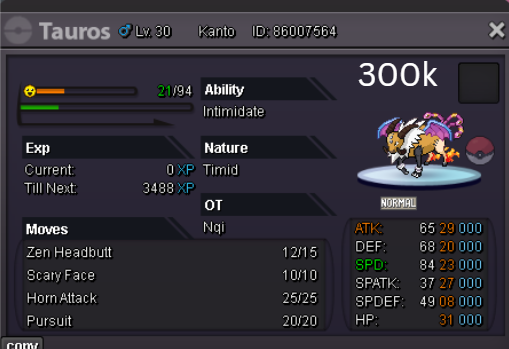
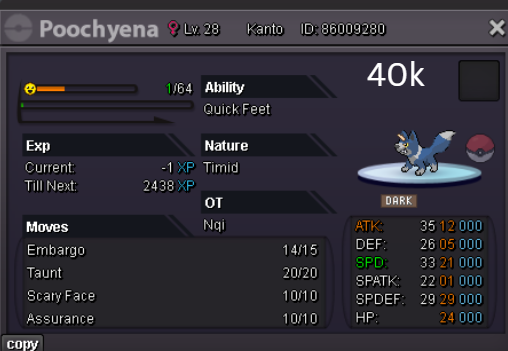
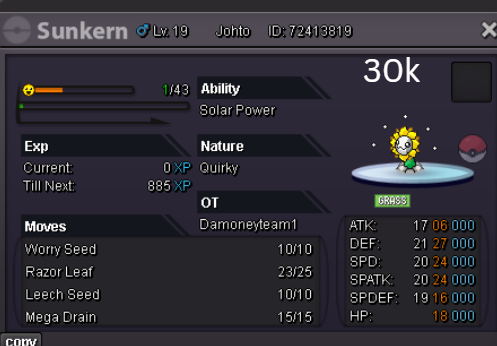
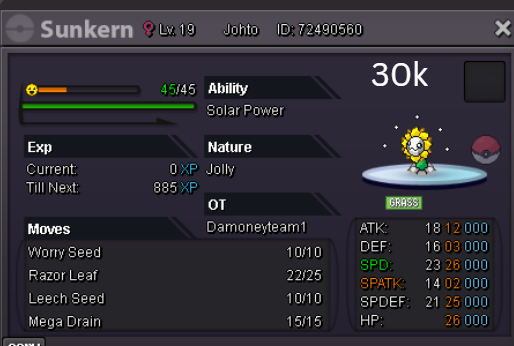
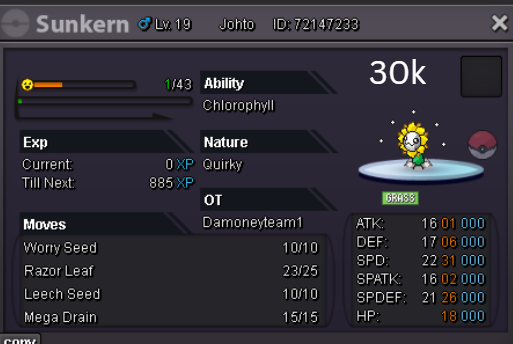
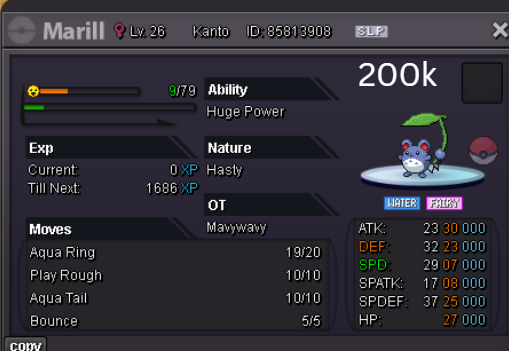
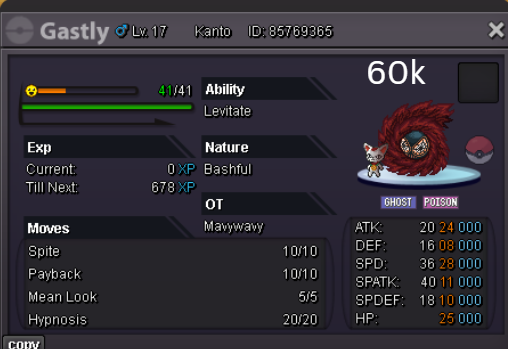
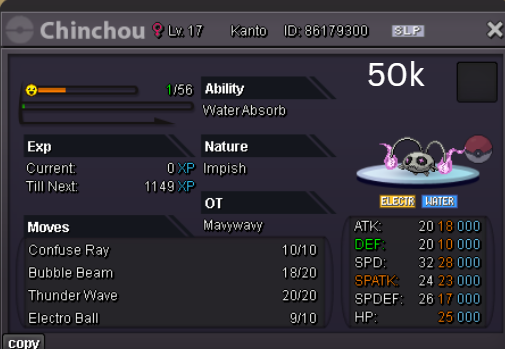
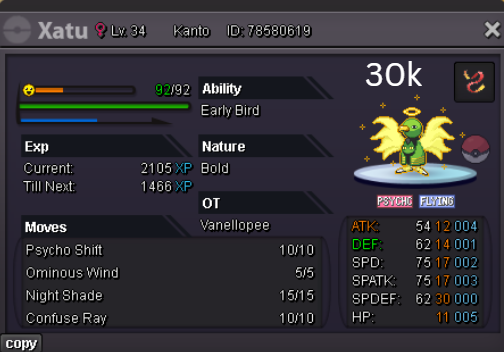
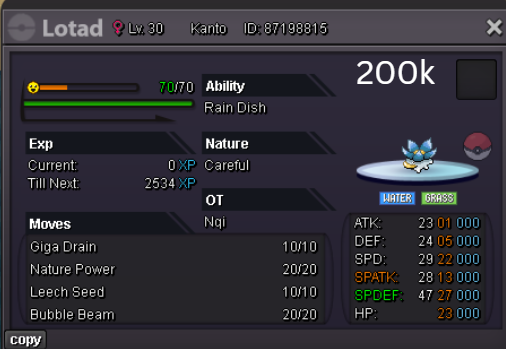
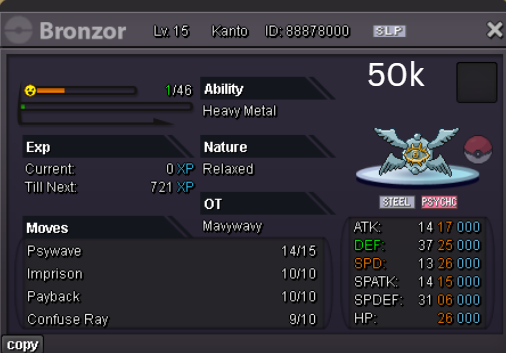
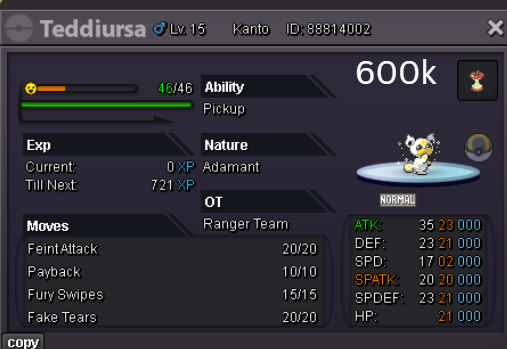
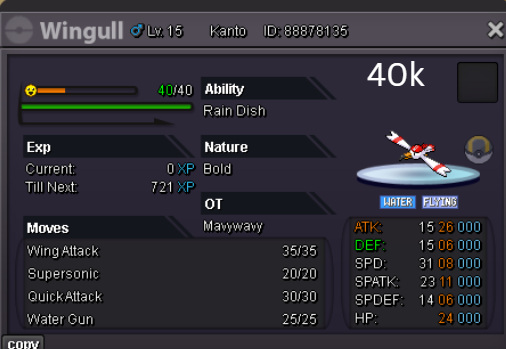
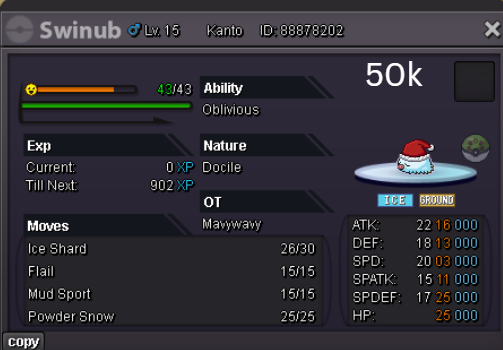
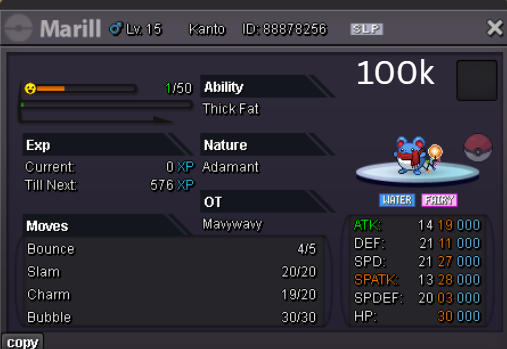
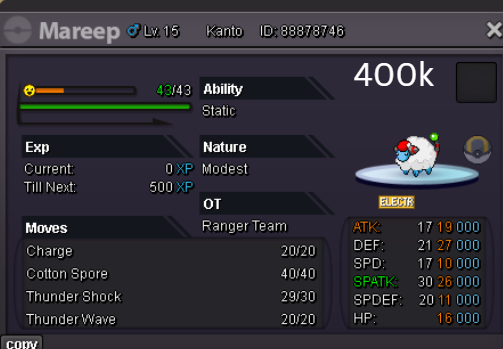
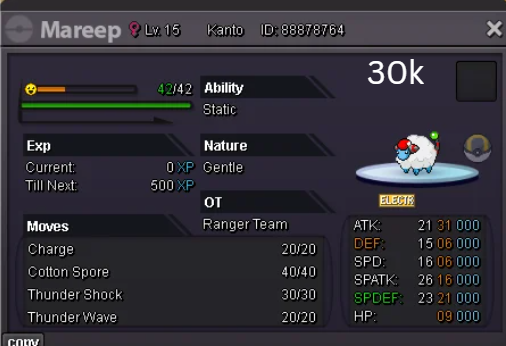
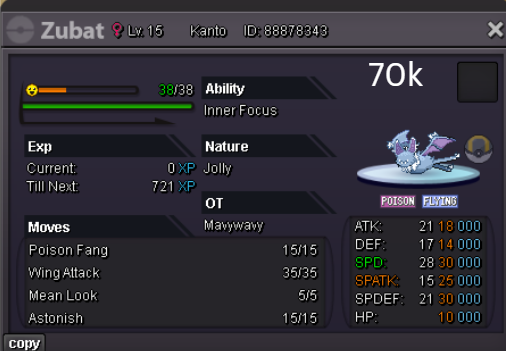
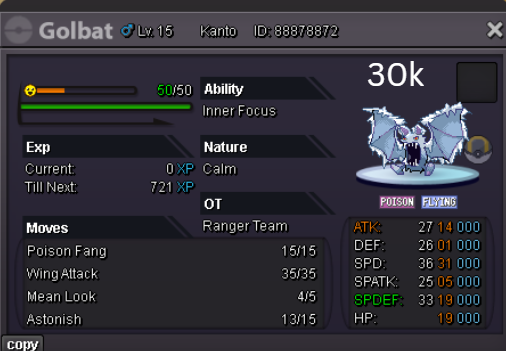
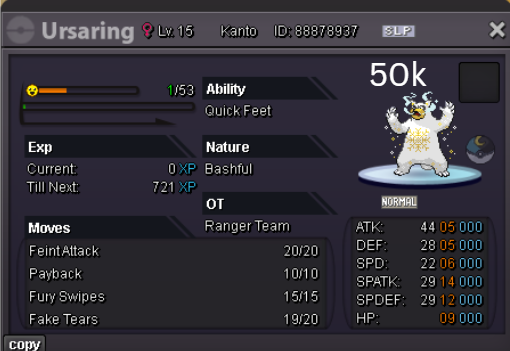
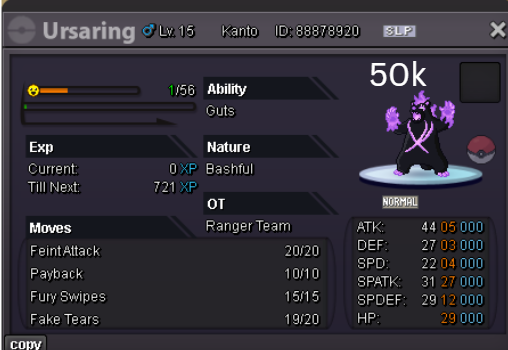
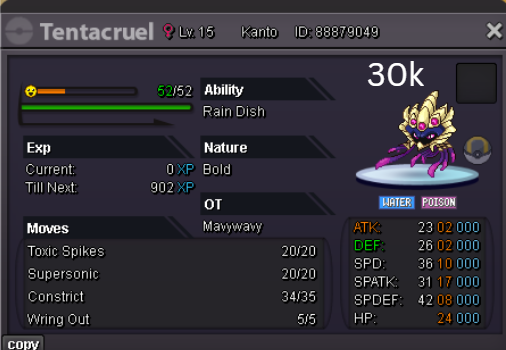
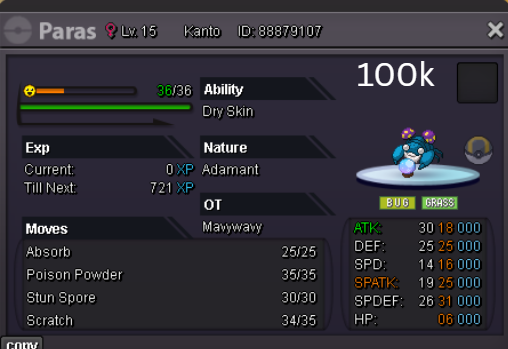
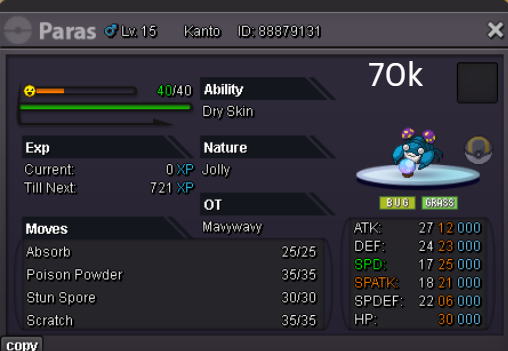
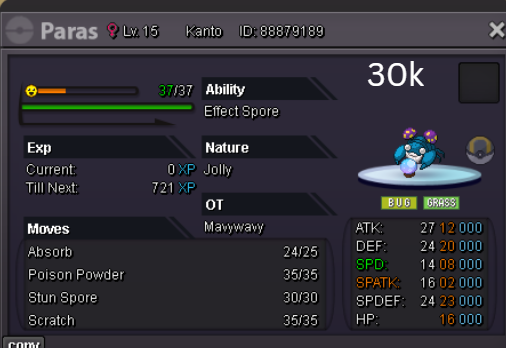
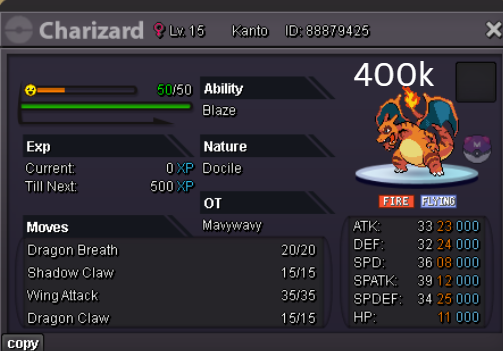
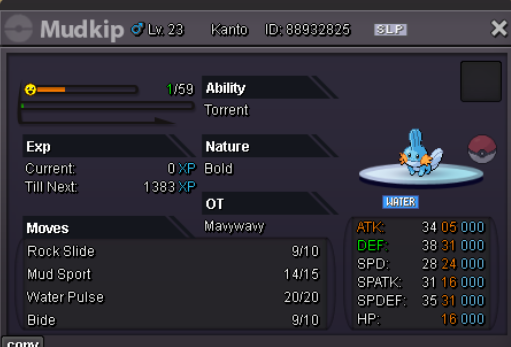
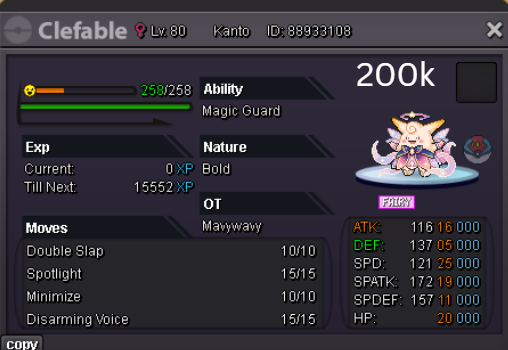
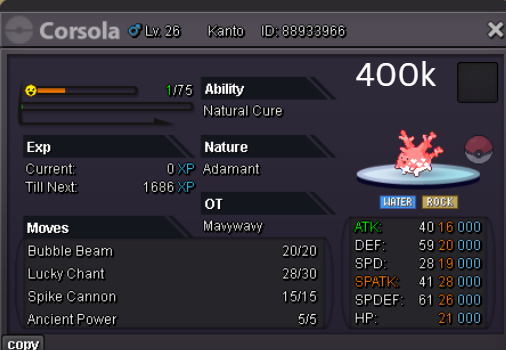
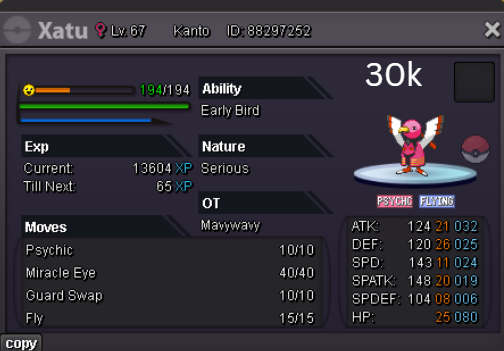
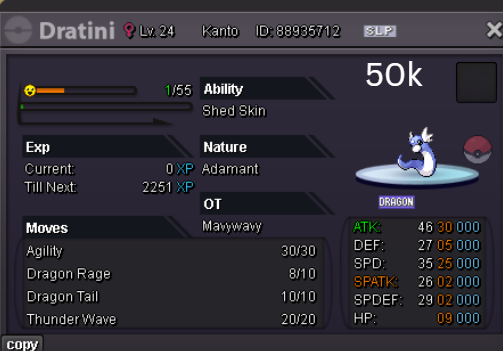
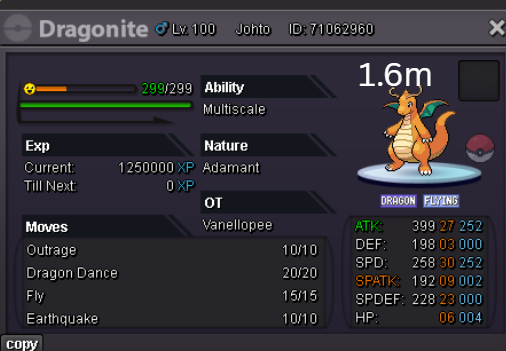
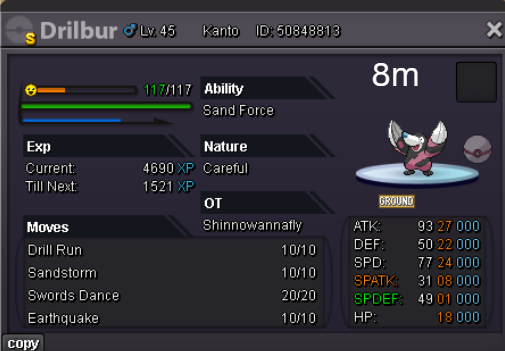
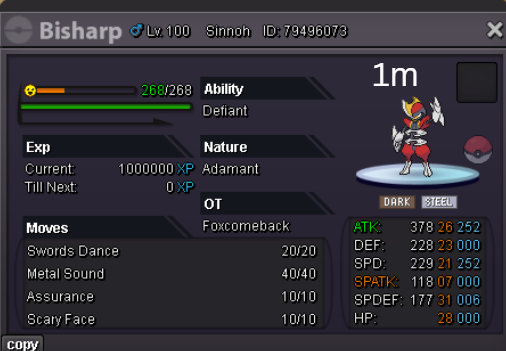
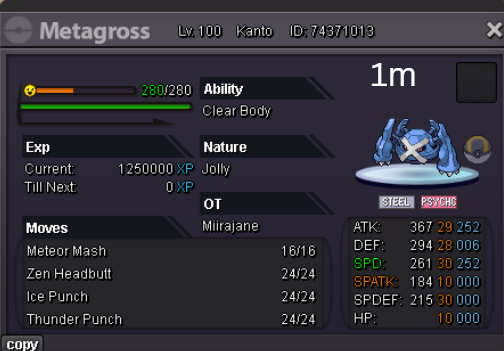
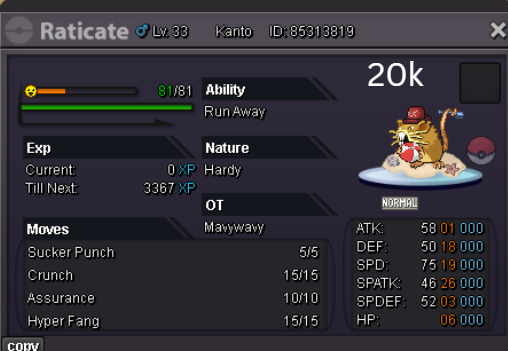
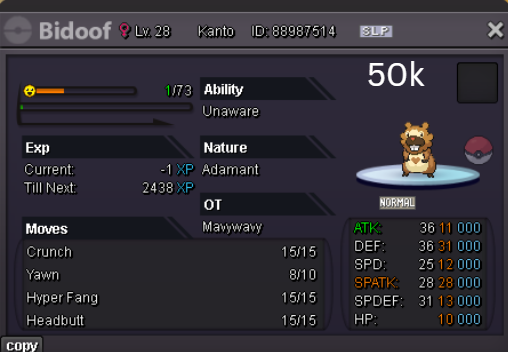
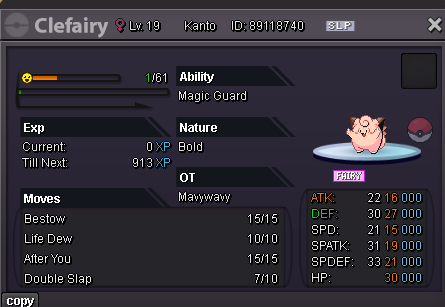
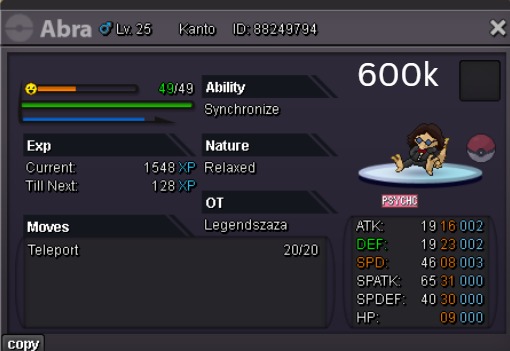
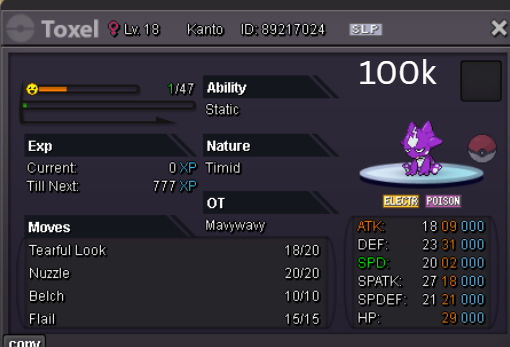
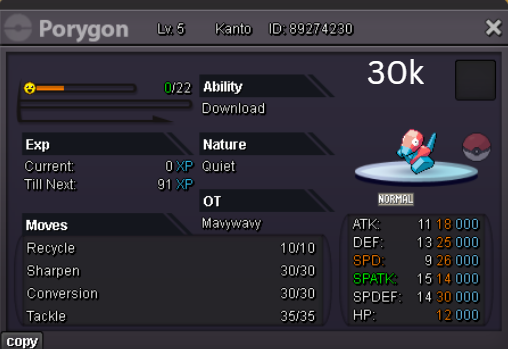
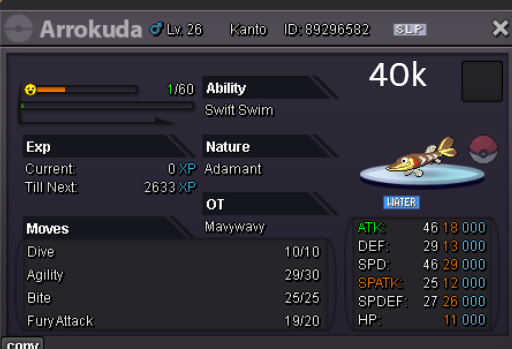
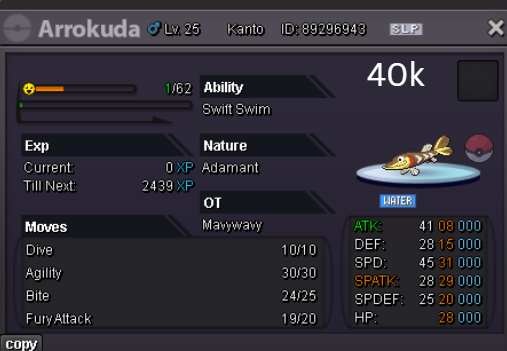
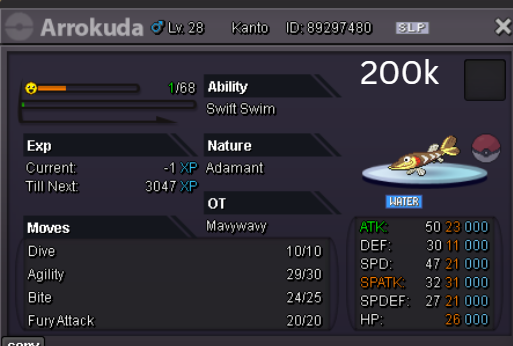
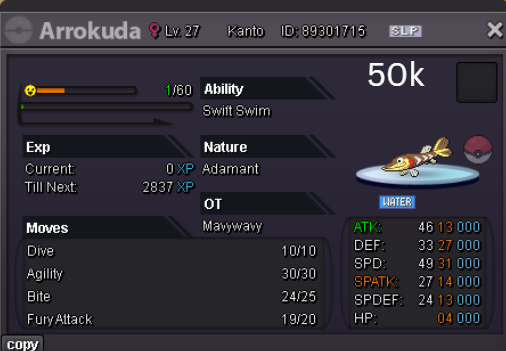
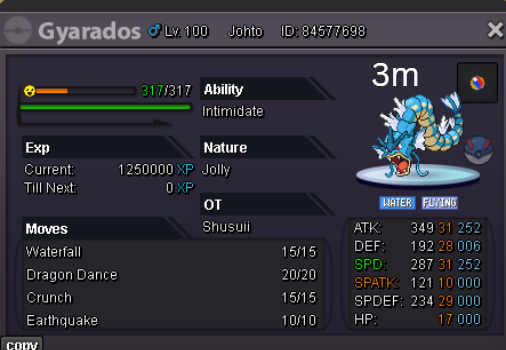
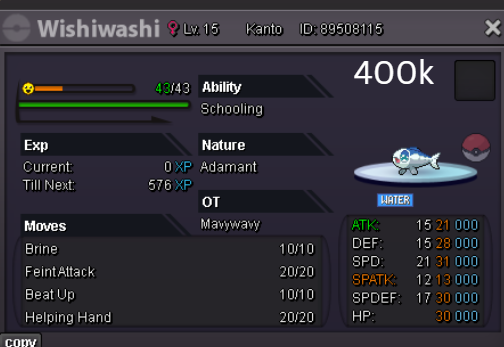
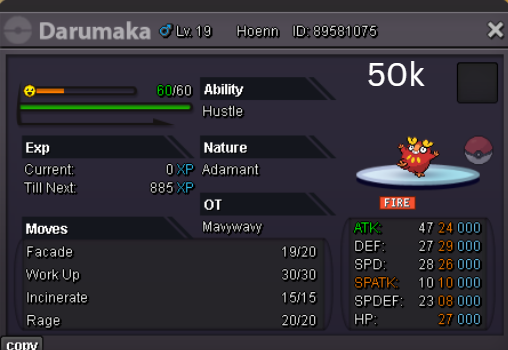
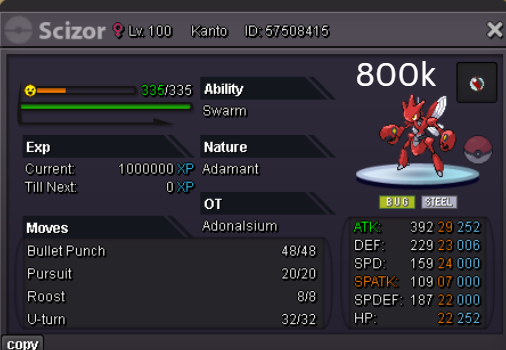
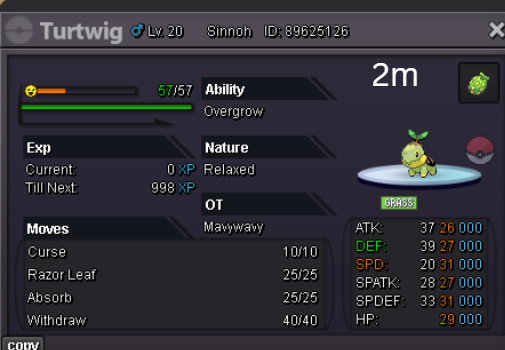
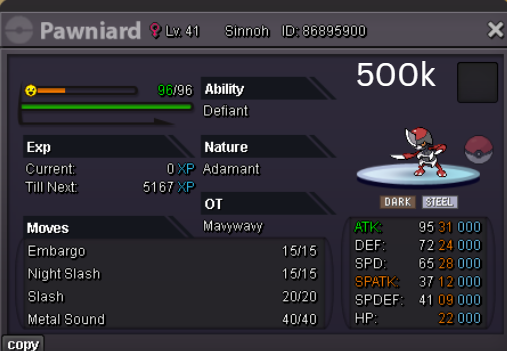
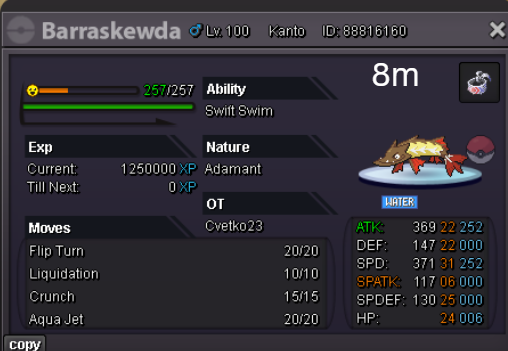
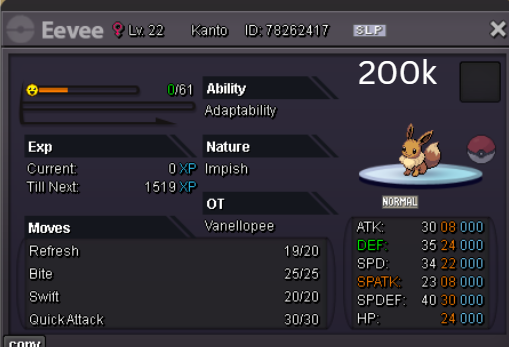
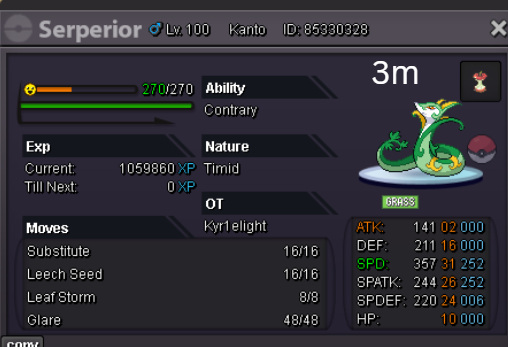
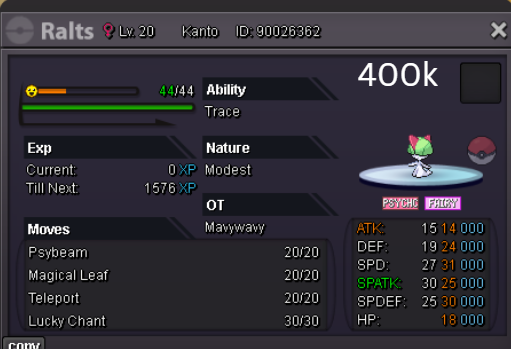
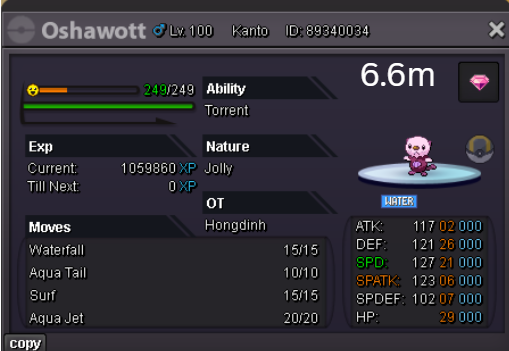
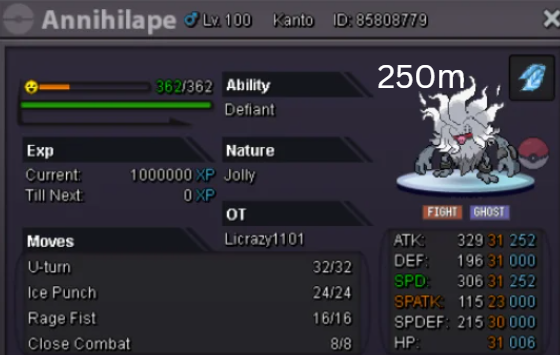
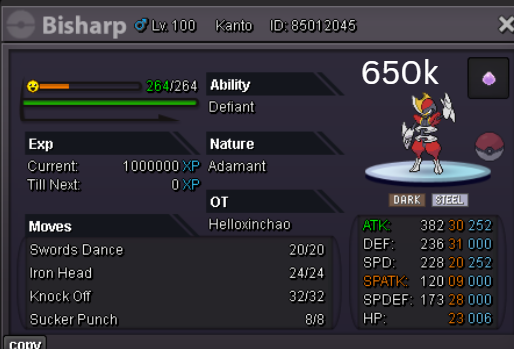

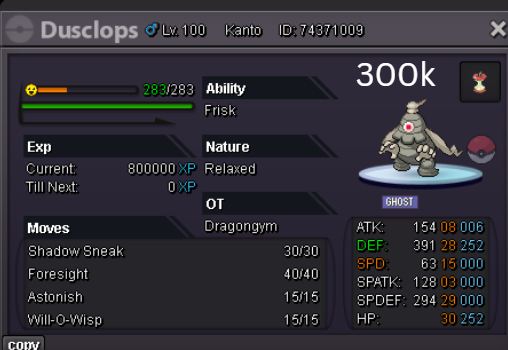
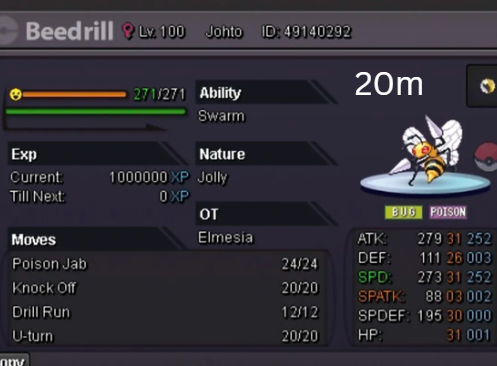
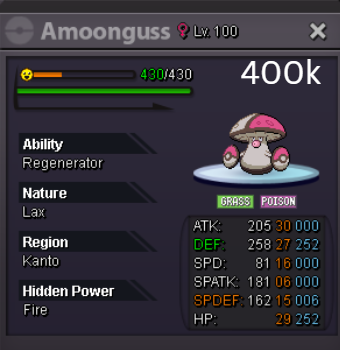
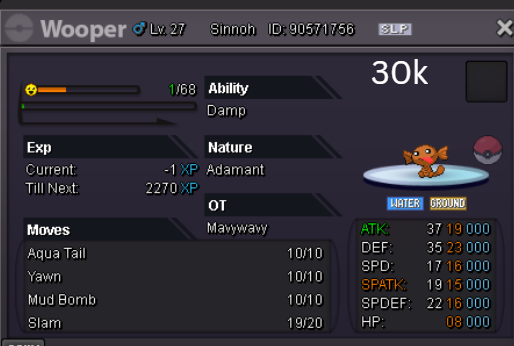
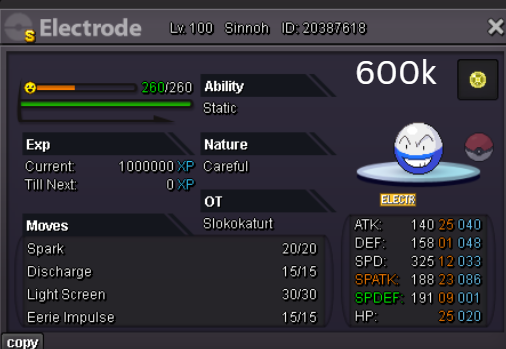
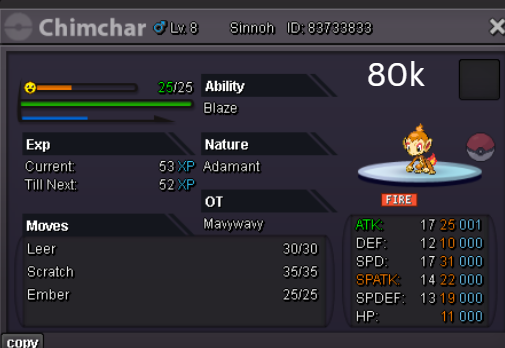
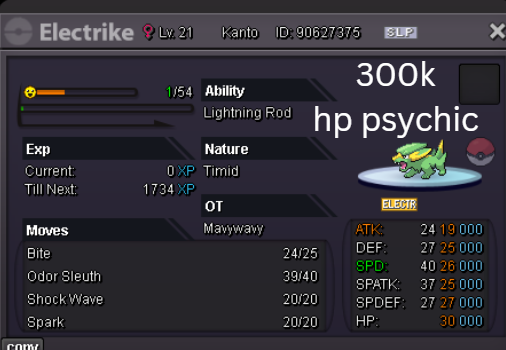
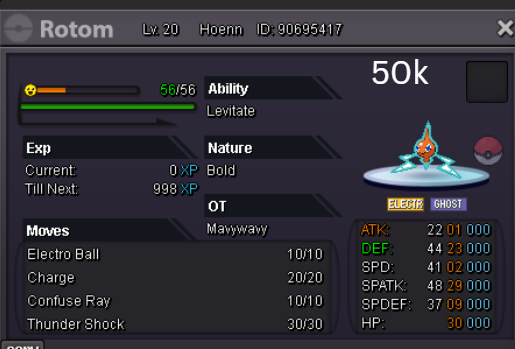
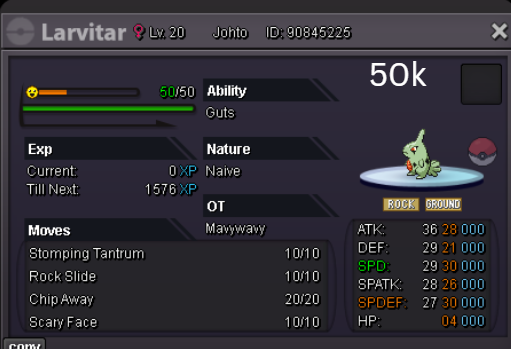
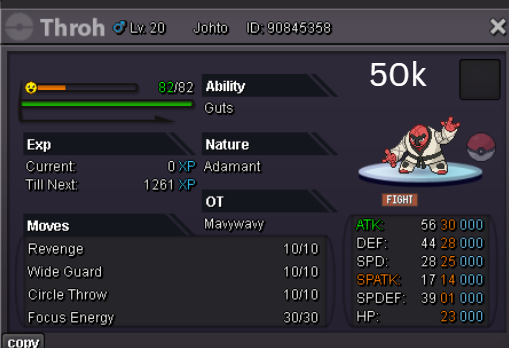
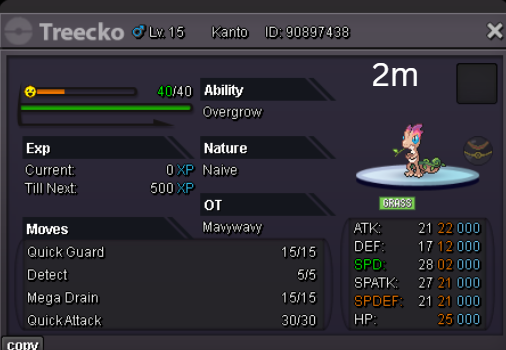
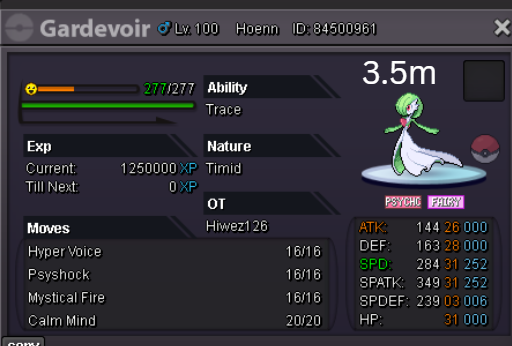
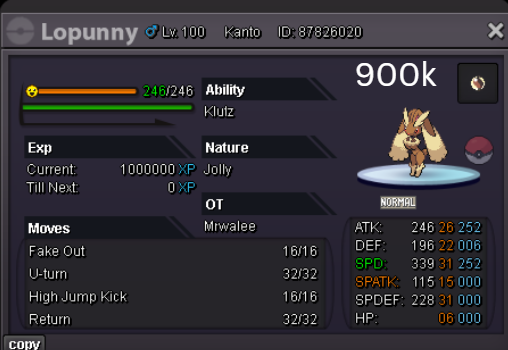
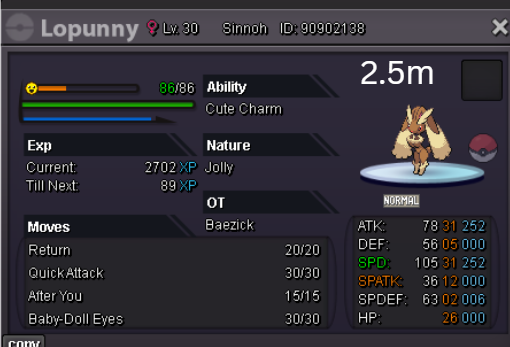
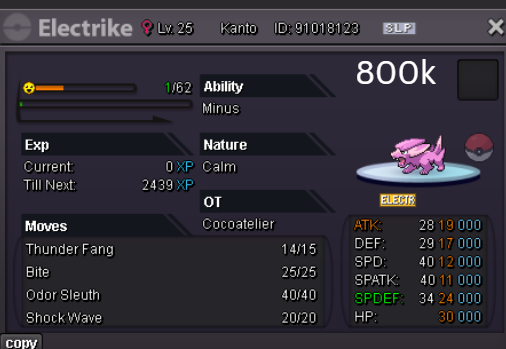
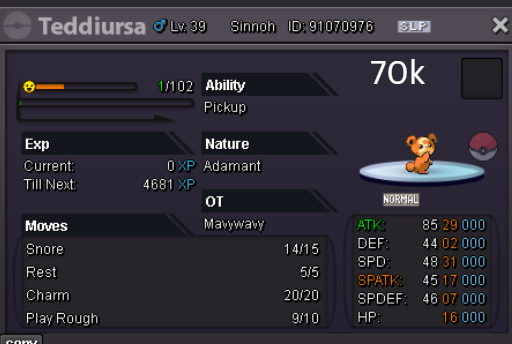
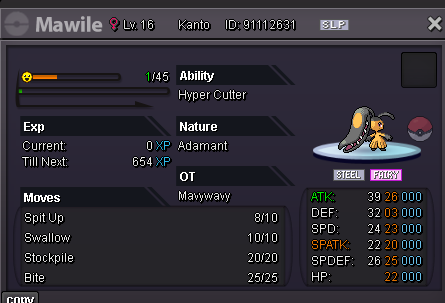
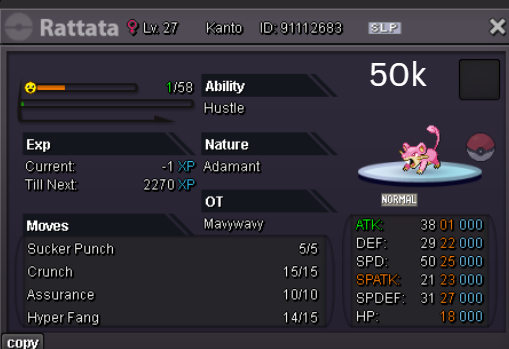
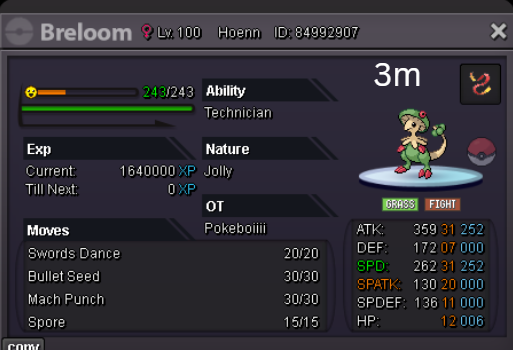
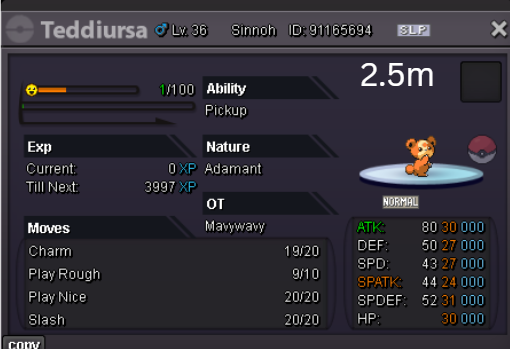
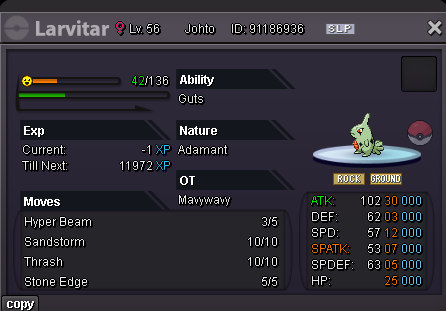
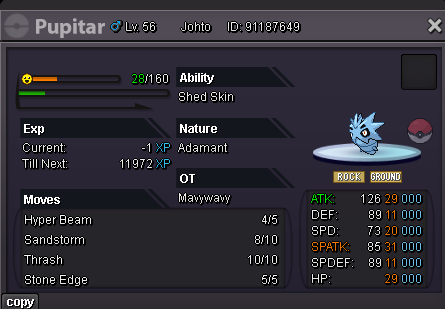
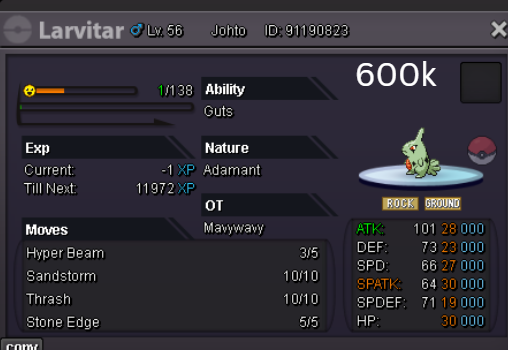
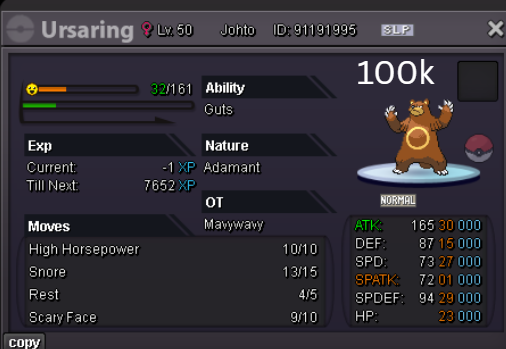
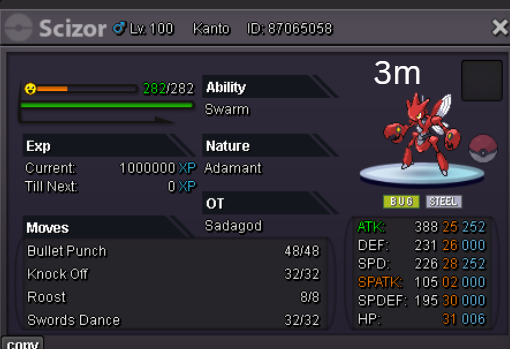
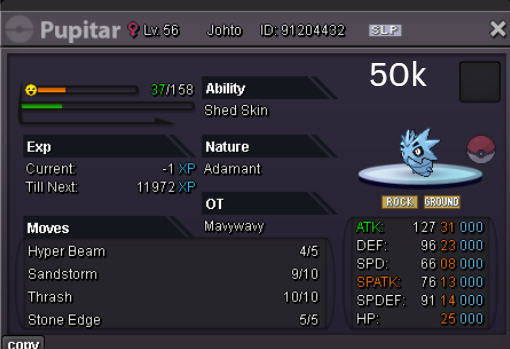
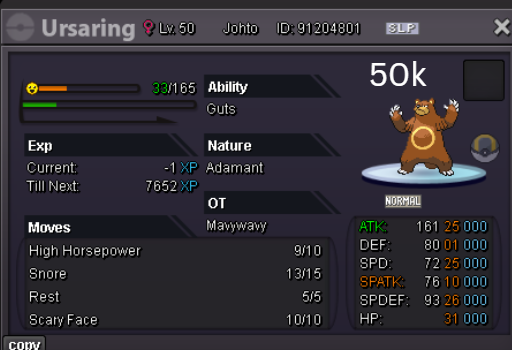
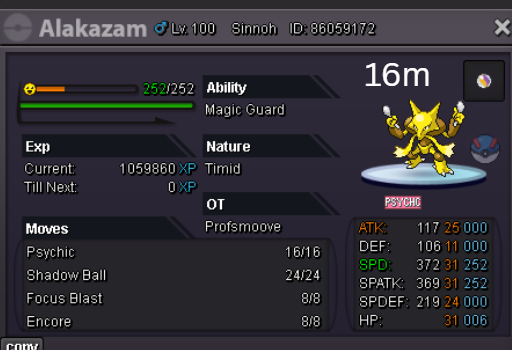
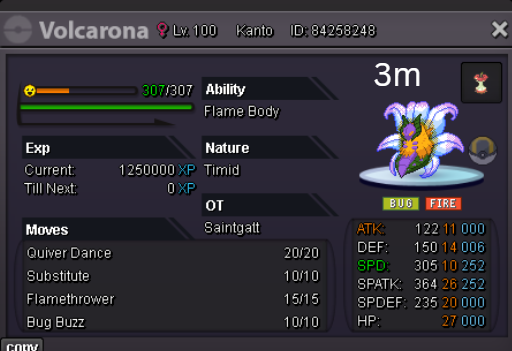
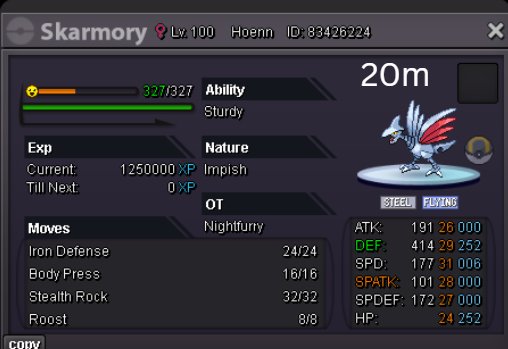
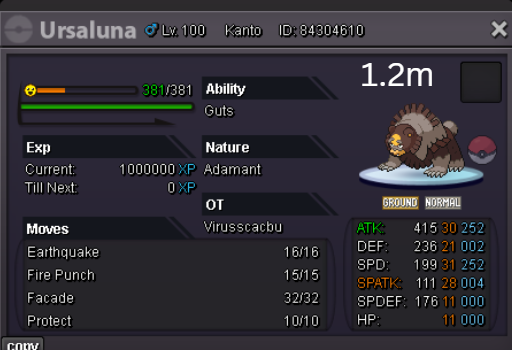

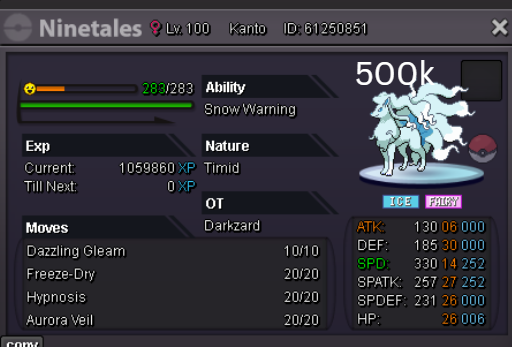
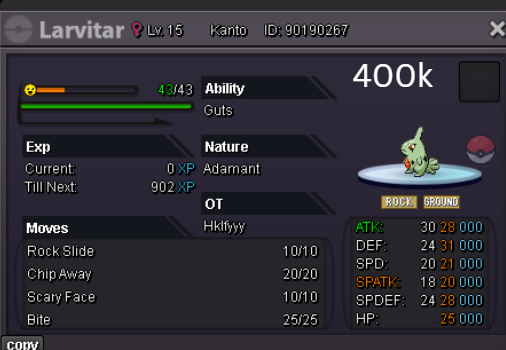
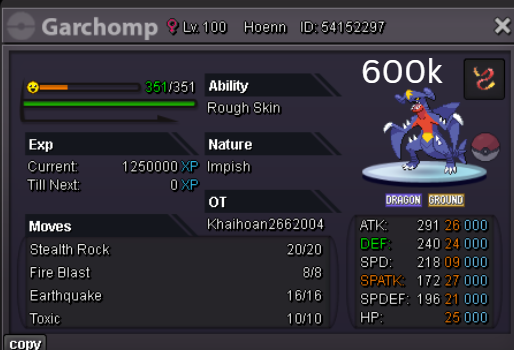
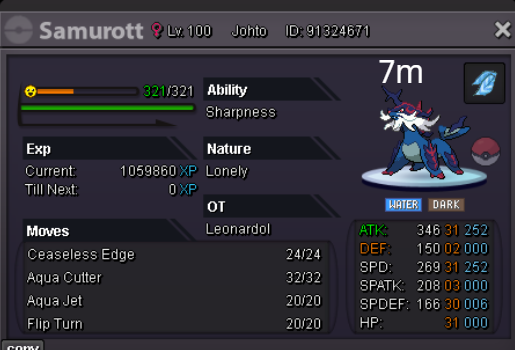
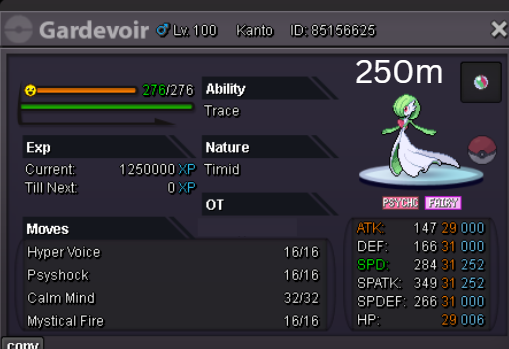

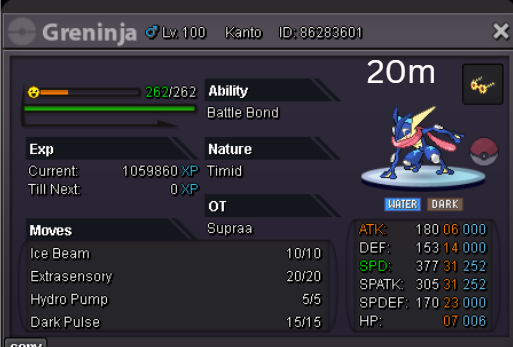

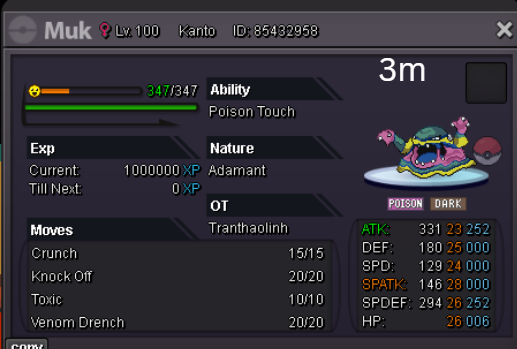
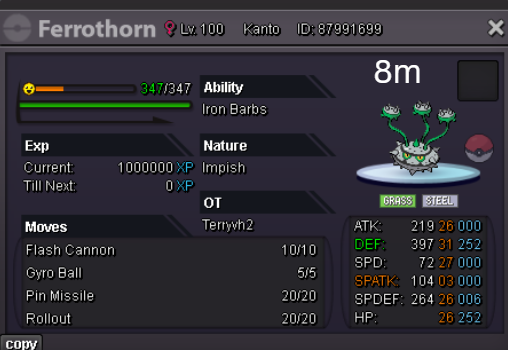
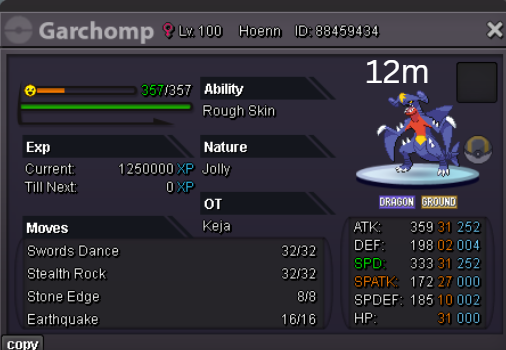
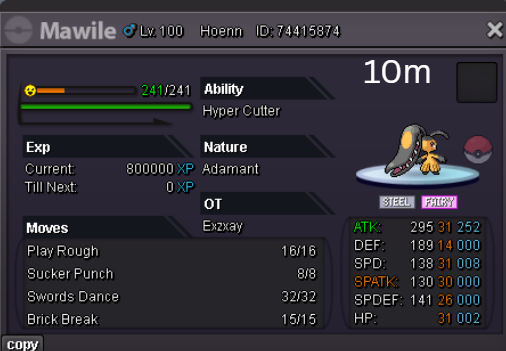
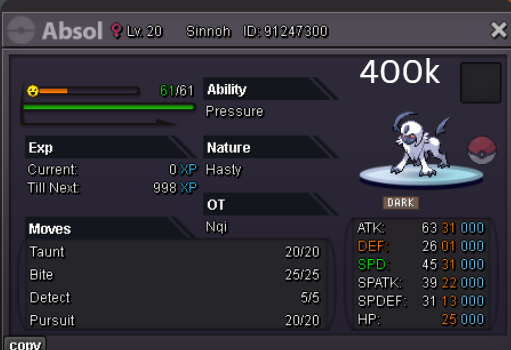
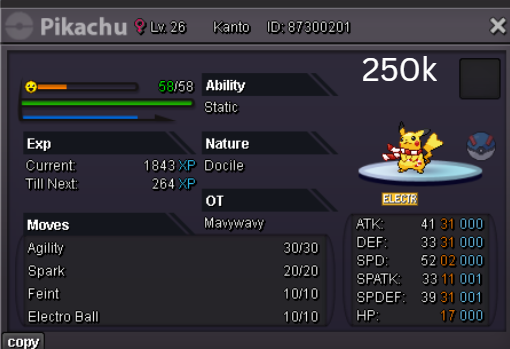
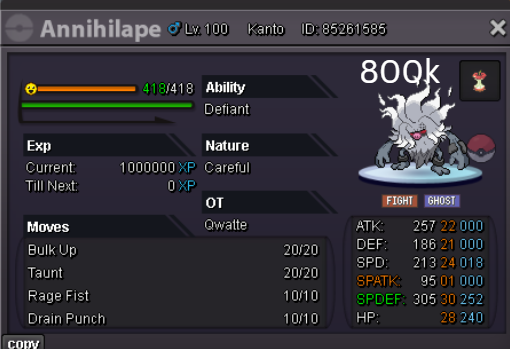

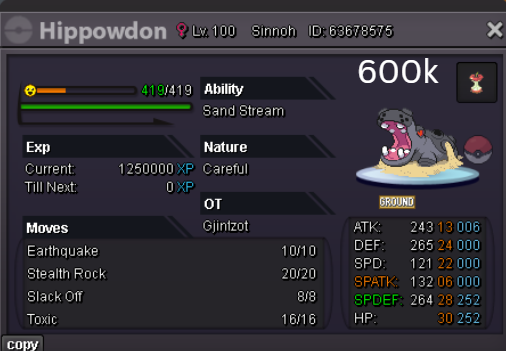
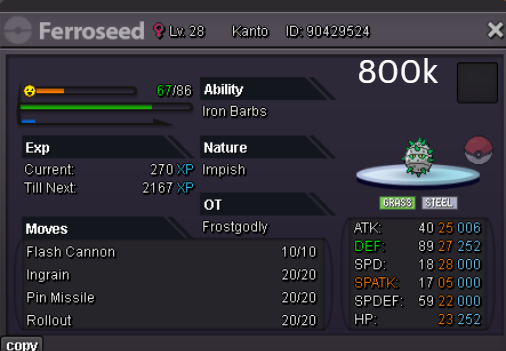
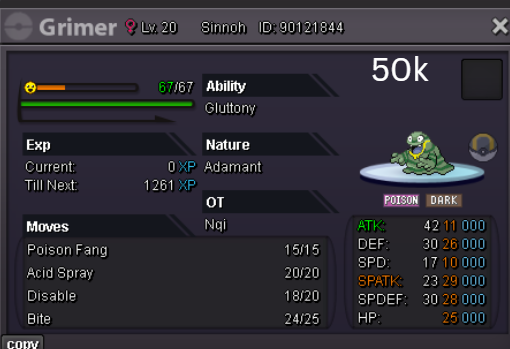
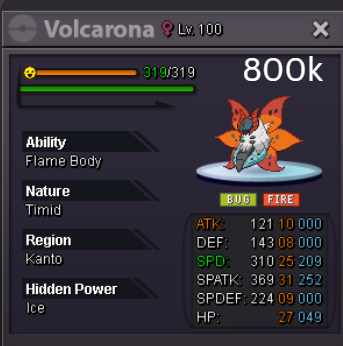

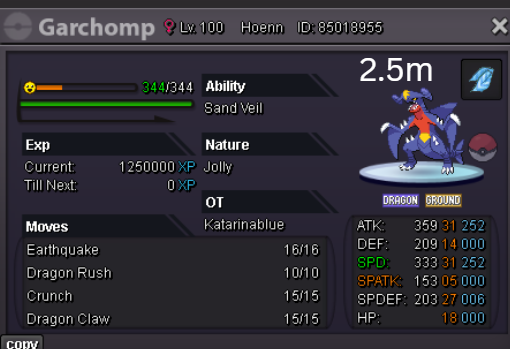
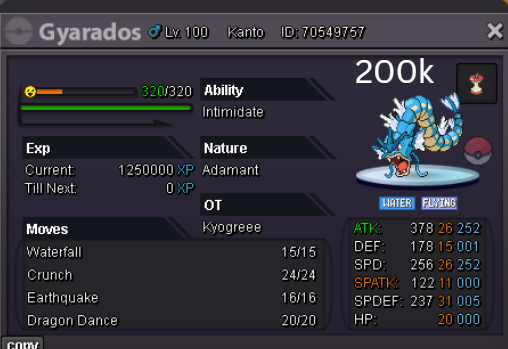
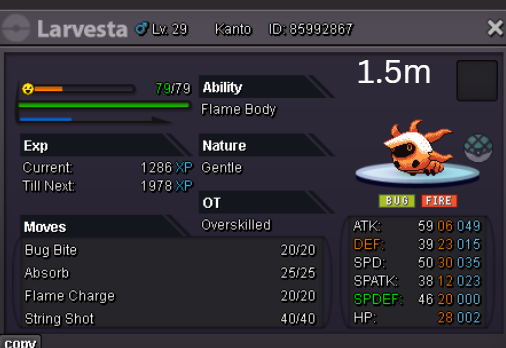

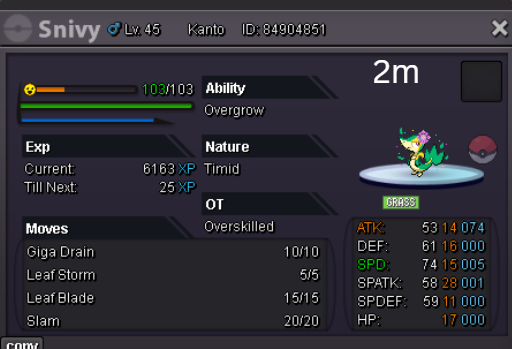
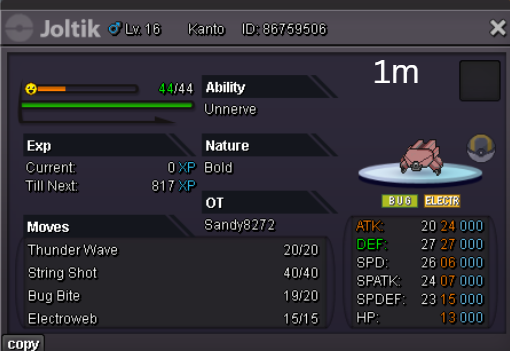
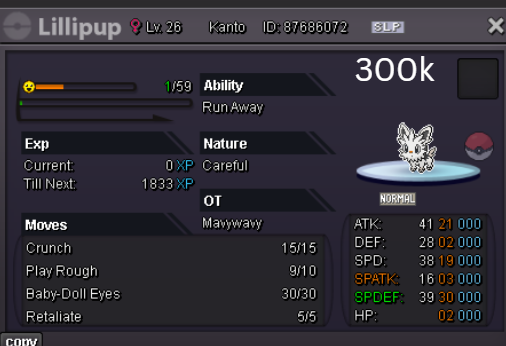
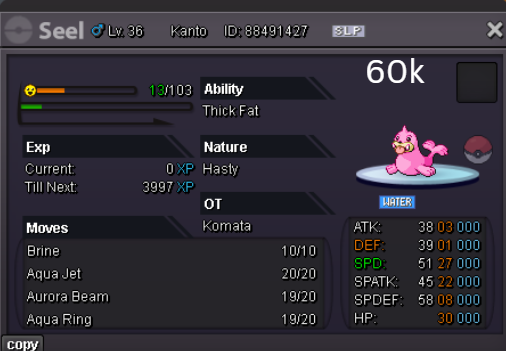
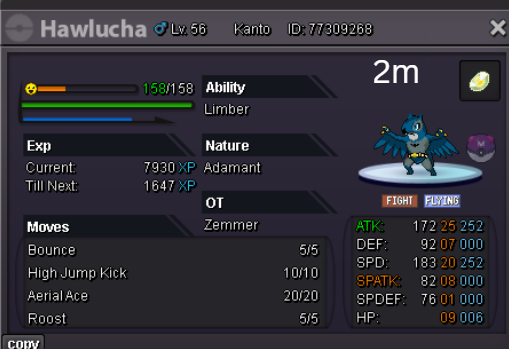
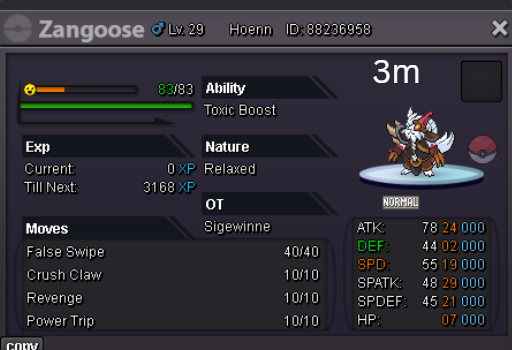
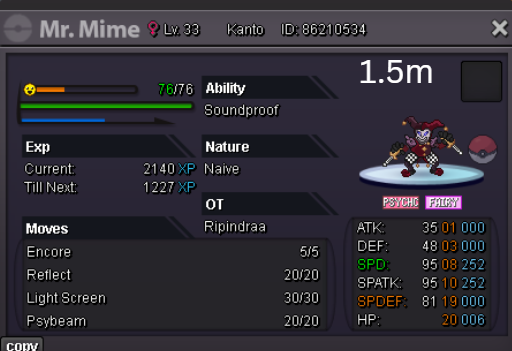
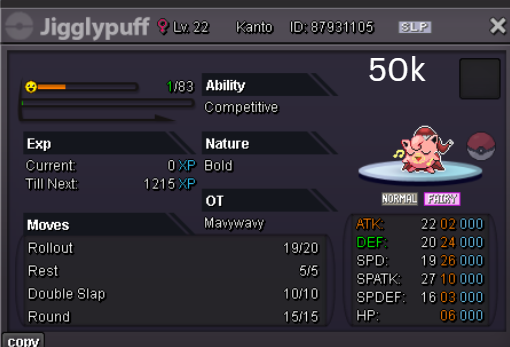
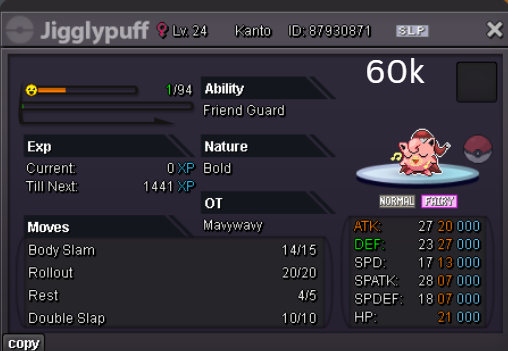
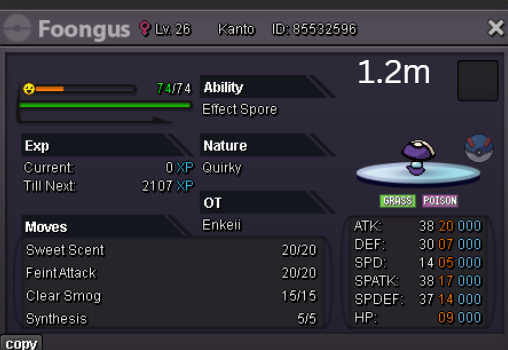
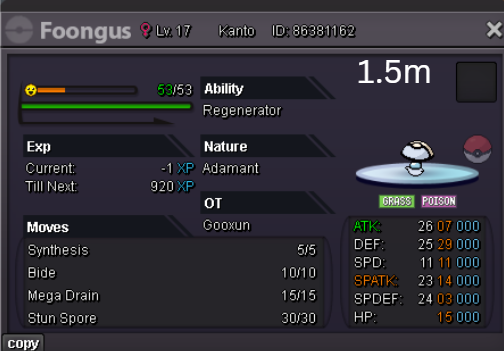
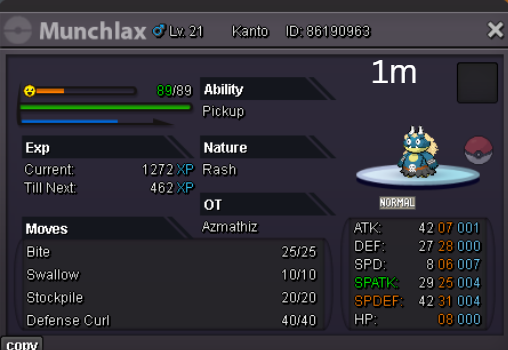
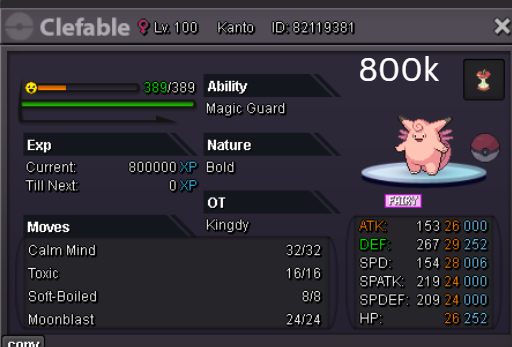
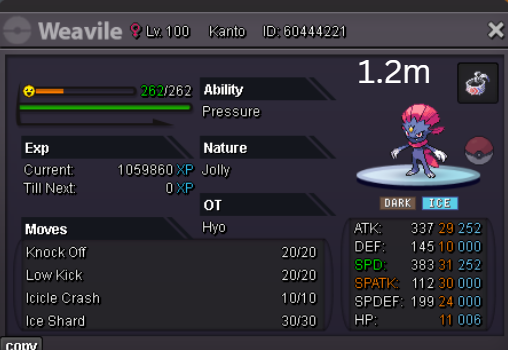
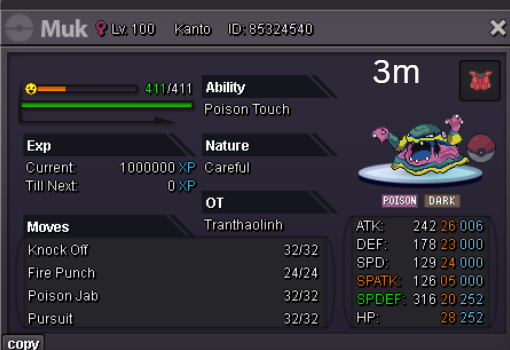
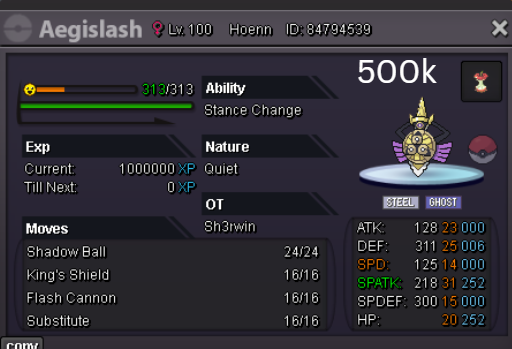
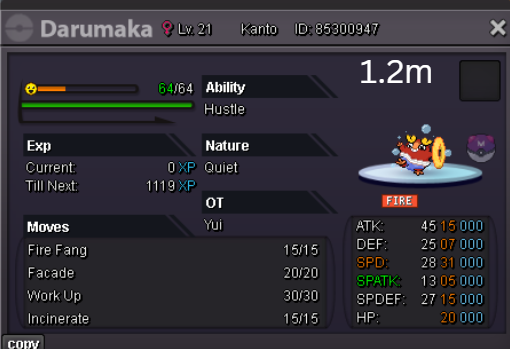
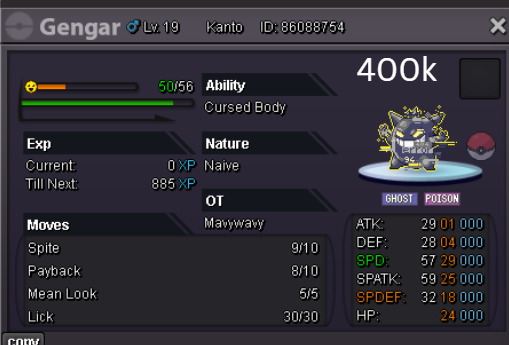
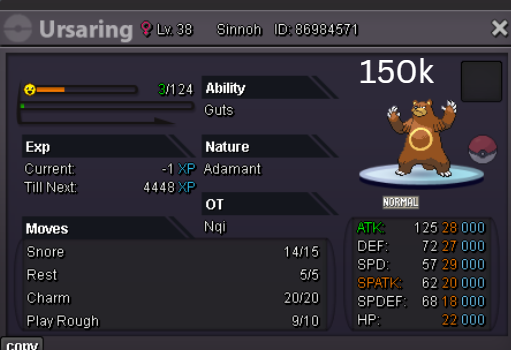
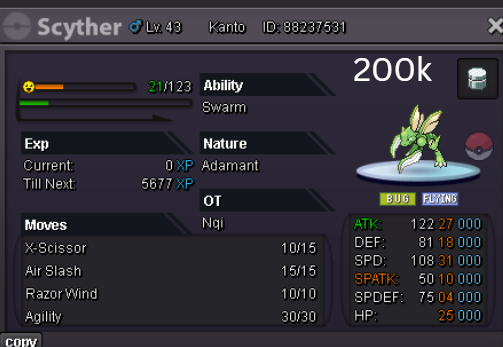
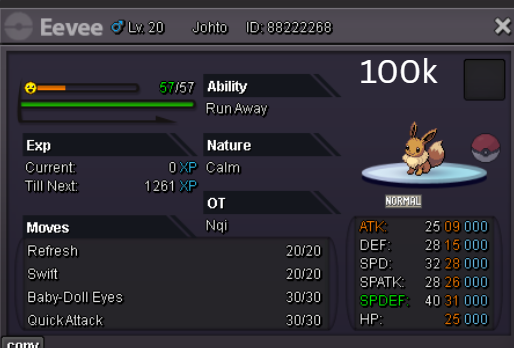
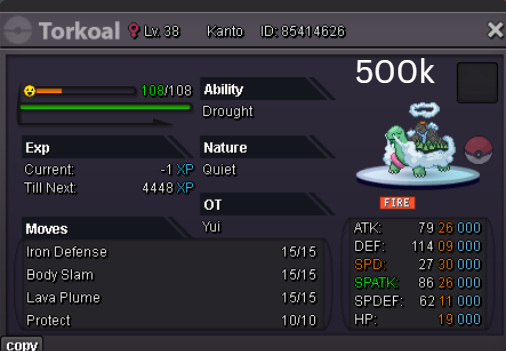
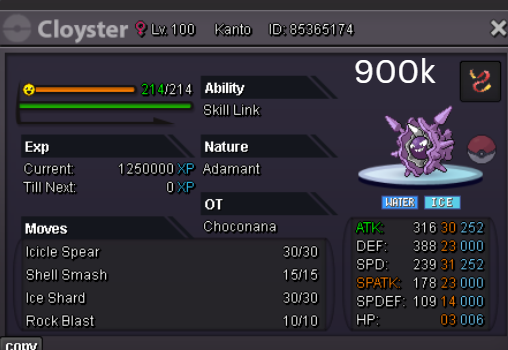
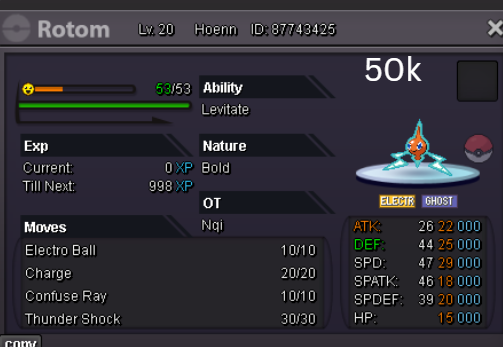
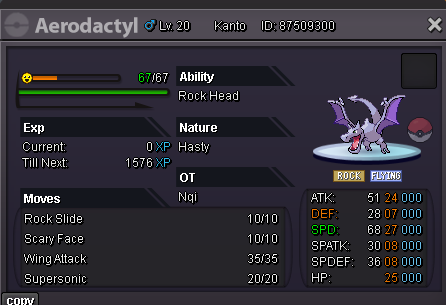
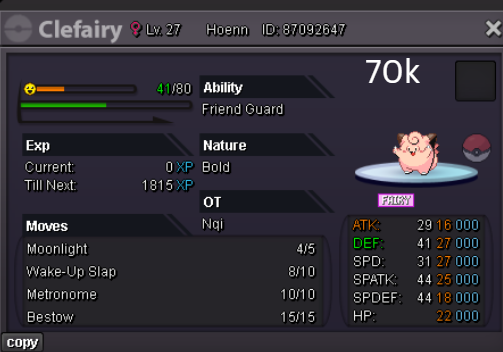
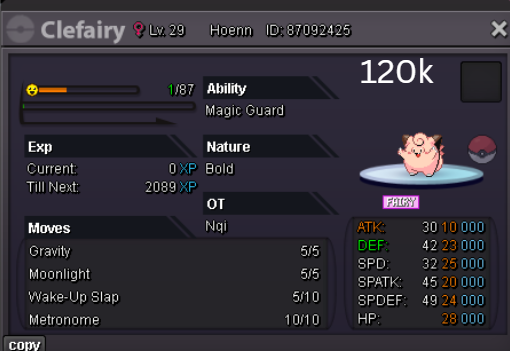
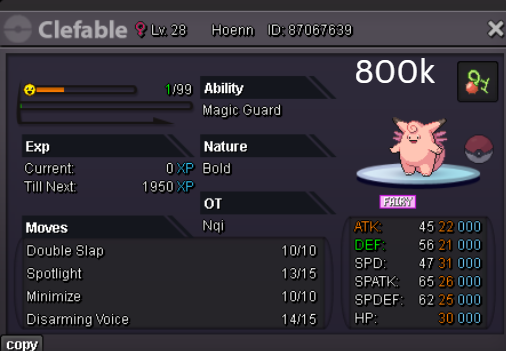
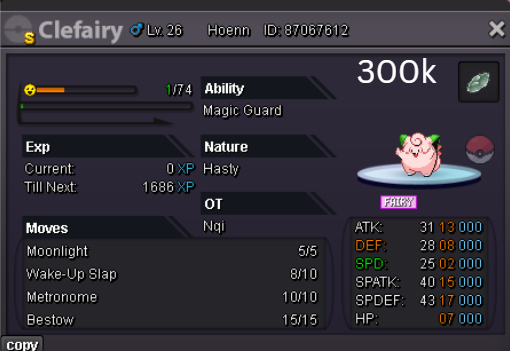
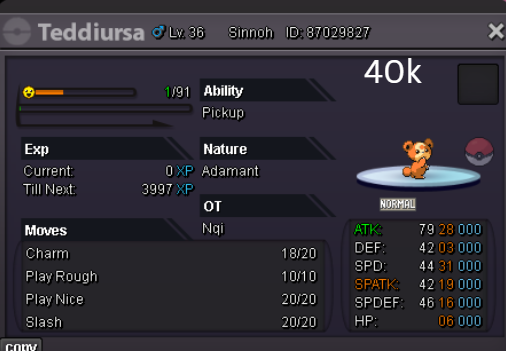
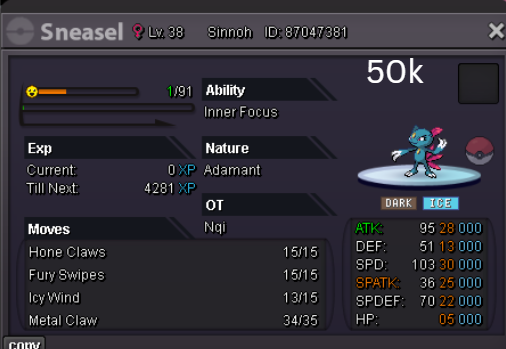
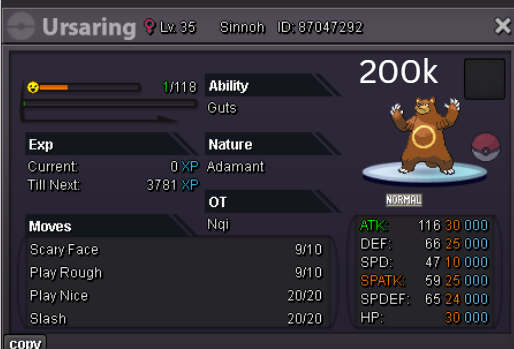
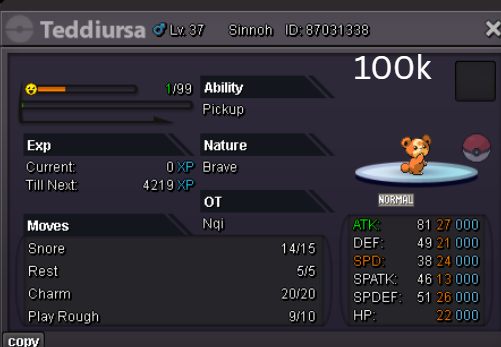
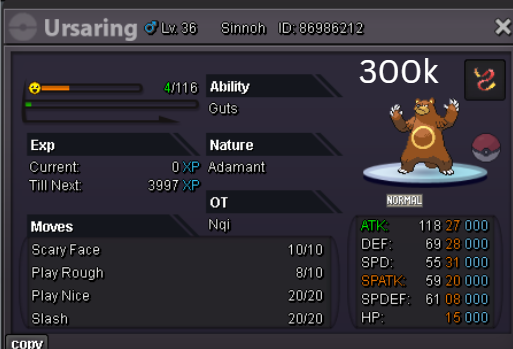
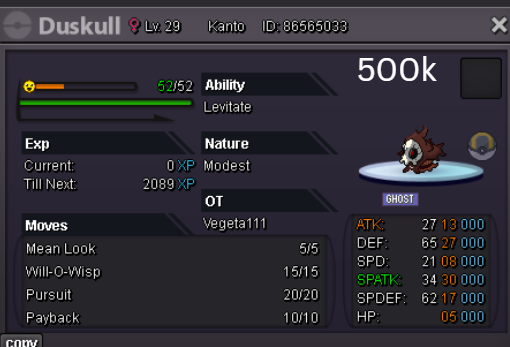
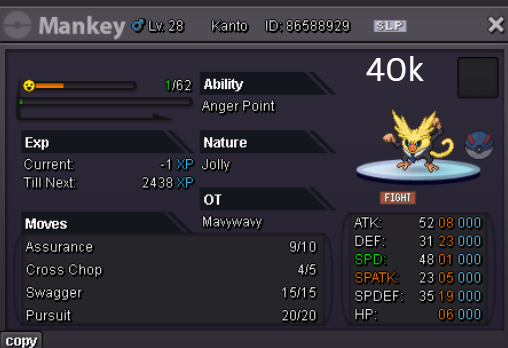
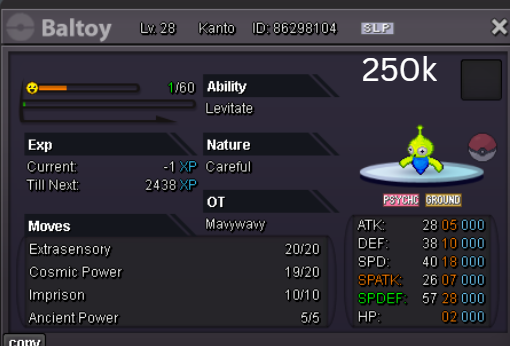
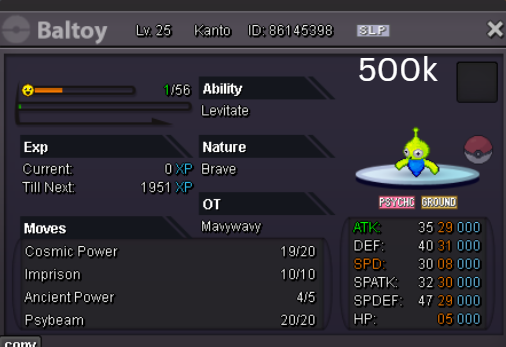
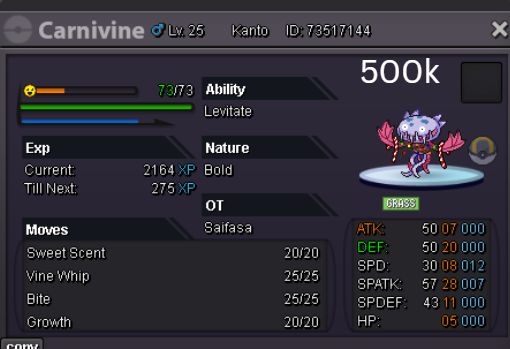
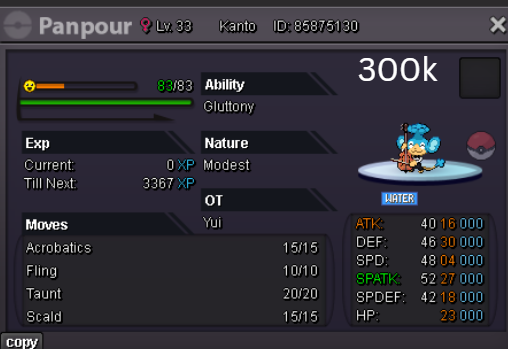
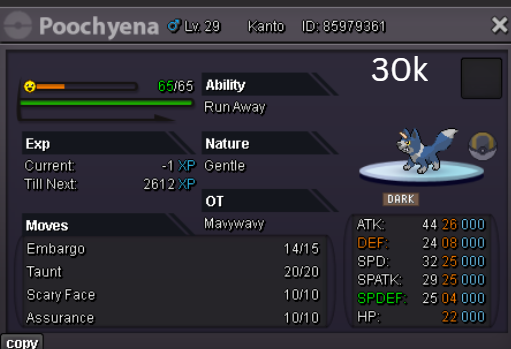
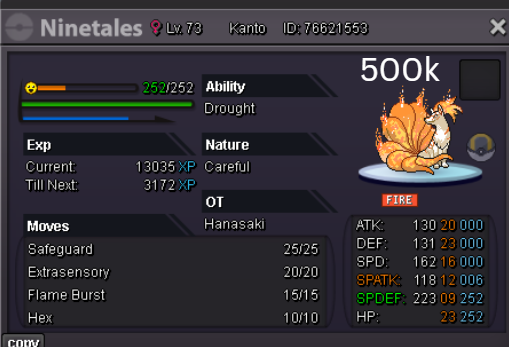
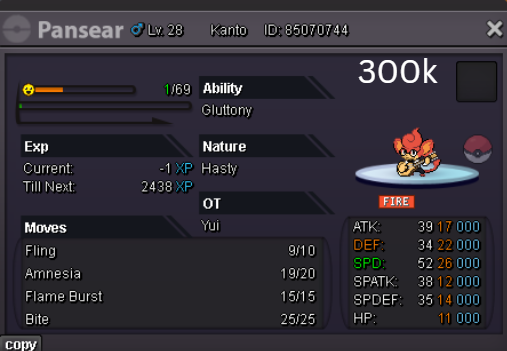
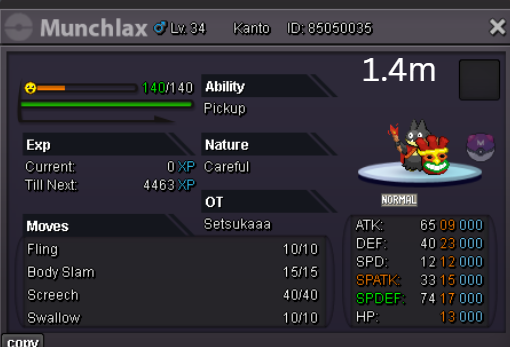
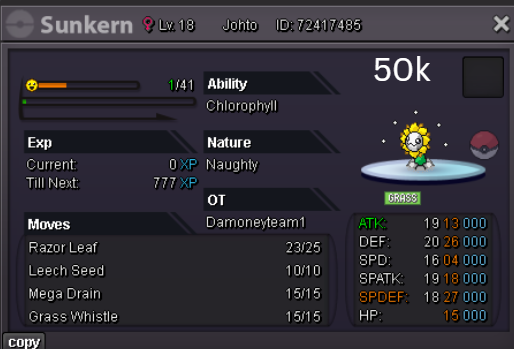
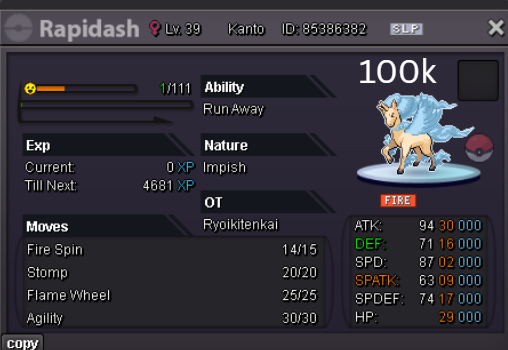

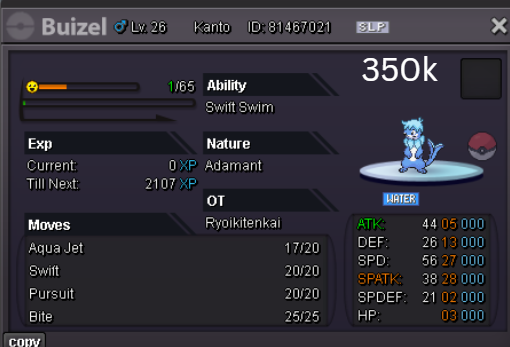
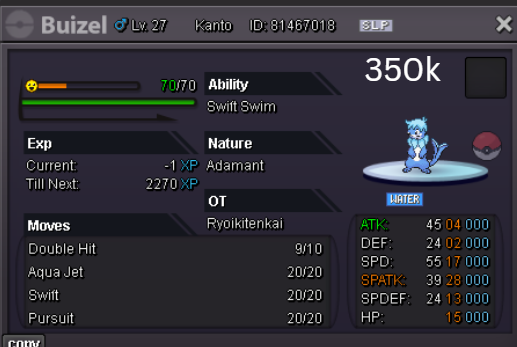
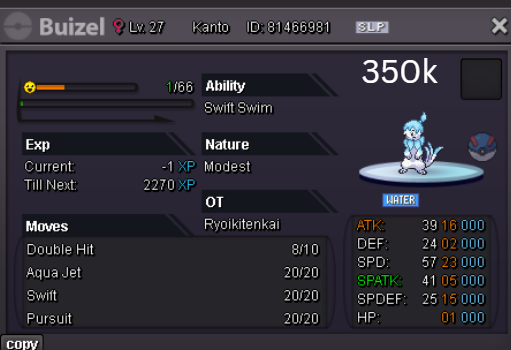
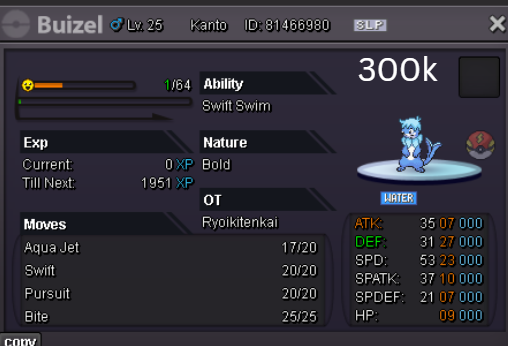
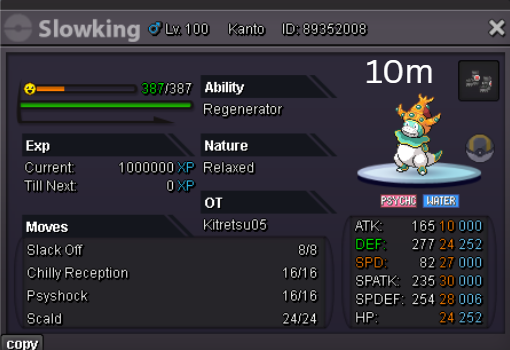
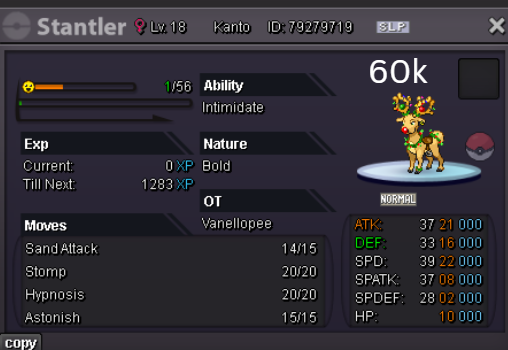
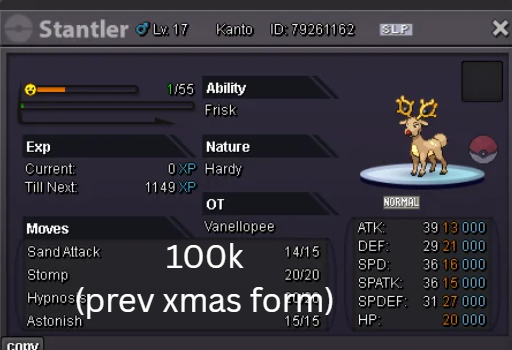
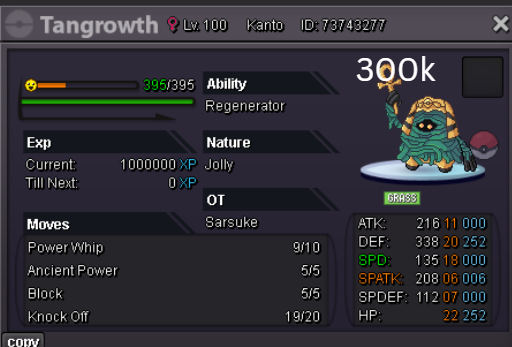
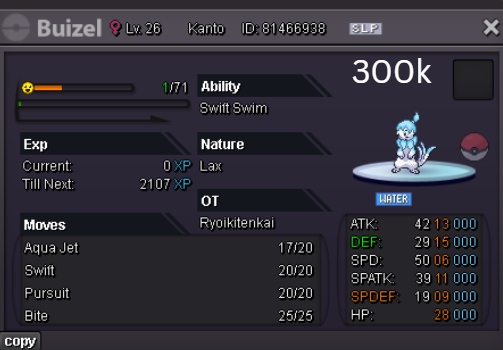
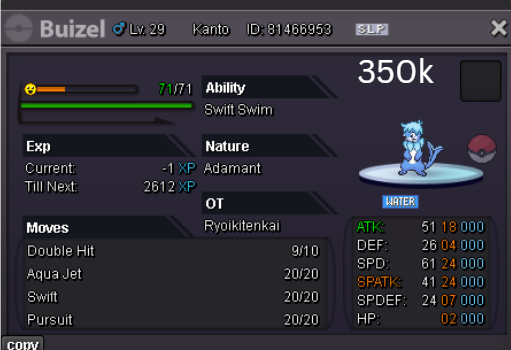
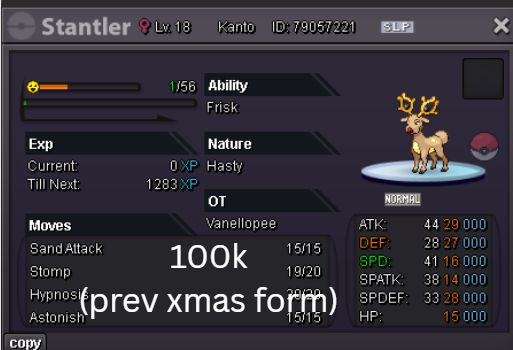
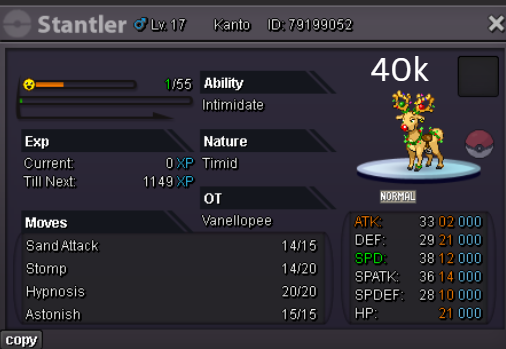
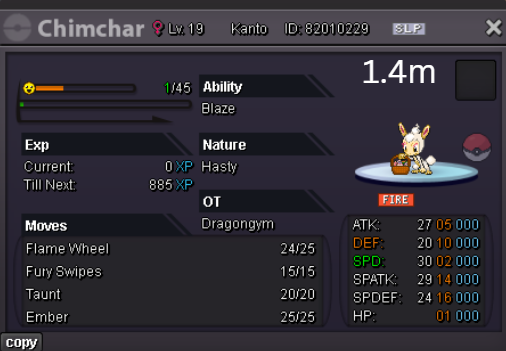
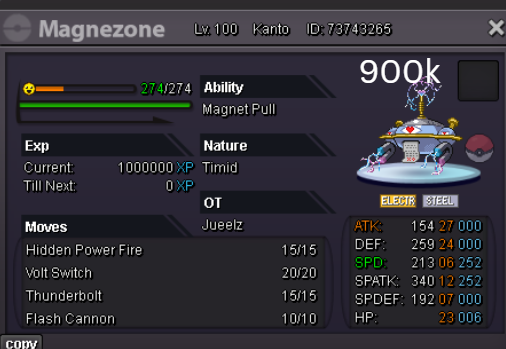
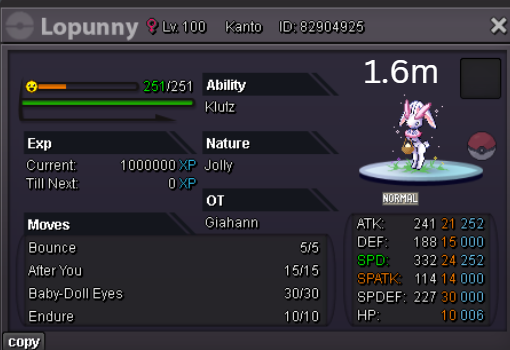
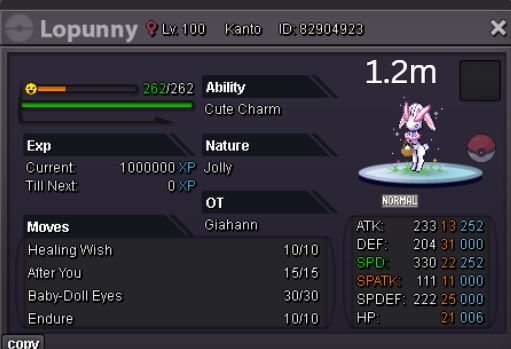
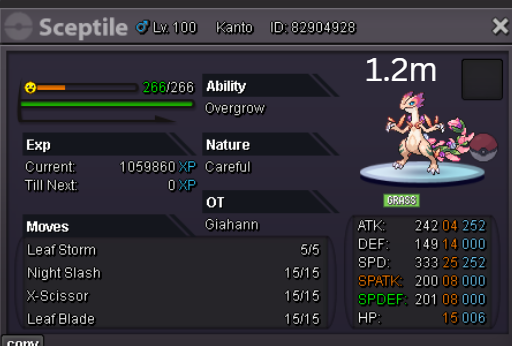
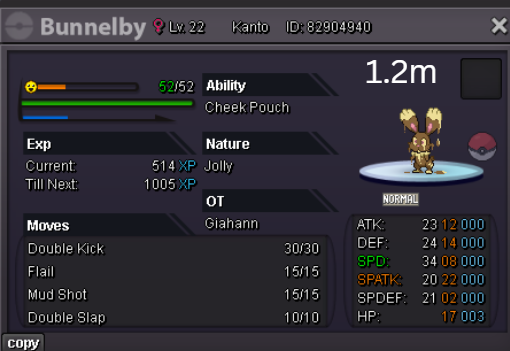
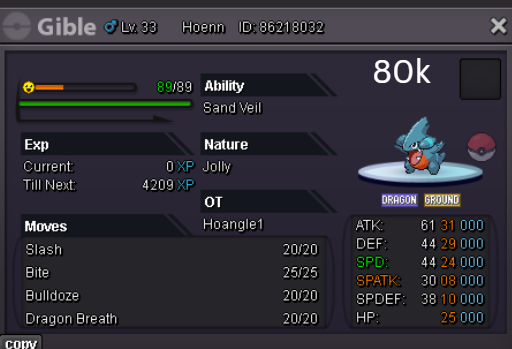
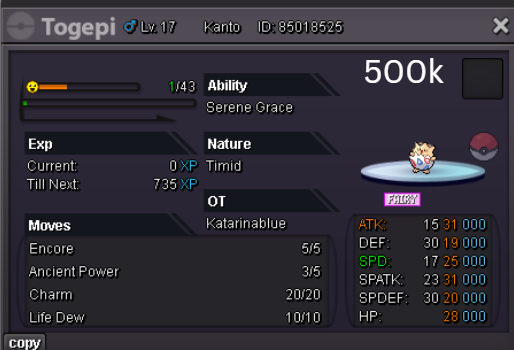
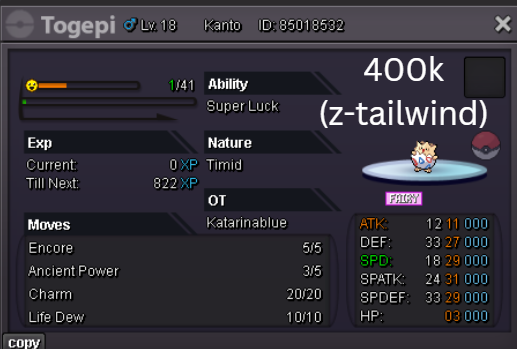
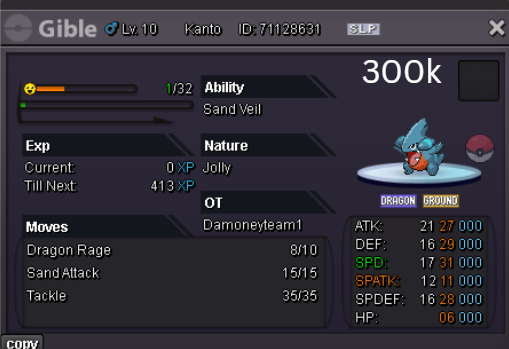
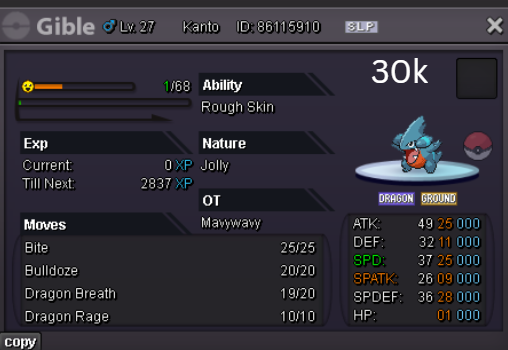
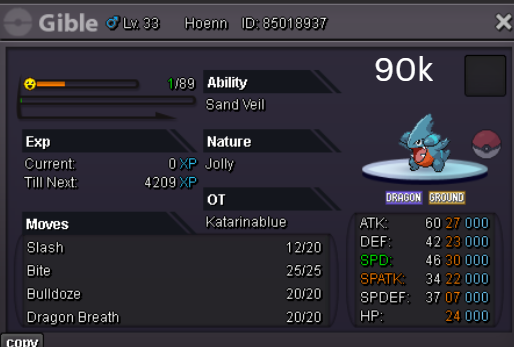
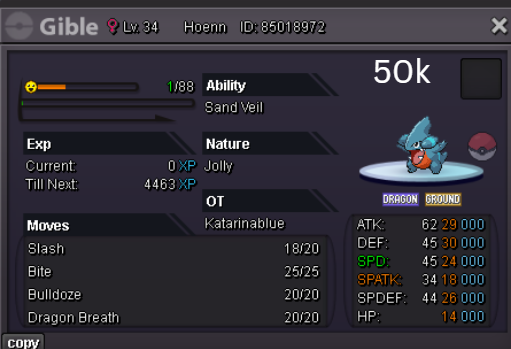
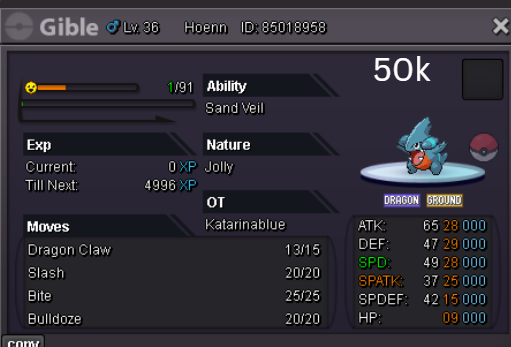
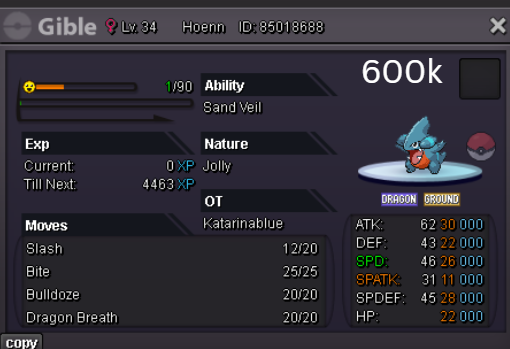
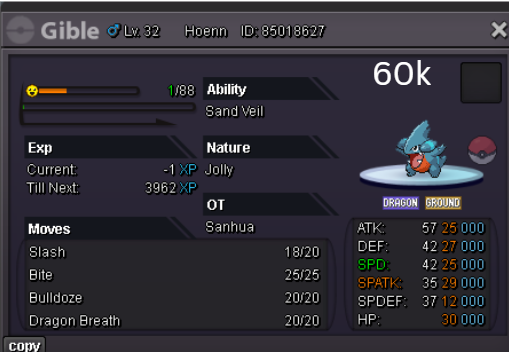
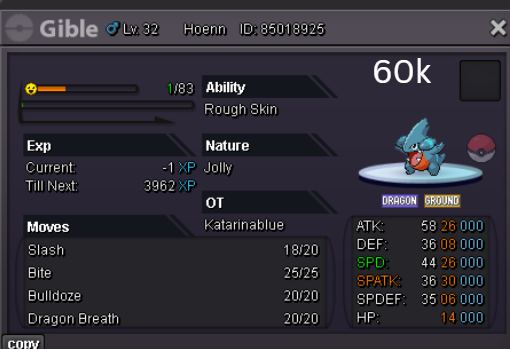
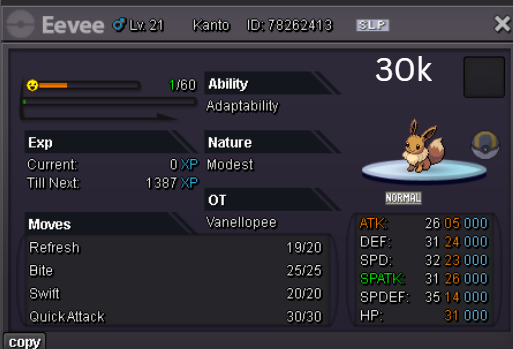
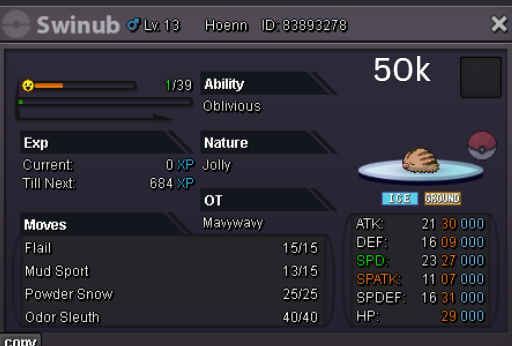
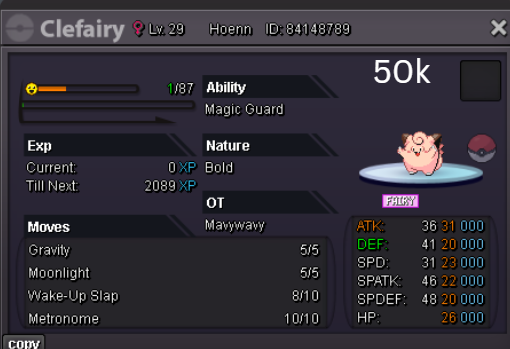
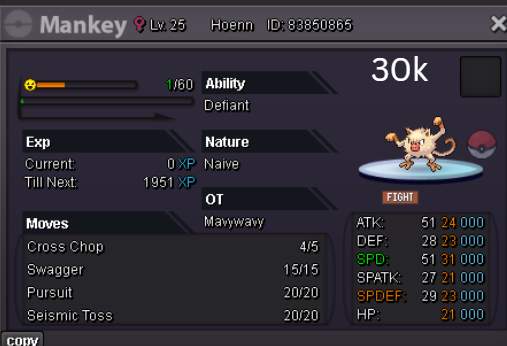
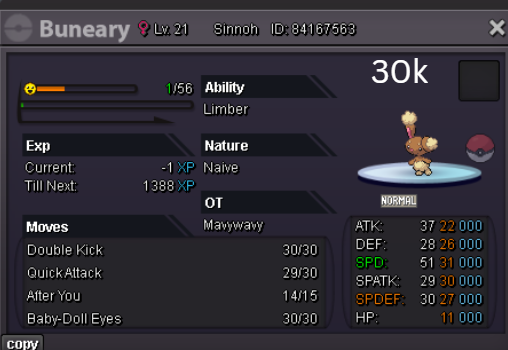
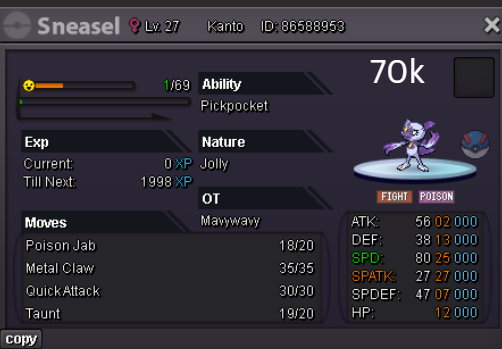
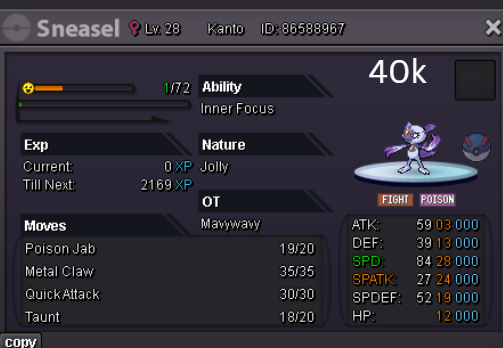
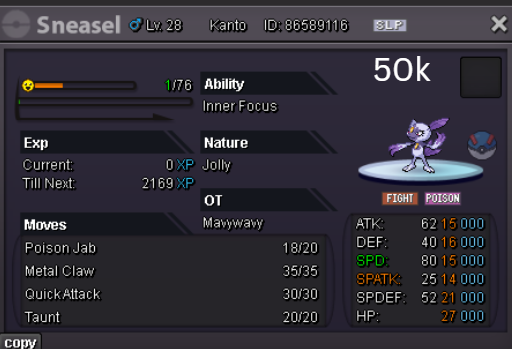
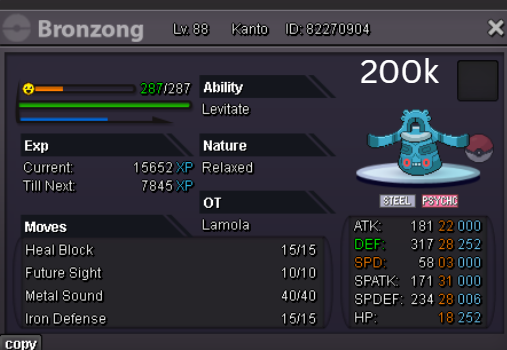
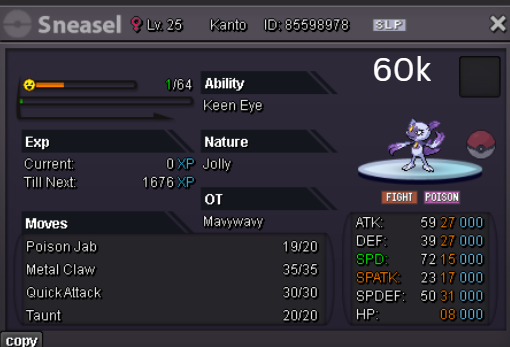
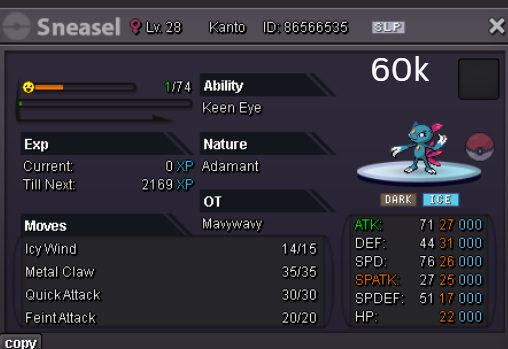
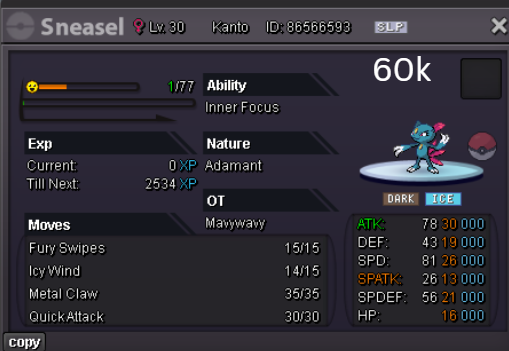
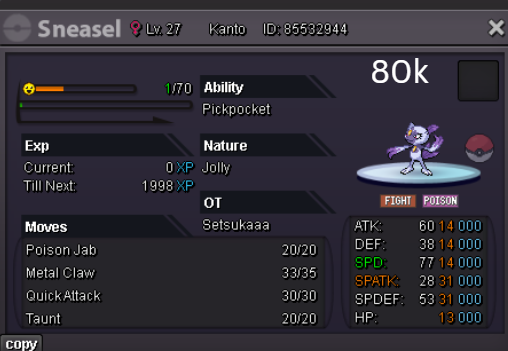
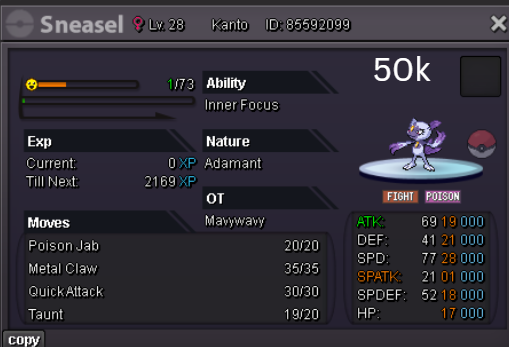
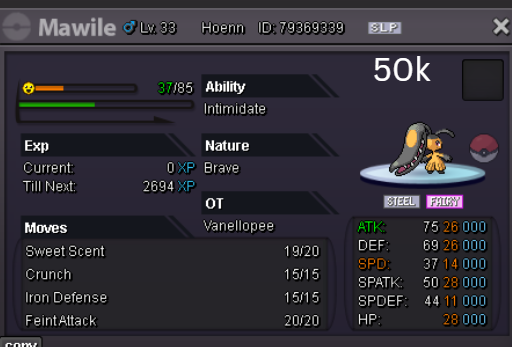
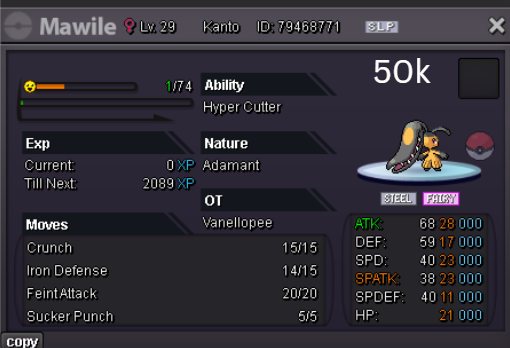
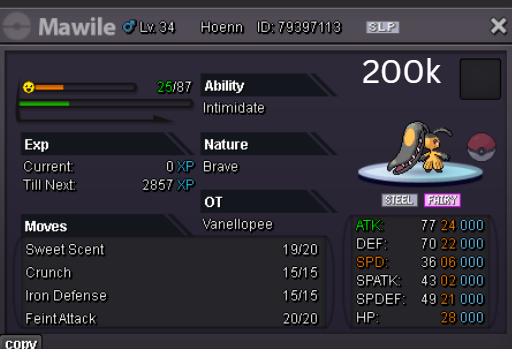
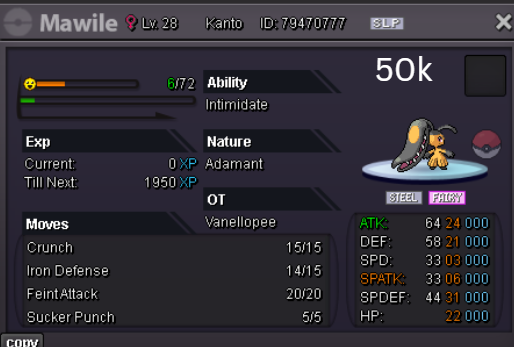
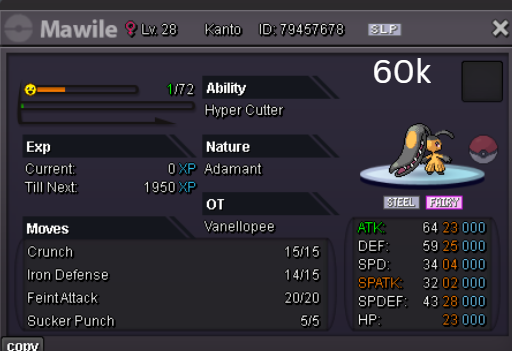
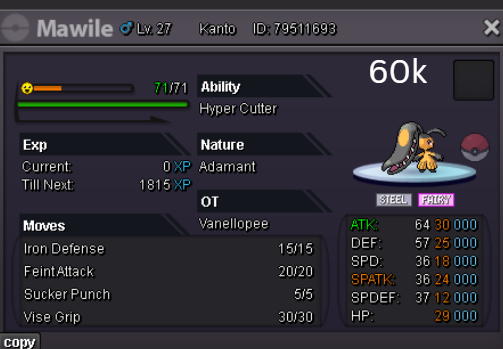
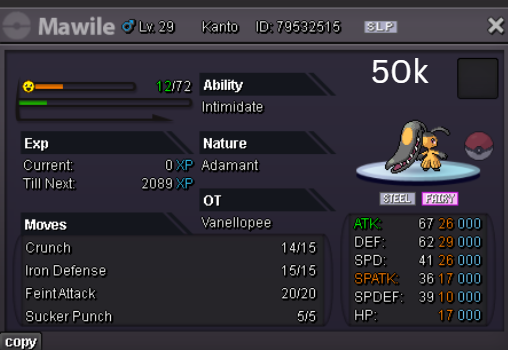
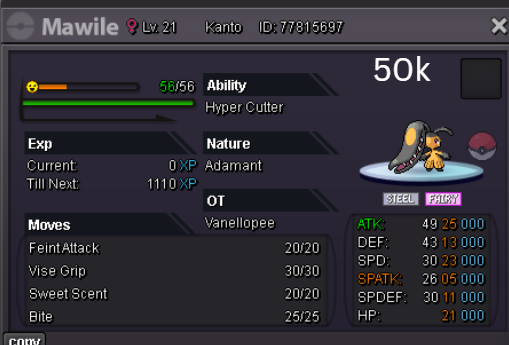
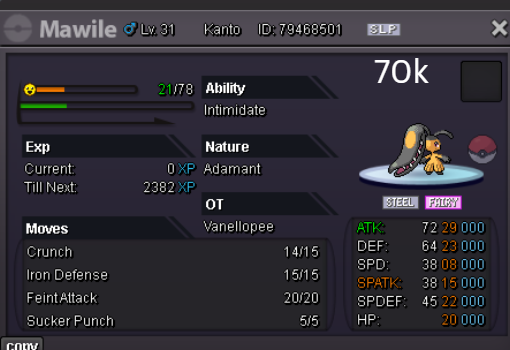
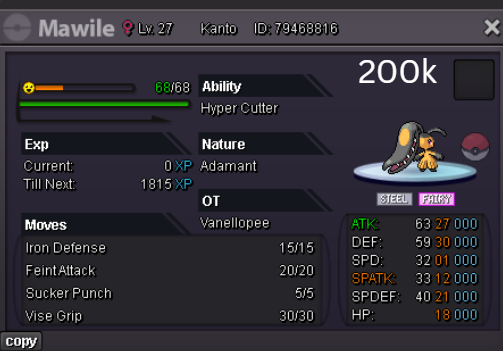
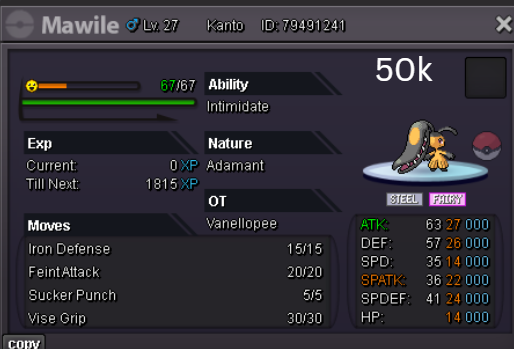
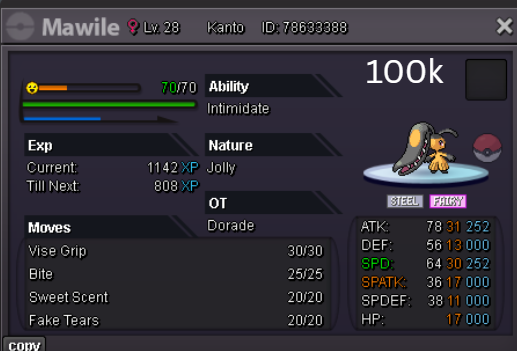
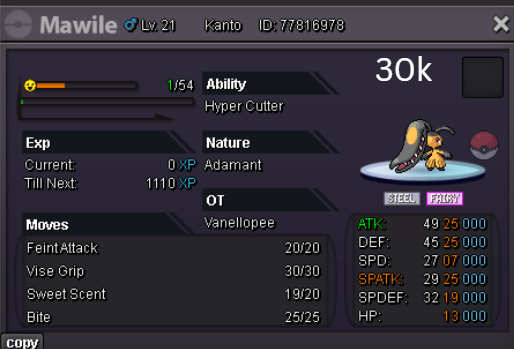
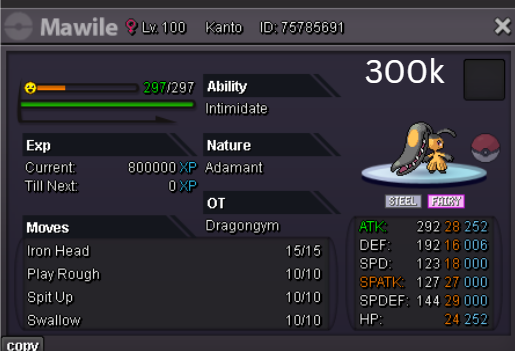
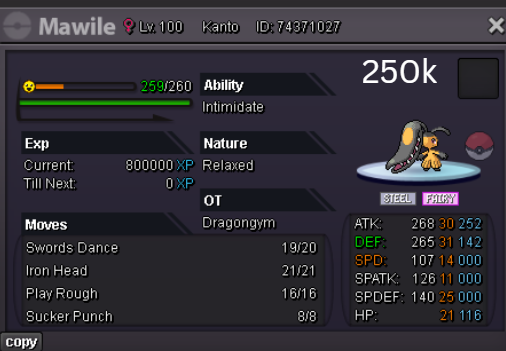
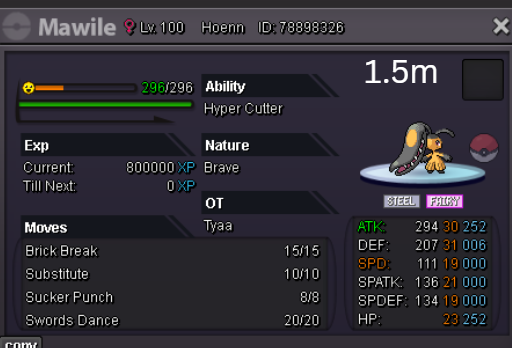
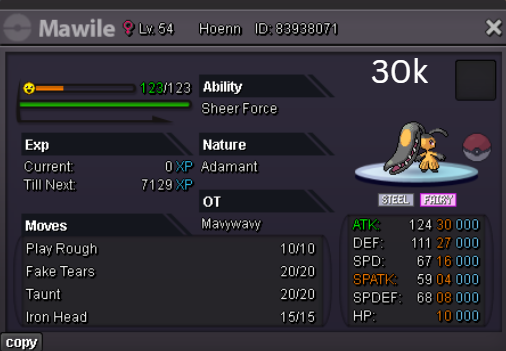
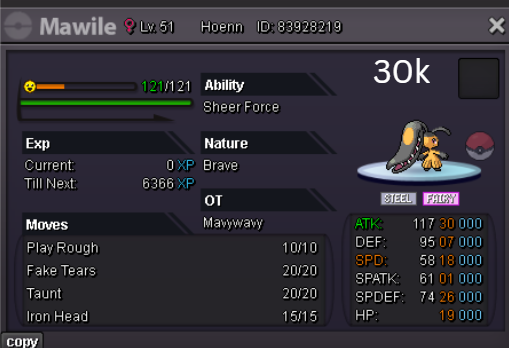
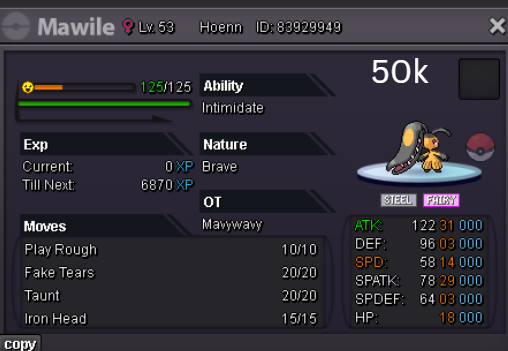
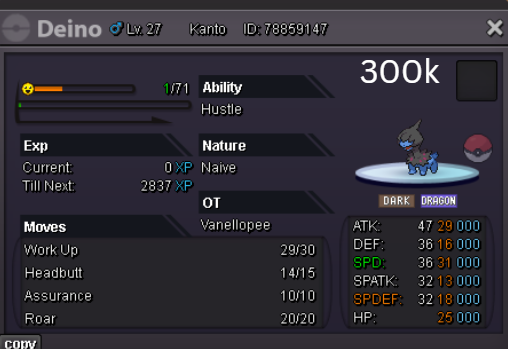
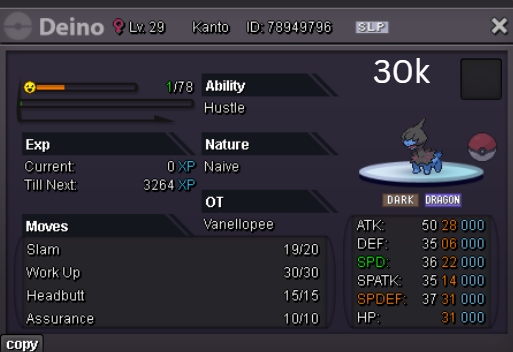
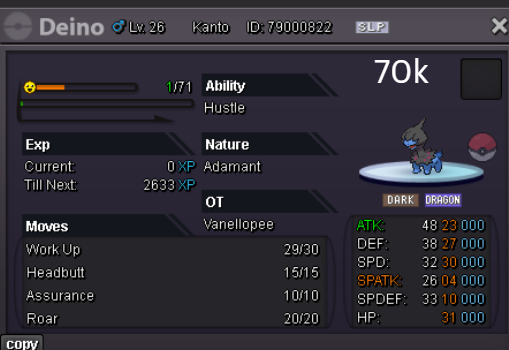
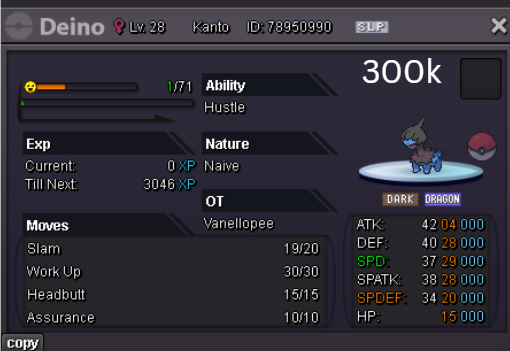
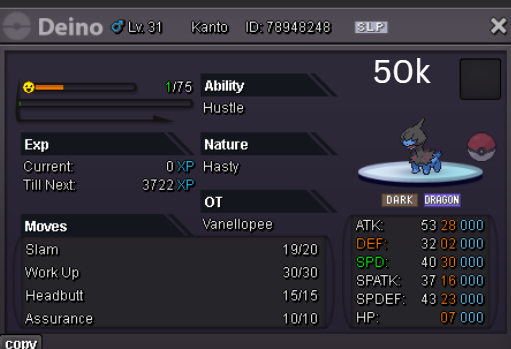
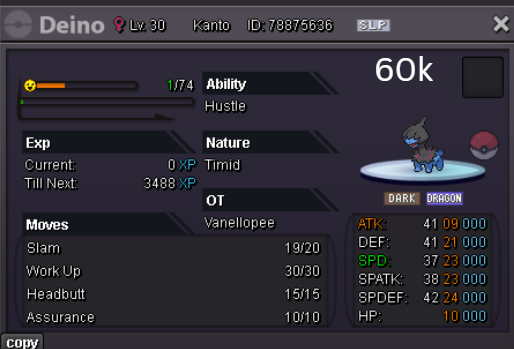
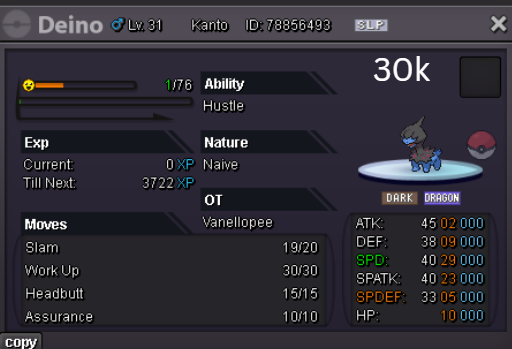
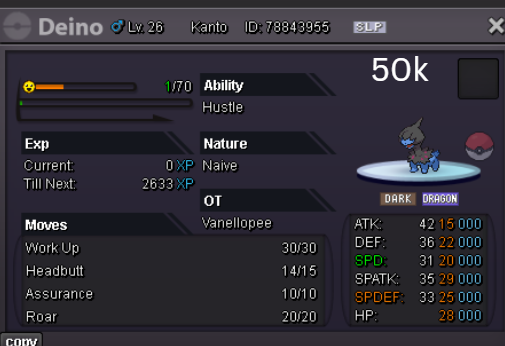
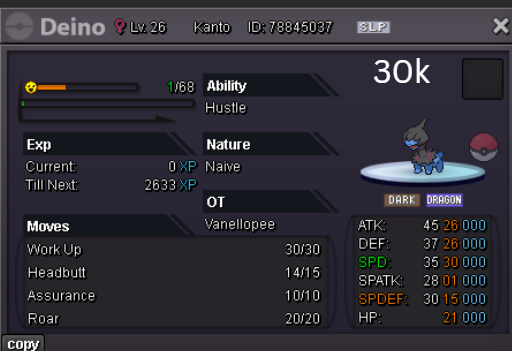
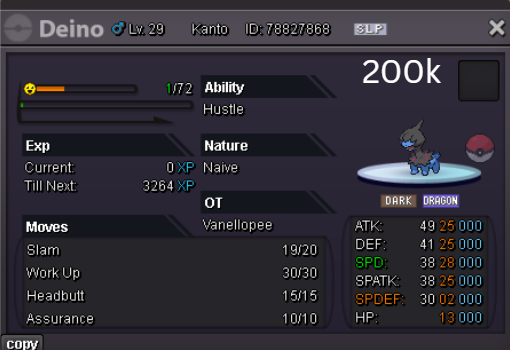
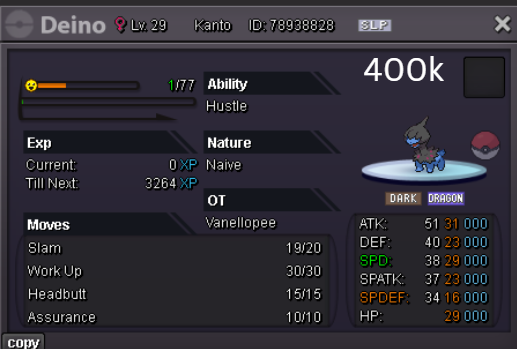
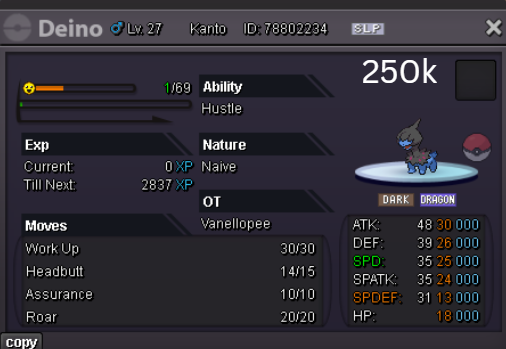
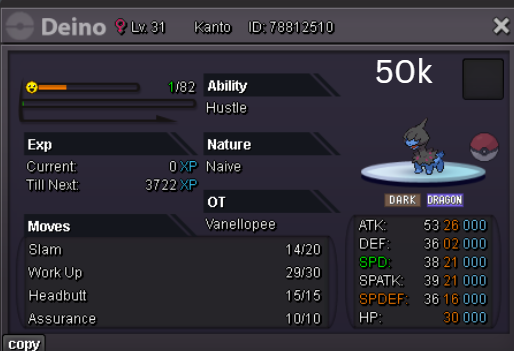
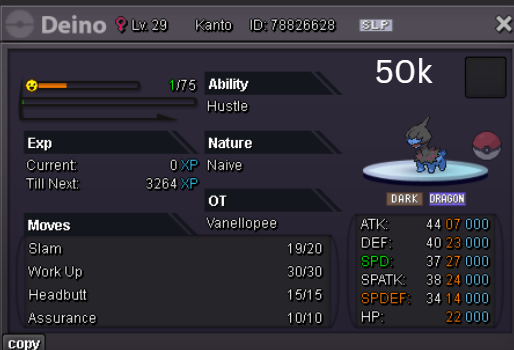
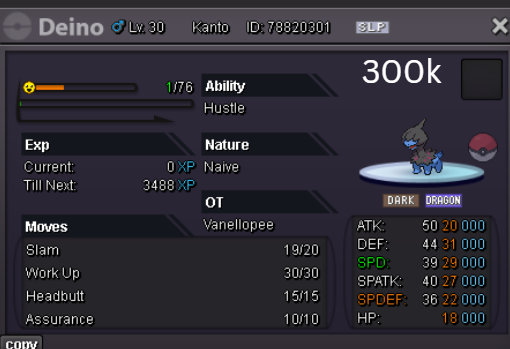
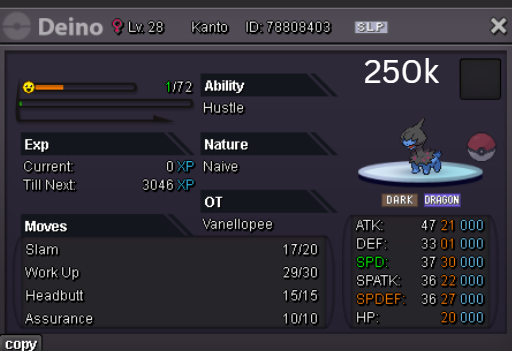
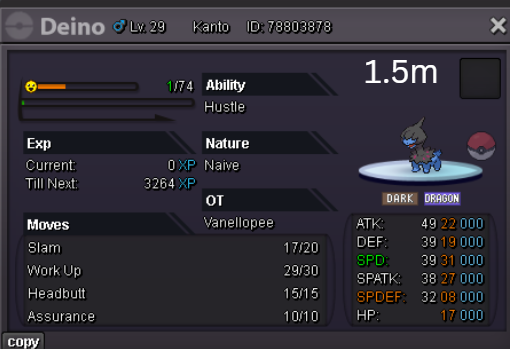
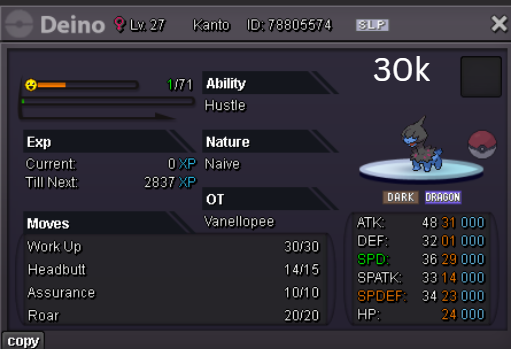
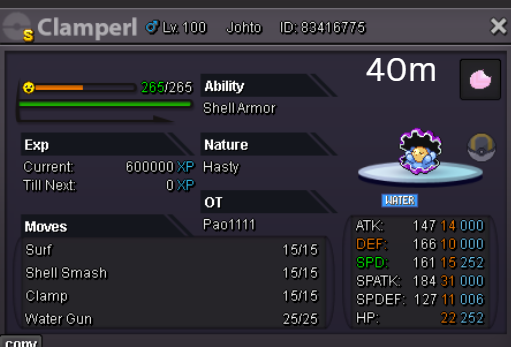
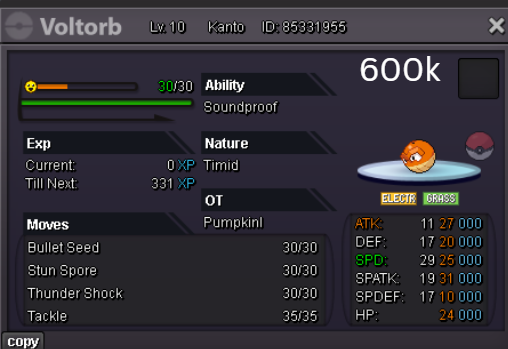
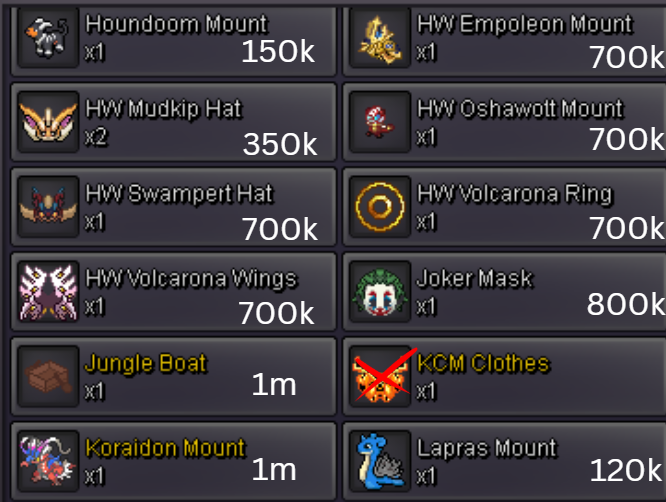
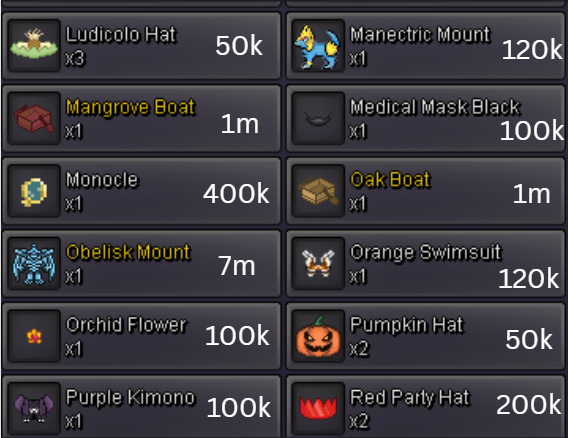
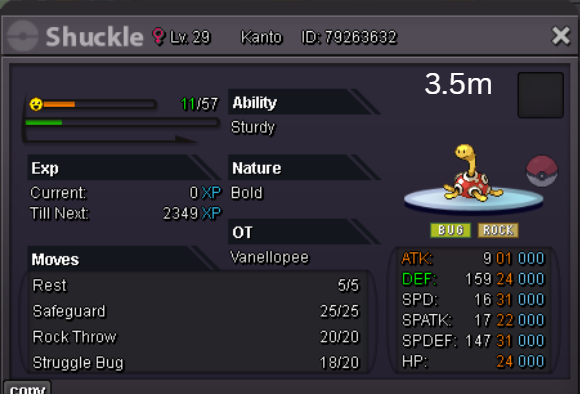
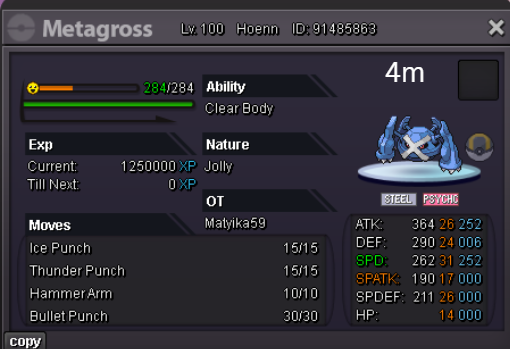
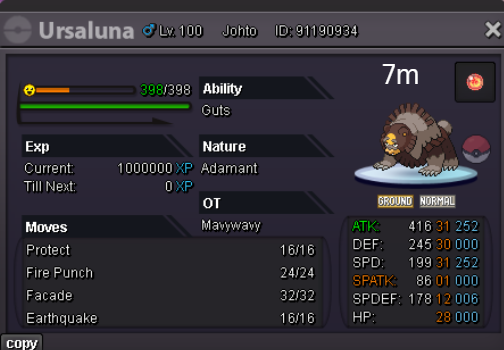 4 points
 -
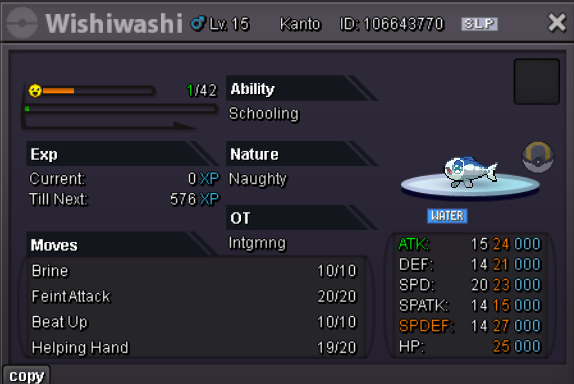
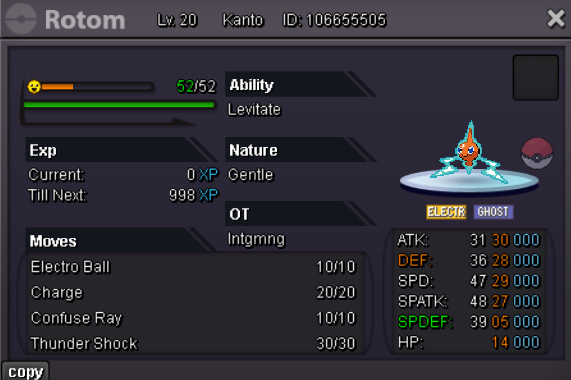
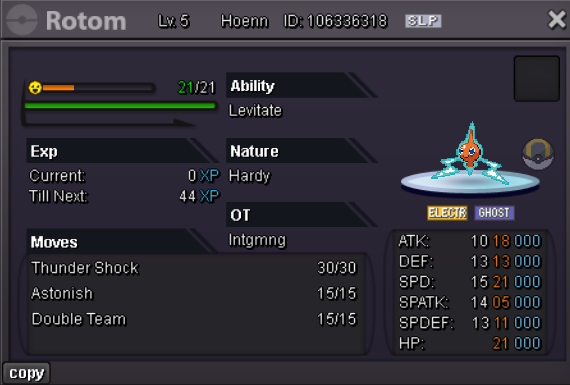
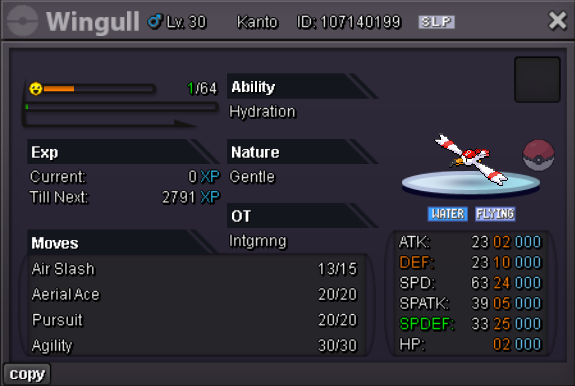
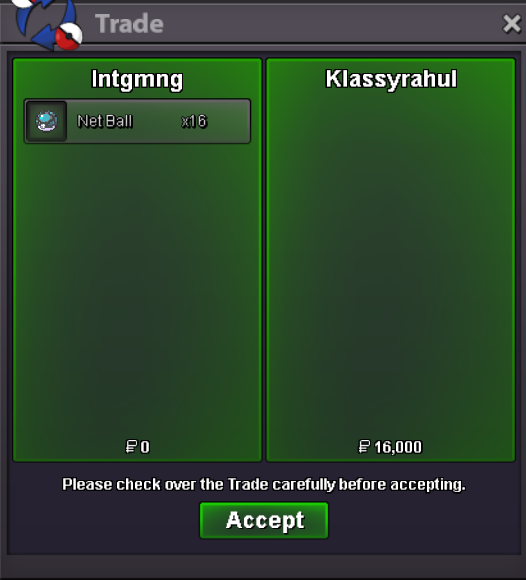
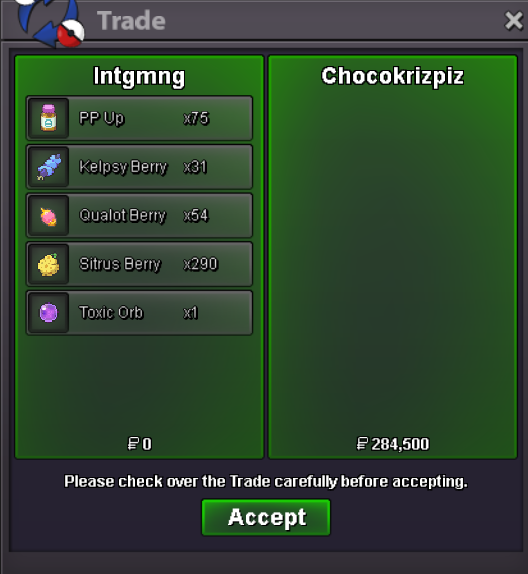
2 pointsAll trades realized through my account - Intgmng Accepted forms of payment: Pokedollar Rare Candy (6k value) EV Reduction Berries - 1k Each Quest Items Vitamins & PP Ups - 2k Each Gems Berries - 50 Each Special Pokeballs - 1.5k Each Orbs & Choice Items - 35k Each Plates and Special Rocks - 10k Each Held Items - 1k Each Budget Evolution Items - 1.5k Each Evolution Items - 5k Each Premium Evolution Items - 40k Each Cosmetics - Listed Price Baton Pass Boss Team LEND ONLY 55k per 24hrs - all needed items included


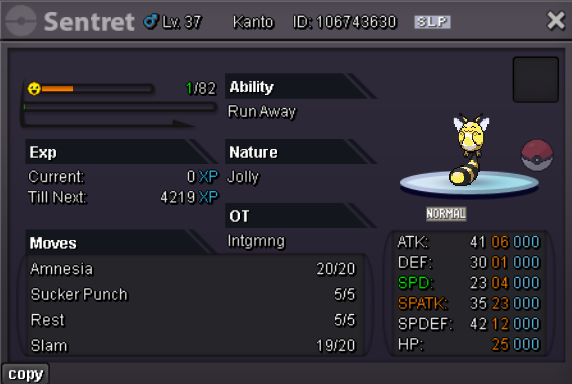
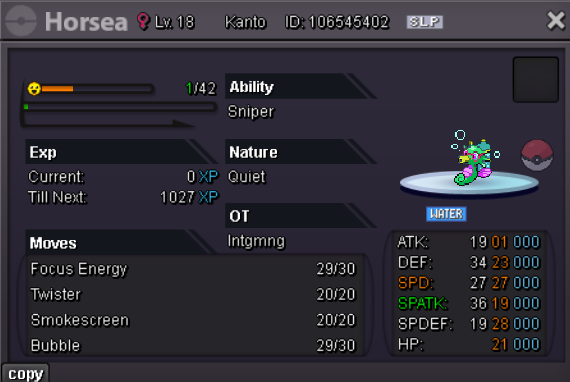
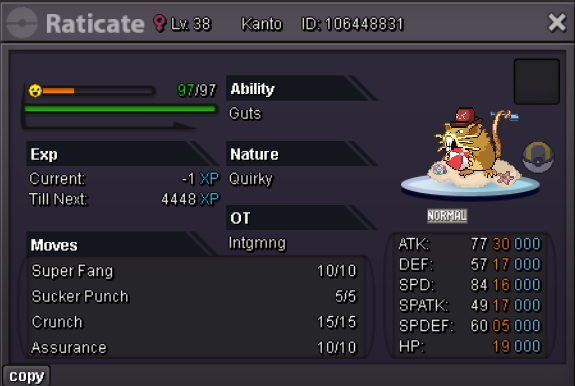
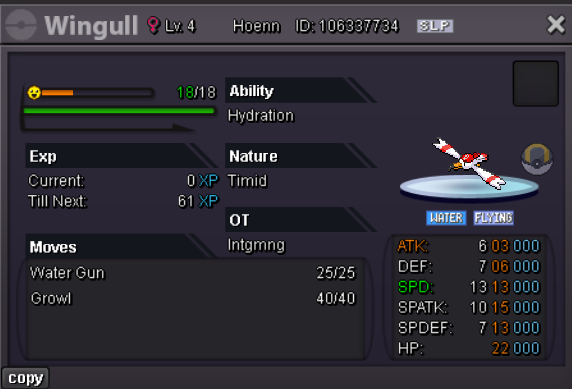
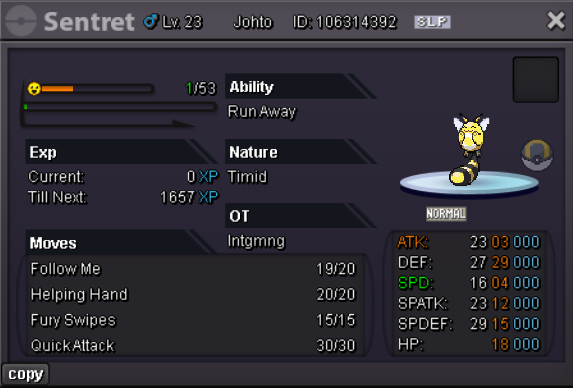
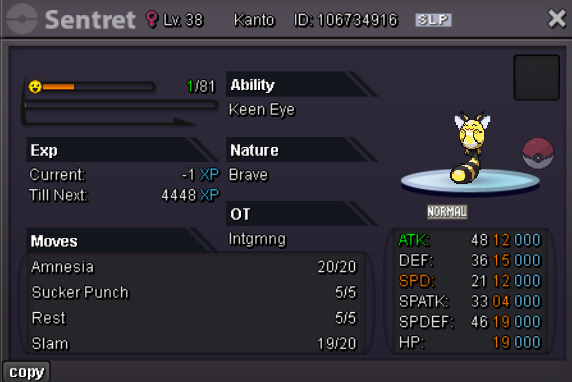
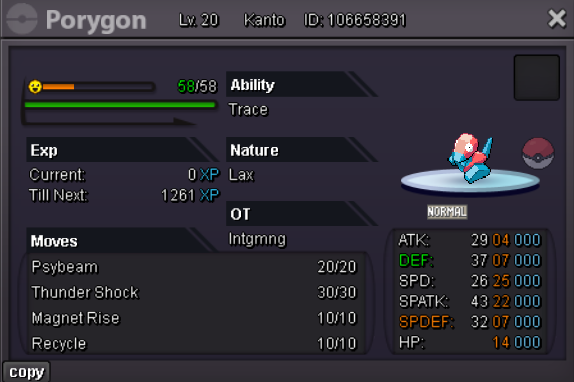



















 2 points
 -
Publishing weekly news article every Friday 11-12pm EST. Issue #3 English French Spanish Coming soon Credits Extra links Last week's Issue #22 points
-
Publishing weekly news article every Friday 11-12pm EST. Issue #1 English Spanish Hindi Portugese French Credits Extra links2 points
-
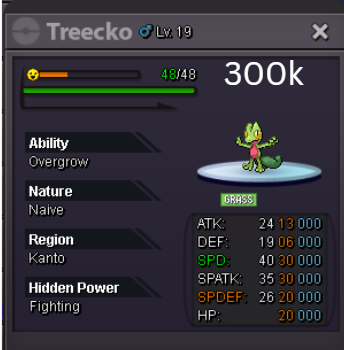
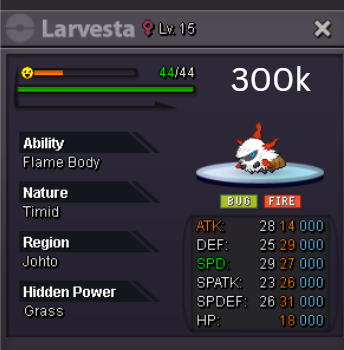
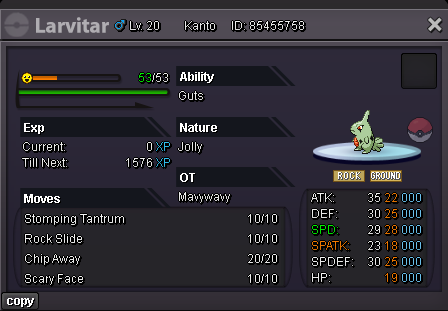
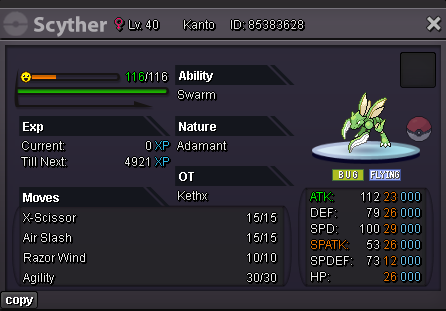
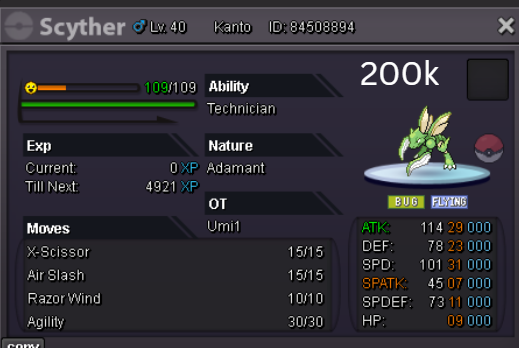
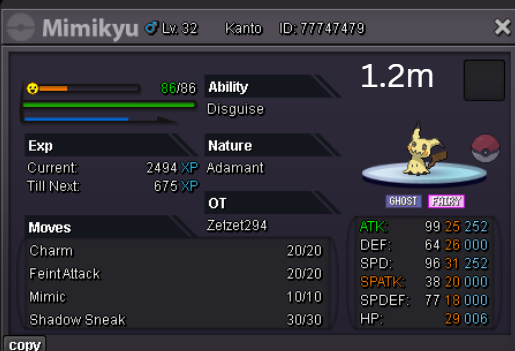
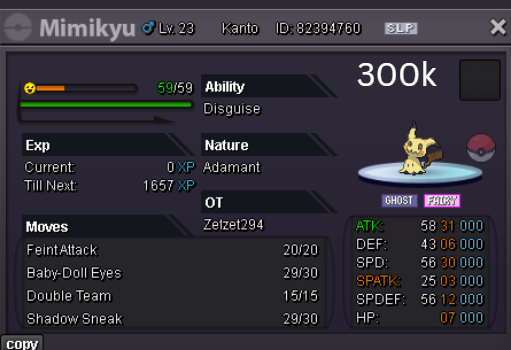
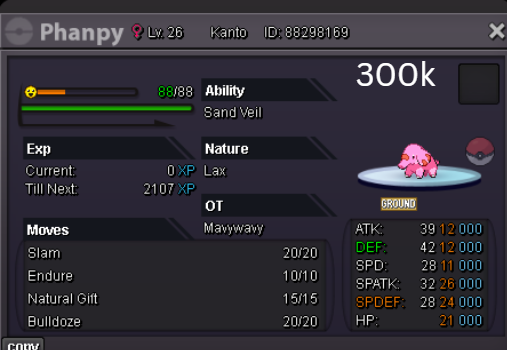
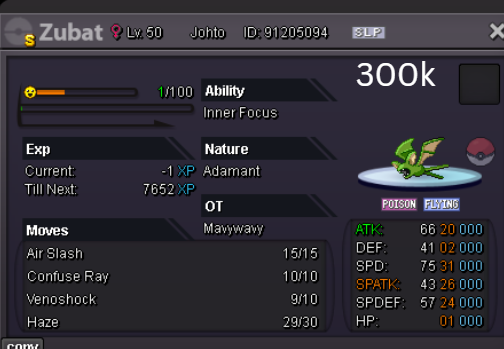
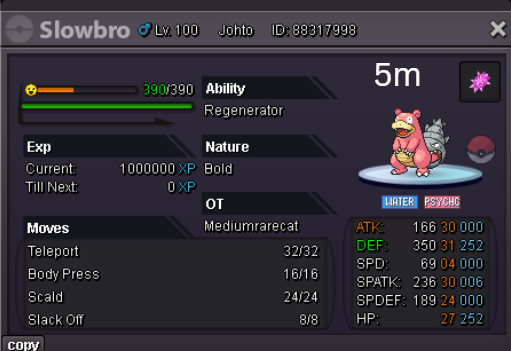
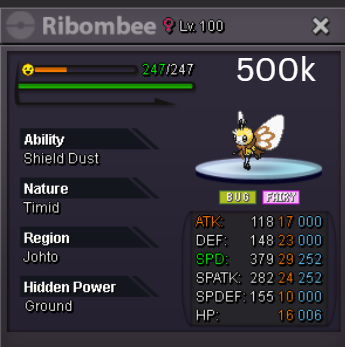
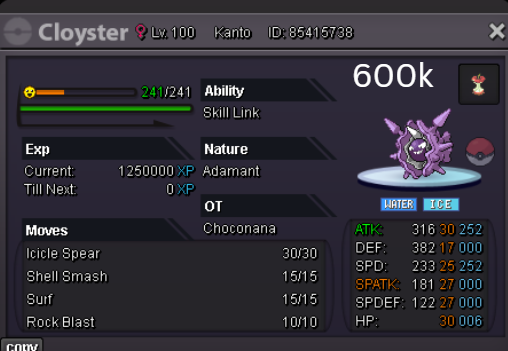
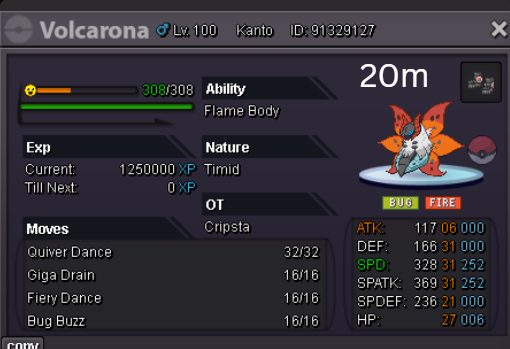
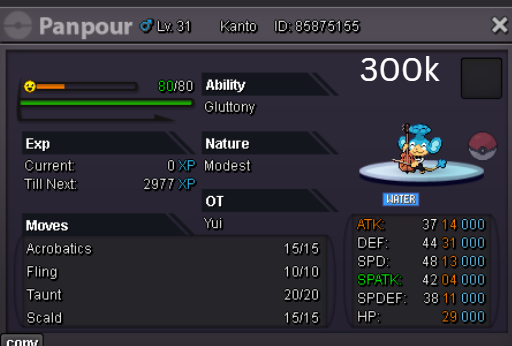
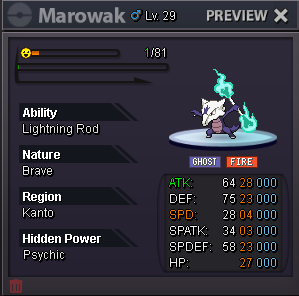
s.o: 300k no insta min bid:50k Auction end 09/24/2025 - 10:28PM(GMT+2)
 1 point
 -
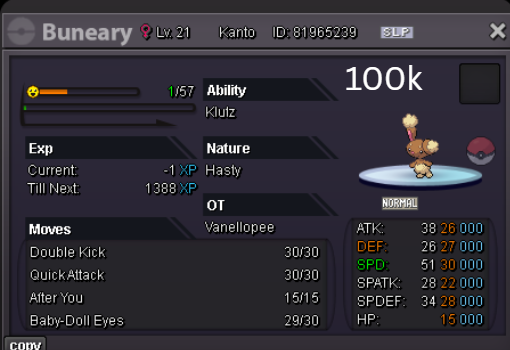
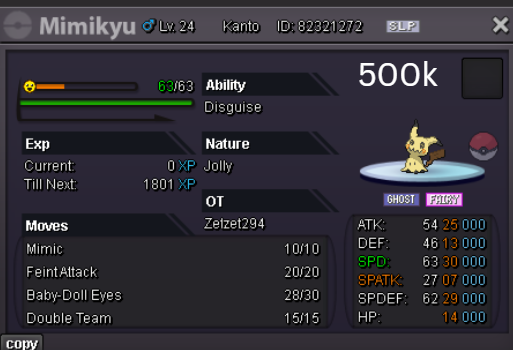
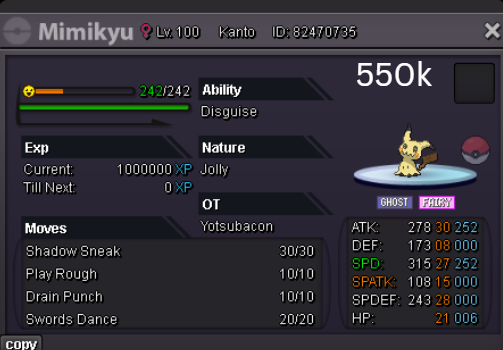
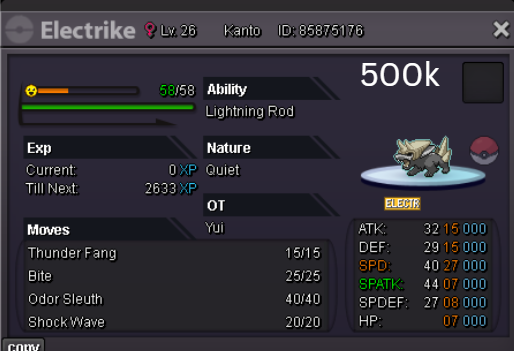
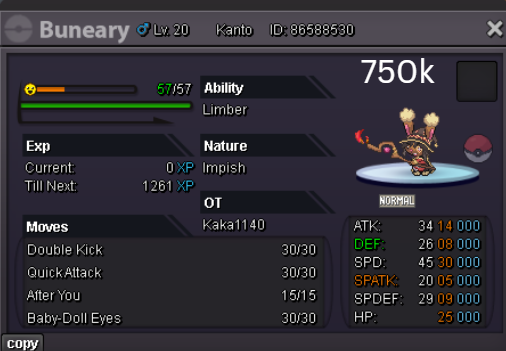
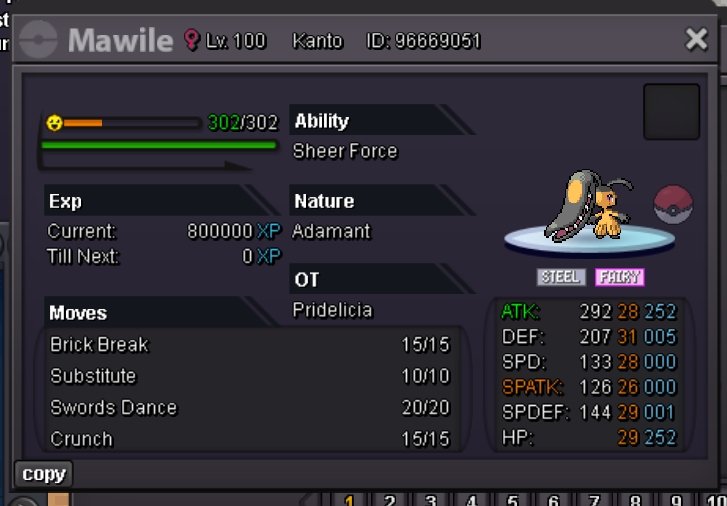
1 pointHelloo s.o 500k min bet 100k duration 48 Hours after start payment via pokedollars gl hf 😃
 1 point
 -
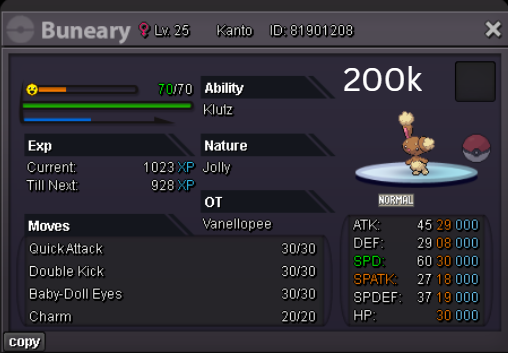
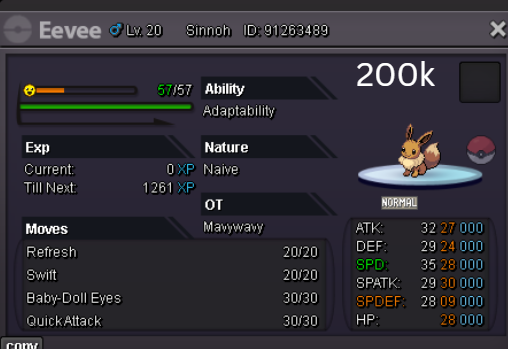
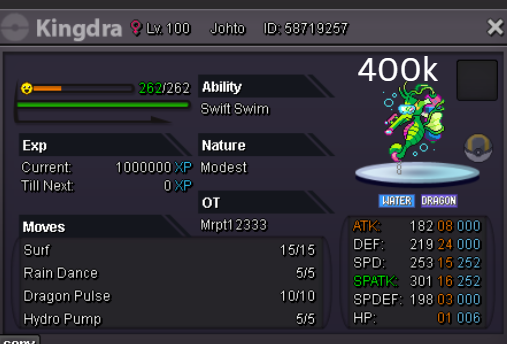
S.O: 3m Min bid: 200k Insta: N/A Time: Ends in 40 hours after first bid Payment: pokedollars, CC (480k), rr(700k)
 1 point
 -
1 point
-
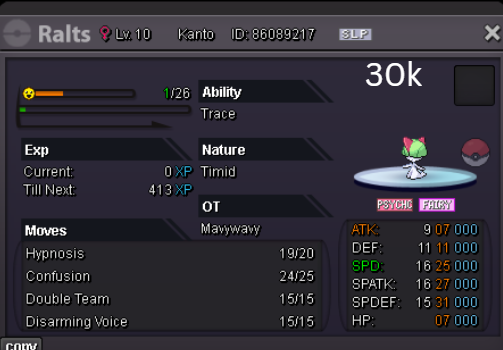
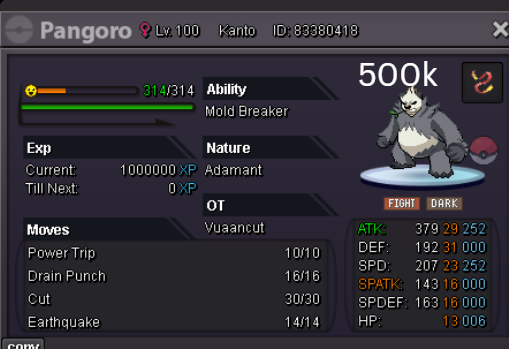
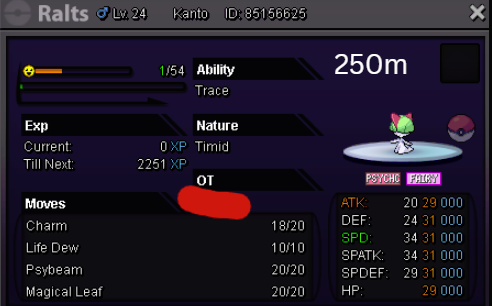
1 point1 point1 point1 pointThe auction is now closed. @Avikash has won.1 pointIGN will be Avikash and will be at Ecruteak pc Johto1 point1 point1 point1 point1 pointHello @Justbillionare, I've changed the title as it can be seen as a little misleading. This is because "Ultra Rare" can be seen as being a tier above "Rare". Shiny already implies that it's rarer than usual. Feel free to change the title to something else, but make sure it's not misleading in any manor. Best Regards, Tandemaus1 point1 point1 point1 point1 pointLocked as resolved in a duplicate thread. My apologies for the delay. Have a great day! Houndstone1 point1 point1 point1 point1 pointStart..??? I start 500k bro why sundenly up 2m ??1 point1 point1 point1 point1 point1 point1 point1 point1 point1 point1 point1 point1 point1 point1 pointHi, just popping in to make something known in regards to your suggestion. To clarify, if you experience harassment from any user, please feel free to utilize the Report Center to file a report against them. Such behavior is unacceptable, and we sincerely encourage you, as a valued community member, to take the initiative to report these incidents. Together by reporting, we can enhance the chat environment for everyone. Also @Titaniaplayz, I understand that you're attempting to be humorous, but please refrain from promoting behavior like this. In conclusion, as Eaty clearly states in his previous response, this suggestion does not significantly contribute to solving the problem you are facing. It would be far more effective to utilize the Ignore system within the game and report any unacceptable behavior when it occurs.1 pointPublishing weekly news article every Friday 11-12pm EST. Issue #2 English French Portugese Credits Extra links Last week's Issue #11 point1 point1 point1 point* { font-family: "Inter", sans-serif; } .keita-margin { margin-block-end: -0.8rem; } .keita-codeb { background-color: rgba(27, 28, 30, 1); padding: 0px 2px 0px 2px; color: #ebe7e3c4; border-radius: 4px; border: 1px solid rgba(128, 128, 128, 0.48); font-family: "Roboto Mono", monospace; font-size: 90% !important; } .keita-colored-code { color: #15f5ba; font-size: 100% !important; } Combining Search Terms Easily find the exact Pokemon you need by combining search terms. Search Example for a Specific Pokemon: lvl=30 shiny Rattata Finds all shiny Rattata's at level 30. Search for High-Level Pokemon: lvl>70 Charizard Finds all Charizards above level 70. Search for Pokemon by Type and Region: type=Water region=Hoenn Finds all Water-type Pokemon caught in the Hoenn region. Search for Specific Stats: ATK>=28 SPD>=28 Garchomp Finds all Garchomp's with both Attack and Speed IV stats at or above 28. Replace the Pokemon name and edit the level to suit your search needs. Supported Comparers Equality and Inequality: = or ==: Finds exact matches (e.g., lvl=30 finds Pokemon exactly at level 30). != or <>:Finds all that do not match (e.g., lvl<>30 finds Pokemon not at level 30). Greater and Lesser: >: Greater than (e.g., lvl>30 finds Pokemon above level 30). <:Lesser than (e.g., lvl<30 finds Pokemon below level 30). >=: Greater than or equal to (e.g., lvl>=30 finds Pokemon at level 30 and above). <=:Lesser than or equal to (e.g., lvl<=30 finds Pokemon at level 30 and below). Combining & Excluding Combining: space or , or &: Used as AND to combine different conditions (e.g., shiny,g=f lvl>=50 Gardevoir finds shiny female Gardevoir's at level 50 or higher). |: Used as OR to match multiple filter sets (e.g., type=fire | type=electric finds all Fire or Electric type Pokemon). Excluding: !: Put ! in front of a term to exclude it (e.g., !shiny finds all non-shiny Pokemon). Works with booleans (shiny, form, legendary, item and with bare names (!Golduck). Multi-words You cannot type raw spaces inside a value (e.g., m=String Shot). Spaces are parsed as AND. In this example, it would search for m=String and then treat Shot as a separate string to look for Pokémon names. You have to use quotes ("") or underscores (_) to search for the exact names (e.g., m="String Shot", m=String_Shot). In most cases, you can just search for part of the name to get the results you are looking for. Detailed Filter Options Below are the filter options you can use to narrow your search results, along with their aliases and how to use them: Filters Usable Without a Comparer shiny (shiny, s) - Filter for shiny Pokemon. form (form, f) - Filter for themed Pokemon. Legendary (legendary, l) - Filter for Legendary Pokemon. Pokemon Name (name, pokemon, poke) - Filter by the name of the Pokemon. Pokedex ID (dex, d)- Filter by the Pokedex identification number. Borrower Name (borrower, b) - Filter by the name of the Borrower. Selected (sel, select, selected) - Filter for selected Pokemon. item (item, i) - Filter for Pokemon with held items. Tag (tag) - Filter for Pokemon that have at least one custom tag created and assigned by the user. Basic Filters UID (uid, u) - Unique identifier of a Pokemon. Example: uid=53256 OT - Name of the person who caught the Pokemon. Example: OT=Username Level (level, lvl, lv) - The level of the Pokemon. Example: lvl=100 Ability (ability, a) - The ability of the Pokemon. Example: a=Protean Nature (nature, n) - The nature of the Pokemon. Example: n=Timid Item (item, i) - The held item of the Pokemon. Examples: i=focus_sash, i=smoke_ball Gender (gender, g, sex) - The gender of the Pokemon. Examples: g=m, g=f, g=none Type (type, t) - Type of the Pokemon, such as Fire or Water. Example: t=Fire Region (region, r) - The region where the Pokemon was caught. Example: r=Kanto Hidden Power (hiddenpower, hi) - The hidden power type the Pokemon has. Example: hi=Ground Move (move, m, skill) - The move of the Pokemon. Example: m=Tackle Form (form, f) - The form of a Pokemon. Examples: f=halloween, f=smr, f=valentine, f=shadow, f=pnk, f=chroma Generation (generation, gen) - The generation in which the Pokemon was first released. Examples: gen=1, gen=kanto, gen=paldea, gen=6, gen=alola CaughtBall (caught_ball, caughtball, ball) - The ball the Pokemon was caught with. Examples: ball=Pokeball, ball=Master_Ball Tag (tag) - Custom tags created and assigned by the user. Examples: tag=favorite, tag=to_level, tag=to_ev Stats Filters ATK (atk, attack) - ATK IV of the Pokemon. Example: ATK>=28 DEF (def, defense, defence) - DEF IV of the Pokemon. Example: DEF>19 SPD (spd, speed) - SPD IV of the Pokemon. Example SPD=31 SPATK (spatk, specialattack) - SPATK IV of the Pokemon. Example: SPATK>=28 SPDEF (spdef, specialdefense, specialdefence) - SPDEF IV of the Pokemon. Example: SPDEF>=20 HP (hp, hitpoints) - HP IV of the Pokemon. Example: HP=31 IVs (all, alliv, allivs, ivs) - Every IV of the Pokemon. Example: ivs>20, all>=10 ATKEV (atkev, attackev) - ATK EV of the Pokemon. Example: ATKEV=252 DEFEV (defev, defenseev, defenceev) - DEF EV of the Pokemon. Example: DEFEV=0 SPDEV (spdev, speedev) - SPD EV of the Pokemon. Example SPDEV=252 SPATKEV (spatkev, specialattackev) - SPATK EV of the Pokemon. Example: SPATKEV>=140 SPDEFEV (spdefev, specialdefenseev, specialdefenceev) - SPDEF EV of the Pokemon. Example: SPDEFEV>=100 HPEV (hpev, hitpointsev) - HP EV of the Pokemon. Example: HPEV=6 Expiration Time for Borrowed Pokemon Expiration (expiration, expires, expire, e) - Remaining time before a borrowed Pokemon will automatically return. Units: days (d), hours (h), minutes (m), and seconds (s). Examples: e<1d1h1m1s, e<1d3h, e>40s1 point0 pointsHey, I'm offering you 25m for Ralts, you probably added that 0 by mistake right?
 0 points0 points0 points0 points0 points0 points0 points0 points

































Account
Navigation
Search
Configure browser push notifications
Chrome (Android)
- Tap the lock icon next to the address bar.
- Tap Permissions → Notifications.
- Adjust your preference.
Chrome (Desktop)
- Click the padlock icon in the address bar.
- Select Site settings.
- Find Notifications and adjust your preference.
Safari (iOS 16.4+)
- Ensure the site is installed via Add to Home Screen.
- Open Settings App → Notifications.
- Find your app name and adjust your preference.
Safari (macOS)
- Go to Safari → Preferences.
- Click the Websites tab.
- Select Notifications in the sidebar.
- Find this website and adjust your preference.
Edge (Android)
- Tap the lock icon next to the address bar.
- Tap Permissions.
- Find Notifications and adjust your preference.
Edge (Desktop)
- Click the padlock icon in the address bar.
- Click Permissions for this site.
- Find Notifications and adjust your preference.
Firefox (Android)
- Go to Settings → Site permissions.
- Tap Notifications.
- Find this site in the list and adjust your preference.
Firefox (Desktop)
- Open Firefox Settings.
- Search for Notifications.
- Find this site in the list and adjust your preference.