




New Trade Zone
Trade Zone is now live
Use the new Trade Zone for auctions and instant-price trades so Pokemon and item offers are easy to find.
Leaderboard
-
Varun9696
Registered User8Points954Posts -
Gozaimasu
Suspended7Points10Posts -

Zoruami
Former Staff6Points2773Posts -
N1ghtmarex
Suspended5Points389Posts




Popular Content
Showing content with the highest reputation on 11/15/23 in all areas
-
5 pointsHello, I have been permanent banned on my main account Dutchblazey. My friend has been permanent banned for having my pokemon to lend to the guild aswell. I feel no will to continue this game from scratch again. So here is my goodbye, I wish all my PRO. Friends the best in life, specially my Limitless homies. Farewell.5 points
-
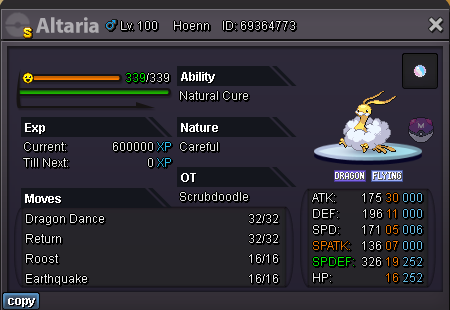
5 pointsS.o: 12m Min bid: 1m No insta Ends 72 hours after starting bid
 5 points
 -
5 pointsUnique Hasty Gible (hp ice + 31 SPD) SO : 10m min bid : 1m Time : 1 month after the first bid
 5 points
 -
4 points
-
3 pointsHi everyone, I ve been practicing my html css skills, and i made a project with the Boss Path and the team that i am using and for every boss individually, if u use this u should win 20/20 bosses weekly. !!Remeber this is my Boss path, that i am using, there can be others better, faster and so on, but it am using this one!! It is just a personal project that i made for myself and maybe you guys find it usefull To use it efficient, use PRO offical discord channel -> bot commands with the command " ^cooldown boss yourname yourserver " and find your last boss defeatead, from there on navigate through my site and from there on you will automatically know wich boss is the best to do next. ctrl+F can be used to navigate through the page. If u find it usefull dont forget to save in bookmark list and use it weekly. Thank you in advance, im open to suggestions, new ideas etc. Here is the link: https://foreverbog.github.io/bosspath/ Hope it will help you guys and you will enjoy it!3 points
-
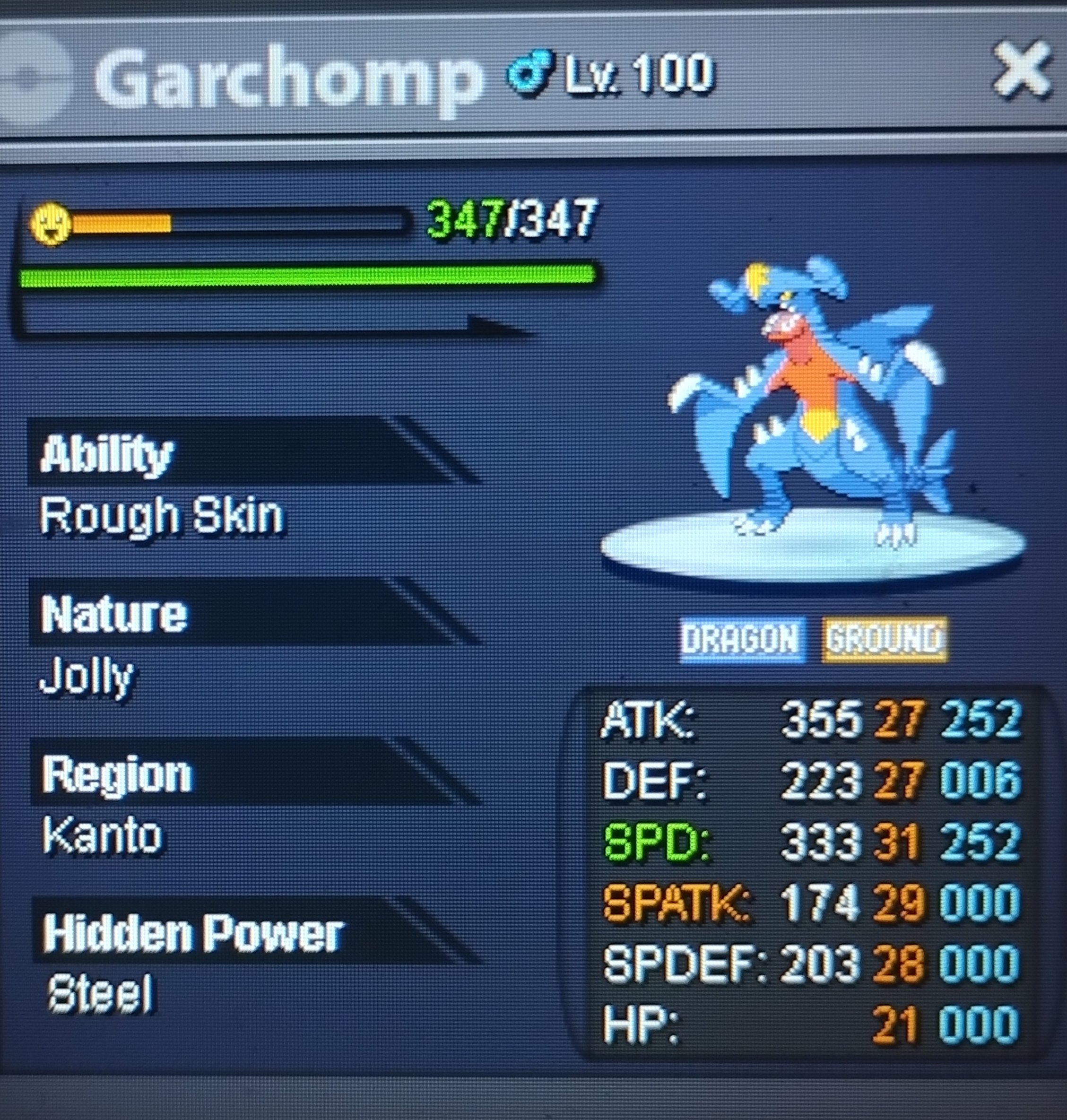
3 pointsStart 17m Min raise 300 k insta 28m accept cc 370 k rr 500 k 72 hours after first bid
 3 points
 -
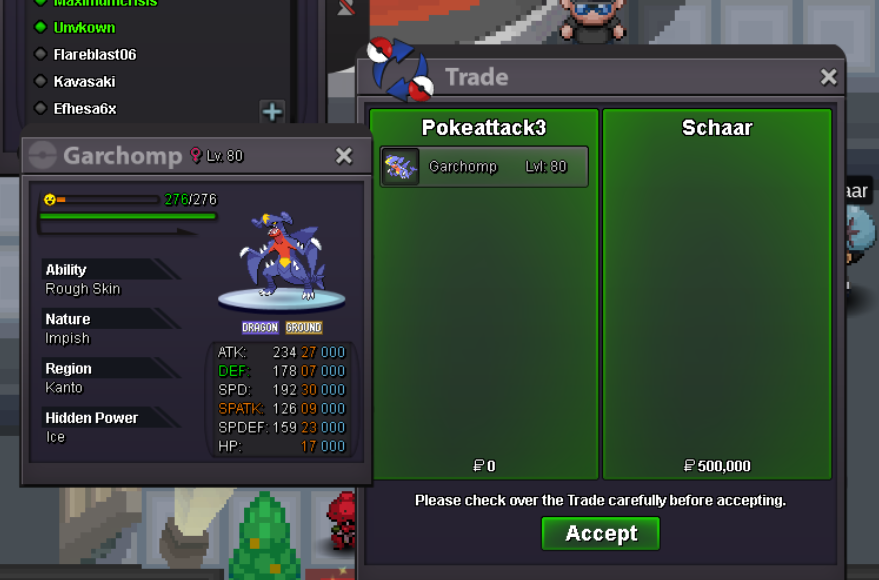
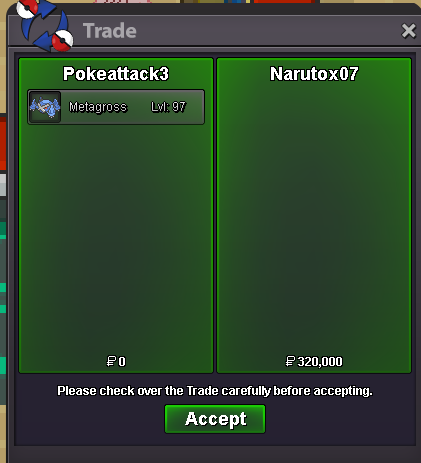
Hey I am varun9696 / pokeattack3 My discord is : iivarun About me : I am a friendly guys who loves to do auction and have done a lot of them and all my auction were successful. I have done more than 50 auctions for myself and my friends and then decided to help you guys with auction . What will be the commission ? It depends on no of mons you give me 1 mon = 13 % 3 mon + = 11% 5 mon + = 9 % 6 mon + = 7 % Can help you sell mons too without auction Benefits : 1) There is a chance that with the help of me your auction go much higher then you expectations 2) Your auction will be promoted in game + almost every discord server related to PRO 3) Every update will be given to you on discord 4) Depending on the mon the time will be setup I assure that you will not get dispointed By my service 🙂 Contact me here / on discord for more details This service is free for guild members of Bullet Club who have maintained Guild Reputation NOTE :: U CAN CHECK THE REVIEW OF THE PEOPLE AS WELL AS I CAN DO CROSS SERVER AUCTION BUT THERE WOULD BE SOME CHANGES
 2 points
 -
2 pointsGreetings, @Jamoncito26 You have been punished for False Bidding / Selling, as you dont have the funds to honor your bid. With that said, the Current best Offer belongs to @Exzxay with the starting bid. Kind Regards, * Zoruami *2 points
-
2 points
-
2 points
-
2 points
-
2 points
-
2 points
-
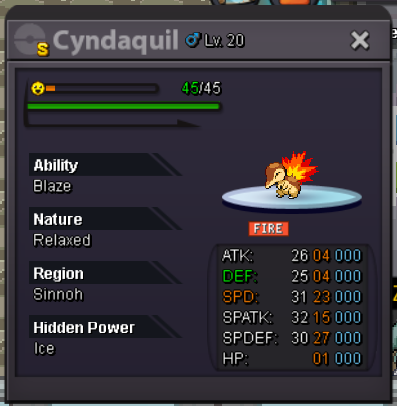
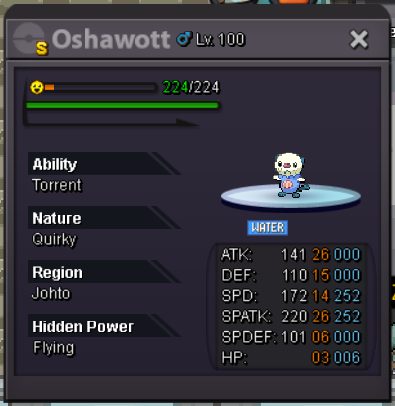
2 points2 points2 pointsFast and Efficient Boss Run Route All credit for this post goes to Revolutionation, who made the original post linked here. I am just updating it as they seem to be inactive. Good day and welcome to the Fast and Efficient Boss Run Route! This guide will give you a Fast and Efficient route to do Boss Run! Additionally, this is tailored for non transit pass holders to maximize time and reduce spending on travel. Disclaimer: This is not a boss guide, but I will give suggestions as to what I use. Required Pokemon ➺ Your Boss Team ➺ Pikachu ➺ 1 x Fire type ➺ 1 x Ghost type ➺ 2 x Steel type ➺ Iron Defense Note: Boss requirements may change over time. Suggested Team This suggested team will satisfy all the requirements previously mentioned with additional purposes. Reserves Klefki ➺ Steel + Switcheroo || Empoleon ➺ Steel + Stealth Rock + Feather Dance + Iron Defense || Ampharos ➺ Eerie Impulse Gengar ➺ Ghost + Destiny Bond || Gyarados ➺ Sweeper || Haxorus ➺ Sweeper Pikachu ➺ Everyone loves Pikachu || Delphox ➺ Fire type + Skill Swap + Switcheroo Kanto Route Start: Cinnabar Island ➺ End: Vermilion City Johto Route Start: Olivine City ➺ End: Ilex Forest Hoenn Route Start: Lilycove City ➺ End: Valley of Steel Sinnoh Route Start: Canalave City ➺ End: Cave of Justice Total Spending1 point1 point~~VESPER SHOP~~ Welcome to my shiny shop. Contact Lyn1311/ Lyn1311#6556 ~ Not Accepting trades ~ Accepting offer if buying on bundle of 2 or more SOLD 2.5m 2m 800k 5m 1m 1m 10m ----------------------------------------------- Rare shiny goomy 10m shiny tynamo 11m ----------------------------------------------- Starter shiny treecko 10m shiny oshawott 12m shiny samurott 13m shiny fennekin 27m ```````````````` Thnx For Dropping By! ````````````````






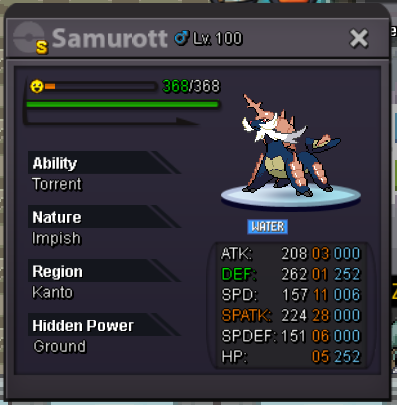
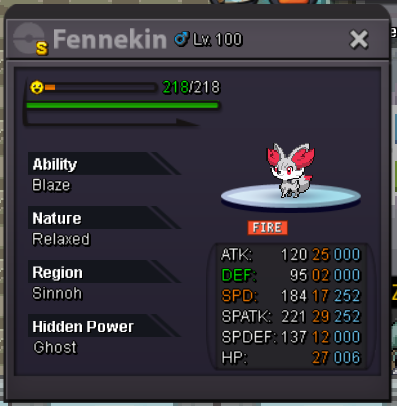
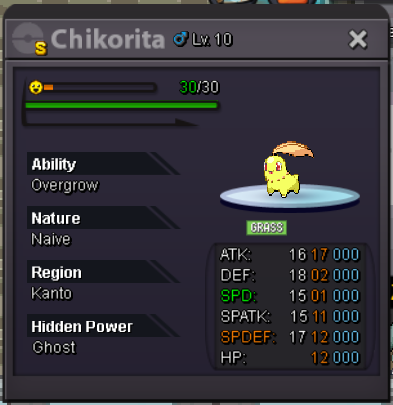
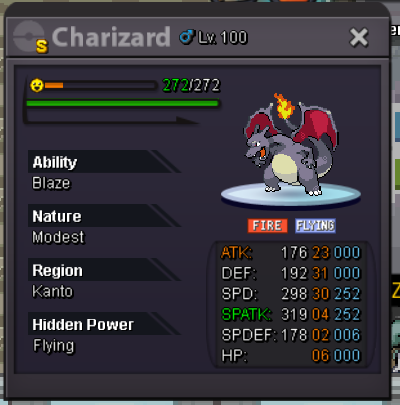
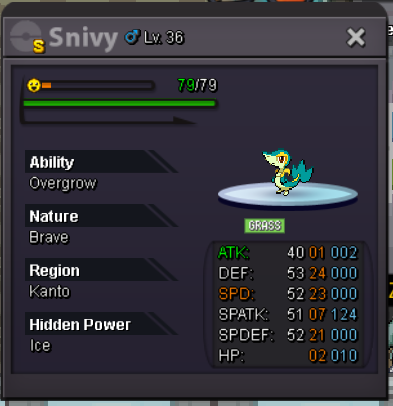
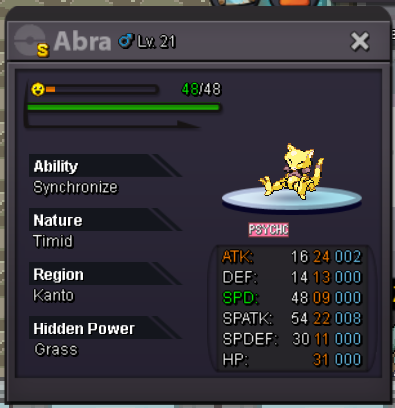
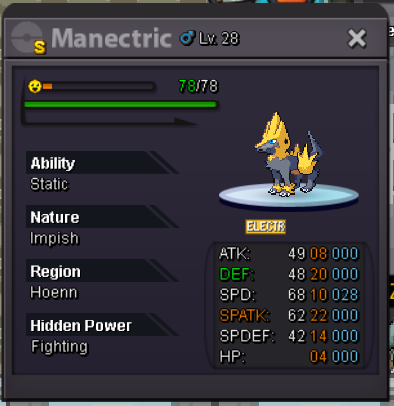
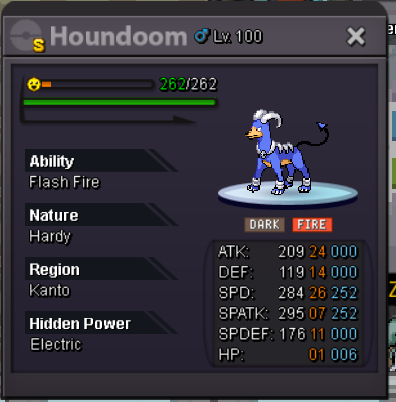


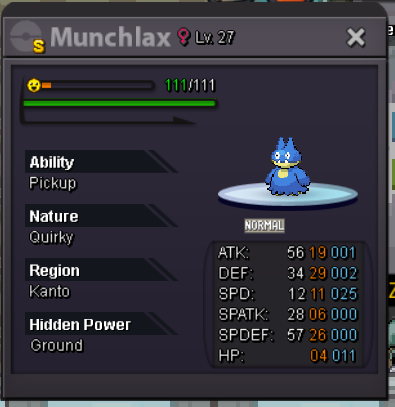
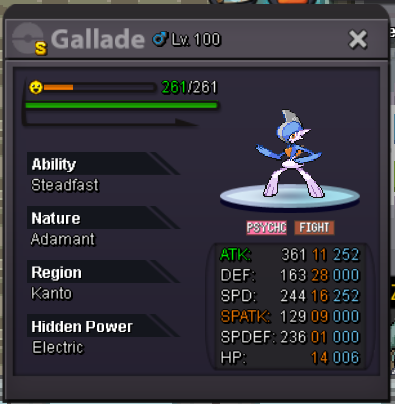
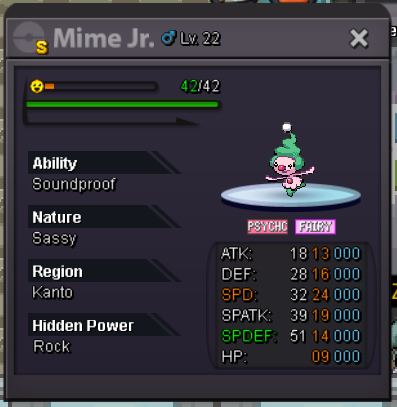

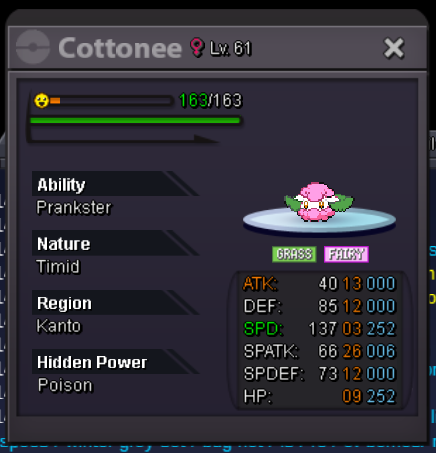
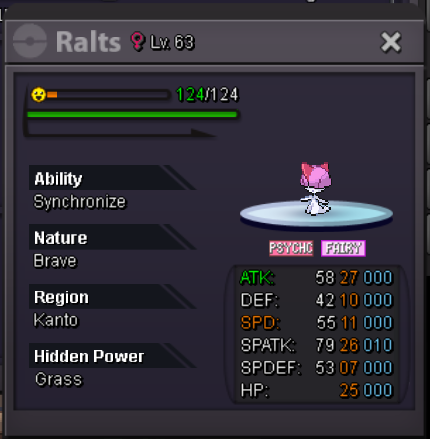
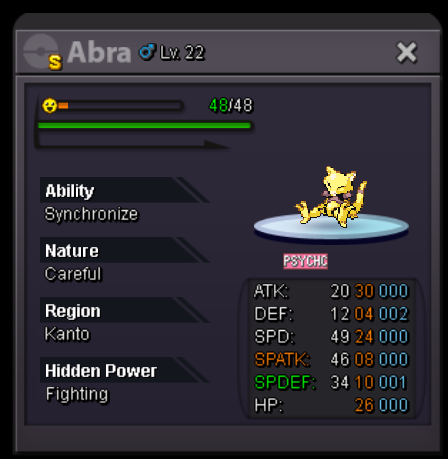

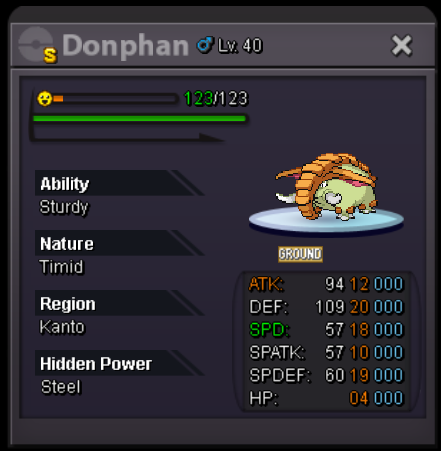
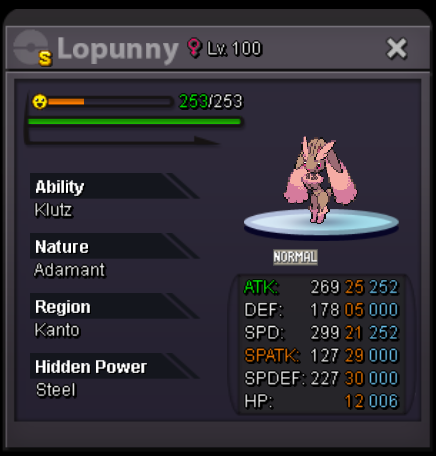

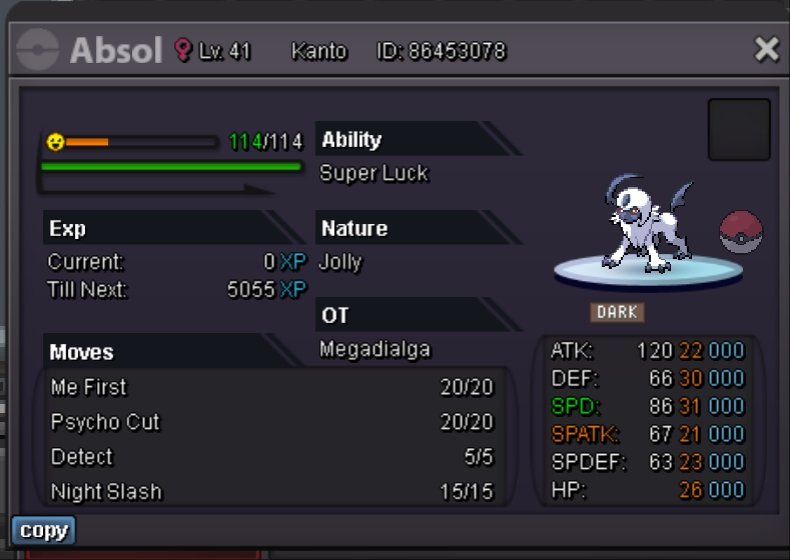
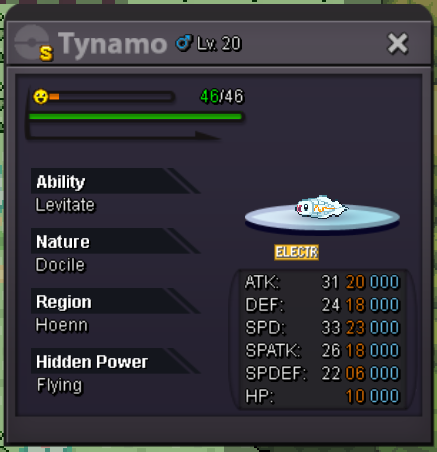 1 point1 pointSTART OFFER -- 100K MINIMUM BID -- 10K No insta Duration -- 48 hrs from 1st bid Accept cc- 350k, rr - 500k and pokedollars Good luck !!
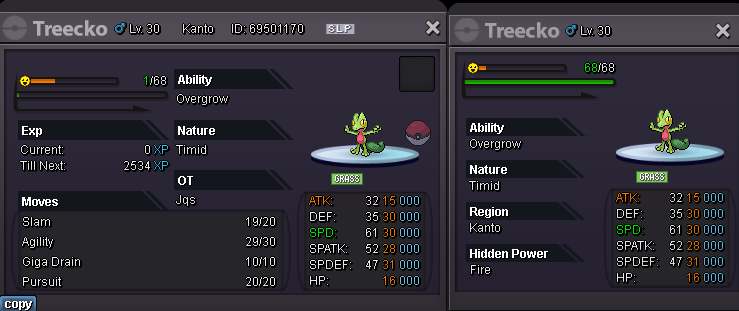
 1 point1 pointStart: 1m Min Raise: 100k Insta: 10m https://www.tickcounter.com/countdown/4605841/hp-fire-treecko Accepted payments: Pokedollars CC(350k) Nature RR (250k) IV RR (500k) End Point: 72h after first bid 15-minute bid extension applies at the end if necessary. IGN: Jqs Discord: ju.les
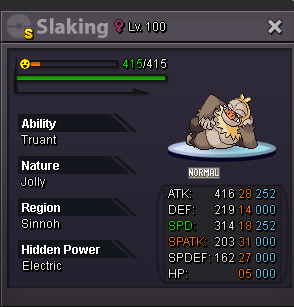
 1 pointHi slaking is for sale, Start bid 3m No insta 100k min bid ends 4 days after first bid
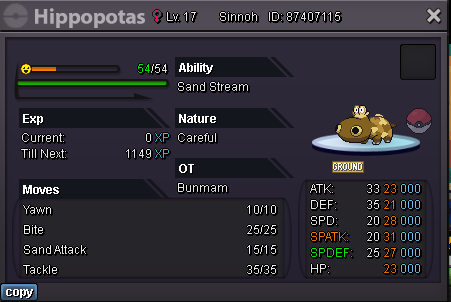
 1 point1 point1 pointHeya @Vio Thank you for your patience, your Halloween Gardevoir should now be in the last slot of your PC. Can you please confirm this for me. Looking forward to your reply.1 point1 pointI never understood how you keep getting into these kind of mess. Anyways, that's sad to hear. Cya1 point1 point1 point1 point1 point190k jangmo1 point1 point1 pointIGN: Samue319 Hours played: 568 Favourite Pokemon: Gliscor Country: Australia Age: 20 Server: Silver1 point1 point152.969 Jangmo-o1 pointJangmo 150k1 point1 point1 pointHey, this is my application for the guild : -Gallametirf -258h -tie between 3 and 4th gen -pve/pvp and collection of special poke (hallo, xmas, shiny..) my discord is gallametirf you wanna add me have a great day/night everyone!1 point1 pointHello again @Imcnasty Very glad to hear that your issue was resolved. However, it is important for us to know what was causing the issue. Were you trying to use HP Up or other Proteins to add EVs to your Pokemon? Note that they can only be used up until the first 100 EVs for each stat (for example, HP upto 100 EVs) and not any more. Feel free to ask if you have any more concerns regarding this. Have a great day, Fus1onflare1 point1 pointHello! wts my hippopotas careful epic s.o. 1m minimum raise 100k no insta auction ends 48h after first bid accept: coin capsule 350k Silver server Last 15minutes rule applies as always. Good Luck everybody! IGN: Bunmam
 1 point1 point1 pointHello pro staffs and players I like to suggest about collector joro being in a Pokemon center to make it easier for players to submit there skins and shiny . It took me few mins just to go back and forth from pc to the collector joro in dstore and it took my friend hrs to submit his alot trash skins he got in event while hunting . So I think it will be very good for players if we can just submit skins and shiny from pc and will save alot of our time. Thx ❤️1 point1 point1 point1 point1 point1 point1 point1 point1 pointwelcome to PokèAttack shop This service shop provides a different variety of services such as PC cleanup, Price Checking and Auctioning. The services that will be provided by this shop include but are not limited to: -Price Checking: Giving precise value estimates to your, and others', Pokémon (Whether you want to sell or buy) Can provide a list of prices of every Pokémon on your account. -Auctioning: Help you with holding auctions, both in-game and on forums, for your Pokémon (holding auctions is separate from service Charging price is 30%). -Storage & Bank: PC clearing and providing Box Space to keep your Pokémon temporarily or hold money on separate accounts. -Money Guiding(PVE & PVP): Whether to Sell a Pokémon or Buy one that is being sold in game or on forum, avoid potential scams and scammers, How to spend your money, and which Pokémon to hunt for money. -Hunt Guiding(Events): What and when to hunt in order to generate profit. -Finding Pokemon: Looking for event forms or shinies that are both available on forums and currently unavailable ones. Box Clean-Up Service: 10k per box(before clearing) Auctioning: 30% Other services will work similar to a club/office membership: Small Membership: 3 days providing services 150k Intermediate Membership: 1 week providing services 300k Mega Membership: 15 days providing services 499k Deluxe Membership: 1 Month providing services 700k To Purchase a Memberhsip Contact me: -Forum PMs -In Game: varun9696 -Discord: iiVarun#9215 Why should you trust and request this shop's services: For those of you who don't know me. I have been playing PRO since 2021.I have over 900 hours playtime, i have auctioned and sold many Pokémon since I'm playing . I have helped many players in auctioning their Pokémon countless times . By providing this service, I aim to help players get a better understanding of how the game's economy works. I will assist you with selling your Pokémon, whether to sell at a high price, a low price, to auction, or to keep for later. I will also assist you with Buying Pokémon. If you're looking for a certain Pokémon that isn't currently available I will buy it for you, or help point you to whoever is selling it. For those of you who are serious in requesting this service, I intend to help you in anyway possible. (This won't be my first time helping anyone as I have already been doing this for years.) Thank you For your Time Thank you Jade for your idea {highly inspired by him } his you tube ..https://www.youtube.com/@JadeAsh
 1 point



































Account
Navigation
Search
Configure browser push notifications
Chrome (Android)
- Tap the lock icon next to the address bar.
- Tap Permissions → Notifications.
- Adjust your preference.
Chrome (Desktop)
- Click the padlock icon in the address bar.
- Select Site settings.
- Find Notifications and adjust your preference.
Safari (iOS 16.4+)
- Ensure the site is installed via Add to Home Screen.
- Open Settings App → Notifications.
- Find your app name and adjust your preference.
Safari (macOS)
- Go to Safari → Preferences.
- Click the Websites tab.
- Select Notifications in the sidebar.
- Find this website and adjust your preference.
Edge (Android)
- Tap the lock icon next to the address bar.
- Tap Permissions.
- Find Notifications and adjust your preference.
Edge (Desktop)
- Click the padlock icon in the address bar.
- Click Permissions for this site.
- Find Notifications and adjust your preference.
Firefox (Android)
- Go to Settings → Site permissions.
- Tap Notifications.
- Find this site in the list and adjust your preference.
Firefox (Desktop)
- Open Firefox Settings.
- Search for Notifications.
- Find this site in the list and adjust your preference.