




New Trade Zone
Trade Zone is now live
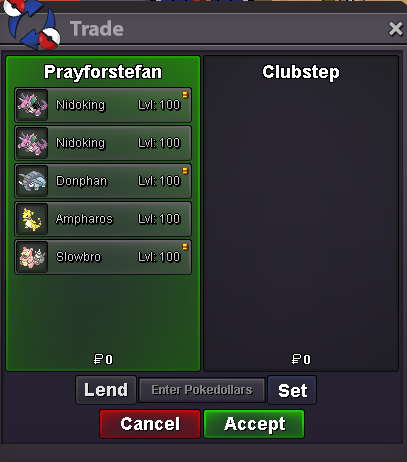
Use the new Trade Zone for auctions and instant-price trades so Pokemon and item offers are easy to find.

Prayforstefan
Registered User
-
Joined
-
Last visited
Everything posted by Prayforstefan
-
+1 (i got paid for it)
-
My sauce said the same+1 fantastic.450StartIf u want someone who takes time on his beautiful, please pick this handsome man - he knows what he is doing!Good to see this handsome man back on duty, i love him #me #big #fan.#supportedHello sir good job sir very nice sir have a nice day sir500#supportedtldr; pls?.The guy started on Johto, but we could easily have avoided the locked region pokes if he just wrote it - so i would like to get them back in pc, thx in advance. Silver, Prayforstefan
 StartOh well, that gives a good meaning then, never knew that the game was that "big" since the ppl that recommend me the game, didnt know the history of it. So thanks for clearing it, then it isnt that bad at all. Edit: didnt mean to be disrespectful, i was just clueless about the game state before 2018, so i Only know the stufffrom this thread.








Account
Navigation
Search
Configure browser push notifications
Chrome (Android)
- Tap the lock icon next to the address bar.
- Tap Permissions → Notifications.
- Adjust your preference.
Chrome (Desktop)
- Click the padlock icon in the address bar.
- Select Site settings.
- Find Notifications and adjust your preference.
Safari (iOS 16.4+)
- Ensure the site is installed via Add to Home Screen.
- Open Settings App → Notifications.
- Find your app name and adjust your preference.
Safari (macOS)
- Go to Safari → Preferences.
- Click the Websites tab.
- Select Notifications in the sidebar.
- Find this website and adjust your preference.
Edge (Android)
- Tap the lock icon next to the address bar.
- Tap Permissions.
- Find Notifications and adjust your preference.
Edge (Desktop)
- Click the padlock icon in the address bar.
- Click Permissions for this site.
- Find Notifications and adjust your preference.
Firefox (Android)
- Go to Settings → Site permissions.
- Tap Notifications.
- Find this site in the list and adjust your preference.
Firefox (Desktop)
- Open Firefox Settings.
- Search for Notifications.
- Find this site in the list and adjust your preference.