




New Trade Zone
Trade Zone is now live
Use the new Trade Zone for auctions and instant-price trades so Pokemon and item offers are easy to find.
All Activity
Past hour
-
Drifto joined the community
-
Hey, I'm very sorry about the long response time! Several game updates have gone live since this thread was made - Are you still experiencing these crashes on Android?
-
Hey, I'm really sorry about the long response time! Do you have any other questions about trading, or do you need further clarification over this fundamental mechanic?
-
@Lacomus is absolutely correct! We are unable to "reset" accounts at this time, but you are free to make up to 4 total accounts to replay the game from the beginning. I apologize about how long it has taken to get a response back to you over this - Do you have any other questions about this, or would you like me to clarify anything about having multiple accounts?
-
Hello, Thank you @Y1n ! While Natural gift is attainable for many Pokemon either via the Move Relearner, this move is currently available for Petilil (and others) to learn via the egg move tutor, which you can gain access to in any of the 5 Daycares across PRO: Kanto - Route 5 Johto - Route 34 Hoenn - Route 117 Sinnoh - Solaceon Town Sevii Islands - Four Island Gaining access to Daycares in general is done by defeating Naero in Cerulean Cave B1F! Do you have any other questions, or would you like me to further clarify any of the above?
-
Hey, I see you've logged in many times since posting this thread - Are you still experiencing these crashes/freezes intermittently?
-
Hello, Please try to interact with the PC/Notebook in Professor Rowan's Lab (Sinnoh) to restore your legendary Pokemons' caught data!
Today
-
Due to inactivity, I will now close this thread. Please make another if you would like further clarification over this mechanic.
-
IGN: Hrxander Timezone: GMT +6
-
Hey, I see that you have logged in since you posted this quite a few times, though because of the nature of your issue you may have just been chugging through despite the crashes, Is this something you are still struggling with currently, or did the issue get resolved?
-
Hey, Just checking in, are you still experiencing these crashes?
-
Hey, Just checking in, are you still experiencing this problem?
-
Hey, I'm really sorry about the massive delay in response time to your question! The most general factors that influence dungeon points are: Time taken - The less time spent, the better. Number of enemy Pokemon fainted in the run Number of times you blacked out - Every time you or a dungeon mate black out, your points are marked down! In addition, every dungeon has their own specific factors that will influence scoring. While some of these dungeon-specific scoring criteria are currently non-public (meaning the scripting team does not explicitly reveal them to the public), there are some with NPCs standing nearby the entrances who give hints as to what affects high scores! Do you have any other questions, or would you like me to clarify something for you about this topic?
-
Yizuzz joined the community
-
Bossssob40 joined the community
-
Hello, I am sorry about the long wait time to receive a response over this. Unfortunately, we are unable to provide an OT change in this case. Ayroo
-
Stereofusionz joined the community
-
Oh that's great! I'll go ahead and close your thread now, but please make another if you have any other issues or if you need any further help! Ayroo
-
Ayasaki19 joined the community
-
Dontmindmedog joined the community
-
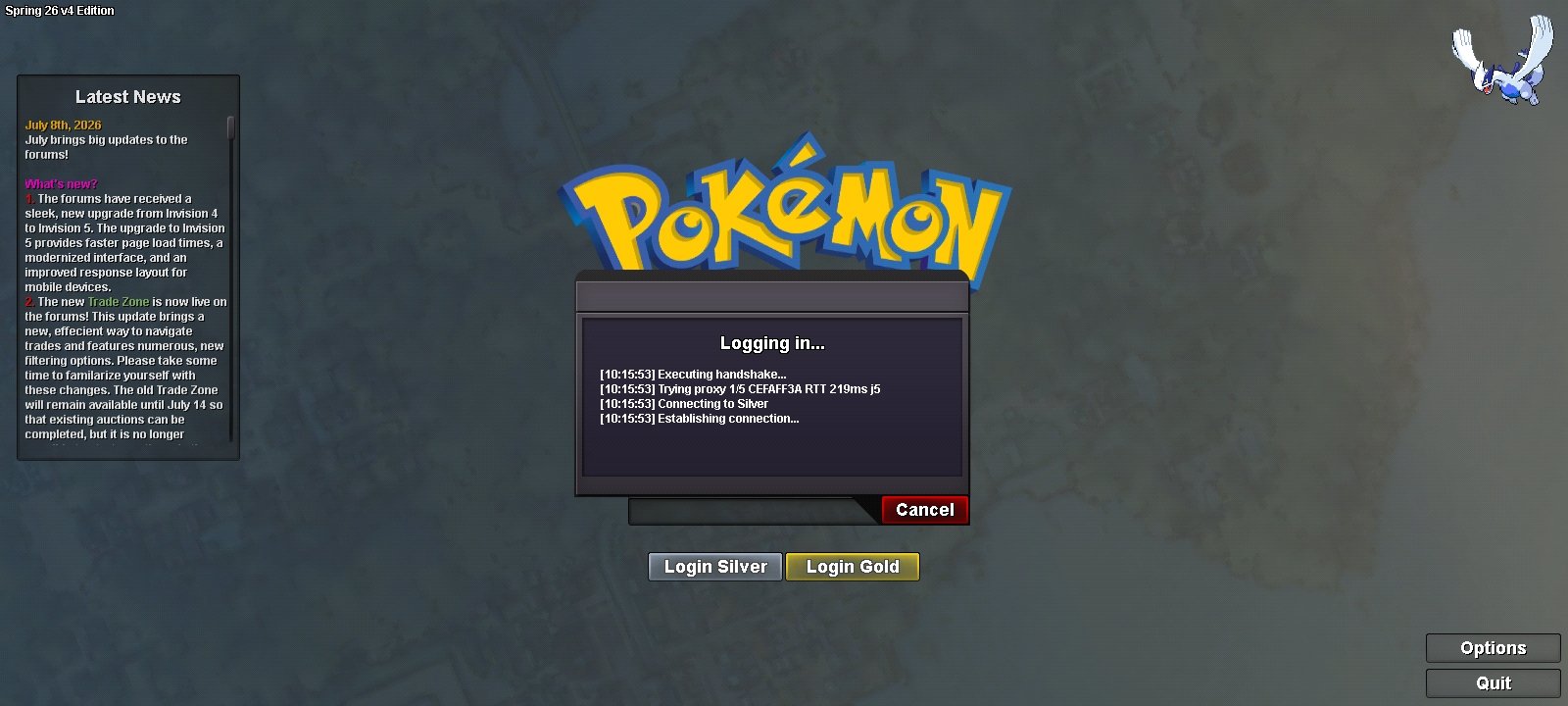
Hello, I got this problem for almost a week. Our home wifi working just fine with other usage but I can't log in in PRO. Although I can log in using my mobile data, but the network is unstable. I think it started during the forum upgrade. Hopefully you can help me with this.
-
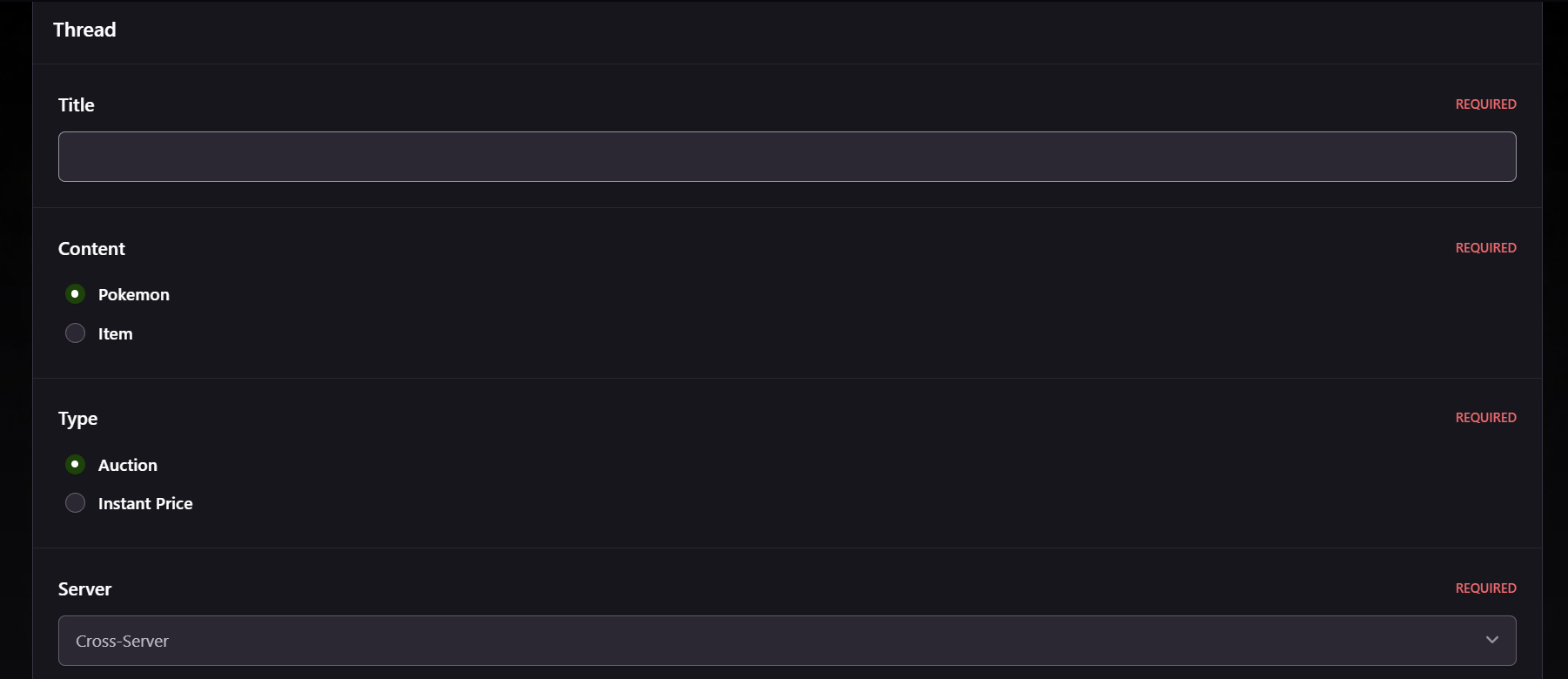
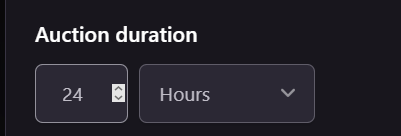
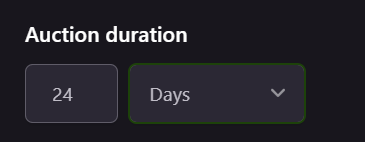
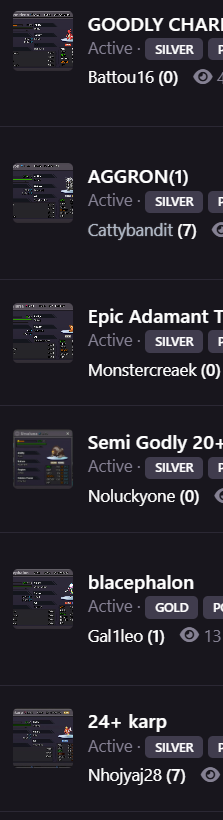
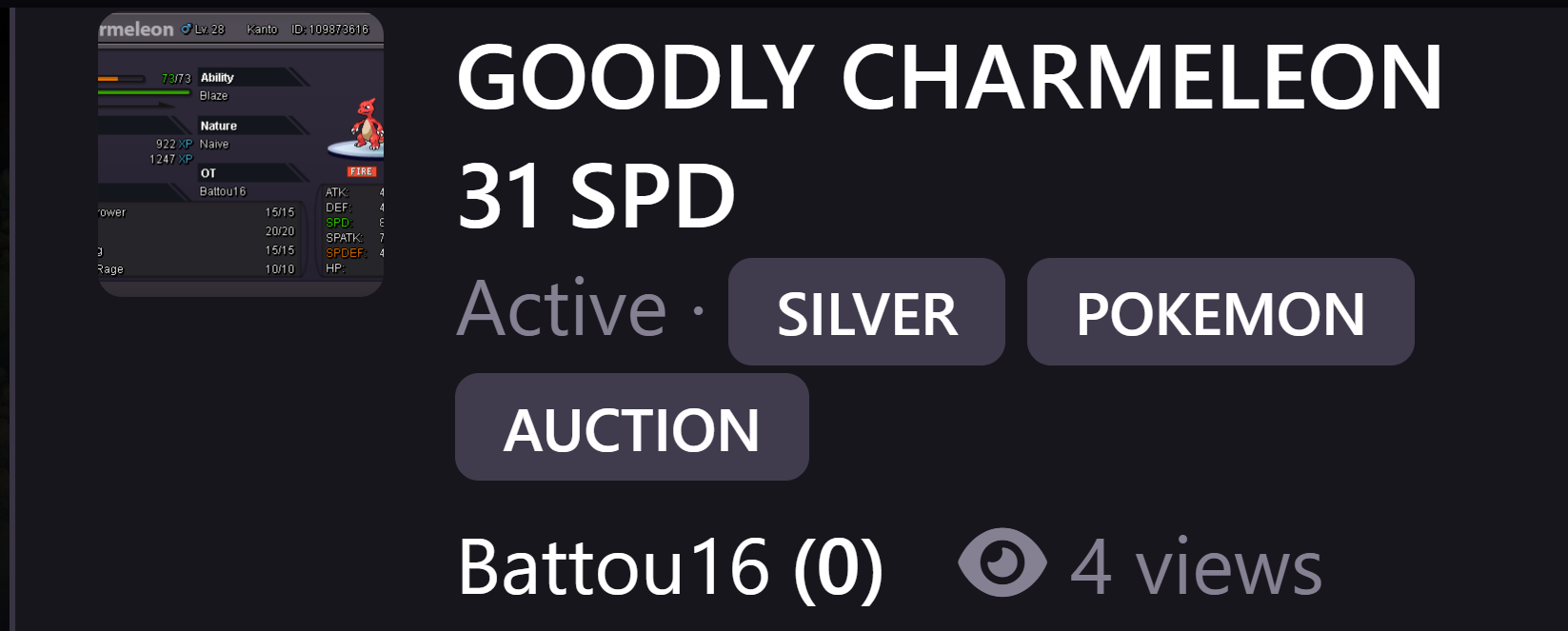
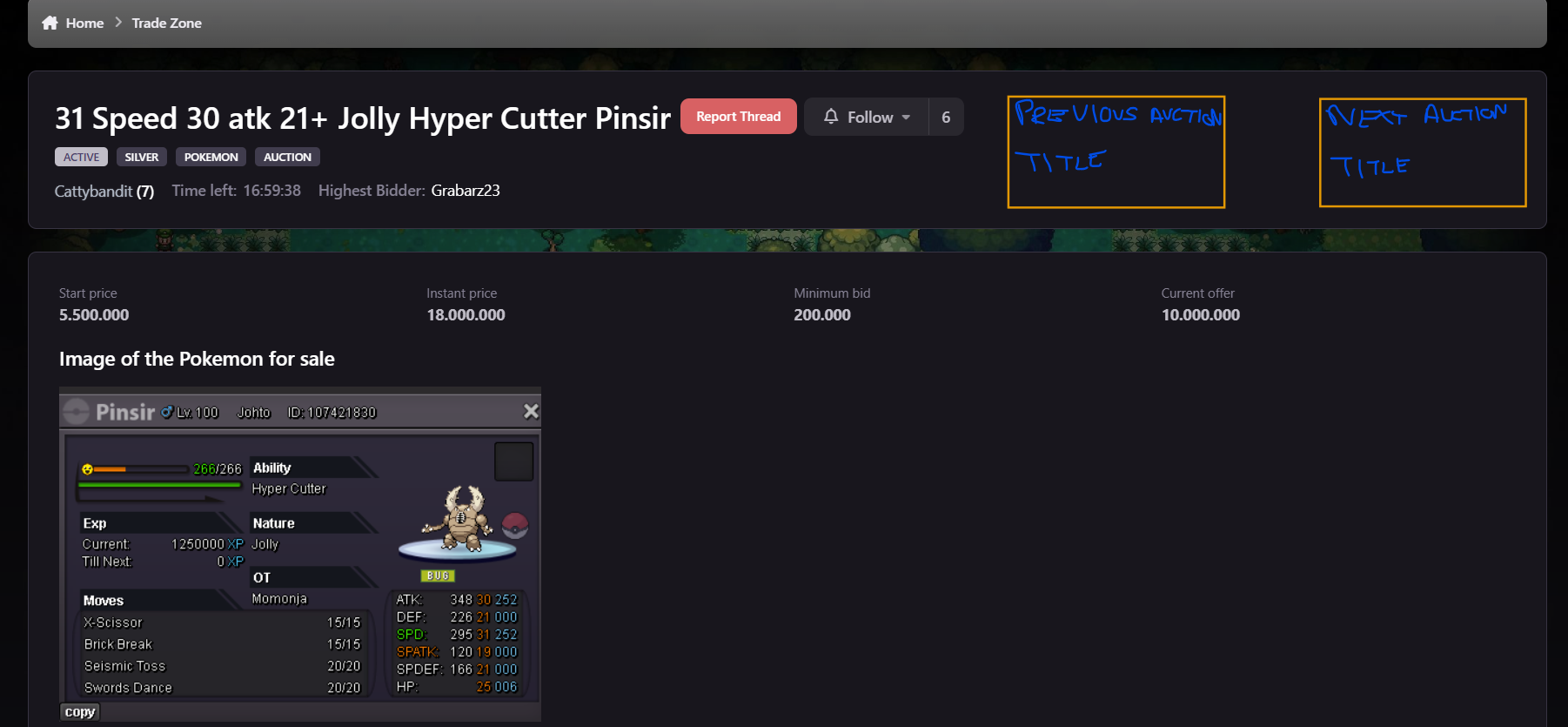
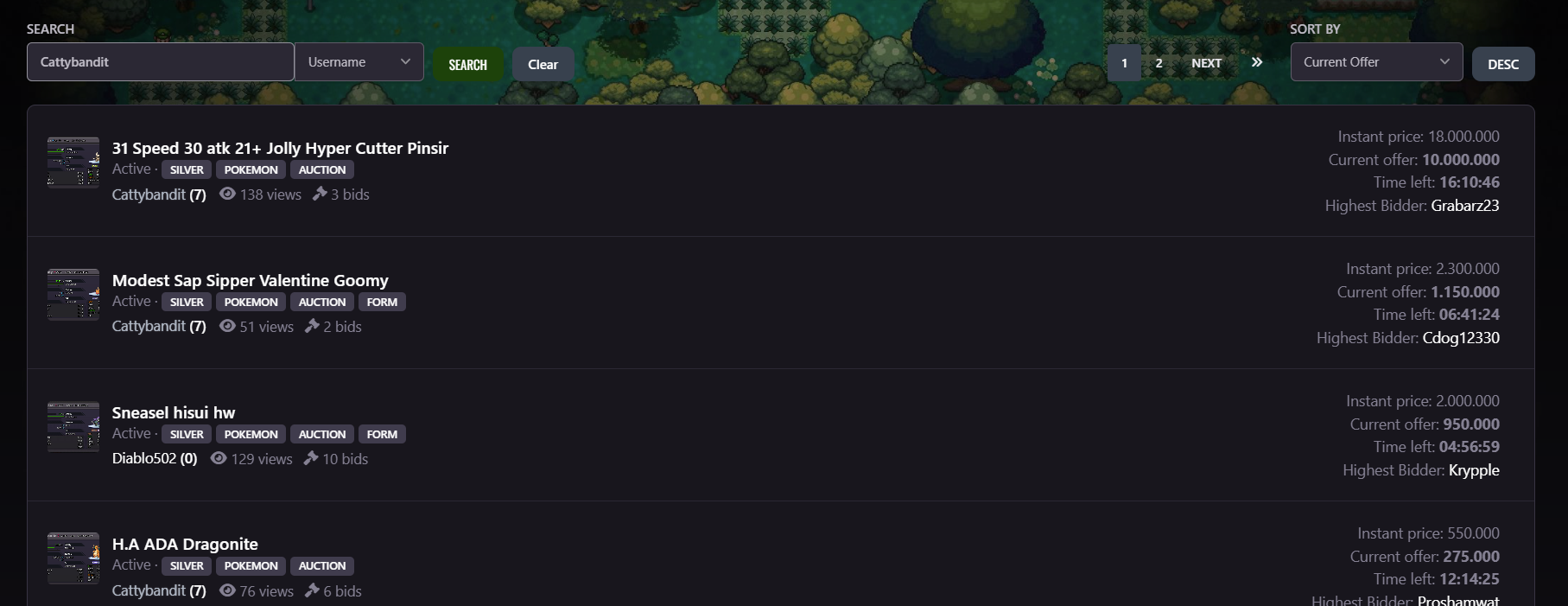
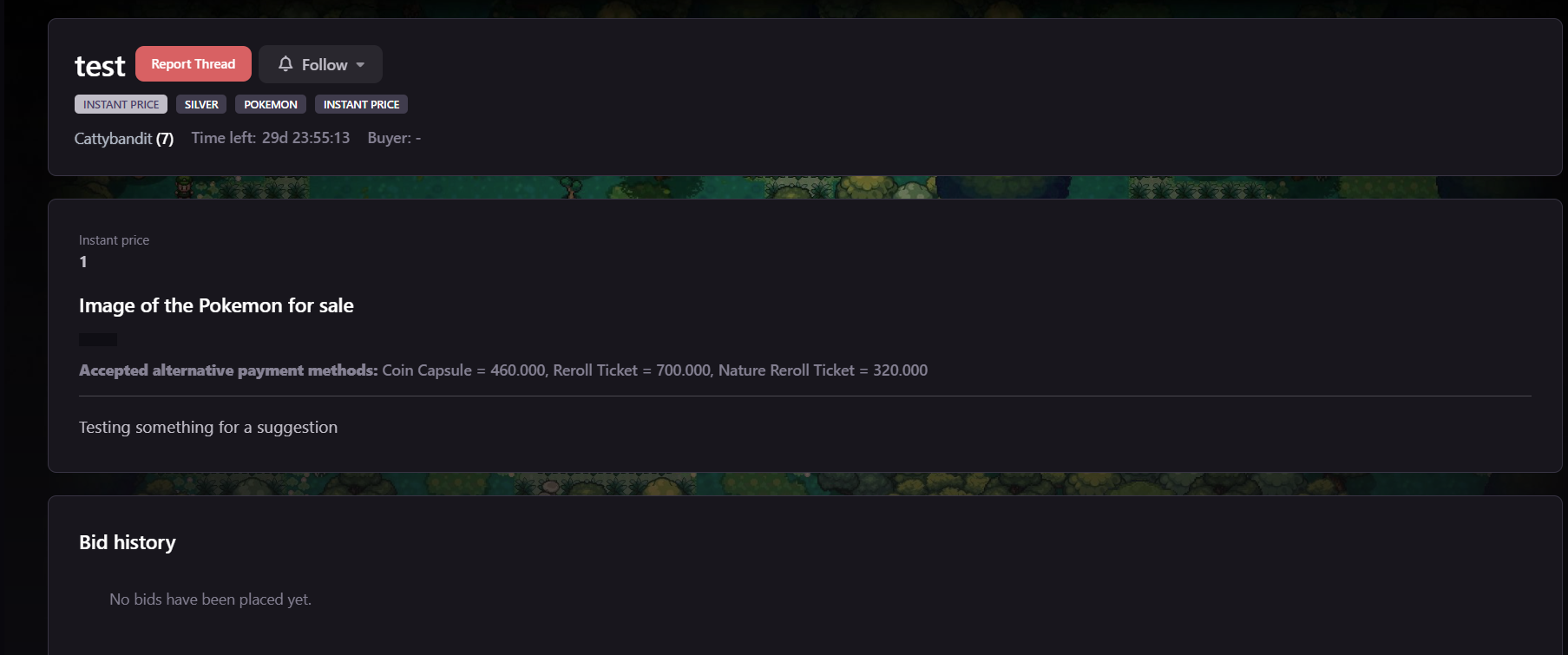
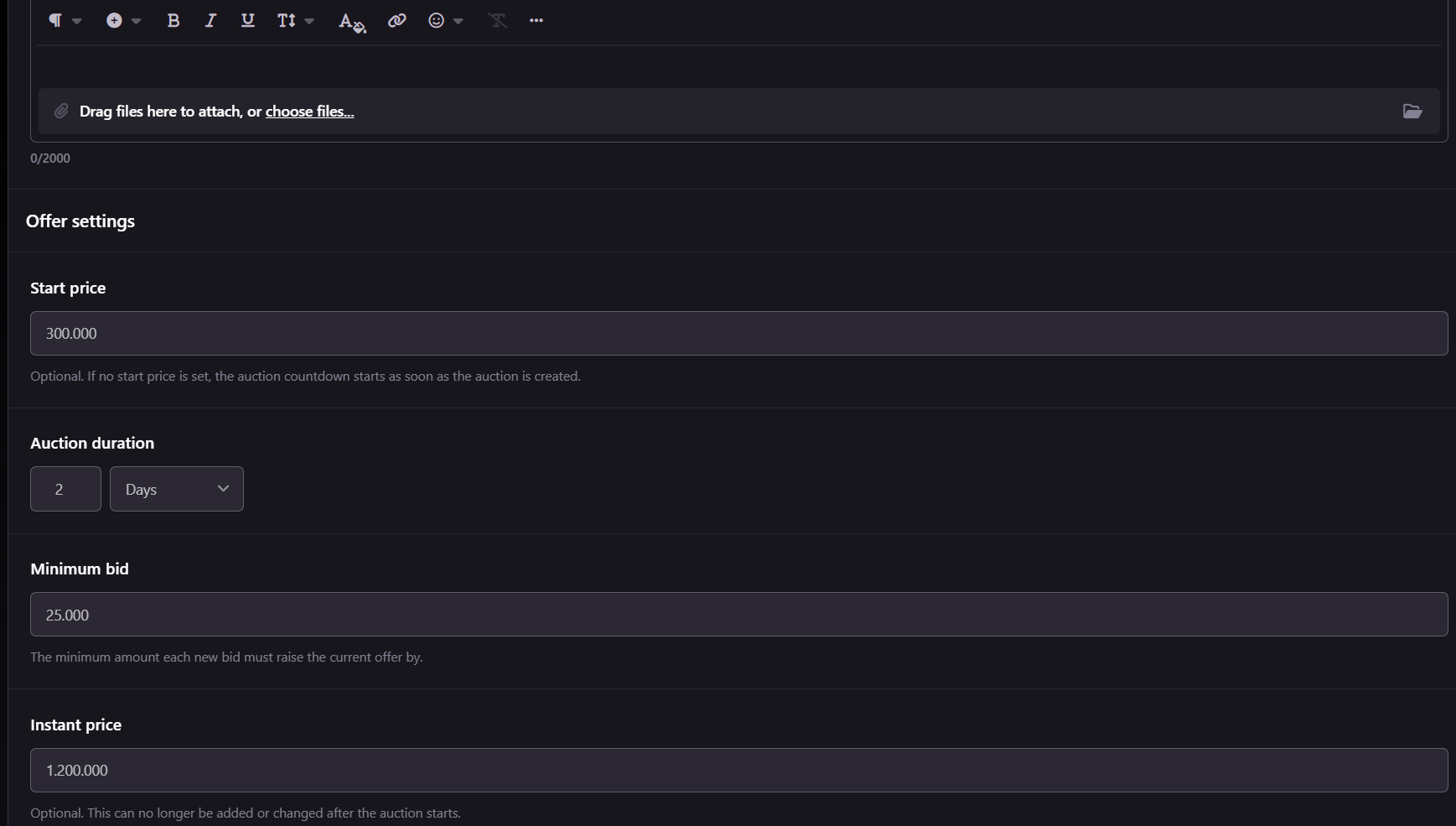
First of all, apologies for typos, grammar, or if something doesn't make sense. I want to say that I personally really like the new trade zone. I feel it eliminates a lot of the past issues buyers/sellers faced and is more intuitive to newer players, especially eliminating the headaches of the 15 minute rule that users personally had to keep track of (especially mobile bidders). To readers please give any feed back on specific suggestions and id be glad to change if I personally agree with it. EDIT - Apologies also for no list to identify the suggestions and make it more readable, would have added but too late now and cant be bothered messing around with it since it is not workign as i would like Tldr of the suggestions. My first suggestion is regarding your default server. With the personalisation settings, you can select a main server. With this, I believe it would be useful if it defaulted to this main server when creating an auction. Currently it defaults to cross server, regardless of the selected main server. Spoiler one shows this. Suggestion 1 example My second suggestion would be that when changing the time setting of the auction, specifically changing the unit of time, to default to the equivalent of that time to another. Examples of this are changing from hours to days, and having it set at 24hours, it would set the day time to 1, rather than the current 24 days, allowing for the time to be adjusted more easily with the arrows, rather than manually entering the numbers (Most auctions that I have seen throughout my time last between 1 to 3 days, so I feel this may be a good QOL change, at least personally it would for myself). As I am writing this I can see the issue of going from days/hours to minutes. I will say I feel changing to minutes could default at 60 regardless of what the current selection is for the hours/days (e.g if you have 20 hours and select minutes, it goes to 60, or 5 days, it goes to 60). Spoiler 2 shows what it currently does, and with the change, it would allow for the increment with the slider, rather than entering manually. I created a fair few auctions and felt it throws off the rhythm when creating the auction. This may be, and likely is, entirely just my preference, but thought I would suggest it. Suggestion 2 example My third selection would be to have the ability to preview the images within an auction, rather than having to click on each auction and view the image(s). With the amount of auctions there is already, it can be quite time consuming, viewing each individually. The current little preview you can see, is way to small to even make out anything. Spoiler 3 shows what it looks like, aswell as when zoomed to 500%. The first image shows you cant make anything out, whilst the second shows the image alot more clearly, but is just way too zoomed and makes the viewing process worse as a whole (Aswell as currently you cant see IVs). Suggestion 3 Picture comparisson An alternative to this, or additionally with, would be that whilst in an auction, you can easily change to another auction. This could be with a next or previous button on the current auction you are viewing. This would follow the current search filter you had selected when you clicked the first auction. For example if you had selected the current offer and selected the auction with the highest current offer, there would be no previous option, but would allow you to select to move to the 2nd highest offer. Whilst being on the 2nd highest offer gives access to the previous button. Spoiler 4 shows an example, with my great mouse drawing skills. The previous could be moved to the left, whilst centering the title and auction details, or could be split in two, like the image shows Suggestion 3 Part 2 example Although I'm not really sure how urls work, my fourth suggestion is would it be possible to shorten the url, when select parameters are applied. This could just be a me issue, but thought id suggest anyway. The main search parameter im talking about is when you search your own username, the url is quite big. I believe this is the only way to show all of your listed auctions. The reason why I see a big url negatively affecting players, is that it makes it tough to advertise in game. The below is what I advertised in trade chat earlier and reached characters cap. No supporting details/other information was able to be provided, such as current offers, time left, etc. The other information I'm talking about is that cosmetics/items. The majority of players, at least I believe, wouldn't check the items listed, and you are better off doing a separate message about that. You also cant really advertise just regular trades, alongside showcasing examples of auctioned pokemon and the url, as there just isnt enough characters. Trade chat example I tried to use a URL shortener, but it doesn't recognise it as being a link in game, resulting in it being no clickable. Like i said, im not sure how urls work, but could it somewhat look like the first, rather than the current 2nd. Maybe by making each player have a dedicated trade zone for their own auctions. pokemonrevolution.net/forum/tradezone/cattybandit pokemonrevolution.net/forum/index.php?app=proauctions&module=auction&controller=auctions&content_type=pokemon&q=Cattybandit&search_type=username My fifth suggestion sort of ties in with the username search that you can do. Would it be possible to show only auctions that you are either listing, currently the highest bidder, or won. I say this as when advertising/just looking at your own stuff, there can be completely unrelated posts. If you wish to keep track of the auction, I believe the follow button should be used, rather than this search feature (That is the only positive reason I can see for these types of auctions to show whilst searching for your name). An example can be seen in the spoiler below. When searching for my own username, a pokemon I bid on appears (the sneasle). I am nolonger the highest bidder or even interested in it, but it remains. As this (I believe) is the only way to post all of your listing to a url, having unrelated posts of what i bid on can be quite annoying. Suggestion 5 Username search example Regarding this one, i have realised it may not even be needed, with the sort filters, but thought to still mention it. My sixth suggestion would be to allow bumping for posts that already have a bid, once 24 hours have past. Personally I don't see an issue with this. If i create a 2day auction for example and receive a bid at the start of the auction creation. Sort filters ikely balance this out, with the end date one, but i still feel it would be nice to be able to bump the post to the top of the last activity. My seventh suggestion is regarding Instant price listings. From what I have gathered, you cannot edit your own listings, if you wish to lower the price, or you cant manually close the listing yourself. To me this provides 2 negatives. It restricts the users in freely editing their own listings to suit their new needs. With the new trade zone, I dont see why you cant edit your own instant price, especially when you can do it with regular auctions. Regarding manually closing an instant price listing, I am assuming you have to report the thread and have a staff member close it. This is just useless waiting time for the user on waiting for a staff member to close it and waiting time for you to put up another auction. Seventh suggestion exampls



-
Moit4 joined the community
-
Alejandr0001 joined the community
-
Doncbum joined the communitySamuboss joined the community
Yesterday
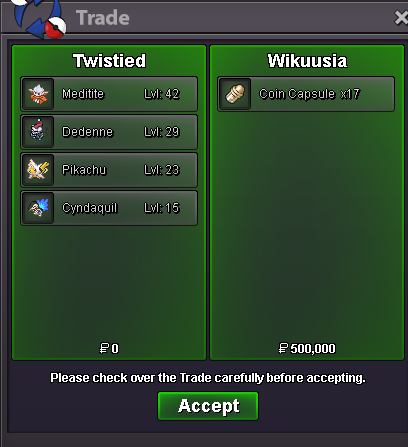
i think u forgot to finishHi! @Klassyrahul I'm sorry to see you're having issues logging in to the game, So that i can help the best possible way can you please answer a couple of questions: What is the error you are getting? Looking at the screenshot you put i can't clearly see what error it's giving you, if you can either show me another screenshot or try and explain what it tells you. I can see you are on the download site, Have you tried re downloading the game? If you already does it provide the same issue or does anything different happen? Going forward I can also provide a possible solution for you to try, Please let me know if this works for you! -Delete all of your current PRO files -Update your graphics driver if it isn't already up to date -Re-download a fresh PRO copy from the official website -Extract the files to the correct location (Documents/PRO Client) -Run the game as Administrator Please let me know if this solution works for you! If it doesn't please provide me the extra information for me from the error you are getting and i will help look into other issues it could be! Thanks! Satellar 🌟hi dude do you have 2 skwovet by any chance ?Twitchbhim95 - TwitchCoin Capsule Giveaway!Coin Capsule Giveaway!Enigma90 changed their profile photook glad to hear that you found a solution for the issue. If you have any other issues in the future don't hesitate to ask















Account
Navigation
Search
Configure browser push notifications
Chrome (Android)
- Tap the lock icon next to the address bar.
- Tap Permissions → Notifications.
- Adjust your preference.
Chrome (Desktop)
- Click the padlock icon in the address bar.
- Select Site settings.
- Find Notifications and adjust your preference.
Safari (iOS 16.4+)
- Ensure the site is installed via Add to Home Screen.
- Open Settings App → Notifications.
- Find your app name and adjust your preference.
Safari (macOS)
- Go to Safari → Preferences.
- Click the Websites tab.
- Select Notifications in the sidebar.
- Find this website and adjust your preference.
Edge (Android)
- Tap the lock icon next to the address bar.
- Tap Permissions.
- Find Notifications and adjust your preference.
Edge (Desktop)
- Click the padlock icon in the address bar.
- Click Permissions for this site.
- Find Notifications and adjust your preference.
Firefox (Android)
- Go to Settings → Site permissions.
- Tap Notifications.
- Find this site in the list and adjust your preference.
Firefox (Desktop)
- Open Firefox Settings.
- Search for Notifications.
- Find this site in the list and adjust your preference.